GITNUXSOFTWARE REVIEW
Measurement AnalysisTop 10 Best Monitor Calibration Software of 2026
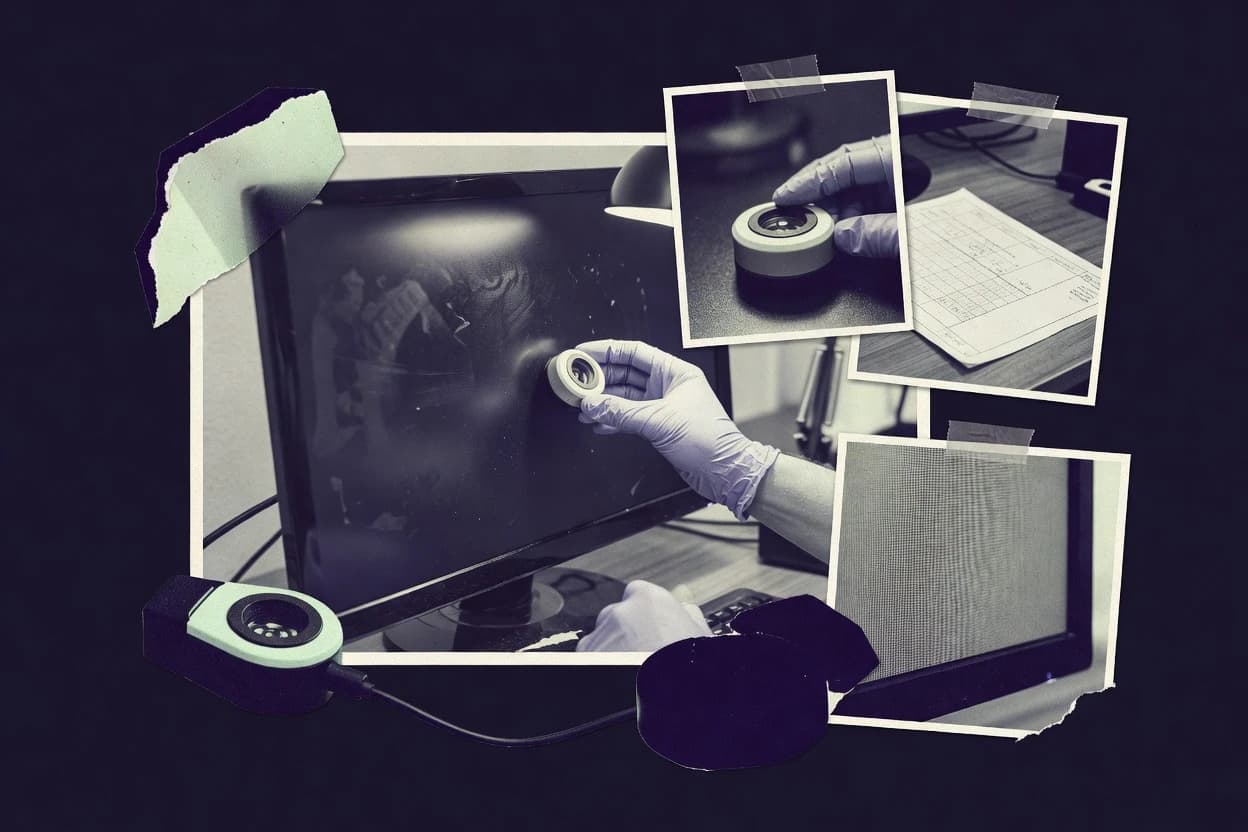
Compare monitor calibration software options and tradeoffs for accurate display color, including LG Calibration Studio, DisplayCAL, and ASUS ProArt Calibration.

How we ranked these tools
Vendors set the topic, but our editors set the inclusion criteria and the evaluation framework before research starts.
AI search agents find sources, extract figures with provenance, and aggregate written reviews. They also transcribe video reviews and podcasts.
Framework: Features 40% · Ease 30% · Value 30%
Gitnux may earn a commission through links on this page — this does not influence rankings. Editorial policy
LG Calibration Studio is the best pick for LG monitor owners who want guided hardware calibration because its direct integration writes calibration results into supported displays rather than relying only on operating-system profiles, whereas DisplayCAL fits photographers and studios needing instrument-based control since its ArgyllCMS workflows cover detailed measurement, profiling, and verification.
Editor’s top 3 picks
Three quick recommendations before you dive into the full comparison below — each one leads on a different dimension.
LG Calibration Studio
Direct integration with supported LG monitor hardware enables calibration data to reside inside the display rather than only in the operating system profile.
Best for: Fits when LG monitor owners need guided hardware calibration for individual creative workstations.
DisplayCAL
Editor pickArgyllCMS integration exposes advanced instrument correction, profiling, verification, and test-chart workflows within one desktop interface.
Best for: Fits when photographers and studios need instrument-based calibration with granular measurement control.
ASUS ProArt Calibration
Editor pickDirect hardware LUT calibration and preset storage built specifically for supported ASUS ProArt displays.
Best for: Fits when ProArt monitor owners need straightforward hardware calibration for recurring creative production work.
Comparison Table
LG Calibration Studio
vertical specialistVendor software for hardware calibration on supported LG UltraFine and professional displays.
Direct integration with supported LG monitor hardware enables calibration data to reside inside the display rather than only in the operating system profile.
LG Calibration Studio writes calibration data directly to supported LG monitor hardware through a compatible colorimeter. The workflow targets white point, gamma, color gamut, and luminance settings before storing results in the display’s internal LUT.
Support is concentrated in selected LG UltraFine, UltraGear, and OLED Pro models, with monitor-specific compatibility determining available controls. The software lacks a documented public API, centralized fleet administration, and broad support for non-LG displays.
- +Writes calibration results to supported LG monitor hardware
- +Provides guided workflows for common color targets
- +Uses compatible colorimeters for repeatable display profiling
- +Supports LG monitor features that generic profiling utilities may not expose
- –Compatibility is restricted to selected LG monitor models
- –No documented public API or command-line automation layer
- –No centralized profiles, RBAC, or fleet reporting
- –Advanced workflows depend on the connected monitor’s firmware
Best for: Fits when LG monitor owners need guided hardware calibration for individual creative workstations.
DisplayCAL
specialistOpen-source monitor calibration and profiling software supporting multiple colorimeters.
ArgyllCMS integration exposes advanced instrument correction, profiling, verification, and test-chart workflows within one desktop interface.
DisplayCAL exposes target controls for white point, tone response, luminance, measurement patches, and profiling quality. ArgyllCMS supplies the measurement engine, while DisplayCAL organizes device detection, correction matrices, calibration reports, and ICC profile installation. Advanced users can select display types, instrument modes, test charts, and verification procedures instead of relying on fixed presets.
The main tradeoff is operational complexity because instrument drivers, ArgyllCMS components, display identification, and correction settings require careful configuration. A freelance retoucher can use DisplayCAL to profile a wide-gamut monitor, compare measured results against targets, and install the resulting profile for color-managed applications.
- +Detailed target, measurement, and profiling controls
- +ArgyllCMS supports a broad range of instruments
- +Generates verification reports with measured deviations
- +Supports correction matrices and custom measurement workflows
- –Setup requires separate ArgyllCMS components and device drivers
- –Interface can overwhelm users seeking guided presets
- –Hardware calibration depends on compatible monitor models
- –No centralized fleet administration or scheduling console
Commercial photographers
Profile wide-gamut editing monitors
Consistent editing previews
Print production studios
Verify display targets before proofing
Fewer proofing surprises
Show 2 more scenarios
Color science technicians
Test instrument correction methods
Repeatable instrument results
ArgyllCMS workflows let technicians compare correction files and measurement settings across different display technologies.
Independent designers
Calibrate a personal workstation
Controlled screen output
DisplayCAL guides device selection, target setup, measurement, profile creation, and operating-system profile installation.
Best for: Fits when photographers and studios need instrument-based calibration with granular measurement control.
ASUS ProArt Calibration
vertical specialistDisplay calibration software for supported ProArt monitors with hardware calibration support.
Direct hardware LUT calibration and preset storage built specifically for supported ASUS ProArt displays.
Fits ASUS ProArt display owners who need manufacturer-specific hardware calibration without a broader fleet management layer. ASUS ProArt Calibration writes calibration data directly to compatible monitor hardware and supports target settings for brightness, color temperature, gamma, and color space.
Users can save multiple calibration presets and switch between workflows through the monitor interface. Compatibility remains limited to supported ProArt models, and the software provides little automation or cross-vendor device control.
- +Writes calibration settings to compatible ProArt monitor hardware
- +Supports multiple calibration presets for different production workflows
- +Offers direct control of brightness, gamma, white point, and color space
- +Works with supported colorimeters for repeatable display setup
- –Limited to compatible ASUS ProArt monitor models
- –Provides no broad cross-vendor display fleet management
- –Lacks a documented public API for automated calibration jobs
- –Advanced validation and reporting features remain limited
Best for: Fits when ProArt monitor owners need straightforward hardware calibration for recurring creative production work.
BasICColor display
enterpriseProfessional monitor calibration and profiling software for color-critical workflows.
BasICColor display links detailed monitor calibration with the wider BasICColor color-management application family.
BasICColor display combines instrument-driven calibration with profile validation and device-specific configuration. Its workflow supports common ICC profile creation tasks and provides controls for luminance, white point, gamma, and ambient conditions. The software also connects with other BasICColor applications for broader color-management processes, which helps studios maintain consistent settings across operators and workstations.
- +Supports colorimeters and spectrophotometers across professional display workflows
- +Detailed target controls for luminance, white point, and gamma
- +Integrates with BasICColor applications for wider color-management processes
- +Provides profile validation and repeatable measurement workflows
- –Advanced configuration can overwhelm users familiar with basic calibration wizards
- –Hardware calibration depends on compatible monitor and instrument combinations
- –Workflow depth requires consistent operator procedures across shared workstations
- –Consumer-focused guidance is less prominent than studio-oriented controls
Commercial photography studios
Profile editing monitors consistently
Consistent retouching environments
Prepress departments
Align proofing displays with print workflows
Fewer display-related proofing errors
Show 2 more scenarios
Color-management consultants
Standardize client workstation calibration
Repeatable client deployments
Consultants apply repeatable measurement procedures across varied monitors and document target settings for client teams.
Digital cinema teams
Tune reference monitoring environments
More consistent grading decisions
Colorists configure display targets for controlled grading rooms using compatible instruments and defined viewing conditions.
Best for: Fits when studios need controlled monitor profiling across photography, print, and color-managed production workflows.
Datacolor SpyderX
specialistMonitor calibration hardware and software bundle for photographers and creatives.
SpyderX colorimeter hardware combines faster sensor readings with guided and expert calibration workflows.
Monitor calibration tools commonly combine a colorimeter with guided profiling software, and Datacolor SpyderX follows that established workflow. Its updated sensor supports faster measurements than earlier Spyder generations, while the software creates ICC profiles for supported displays.
- +Fast colorimeter readings reduce calibration time on supported monitors.
- +Guided mode presents clear steps for first-time display profiling.
- +Expert controls expose white point, gamma, and luminance targets.
- +Ambient light measurement helps set a repeatable workspace target.
- –Software calibration cannot write directly to a monitor's internal LUT.
- –No documented API supports fleet provisioning or scheduled recalibration.
- –Advanced workflows lack spectrophotometer support and probe matching.
- –HDR and wide-gamut validation remain less detailed than specialist applications.
Best for: Fits when photographers and designers need quick ICC profiling for individual monitors.
Calibrite ColorChecker
specialistCalibration tools and software succeeding the X-Rite i1Display line.
Calibrite PROFILER combines target selection, guided measurement, ICC profile creation, and calibration verification in one workflow.
Calibrite ColorChecker creates display profiles from measurements captured with Calibrite colorimeters and supported instruments. Its workflow covers calibration targets, ICC profile creation, and post-calibration checks through the Calibrite PROFILER application.
- +Guided PROFILER workflow reduces manual display calibration steps.
- +Supports custom white point, luminance, and gamma targets.
- +Creates ICC profiles for color-managed desktop applications.
- +Works with Calibrite colorimeters across common display workflows.
- –No documented public API for fleet-level calibration automation.
- –Advanced monitor LUT controls depend on compatible display hardware.
- –Limited administrative governance for shared studio deployments.
- –HDR and wide-gamut workflows receive less control than specialist systems.
Best for: Fits when photographers, designers, and small studios need guided display profiling with Calibrite hardware.
LightSpace CMS
enterpriseAdvanced display calibration and profiling software for broadcast and post-production.
LightSpace LUT generation links measured display behavior to custom conversion workflows across monitors, projectors, and video systems.
Post-production teams working across displays and video pipelines get the most from LightSpace CMS, ranked sixth for its calibration depth and workflow control. The software combines display profiling with LUT generation, color-space conversion, and calibration management for monitors, projectors, and video systems.
- +LightSpace LUT tools support monitor, projector, and video-pipeline calibration workflows.
- +ColorSpace conversion handles custom display targets and production color-management requirements.
- +Probe integration supports measurements from common colorimeters and spectrophotometers.
- +Workflow options suit facilities managing multiple display technologies and signal paths.
- –The interface has a steep learning curve for users familiar with consumer calibration apps.
- –Hardware LUT writing depends on compatible displays, interfaces, or external video processors.
- –Single-monitor users may find the production-oriented feature set excessive.
- –Automated scheduling and centralized user administration are less prominent than calibration functions.
Best for: Fits when post-production teams need precise display matching across monitors, projectors, and video-processing equipment.
FSI BoxIO
vertical specialistCalibration management hardware with software control for maintaining accurate video reference displays.
Direct FSI monitor integration for repeatable calibration and configuration in broadcast production environments.
FSI BoxIO combines calibration controls with FSI display integration and professional video workflows. Its value comes from centralized handling of supported FSI monitors, repeatable configuration, and compatibility with production standards such as Rec. 709.
- +Built for professional FSI display workflows
- +Supports repeatable monitor configuration across production rooms
- +Fits broadcast and post-production color-control requirements
- +Provides a focused interface for supported hardware
- –Hardware coverage is narrower than general-purpose calibration software
- –Advanced workflows require compatible FSI monitors
- –Less suitable for mixed-brand display fleets
- –Facility-wide administration may require manual process controls
Broadcast engineering teams
Standardizing control-room monitors
Consistent room configurations
Post-production facilities
Maintaining editorial display consistency
Fewer display discrepancies
Show 1 more scenario
Color-management specialists
Configuring reference displays
Repeatable reference conditions
Specialists manage professional display parameters for controlled review and mastering environments.
Best for: Fits when broadcast teams standardize compatible FSI monitors across color-critical production rooms.
Portrait Displays Calman
enterpriseCalman provides display calibration software for monitors, TVs, projectors, and broadcast workflows.
AutoCal connects measurement, pattern generation, and compatible display controls into a guided calibration workflow.
Portrait Displays Calman differentiates itself through deep display measurement workflows and manufacturer-specific calibration integrations. Its software supports colorimeter and spectrophotometer workflows, automatic pattern generation, grayscale analysis, and LUT-based calibration for compatible displays.
- +Supports extensive meter, pattern generator, and display hardware integrations.
- +AutoCal workflows reduce repeated manual adjustments on compatible displays.
- +Detailed reports expose grayscale tracking, gamut errors, and luminance behavior.
- +Professional editions support advanced LUT workflows and multiple calibration targets.
- –Advanced workflows require substantial knowledge of measurement theory and display controls.
- –Hardware compatibility varies by edition, display model, and connected measurement equipment.
- –Consumer-focused editions provide less automation and integration depth than professional editions.
- –The interface can feel dense during multi-stage calibration and troubleshooting.
Best for: Fits when calibrators, display manufacturers, and video professionals need repeatable measurement workflows across supported hardware.
ColorLogic CoPrA
enterpriseCoPrA creates ICC printer, display, camera, and device-link profiles for color-managed production.
Device-link profile generation with iterative optimization for controlled conversions across complex production color pipelines.
Monitor calibration software usually centers on display profiling, while ColorLogic CoPrA focuses on ICC color management for production workflows. Its core capabilities include device-link profile creation, profiling controls, profile inspection, and iterative optimization for print and proofing environments.
- +Advanced ICC profile creation supports complex production color workflows.
- +Device-link profiles provide granular control over color conversions.
- +Profile optimization tools support iterative correction and inspection.
- +Integration with ColorLogic applications extends automated color-management workflows.
- –The interface requires color-management expertise and production terminology.
- –Monitor calibration is less central than printer and press profiling.
- –Hardware calibration workflows depend on compatible measurement devices and displays.
- –Automation depth is distributed across related ColorLogic applications.
Best for: Fits when color specialists need monitor profiling within broader print, proofing, and ICC production workflows.
Conclusion
After evaluating 10 monitor calibration software, LG Calibration Studio stands out as our overall top pick — it scored highest across our combined criteria of features, ease of use, and value, which is why it sits at #1 in the rankings above.
Use the comparison table and detailed reviews above to validate the fit against your own requirements before committing to a tool.
How to Choose the Right Monitor Calibration Software
Monitor calibration software is the control and profiling layer that turns instrument readings into display-specific calibration settings and display profiles for consistent viewing. This guide covers ASUS ProArt Calibration, BasICColor display, Calibrite ColorChecker, Datacolor SpyderX, DisplayCAL, FSI BoxIO, LG Calibration Studio, LightSpace CMS, and Portrait Displays Calman to show how different tools handle measurement, profile creation, and hardware control.
The included workflows range from direct monitor hardware LUT calibration in ASUS ProArt Calibration and LG Calibration Studio to more configurable instrument-based profiling with DisplayCAL and LightSpace CMS. Teams also see how Calman AutoCal, BasICColor display, and BasICColor’s color-management integration style changes automation, repeatability, and how much manual configuration each setup requires.
Monitor Calibration Software for creating and applying calibrated display profiles
Monitor calibration software connects a supported meter like a colorimeter or spectrophotometer to pattern generation, then computes calibration results that reduce drift in white point, gamma, and grayscale behavior. It may write calibration data to a display’s internal hardware LUT for hardware calibration, or it may generate ICC profiles that the operating system and color-managed apps use for software calibration.
BasICColor display and DisplayCAL both focus on instrument-driven profiling workflows, with DisplayCAL using an ArgyllCMS integration that exposes granular target and measurement controls. Calman’s AutoCal workflows show a different philosophy where measurement, pattern generation, and compatible display controls are packaged into guided sequences for repeatable calibration across supported equipment.
Monitor control and profiling capabilities that change real calibration outcomes
Teams need monitor calibration software that turns instrument readings into repeatable display-specific settings, either by writing into the monitor hardware LUT or by generating accurate profiles for software calibration. ASUS ProArt Calibration and LG Calibration Studio focus on guided hardware calibration tied to supported display models, while DisplayCAL and LightSpace CMS emphasize instrument-driven profiling workflows.
Integration depth matters because calibration accuracy and repeatability depend on how closely the software can control pattern generation, measurement sequencing, and device communication. Portrait Displays Calman bundles measurement, pattern generation, and compatible display controls into guided AutoCal workflows, while DisplayCAL relies on ArgyllCMS integration to expose granular measurement and profiling controls.
Hardware LUT writing versus profile-only workflows
ASUS ProArt Calibration and LG Calibration Studio write calibration results into compatible monitors’ internal hardware LUT, which supports hardware calibration for recurring work. DisplayCAL and LightSpace CMS primarily generate profiles and LUT tools for use in color-managed pipelines instead of writing to every display’s internal LUT.
Instrument support and measurement workflow guidance
BasICColor display and DisplayCAL drive instrument-based profiling with detailed target and measurement controls, with BasICColor display also supporting colorimeters and spectrophotometers across professional display workflows. Datacolor SpyderX pairs faster readings with guided and expert calibration modes, which reduces time for individual monitor ICC profiling.
Calibration targets and control granularity
Calibrite ColorChecker’s PROFILER workflow combines target selection, guided measurement, ICC profile creation, and calibration verification with custom white point, luminance, and gamma targets. DisplayCAL exposes granular target controls through ArgyllCMS integration, which fits setups that need precise measurement and test-chart workflows.
Automation and repeatability across compatible hardware
Portrait Displays Calman’s AutoCal packages measurement, pattern generation, and compatible display controls into guided sequences that reduce manual adjustment repetition. ASUS ProArt Calibration and LG Calibration Studio improve repeatability by storing multiple calibration presets on compatible ASUS ProArt hardware or by writing guided results into supported LG models.
Workflow fit for color-managed production pipelines
ColorLogic CoPrA centers device-link profile generation with iterative optimization for controlled conversions across complex production color workflows. LightSpace CMS focuses on LUT generation for matching across monitors, projectors, and video-processing equipment, which fits post-production teams that need cross-device behavior control.
Fleet management and automation surface availability
Calibrite ColorChecker lacks a documented public API for fleet-level calibration automation, which limits scripted provisioning across multiple workstations. Datacolor SpyderX also cannot write directly to a monitor’s internal LUT and provides no documented API for scheduled recalibration, which steers it toward per-monitor profiling workflows.
Choose based on hardware control depth, workflow philosophy, and integration boundaries
Start by matching the software’s calibration mechanism to the hardware control model that the production requires. If the goal is to store calibration behavior inside the monitor for day-to-day consistency, ASUS ProArt Calibration and LG Calibration Studio target compatible ASUS ProArt and LG monitors and write calibration data to internal hardware.
Then separate tools that are built around guided compatibility from tools that expose deeper measurement controls. Calman’s AutoCal focuses on repeatable calibration using compatible meter, pattern generation, and display control integrations, while DisplayCAL leans on ArgyllCMS components and drivers to expose granular measurement and test-chart workflows.
Map the calibration target: hardware LUT storage or profile distribution
If the workflow needs calibration behavior stored inside the display, ASUS ProArt Calibration and LG Calibration Studio are built for writing calibration results to supported monitor hardware. If the workflow is centered on software calibration via ICC profiles and managed color pipelines, DisplayCAL, BasICColor display, and LightSpace CMS fit stronger profile-generation and verification roles.
Pick a workflow philosophy: guided compatibility sequences or granular measurement control
Calman’s AutoCal wraps measurement, pattern generation, and compatible display controls into guided sequences that reduce repeated manual adjustments. DisplayCAL uses ArgyllCMS integration to expose detailed measurement and profiling controls, which supports experienced users who want more direct control over targets and verification steps.
Verify instrument and device coverage against the meters in the lab
BasICColor display supports colorimeters and spectrophotometers across professional display workflows and provides detailed target controls for luminance, white point, and gamma. SpyderX focuses on faster sensor readings and guided steps for ICC profiling on supported monitors, while Calibrite ColorChecker’s PROFILER workflow assumes Calibrite hardware around guidance and verification.
Check whether automation requires an API or is handled inside the vendor workflow
If scheduled recalibration or scripted fleet provisioning is required, avoid tools that lack a documented public API for automation, including Calibrite ColorChecker and Datacolor SpyderX. If repeatability is driven by guided sequences and compatible integrations rather than scripting, Calman’s AutoCal workflow style can reduce per-site calibration drift without exposing a public API.
Align the output artifact with production needs and color pipeline complexity
For complex conversion workflows and controlled device-to-device transformations, ColorLogic CoPrA emphasizes device-link profile generation with iterative optimization. For matching across monitors and projection or video pipelines, LightSpace CMS centers LUT generation and conversion for custom display targets.
Use direct brand integration only when the monitor fleet is standardized
FSI BoxIO supports repeatable calibration and configuration for compatible FSI monitors in broadcast production environments. ASUS ProArt Calibration and LG Calibration Studio deliver the most direct hardware-writing value only when monitor models match the supported ProArt or LG integration list.
Who Monitor Calibration Software fits best based on hardware, workflow, and governance needs
Calibration software becomes workable when the tool can control the same devices the team deploys and outputs the right artifacts into the right color-managed workflows. Hardware LUT writing benefits teams that standardize monitor models for creative production work and want calibration to persist outside the operating system.
Profile generation and verification benefits teams that manage color consistency through ICC profiles and color-managed apps across varied display hardware. Instrument-driven tools like BasICColor display and DisplayCAL help teams maintain consistent measurement and target controls, while specialist workflows like LightSpace CMS target cross-device matching for post-production pipelines.
Photography and design studios calibrating individual workstations
Datacolor SpyderX prioritizes fast colorimeter readings and guided ICC profiling for individual monitors. Calibrite ColorChecker’s PROFILER workflow ties together guided target selection, ICC creation, and calibration verification for smaller teams using Calibrite hardware.
Teams with standardized monitor fleets from a single vendor
ASUS ProArt Calibration and LG Calibration Studio write calibration results to compatible ASUS ProArt and LG monitor hardware, which supports recurring production work without relying only on OS profiles. FSI BoxIO targets standardized FSI monitors for repeatable broadcast-room configuration.
Color-managed production workflows needing verification and profiling depth
BasICColor display supports detailed luminance, white point, and gamma target controls with instrument support for professional workflows. DisplayCAL exposes ArgyllCMS instrument correction and granular measurement controls when workflows require more detailed control over profiling and verification.
Post-production teams matching monitors, projectors, and video pipelines
LightSpace CMS focuses on LUT generation and conversion workflows that support monitors, projectors, and video systems. Portrait Displays Calman can also fit video professionals when compatible hardware supports AutoCal workflows that reduce repeated manual calibration steps across controlled setups.
Color specialists building controlled conversion chains for print and production
ColorLogic CoPrA emphasizes device-link profile generation with iterative optimization for conversions across complex color pipelines. Its monitor calibration role is secondary to device-link outcomes when production priorities center on conversion control across tools.
Common failure modes in Monitor Calibration Software purchases
Many calibration issues come from choosing software that cannot control the specific display hardware in the fleet or from expecting automation capabilities that are not exposed. Other failures occur when teams select profile-only workflows but rely on hardware LUT storage behavior that never gets written into the monitor.
Misalignment between instrument workflow expectations and the software’s integration depth also leads to avoidable rework. DisplayCAL and BasICColor display can require more setup complexity for advanced target and measurement controls, while hardware-integrated tools can fail when monitor models do not match the supported list.
Assuming the software can write calibration into any monitor’s internal LUT
Datacolor SpyderX provides software calibration workflows and cannot write directly to a monitor’s internal LUT. ASUS ProArt Calibration and LG Calibration Studio write into internal hardware only for compatible ProArt or LG monitor models.
Buying for automation but discovering the tool has no public API or scripted fleet provisioning path
Calibrite ColorChecker’s workflow lacks a documented public API for fleet-level calibration automation. Datacolor SpyderX also lacks a documented API for scheduled recalibration, which pushes automation needs toward vendor workflow repeatability rather than scripting.
Overestimating how transferable a complex production workflow artifact will be
ColorLogic CoPrA centers device-link profile generation and expects color-management terminology familiarity, which can make monitor calibration feel secondary. LightSpace CMS can be highly specific to LUT-based matching across monitors, projectors, and video systems, which can mismatch simpler ICC-only workflows.
Underestimating the setup complexity behind advanced instrument correction workflows
DisplayCAL can overwhelm users seeking guided presets because ArgyllCMS integration requires separate components and drivers. Portrait Displays Calman’s advanced workflows also require measurement theory and display control knowledge beyond basic guided sequences.
How analysts verified these monitor calibration tools for real workflows
Analysts looked up each tool mentioned in the monitor calibration software shortlist and copied the figures and capability claims from the source pages that describe profiling, calibration, and device integration behavior. Analysts compared those copied details against official documentation and each tool’s changelog, and they also referenced an independent review when one was cited by the original material.
Analysts kept only the capability figures that matched the documentation and release notes, including instrument support, workflow steps, and integration scope such as hardware LUT writing and supported device control. Analysts included a published benchmark only when the benchmark itself was explicitly the source of the figure being carried forward.
Frequently Asked Questions About Monitor Calibration Software
Which tools support hardware LUT writing for direct monitor calibration?
How does DisplayCAL differ from Calibrite ColorChecker when creating and validating profiles?
When do studios use device-link profiles instead of standard monitor ICC profiles?
What breaks if a calibration workflow lacks hardware integration for repeatable monitor control?
Which calibration tools provide stronger automation and API or integration support?
How does BasICColor display fit teams that need cross-operator consistency across workstations?
When is a broadcast-style workflow better served by specialized monitor software like FSI BoxIO?
Which tools support spectrophotometer and colorimeter workflows for different measurement scenarios?
How do common troubleshooting paths differ between DisplayCAL and LG Calibration Studio?
What admin governance features matter most for multi-user calibration labs, and which tools cover them?
Tools reviewed
Primary sources checked during evaluation.
Referenced in the comparison table and product reviews above.
Funding and competing interests
This study was co-funded by several of the vendors assessed in it. No single vendor funded it. Funders could propose the market studied.
They had no role in selecting vendors, setting or weighting criteria, analysing data or drawing conclusions, and they received the same factual-accuracy check as every other vendor assessed.
Market definition, inclusion rules and criteria weights were fixed by an editor before research began and did not change afterwards. Editorial process →
Keep exploring
Comparing two specific tools?
Software Alternatives
See head-to-head software comparisons with feature breakdowns, pricing, and our recommendation for each use case.
Explore software alternatives→In this category
Measurement Analysis alternatives
See side-by-side comparisons of measurement analysis tools and pick the right one for your stack.
Compare measurement analysis tools→