GITNUXSOFTWARE REVIEW
Manufacturing EngineeringTop 10 Best Manufacturing Process Planning Software of 2026
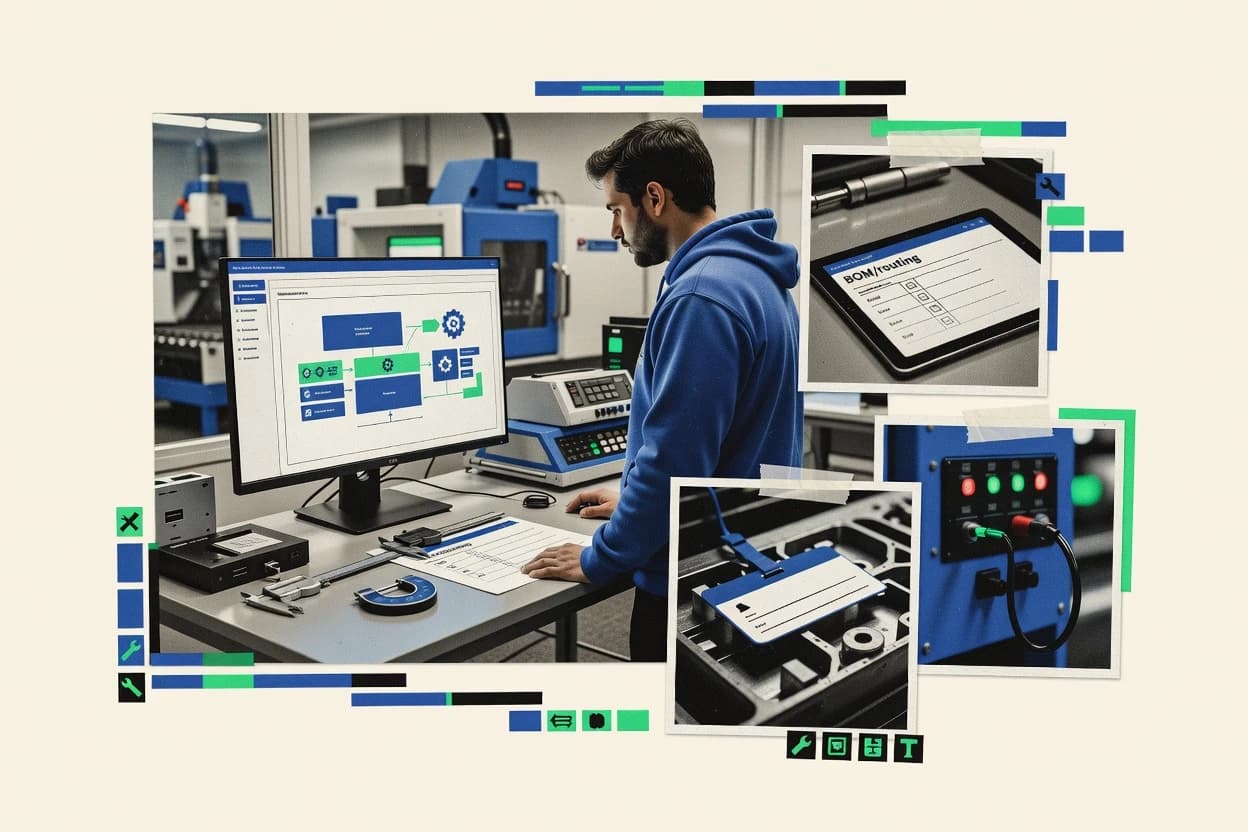
Compare manufacturing process planning software options for factory and operations teams, with where DELMIA fits and what tradeoffs to expect.

How we ranked these tools
Vendors set the topic, but our editors set the inclusion criteria and the evaluation framework before research starts.
Agents extract product evidence with provenance, then collect written reviews and transcribe video reviews and podcasts.
Framework: Features 40% · Ease 30% · Value 30%
Gitnux may earn a commission through links on this page — this does not influence rankings. Editorial policy
Dassault Systèmes DELMIA is the best fit for engineering teams that need constraint-driven line balancing and process simulation inside process planning, since it validates takt and cycle limits before you release work, while MRPeasy is a strong alternative for mid-size teams that want reusable BOM-linked routing templates planners can edit quickly.
Editor’s top 3 picks
Three quick recommendations before you dive into the full comparison below — each one leads on a different dimension.
Dassault Systèmes DELMIA
Line balancing and process simulation driven by manufacturing constraints inside the planning workflow, not as an external add-on.
Best for: Fits when engineering teams need model-based routing and work instruction planning with simulation feedback for constrained lines.
MRPeasy
Editor pickReusable routing templates that convert BOM-linked production orders into operation steps planners can edit fast.
Best for: Fits when mid-size teams need routings and executable work instructions tied to BOM structure.
PTC Windchill
Editor pickWindchill’s lifecycle-based change control keeps manufacturing routings and work instructions aligned to product structure revisions.
Best for: Fits when process planning must stay tightly synchronized with engineering revisions across variants and ECO workflows.
Comparison Table
Dassault Systèmes DELMIA
enterpriseModels, simulates, and executes manufacturing processes from planning through shop-floor operations.
Line balancing and process simulation driven by manufacturing constraints inside the planning workflow, not as an external add-on.
Dassault Systèmes DELMIA is a manufacturing process planning suite built around process definition, simulation, and digital factory workflows that tie engineering intent to shop-floor execution patterns. It supports production routing and work instruction planning with model-based manufacturing data, including import workflows from common CAD formats used for downstream planning.
DELMIA also aligns planning outputs with broader manufacturing systems through integrations that target shop-floor data collection and manufacturing execution needs. Compared with process planners that focus only on static documentation, DELMIA adds analysis depth via process simulation and line balancing oriented around manufacturing constraints.
- +Process simulation supports validating takt and cycle constraints before releasing work
- +Tight linkage between routing planning and downstream work instruction structures
- +CAD model import workflows help convert product geometry into planning inputs
- +Manufacturing integration patterns align planned routings with shop-floor data collection
- –Model-heavy workflows require disciplined setup to avoid inconsistent process definitions
- –Routing and instruction authoring can feel slow on large variant catalogs
- –ERP integration depth can depend on external middleware for enterprise data mapping
- –DNC connectivity and tool path planning coverage may require additional configuration
Manufacturing engineers
Validate process routings before production release
More consistent production definitions
Manufacturing operations teams
Transfer plans into execution workflows
Aligned planned and executed work
Show 2 more scenarios
Production planners
Plan multi-site capacity with constraints
Structured capacity decisions
Evaluate allocations across plants using labor, materials, shifts, and resource limits.
Operations leaders
Compare production change scenarios
Fewer surprises on changes
Assess line updates and alternative routings against capacity and priority before rollout.
Best for: Fits when engineering teams need model-based routing and work instruction planning with simulation feedback for constrained lines.
MRPeasy
SMBCloud MRP system for process planning, production scheduling, and inventory management.
Reusable routing templates that convert BOM-linked production orders into operation steps planners can edit fast.
MRPeasy concentrates on turning production planning inputs into routings, operation steps, and schedulable workloads that align with defined work centers.
The core planning workflow centers on maintaining production structure so work instructions stay consistent across runs.
Automation and integration are present but skew toward planner-driven execution rather than end-to-end manufacturing system orchestration.
- +Routing and operation step planning supports repeatable process definition
- +Work center and capacity views reduce planning guesswork during changes
- +BOM-driven planning helps keep process flows aligned with material structure
- +Document-driven work instructions fit iterative shop updates
- –MES-style shop floor data collection depth is limited for complex deployments
- –Advanced digital thread integrations like CAD-to-tool-path workflows are not native
- –Variant-heavy configuration and deep BOM versioning require careful process design
- –API surface for full automation and integration breadth is constrained
Manufacturing planners and production managers
Schedule orders across work centers
Shared planned work visibility
Production planners and materials managers
Calculate components from BOM demand
Better purchasing and production planning
Show 2 more scenarios
Shop-floor supervisors and operators
Update completions using order instructions
More consistent execution updates
Record quantities and consumed materials against attached instructions to reflect execution variance.
Job shops running make-to-order
Track customer jobs from release
Job status and traceability
Create and follow customer-specific production orders from demand through release and completion.
Best for: Fits when mid-size teams need routings and executable work instructions tied to BOM structure.
PTC Windchill
enterprisePLM platform with MPMLink for manufacturing process management and process plan authoring.
Windchill’s lifecycle-based change control keeps manufacturing routings and work instructions aligned to product structure revisions.
PTC Windchill creates and manages manufacturing process planning artifacts like production routing, work instructions, and structured work definitions tied to a product lifecycle baseline. It fits process planning teams that need deep PLM integration so BOM changes, engineering revisions, and manufacturing instructions stay synchronized across variants and ECO-driven updates.
The workflow tooling supports approvals, version-controlled changes, and traceability from engineered configuration to shop-floor execution plans. Automation and integration surface center on PLM data governance plus connectivity to MES, ERP, and shop-floor systems so planning outputs can flow into execution.
- +Strong lifecycle traceability from engineering revisions to manufacturing work definitions
- +Routing and work instruction artifacts are versioned and tied to product structure
- +Wide enterprise integration options for moving process plans into ERP and MES
- +Governance workflows support controlled release of planning content
- –Operational setup requires careful governance to keep process libraries consistent
- –Advanced process planning workflows can be slower to configure than lighter tools
- –Data modeling decisions often take time to align with existing shop coding practices
- –Some shop-floor readiness depends on external systems for collection and feedback
Process development engineers
Govern approved routings and work instructions
Version-aligned process decisions
Manufacturing assembly planners
Track assembly changes by effectivity
Traceable assembly change history
Show 2 more scenarios
Engineering change managers
Manage ECO scope and resulting revisions
Auditable change and approvals
Control change orders, affected items, approvals, and manufacturing instruction revisions in a governed workflow.
Product and manufacturing engineers
Maintain versioned BOM relationships
Consistent traceable product structures
Preserve consistent parts and assembly structures with versioned links across engineering and manufacturing use.
Best for: Fits when process planning must stay tightly synchronized with engineering revisions across variants and ECO workflows.
SAP Digital Manufacturing
enterpriseCloud-based MES that orchestrates production execution and integrates with SAP ERP data.
Revision-aware process planning that keeps routings and work instructions synchronized with enterprise change workflows.
SAP Digital Manufacturing is built around process definition and execution artifacts that planners can translate into routings, work instructions, and operational guidance. It connects manufacturing planning outputs to enterprise master data and downstream execution so that changes propagate through the production flow. It also supports governance features used in controlled documentation and revision management workflows for regulated and high-mix environments.
- +Tight alignment between process planning documents and enterprise master data
- +End-to-end change propagation from plan updates to execution-ready instructions
- +Strong governance for controlled work instructions and revision workflows
- +Automation hooks for integrating process structures into downstream execution
- –Integration setup requires detailed mapping between planning objects and execution needs
- –Complex configuration can slow initial rollout for teams without SAP process ownership
- –Advanced sequencing and optimization depends on connected workflows being in place
- –Document authoring workflows can feel heavier than lightweight planning tools
Manufacturing process engineering teams
Create instruction packages for new product
Standardized starts across sites
Production planning teams
Manage routings and operational changes
Fewer process mismatches
Show 2 more scenarios
Operations transformation teams
Unify planning and execution workflows
Lower planning-to-shop gap
Connect planning outputs into shop floor execution contexts to reduce manual rework.
Quality management teams
Control documentation for audits
Audit-ready instruction history
Use controlled process documents and revision flows for traceable manufacturing guidance.
Best for: Fits when SAP-centric factories need controlled process planning to stay consistent with execution workflows.
Tulip
SMBNo-code frontline operations platform for process planning, work instructions, and production tracking.
Interactive work instructions that gather structured operator inputs and production outcomes in the same execution flow.
Tulip targets manufacturing process planning teams that need visual work instructions tied to live production context. Its core workflow centers on authoring instruction sequences with interactive steps, then publishing them for shop floor execution in a structured interface.
- +Visual work instruction authoring supports branching logic and operator input capture
- +Instruction steps can be linked to captured production results for feedback cycles
- +Integration options support production data collection without forcing custom app builds
- +Strong admin controls for publishing workflows and limiting who can change instructions
- –Deep process planning needs may require external systems for routing and full MBOM governance
- –Complex device and connectivity scenarios often demand careful setup and operator training
- –Advanced simulation and line balancing workflows are limited compared with specialized tools
- –Managing large instruction libraries across variants can add overhead for maintainers
Lean process improvement teams
Compare variation using live execution data
Identify improvement opportunities
Quality inspectors and operators
Complete inspections inside job workflows
Capture inspection records
Show 2 more scenarios
Plant trainers and supervisors
Onboard operators with guided instructions
Standardize operator guidance
Trainers deliver visual, step-based guidance while operators complete work in a guided workflow.
Shop-floor supervisors
Record progress and checkpoints by job
Gain production visibility
Supervisors track work-in-progress by capturing status changes and process events from job screens.
Best for: Fits when teams need visual work instructions that collect execution data and feed back into planning.
OptiPro
SMBManufacturing process optimization and production planning software for mid-market manufacturers.
Controlled change workflows that keep process steps and work instructions linked to routing sheet updates.
OptiPro targets manufacturing process planning with structured work instructions, production routing artifacts, and capacity-oriented planning views. It centers on turning process definition inputs into executable planning outputs such as routing sheets and work instruction content that planners can revise over time.
- +Process work instructions are managed as controlled planning artifacts
- +Routing sheets can be generated from defined process steps and work centers
- +Change workflows support traceability from process edits to updated documents
- +Capacity planning views help planners validate cycle time assumptions
- –Deep MES and shop floor data collection integrations require custom setup
- –CAD model import and STEP-to-routing generation are not built into core planning
- –Complex variant configurations demand careful rule design before scaling
- –DNC connectivity and tool path planning depend on external systems
Manufacturing engineers and supervisors
Digital work instructions per production order
Fewer instruction change disruptions
Manufacturing planners and managers
Replan schedules using capacity changes
Fewer manual rescheduling cycles
Show 2 more scenarios
Window-treatment project coordinators
Turn measurements into fabric work specs
Less estimating-to-production handoffs
Converts measurements and room schedules into fabric calculations, configurations, and workroom documentation.
Manufacturing and inventory teams
Trace components through BOM and routings
More traceable stock movements
Connects bills of material and routings to issues, receipts, and completions tied to production activity.
Best for: Fits when production planners need governed routing and work instruction authoring for repeatable updates.
Parsec TrakSYS
enterpriseManufacturing execution system for process management, production tracking, and operational visibility.
TrakSYS keeps routing and work instruction revisions tied to controlled change workflows so planners and engineers can trace instruction updates.
Parsec TrakSYS supports manufacturing process planning by defining production routes, work instructions, and work center capacity constraints used to plan execution-ready steps. It also manages variant-ready planning artifacts such as BOM versioning and routing changes tied to engineering change workflows.
- +Route and work-instruction structure supports controlled production planning
- +Change-managed planning artifacts reduce routing and instruction drift
- +Work center capacity inputs support practical throughput planning
- +Integration patterns support ERP and MES handoffs for execution workflows
- –Setup effort increases when work centers and process definitions are not standardized
- –Automation and API depth can require planning for integrations beyond core connectors
- –Complex variant planning can add administrative overhead for governance
- –Model import formats for geometry use are not the primary planning strength
Manufacturing process engineers
Create route-linked operation documents
Execution-ready process instructions
Manufacturing IT teams
Map equipment data into reporting
More automated operational decisions
Show 2 more scenarios
Maintenance and operations
Trace alarms to investigation records
Clear issues from signals
Attach equipment events and recurring stops to documented investigation and operational reporting workflows.
Shop floor operators
Follow operation-specific guided instructions
More consistent execution
Receive execution-focused instructions tied to operations to reduce manual rekeying.
Best for: Fits when manufacturing engineering needs controlled routing and work instruction planning that stays aligned through engineering changes.
Oracle MES
enterpriseManufacturing execution system for production process management, work order execution, and quality.
Audit logging tied to role-based permissions for production execution changes and event history across work centers.
Oracle MES supports manufacturing process execution workflows that map production orders to work centers and capture execution events for downstream visibility. Work execution is driven by configurable work definitions and operational steps that enable routing-aligned completion tracking on the shop floor. The product’s practical differentiator for process planning teams is its tight coupling to Oracle’s planning and operational backbone, which reduces manual rekeying between planning decisions and execution records.
- +Strong integration with Oracle enterprise planning and operational records
- +Execution event capture supports traceability from order to completion
- +Role-based access controls and audit logging support governance
- +Work execution workflows align with work center and order execution
- –Process planning outcomes depend on consistent master data setup
- –Workflow customization can require experienced configuration resources
- –Less suited to MES deployments that avoid Oracle ecosystem integration
- –Advanced digital-thread use cases may require additional integration work
Operations managers
Track order progress by work center
Faster exception detection
Manufacturing engineers
Manage work instructions by operation
Lower instruction variance
Show 2 more scenarios
Plant IT and integrators
Connect MES execution to Oracle data
Less manual reconciliation
IT teams integrate execution events and references with Oracle enterprise records for consistency.
Quality assurance teams
Support traceability for process changes
Stronger compliance evidence
QA uses audit history and controlled access to trace who changed execution-critical definitions.
Best for: Fits when Oracle-centered manufacturers need controlled shop-floor execution aligned to enterprise planning.
Aveva Manufacturing Execution System
enterpriseProvides end-to-end manufacturing operations management covering production, quality, inventory, and performance.
Revision-controlled work instruction publishing with execution event traceability across operator workflow steps.
Aveva Manufacturing Execution System combines production routing, work instructions, and shop floor execution in a single workflow for process industries that require traceable manufacturing steps. The product focuses on translating planned work into operator-facing instructions and then collecting execution events for reporting and performance review.
- +Tight link between routing-style workflows and execution records
- +Revision-aware work instruction publishing for controlled manufacturing steps
- +Event capture designed for traceability across production runs
- +Strong integration fit for MES-to-ERP and shop floor system connectivity
- –Deployment requires deliberate configuration of process templates and permissions
- –Process planning depth depends on external engineering inputs and integrations
- –High variant complexity increases configuration workload for work instructions
- –Onboarding speed slows when data mappings and event taxonomy are incomplete
Quality managers and shop-floor teams
Attach quality checks to work steps
Reviewable quality evidence by step
Enterprise operations and manufacturing teams
Standardize execution reporting across plants
Consistent cross-site performance views
Show 2 more scenarios
Plant operators and manufacturing engineers
Run controlled paperless shop-floor instructions
Standardized execution records
Replace manual documentation with controlled digital work instructions and tracked step completion.
Batch manufacturers and quality investigators
Maintain batch genealogy for investigations
Lot-level history for decisions
Track material movements and process outcomes across batch history for investigation and review.
Best for: Fits when production planners need revision-controlled work instructions that execute end-to-end with traceable shop floor events.
MasterControl Manufacturing
enterpriseManufacturing execution system for process planning, batch records, and quality compliance.
End-to-end traceability from manufacturing process revisions to controlled approvals and audit history within the same system.
MasterControl Manufacturing is built for regulated environments where manufacturing process planning must stay synchronized with document control, deviation handling, and approval history. The tool focuses on controlled creation and versioning of routing content and work instructions, which reduces drift between engineering intent and shop-floor instructions. Governance is reinforced through approval workflows and traceable revision history that supports internal and external audits. This design tends to fit organizations where process planning work is inseparable from quality system operations.
- +Controlled routing and instruction authoring with full revision audit trails
- +Approval workflows link process changes to quality governance
- +Integration support for MES and PLM ecosystems
- +Plant-to-plant consistency through centralized release artifacts
- –Process planning work can require more lifecycle steps than lightweight tools
- –Works best with strong upstream engineering change discipline
- –More effort needed to tune workflows for specific shop processes
- –Limited appeal for teams seeking planning only, with minimal compliance needs
Quality and manufacturing engineering teams
Release updated routings and instructions
Fewer mismatched instruction versions
Regulated operations teams
Control changes after ECO-driven updates
Faster, compliant change rollout
Show 1 more scenario
MES integration owners
Feed execution systems with process definitions
Reduced rework from outdated steps
Use integration paths to keep execution-ready manufacturing instructions aligned with latest releases.
Best for: Fits when regulated manufacturers need controlled routing and work instructions tied to quality approvals across sites.
Conclusion
After evaluating 10 manufacturing process planning software, Dassault Systèmes DELMIA stands out as our overall top pick — it scored highest across our combined criteria of features, ease of use, and value, which is why it sits at #1 in the rankings above.
Use the comparison table and detailed reviews above to validate the fit against your own requirements before committing to a tool.
How to Choose the Right Manufacturing Process Planning Software
Manufacturing process planning software coordinates routings, work instructions, and revision-controlled process steps so production can execute the right definitions for each product variant and change event. This guide covers SAP Digital Manufacturing, Oracle MES, MasterControl Manufacturing, Dassault Systèmes DELMIA, PTC Windchill, Tulip, MRPeasy, OptiPro, Parsec TrakSYS, and Aveva Manufacturing Execution System.
The tools differ most in how they handle enterprise change propagation, how tightly execution permissions and audit logs connect to planning edits, and how much planning throughput comes from simulation or template reuse. These differences show up in standouts like SAP Digital Manufacturing’s revision-aware synchronization between routings and work instructions and MasterControl Manufacturing’s traceability from process revisions to controlled approvals.
Manufacturing Process Planning Software for governed routings and work-instruction releases
Manufacturing process planning software turns engineering intent into production-ready routing structures and work instruction definitions, then keeps those artifacts synchronized as products and processes change. SAP Digital Manufacturing emphasizes revision-aware process planning that keeps routings and work instructions aligned with enterprise change workflows.
Oracle MES focuses on audit logging tied to role-based permissions for production execution changes, which makes planning outcomes more traceable from event history across work centers. MasterControl Manufacturing pairs controlled routing and instruction authoring with approval workflows that link process changes to quality governance, so revision history and governance live in the same workflow surface.
Manufacturing process planning capabilities to compare across tools
Process planning software must keep routings, work instructions, and change-controlled definitions aligned as products and engineering releases move forward. The biggest differences show up in how revision-aware artifacts propagate into release-ready work instructions and how execution edits get governed and traced.
Teams also need planning throughput, either through revision workflows that reduce manual rework or through automation that generates routing and instruction structures from reusable templates or simulations. The feature set matters most when governance, throughput, and traceability must hold together across sites and variants.
Revision-aware synchronization between planning artifacts
SAP Digital Manufacturing synchronizes routings and work instructions around enterprise change workflows so process edits propagate into execution-ready instructions. Windchill also ties manufacturing routings and work instructions to lifecycle change control so artifacts stay aligned to product structure revisions.
Audit trail tied to permissions for planning and execution changes
Oracle MES provides audit logging tied to role-based permissions for production execution changes with event history across work centers. Aveva Manufacturing Execution System keeps revision-controlled work instruction publishing linked to execution event traceability across operator workflow steps.
Controlled approvals that bind process planning to quality governance
MasterControl Manufacturing connects controlled routing and instruction authoring to approval workflows so process changes carry audit history inside the same system. OptiPro links controlled change workflows so routing sheet updates stay bound to process step and work instruction updates.
Constraint-driven planning that uses simulation inside the workflow
Dassault Systèmes DELMIA runs line balancing and process simulation driven by manufacturing constraints inside the planning workflow instead of as a separate add-on step. MRPeasy emphasizes routing and operation step planning with capacity views that reduce guesswork when planners edit routings from BOM-linked orders.
Structured work instruction execution that captures outcomes for feedback cycles
Tulip builds interactive work instructions that gather structured operator inputs and production outcomes in the same execution flow, and it links instruction steps to captured results. Aveva Manufacturing Execution System focuses on revision-controlled work instruction publishing that executes end-to-end with traceable shop floor events.
Template reuse and fast conversion from orders or BOM structure into operations
MRPeasy provides reusable routing templates that convert BOM-linked production orders into operation steps planners can edit quickly. Parsec TrakSYS supports controlled planning artifacts for routing and work-instruction structures so planners and engineers can trace instruction updates through change workflows.
Choose based on change governance depth, automation surface, and planning throughput
Start by mapping the real source of truth for engineering revisions and shop floor execution changes. SAP Digital Manufacturing and Windchill emphasize revision alignment between engineering and manufacturing definitions, while Oracle MES and Aveva Manufacturing Execution System emphasize audit logging and execution traceability around operator workflow steps.
Then decide how much planning automation must come from built-in simulation or from routing templates that convert structure into operations. DELMIA uses simulation inside the planning workflow, while MRPeasy uses reusable routing templates, and controlled-authoring tools like MasterControl Manufacturing and OptiPro focus on governed lifecycle steps.
Select the governance model that matches the enterprise change workflow
If engineering change workflows drive all process edits, SAP Digital Manufacturing keeps routings and work instructions synchronized with enterprise change propagation. If product structure revisions must anchor manufacturing definitions, PTC Windchill keeps manufacturing routing and instruction artifacts versioned and tied to product structure.
Validate that permissions and audit trails cover the edits planners actually perform
If planners and execution roles require role-based permissions with production execution event history, Oracle MES ties audit logging to role-based permissions across work centers. If revision-controlled work instructions must carry traceability from publishing into operator steps, Aveva Manufacturing Execution System links routing-style workflows to execution records.
Choose how approvals and controlled artifacts connect to quality governance
If controlled routing and instruction authoring must link directly to quality approvals in the same lifecycle, MasterControl Manufacturing binds process changes to approval workflows and audit history. If routing sheet updates must remain strictly coupled to process steps and work instruction changes through controlled planning artifacts, OptiPro links governed workflows to routing sheet generation.
Decide whether constraint planning needs simulation inside the planning workflow
If line balancing and cycle constraint validation must happen during planning before release, Dassault Systèmes DELMIA runs process simulation inside the workflow using manufacturing constraints. If the main bottleneck is fast editing of repeatable operations, MRPeasy focuses on reusable routing templates that convert BOM-linked orders into editable operation steps with work center and capacity views.
Pick the execution feedback loop that matches how process improvements get captured
If operator inputs and production outcomes must be collected in the same work instruction flow and fed back into planning, Tulip builds branching visual instructions that capture structured execution data. If the organization prioritizes traceability across operator workflow steps after publishing, Aveva Manufacturing Execution System emphasizes revision-aware publishing with execution event traceability.
Who Manufacturing Process Planning Software should fit
Manufacturing process planning software fits teams that must release routing and work instruction definitions that stay synchronized through engineering changes. The tools below also separate teams by how they handle audit governance, approval workflows, and whether planners can validate constraints through simulation or must rely on template reuse.
The best fit depends on how strongly execution changes and production events must be traced back to planning edits, not just on whether routings and instructions can be authored.
SAP-centric manufacturers with controlled enterprise change workflows
SAP Digital Manufacturing aligns process planning documents with enterprise master data so plan edits propagate into execution-ready work instructions. This reduces drift when SAP-owned process ownership drives change propagation.
Oracle-centered shops that require traceable execution history tied to permissions
Oracle MES records production execution event history across work centers with audit logging tied to role-based permissions. This supports traceability when planning outcomes must be explainable down to execution changes.
Regulated manufacturers that must tie process revisions to approvals and audit history
MasterControl Manufacturing keeps controlled routing and instruction authoring linked to approval workflows and revision audit trails. This supports governance when quality approvals must travel with the process change.
Engineering-led teams that need constraint-driven planning and line balancing
Dassault Systèmes DELMIA uses line balancing and process simulation inside the planning workflow to validate takt and cycle constraints before release. This supports engineering validation on constrained lines instead of after-the-fact checks.
Production teams that need interactive work instructions and structured outcome capture
Tulip supports visual work instruction authoring that gathers structured operator inputs and production outcomes in the same execution flow. This supports feedback cycles when planning updates depend on what operators report.
Common failure points when selecting process planning software
Teams often fail by choosing a governance-first tool without mapping how much integration and object mapping is required for execution. Another frequent failure is selecting simulation or authoring depth without ensuring the enterprise can maintain consistent process definitions at scale.
The result is routing drift, slower rollout, or execution edits that cannot be explained by audit history.
Assuming revision-aware planning will work without careful enterprise object mapping
SAP Digital Manufacturing requires detailed mapping between planning objects and execution needs, so integration design must include the execution definitions planners depend on. Oracle MES also depends on consistent master data setup for process planning outcomes to remain reliable.
Underestimating configuration effort when approval governance must match real roles
MasterControl Manufacturing can require more lifecycle steps than lightweight tools because approvals and audit history sit inside the same workflow surface. Oracle MES workflow customization can require experienced configuration resources when roles and events must match how production teams operate.
Overloading model-heavy planning workflows with inconsistent process definitions
Dassault Systèmes DELMIA works best with disciplined setup because model-heavy workflows can create inconsistent process definitions if base modeling inputs drift. Parsec TrakSYS setup effort increases when work centers and process definitions are not standardized across the organization.
Choosing interactive execution capture while ignoring routing and MBOM governance scope
Tulip can require external systems for deep process planning needs and full MBOM governance, so teams must plan where routing and governance artifacts will live. MRPeasy provides strong routing templating but limited MES-style shop floor data collection depth for complex deployments.
How We Selected and Ranked These Tools
We evaluated each tool on feature coverage for governed manufacturing process planning and on execution traceability mechanics that tie process changes to workflow events. Feature depth accounts for 40% of the scoring, and ease and value each account for 30% based on how quickly teams can reach repeatable planning outcomes.
SAP Digital Manufacturing set the ranking pace because its revision-aware synchronization keeps routings and work instructions aligned with enterprise change workflows while preserving end-to-end change propagation into execution-ready instructions. Other tools scored highly where governance or traceability was the primary differentiator, such as Oracle MES audit logging tied to role-based permissions and MasterControl Manufacturing controlled approvals tied to revision audit trails.
Frequently Asked Questions About Manufacturing Process Planning Software
How do SAP Digital Manufacturing and PTC Windchill keep routing sheets and work instructions synchronized with engineering revisions?
Which tools provide audit logs connected to permission changes for production execution work definitions?
What breaks if an enterprise needs a single process planning source of truth for regulated approvals across sites?
How should teams decide between DELMIA and a document-centric planner when constraints require line balancing and simulation?
When does MRPeasy outperform a PLM-centric tool for turning BOM-linked work into executable operations?
What integration approach matters most for connecting process planning outputs to MES and ERP without losing revision context?
How do Tulip and MasterControl Manufacturing handle two-way feedback from shop floor execution back into planning?
How does change control differ between Parsec TrakSYS and SAP Digital Manufacturing for routing and instruction revisions?
Which tool is more suited when planners must generate and maintain routing sheets as governed work instruction content rather than ad hoc spreadsheets?
Tools reviewed
Primary sources checked during evaluation.
Referenced in the comparison table and product reviews above.
Funding and competing interests
This study was co-funded by several of the vendors assessed in it. No single vendor funded it. Funders could propose the market studied.
They had no role in selecting vendors, setting or weighting criteria, analysing data or drawing conclusions, and they received the same factual-accuracy check as every other vendor assessed.
Market definition, inclusion rules and criteria weights were fixed by an editor before research began and did not change afterwards. Editorial process →
Keep exploring
Comparing two specific tools?
Software Alternatives
See head-to-head software comparisons with feature breakdowns, pricing, and our recommendation for each use case.
Explore software alternatives→In this category
Manufacturing Engineering alternatives
See side-by-side comparisons of manufacturing engineering tools and pick the right one for your stack.
Compare manufacturing engineering tools→