GITNUXSOFTWARE ADVICE
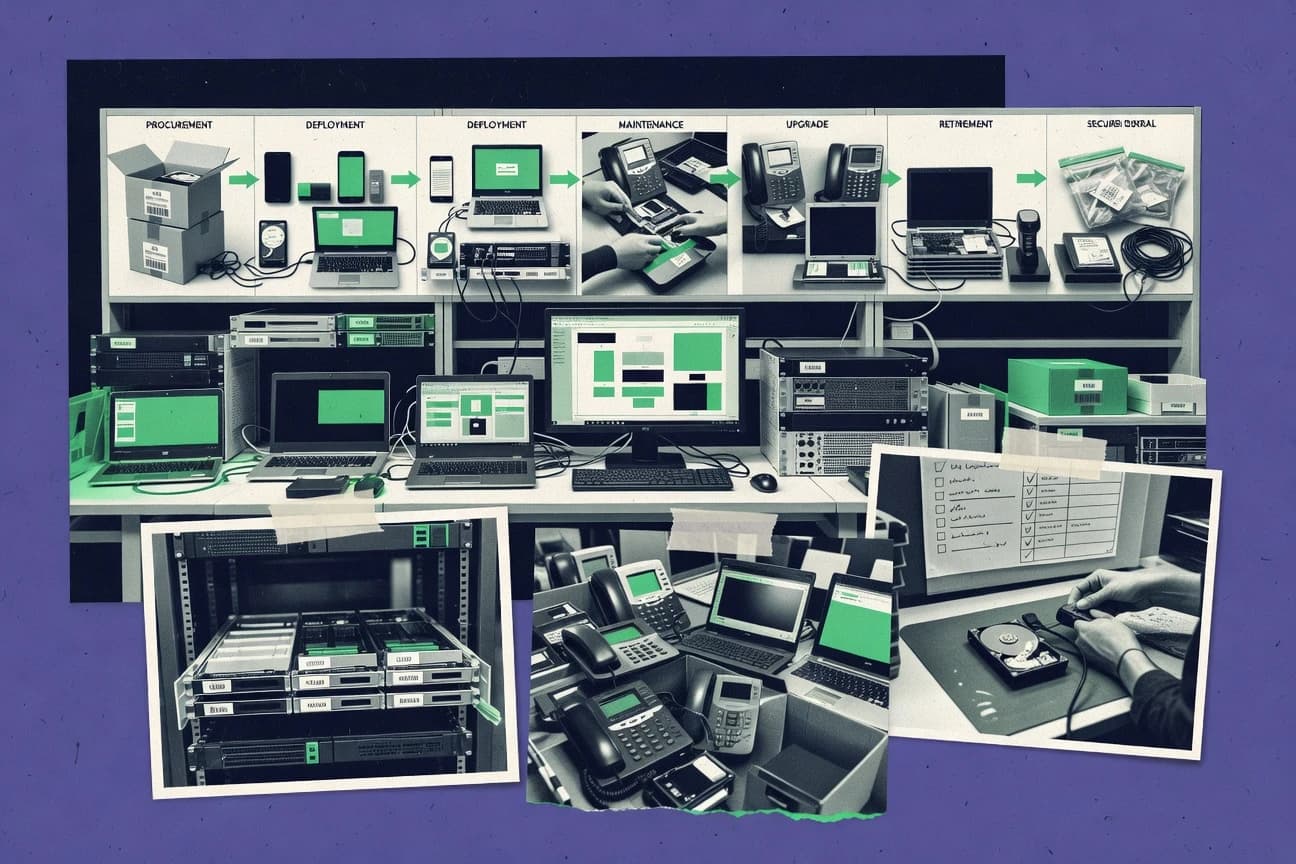
Technology Digital MediaTop 10 Best IT Lifecycle Management Software of 2026
Ranking roundup of it lifecycle management software for teams, comparing Device42, Snipe-IT, and Asset Panda feature tradeoffs and fit criteria.

How we ranked these tools
Vendors set the topic, but our editors set the inclusion criteria and the evaluation framework before research starts.
AI search agents find sources, extract figures with provenance, and aggregate written reviews. They also transcribe video reviews and podcasts.
Framework: Features 40% · Ease 30% · Value 30%
Gitnux may earn a commission through links on this page — this does not influence rankings. Editorial policy
Device42 is the best fit for operations teams that need end-to-end asset discovery linked to lifecycle records with CMDB sync and automation controls, whereas Snipe-IT is a strong alternative when you just need custody-grade hardware and licenses with import and API-driven workflows.
Editor’s top 3 picks
Three quick recommendations before you dive into the full comparison below — each one leads on a different dimension.
Device42
Change-aware discovery workflows maintain asset relationships as hardware and identity change across refresh cycles.
Best for: Fits when operations teams need discovery-to-lifecycle linkage with CMDB synchronization and automation controls.
Snipe-IT
Editor pickBarcode and label workflows tied to asset assignment and status transitions.
Best for: Fits when IT teams need custody-grade asset records with automation via API and imports.
Asset Panda
Editor pickBarcode-first asset check-in and check-out workflows with status history tied to each asset record.
Best for: Fits when IT teams need operational custody workflows and audit trails, alongside imports and API integrations.
Comparison Table
Device42
enterpriseIT asset discovery, dependency mapping, and infrastructure documentation software.
Change-aware discovery workflows maintain asset relationships as hardware and identity change across refresh cycles.
Device42’s core strength is lifecycle coverage built on relationship mapping and guided discovery, which supports recurring inventory and reconciliation without relying only on manual spreadsheets. Structured asset records connect device identity, location, and operational status to downstream workflows like provisioning readiness and refresh planning. Integration breadth includes directory and platform connectors plus CMDB synchronization patterns used by operations teams that need consistency across tools.
A key tradeoff is that deep governance depends on disciplined configuration of discovery sources, import rules, and relationship mapping so records stay trustworthy over time. Device42 fits best when lifecycle processes already run through defined systems like CMDB and endpoint inventory and need tighter linkage for change tracking, not when teams want a lightweight inventory-only tool.
- +Relationship mapping links identity, ownership, and infrastructure context
- +API access supports automation for imports, updates, and reporting workflows
- +CMDB synchronization keeps asset data consistent across IT systems
- +Discovery-driven refresh planning reduces manual lifecycle drift
- –Effective governance requires disciplined discovery and relationship configuration
- –Some advanced automation needs more admin setup than inventory-first tools
- –Modeling custom lifecycle fields can take time to operationalize
- –Data quality depends on reliable identity resolution across sources
Infrastructure operations teams
Plan hardware refresh and retirement
Lower lifecycle tracking gaps
IT asset management teams
Reconcile software entitlements
Fewer mismatched license records
Show 2 more scenarios
CMDB owners
Sync asset data into CMDB
More reliable CMDB relationships
Push normalized asset records and relationships so CMDB stays consistent with ongoing discovery.
Automation and integration teams
Automate asset updates via API
Repeatable lifecycle automation
Use API access to drive lifecycle state changes and reporting without manual exports.
Best for: Fits when operations teams need discovery-to-lifecycle linkage with CMDB synchronization and automation controls.
Snipe-IT
SMBOpen-source asset management for hardware assignments, licenses, accessories, and users.
Barcode and label workflows tied to asset assignment and status transitions.
Snipe-IT fits teams that need a shared system of record for equipment and want operational discipline around assignment, custodianship, and status transitions. The asset record structure supports location, supplier, purchase and depreciation fields, and barcode-based workflows for day-to-day scanning. The software side allows license-like tracking tied to assets, and the system logs changes so administrators can review what changed and when. Automation coverage is strongest through API-driven provisioning and event-style integrations that keep other systems synchronized.
A key tradeoff is that Snipe-IT does not replace endpoint discovery at scale, so endpoint population still depends on manual import, inventory exports, or external discovery pipelines. Snipe-IT works well when a team has a known device list and needs accurate custody changes for audits, returns, and refresh cycles. It also fits IT ops groups that want lightweight CMDB synchronization without building custom database workflows.
- +API supports automation for asset provisioning and external sync
- +Barcode scanning and check-in and check-out workflows for custody
- +Role-based access controls for staff and inventory managers
- +Bulk import tooling for faster onboarding of existing inventories
- –Discovery and reconciliation depends on external processes
- –Advanced CMDB modeling requires careful mapping and configuration
- –Workflow customization is limited compared with ITSM-first suites
- –Automation throughput depends on API integration design and batching
IT operations teams
Track device custody during refresh cycles
Fewer custody disputes
IT asset managers
Reconcile device lists from imports
Cleaner asset inventory
Show 2 more scenarios
Security and audit teams
Audit-ready traceability of changes
Faster audit evidence
Administrators review who changed what on asset records during assignments and retirements.
Platform engineering teams
Sync assets into CMDB pipelines
Reduced manual re-entry
API integrations push asset and assignment data into downstream systems that require consistency.
Best for: Fits when IT teams need custody-grade asset records with automation via API and imports.
Asset Panda
specialistConfigurable asset tracking and lifecycle management for equipment and business property.
Barcode-first asset check-in and check-out workflows with status history tied to each asset record.
Asset Panda’s workflow focus is driven by barcode-friendly operations and an inventory model that tracks asset details, ownership, and status changes through the lifecycle. Bulk import and configurable fields reduce the time needed to align the asset record structure with procurement, deployment, and refresh-cycle practices. Automation is strongest when processes revolve around physical handling steps like assignment, movement, and returns.
A key tradeoff is that deep IT discovery integration depends on what endpoints and sources the organization connects through imports and integrations rather than a universal discovery engine. Asset Panda fits well for teams that already have device and software signals from other tools and need accurate operational records for custody, updates, and auditability.
- +Barcode workflows for quick assignment, movement, and returns
- +Configurable asset fields support custom lifecycle states
- +Audit trails capture who changed what and when
- +Imports and API support integration with existing systems
- –Deep endpoint discovery coverage varies by integration setup
- –Advanced reporting needs configuration to match custom workflows
IT asset managers
Track device custody across locations
Lower mismatch during audits
Service desk operations
Handle asset returns and reallocations
Faster turnaround on requests
Show 2 more scenarios
IT procurement teams
Reconcile shipments with inventory records
Cleaner refresh-cycle tracking
Import asset lists during procurement intake and align records with custom fields for lifecycle steps.
Software asset teams
Maintain entitlement-backed software inventory
Fewer license reconciliation gaps
Use configurable records and API sync to keep software details aligned with internal sources.
Best for: Fits when IT teams need operational custody workflows and audit trails, alongside imports and API integrations.
InvGate Insight
SMBIT asset management with discovery, relationships, contracts, and lifecycle visibility.
Asset updates can flow through the same workflow engine used for ITSM change and incident records.
InvGate Insight combines IT asset lifecycle management with ITSM workflows so asset records stay tied to changes, incidents, and service requests. Inventory and licensing coverage focus on endpoints and software install data, with reconciliation designed to reduce orphaned entitlements.
- +Tight linkage between asset records and ITSM work items reduces context switching
- +Rules and workflow automation help keep deployments aligned with lifecycle states
- +API access supports bidirectional integrations for inventory and operational events
- +Role-based access and audit logs track who changed asset and license data
- –Lifecycle fields and workflows can require careful configuration to match internal processes
- –Deep license entitlement reconciliation takes setup of data sources and mapping
- –Granular chain-of-custody detail may need customization for complex custody models
- –Some advanced reporting depends on structured import patterns from connected systems
Best for: Fits when teams need inventory and licensing tied to ITSM workflows with governed lifecycle transitions.
Flexera One IT Asset Management
enterpriseIT asset management for software, hardware, cloud, and technology spend.
License reconciliation that drives reclamation and ongoing entitlement alignment against measured usage data.
Flexera One IT Asset Management maps software and hardware assets to business workflows such as acquisition, deployment, and retirement. The product ties inventory to license entitlement management for reconciliation, reclamation workflows, and ongoing audit support.
- +License reconciliation workflows reduce mismatch between entitlements and installations
- +Inventory-to-workflow coverage spans procurement through retirement and disposal tracking
- +API support supports automation for ingesting external asset signals and mappings
- +RBAC roles and audit logs support controlled changes to asset records
- –Initial configuration requires governance discipline to keep asset identities consistent
- –Endpoint discovery coverage depends on integration fit and deployment tuning
Best for: Fits when enterprises need governed software and hardware lifecycle workflows tied to reconciliation and system sync.
ManageEngine Endpoint Central
SMBEndpoint management with hardware inventory, software inventory, and lifecycle controls.
Patch and configuration compliance workflows built into the same endpoint management job framework.
ManageEngine Endpoint Central covers endpoint inventory inputs and operational lifecycle tasks like patching and software deployment, which reduces the gap between asset detection and day-to-day control.
- +Patch automation runs on schedules with granular scope controls per device group
- +Inventory and software deployment can be coordinated through shared endpoint targeting
- +Directory integration supports role-based workflows around managed endpoints
- +Policy-driven compliance checks link detected drift to remediation actions
- –IT asset lifecycle workflows are less CMDB-first than tools focused on reconciliation
- –Endpoint reachability and data accuracy depend on agent health and discovery cadence
- –Governance depth for multi-team RBAC and approvals can require careful configuration
- –API and automation surfaces require extra effort to reach parity with ITSM integrations
Best for: Fits when endpoint discovery, patch lifecycle control, and software deployment need to share the same operational targeting.
Oomnitza
enterpriseEnterprise technology asset management with lifecycle workflows and integrations.
Rule-based inventory-to-lifecycle automation that keeps ownership and asset relationships updated from discovery and identity sources.
Oomnitza differentiates itself with an operations-first IT inventory workflow that connects discovery results to ongoing asset lifecycle updates, not just static records. The product focuses on agent-assisted discovery, identity and directory ingestion, and CMDB synchronization so that ownership and configuration data stay current.
- +Agent-assisted discovery with repeated inventory refresh for aging data reduction
- +Directory and integration ingestion helps normalize identities tied to assets
- +Automation rules update asset attributes and relationships without manual cleanup
- +CMDB synchronization supports downstream operational workflows and reporting
- –Automation rule design needs governance to avoid noisy or incorrect asset updates
- –Deep lifecycle coverage depends on accurate source integration configuration
- –Custom workflows can require admin time to map properties consistently
- –Large environments can demand careful connector and schedule tuning for throughput
Best for: Fits when IT teams need recurring inventory accuracy plus lifecycle automation feeding a CMDB.
Lansweeper
enterpriseIT asset discovery and inventory software for hardware, software, and connected devices.
Centralized endpoint discovery plus software license reconciliation in the same inventory workflow.
Lansweeper builds IT asset inventory from endpoint discovery and combines it with hardware and software inventory for ongoing lifecycle visibility. It includes software license reconciliation and basic license entitlement tracking using data gathered from devices, browsers, and installed software.
- +Endpoint discovery produces structured hardware and software inventory at scale
- +Software license reconciliation maps installed software to managed license records
- +Saved queries and rules support repeatable asset auditing without custom code
- +API and integration options help push inventory into external systems
- –Discovery coverage depends on agent or credentialed scanning setup
- –Advanced CMDB modeling needs careful configuration to avoid messy relationships
- –Automations rely heavily on existing fields and import mappings
- –Large environments can require tuning scan scope and schedules
Best for: Fits when IT teams need fast endpoint inventory and license reconciliation tied to asset records.
Reftab
SMBCloud asset management for equipment checkout, inventory, maintenance, and depreciation.
Workflow driven lifecycle state tracking with change history tied to each asset record.
Reftab focuses on IT asset lifecycle governance with structured tracking from acquisition through retirement and disposal.
- +Lifecycle workflows map acquisition, assignment, and retirement steps into one record
- +Audit trails capture key field changes to support governance and review
- +Automation reduces manual status updates for recurring lifecycle events
- +API and integrations support asset data reconciliation across systems
- –Workflow configuration can require steady governance discipline to stay consistent
- –Advanced reconciliation needs careful mapping between source and Reftab fields
- –Role and permission setup can feel heavy for smaller teams
- –Reporting depth depends on how lifecycle fields are modeled per asset class
Best for: Fits when teams need workflow driven asset lifecycle control with audit trails across multiple systems.
GoCodes
SMBAsset tracking software using QR codes for equipment inventory and lifecycle records.
Configurable lifecycle workflows that enforce controlled transitions while keeping a readable, audit-style history.
GoCodes focuses on IT asset lifecycle management for teams that need consistent asset records from procurement through deployment, tracking, and retirement. It is built around configurable asset categories, workflow-driven status changes, and audit-friendly history so ownership and custody changes stay traceable.
- +Workflow-driven asset status transitions with preserved change history
- +API support for integrating asset and identity data into existing processes
- +Configurable asset categories for hardware and similar tracked items
- +Automation rules reduce manual updates during assignment and decommission
- –Lifecycle workflows require upfront configuration to match internal policies
- –Discovery automation and endpoint coverage are not as central as in agent-first tools
- –Advanced reporting depends on how well workflows and attributes are modeled
- –Role separation details for complex governance can require careful admin setup
Best for: Fits when teams want governed asset lifecycle workflows with API integration, not agent-led endpoint discovery.
Conclusion
After evaluating 10 it lifecycle management software, Device42 stands out as our overall top pick — it scored highest across our combined criteria of features, ease of use, and value, which is why it sits at #1 in the rankings above.
Use the comparison table and detailed reviews above to validate the fit against your own requirements before committing to a tool.
How to Choose the Right It Lifecycle Management Software
IT lifecycle management software is judged by how well it keeps asset records correct while identities and infrastructure change across refresh cycles. This guide covers Device42, Snipe-IT, and Asset Panda along with eight additional products that target custody workflows, ITSM integration, license reconciliation, or endpoint operations. The coverage also focuses on automation and API access that connect discovery and provisioning steps to lifecycle state transitions. Governance requirements get called out when relationship mapping, workflow configuration, or reconciliation mapping must be kept consistent to avoid bad lineage.
Device42 leads the set with change-aware discovery workflows that maintain asset relationships as hardware and identity change. Snipe-IT and Asset Panda differentiate through barcode-driven assignment and movement workflows that record status transitions per asset. The remaining tools split between ITSM-linked lifecycle updates, reconciliation-led entitlement alignment, and endpoint-management frameworks that combine patching and compliance execution.
IT Lifecycle Management Software for governed discovery, provisioning, and retirement workflows
IT lifecycle management software manages hardware and software asset records from intake and identity association through deployment, tracking, and retirement while preserving the chain of custody. The core expectation is lifecycle state transitions tied to the same records used for inventory, reconciliation, and reporting, not separate spreadsheets or disconnected ticket threads.
Device42 emphasizes relationship mapping that links identity, ownership, and infrastructure context, with API access for imports and reporting workflows that update those relationships over time. Flexera One IT Asset Management focuses on license reconciliation workflows that reduce entitlement mismatch by aligning measured usage and installations, then carrying that alignment into reclamation and ongoing system sync.
Key IT lifecycle management capabilities that prevent bad lineage
Lifecycle state changes only hold up when updates stay tied to the same asset and identity records over refresh cycles. Tools differ most by how they preserve relationships, enforce custody transitions, and keep workflows consistent across discovery, provisioning, and retirement.
Change-aware relationship mapping across refresh cycles
Device42 keeps asset relationships linked as hardware and identity change across refresh cycles, and it pairs that with API access for imports and reporting workflows. Oomnitza also automates inventory-to-lifecycle updates, but relationship stability depends heavily on rule design governance.
Custody-grade barcode workflows with per-asset status transitions
Snipe-IT ties barcode scanning to asset assignment plus check-in and check-out workflows for custody-grade records, and it uses API access for asset provisioning and external sync. Asset Panda uses barcode-first check-in and check-out workflows with status history on each asset record.
Workflow engine that drives lifecycle states from operational events
InvGate Insight routes asset updates through the same workflow engine used for ITSM change and incident records, which reduces context switching when lifecycle transitions must align with tickets. Reftab and GoCodes also use workflow-driven lifecycle state tracking, but Reftab leans toward lifecycle change history tied to each record.
License reconciliation workflows connected to lifecycle actions
Flexera One IT Asset Management uses license reconciliation that drives reclamation and ongoing entitlement alignment against measured usage data. Lansweeper also combines software license reconciliation with its inventory workflow, while Device42 emphasizes change-aware discovery lineage rather than license reclamation.
Inventory and endpoint targeting that supports lifecycle operations
ManageEngine Endpoint Central couples endpoint discovery with patch and configuration compliance workflows in the same endpoint management job framework. Oomnitza and Lansweeper also focus on inventory accuracy, but ManageEngine’s operational targeting supports lifecycle execution like patching more directly.
How to choose IT Lifecycle Management Software by workflow philosophy and control depth
Selecting the right IT lifecycle management software depends on where lifecycle truth should be generated. Some tools make discovery the source of lineage, while others make barcode custody or reconciliation workflows the source of truth.
Pick the system of record for lifecycle truth
If asset and identity relationships must stay correct as hardware refreshes and identities change, Device42 fits because change-aware discovery workflows maintain asset relationships across refresh cycles. If barcode custody and movement events define lifecycle truth for distributed assets, Snipe-IT or Asset Panda fit because barcode workflows drive assignment plus check-in and check-out status transitions.
Match workflow control to operational ownership
If lifecycle transitions must follow ITSM change and incident work items, InvGate Insight routes asset updates through the same workflow engine used for those records. If lifecycle governance must be auditable through workflow state history, Reftab and GoCodes both preserve change history tied to each asset record.
Confirm how reconciliation should influence lifecycle actions
If license reconciliation needs to drive reclamation and ongoing entitlement alignment, Flexera One IT Asset Management connects reconciliation to entitlement alignment and reclamation workflows. If license reconciliation must stay close to fast endpoint inventory, Lansweeper combines endpoint discovery with software license reconciliation tied to asset records.
Evaluate automation surface and integration targets early
If automation needs to push updates into asset records through external systems, Device42 and Snipe-IT both emphasize API access for imports, updates, and reporting or provisioning workflows. If lifecycle automation must normalize identities from directory sources into asset relationships, Oomnitza emphasizes directory and integration ingestion plus rule-based lifecycle automation.
Validate discovery coverage assumptions against your environment
If endpoint discovery coverage is expected to be central, ManageEngine Endpoint Central emphasizes endpoint discovery that feeds patch and configuration compliance workflows, and it ties accuracy to agent reachability and discovery cadence. If discovery depends on external processes, Snipe-IT’s reconciliation and discovery workflow depends more on the surrounding processes and mapping discipline.
Who IT Lifecycle Management Software fits best
IT lifecycle management software fits teams that must keep asset and software records correct while identities and infrastructure change. It also fits teams that need lifecycle transitions to be governed and traceable across discovery, custody events, ITSM activity, and reconciliation.
Operations teams that need discovery-to-lifecycle linkage with CMDB synchronization
Device42 maintains asset relationships as hardware and identity change across refresh cycles, and it provides API access for automation that keeps CMDB-aligned lineage intact.
IT teams running custody processes with frequent movement and returns
Snipe-IT and Asset Panda attach barcode scanning to assignment and check-in and check-out workflows with per-asset status history to support audit-ready custody records.
ITSM-centered teams that want lifecycle transitions tied to change and incident workflows
InvGate Insight uses a workflow engine shared with ITSM change and incident records so asset lifecycle updates follow the same operational governance path.
Enterprises that treat software license reconciliation as a lifecycle driver
Flexera One IT Asset Management aligns entitlements using license reconciliation tied to measured usage data, then carries alignment into reclamation and ongoing system sync.
Endpoint operations teams that need lifecycle execution through patch and compliance targeting
ManageEngine Endpoint Central coordinates endpoint discovery and patch and configuration compliance through shared endpoint targeting, which supports lifecycle operations that depend on device groups.
Common IT lifecycle management mistakes that break lifecycle accuracy
Lifecycle management fails when workflows update the wrong fields, relationships drift across refresh cycles, or reconciliation mapping assumes source data that is not consistent. Most failures show up as missing linkage between asset records and the events that should change them.
Treating discovery results as static while assets and identities change
Device42 avoids drift by keeping relationship mapping tied to identity and ownership as hardware refreshes, while tools that rely on external discovery cadence like Snipe-IT can accumulate reconciliation gaps if upstream processes do not keep pace.
Configuring barcode workflows without governance for lifecycle states and transitions
Asset Panda and Snipe-IT provide barcode-first custody workflows with status transitions, but lifecycle fields and transitions still require internal mapping discipline so check-in and check-out events update the intended lifecycle state.
Assuming reconciliation will work without mapping measured usage to entitlements
Flexera One IT Asset Management ties license reconciliation to measured usage and reclamation workflows, while Lansweeper’s reconciliation depends on how installed software maps to managed license records tied to its inventory workflow.
Building lifecycle automation rules that write noisy updates into asset records
Oomnitza can keep ownership and asset relationships current through rule-based automation, but rule design governance is required to avoid incorrect or noisy asset updates when source integrations vary.
How We Selected and Ranked These Tools
We evaluated Device42, Snipe-IT, Asset Panda, InvGate Insight, Flexera One IT Asset Management, ManageEngine Endpoint Central, Oomnitza, Lansweeper, Reftab, and GoCodes using features at 40 percent weight, then ease and value at 30 percent each. Device42 ranked highest because change-aware discovery workflows maintain asset relationships as hardware and identity change, and its API access supports automation for imports, updates, and reporting workflows.
We scored Snipe-IT and Asset Panda higher when barcode-driven assignment plus check-in and check-out workflows produced clear per-asset status transitions. We scored Flexera One IT Asset Management higher when license reconciliation workflows reduced entitlement mismatch and drove reclamation tied to measured usage alignment.
Frequently Asked Questions About It Lifecycle Management Software
How do Device42 and Oomnitza keep asset relationships accurate during refresh cycles?
Which tools provide API and automation hooks for lifecycle workflows?
How should teams plan data migration into asset inventory systems like Asset Panda or Flexera One?
When does Snipe-IT outperform Device42 in lifecycle tracking?
What breaks if endpoint discovery is required, but GoCodes is used instead of an agent-assisted inventory tool?
How do InvGate Insight and Flexera One handle security controls for lifecycle edits?
Which tool best matches ITSM-led asset workflows with incident and change records?
Where does Lansweeper fall short compared with Device42 for dependency-aware lifecycle visibility?
How do administrators prevent uncontrolled changes to lifecycle state and audit history in Oomnitza or Reftab?
Tools reviewed
Primary sources checked during evaluation.
Referenced in the comparison table and product reviews above.
Funding and competing interests
This study was co-funded by several of the vendors assessed in it. No single vendor funded it. Funders could propose the market studied.
They had no role in selecting vendors, setting or weighting criteria, analysing data or drawing conclusions, and they received the same factual-accuracy check as every other vendor assessed.
Market definition, inclusion rules and criteria weights were fixed by an editor before research began and did not change afterwards. Editorial process →
- Technology Digital MediaTop 10 Best It Asset Lifecycle Management Software of 2026
- Technology Digital MediaTop 10 Best It Management Software of 2026
- Technology Digital MediaTop 10 Best It Services Management Software of 2026
- Technology Digital MediaTop 10 Best It Company Management Software of 2026
- Technology Digital MediaTop 10 Best It Infrastructure Management Software of 2026
Keep exploring
Comparing two specific tools?
Software Alternatives
See head-to-head software comparisons with feature breakdowns, pricing, and our recommendation for each use case.
Explore software alternatives→In this category
Technology Digital Media alternatives
See side-by-side comparisons of technology digital media tools and pick the right one for your stack.
Compare technology digital media tools→