
GITNUXSOFTWARE ADVICE
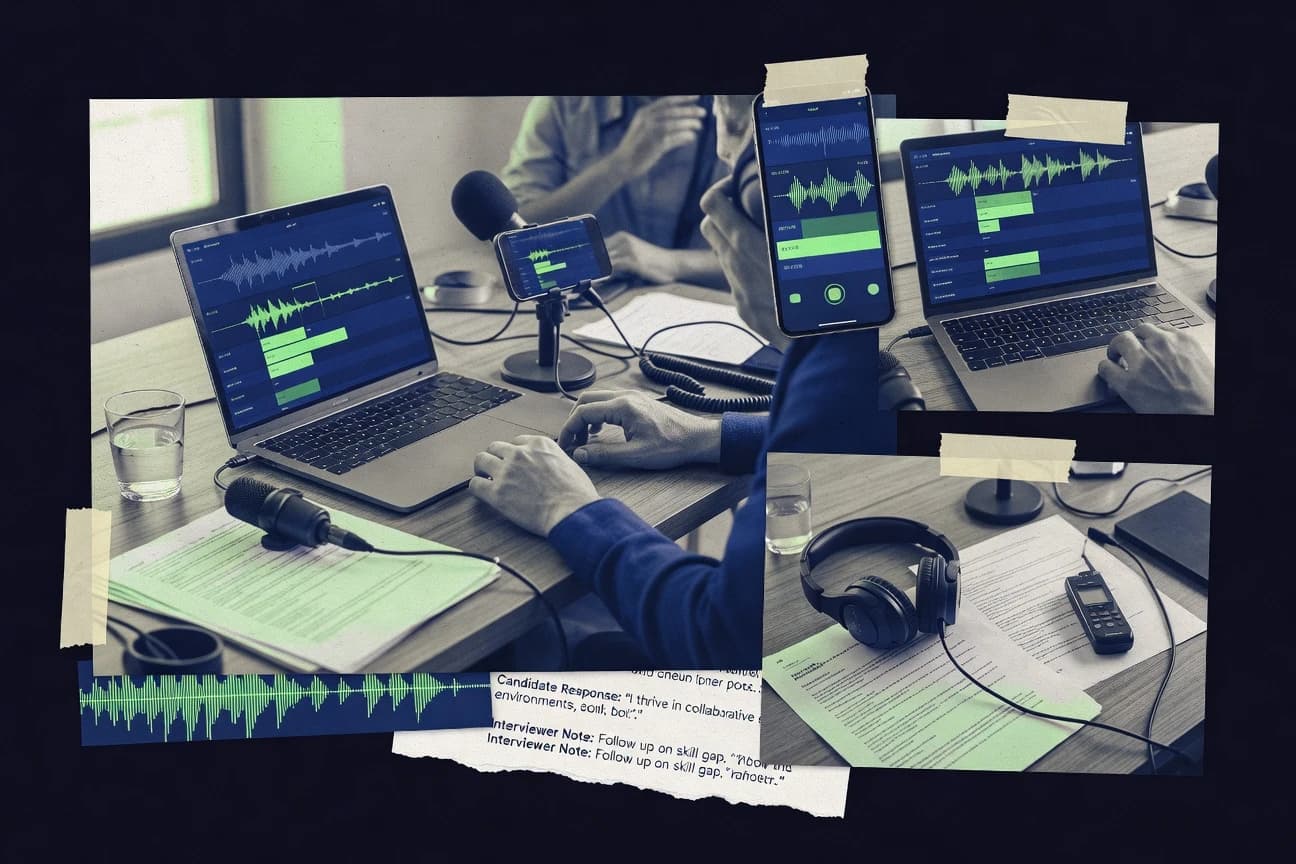
HR In IndustryTop 10 Best Interview Transcription Software of 2026
Ranked roundup of interview transcription software tools, with accuracy and workflow tradeoffs, covering Fireflies.ai, Rev, and Sonix.

How we ranked these tools
Core product claims cross-referenced against official documentation, changelogs, and independent technical reviews.
Analyzed video reviews and hundreds of written evaluations to capture real-world user experiences with each tool.
AI persona simulations modeled how different user types would experience each tool across common use cases and workflows.
Final rankings reviewed and approved by our editorial team with authority to override AI-generated scores based on domain expertise.
Score: Features 40% · Ease 30% · Value 30%
Gitnux may earn a commission through links on this page — this does not influence rankings. Editorial policy
Fireflies.ai is the best fit for teams that need consistent, speaker-labeled interview transcripts they can search and hand off to notes workflows, whereas Rev is the cheaper entry point if your research team wants speaker-attributed AI or human transcription for uploaded recordings.
Editor’s top 3 picks
Three quick recommendations before you dive into the full comparison below — each one leads on a different dimension.
Fireflies.ai
Meeting transcription that keeps speaker attribution and timestamps attached to every exported transcript artifact.
Built for fits when teams need consistent meeting transcripts with speaker labels and quick handoff to notes workflows..
Rev
Editor pickConfidence-scored transcript outputs help reviewers focus edits on low-confidence interview segments.
Built for fits when research teams need speaker-attributed interview transcripts with subtitle-ready exports..
Sonix
Editor pickTimestamped interview transcripts export cleanly to subtitle formats like WebVTT and SRT after editor corrections.
Built for fits when teams batch-process interview audio and need speaker-labeled, export-ready transcripts for review and publishing..
Comparison Table
Fireflies.ai
enterpriseAI meeting assistant with transcription and search for recorded conversations and interviews.
Meeting transcription that keeps speaker attribution and timestamps attached to every exported transcript artifact.
Fireflies.ai ingests audio from meeting ecosystems and converts it into readable transcripts with punctuation and speaker labels for most business calls. Timestamping supports navigating long sessions, and exported transcripts fit common notes and documentation workflows. The integration surface matters for teams that want transcripts to land in existing tools rather than only inside the Fireflies.ai workspace.
A key tradeoff is that teams still need to validate speaker attribution on calls with frequent interruptions and overlapping speech. Fireflies.ai fits best when transcripts drive follow-up work, such as generating action-oriented notes for sales calls or internal standups, where fast review beats perfect diarization.
- +Accurate speaker-labeled transcripts with practical timestamp navigation
- +Exports support downstream notes and documentation workflows
- +Automation reduces repetitive transcription cleanup across recurring meetings
- +Integrations support pushing transcripts into existing operational systems
- –Speaker attribution degrades on heavily overlapping conversations
- –Transcript review still requires manual QA for high-stakes compliance
Sales teams
Turn call recordings into talk tracks
Faster follow-up drafting
Customer success teams
Summarize support calls for tickets
Lower rework on escalations
Show 2 more scenarios
Revenue operations teams
Standardize meeting transcription review
More consistent call documentation
Automation helps apply consistent transcription and review steps across recurring sales and pipeline meetings.
Internal operations teams
Capture decisions from standups
Clearer decision traceability
Speaker-attributed transcripts make it easier to trace who committed to each action item.
Best for: Fits when teams need consistent meeting transcripts with speaker labels and quick handoff to notes workflows.
Rev
SMBSelf-serve transcription platform offering both automated AI and human transcription for uploaded interview recordings.
Confidence-scored transcript outputs help reviewers focus edits on low-confidence interview segments.
Rev supports common interview transcription needs like timestamped transcripts and speaker-attributed output, which fits recorded interviews where attribution matters. Exports include SRT and VTT for editing, and plain-text formats that include timestamps for downstream review. Confidence scoring appears in transcript exports, which helps reviewers triage uncertain segments during interview QA. Integration depth is solid for teams that want automated intake and delivery through an API or webhook-style status updates.
A tradeoff is that Rev’s automation around review and correction is limited compared with full transcription QA platforms, so teams often rely on manual spot checks. Rev fits situations where interview recordings arrive in batches from call systems or file archives and require consistent, export-ready outputs for editors and researchers.
- +Speaker-labeled transcripts reduce ambiguity in multi-party interviews
- +Exports support review workflows with SRT and VTT outputs
- +Confidence indicators help prioritize transcript QA for uncertain words
- +Batch transcription runs fit recurring interview intake pipelines
- –Advanced domain adaptation controls are limited for specialized vocabularies
- –QA correction tooling stays manual for large interview libraries
- –Tight formatting control needs post-processing for custom layouts
- –Real-time workflows depend on specific ingestion paths and settings
Qualitative research teams
Speaker-attributed interview transcript production
Faster coding with clearer attribution
Podcast and media editors
Subtitle export for episode edits
Reduced subtitle rework
Show 2 more scenarios
UX research operations
Batch processing of recorded interviews
Consistent outputs across studies
Runs repeated transcription jobs and delivers export-ready artifacts for every session.
Customer insights teams
Translation-ready interviews
Quicker cross-language review
Uses translation mode to produce readable transcripts for multilingual stakeholders.
Best for: Fits when research teams need speaker-attributed interview transcripts with subtitle-ready exports.
Sonix
SMBAutomated transcription platform with multi-language support and collaborative editing for interview audio.
Timestamped interview transcripts export cleanly to subtitle formats like WebVTT and SRT after editor corrections.
Sonix generates timestamped transcripts with speaker attribution for interview-style audio, which reduces manual alignment when reviewing segments. The editor supports time-linked navigation and lets users re-export after corrections, which helps keep interview transcripts consistent across versions. Language detection and translation modes support mixed-language interview recordings without requiring a manual pre-step for common workflows.
A key tradeoff is that the transcription quality depends heavily on audio clarity and consistent speaker separation, especially for overlapping speech. Sonix fits best when interviews arrive as audio files for batch processing and when exports like SRT or WebVTT are needed for publishing or review.
- +Speaker-attributed, timestamped transcripts reduce interview review overhead
- +Editor supports efficient correction and re-export for document updates
- +Export options support SRT and WebVTT for media publishing workflows
- +Punctuation restoration and confidence cues support faster QA sampling
- –Overlapping speech can degrade speaker attribution accuracy
- –Translation output may require manual review for interview nuance
- –Batch-first workflow can add friction for real-time capture needs
- –Automation requires API or external routing for enterprise integrations
UX research teams
Turn recorded interviews into searchable notes
Less manual segmenting
Podcast production teams
Publish subtitles aligned to interviews
Faster caption production
Show 2 more scenarios
Market research analysts
Batch transcribe phone interviews
Consistent documentation
Batch uploads produce consistent transcripts for later coding and review passes.
Localization coordinators
Translate multilingual interview audio
Reduced translation prep
Translation mode supports multilingual intake without re-recording or manual routing.
Best for: Fits when teams batch-process interview audio and need speaker-labeled, export-ready transcripts for review and publishing.
Dovetail
vertical specialistCustomer research platform with transcription, interview analysis, tagging, and searchable research repositories.
Transcript-linked interview workspaces that keep coding context attached across team review sessions.
Dovetail is positioned for interview transcription work where research teams need more than raw speech-to-text output.
It captures transcripts alongside interview context inside a structured workspace so teams can apply tagging, coding, and synthesis workflows to what was said.
It also supports integrations and automation hooks that connect transcription outputs to downstream research analysis.
Admin controls focus on user access, auditability, and governance for shared research libraries.
- +Transcript content stays connected to interview artifacts for analysis workflows
- +Automation and integrations support moving transcription outputs into research pipelines
- +Role-based workspace access supports shared libraries across research teams
- +Export options support review and referencing in external tools
- –Transcription quality depends heavily on input audio conditions and recording practices
- –Workflows can require setup to align tags, templates, and analysis conventions
Best for: Fits when research teams need transcription artifacts tied to collaborative coding and synthesis workflows.
Notta
SMBTranscription software for audio files, meetings, interviews, and multilingual recordings.
Speaker-labeled transcripts stay readable with clear segment boundaries and timestamps for review, not just raw ASR output.
Notta turns meeting or call audio into text transcripts with word-level timing and readable formatting for review. It supports speaker diarization with speaker labels, plus export options that fit common collaboration workflows.
Notta also offers language detection and translation mode for multilingual meeting playback and review. Automated transcription runs from uploaded audio or meeting recording links, reducing manual transcription time.
- +Speaker-labeled transcripts make multi-participant review faster
- +Exports include timestamped formats that fit meeting documentation
- +Upload and link-based workflows reduce ingestion friction
- +Language detection supports mixed-region review without manual setup
- –Webhook automation options feel limited compared with more API-first tools
- –Diarization accuracy can degrade with overlapping speech
- –Transcript QA sampling controls are not granular enough for compliance teams
- –Custom vocabulary and domain adaptation are less configurable than enterprise competitors
Best for: Fits when teams need quick, speaker-labeled transcripts for meetings and want exports with timestamps.
Grain
SMBConversation recording and transcription software with searchable clips and collaborative insights.
Speaker attribution aligned to interview turns with consistent timestamped segments for faster quoting and coding.
Grain targets interview transcription workflows with fast meeting capture and speaker-aware transcripts. It produces timestamped outputs that support editing and review during qualitative analysis.
Grain also supports structured exports for downstream coding tools, including JSON transcript formats. The automation surface centers on turning recorded audio into consistent transcript artifacts with fewer manual steps.
- +Speaker attribution keeps multi-part interview segments easier to review
- +Timestamped transcripts speed up quoting and evidence lookup
- +JSON transcript export helps analysts build repeatable workflows
- +Batch transcription reduces turnaround time for stacked interview sessions
- –Real-time transcription path is less ideal for low-latency live review
- –Best results rely on clean audio capture and consistent microphone placement
- –Advanced customization takes time to tune across different interview subjects
- –Transcript QA sampling is limited for large multi-hour batches
Best for: Fits when research teams need speaker-aware, timestamped interview transcripts exported for analysis workflows.
Amberscript
vertical specialistAutomatic and human-assisted transcription software for interviews, research, media, and accessibility workflows.
Interview-friendly speaker labeling with subtitle exports that map cleanly into SRT and WebVTT review workflows.
Amberscript focuses on interview and meeting transcription workflows with strong controls for speaker labeling, timestamps, and exports like SRT and VTT. It provides language detection, punctuation restoration, and translation modes aimed at producing review-ready transcripts for follow-ups.
The workflow is built around audio upload or call recordings, then editing and quality checking before export. Automation and integration options are centered on programmatic delivery of transcript results through API and webhook patterns.
- +Speaker attribution with readable timestamped output for interview playback review
- +Exports cover SRT and VTT for video editors and subtitle pipelines
- +Post-transcription editing supports punctuation and segment corrections
- +API and webhooks support automated job submission and result handling
- –Speaker diarization quality degrades on overlapping speech and low audio clarity
- –Transcript quality controls require manual review for every interview deliverable
- –Webhook payloads may require extra mapping for JSON transcript assembly
- –Batch throughput depends on file preparation and audio normalization needs
Best for: Fits when interview teams need timestamped exports and API-driven transcription delivery.
Sembly
SMBAI meeting assistant software that records conversations and generates transcripts, summaries, and insights.
Speaker-attributed, confidence-scored transcripts designed for QA triage and fast interview replay verification.
Sembly is an interview transcription tool focused on turning recorded conversations into timestamped meeting artifacts that teams can review and search. It supports speaker-aware transcripts with punctuation and confidence scoring so interview content can be validated during QA sampling.
Sembly centers automation around a transcription workflow that converts audio inputs into structured outputs for downstream review. Integration depth is driven by an API and event-based delivery so interview tooling can pull transcripts and react to processing status changes.
- +Speaker-attributed transcripts with timestamped segments for interview playback review
- +Confidence signals to triage low-quality stretches during transcription QA sampling
- +API and webhooks for syncing transcripts into interview and HR workflows
- +Export-friendly transcript structure for analytics-ready postprocessing
- –Batch pipelines need orchestration to handle large audio volumes reliably
- –Advanced governance controls require careful setup for RBAC and audit alignment
- –Audio normalization and noise handling may need pre-cleaning for noisy rooms
- –Customization for domain vocabulary support can be limited for niche terminology
Best for: Fits when interview teams need speaker-aware, timestamped transcripts integrated into review workflows via API and webhooks.
Otter.ai
SMBAI meeting software that records, transcribes, summarizes, and attributes speakers in conversations.
Instant speaker labeling during live capture, paired with time-aligned transcript segments for rapid QA.
Otter.ai turns spoken interviews into searchable transcripts and speaker-attributed meeting notes. It provides real-time transcription during live conversations and then generates a cleaned transcript with timestamps for review and export.
Otter.ai also supports collaboration workflows through shared transcripts and meeting history, which helps interview teams iterate on notes. Its integration surface focuses on connecting meetings and transcripts to external tools via available web access and API-driven workflows.
- +Real-time transcription during interviews with live transcript updates
- +Speaker attribution with timestamps that support review and follow-ups
- +Exportable transcripts for reuse in notes, docs, and meeting records
- +Collaboration through shared transcript links for interview teams
- –Custom vocabulary control is limited compared with specialist speech stacks
- –Long multi-hour audio may require manual segmentation for best review
- –API and automation options can lag behind transcription workflow needs
- –Admin governance features like fine-grained audit logs are not granular
Best for: Fits when interview teams need live transcript review plus shared, timestamped notes for follow-ups.
Condens
vertical specialistQualitative research platform for importing, transcribing, coding, and analyzing interviews.
API-driven transcription jobs with webhook callbacks that carry job state for multi-file interview batches.
Condens is an interview transcription tool focused on turning recorded conversations into analysis-ready text with speaker-aware output. It supports timestamped transcripts and exports that fit meeting and interview review workflows.
Condens also adds workflow automation through integrations and API access for handling batches of recordings. RBAC and governance controls support multi-user transcription review processes.
- +Speaker-attributed, timestamped transcripts support interview review and quoting
- +REST API enables ingestion and transcription automation for interview pipelines
- +Export formats fit common review workflows like time-aligned transcript playback
- +RBAC and audit controls support managed review across multiple users
- –More setup is required to align custom vocabulary with domain terminology
- –Webhook payloads require careful handling for multi-file job tracking
- –Batch throughput tuning depends on job sizing and concurrency settings
- –Diarsization quality can vary on overlapping speakers in noisy rooms
Best for: Fits when research teams automate interview transcription and need speaker-aware, timestamped transcripts for review and analysis.
Conclusion
After evaluating 10 hr in industry, Fireflies.ai stands out as our overall top pick — it scored highest across our combined criteria of features, ease of use, and value, which is why it sits at #1 in the rankings above.
Use the comparison table and detailed reviews above to validate the fit against your own requirements before committing to a tool.
How to Choose the Right interview transcription software
Interview transcription software turns recorded interviews into speaker-attributed, timestamped transcripts that teams can review, quote, and export into downstream workflows. This buyer’s guide covers Fireflies.ai, Rev, Sonix, Dovetail, Notta, Grain, Amberscript, Sembly, Otter.ai, and Condens, with attention to how each tool handles interview playback review and transcript artifact exports.
The differences show up most in where accuracy improves or breaks under overlap and audio issues, and how reliably exported transcript formats map to reviewer workflows. The guide also emphasizes integration depth via API and automation surfaces, plus governance and operational control where they are part of the product experience.
Interview Transcription Software that produces speaker-labeled, timestamped transcripts for research review
Interview transcription software processes interview audio into text with diarization-based speaker attribution, time-aligned segments, and export formats such as SRT or WebVTT that fit review and publishing pipelines. Fireflies.ai keeps speaker labels and timestamps attached to exported transcript artifacts for consistent handoff into notes workflows. Sonix produces timestamped, speaker-labeled outputs that export cleanly to subtitle formats after editor corrections.
Teams also evaluate how each platform supports transcription QA and review at scale, including confidence-scored outputs in tools like Rev and QA triage signals in Sembly. Automation expectations vary by workflow, so API-driven job delivery and webhook callbacks in Condens are measured against transcript-linked collaboration workflows in Dovetail.
Buyer’s checklist for interview transcription workflow fit
The fastest interview transcription workflows depend on diarization that stays readable in the exported transcript artifact. Tools like Fireflies.ai, Rev, and Sonix attach speaker labels and timestamps to outputs that reviewers can navigate without rebuilding context.
Export format mapping also determines whether transcripts land in the next workflow step without rework. Fireflies.ai and Sonix support subtitle-style exports that align with review and publishing pipelines, while Rev pairs speaker-labeled transcripts with confidence signals for edit triage.
Speaker-labeled, timestamped exports that remain consistent
Fireflies.ai keeps speaker attribution and timestamps attached to every exported transcript artifact for consistent handoff to notes workflows. Grain aligns speaker attribution to interview turns with consistent timestamped segments for faster quoting and coding.
Confidence scoring and QA triage for low-confidence segments
Rev produces confidence-scored transcript outputs so reviewers can focus edits on low-confidence interview segments. Sembly adds confidence signals designed for QA triage during interview replay verification.
Subtitle-ready timestamp mapping for review and publishing
Sonix exports corrected, timestamped transcripts cleanly to subtitle formats like WebVTT and SRT. Notta exports timestamped formats that fit meeting documentation and subtitle workflows for multi-part review.
Automation and API delivery for multi-file interview batches
Condens runs API-driven transcription jobs with webhook callbacks that carry job state for multi-file interview batches. Dovetail connects transcript content to interview workspaces and automation pathways into research pipelines for team review sessions.
Collaboration context that stays attached to transcript artifacts
Dovetail keeps transcript-linked interview workspaces so coding context and collaborative synthesis stay connected to transcripts. Fireflies.ai supports export handoff into notes workflows with speaker labels and timestamp navigation.
Choose by workflow mechanics: review loop, exports, and automation surface
The primary decision is whether the transcription output becomes a review artifact or a publishing artifact. Tools that keep speaker labels and timestamps attached to exports, like Fireflies.ai and Sonix, reduce the gap between interview playback and transcript markup.
The second decision is whether the transcription workflow runs interactively or as an automated batch pipeline. API-driven job delivery with webhook event delivery, like Condens, changes governance, throughput expectations, and failure handling compared with editor-first correction flows in Sonix and Rev.
Map the export artifact to the next system step
If the next step is subtitle-style review, prioritize Sonix for clean exports to WebVTT and SRT after editor corrections. If the next step is notes and documentation navigation, prioritize Fireflies.ai because exported transcript artifacts keep speaker labels and timestamps attached.
Pick the QA loop that matches review staffing
If reviewers need edit triage, prioritize Rev because confidence-scored outputs highlight low-confidence segments for focused corrections. If QA requires fast replay verification, prioritize Sembly because confidence signals support interview replay verification.
Decide between interactive correction and automated batch ingestion
If interviews arrive as batch audio and the system needs job state updates, prioritize Condens because API-driven transcription jobs pair with webhook callbacks for multi-file tracking. If teams need transcripts tied to ongoing collaborative research sessions, prioritize Dovetail because transcript content stays connected to interview workspaces.
Stress-test speaker attribution on overlaps and noisy pickup
If interviews commonly include overlapping speech, expect speaker attribution to degrade and choose the tool that best preserves readable labels for downstream quoting, such as Fireflies.ai with manual QA acknowledged. If recording clarity varies, prioritize Grain for consistent speaker-aware, timestamped segments but validate audio capture practices since results depend on clean inputs.
Align the workflow to real-time versus post-interview review
If live capture drives immediate review, choose Otter.ai because it provides real-time transcript updates during interviews. If review happens after the call and editing drives re-export, choose Sonix because the editor supports efficient correction and re-export for updated documents.
Who benefits from interview transcription software and why
Research and customer teams benefit when transcript outputs support speaker-aware quoting and timestamp navigation. Fireflies.ai fits teams that need consistent meeting transcripts with speaker attribution and timestamps attached to exported artifacts.
Interview research teams also benefit when transcripts integrate into larger workstreams that include review, coding, and synthesis. Dovetail fits teams that keep coding and synthesis context tied to transcript-linked workspaces for collaborative sessions.
Qualitative research teams running multi-party interview libraries
Fireflies.ai and Rev both generate speaker-labeled transcripts that reduce ambiguity during multi-party review, and they keep timestamp navigation practical for evidence lookup.
Studios and editors producing interview-linked video or subtitle deliverables
Sonix exports timestamped transcripts into WebVTT and SRT for subtitle pipelines, which reduces the time spent reformatting after transcript edits.
Teams automating transcription ingestion across many interview files
Condens provides REST API integration with webhook callbacks that carry job state, which supports automation across multi-file interview batches.
Analytics and insights teams that require transcript context during collaborative coding
Dovetail keeps transcript content connected to interview artifacts inside collaborative workspaces, which supports analysis workflows across team review sessions.
Common failure modes that waste interview transcription time
Many teams overestimate how well diarization handles overlap and assume exported labels can be used without review. Fireflies.ai and Notta both report that speaker attribution degrades when conversations overlap, which leads to misattributed quotes if QA is skipped.
Other teams underestimate the operational work behind automation and exports. Condens requires setup to align custom vocabulary with domain terminology, and Sembly warns that advanced governance controls require careful setup for RBAC and audit alignment when teams scale review across roles.
Using exported speaker labels as if they are guaranteed during overlapping speech
Choose a tool that keeps speaker attribution readable and plan manual QA for high-stakes compliance since Fireflies.ai and Notta both show degradation on heavily overlapping conversations.
Treating automated webhook delivery as drop-in ingestion without tracking job state
Condens sends webhook payloads with job state, so implement multi-file job tracking logic so transcription results do not get misassigned across interview batches.
Skipping an export format test against the downstream subtitle or notes workflow
Test Sonix WebVTT and SRT exports after editor corrections because timestamped mapping matters for subtitle review and re-export workflows.
Assuming translation nuance survives without reviewer effort
Sonix flags that translation output may require manual review for interview nuance, so include a reviewer pass when interview meaning depends on phrasing.
Scaling governance without planning role permissions and audit alignment
Sembly reports that advanced governance controls require careful setup for RBAC and audit alignment, so validate permission behavior before onboarding many reviewers.
How We Selected and Ranked These Tools
We evaluated Fireflies.ai, Rev, Sonix, Dovetail, Notta, Grain, Amberscript, Sembly, Otter.ai, and Condens by prioritizing transcription review mechanics and export artifact usability. Features carried 40% weight, ease and throughput carried 30% weight each, and we favored workflows where speaker-labeled, timestamped outputs reduce rework.
Fireflies.ai earned the top rank because exported transcripts keep speaker labels and timestamps attached to every transcript artifact for consistent notes handoff, and because timestamp navigation supports faster interview playback review. We also used overlap sensitivity and QA workload signals, including confidence scoring in Rev and QA triage signals in Sembly, to separate tools that reduce editing from tools that push edits into manual review.
Frequently Asked Questions About interview transcription software
How do Fireflies.ai, Rev, and Sonix handle timestamped transcripts and speaker attribution for interviews?
Which tools support an API-driven workflow for batch transcription of interview audio files?
When should an interview team prefer webhook event delivery over manual export downloads?
What breaks if an interview workspace requires linked context for coding and synthesis, not just text output?
Which tool exports subtitle formats like SRT and WebVTT with clean mapping to interview segments?
How do Sembly, Rev, and Otter.ai support transcription QA using confidence or review signals?
Which tools handle multilingual interviews with language detection and translation mode?
What tradeoff appears when a transcription workflow prioritizes real-time capture over batch accuracy review?
How do admin controls and security features differ between Dovetail, Condens, and Sembly for shared teams?
Tools reviewed
Primary sources checked during evaluation.
Referenced in the comparison table and product reviews above.
- HR In IndustryTop 10 Best Digital Interview Software of 2026
- Business FinanceTop 10 Best Audio Video Transcription Software of 2026
- HR In IndustryTop 10 Best Pre Recorded Video Interview Software of 2026
- Technology Digital MediaTop 10 Best Speech To Text Transcription Software of 2026
- HR In IndustryTop 10 Best Virtual Interview Software of 2026
Keep exploring
Comparing two specific tools?
Software Alternatives
See head-to-head software comparisons with feature breakdowns, pricing, and our recommendation for each use case.
Explore software alternatives→In this category
HR In Industry alternatives
See side-by-side comparisons of hr in industry tools and pick the right one for your stack.
Compare hr in industry tools→