
GITNUXSOFTWARE ADVICE
Cybersecurity Information SecurityTop 10 Best Information Rights Management Software of 2026
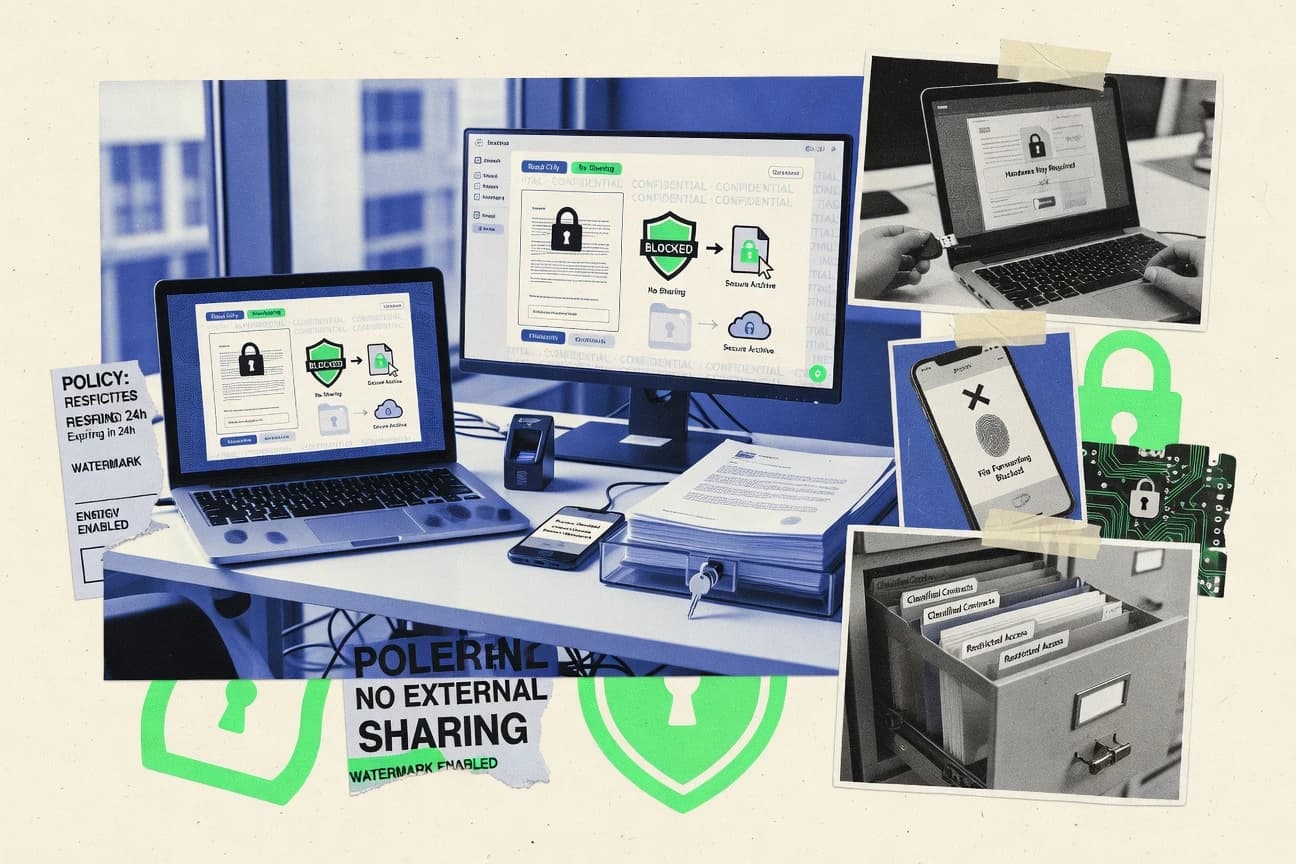
Rank and compare information rights management software for secure data control, featuring Seclore, ShareFile Rights Management, and Adobe LiveCycle.

How we ranked these tools
Core product claims cross-referenced against official documentation, changelogs, and independent technical reviews.
Analyzed video reviews and hundreds of written evaluations to capture real-world user experiences with each tool.
AI persona simulations modeled how different user types would experience each tool across common use cases and workflows.
Final rankings reviewed and approved by our editorial team with authority to override AI-generated scores based on domain expertise.
Score: Features 40% · Ease 30% · Value 30%
Gitnux may earn a commission through links on this page — this does not influence rankings. Editorial policy
Seclore is the strongest pick for regulated teams that need enforceable access revocation with offline-friendly control across Office files and PDFs, whereas Vitrium Security suits larger enterprises when you need policy-based protection that stays effective after document sharing.
Editor’s top 3 picks
Three quick recommendations before you dive into the full comparison below — each one leads on a different dimension.
Seclore
Persistent protection enforcement that remains active after sharing by tying document rights to centralized policy and identity checks.
Built for fits when regulated teams need revocation and offline-friendly enforcement for Office files and PDFs..
Citrix ShareFile Rights Management
Editor pickRevocation and rights enforcement operate for documents distributed through ShareFile, aligning lifecycle controls to sharing sessions.
Built for fits when teams run ShareFile as the primary sharing channel and need centralized rights revocation..
Adobe Experience Manager LiveCycle Rights Management
Editor pickRights template issuance integrated with Adobe document lifecycle workflows for governed publication and controlled distribution.
Built for fits when Adobe Experience Manager workflows must issue and revoke document access centrally..
Comparison Table
Seclore
enterpriseControls access, usage, and sharing of files across applications, locations, and external organizations.
Persistent protection enforcement that remains active after sharing by tying document rights to centralized policy and identity checks.
Seclore protects Microsoft Office files and PDFs by wrapping content in an encrypted rights layer that is enforced by Seclore-controlled viewers and client-side components. Policies can bind to users, groups, and attributes so enforcement can differ by role and geography, while audit logs capture access, usage, and policy decisions. The administration model supports centralized management of rights templates and recurring policy updates so teams can standardize controls across business units.
A tradeoff appears in rollout depth because policy enforcement depends on Seclore client integration on endpoints and consistent handling paths for protected files. Seclore fits organizations that distribute sensitive documents to internal and external recipients and need revocation, expiration, and offline access control without relying on link-based access.
- +Strong persistent enforcement via encrypted, rights-aware documents
- +Granular identity-based controls with policy templates for reuse
- +Centralized audit logs for access and policy decisions
- +Practical revocation and expiration behavior for distributed files
- –Endpoint client integration requires coordinated rollout and support
- –Full enforcement needs consistent document handling flows
- –Advanced policy customization increases governance workload
- –Some interoperability depends on standardized client access paths
Information security and compliance teams
Enforce access revocation after document sharing
Reduced exposure after leaks
Enterprise document management teams
Protect external client deliverables at scale
Standardized controls across units
Show 2 more scenarios
IT administrators
Automate provisioning and access decisions
Fewer manual access exceptions
Identity integration and user sync support policy assignment tied to directory attributes.
Legal review and eDiscovery groups
Audit protected document usage trails
Improved incident investigation evidence
Audit logs record enforcement outcomes so review teams can reconstruct access and usage activity.
Best for: Fits when regulated teams need revocation and offline-friendly enforcement for Office files and PDFs.
Citrix ShareFile Rights Management
enterpriseEnterprise file sharing with integrated IRM policy enforcement for shared documents.
Revocation and rights enforcement operate for documents distributed through ShareFile, aligning lifecycle controls to sharing sessions.
ShareFile Rights Management centers on protecting content in ShareFile sharing flows, using rights templates to apply consistent usage rules to protected files. Enforcement is geared toward keeping access aligned to identity and policy after a file leaves the original upload moment. Audit logging records rights-related activity so administrators can trace access and policy outcomes in the ShareFile context.
A key tradeoff is that the governance model tracks closely with ShareFile storage and sharing rather than serving as a general-purpose rights wrapper for every document repository. It fits situations where enterprises standardize on ShareFile for external and internal file exchange and need centralized revocation and access rules for those shared documents.
- +Rights templates apply consistent controls to ShareFile sharing flows
- +Policy engine supports time-bounded and revocation-focused lifecycle actions
- +Audit logging ties rights outcomes to ShareFile activity records
- +RBAC in the ShareFile permission model limits who can manage protected files
- –Enforcement coverage is strongest for ShareFile-managed documents
- –Advanced governance depends on disciplined template and policy administration
- –App-level control depth is narrower than endpoint-wide DRM-style deployments
- –Integrations beyond ShareFile workflows require extra engineering effort
IT governance teams
Revoke access to shared documents
Reduced exposure after incidents
Legal and compliance teams
Apply consistent viewing and expiration rules
Policy-aligned access for reviews
Show 2 more scenarios
Customer support operations
Send sensitive files with controlled access
Controlled distribution to customers
Support teams share protected documentation and enforce access rules through the ShareFile rights layer.
Sales operations teams
Limit contract document usage
Lower risk from uncontrolled sharing
Rights templates restrict how shared contract files can be used after distribution via ShareFile.
Best for: Fits when teams run ShareFile as the primary sharing channel and need centralized rights revocation.
Adobe Experience Manager LiveCycle Rights Management
enterpriseEnterprise DRM and IRM module applying dynamic policies to PDF and Office documents.
Rights template issuance integrated with Adobe document lifecycle workflows for governed publication and controlled distribution.
Adobe Experience Manager LiveCycle Rights Management is a policy-driven rights management system that issues protected content based on rights templates and recipient entitlements. Document control is applied server-side during publishing and re-checked as content is opened in supported Adobe viewers, which helps keep enforcement consistent across distributed users. Integration depth is strongest when rights operations are triggered from document workflows that already use Adobe Experience Manager for creation, routing, and storage.
A key tradeoff is that enforcement is format and client dependent, which can limit coverage for users outside supported viewing and protected-document workflows. LiveCycle Rights Management fits when organizations need centralized rights templates for many document types, and when access revocation or time-bound access must be coordinated with enterprise document distribution.
- +Policy templates support consistent rights assignment across document workflows
- +Central revocation and entitlement updates align with managed document distribution
- +Works best when rights issuance is embedded in Adobe Experience Manager processes
- +Audit-oriented activity tied to controlled documents helps governance review
- –Enforcement coverage depends on supported protected-document viewing paths
- –Rights template governance requires disciplined rollout and recipient entitlement mapping
Enterprise content operations teams
Publish protected PDFs at scale
Consistent access controls per workflow
Security and compliance teams
Coordinate entitlement revocation for shared files
Reduced exposure after authorization changes
Show 2 more scenarios
Legal operations teams
Distribute contracts with controlled use
Lower risk during contract sharing
Templates enforce contract-specific access rules for recipients while keeping document handling policy-driven.
Procurement and partner managers
Share bid documents to named recipients
Partner-specific access boundaries
Recipient-based rights restrict access to authorized partners while supporting controlled expiry windows.
Best for: Fits when Adobe Experience Manager workflows must issue and revoke document access centrally.
FinalCode
enterpriseFile-level encryption and persistent rights management for shared documents.
Fine-grained rights templates that support centrally managed permission changes like revocation on already issued documents.
FinalCode targets information rights management workflows that require policy-driven access control and enforcement across document sharing, viewing, and downstream usage. The product’s core focus is applying rights through templates, issuing protected documents, and controlling access changes such as revocation and expiration.
Administrators get governance features for managing identities, policy configurations, and auditing of rights-relevant events. Automation is supported through an API surface used for provisioning, rights assignment, and operational integration with existing systems.
- +Policy-based rights templates for consistent document protection rollout
- +Revocation and time-bound access controls for shared content
- +Audit trail records rights-relevant access and enforcement events
- +API supports rights assignment and operational automation integration
- –RBAC and policy governance require deliberate configuration planning
- –Advanced enforcement flows depend on integration with target apps
- –Debugging enforcement mismatches can take time without test tooling
- –Endpoint coverage varies by document viewer and client setup
Best for: Fits when enterprises need policy-driven document rights with revocation and auditable access control across business workflows.
NextLabs
enterpriseApplies attribute-based usage controls to documents, data, and applications across enterprise systems.
NextLabs enforces usage control through a policy engine that applies rights during document handling, not just at file creation.
NextLabs enforces information rights by combining policy-driven encryption with ongoing usage control across protected documents and sessions. It supports enterprise identity integration so permissions can follow users and groups when access is granted or revoked.
NextLabs also provides centralized administration with audit trails for protected content activities, which helps security teams run ongoing governance. The core work focuses on applying rights at content creation time and maintaining enforcement when those files are opened and handled.
- +Policy-based controls for documents across open and access events
- +Identity integration for permissions tied to users and groups
- +Centralized administration with audit log visibility
- +Extensible integration approach via APIs for workflows
- –Endpoint and client enforcement can require careful rollout planning
- –Some enforcement scenarios depend on supported app integrations
- –Rights templates need governance to prevent permission sprawl
- –Fine-grained offline behavior requires explicit design choices
Best for: Fits when enterprises need policy-driven document access control with revocation and audit trails across offices and endpoints.
Vitrium Security
SMBSecures and distributes documents with encryption, controlled access, watermarking, and usage restrictions.
Access revocation for already-distributed protected documents keeps permissions changeable after release.
Vitrium Security targets information rights management for organizations that need consistent protection across document creation, sharing, and offline handling. Its core capability centers on policy-driven control of protected content, including access revocation, time-bound permissions, and usage enforcement when users open files in managed viewers.
The product workflow depends on integrating identity and storage touchpoints so policies can travel with content and stay enforceable after distribution. Administration focuses on governance through roles, audit trail visibility, and rights templates to standardize how teams apply protections.
- +Rights templates standardize how teams package and reuse protection policies
- +Access revocation supports removing permissions after documents are shared
- +Audit trail visibility helps track opens, policy decisions, and enforcement outcomes
- +Offline access control enables continued enforcement when connectivity is limited
- –Operational governance is required to keep identity mappings and policies consistent
- –Integration effort can be high for organizations with complex content supply chains
- –Enforcement depends on compatible viewer or application flows for protected files
- –Automation depth is uneven across document events and lifecycle transitions
Best for: Fits when enterprises need policy-based protection that stays enforceable after document sharing and offline use.
FileOpen
vertical specialistProtects PDF and Office documents through encryption, licensing, authentication, and policy controls.
Time-bound access and revocation for distributed document sharing with policy-based restrictions inside the protected viewer.
FileOpen focuses on protecting documents that must be shared beyond the perimeter, combining persistent control with format-aware enforcement for common file types. Core capabilities include a managed access flow, policy-driven restrictions like print and copy controls, and revocation for previously issued access links or credentials.
Administration centers on rights templates and audit-ready activity records for who accessed what and when. Integration depth shows up most clearly through its interfaces for identity and protected viewer workflows that keep enforcement tied to the document rather than the session.
- +Policy-driven controls work inside the protected viewer experience
- +Revocation can invalidate previously issued access without reissuing content
- +Rights templates reduce drift across teams and document categories
- +Audit records capture access activity for governance reviews
- –Effective endpoint enforcement depends on deployment choices outside pure server workflows
- –Complex restriction sets require careful template design to avoid user friction
- –Large libraries need operational discipline to manage templates and permissions
- –Integration work increases when identity sources have complex attribute mappings
Best for: Fits when organizations need persistent document controls with revocation and auditable access.
Locklizard Safeguard PDF Security
vertical specialistProtects PDF files with encryption, device binding, print controls, and offline access policies.
Action restrictions are enforced inside the Safeguard protected PDF viewer using server-issued protections rather than relying on user workflow discipline.
Locklizard Safeguard PDF Security focuses on securing PDF workflows with persistent protections that survive common redistribution paths. It combines server-side policy enforcement for documents with a protected PDF viewer experience to reduce accidental exposure.
The core capability centers on restricting actions inside the document lifecycle, including viewing, printing, and copying controls. It also records document access events to support audit trail needs across regulated teams.
- +Fine-grained control over PDF actions like print and copy
- +Enforcement happens at document consumption time for better coverage
- +Protected viewing flow reduces exposure from standard PDF viewers
- +Audit trail records document access events for governance review
- –PDF-focused scope leaves Microsoft Office and other formats to other tools
- –Offline access control depends on the protected viewer and policy path
- –Integration needs careful mapping of identity and distribution workflow
- –Advanced configurations require clear ownership for policy management
Best for: Fits when teams need action-level protection for regulated PDFs distributed across email and portals.
Kiteworks
enterpriseSecure content platform with DRM and policy controls for sensitive file transfer.
Policy-driven, server-side protection and revocation for content delivered through managed web and transfer experiences.
Kiteworks performs information rights management for enterprises that need policy-based control over how files are accessed, shared, and protected across email, web download, and cloud workflows. It combines a rights and policy engine with server-side enforcement to keep protected content usable under time-bound and revocable conditions.
Kiteworks also supports persistent protection for documents and enables audit trails that track access and sharing events. Administration centers on role-based access controls, policy templates, and governance workflows for managing protected content at scale.
- +Server-side enforcement keeps rights controls consistent across channels
- +Revocation and expiration controls apply to protected content delivery
- +Audit trails track sharing, access, and policy actions for governance
- +Policy templates support repeatable configuration across large estates
- –Endpoint and offline enforcement scenarios require careful environment design
- –Complex policy sets can increase time-to-tune for fine-grained rules
- –Some integrations depend on specific directory and network setup
- –Advanced viewer and control behaviors need testing for each document type
Best for: Fits when enterprises need consistent server-side rights enforcement across sharing channels with auditable governance workflows.
Digify
SMBShares sensitive documents with view permissions, watermarking, download controls, and activity tracking.
File-level sharing controls with activity tracking integrated into Google Drive and Microsoft document workflows.
Digify is an information rights management product aimed at controlling how documents are shared and used after distribution, especially in Google Drive and Microsoft workflows. Core capabilities center on applying access policies to files, enforcing restrictions like download, printing, and copying, and tracking document activity through audit-style logs.
It also supports administrative controls for users and access settings so rights can be applied consistently across teams and shared folders. Integration depth matters most for Digify since its control plane is designed to sit where documents already live and where sharing actions originate.
- +Rapid policy assignment for shared Google Drive and Office files
- +Action tracking records user activity on protected documents
- +Granular controls for common stop-list actions like print and copy
- +Admin workflows support repeatable rights configuration
- –Limited visibility into enforcement outside the Digify viewer experience
- –Fewer governance options for large-scale, role-based delegations than enterprise IRM suites
- –Automation and API surface are not designed for full custom policy engines
- –Offline access and revocation behavior can be constrained by viewing context
Best for: Fits when teams need document sharing restrictions in drive and Office workflows without building custom enforcement.
Conclusion
After evaluating 10 cybersecurity information security, Seclore stands out as our overall top pick — it scored highest across our combined criteria of features, ease of use, and value, which is why it sits at #1 in the rankings above.
Use the comparison table and detailed reviews above to validate the fit against your own requirements before committing to a tool.
How to Choose the Right information rights management software
This buyer’s guide covers Seclore, Citrix ShareFile Rights Management, Adobe Experience Manager LiveCycle Rights Management, FinalCode, NextLabs, Vitrium Security, FileOpen, Locklizard Safeguard PDF Security, Kiteworks, and Digify.
Each tool is mapped to concrete enforcement behavior, governance controls, and integration depth for identity, sharing channels, and document viewers. The guide then translates those differences into how teams should select based on workflow fit and operational ownership.
Policy-based enforcement of document and content rights across distribution and offline access
Information rights management software enforces usage and access rules for protected documents after sharing, using policy-controlled permissions tied to identities and governed audit trails. The core job is preventing actions like viewing, printing, copying, and access after revocation or expiration across the actual document lifecycle steps.
Tools like Seclore provide persistent protection by tying rights to centralized policy and identity checks, while Citrix ShareFile Rights Management aligns enforcement and revocation to documents distributed through the ShareFile sharing model.
Evaluation criteria for IRM controls, governance, and automation depth
Evaluating information rights management requires checking where enforcement actually happens, not only what restrictions can be authored. Seclore, NextLabs, and Vitrium Security differ mainly in how they keep controls enforceable across open events and offline handling.
Governance and integration depth matter because revocation and time-bound access only stay correct when identity mapping, template rollout, and audit logging operate consistently across endpoints, viewers, and storage workflows.
Persistent enforcement after sharing via rights-aware documents
Seclore keeps protection active after distribution by tying document rights to centralized policy and identity checks, which supports revocation and time-bound access even for offline-friendly workflows. FileOpen and Vitrium Security also focus on keeping controls enforceable after sharing, but Seclore’s identity-centric persistent enforcement targets broader cross-application and cross-location behavior.
Document-centric rights templates for repeatable policy issuance
Adobe Experience Manager LiveCycle Rights Management uses template-driven policy assignment embedded in Adobe Experience Manager document lifecycle operations. FinalCode and Seclore also emphasize centrally managed rights templates so administrators can apply consistent revocation and expiration behavior across large document categories without per-file manual work.
Revocation and expiration behavior that updates distributed access
Citrix ShareFile Rights Management pairs a policy engine with time-bounded and revocation-focused lifecycle actions for documents distributed through ShareFile. Vitrium Security and FileOpen also support revocation for already-distributed documents, while FinalCode emphasizes centrally managed permission changes like revocation on already issued documents.
Action-level enforcement inside the protected viewer
Locklizard Safeguard PDF Security enforces print and copy restrictions inside the Safeguard protected PDF viewer using server-issued protections rather than relying on user workflow discipline. FileOpen enforces restrictions inside its protected viewer experience with revocation tied to shared access credentials, which helps keep enforcement aligned to document consumption time.
Server-side enforcement across managed sharing channels
Kiteworks focuses on policy-driven, server-side protection and revocation for content delivered through managed web and transfer experiences. Citrix ShareFile Rights Management similarly concentrates enforcement around ShareFile sharing flows, which can reduce enforcement gaps when ShareFile is the primary distribution channel.
Administration controls, RBAC in sharing consoles, and audit trail coverage
Citrix ShareFile Rights Management limits who can manage protected files using RBAC in the ShareFile permission model and records audit outcomes tied to ShareFile activity records. Seclore, NextLabs, and Vitrium Security also provide centralized audit logs for access and policy decisions, which is critical for governed review of protected activity.
API and automation surface for provisioning, rights assignment, and integration
FinalCode includes an API surface used for provisioning and rights assignment, which supports operational automation integration with existing systems. Seclore and NextLabs also provide extensible integration approaches via APIs for workflows, but FinalCode’s emphasis on rights assignment automation supports custom operational pipelines more directly.
Select IRM controls by enforcement path, workflow ownership, and governance maturity
The selection starts with where protected actions must be enforced. For document consumption and action controls in a PDF workflow, Locklizard Safeguard PDF Security centers enforcement inside its protected viewer, while Seclore and NextLabs keep enforcement attached to identities and document handling events.
The next decision checks where rights issuance and lifecycle governance occur. Adobe Experience Manager LiveCycle Rights Management fits teams that already issue and revoke access inside Adobe Experience Manager, while Citrix ShareFile Rights Management fits teams that run ShareFile as the primary sharing channel.
Match the enforcement locus to the real user workflow
If enforcement must survive distribution and offline access across multiple apps and locations, Seclore is built for persistent enforcement through encrypted, rights-aware documents and application enforcement on endpoints and servers. If the requirement is strongest for a specific sharing channel, Citrix ShareFile Rights Management concentrates enforcement for documents distributed through ShareFile.
Choose viewer-centered control or document-handling control based on supported formats
For regulated PDF action restrictions, Locklizard Safeguard PDF Security enforces print and copy controls inside the Safeguard protected PDF viewer. If the requirement includes ongoing usage control driven by a policy engine during document handling, NextLabs provides enforcement during open and access events rather than only at file creation time.
Plan governance as template rollout and revocation correctness, not only template creation
If rights issuance and revocation must align with Adobe document lifecycle operations, Adobe Experience Manager LiveCycle Rights Management integrates rights template issuance with Adobe Experience Manager workflows. If governance must support centrally managed permission changes on already issued documents, FinalCode’s rights templates are designed to manage revocation updates for distributed content.
Confirm how revocation updates distributed access across endpoints and viewers
Kiteworks relies on server-side enforcement so revocation and expiration apply to content delivery through managed web and transfer experiences. Seclore supports revocation and expiration after distribution through centralized policy and identity checks, while FileOpen and Vitrium Security support revocation for previously issued access without reissuing content.
Select the integration and automation approach that fits the team’s operating model
For teams that need rights assignment and provisioning automation through custom integration pipelines, FinalCode’s API-based rights assignment is a direct fit. For teams already operating through identity integrations and workflow governance at the document-handling layer, Seclore and NextLabs provide extensible integration approaches through APIs for workflows.
Validate administrative ownership and audit review depth before rollout
If operational ownership must live inside a sharing console model with RBAC, Citrix ShareFile Rights Management ties audit logging to ShareFile activity and uses RBAC to constrain who can manage protected files. If governance needs centralized audit logs across access and policy decisions, Seclore and NextLabs provide centralized audit visibility for governed review of protected activity.
Which teams should buy IRM for persistent document protection
IRM tools target teams that must control access and usage of documents after distribution, especially when revocation must remain effective for shared and offline-access scenarios. The right choice depends on whether enforcement must be channel-specific, viewer-specific, or identity-aware across many apps and endpoints.
Some tools also focus on fitting into existing publishing or sharing platforms, like Adobe Experience Manager LiveCycle Rights Management for Adobe lifecycle operations and Digify for Google Drive and Microsoft document workflows.
Regulated teams needing persistent offline-friendly enforcement for Office and PDFs
Seclore fits teams that need revocation and offline-friendly enforcement for Office files and PDFs using centralized policy enforcement tied to identity checks. Vitrium Security also targets persistent protection for offline handling and distributed access revocation, but Seclore’s endpoint and server enforcement coverage is broader for multi-workflow environments.
Enterprises standardizing on ShareFile as the primary distribution channel
Citrix ShareFile Rights Management fits teams running ShareFile as the primary sharing channel and needing centralized rights revocation for ShareFile-distributed documents. This model keeps enforcement aligned to sharing sessions, which reduces governance complexity compared with tools that require multiple endpoint and viewer paths.
Organizations issuing and revoking documents inside Adobe Experience Manager workflows
Adobe Experience Manager LiveCycle Rights Management fits teams that must issue and revoke document access centrally through Adobe Experience Manager document lifecycle operations. Its template-driven policy assignment and audit-oriented activity records are designed for governed publication in the Adobe stack.
Enterprises requiring automation and auditable rights assignment for business workflows
FinalCode fits enterprises that need policy-driven document rights with revocation and auditable access control across business workflows. Its API surface supports provisioning and rights assignment automation, which suits teams building internal operational pipelines.
Teams that need strict PDF action controls and can standardize on a protected PDF viewer
Locklizard Safeguard PDF Security fits teams securing regulated PDFs distributed across email and portals that can standardize on the Safeguard protected viewer. It enforces print and copy restrictions inside the viewer, while Microsoft Office and other formats require separate coverage.
Where IRM projects fail: enforcement gaps, governance overload, and mismatched deployment scope
Common failures happen when enforcement is assumed to work everywhere but governance and client rollout are not aligned with the enforcement path. Endpoint and viewer compatibility gaps create real permission mismatches that users notice quickly.
Another failure mode is treating template management as a one-time setup instead of an ongoing governance process that must stay consistent with identity mappings and policy decisions across document lifecycles.
Assuming endpoint enforcement works without coordinated rollout support
Seclore and NextLabs require careful rollout planning because endpoint and client enforcement depends on coordinated integration and supported app paths. Before expanding protected usage, plan the endpoint client and viewer flows as a governed deployment, not a late-stage configuration task.
Overloading template governance without operational ownership
Adobe Experience Manager LiveCycle Rights Management and Citrix ShareFile Rights Management both rely on disciplined template and policy administration, and poor governance leads to entitlement mapping mistakes. Assign a clear owner for rights template rollout and recipient entitlement mapping before distributing protected documents at scale.
Choosing a tool for PDF enforcement but expecting Microsoft Office controls from day one
Locklizard Safeguard PDF Security focuses on PDF workflows, so Microsoft Office and other formats fall to other tools. Teams needing print, copy, and revocation control across mixed Office and PDF portfolios should start by mapping which documents must be enforced in which viewer or client path.
Designing fine-grained rules without testing viewer and document-type behaviors
Kiteworks and FileOpen both require testing for each document type and viewer behavior because fine-grained rules can increase time-to-tune. Run test scenarios for each target document format and sharing channel to avoid enforcement mismatches during real distribution.
Relying on limited enforcement visibility outside the managed viewer experience
Digify records activity tracking and access restrictions inside its viewer experience, but it provides limited visibility into enforcement outside that context. If audit review requires consistent enforcement outcomes across endpoints, endpoints and server enforcement tools like Seclore, NextLabs, or Kiteworks better support centralized audit review.
How We Selected and Ranked These Tools
We evaluated Seclore, Citrix ShareFile Rights Management, Adobe Experience Manager LiveCycle Rights Management, FinalCode, NextLabs, Vitrium Security, FileOpen, Locklizard Safeguard PDF Security, Kiteworks, and Digify using three scored areas from the provided tool assessments. Features carried the most weight, with ease of use and value each contributing the next largest portion to the overall result. The result is a weighted overall rating where enforcement behavior, governance controls, and integration automation depth move the scores more than usability alone.
Seclore set the pace in this category because it combines persistent protection enforcement with encrypted, rights-aware documents and centralized audit logs tied to policy and identity checks. That specific enforcement model lifted the features and ease-of-use outcomes because it supports revocation and time-bound access after sharing across endpoints and offline-friendly workflows.
Frequently Asked Questions About information rights management software
How does policy-based encryption translate into enforced access after a document is shared?
When does access revocation take effect for already distributed documents?
How do admin controls and RBAC differ across enterprise deployment models?
What integration paths matter most for identity provider provisioning and access enforcement?
Which tools support automation through an API for provisioning and rights assignment workflows?
Which solution fits when a single sharing channel is the source of most distribution events?
What breaks if a protected file is opened outside the expected enforcement path or viewer?
Where does content-centric enforcement fall short compared with document-specific rights models?
How do audit trails and reporting differ when teams need investigation-ready activity records?
Tools reviewed
Primary sources checked during evaluation.
Referenced in the comparison table and product reviews above.
- Cybersecurity Information SecurityTop 10 Best Cybersecurity Management Software of 2026
- MediaTop 10 Best Rights Management Software of 2026
- Cybersecurity Information SecurityTop 10 Best Anti-Piracy Software of 2026
- Cybersecurity Information SecurityTop 10 Best Internet Access Control Software of 2026
- Cybersecurity Information SecurityTop 10 Best Copyright Infringement Software of 2026
Keep exploring
Comparing two specific tools?
Software Alternatives
See head-to-head software comparisons with feature breakdowns, pricing, and our recommendation for each use case.
Explore software alternatives→In this category
Cybersecurity Information Security alternatives
See side-by-side comparisons of cybersecurity information security tools and pick the right one for your stack.
Compare cybersecurity information security tools→