
GITNUXSOFTWARE ADVICE
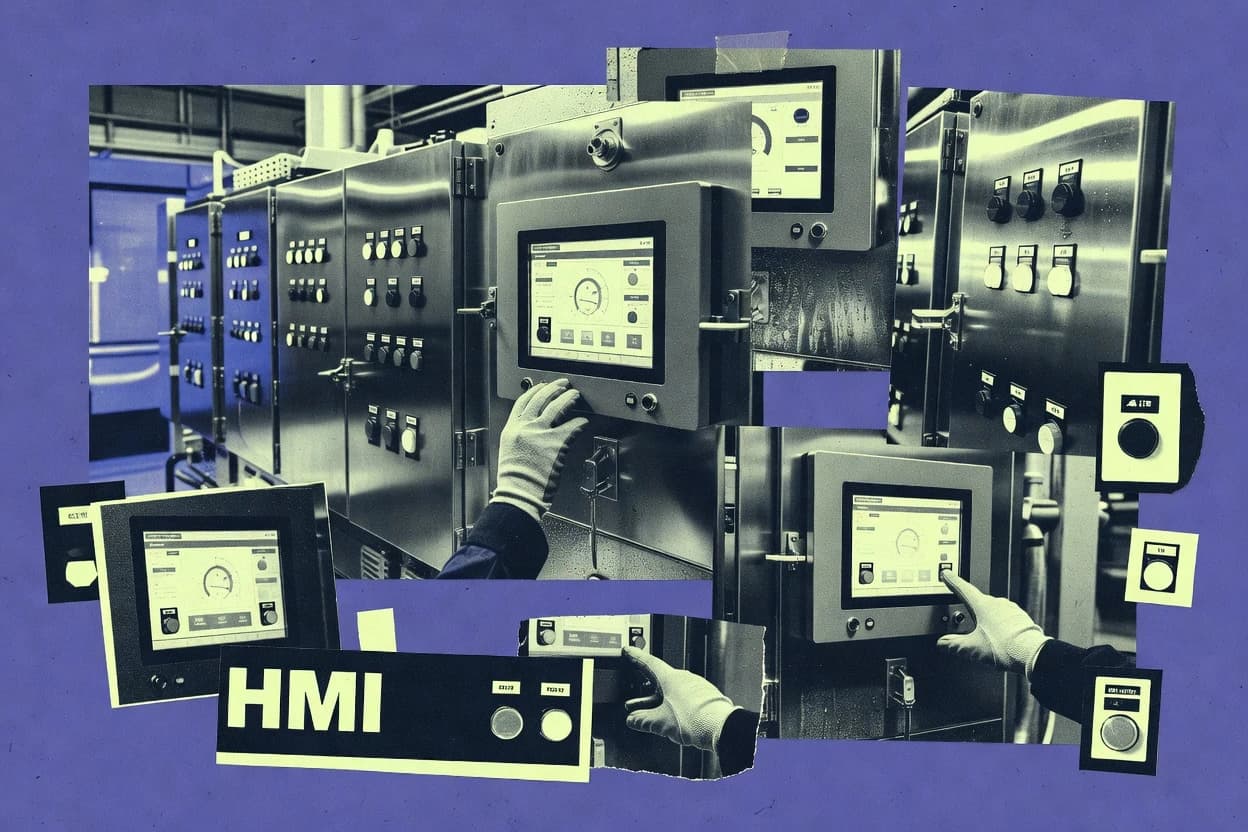
Manufacturing EngineeringTop 10 Best Industrial Hmi Software of 2026
Top 10 industrial hmi software tools ranked with comparisons of Ignition, Wonderware, and TIA Portal HMI for plant teams. Includes Movicon.NExT and WebAccess.

How we ranked these tools
Core product claims cross-referenced against official documentation, changelogs, and independent technical reviews.
Analyzed video reviews and hundreds of written evaluations to capture real-world user experiences with each tool.
AI persona simulations modeled how different user types would experience each tool across common use cases and workflows.
Final rankings reviewed and approved by our editorial team with authority to override AI-generated scores based on domain expertise.
Score: Features 40% · Ease 30% · Value 30%
Gitnux may earn a commission through links on this page — this does not influence rankings. Editorial policy
Movicon.NExT is the strongest fit when you need one industrial HMI environment spanning machine panels, supervisory stations, and browser monitoring, whereas GP-Pro EX suits machine builders who want detailed Pro-face panel workflows with integrated recipes, alarms, and custom runtime logic.
Editor’s top 3 picks
Three quick recommendations before you dive into the full comparison below — each one leads on a different dimension.
Movicon.NExT
WebHMI delivers shared Movicon.NExT runtime screens through standard browsers while preserving the same project model used for local clients.
Built for fits when plants need one HMI environment across machine panels, supervisory stations, and browser-based operations monitoring..
WebAccess
Editor pickCentralized browser delivery lets one project serve operator stations without installing a full HMI runtime on every client.
Built for fits when plants need centrally administered browser access across distributed operator stations..
GP-Pro EX
Editor pickBuilt-in logic programming lets compatible Pro-face panels execute selected control routines without a separate logic editor.
Built for fits when machine builders need detailed Pro-face panels with integrated recipes, alarms, data capture, and custom runtime logic..
Comparison Table
Movicon.NExT
enterpriseIndustrial software for HMI, SCADA, analytics, and supervisory applications across machine and plant systems.
WebHMI delivers shared Movicon.NExT runtime screens through standard browsers while preserving the same project model used for local clients.
Movicon.NExT provides a tag database, graphical editor, alarm management, historical data collection, recipes, reports, and reusable screen objects. Its .NET foundation supports custom scripts and extensions, while WebHMI enables browser-based access without installing a dedicated runtime on each viewing device. Shared project structures reduce duplication across operator stations and supervisory clients.
The broad feature set requires disciplined project architecture, scripting standards, and deployment governance. Movicon.NExT fits plants that need one HMI framework across machine panels, line supervision, and centralized operations monitoring. Smaller installations may not use enough of its extensibility to justify the additional engineering complexity.
- +Browser access supports centralized monitoring across distributed operator stations
- +Reusable symbols and templates reduce repeated screen engineering
- +C# and VB.NET scripting support custom runtime behavior
- +Built-in historian, recipes, alarms, trends, and reporting cover plant workflows
- –Advanced projects require experienced .NET and industrial automation engineers
- –Browser deployment still depends on careful server and network administration
- –Large applications need strict naming and project-structure conventions
- –Some specialized controls and integrations may require custom development
Multi-line manufacturing plants
Centralized production monitoring
Unified plant visibility
OEM machine builders
Reusable machine interfaces
Shorter engineering cycles
Show 2 more scenarios
Utilities operations teams
Remote asset supervision
Faster remote response
Browser clients provide centralized access to alarms, trends, and operating states from distributed facilities.
Process control engineers
Historian-backed analysis
Better process traceability
Historical collection, reports, recipes, and custom scripts connect operational data with production analysis.
Best for: Fits when plants need one HMI environment across machine panels, supervisory stations, and browser-based operations monitoring.
WebAccess
enterpriseBrowser-based HMI and SCADA software supporting diverse field devices.
Centralized browser delivery lets one project serve operator stations without installing a full HMI runtime on every client.
WebAccess separates the project node from browser clients, so screen changes can be administered centrally. Its thin-client visualization model suits control rooms, remote terminals, and distributed facilities that share one application structure. Engineers can combine graphics, PLC communications, alarms, trends, reports, recipes, and historical data within the same project.
The tradeoff is architectural dependence on the WebAccess node and its network path. A plant with intermittent connectivity can lose live interaction at remote stations even when local equipment continues operating. Integrators get more scripting and driver-oriented extensibility than a broad REST API or a modern component marketplace.
- +Central project administration reduces repeated client-side HMI installation.
- +Thin-client visualization supports remote operator stations.
- +Built-in alarms, trends, reports, and recipes cover standard plant workflows.
- +Driver and scripting support accommodate varied industrial equipment.
- –Network or node outages affect remote live-screen access.
- –Project configuration uses a dated, dialog-heavy engineering workflow.
- –REST-style application integration is less prominent than driver and scripting connections.
- –Advanced batch orchestration may require external logic or PLC implementation.
Plant operations teams
Monitoring distributed water assets
Consistent remote monitoring
OEM machine builders
Deploying standardized machine HMIs
Faster machine commissioning
Show 2 more scenarios
System integrators
Supporting multi-site operator stations
Consistent site updates
A central project structure keeps screen and alarm changes consistent across connected sites.
Maintenance technicians
Reviewing intermittent equipment faults
Shorter diagnostic visits
Historical trends and alarm records help isolate faults without visiting every operator panel.
Best for: Fits when plants need centrally administered browser access across distributed operator stations.
GP-Pro EX
SMBHMI screen creation software for dedicated industrial panel computers.
Built-in logic programming lets compatible Pro-face panels execute selected control routines without a separate logic editor.
GP-Pro EX provides a structured editor for screens, navigation, alarms, recipes, trends, user permissions, and historical data collection. D-Script and built-in logic functions extend runtime behavior beyond static visualization, while reusable parts reduce repeated screen engineering across machines. Device communication covers common industrial controllers through a broad PLC driver library.
The main tradeoff is ecosystem dependence because projects are designed around Pro-face runtime hardware and its supported device families. A packaging-machine builder can use GP-Pro EX to create operator screens, recipe selection, alarm acknowledgment, and production data capture from one panel project.
- +Integrated screen, alarm, recipe, trend, and data-sampling editors
- +Reusable parts and templates reduce repeated machine-screen engineering
- +Built-in scripts and logic support custom runtime behavior
- +Broad controller connectivity for Pro-face panel deployments
- –Project portability is centered on Pro-face hardware families
- –Advanced control logic may remain dependent on a separate PLC
- –Large projects require disciplined navigation and object organization
- –Remote monitoring depends on compatible Pro-face products and configurations
Machine automation builders
Packaging line operator panels
Consistent machine interfaces
OEM engineering teams
Multi-model machine projects
Faster project reuse
Show 2 more scenarios
Factory maintenance teams
Panel-based fault diagnosis
Shorter diagnostic cycles
Alarm history, trend views, scripts, and remote access options support troubleshooting at the machine level.
Discrete manufacturing operators
Production data collection
Improved process visibility
Sampling and logging functions capture selected process values for review, reporting, and basic traceability.
Best for: Fits when machine builders need detailed Pro-face panels with integrated recipes, alarms, data capture, and custom runtime logic.
PcVue
enterprisePcVue provides SCADA and HMI visualization with alarms, trends, reporting, industrial communications, and distributed clients.
Shared object inheritance lets screens reuse common controls while keeping project-wide style and behavior aligned.
PcVue targets industrial HMI and SCADA workflows with a configuration-to-runtime toolchain focused on dependable tag-driven screens. Engineering covers screen building, shared objects, and alarm and trend views that stay consistent across projects. Runtime deployment is designed for thin-client and panel PC usage, with connectivity options meant to sit close to PLC and data historian paths.
- +Object-based templates keep screen structure consistent across revisions
- +Tag-driven alarms and trends reduce custom dashboard rebuild effort
- +Supports panel PC runtime and browser-based thin-client presentation
- +Engineering workflow keeps navigation and screen hierarchy predictable
- –Integration depth depends on chosen protocol drivers and gateway setup
- –External automation and customization require disciplined scripting patterns
- –Complex multi-site governance adds overhead for role separation and auditing
- –Advanced ISA-101 style UI standardization takes careful template design
Best for: Fits when engineering teams need consistent HMI screen templates with alarm and trending views for plant-floor clients.
mySCADA
SMBmySCADA provides browser and mobile HMI visualization with alarms, trends, reports, data logging, and remote access.
Operator-facing alarm and event interaction model that stays consistent across screen layouts and runtimes.
mySCADA builds industrial HMI screens and runtime logic that connect to live process data and alarms for plant operations. Engineering edits in a workstation workflow produce deployable visualization that can target web and panel-style runtimes.
Protocol connectivity focuses on SCADA-style tag acquisition and event handling so screens can react to state, thresholds, and operator actions. Integration depth is driven by its driver and connector set, plus an automation and API surface for systems that need to synchronize tags and events.
- +Engineering-to-runtime workflow keeps HMI changes tied to a controlled deployment
- +Event and alarm wiring supports operator-relevant pages and alarm interactions
- +Thin-client style visualization can run where a local desktop HMI is impractical
- +Extensible integrations support third-party systems that need tag and event access
- –Protocol coverage depends on specific connector availability for each plant network
- –Automation via external calls needs disciplined tag naming and environment management
- –Advanced operator workflows require careful screen hierarchy design
- –Edge aggregation and gateway translation are not a native replacement for gateway appliances
Best for: Fits when a SCADA-aligned HMI needs web and panel deployments plus integration with plant systems.
C-more Programming Software
SMBC-more Programming Software creates AutomationDirect HMI screens with PLC tags, alarms, recipes, trends, and data logging.
Object-based templating and symbol reuse reduce UI rework across screens in C-more projects.
C-more Programming Software from AutomationDirect is a focused HMI engineering tool for AutomationDirect panel and runtime ecosystems. It supports screen creation, tag-based bindings, and PLC connectivity using the PLC driver library pattern used by the C-more family.
The editor workflow centers on object templates, symbol reuse, and consistent screen navigation hierarchy for repeatable projects. It fits industrial teams that want fast engineering cycles with fewer moving parts than large enterprise SCADA stacks.
- +Rapid screen building with object templates and symbol library inheritance
- +Tag-driven configuration reduces manual wiring between UI elements and PLC data
- +C-more style screen navigation hierarchy keeps multi-screen projects orderly
- +Engineering workflow stays centered on one HMI toolchain
- –External integration depth is narrower than Ignition and larger HMI/SCADA suites
- –OPC UA client coverage is limited compared with systems that prioritize multi-protocol SCADA integration
- –Advanced governance controls like audit log and granular RBAC are not a primary focus
- –Large multi-department deployments may require extra standards beyond built-in tooling
Best for: Fits when mid-size control rooms need dependable C-more HMI engineering without enterprise SCADA complexity.
FrameworX
enterpriseFrameworX provides industrial HMI and SCADA application development with templates, scripting, historians, alarms, and web clients.
Object-based templating with inherited symbol libraries keeps shared UI, logic, and navigation consistent across engineering variants.
FrameworX from tatsoft.com is a specialized industrial HMI product with engineering-focused workflows around templates, reusable screen logic, and runtime configuration for consistent deployments across machines. It targets plant-floor use cases where SCADA integration and data exchange must stay predictable, with OPC UA client connectivity as a primary integration path.
FrameworX also supports thin-client style visualization patterns for panel and web delivery while keeping screen navigation and runtime behavior coherent across an installed fleet. Admin and governance controls center on controlled deployment artifacts and role separation for engineering versus operations work.
- +Template-first engineering reduces screen duplication across machine variants
- +OPC UA client support supports direct plant data integration
- +Navigation structure and runtime behavior stay consistent across screens
- +Role separation helps keep engineering changes distinct from operations
- –Integration breadth depends on how well external protocol gateways fit
- –Governance tooling is lighter than full enterprise SCADA ecosystems
- –Complex projects take disciplined configuration and naming conventions
- –Some advanced automation requires custom scripting or add-on modules
Best for: Fits when mid-size automation teams need consistent template-driven HMI deployment with direct OPC UA connectivity.
EZwarePlus
SMBEZwarePlus configures Maple Systems HMIs with tags, alarms, recipes, data logging, scripts, and PLC communication.
Object-based templating plus symbol library inheritance reduces redraw work across large machine families in one engineering workflow.
EZwarePlus from Maple Systems targets industrial HMI engineering with a focus on runtime visualization plus data communication drivers. The tool supports screen development workflows tied to tag configuration, which helps teams keep HMI content aligned with controller and field signals.
It fits environments that need thin-client style deployment options for panel PC and web-style access, with screen navigation and reusable UI structures for repeated machine layouts. Integration depth is strongest when industrial protocol coverage and driver mapping align with the plant’s existing PLC and data paths.
- +HMI screens can be kept consistent with object-based templating and symbol inheritance patterns
- +Protocol driver mapping supports practical tag-to-field wiring for industrial deployments
- +Screen navigation hierarchy supports repeatable machine flows across projects
- +Panel PC and web-style runtime deployment fit common industrial operator access models
- –Complex multi-protocol projects need careful driver configuration discipline
- –Advanced automation features depend on external integrations rather than built-in batch phase logic
- –Alarm handling features can require extra setup to match ISA-101 interface expectations
- –Deep data history workflows rely on external historian or SCADA components for full coverage
Best for: Fits when engineers need practical HMI visualization, reusable UI structure, and industrial protocol connectivity.
Rapid SCADA
API-firstRapid SCADA provides an extensible platform for industrial monitoring, HMI screens, alarms, archives, and protocol connectivity.
Template inheritance for screens and symbols reduces repetitive engineering across multi-area HMI layouts.
Rapid SCADA provides industrial HMI screens and runtime visualization with a configuration workflow focused on tags, drivers, and screen design. It integrates with common PLC and SCADA data sources through a driver-oriented connection setup that supports polling-based protocols and vendor controllers.
The system includes alarm and trending views that connect directly to the same tag inputs used for control and display. Runtime deployment targets thin-client style access, including web-based visualization and remote viewing options for operations rooms.
- +Tag-driven screen build keeps visualization aligned with driver inputs
- +Alarm and trend widgets draw from the same runtime data bindings
- +Web-based runtime and remote viewing fit panel and operations layouts
- +Object-style templates reduce repetition across related screens
- –Automation and extensibility are more limited than code-first HMI toolchains
- –Driver setup depth can become tedious for mixed-protocol fleets
- –Large screen libraries can slow editing when organization is inconsistent
- –Runtime security controls require careful role planning per project
Best for: Fits when teams need quick tag-to-HMI delivery with web runtime access and moderate driver diversity.
ADISRA SmartView
API-firstADISRA SmartView provides web-based HMI and SCADA visualization with tags, alarms, trends, recipes, and reporting.
Integrated engineering-to-web runtime workflow that keeps screen navigation consistent from workstation editing to deployed access.
ADISRA SmartView is an industrial HMI solution aimed at integrators who need screens that can be deployed on edge hardware and accessed in a web runtime. It focuses on protocol connectivity for common industrial devices, alarm and event presentation, and operator workflows with reusable screen components.
Engineering typically centers on configuring tags and screens in an engineering workstation workflow, then enforcing the configured navigation at runtime. The main differentiator is how SmartView packages visualization, runtime deployment, and connectivity into a single engineering-to-deployment flow.
- +Web HMI deployment supports operator access without dedicated clients
- +Reusable screen components reduce duplication across large screen sets
- +Alarm views provide a practical operator workflow for event-heavy plants
- +Edge-first runtime fit for panel PC style deployments
- –Protocol integrations require explicit engineering work per connection type
- –Complex multi-system integrations can need additional gateway architecture
- –Runtime governance features like RBAC and audit logs are limited in depth
- –Large projects can feel slow when navigation hierarchies grow
Best for: Fits when integrators need web-accessible HMI with operator workflows and reusable screens on edge runtimes.
Conclusion
After evaluating 10 manufacturing engineering, Movicon.NExT stands out as our overall top pick — it scored highest across our combined criteria of features, ease of use, and value, which is why it sits at #1 in the rankings above.
Use the comparison table and detailed reviews above to validate the fit against your own requirements before committing to a tool.
How to Choose the Right industrial hmi software
Industrial HMI software connects operator visualization to PLC and plant systems with engineered screens, runtime execution, alarm and trend behaviors, and deployment to panels and browsers. This buyer’s guide covers Movicon.NExT, WebAccess, GP-Pro EX, PcVue, mySCADA, C-more Programming Software, FrameworX, EZwarePlus, Rapid SCADA, and ADISRA SmartView.
Movicon.NExT’s web HMI can deliver shared runtime screens through standard browsers while preserving the same project model used for local clients. WebAccess provides centralized browser delivery so one project can serve operator stations without installing a full HMI runtime on every client. The selection criteria focus on integration depth, automation and API surface where provided, and admin and governance controls reflected in each tool’s engineering and deployment workflow.
Industrial HMI software for browser and panel operator visualization tied to PLC and plant data
Industrial hmi software is the engineering plus runtime stack that maps tag data to screens, defines alarms and trends, and executes operator workflows on panel PC runtimes or web-based access. Movicon.NExT supports shared WebHMI screens through standard browsers while keeping a single project model for local and browser clients.
Beyond visualization, industrial HMI systems need a practical integration and automation surface that connects the HMI runtime to plant protocols and external automation components. WebAccess targets centralized browser delivery for distributed operator stations, and its thin-client visualization depends on the network path to reach live runtime screens.
Industrial HMI buyer criteria that change runtime outcomes
Industrial HMI software quality shows up in how the same engineering intent survives deployment from panel PC runtimes to browser access. These criteria focus on integration breadth, automation surface, and administration control because they determine whether screens stay consistent under change and whether operator workflows remain reliable under protocol and network constraints.
Shared WebHMI runtime model versus client-only browser access
Movicon.NExT keeps the same project model for local clients and browser-delivered WebHMI screens. WebAccess also centralizes browser delivery so operator stations do not install a full HMI runtime on every client.
Template inheritance and object-based UI reuse
PcVue uses shared object inheritance to keep screen structure and behavior aligned across revisions. FrameworX uses inherited symbol libraries with object-based templating to keep UI, logic, and navigation consistent across engineering variants.
Built-in on-panel logic programming for targeted machine workflows
GP-Pro EX includes built-in logic programming on compatible Pro-face panels so panels can execute selected control routines. None of the other listed tools is presented with the same on-panel logic programming stance in its core setup.
Engineering-to-runtime alignment for alarm and event interaction
mySCADA maintains an operator-facing alarm and event interaction model that stays consistent across layouts and runtimes. Rapid SCADA binds alarm and trend widgets to the same runtime data bindings so operator views reflect driver inputs.
Protocol driver mapping and gateway dependency
C-more Programming Software focuses on tag-driven configuration but limits external integration depth compared with Ignition and larger HMI/SCADA suites. ADISRA SmartView supports web HMI deployment with reusable screen components, and protocol integrations require explicit engineering work per connection type.
Automation and extensibility patterns beyond UI assembly
Movicon.NExT is positioned for shared WebHMI while preserving project model continuity, which supports controlled deployment for changes across local and browser runtimes. Rapid SCADA is described with more limited automation and extensibility than code-first HMI toolchains.
Pick the industrial HMI by deployment shape, integration responsibility, and change control
The first fork is how operators access the system. Movicon.NExT targets shared WebHMI screens through standard browsers while preserving one project model across client types, and WebAccess centralizes browser delivery to reduce client installation footprint.
The second fork is where the engineering team wants to concentrate change control. PcVue and FrameworX reduce repeat engineering through inheritance and template-first workflows, while GP-Pro EX shifts some execution work into the panel through built-in logic programming.
Decide whether the project model must span panel clients and browser clients
Choose Movicon.NExT when a single engineering model must drive both local HMI clients and browser-delivered WebHMI screens. Choose WebAccess when centralized browser delivery matters most and remote access tolerates network sensitivity that can affect live screen reachability.
Concentrate UI engineering effort into reusable templates and inherited symbols
Choose PcVue when shared object inheritance needs to keep screen structure, alarm views, and trending views consistent across plant-floor clients. Choose FrameworX when template-first engineering and inherited symbol libraries must keep navigation and logic consistent across machine variants.
Place control routines where execution must run
Choose GP-Pro EX when machine panels should execute selected control routines through built-in logic programming without routing everything through a separate logic editor. Choose C-more Programming Software when engineering effort should focus on UI and tag-driven configuration with external integrations handled outside the core HMI.
Evaluate how alarm and event behavior stays consistent under screen layout changes
Choose mySCADA when operator alarm and event interaction must stay consistent across different screen layouts and runtimes through its engineering-to-runtime workflow. Choose Rapid SCADA when alarm and trend widgets should draw from the same runtime data bindings to keep operator views aligned to driver inputs.
Map protocol integration responsibility to the team that will own it
Choose ADISRA SmartView when explicit engineering work per connection type fits an integrator workflow tied to web-accessible deployment on edge runtimes. Choose C-more Programming Software when protocol connectivity can be delivered through drivers and gateways, but external integration depth must remain narrower than Ignition and larger HMI/SCADA suites.
Who benefits from these industrial HMI software picks
Industrial HMI teams differ by deployment topology and by where governance and engineering discipline must live. These segments target the roles that need specific mechanisms such as shared browser runtime models, inheritance-driven screen reuse, or on-panel logic execution.
Plant teams standardizing one HMI project across distributed operator stations
Movicon.NExT fits when WebHMI must deliver shared runtime screens through standard browsers while preserving the same project model used for local clients, which reduces divergence between sites.
Machine builders delivering variant-heavy systems with reusable UI components
PcVue and FrameworX fit when object-based templating and inherited symbol libraries reduce repeated engineering across revisions or variants and keep alarm and navigation behavior aligned.
Integrators that want operator web access with explicit connection-by-connection engineering work
ADISRA SmartView fits when web HMI deployment must keep operator workflows consistent from workstation editing to deployed access, even when protocol integrations require explicit engineering per connection type.
OEMs that want panels to execute selected routines without a separate logic editor
GP-Pro EX fits when compatible Pro-face panels must run selected control routines via built-in logic programming while still using integrated screen, alarm, recipe, trend, and data-sampling editors.
Mid-size control rooms standardizing dependable engineering with narrower enterprise integration scope
C-more Programming Software fits when object templates and symbol reuse reduce UI rework and when external integration depth is acceptable to be narrower than larger HMI/SCADA suites.
Common industrial HMI mistakes that break runtime reliability
Industrial HMI failures usually come from mismatch between engineering workflow and deployment reality, not from missing widgets. The mistakes below target browser delivery fragility, inherited-template governance gaps, and protocol integration assumptions that create time-consuming rework during commissioning.
Treating browser deployment as interchangeable with local runtime execution
Choose Movicon.NExT when the same project model must drive both local clients and browsers, because WebAccess can be more sensitive to network or node outages that interrupt remote live-screen access.
Allowing template reuse patterns without enforcing inheritance behavior
For PcVue and FrameworX, establish disciplined object inheritance and symbol library usage so inherited navigation and logic remain consistent across revisions instead of drifting into one-off screens.
Assuming integrated panel logic exists when the project requires panel-side execution
GP-Pro EX supports built-in logic programming on compatible Pro-face panels, so teams that need panel execution should not default to HMI-only workflows that still depend on separate PLC control routines.
Underestimating protocol integration effort when connectors are not uniformly available
mySCADA protocol coverage depends on specific connector availability for each plant network, and ADISRA SmartView requires explicit engineering per connection type, so mixed-protocol fleets need integration planning beyond screen editing.
Over-relying on external scripting or extensibility when code-level automation is a requirement
Rapid SCADA is described with more limited automation and extensibility than code-first toolchains, so teams requiring deeper automation should align tool selection with their automation expectations.
How We Selected and Ranked These Tools
We evaluated each tool against four mechanisms: how browser delivery and local runtime consistency are handled, how inheritance and templating reduce repeated screen engineering, how integration depth is positioned through driver and gateway responsibility, and how engineering workflow friction shows up as configuration overhead. Features counted for 40%, ease and value each counted for 30%, and the emphasis stayed on the engineering-to-runtime behaviors that show up after commissioning begins.
Movicon.NExT separated itself by pairing WebHMI shared runtime delivery through standard browsers with a preserved project model used for local clients, which reduces divergence when operator access spans multiple station types. We also used the provided standout cases, including FrameworX inherited symbol libraries and PcVue shared object inheritance, to validate that inheritance design reduces screen drift across revisions.
Frequently Asked Questions About industrial hmi software
How do Movicon.NExT and WebAccess deliver browser HMI, and where does the runtime actually run?
Which tool is the better starting point for OPC UA connectivity, and what changes about the project workflow?
How does a team migrate an existing tag database and alarm structure into PcVue versus Rapid SCADA?
Where does RBAC and audit logging show up in the engineering-to-runtime model, and which tools expose admin controls?
When a machine builder standardizes on Pro-face panels, which tool reduces extra steps for recipes, alarms, and templates?
What breaks first when teams outgrow a single workstation HMI, and how do Movicon.NExT and EZwarePlus handle scaling?
How does symbol inheritance and templating affect screen navigation consistency in PcVue compared with C-more Programming Software?
Which tool handles recipe management and batch-like operator workflows with fewer custom scripting paths, and what tradeoff does it impose?
How do FrameworX and mySCADA differ in wiring operator events to process signals across web and panel deployments?
Tools reviewed
Primary sources checked during evaluation.
Referenced in the comparison table and product reviews above.
Keep exploring
Comparing two specific tools?
Software Alternatives
See head-to-head software comparisons with feature breakdowns, pricing, and our recommendation for each use case.
Explore software alternatives→In this category
Manufacturing Engineering alternatives
See side-by-side comparisons of manufacturing engineering tools and pick the right one for your stack.
Compare manufacturing engineering tools→