
GITNUXSOFTWARE ADVICE
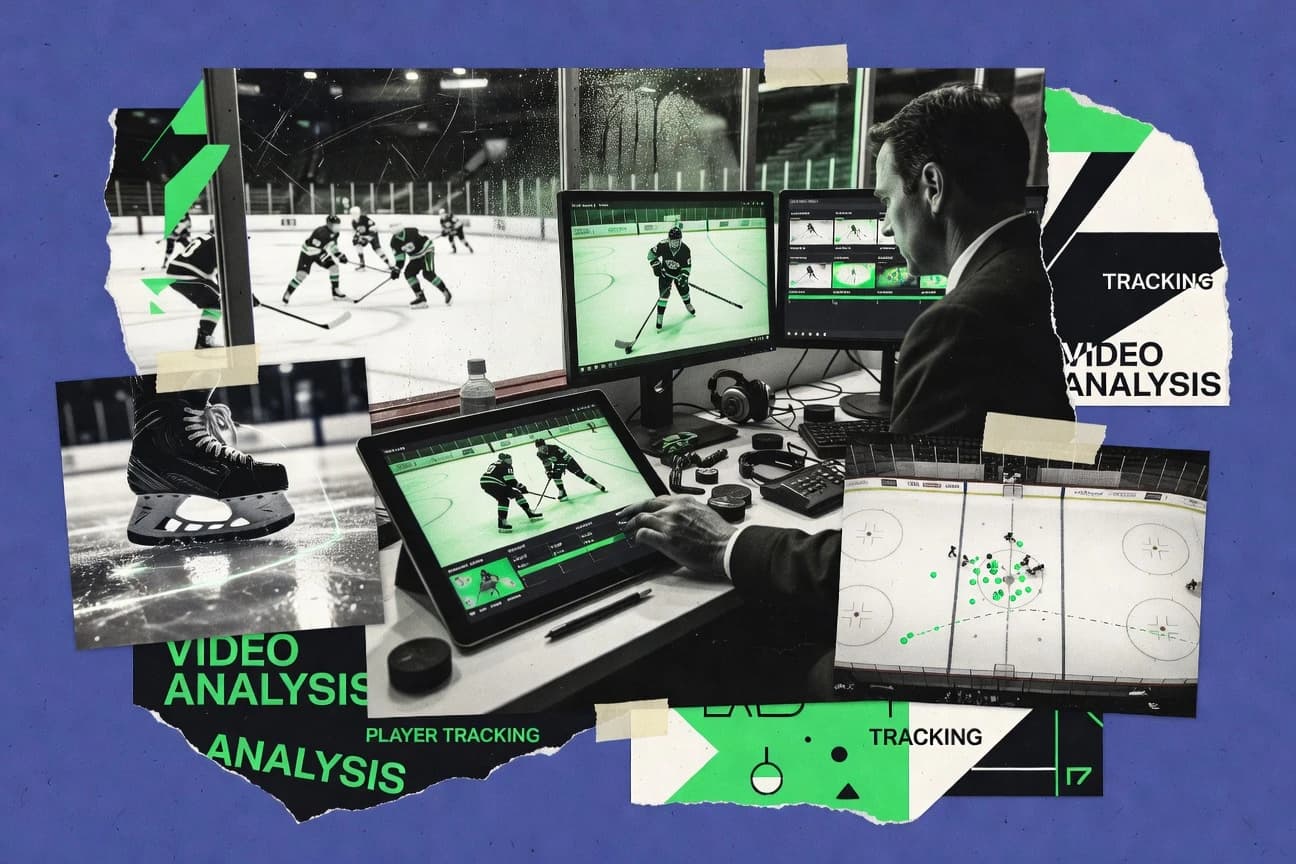
Sports RecreationTop 10 Best Ice Hockey Video Analysis Software of 2026
Top 10 ranking of ice hockey video analysis software for coaches and analysts, comparing Spiideo, Hudl Sportscode, Dartfish and more.

How we ranked these tools
Core product claims cross-referenced against official documentation, changelogs, and independent technical reviews.
Analyzed video reviews and hundreds of written evaluations to capture real-world user experiences with each tool.
AI persona simulations modeled how different user types would experience each tool across common use cases and workflows.
Final rankings reviewed and approved by our editorial team with authority to override AI-generated scores based on domain expertise.
Score: Features 40% · Ease 30% · Value 30%
Gitnux may earn a commission through links on this page — this does not influence rankings. Editorial policy
Spiideo is the best fit for ice hockey coaching staff who need consistent post-game tagging and quicker debriefs with reusable clip workflows, whereas GameStrat suits teams that want clip-based review and tagging without full tracking automation.
Editor’s top 3 picks
Three quick recommendations before you dive into the full comparison below — each one leads on a different dimension.
Spiideo
Reusable tagging and incident libraries that keep time-anchored event labeling consistent across games and reviewers.
Built for fits when coaching staff need consistent post-game tagging and faster session debriefs using reusable clip workflows..
Hudl Sportscode
Editor pickLive game coding with immediate clip generation supports the same coaching framework during games and after review.
Built for fits when coached staffs need fast live coding plus shift-by-shift breakdown without building custom tooling..
Dartfish
Editor pickTelestration tightly coupled with searchable post-game tagging so coaches can turn annotated frames into reusable review clips.
Built for fits when coaches need repeatable video telestration and post-game tagging without requiring automated puck tracking..
Comparison Table
Spiideo
enterpriseCloud sports video platform for automated capture, live production, and analysis.
Reusable tagging and incident libraries that keep time-anchored event labeling consistent across games and reviewers.
Spiideo centers on an analyst workflow where coaches and video editors mark incidents, attach metadata, and compile session review material for later comparison. It supports multi-session review so teams can standardize tagging conventions across games and keep coaching discussions aligned to the same labeled moments. Integration depth matters for continuous workflow, and Spiideo is most usable when the team already has a defined video ingestion and review pipeline.
A tradeoff is that teams that want full automation from raw tracking output will need a separate tracking or coding step, because the product workflow emphasizes annotation and review over end-to-end computer vision capture. Spiideo fits best when a staff already captures synchronized footage and needs consistent post-game tagging plus repeatable shift-by-shift review for coaching decisions.
- +Repeatable tagging workflows speed shift-by-shift coaching review
- +Time-anchored clips keep comments tied to exact video moments
- +Standardized labeling improves consistency across games and reviewers
- +Session compilation supports faster post-game debriefs
- –Requires external capture or coding step for fully automated analysis
- –Advanced governance and permission controls need careful rollout discipline
- –Deep tracking analytics are not the primary focus of the workflow
- –Custom workflow tailoring can take time for new tagging conventions
Head coaches and assistants
Shift-by-shift debrief with labeled clips
Clearer feedback in fewer sessions
Video analysts
Post-game tagging with consistent conventions
More comparable reviews
Show 2 more scenarios
Performance staff
Compile session reports for staff meetings
Faster alignment across roles
Staff groups tagged clips into review sessions for consistent tactical discussions.
Equipment and ops coordinators
Organize review-ready video archives
Lower retrieval time
Ops teams maintain a structured library of labeled game moments for repeat use in future reviews.
Best for: Fits when coaching staff need consistent post-game tagging and faster session debriefs using reusable clip workflows.
Hudl Sportscode
enterpriseVideo analysis software for tagging, reviewing, and presenting team performance footage.
Live game coding with immediate clip generation supports the same coaching framework during games and after review.
Hudl Sportscode fits teams that need consistent post-game tagging and repeatable shift-by-shift review across multiple coaches. The coding-first workflow makes it practical to clip key sequences during review and then aggregate those clips into a structured session. Multi-camera timeline playback helps when video capture uses multiple views and synchronized game footage is required for accurate coaching.
The main tradeoff is that deeper automation depends on disciplined setup of event tags and session templates before the season starts. Hudl Sportscode is best when a staff wants fast, repeatable telestration-style marking and coding for every game rather than ad hoc manual annotations.
- +Live game coding workflow keeps coaches productive during games
- +Multi-camera timeline playback supports synchronized multi-angle review
- +Shift-by-shift organization helps repeatable line and matchup analysis
- +Clip-based session structure speeds up film study handoffs
- –Event tagging standards need governance to avoid inconsistent reports
- –Advanced custom workflows take training and coaching discipline
- –Session templates can become rigid when systems vary by team
- –Some deeper integrations depend on Hudl’s broader ecosystem
Head coaches and assistants
Live coding then post-game shift review
Cleaner coaching decisions across games
Video analysts
Consistent session templates for tagging
More consistent analysis output
Show 2 more scenarios
Scouting staff
Tactical review using multi-angle footage
Fewer misreads of key moments
Scouting uses synchronized game footage playback to verify entries and pressure sequences across cameras.
Special teams coaches
Power-play and penalty-kill breakdown
Faster corrections for next games
Special teams isolate coded situations and review them shift by shift to refine systems and matchups.
Best for: Fits when coached staffs need fast live coding plus shift-by-shift breakdown without building custom tooling.
Dartfish
enterpriseVideo analysis platform with tagging, telestration, and athlete feedback tools.
Telestration tightly coupled with searchable post-game tagging so coaches can turn annotated frames into reusable review clips.
Dartfish supports telestration tools for drawing and annotating directly on synchronized footage so coaches can explain positioning and decisions frame-by-frame. It also enables post-game tagging and clip organization so commonly reviewed situations can be revisited quickly across games. A key signal for structured use is how analysis outputs can be reused across sessions through consistent tagging habits rather than one-off comments.
A tradeoff is that automated puck tracking and optical tracking are not core to Dartfish’s analysis workflow, so event-level results still depend on operator tagging and review discipline. Dartfish is a strong fit for structured coaching cadence, like shift-by-shift analysis and recurring breakdowns for power-play and neutral-zone decisions. It is less suitable for teams that need end-to-end computer vision pipelines that generate scoring chances and heat maps without manual review.
- +Telestration and annotation on synchronized footage for clear coaching evidence
- +Post-game tagging and reusable clip libraries for faster review sessions
- +Coaching views built from consistent operator tagging
- +Works well with manual event review workflows
- –Limited automation for puck-level or event-level computer vision extraction
- –Higher output quality depends on consistent operator tagging discipline
- –Multi-source capture workflows can require careful media preparation
- –Deeper hockey analytics outputs require manual analysis rather than automatic generation
Youth and junior coaching staffs
Shift-by-shift review with telestration
Faster training-to-feedback loop
Pro scouting and video analysts
Opponent tendencies from tagged clips
Quicker scouting summaries
Show 2 more scenarios
Strength and performance teams
Technique correction during return-to-play
More consistent coaching cues
Staff annotate key body mechanics moments and reference tagged clips across multiple sessions.
Assistant coaches and systems staff
Power-play and penalty-kill breakdowns
Clearer special-teams adjustments
Coaches use structured tagging plus telestration to highlight decision paths and coverage errors.
Best for: Fits when coaches need repeatable video telestration and post-game tagging without requiring automated puck tracking.
Nacsport
enterpriseSports video analysis software for coding events and creating performance reports.
Synchronized multi-camera review with repeatable clip and event-tag workflows designed for hockey shift analysis.
Nacsport focuses on ice hockey video analysis with a workflow built around fast clip creation, repeatable tagging, and shift-by-shift review. The software supports synchronized playback for multi-camera capture so coaches can compare angles during the same live sequence.
Core tools include event tagging, shot and scoring-chance review views, and telestration-style annotation for markups on top of game footage. Post-game tagging can be reused across sessions to speed up consistent review of controlled entries, breakouts, and transition sequences.
- +Tagging workflow stays consistent across shift-by-shift sessions
- +Multi-camera synchronized playback supports angle comparison per sequence
- +Telestration-style annotations speed up coaching feedback during review
- +Annotation and clipping tools reduce time spent rebuilding views
- –Advanced automation and integration depend on external setup
- –UIs for large tag libraries can feel slow during heavy filtering
- –Heat-map and advanced modeling workflows are limited versus tracking-first tools
- –Governance and audit-style controls are not prominent in day-to-day use
Best for: Fits when teams need fast tagging and consistent telestration workflows for post-game coaching and review sessions.
GameStrat
vertical specialistSports video analysis platform for reviewing game footage and sharing coaching feedback.
Reusable tagging sessions that convert post-game clips into consistent shift-linked review sets.
GameStrat performs shift-by-shift ice hockey video analysis with tagging workflows that map clips to on-ice situations. The system supports post-game tagging for breakouts, forechecks, and other transition concepts using a structured event set.
Coaches can slice footage into reusable clips and organize review sessions for teams, rather than exporting raw video for manual note-taking. Multi-user collaboration centers on consistent tagging so the same game situations are classified the same way across staff members.
- +Shift-by-shift tagging workflow keeps review organized per shift
- +Structured event taxonomy reduces inconsistent notes across staff
- +Clip management supports building repeatable review bundles
- +Session-centric collaboration helps staff review the same segments
- –Event coverage is limited compared with full optical tracking workflows
- –Deeper automation needs custom processes outside core tagging
- –Multi-camera synchronized review depends on consistent input preparation
- –Advanced analytics like expected goals require external workflows
Best for: Fits when coaches need consistent post-game tagging and clip-based review without full tracking.
LongoMatch
SMBVideo analysis software for tagging live action and producing sports review clips.
LongoMatch’s timeline-driven event tagging turns annotated sequences into reusable coaching clips for repeatable shift reviews.
LongoMatch is video analysis software used for ice hockey sessions that favors fast, post-game tagging and structured clip review. It supports multi-clip workflows for shift-by-shift coaching, with timelines that make it practical to revisit selected sequences. Exportable clips and session project files support repeatable review across practices, staff meetings, and ongoing game plans.
- +Quick event and sequence tagging for post-game review
- +Shift-focused timeline workflow for coaching staff walkthroughs
- +Organized project sessions that keep teams consistent
- +Clip generation for fast sharing during meetings
- –No built-in player or puck tracking features for automation
- –Limited support for synchronized multi-camera alignment workflows
- –Advanced automation and scripting remain manual and queue-based
- –Small governance controls for multi-user environments
Best for: Fits when coaching staff need rapid event tagging and clip review without tracking automation.
Onform
SMBMobile sports video analysis software with annotation, voiceover, and athlete sharing.
Template-based coding workflows that enforce consistent event tagging across games and analysts.
Onform focuses on structured video review workflows for ice hockey, with tagging that supports post-game tagging and shift-by-shift analysis. The system emphasizes synchronized multi-camera capture handling so crews can clip and annotate the same play across viewpoints.
Onform also supports reusable review templates that keep event tagging consistent across sessions. The workflow is designed for teams that need repeatable coding sessions rather than only ad hoc viewing.
- +Template-driven event tagging keeps shift charts consistent across analysts
- +Multi-camera synchronized review supports accurate clip creation
- +Repeatable review sessions reduce rework between games
- +Export-ready clips make post-game review distribution straightforward
- –Advanced analysis requires disciplined tagging setup by the staff
- –Telestration and custom overlay depth feel limited versus specialized tools
- –Automation depth is narrower for fully custom pipelines
- –Less suited for teams needing deep scouting databases inside the same tool
Best for: Fits when coaching staff need consistent post-game tagging and shift-by-shift clips without building custom workflows.
Pixellot
enterpriseAutomated sports production and video platform for recording and reviewing games.
Live game coding workflows tied to the same review timeline as post-game tagging, reducing duplicate work between in-session and after-game review.
Pixellot is a video analysis solution built around automated capture workflows for ice hockey, with organized clips that teams can tag and review. The system is designed for multi-camera capture and synchronized game footage so reviewers can run post-game coding and shift-by-shift analysis.
Pixellot also supports live game coding workflows for in-session feedback, not only after the game. For teams that need repeatable review operations, it provides automation hooks for getting footage processed into a usable review timeline.
- +Multi-camera capture supports synchronized review across angles.
- +Live game coding and post-game tagging fit the same workflow pattern.
- +Automated processing reduces time from capture to usable clips.
- +Shift-by-shift review tools map directly to coaching needs.
- –Automation depth depends on capture setup quality and camera coverage.
- –Advanced analytics beyond tagging can require additional configuration effort.
- –Exports and downstream integrations feel limited compared with custom stacks.
- –Event coding workflows need consistent tagging rules to stay clean.
Best for: Fits when leagues or programs want repeatable video review from synchronized capture, with both live coding and post-game tagging.
Coach Paint
vertical specialistSports video drawing software for tactical explanations and player instruction.
Play-focused tagging that generates clip-ready review segments for consistent staff feedback across sessions.
Coach Paint supports ice hockey video analysis with a workflow built around tagging plays and turning those tags into reviewable clips. Coaches can review specific sequences and annotate decisions tied to shifts and game moments, with an interface designed for rapid post-game and in-session review.
The tool’s distinct focus is on structured event tagging and clip-driven feedback rather than relying on manual frame-by-frame note taking. Coach Paint also supports sharing analysis views so staff can align on the same play selection during coaching.
- +Fast play tagging workflow for post-game and session review
- +Clip-based playback keeps feedback tied to exact moments
- +Sharing analysis views helps staff review the same sequence
- +Annotation flow reduces time spent scrubbing and re-locating plays
- –Limited depth for automated analytics like expected goals
- –Multi-camera synchronized capture support is not a primary focus
- –No visible API surface for external tagging or automation
- –Team governance controls for roles and audit logs appear limited
Best for: Fits when coaching staff need structured play tagging and clip review without heavy automation.
Once Sport Analyser
SMBHockey video analysis tool with AI player tracking, live tagging, 3D animated drawings, and offline functionality.
Post-game tagging that produces review clips for fast sequence review during staff meetings.
Once Sport Analyser targets ice hockey video analysis with workflows built around tagging and review sessions rather than only raw playback. The tool supports post-game tagging and clip generation so staff can review sequences during shift-by-shift analysis.
It is designed for structured event review where coaches can annotate moments and build reusable review sets for practices. Automation depth and integration breadth are the limiting factor compared with higher-ranked systems that offer deeper tracking pipelines.
- +Tag-and-clip workflow keeps post-game review organized by sequence
- +Shift-by-shift review flow supports consistent coaching routines
- +Event tagging supports practical breakdowns of plays and outcomes
- +Simple interface reduces time spent on finding tagged moments
- –Limited coverage for advanced tracking style analyses beyond tagging
- –Automation and event pipelines are thinner than higher-ranked tools
- –API and integration surface are not positioned for deep system linkage
- –Multi-camera synchronized workflows are not a primary strength
Best for: Fits when coaching staffs need structured tagging and clip review for practice using one consistent workflow.
Conclusion
After evaluating 10 sports recreation, Spiideo stands out as our overall top pick — it scored highest across our combined criteria of features, ease of use, and value, which is why it sits at #1 in the rankings above.
Use the comparison table and detailed reviews above to validate the fit against your own requirements before committing to a tool.
How to Choose the Right ice hockey video analysis software
This buyer's guide covers ice hockey video analysis software across Spiideo, Hudl Sportscode, Dartfish, Nacsport, GameStrat, LongoMatch, Onform, Pixellot, Coach Paint, and Once Sport Analyser. Each tool review focuses on how teams create tagged clips for shift-by-shift breakdowns and how quickly coaches can turn game footage into repeatable review sessions.
The tool set includes systems built around reusable tagging libraries like Spiideo, live game coding workflows like Hudl Sportscode, and telestration plus searchable tagging like Dartfish. Other entries emphasize template-based coding like Onform, synchronized multi-camera playback like Nacsport, and multi-camera capture plus a shared live-to-post workflow pattern like Pixellot.
Ice hockey video analysis software for shift-by-shift tagging, telestration, and clip review
Ice hockey video analysis software lets coaching staffs tag synchronized footage into clips for shift-by-shift analysis, then reuse those labeled sequences in later debriefs. Many workflows center on consistent event taxonomy so staff comments stay tied to the same video moments across games.
Spiideo prioritizes reusable tagging and incident libraries to keep time-anchored event labeling consistent across reviewers, which speeds post-game session debriefs. Hudl Sportscode focuses on live game coding that generates clips immediately so coaches can apply the same tagging framework during games and reuse the output after the session.
Core capabilities that separate hockey video tagging, coding, and review workflows
Ice hockey video analysis software lives or dies on how consistently it turns game footage into clip-ready evidence for shift-by-shift coaching. The tools in this set differ most in reusable tagging mechanics, live coding speed, and how tightly telestration and searchable clip libraries connect to the tagging workflow.
These features matter because coaching staff need the same event taxonomy across analysts and across sessions. The higher-performing systems also reduce duplicate work by keeping the in-session workflow aligned with post-game debrief creation.
Reusable, time-anchored tagging libraries for consistent clip evidence
Spiideo uses reusable tagging and incident libraries to keep time-anchored event labeling consistent across games and reviewers. GameStrat similarly focuses on reusable tagging sessions that convert post-game clips into consistent shift-linked review sets.
Live game coding that outputs clips immediately
Hudl Sportscode is built around live game coding that generates clip-ready output during games, then supports shift-by-shift breakdowns after review. Pixellot mirrors the same live-to-post workflow pattern by pairing live game coding with a shared review timeline.
Telestration that stays connected to searchable post-game tagging
Dartfish couples telestration with searchable post-game tagging so annotated frames convert into reusable review clips. Nacsport supports synchronized multi-camera review with repeatable clip and event-tag workflows designed for hockey shift analysis.
Timeline-driven event tagging for repeatable shift reviews without tracking
LongoMatch uses timeline-driven event tagging that turns annotated sequences into reusable coaching clips for repeatable shift reviews. Once Sport Analyser focuses on post-game tagging that produces review clips for fast sequence review during staff meetings.
Template-driven coding and standardized event taxonomy enforcement
Onform enforces consistent event tagging across games through template-based coding workflows. Hudl Sportscode also supports consistent outcomes through a live coding plus multi-camera timeline playback workflow.
Choose by workflow philosophy: live coding, standardized tagging, or manual telestration
Some tools prioritize in-game throughput by generating clips while the game is still running. Other tools prioritize repeatability across analysts by enforcing standardized templates and reusable tagging libraries, and some tools prioritize telestration as the primary evidence capture method.
The decision also hinges on whether the organization expects standardized shift charts from day one or whether staff will invest in disciplined tagging setup. Governance needs surface most when multiple reviewers must produce comparable reports without drift in event names or clip definitions.
Pick the workflow that matches how coaching staff actually reviews
If in-game annotation speed drives the process, Hudl Sportscode and Pixellot support live game coding tied to a review timeline. If post-game debrief creation dominates, Spiideo and GameStrat emphasize reusable clip workflows and shift-linked review sets.
Enforce consistent event taxonomy with templates or reusable libraries
If event naming consistency must be enforced across analysts, Onform uses template-driven coding to keep shift charts consistent. If consistency must stay rooted in time-anchored evidence across sessions, Spiideo uses reusable tagging and incident libraries.
Decide whether telestration is the primary evidence capture method
If telestration must convert annotated frames into searchable review clips, Dartfish keeps telestration tied to post-game tagging. If teams want synchronized multi-camera playback with repeatable clip and event-tag workflows, Nacsport emphasizes angle-comparison review.
Confirm whether automated computer vision extraction is expected
If the organization expects automated puck-level or event-level extraction, none of the core tagging-focused tools in this list are positioned as fully automated by default, and Dartfish explicitly lists limited automation for puck-level extraction. If automation is not required and staff time is better spent on tagging discipline, LongoMatch and Once Sport Analyser fit timeline-driven post-game workflows.
Plan for governance and setup discipline when multiple reviewers participate
If multiple reviewers will create comparable outputs across games, Spiideo flags the need for careful rollout discipline around advanced governance and permissions. If advanced custom workflows are required across staff, Hudl Sportscode warns that event tagging standards need governance to avoid inconsistent reports.
Who should buy ice hockey video analysis software built around clip-based tagging
Teams and leagues buy these tools to reduce the time from game footage to shift-by-shift coaching evidence. Many buyers use the software to standardize event labeling so coaching feedback remains consistent across sessions and across reviewers.
The right fit depends on whether the primary work happens during games or after games, and whether the staff expects reusable libraries, templates, or telestration-first workflows.
Coaching staffs that run structured post-game debriefs with multiple analysts
Spiideo is built for reusable tagging and incident libraries that keep time-anchored event labeling consistent across reviewers. GameStrat also targets structured shift-by-shift tagging so notes stay consistent across staff.
Teams that need in-game clip generation and coding discipline during the match
Hudl Sportscode supports live game coding with immediate clip generation so coaches can keep the same framework during games and after review. Pixellot pairs multi-camera capture with a shared live-to-post workflow pattern.
Programs that want telestration annotations to become searchable coaching evidence
Dartfish couples telestration with searchable post-game tagging so annotated frames become reusable review clips. Nacsport adds synchronized multi-camera review for angle comparison inside the same clip workflow.
Leagues that standardize shift charts through templates rather than ad hoc tagging
Onform uses template-based coding workflows to enforce consistent event tagging across games and analysts. Hudl Sportscode also supports multi-camera timeline playback that helps keep clips comparable across review moments.
Common buying and implementation pitfalls in hockey tagging and clip review
Most failures come from expecting fully automated analysis when a tool is primarily designed for tagging workflows. Another frequent issue comes from letting event names and clip definitions drift across analysts, which breaks shift charts and report comparability.
The implementations that work best invest in rollout discipline, starting with governance for tagging standards and ending with consistent capture setups for synchronized playback.
Assuming the tool will fully automate puck-level extraction without workflow discipline
Dartfish lists limited automation for puck-level or event-level computer vision extraction, so staff time must be budgeted for tagging and annotation. Spiideo similarly requires an external capture or coding step for fully automated analysis.
Letting event taxonomy drift across coaches and analysts after rollout
Hudl Sportscode warns that event tagging standards need governance to avoid inconsistent reports across staff. Spiideo flags that advanced governance and permission controls require careful rollout discipline.
Overestimating synchronized multi-camera alignment when capture setup is inconsistent
Pixellot ties automation depth to capture setup quality and camera coverage, so weak capture reduces the value of the shared timeline workflow. Nacsport requires external setup for advanced automation, so teams must plan setup effort before expecting scale.
Building shift-by-shift reports without training on the chosen tagging structure
Onform notes that advanced analysis requires disciplined tagging setup by the staff because templates enforce consistency. Dartfish also indicates higher output quality depends on consistent operator tagging discipline.
Choosing telestration-first workflows but not validating clip reusability for coaching meetings
Dartfish works when telestration and searchable post-game tagging connect to reusable clip libraries. Once Sport Analyser provides post-game tag-and-clip organization, so it should be validated against the specific sequence review style used by the staff.
How We Selected and Ranked These Tools
We evaluated Spiideo, Hudl Sportscode, Dartfish, Nacsport, GameStrat, LongoMatch, Onform, Pixellot, Coach Paint, and Once Sport Analyser on feature coverage and workflow fit for clip-based hockey review. Features accounted for 40% of the score, and ease of use and value each accounted for 30% of the score.
Spiideo ranked highest because its reusable tagging and incident libraries keep time-anchored event labeling consistent across reviewers and games, which directly reduces rework during post-game debriefs. We also weighted how repeatable each system’s clip creation is across shift-by-shift coaching routines through tagging sessions, templates, and reusable clip workflows.
Frequently Asked Questions About ice hockey video analysis software
Which tool covers live game coding and post-game shift-by-shift review in one workflow?
How does template-based tagging reduce inconsistency across multiple analysts?
When does synchronized multi-camera review matter more than single-camera tagging?
What breaks if a team removes automation and relies on manual clip creation for every session?
Which option is best when telestration annotations must stay linked to searchable post-game clips?
How should teams plan data migration when switching from one video review workflow to another?
Which tool supports clip-driven review without depending on automated puck tracking pipelines?
What is the practical tradeoff between incident libraries and session timeline review?
When do teams hit admin and access-control bottlenecks in shared analysis workspaces?
Tools reviewed
Primary sources checked during evaluation.
Referenced in the comparison table and product reviews above.
- Sports RecreationTop 10 Best Hockey Video Software of 2026
- Sports RecreationTop 10 Best Sports Video Analysis Software of 2026
- Sports RecreationTop 10 Best Football Video Analysis Software of 2026
- Sports RecreationTop 10 Best Handball Video Analysis Software of 2026
- Sports RecreationTop 10 Best Soccer Video Analysis Software of 2026
Keep exploring
Comparing two specific tools?
Software Alternatives
See head-to-head software comparisons with feature breakdowns, pricing, and our recommendation for each use case.
Explore software alternatives→In this category
Sports Recreation alternatives
See side-by-side comparisons of sports recreation tools and pick the right one for your stack.
Compare sports recreation tools→