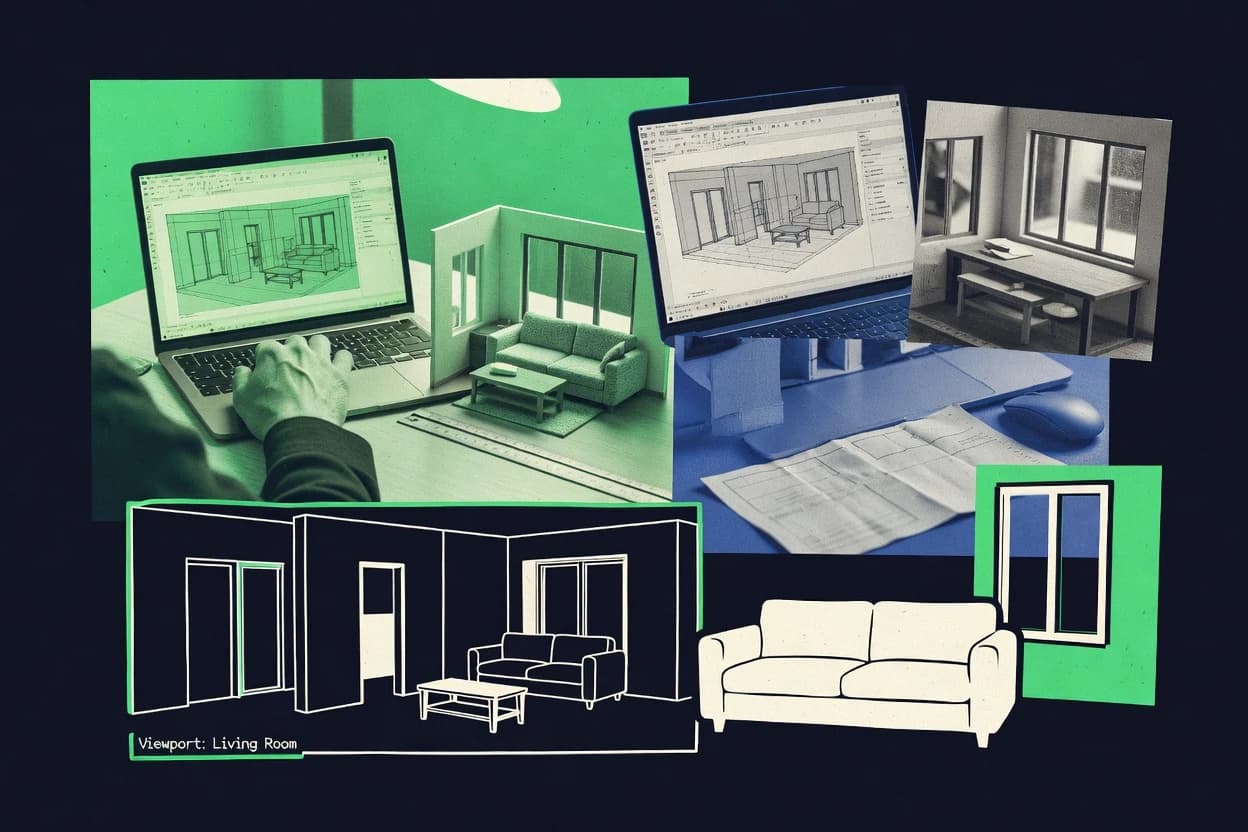
GITNUXSOFTWARE ADVICE
Art DesignTop 10 Best Home 3D Design Software of 2026
Compare home 3d design software tools for planning, layouts, and 3D modeling, including where RoomSketcher, Chief Architect, or Planner 5D fit.

How we ranked these tools
Before any source is gathered, an editor locks the question, what qualifies, and how the piece will be judged.
Search agents gather the source set and the review record, including transcriptions of video reviews and podcasts.
Framework: Features 40% · Ease 30% · Value 30%
Gitnux may earn a commission through links on this page — this does not influence rankings. Editorial policy
RoomSketcher is the best choice for homeowners or contractors who need fast floor-plan-to-3D reviews, since its guided room-to-visual workflow keeps furnished walkthrough viewpoints synced with your layout edits, while Chief Architect fits residential studios better thanks to plan-driven regeneration that preserves consistency across 2D views and 3D walkthroughs.
Editor’s top 3 picks
Three quick recommendations before you dive into the full comparison below — each one leads on a different dimension.
RoomSketcher
Guided room-to-3D workflow that keeps floor plan edits synchronized with furnished walkthrough viewpoints.
Best for: Fits when residential projects need fast room layouts, furnishing, and walkthroughs for homeowner or contractor review.
Chief Architect
Editor pickPlan-to-3D regeneration keeps model edits synchronized across 2D views, elevations, and rendered walkthroughs.
Best for: Fits when residential studios need plan-to-3D consistency and fast walkthrough output for client reviews.
Planner 5D
Editor pickLive room editing that keeps layout changes synchronized across 2D plan and 3D scene views.
Best for: Fits when homeowners and small studios need quick interior concepts with visual iteration from floor plan to 3D.
Comparison Table
RoomSketcher
SMBFloor plan and home design software with 3D visualization and furnishing tools.
Guided room-to-3D workflow that keeps floor plan edits synchronized with furnished walkthrough viewpoints.
RoomSketcher turns measured room inputs into interactive 3D models used for interior visualization and presentation. The workflow centers on drafting floor plans, placing furniture, and generating camera-based walkthroughs with consistent lighting and materials.
Export options support common media sharing formats for client reviews. It also includes a growing object library for faster furnishing during residential design.
- +Floor plan drafting to furnished 3D in a single guided workflow
- +Walkthrough camera views designed for client-ready previews
- +Object library coverage reduces time spent modeling common furniture
- +Room-focused modeling keeps edits localized during revisions
- –Limited advanced parametric modeling compared with CAD workflows
- –Thin control over mesh and UV workflows for custom assets
- –Scene-level performance can degrade in dense furnishing layouts
- –Automation and API extensibility are minimal versus developer-focused tools
Best for: Fits when residential projects need fast room layouts, furnishing, and walkthroughs for homeowner or contractor review.
Chief Architect
professional residential CADProfessional residential design software for home plans, interiors, and 3D architectural modeling.
Plan-to-3D regeneration keeps model edits synchronized across 2D views, elevations, and rendered walkthroughs.
Chief Architect is distinct for keeping residential modeling tightly coupled across plans, 3D views, and common deliverables like elevations and cross sections. Built-in tools for roofs, terrain site import, and interior component placement support end-to-end home design from early massing through detailed documentation views. The object library and material controls let teams produce consistent interiors without rebuilding assets per project.
A key tradeoff is that deep automation and library coverage works best for standard residential construction patterns and may feel restrictive for highly customized architectural systems. Chief Architect fits well when a home design studio needs repeatable plan updates and fast client walkthroughs, but it may lag behind mesh-heavy tools when the design depends on highly bespoke geometry.
- +Plan-driven updates keep elevations, sections, and 3D views consistent
- +Residential object library supports quick placement of common building elements
- +Built-in walkthrough animation accelerates client presentation iterations
- +DWG and IFC exchange reduces manual redrawing for coordination
- –Less suited to heavy mesh sculpting and freeform modeling
- –Custom geometry often requires more manual detailing work
- –Automation coverage depends on matching common residential modeling patterns
- –Large projects can slow down when many layers and objects are active
Residential design studios
Iterate floor plans into client visuals
Fewer redraw cycles
Drafting teams for custom homes
Produce elevations and sections from plans
Faster documentation workflow
Show 2 more scenarios
Landscape and site specialists
Integrate terrain from site survey imports
Cleaner site coordination
Imported site models support positioning design elements relative to terrain context.
Client-facing remodelers
Show interior changes with walkthroughs
Quicker approval decisions
Material and layout changes translate into updated 3D visuals for walkthrough review sessions.
Best for: Fits when residential studios need plan-to-3D consistency and fast walkthrough output for client reviews.
Planner 5D
consumer home designHome design software for 2D floor plans, 3D room layouts, and interior visualization.
Live room editing that keeps layout changes synchronized across 2D plan and 3D scene views.
Planner 5D focuses on fast home layout creation with a guided editor that generates both 2D plans and 3D views from the same scene. It includes a large object library for furniture and room elements, plus material and texture controls for interior visualization.
The workflow supports walkthrough-style viewing and scene export intended for home design sharing. Core strength is staying inside a single creation loop from sketching layouts to reviewing 3D results.
- +Quick 2D-to-3D changes from the same room layout workflow
- +Broad object library for interior and room dressing
- +Material and texture editing supports practical interior look changes
- +Walkthrough viewing helps validate sight lines during layout iterations
- –Limited depth for CAD-grade detailing and construction documentation
- –Automation is mostly manual with few repeatable batch operations
- –Modeling control is less granular than parametric CAD tools
- –File interchange for complex projects is weaker than BIM workflows
Best for: Fits when homeowners and small studios need quick interior concepts with visual iteration from floor plan to 3D.
Homestyler
consumer home designWeb-based home design platform for room planning, furnishing, and 3D interior rendering.
Object library driven interior scene building with immediate visual updates inside the browser editor.
Homestyler pairs browser-based interior design with a large object catalog and quick scene assembly for residential visualization. It supports guided floor plan work, elevation-style views, and real-time walkthrough-style navigation so layout changes show up immediately.
- +Fast browser workflow for interior layout and object placement.
- +Built-in catalog reduces time spent sourcing furniture models.
- +Real-time navigation supports iterative room design decisions.
- +Project sharing enables client review inside the design workspace.
- –Limited parametric component control versus CAD-based design tools.
- –Export and interchange for downstream CAD or BIM workflows is constrained.
- –Material controls can feel less granular than pro rendering pipelines.
- –Large scenes can slow interaction when many assets are used.
Best for: Fits when residential interior concepts need quick visuals and client-ready walkthroughs without CAD or DCC overhead.
Cedreo
vertical specialist3D home design platform for complete floor plans, exteriors, interiors, and client presentations.
Proposal-focused 3D updating that stays linked to wall and openings edits from floor-plan input.
Cedreo targets home remodeling and residential drafting teams that need fast 3D proposals from 2D inputs. It generates walls, roof surfaces, windows, and doors from user-driven floor plan data, then supports interior layout work with selectable product objects.
- +Quick proposal iterations from floor plan edits to 3D changes
- +Structured room and exterior modeling workflow for residential projects
- +Large interior product object library for consistent layouts
- +Client-friendly views and measurement overlays during design changes
- –Limited support for complex BIM authoring compared with BIM-first tools
- –Advanced geometry controls are weaker than parametric CAD workflows
- –Texture and material fidelity can look generic without careful tuning
- –Deliverable formats may require extra steps for downstream CAD use
Best for: Fits when remodelers need fast, client-ready 3D proposal outputs from 2D plans.
Live Home 3D
consumer home designHome design application for floor plans, interiors, terrain, and 3D house walkthroughs.
Room-based modeling ties plan edits to resulting 3D geometry for faster interior revision cycles.
Live Home 3D provides room and furniture layout tools that keep 3D model structure aligned with the plan view during edits. Users can generate elevation and section views from the same project model and then render still images or walkthrough animations for client review. Object libraries cover typical residential elements such as doors, windows, and interior fixtures, which reduces the need for manual mesh building.
- +Floor plan to 3D conversion keeps layout edits synchronized
- +Residential object libraries reduce time spent on basic modeling
- +Render and walkthrough outputs support quick client iteration
- +Import and export options help move assets between tools
- –Thin support for CAD-grade constraints in complex technical detailing
- –Parametric component workflows require more manual rebuilding
- –Limited coordination tooling for multi-discipline residential projects
Best for: Fits when residential designers need quick interior visualization updates without CAD constraint overhead.
Sweet Home 3D
consumer home designInterior and home layout software for drawing plans and previewing furnished rooms in 3D.
Real-time preview tied to wall and furniture edits for rapid layout iteration and immediate walkthrough updates.
Sweet Home 3D focuses on fast residential floor plan to 3D visualization, with editing workflows built around walls, rooms, and furniture placement rather than full CAD modeling. The software supports a built-in object library and textured 3D views, and it can generate consistent walkthrough views for design review.
- +Quick floor plan to 3D conversion with direct furniture placement workflow
- +Built-in library reduces time spent sourcing and aligning common home assets
- +Walkthrough and camera views support iterative interior review
- +Import and export options cover typical model and image exchange needs
- –Modeling depth is limited for structural and roof-framing detailing
- –Interoperability with BIM schemas like IFC is not as comprehensive as BIM tools
- –Automation and API access are limited compared with scripted design pipelines
- –Advanced rendering controls are constrained versus Blender-grade tools
Best for: Fits when interior designers need quick walkthroughs from floor plans without heavy CAD or rendering pipelines.
Home Designer
consumer home designConsumer-focused home design software built for floor plans, remodeling, and 3D house visualization.
Plan-based modeling auto-updates 3D geometry so elevations, sections, and walkthroughs reflect edits immediately.
Home Designer is built around house layout creation that auto-manages building elements like walls, doors, and windows so 3D views stay consistent with plan edits. It supports elevation drawing and cross-section style views for iterative residential documentation, then adds walkthrough and still render outputs for customer-facing visualization. Automation is practical rather than code-based, with template choices and parametric-style controls for common components.
- +Fast conversion from 2D plan edits into consistent 3D views
- +Residential-specific modeling controls for walls, openings, and roof shapes
- +Integrated walkthrough animation output for layout review
- +Render and material styling tuned for interior visualization
- –Collaboration and version conflict resolution are limited versus cloud CAD stacks
- –Model exchange for complex projects often needs manual rework
- –API and extensibility are not geared for custom pipeline automation
- –Large multi-discipline assemblies can strain the workflow
Best for: Fits when residential drafters need quick plan-to-3D updates for client visuals without heavy pipeline engineering.
Foyr Neo
SMBInterior and home design software with 3D modeling, rendering, and project presentation tools.
Foyr Neo’s guided room and furnishing placement workflow keeps 3D iteration consistent across typical residential layouts.
Foyr Neo turns home and interior sketches into a 3D scene with prebuilt room presets and a guided placement workflow. Model editing focuses on furnishing, materials, and camera views so users can iterate quickly toward a consistent walkthrough-like presentation.
- +Guided furnishing and material workflow reduces time spent on scene setup
- +Room templates help standardize layouts across repeated interior concepts
- +Import and export flow supports sharing visuals with clients and stakeholders
- +Camera and view controls make iterative presentation cuts quick
- –Advanced CAD-style editing and construction documentation are limited
- –Thin support for BIM-grade data exchange and schema fidelity
- –Automation and integration options for custom workflows are limited
- –Complex scenes can slow down when many assets are placed
Best for: Fits when residential designers need fast interior visualization and client-ready views without deep CAD/BIM drafting.
Space Designer 3D
SMBOnline space planning software for floor plans, home layouts, and 3D visualization.
Furnished-room layout workflow that prioritizes instant walkthrough checks over engineering model authoring
Space Designer 3D targets home remodeling and interior visualization with a workflow built around placing rooms, objects, and materials rather than authoring parametric building components. The tool supports walk-through style viewing for checking sightlines in a furnished space, and it includes an object library with adjustable items for kitchens and living areas.
- +Room-first modeling workflow supports fast layout iterations for furnished interiors
- +Interactive walkthrough viewing helps validate scale and circulation paths
- +Material controls are geared toward residential presentation rather than documentation
- +Object library items reduce time spent building common home fixtures
- –Automation tools for repetitive remodeling tasks are limited versus CAD workflows
- –Model exchange for BIM-grade data and downstream coordination is not a focus
- –Advanced geometry editing and constraints are weaker than general modeling tools
- –Large scenes can become harder to manage without stronger scene governance
Best for: Fits when homeowners need quick interior layouts and walkthrough visuals without CAD-level constraints.
Conclusion
After evaluating 10 home 3d design software, RoomSketcher stands out as our overall top pick — it scored highest across our combined criteria of features, ease of use, and value, which is why it sits at #1 in the rankings above.
Use the comparison table and detailed reviews above to validate the fit against your own requirements before committing to a tool.
How to Choose the Right Home 3d Design Software
Home 3D design software is used to turn floor plan and room edits into connected 3D views for walkthroughs, elevations, and client-ready interior visuals. This buyer’s guide covers the top picks from Home Designer, Chief Architect, Live Home 3D, Planner 5D, RoomSketcher, Cedreo, Sweet Home 3D, Homestyler, Foyr Neo, and Space Designer 3D.
The standout differentiation across these tools is how reliably edits propagate from 2D into 3D without forcing manual rework. Home Designer and Chief Architect lead with plan-driven regeneration that keeps elevations and rendered walkthroughs aligned after updates.
Home 3D Design Software for synchronized plan-to-3D modeling and walkthrough visualization
Home 3D design software supports residential planning workflows where wall and opening changes in 2D map to updated 3D geometry for faster iteration. Home Designer and Chief Architect emphasize plan-to-3D regeneration so edits stay synchronized across elevations, sections, and walkthrough outputs.
Other tools shift the workflow center to rooms and furnishings instead of CAD-style modeling depth. Live Home 3D and RoomSketcher tie room layouts to 3D scene views for quicker interior revision cycles, while Planner 5D uses live room editing to keep 2D plan changes visible in the 3D scene.
Plan-to-3D synchronization, interior workflow speed, and model interchange limits
Home 3D design software saves time when edits propagate from the 2D plan or room layout into linked 3D views without manual rebuilding of elevations, sections, and walkthrough scenes. The most reliable tools keep geometry synchronized after wall, opening, and layout edits so client previews stay consistent during iteration.
Plan-driven regeneration across views
Home Designer and Chief Architect both regenerate 3D views from plan edits so elevations, sections, and rendered walkthroughs reflect changes immediately.
Room-based layout to 3D scene linking
Live Home 3D and Planner 5D connect a room layout workflow to 3D scene updates, which reduces revision cycles for interior concepts.
Guided furnishing and walkthrough composition
RoomSketcher and Foyr Neo keep iteration focused on furnished walkthrough outputs by binding layout edits to camera-ready viewpoints.
Proposal-linked updating for remodelers
Cedreo ties 3D proposal updates to floor-plan wall and opening edits, which streamlines client-ready remodel presentations.
Real-time preview from wall and furniture edits
Sweet Home 3D updates walkthrough visuals directly from wall and furniture changes, which supports rapid interior layout testing without a CAD-heavy pipeline.
Browser-first object library workflow
Homestyler and Space Designer 3D prioritize instant browser scene building with object libraries, which accelerates interior concepting and walkthrough checks.
Pick the workflow spine that matches how edits must stay synchronized
The decision depends on whether the project is driven by plan edits that must remain consistent across multiple view types or by room and furnishing iteration aimed at quick client visuals. Home Designer and Chief Architect favor plan-driven regeneration, while Live Home 3D and RoomSketcher optimize for interior revision cycles rooted in room and walkthrough viewpoints.
Choose plan-driven regeneration when wall and opening edits must stay consistent across outputs
Select Home Designer or Chief Architect when elevations, sections, and walkthroughs must match after 2D plan changes. Home Designer emphasizes plan-based modeling auto-updates, while Chief Architect emphasizes plan-to-3D regeneration that keeps rendered walkthroughs aligned.
Choose room-to-3D linking when interior changes dominate revision time
Select Live Home 3D or Planner 5D when interior layout edits are the fastest-moving work item. Live Home 3D uses room-based modeling to tie plan edits to 3D geometry, while Planner 5D uses live room editing that keeps layout changes synchronized between plan and 3D scene views.
Choose furnished walkthrough workflows for client-ready previews without CAD depth
Select RoomSketcher or Foyr Neo when furnishing placement and camera-ready walkthroughs matter more than construction-grade modeling detail. RoomSketcher focuses on a guided room-to-3D workflow that produces furnished walkthrough viewpoints, while Foyr Neo standardizes layouts with room templates and a guided furnishing and material workflow.
Choose proposal-linked updating when remodelers need fast iteration from floor plans
Select Cedreo when the workflow is centered on proposal outputs tied to floor-plan wall and opening edits. Cedreo stays linked to those edits so 3D proposal iterations move quickly during client discussions.
Choose browser-first object placement when speed matters more than parametric control
Select Homestyler or Space Designer 3D when interior concepts need immediate visual updates using an object library workflow. Homestyler runs as a browser editor with immediate updates, while Space Designer 3D prioritizes furnished-room layout workflows for instant walkthrough checks.
Choose modeling depth based on whether structural and roof detailing is in scope
Select Home Designer or Chief Architect when structural and roof-shape detail needs more advanced modeling control rather than quick visualization only. Sweet Home 3D and RoomSketcher both emphasize fast layout and walkthrough iteration, but they place limits on structural and roof-framing or CAD-grade constraint coverage.
Which buyers get the most from each workflow style
Buyers should match the tool to how work is performed week to week: plan edits for consistent multi-view outputs, or room and furnishing iteration for fast visual cycles. The tools differ most in how quickly they keep 2D layouts aligned to 3D results without manual rebuilding and how far they go on technical detailing versus visualization depth.
Residential drafters producing plan-to-3D client visuals
Home Designer fits when plan edits must auto-update elevations, sections, and walkthroughs through plan-based modeling and consistent 3D geometry generation.
Residential studios running fast walkthrough review loops
Chief Architect fits when plan-driven updates need to keep rendered walkthroughs consistent with 2D views, while still supporting residential object placement.
Interior designers focused on room layout and furnished viewpoints
Live Home 3D and RoomSketcher fit when interior revision cycles depend on room-to-3D linking or guided furnished walkthrough camera views rather than CAD-style modeling constraints.
Remodelers producing client-ready proposals from floor plans
Cedreo fits when proposals require quick 3D updates linked specifically to wall and opening edits from the floor-plan input.
Homeowners and small studios building concepts quickly in a browser
Homestyler and Space Designer 3D fit when object-library scene building and interactive walkthrough viewing matter more than technical detailing outputs.
Common selection mistakes that cause rework during revisions
Rework usually starts when a tool optimized for quick visualization is used as if it were a construction-grade modeling system. Other failures come from assuming that view synchronization and data exchange are equally strong across tools with different workflow spines.
Choosing a browser-first object editor when construction-grade detailing is required
Sweet Home 3D and Homestyler can generate quick walkthroughs, but they limit modeling depth for structural or roof-framing detailing and constrain downstream BIM-oriented interchange.
Expecting CAD-style constraint workflows from room-first or furniture-first tools
Live Home 3D and Planner 5D provide fast interior iteration, but thin CAD-grade constraint coverage and manual rebuilding for parametric component workflows can slow technical detailing.
Assuming collaboration and version conflict resolution match cloud CAD workflows
Home Designer and Chief Architect deliver strong plan-to-3D sync, but collaboration and version conflict resolution are limited compared with cloud CAD stacks, which can complicate multi-editor projects.
Using a proposal tool for BIM-first authoring and complex schema fidelity
Cedreo and Sweet Home 3D focus on proposal-linked or real-time walkthrough iteration, so limited BIM authoring and weaker schema fidelity can block BIM-first workflows.
How We Selected and Ranked These Tools
We evaluated Home Designer, Chief Architect, and the other eight picks by scoring feature coverage for plan-to-3D synchronization, interior iteration workflows, and practical modeling control depth. Features counted for 40% of the score, and ease counted for 30% while value counted for 30%.
Home Designer separated itself with plan-based modeling auto-updates that keep elevations, sections, and walkthroughs aligned immediately after edits. Chief Architect followed with plan-to-3D regeneration that preserves consistency across 2D views and rendered walkthroughs for residential studios.
Frequently Asked Questions About Home 3d Design Software
How do SketchUp, Fusion, and Blender differ from the plan-to-3D home tools in this list?
Which tools keep 2D plan edits synchronized with 3D views during design iteration?
When should a residential drafting workflow choose Cedreo over Live Home 3D?
What integration or API expectations exist for cloud collaboration in browser-first editors like Homestyler and Extensibility in desktop tools?
How do data migration and model exchange workflows typically work when moving from CAD or existing geometry into Home 3D software?
Which tool fits cross-team coordination workflows that rely on common interchange formats such as IFC and DWG?
What breaks if advanced CAD-level parameterization is required instead of library-based furnishing workflows?
Where does roof framing and building envelope detail fall short in home visualization tools versus engineering workflows?
Which tools provide walk-through style checks that focus on sightlines and furnished navigation?
Tools reviewed
Primary sources checked during evaluation.
Referenced in the comparison table and product reviews above.
Funding and competing interests
This study was co-funded by several of the vendors assessed in it. No single vendor funded it. Funders could propose the market studied.
They had no role in selecting vendors, setting or weighting criteria, analysing data or drawing conclusions, and they received the same factual-accuracy check as every other vendor assessed.
Market definition, inclusion rules and criteria weights were fixed by an editor before research began and did not change afterwards. Editorial process →
Keep exploring
Comparing two specific tools?
Software Alternatives
See head-to-head software comparisons with feature breakdowns, pricing, and our recommendation for each use case.
Explore software alternatives→In this category
Art Design alternatives
See side-by-side comparisons of art design tools and pick the right one for your stack.
Compare art design tools→