
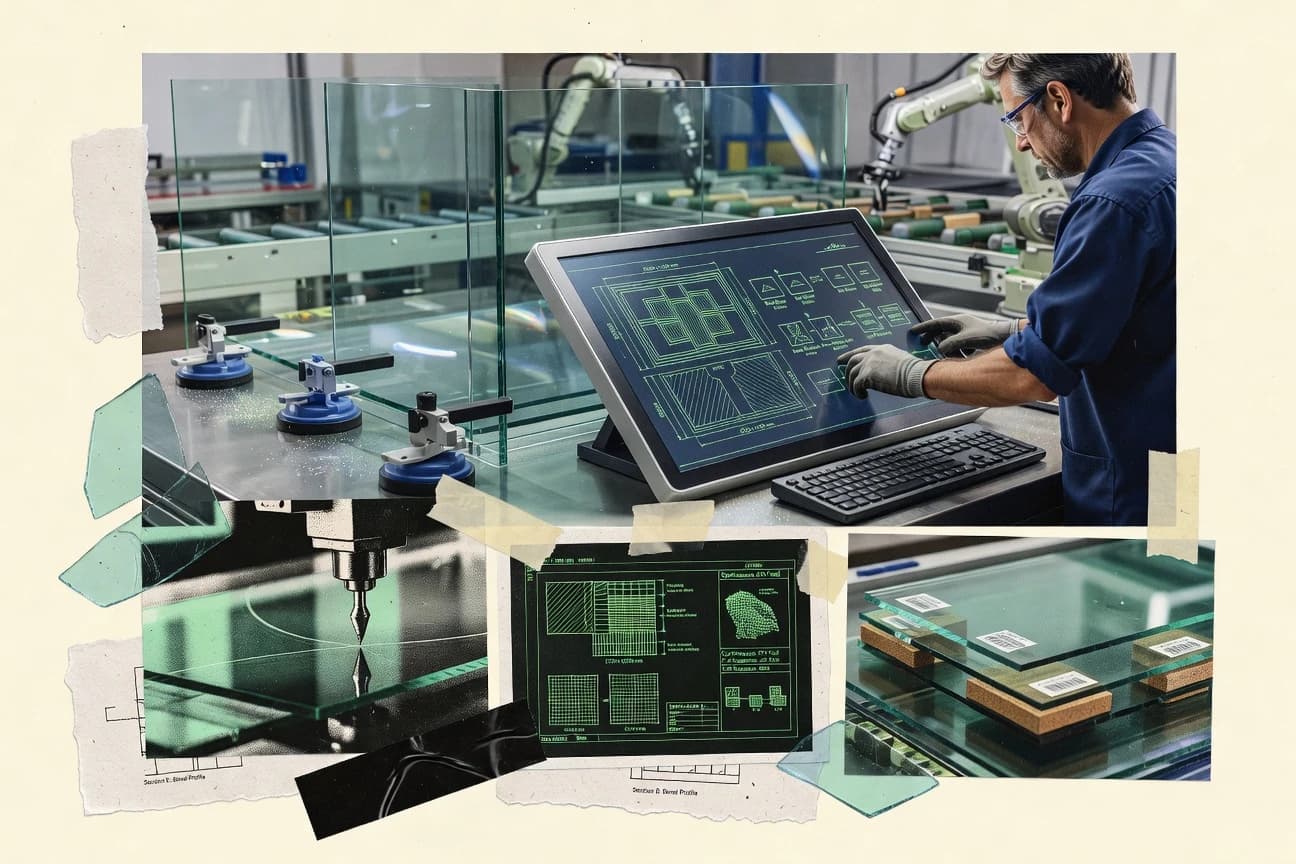
GITNUXSOFTWARE ADVICE
Manufacturing EngineeringTop 10 Best Glass Fabrication Software of 2026
Ranked comparison of glass fabrication software for shops using GlassOn, A+W Software, and CrystalCAM, with criteria and tradeoffs for decision-making.

How we ranked these tools
Core product claims cross-referenced against official documentation, changelogs, and independent technical reviews.
Analyzed video reviews and hundreds of written evaluations to capture real-world user experiences with each tool.
AI persona simulations modeled how different user types would experience each tool across common use cases and workflows.
Final rankings reviewed and approved by our editorial team with authority to override AI-generated scores based on domain expertise.
Score: Features 40% · Ease 30% · Value 30%
Gitnux may earn a commission through links on this page — this does not influence rankings. Editorial policy
GlassOn is the strongest fit when engineering teams need takeoff-to-cut-list automation tied to revision control for CNC production, whereas A+W Software suits architectural glass fabricators that want consistent job tracking with reliable drawing and digital-file outputs.
Editor’s top 3 picks
Three quick recommendations before you dive into the full comparison below — each one leads on a different dimension.
GlassOn
Reissue cycles preserve traceability between job records, cut lists, and fabrication drawings during revisions.
Built for fits when engineering teams need takeoff-to-cut-list automation tied to revision control across CNC production..
A+W Software
Editor pickJob-based document and file generation ties fabrication drawings to the same panel data used for manufacturing planning.
Built for fits when architectural glass fabricators need job tracking with consistent drawing and digital-file outputs..
CrystalCAM
Editor pickNesting-to-cut-list generation that keeps CNC instructions aligned to one job record.
Built for fits when glass fabricators need repeatable CNC instructions from CAD with controlled shop templates..
Comparison Table
GlassOn
vertical specialistGlassOn supports quoting, order management, production, inventory, and delivery workflows for glass businesses.
Reissue cycles preserve traceability between job records, cut lists, and fabrication drawings during revisions.
GlassOn is built around a job-centric workflow where takeoff data flows into cut lists and then into fabrication drawing outputs used during glass nesting and CNC cutting setup. DXF import is used as a geometry entry point so shops can start from existing CAD geometry without rebuilding shapes manually. The system keeps production documentation attached to order state so revisions can be reviewed and reissued while the job remains consistent across teams.
A key tradeoff is that GlassOn’s value concentrates in shops that want automated propagation from takeoff to cut lists and shop drawings, rather than teams that mainly manage procurement or field installation planning. GlassOn fits best when multiple fabricators and rework loops need consistent versioning between digital glass files and what operators scan and confirm on the floor.
- +Job-linked cut lists reduce cut-list drift across revisions
- +DXF import supports geometry intake without manual redraw
- +Fabrication drawing outputs stay tied to production order state
- +Inspection and job tracking support end-to-end documentation
- –Setup of workflow rules requires consistent shop data discipline
- –Deep CNC tuning depends on accurate input geometry and parameters
- –Complex estimating variations can require extra mapping work
- –Some edgework scheduling steps need manual confirmation
Architectural glass fabrication teams
Automate cut lists from DXF geometry
Fewer mismatches with fewer reworks
Shop supervisors
Track revisions through inspection steps
Clear signoff and controlled reissue
Show 2 more scenarios
CNC operators
Run jobs from versioned documents
More consistent setup and throughput
Reduces guesswork by attaching job artifacts to the same production order state operators must follow.
Estimating and drafting coordinators
Propagate takeoff changes into shop drawings
Lower document mismatch risk
Routes updates through job-linked outputs so revised artifacts replace earlier versions in one place.
Best for: Fits when engineering teams need takeoff-to-cut-list automation tied to revision control across CNC production.
A+W Software
enterpriseA+W Software provides ERP, production planning, optimization, and shop-floor control for glass processors.
Job-based document and file generation ties fabrication drawings to the same panel data used for manufacturing planning.
A+W Software is a fit for glass shops that run repeatable job flows and need consistent document and file generation, not just geometry processing. DXF import support helps bridge CAD output into fabrication planning, and the job-focused artifacts support fabrication drawings and cut-list style planning for production control. The approach suits teams that manage fabrication drawings alongside digital glass files so the shop can align cutting instructions with the paperwork that ships with the job.
A concrete tradeoff is that deep CNC machine integration and edgework programming depth depend on how the shop standardizes its manufacturing data and how the CNC side expects inputs. A common usage situation is a fabrication team taking architectural glass CAD exports, generating CNC-ready work outputs and fabrication drawings for job tracking, then using the generated documents to coordinate inspection and remnant handling across shifts.
- +Job artifact generation keeps fabrication drawings aligned to production files
- +DXF import supports moving CAD geometry into fabrication planning
- +Workflow centered around panels helps track edits across job documents
- +Document-driven job tracking reduces mismatch between shop steps
- –CNC output depth can depend on shop-specific data standards
- –Configuration effort increases with many product variants and options
- –Automation coverage may lag shops that rely on highly custom edgework
- –Integration breadth with third-party ERP and CAD tools can be limited
Architectural glass fabricators
Convert CAD geometry into production documents
Fewer cut-and-paper mismatches
Production supervisors
Standardize panel edits across jobs
Less rework after revisions
Show 2 more scenarios
CNC operators
Turn planned cuts into CNC instructions
More consistent machine runs
Export fabrication-ready work outputs that follow the job’s cut planning and labeling workflow.
Quality and inspection leads
Verify jobs against shop documents
Faster issue isolation
Use generated drawings and digital-file references to support inspection and exception handling.
Best for: Fits when architectural glass fabricators need job tracking with consistent drawing and digital-file outputs.
CrystalCAM
SMBGlass cutting optimization software for CNC machines with nesting, GCode generation, and Low-E scoring support.
Nesting-to-cut-list generation that keeps CNC instructions aligned to one job record.
CrystalCAM takes CAD inputs and converts them into cut-ready production data through a nesting and detailing flow that produces repeatable manufacturing outputs. The system supports CNC cutting instruction generation tied to the job context, and it aligns edgework parameters to the same digital job record. This structure fits shops that need fewer manual handoffs between design review and machine setup.
A key tradeoff is that output quality depends on clean layer conventions and disciplined parameter setup for each glass type and machine configuration. CrystalCAM works best when a shop can standardize process templates for common project types, then reuse them across production runs. Teams that frequently change tooling, glass thicknesses, or tempering schedules mid-stream may spend more time maintaining those templates.
- +End-to-end job outputs from CAD input through CNC-ready instructions
- +Glass nesting and cut-list generation tied to the same job record
- +Edgework parameterization stays connected to cutting outputs
- +Exported digital manufacturing files support shop documentation flow
- –Template discipline is required for consistent parameters across jobs
- –CAD layer and mapping quality affects nesting and downstream cut lists
- –Complex project variants can increase setup time before production
- –Automation coverage depends on how the shop defines repeatable steps
Fabrication engineering teams
Convert CAD details into CNC instructions
Fewer manual rework loops
Production supervisors
Track job steps through fabrication
More reliable job closure
Show 2 more scenarios
CNC operators
Run standard jobs with presets
Faster machine setup
Use standardized parameter sets so setup matches the intended glass process.
Operations managers
Reduce material loss via nesting
Lower waste and remnant churn
Apply nesting output to cut-list creation to reduce remnant fragmentation.
Best for: Fits when glass fabricators need repeatable CNC instructions from CAD with controlled shop templates.
GlassManager
SMBCloud-based glass fabrication management platform for quoting, ordering, and production.
DXF import that feeds shop planning outputs linked back to each job’s cut-list workflow.
GlassManager is glass fabrication software designed around job workflows from digital takeoff to production execution. It focuses on cut-list handling, CNC-ready outputs, and traceable shop activities tied to each fabrication drawing set.
Built-in job tracking supports status changes and remnant handling for ongoing work across multiple orders. The system also supports DXF imports for bringing geometry into shop-facing planning steps.
- +Cut-list driven job tracking keeps execution tied to each fabrication drawing set
- +DXF import supports geometry handoff into shop planning workflows
- +CNC-ready outputs reduce manual reformatting between planning and cutting
- +Remnant handling supports reuse decisions for ongoing orders
- –CNC machine integration depth may require setup work for each shop standard
- –Document and barcode processes need tighter definition to prevent scan inconsistencies
- –Tempering schedule and inspection steps are less guided than full QA-first workflows
- –ERP integration coverage can be limited for shops needing deep transactional sync
Best for: Fits when glass shops need job tracking and cut-list workflows with DXF-based planning and CNC outputs.
Cybermetrics
vertical specialistGlass cutting optimization and fabrication software for rectangular and shaped glass.
Job-level traceability that links generated glass cut lists and shop documents to production status and handling records.
Cybermetrics turns architectural glass orders into fabrication-ready outputs by managing takeoffs, cut lists, and job-level tracking. The workflow centers on digitizing glass-related engineering inputs and generating shop documents that align with downstream CNC cutting and edgework programming.
It also supports fabrication coordination around production status and material handling records so jobs remain traceable from estimate through assembly. Integration options and automation depth vary by shop setup, with the clearest value coming from teams standardizing digital glass files and repeatable job packages.
- +Ties takeoff outputs to job tracking for end-to-end traceability
- +Digital shop document generation supports CNC and edgework workflows
- +Configuration supports repeatable job packages across similar orders
- +Material and remnant tracking reduces manual reconciliation work
- –DXF import and digital file handling need careful shop standardization
- –Automation depth depends on how tightly CNC and CAD outputs are standardized
- –Governance and role controls require deliberate configuration for multi-team use
- –Shop-specific edgework rules can take time to model correctly
Best for: Fits when fabricators need job traceability from takeoff through fabrication documents for CNC and edgework.
Lisec Software
vertical specialistLisec software connects glass processing orders, optimization, production control, and machinery workflows.
Parameter-based edgework programming that turns job configuration into CNC-ready edging instructions with consistent output.
Lisec Software targets architectural glass fabrication workflows with structured job data that connects digital files to machine-ready instructions. The toolset focuses on CNC cutting, edging parameters, and production tracking designed for shop-floor throughput.
Lisec Software also supports configuration and automation around typical fenestration workflows, including templates for repeatable processes across projects. Integration depth is oriented toward CAD and CNC data flows used to generate cut lists and drive fabrication drawings.
- +CNC workflow supports edgework programming and parameter-driven output
- +Repeatable job configuration reduces rework across similar products
- +Job tracking aligns fabrication drawings with downstream shop execution
- +DXF import and digital file handling fit common glass file pipelines
- –Workflow setup requires disciplined configuration to match shop standards
- –Limited coverage for non-standard specialty processes outside CNC-driven routes
- –Automation depth depends on integration with shop systems and data readiness
- –Usability can feel complex for teams without prior CNC and glass workflow experience
Best for: Fits when mid-size fabrication teams need CNC-centric automation from digital glass files to shop execution.
HEGLA Software
vertical specialistHEGLA provides software for glass cutting optimization, production planning, logistics, and process control.
Glass nesting and cut sequencing rules that persist through cut-list and drawing generation to reduce remnant drift.
HEGLA Software is a glass fabrication workflow system that focuses on turning CAD-driven job inputs into CNC-ready cut lists and shop documents. The distinguishing capability is automation around glass nesting and cut sequencing so remnant selection and throughput stay consistent through production.
The core workflow covers job tracking, digital file handling for fabrication drawings, and coordination of edgework inputs for downstream processing. HEGLA Software also supports operational controls used on the shop floor, such as handling job changes without losing traceability to the original takeoff data.
- +Automated glass nesting and cut sequencing for consistent remnant utilization
- +Job tracking ties shop outputs back to the originating takeoff and drawing set
- +Fabrication drawing generation reduces manual rework during change cycles
- +CNC-ready cut lists integrate better with downstream cutting execution
- –DXF and CAD input quality strongly affects downstream cut list correctness
- –Edgework programming coverage can require deeper parameter setup to match shop standards
- –Automation rules for change management can add configuration overhead
- –Less guidance for multi-site governance compared with category leaders
Best for: Fits when glass shops need CNC cut-list automation, nesting, and drawing outputs linked to job tracking.
Litros
vertical specialistGlass production software with cutting optimization, machine integration, and quality control modules.
Fabrication drawing package generation that ties edits back to the same job record for shop handoffs.
Litros focuses on glass fabrication workflow management, with job tracking tied to digital fabrication outputs. The system supports cut planning and shop documentation workflows that connect design inputs to production steps.
Litros also places emphasis on fabrication drawings and handoff artifacts for edgework and assembly processes. Automation is centered on repeatable job creation and status-driven execution rather than ad-hoc spreadsheet coordination.
- +Status-driven job tracking that keeps fabrication steps tied to output documents
- +Fabrication drawing workflow supports consistent handoffs to the shop
- +Cut planning workflow reduces manual re-entry between jobs
- +Barcode-friendly labeling workflow supports traceability at the floor level
- –DXF import coverage is limited and may require cleanup for complex files
- –CNC machine integration requires a tighter fit to existing shop conventions
- –Advanced automation beyond job creation and status updates is limited
- –Tempering and laminating parameter management needs careful configuration
Best for: Fits when mid-size architectural glass shops need job tracking with fabrication drawings and repeatable cut planning.
OpenJanela
vertical specialistGlass fabrication software covering estimation, order entry, production, quality control, shipping, and installation.
Job-linked fabrication packages that keep cut lists and fabrication drawings attached to the same manufacturing context.
OpenJanela generates and manages digital fabrication packages for architectural glass work, including nesting inputs and job-linked documentation. It supports cut-list generation workflows that feed CNC-oriented downstream planning for cutting, edgework, and related production steps.
The system ties file outputs to job tracking so shop drawings and fabrication drawings stay aligned with the same manufacturing context. Integration depth centers on importing digital glass files and coordinating with CNC machine integration workflows used in production planning.
- +Job-linked fabrication outputs reduce mismatch between drawings and shop execution
- +Cut-list generation supports CNC-oriented workflows for cutting and edgework planning
- +Digital glass file handling supports recurring job runs with consistent inputs
- +Job tracking keeps documentation attached to manufacturing context
- –DXF and digital file import workflows can require disciplined input preparation
- –Automation depth for scheduling and production throughput can feel limited
- –CNC machine integration coverage may not match every controller ecosystem
- –Extensibility options for custom remnant and barcode workflows are not obvious
Best for: Fits when mid-size glass shops need job-linked digital files and cut-list driven production documentation.
Precut by Sofdata
SMBGlass cutting optimization and production management system for flat glass processors.
Job and revision coupling for cut lists keeps CNC execution aligned with the exact fabrication drawing set.
Precut by Sofdata targets glass fabrication shops that need job-level cut planning from CAD-generated files through CNC execution. It centers on digital cut-list handling, CNC-ready outputs, and shop-floor tracking tied to specific jobs and revisions.
The workflow supports remnant and reprocessing awareness to reduce waste during nesting decisions. Admin features focus on user roles and controlled access to job data and machine-related configuration.
- +Job-linked cut lists reduce revision mismatches on the shop floor
- +CNC-focused outputs keep edgework programming tied to the same work order
- +Remnant handling supports lower scrap across repeated production runs
- +Role-based access limits who can change fabrication settings
- –DXF import quality can require manual cleanup for complex CAD layers
- –Automation coverage for scheduling and replenishment is limited versus ERP-linked workflows
- –Barcode labeling and breakage tracking need extra process discipline to stay consistent
- –Extensibility depends on integration work for nonstandard CNC setups
Best for: Fits when a fabrication shop needs CNC-ready cut plans and job tracking with controlled access.
Conclusion
After evaluating 10 manufacturing engineering, GlassOn stands out as our overall top pick — it scored highest across our combined criteria of features, ease of use, and value, which is why it sits at #1 in the rankings above.
Use the comparison table and detailed reviews above to validate the fit against your own requirements before committing to a tool.
How to Choose the Right glass fabrication software
GlassOn leads this guide with revision traceability across job records, cut lists, and fabrication drawings. A+W Software, CrystalCAM, GlassManager, Cybermetrics, and Lisec Software cover document generation, CAD-driven nesting, job traceability, and CNC edgework programming.
HEGLA Software, Litros, OpenJanela, and Precut by Sofdata complete the comparison with different approaches to cut sequencing, fabrication packages, job tracking, and CNC-ready output. The guide compares glass fabrication software by revision control, CAD and DXF handling, machine integration, document workflows, and automation depth.
Glass Fabrication Software for CAD-to-CNC Production Control
Glass fabrication software connects design and estimating inputs to job records, cut lists, fabrication drawings, and machine instructions. Common functions include DXF intake, glass nesting, parameter management, remnant handling, and CNC output for shop execution.
GlassOn preserves links between revised job records, cut lists, and fabrication drawings, while Lisec Software converts edgework parameters into CNC-ready instructions. Product differences center on revision control, document generation, machine integration, and the amount of shop-specific configuration required.
Glass fabrication software capabilities that determine traceability, CNC accuracy, and shop handoffs
Glass fabrication software has to keep cut lists, fabrication drawings, and job records aligned when revisions happen, because mismatches show up as wrong CNC instructions and rework at edgework stations. GlassOn distinguishes itself by preserving reissue cycles so job-linked cut lists and fabrication drawings stay traceable across revisions.
Revision-coupled job records across cut lists and drawings
GlassOn keeps links between revised job records, cut lists, and fabrication drawings so shop-floor execution matches the latest revision context. Precut by Sofdata also couples job and revision to keep CNC-ready cut plans aligned with the exact fabrication drawing set.
Job-linked document generation tied to the same panel data
A+W Software generates fabrication drawings and job artifacts from the same panel data used for manufacturing planning so drawing outputs remain consistent with job tracking. Litros produces a fabrication drawing package that ties edits back to the same job record for shop handoffs.
Nesting-to-cut-list logic that stays inside a single job record
CrystalCAM generates glass nesting and cut-list outputs tied to the same job record so CNC instructions map to one job context. HEGLA Software persists nesting and cut-sequencing rules through cut-list and drawing generation to reduce remnant drift across outputs.
DXF intake that feeds shop planning outputs linked back to jobs
GlassManager uses DXF import to drive shop planning outputs that link back to each job’s cut-list workflow. GlassOn also supports DXF import for geometry intake without requiring manual redraw, which helps reduce geometry-to-cut-list drift.
CNC-centric instruction generation for edgework programming
Lisec Software turns job configuration into parameter-based edgework programming that outputs CNC-ready edging instructions with consistent results. Cybermetrics links generated glass cut lists and shop documents to production status and handling records so edgework workflows remain traceable.
End-to-end traceability from takeoff outputs to production status
Cybermetrics ties takeoff outputs to job tracking so cut lists and handling records stay connected through production status changes. GlassOn offers job-linked cut lists that reduce cut-list drift across revisions and keep CNC and drawing artifacts traceable.
Choose by workflow ownership: revision control, CAD-to-CNC depth, and the degree of shop standardization
Glass fabrication software choices split into two practical philosophies: tools that preserve revision-linked context across outputs and tools that focus on CNC-centric instruction generation from controlled templates. GlassOn and Precut by Sofdata lean into job-plus-revision coupling, while Lisec Software leans into edgework programming driven by parameters.
If revisions are frequent, prioritize revision-linked reissue traceability
Pick GlassOn when revision cycles must preserve traceability between job records, cut lists, and fabrication drawings so changed work stays linked end-to-end. Pick Precut by Sofdata when controlled access and job-and-revision coupling must keep CNC cut plans aligned with the exact fabrication drawing set.
If panel data drives drawings, validate job-based document generation alignment
Choose A+W Software when fabrication drawings must be generated from the same panel data used for manufacturing planning so drawing artifacts match job tracking. Choose Litros when status-driven job tracking needs fabrication drawing workflow to keep edits tied to the same job record for handoffs.
If nesting is the bottleneck, test nesting-to-cut-list consistency inside one job record
Select CrystalCAM when repeatable nesting-to-cut-list generation must keep CNC instructions aligned to one job record from CAD input. Select HEGLA Software when nesting and cut sequencing rules must persist through cut-list and drawing generation to reduce remnant drift.
If DXF intake varies by CAD source, confirm DXF-to-planning mapping and standardization needs
Choose GlassManager when DXF import must feed shop planning outputs linked back to each job’s cut-list workflow with job tracking baked into execution. Choose GlassOn when DXF import must support geometry intake without manual redraw, and CNC tuning depends on accurate input geometry and parameters.
If edgework is the critical path, measure how parameter-driven edgework programming is generated
Choose Lisec Software when parameter-based edgework programming must convert job configuration into CNC-ready edging instructions with consistent output. If edgework traceability through handling records is required, compare Cybermetrics because job-level traceability links generated cut lists and shop documents to production status and handling records.
Split the scope between CNC cutting and scheduling automation before selecting
Pick CrystalCAM, HEGLA Software, or GlassOn when CNC-oriented workflows and cut instruction alignment drive the purchase decision over scheduling throughput automation. Pick tools like OpenJanela only when job-linked digital files and cut-list driven production documentation are the main requirement, because automation depth for scheduling and production throughput can feel limited.
Who benefits most from these glass fabrication workflows and output coupling
Glass fabricators benefit when the chosen software keeps cut lists, fabrication drawings, and job context connected so shop-floor execution stays correct during revisions and handling. The best fit depends on whether the primary risk is revision mismatch, drawing drift, CNC instruction alignment, or edgework programming consistency.
Engineering and CAD-to-fabrication teams with revision-heavy jobs
GlassOn is built around reissue cycles that preserve traceability between job records, cut lists, and fabrication drawings, which reduces cut-list drift across revisions. Precut by Sofdata also couples job and revision so CNC execution aligns with the exact fabrication drawing set.
Architectural glass shops managing drawing packages as job artifacts
A+W Software ties fabrication drawings and digital-file outputs to the same panel data used for manufacturing planning so drawings stay aligned to production planning. Litros supports fabrication drawing package generation that ties edits back to the same job record for consistent shop handoffs.
CNC-first fabrication operations that rely on nesting and cut sequencing rules
CrystalCAM generates glass nesting and cut lists tied to one job record so CNC instructions remain aligned through end-to-end outputs. HEGLA Software persists nesting and cut sequencing rules through cut-list and drawing generation to reduce remnant drift.
Shops standardizing DXF intake for geometry handoff into cut-list workflows
GlassManager uses DXF import to drive shop planning outputs linked back to each job’s cut-list workflow, which supports DXF-based planning. GlassOn also supports DXF import for geometry intake and reduces reliance on manual redraw, while CNC tuning depends on accurate input geometry and parameters.
Edgework programming teams that need parameter-based CNC output
Lisec Software converts job configuration into parameter-based edgework programming that outputs CNC-ready edging instructions with consistent results. Cybermetrics is a fit when job traceability must extend from cut lists and shop documents into production status and handling records for CNC and edgework.
Common buying and rollout pitfalls in glass fabrication software
Glass fabrication tools fail in practice when teams treat job configuration, template rules, and DXF inputs as interchangeable rather than as controlled inputs that drive downstream CNC and drawing outputs. The rollout mistakes below map to the specific constraints surfaced by the evaluated tools.
Selecting a tool that preserves revision links without enforcing shop data discipline
GlassOn can only preserve accurate traceability when workflow rules match consistent shop data discipline, because DXF-driven geometry and parameters still determine correctness. Setup discipline is also a requirement for workflow-rule configuration where consistent output depends on accurate inputs.
Assuming DXF import quality is irrelevant when nesting and cut-list logic is template-driven
CrystalCAM depends on CAD layer and mapping quality because nesting and downstream cut lists are affected by how CAD geometry is mapped into the job flow. GlassManager also requires DXF import mapping to align with each shop’s cut-list workflow, which makes standardization a prerequisite for clean outputs.
Overbuying document generation when the CNC machine integration depth is the real bottleneck
GlassManager notes that CNC machine integration depth may require setup work per shop standard, which can slow deployment even when DXF import and cut-list workflow tracking are strong. Litros highlights that CNC machine integration requires a tighter fit to existing shop conventions, which makes machine mapping an integration gate.
Underestimating how much parameter setup edgework programming needs to match shop standards
Lisec Software requires disciplined configuration because parameter-driven edgework output depends on matching job configuration to shop standards. HEGLA Software also notes that edgework programming coverage can require deeper parameter setup to match shop standards.
Expecting scheduling and throughput automation from cut-list and drawing workflows alone
OpenJanela can generate job-linked fabrication packages tied to cut-list-driven production documentation, but automation depth for scheduling and production throughput can feel limited. Precut by Sofdata provides CNC-ready cut plans and job tracking with controlled access, while automation coverage for scheduling and replenishment is limited versus ERP-linked workflows.
How We Selected and Ranked These Tools
We evaluated GlassOn, A+W Software, CrystalCAM, GlassManager, Cybermetrics, Lisec Software, HEGLA Software, Litros, OpenJanela, and Precut by Sofdata on feature depth, ease of use, and the value delivered by day-to-day workflow outputs. Features counted for 40% because the category hinges on cut-list generation, nesting alignment, fabrication drawing outputs, and edgework programming tied to job records.
Ease and value each counted for 30% because DXF intake handling and workflow configuration discipline determine how quickly shops reach stable throughput. GlassOn ranked highest because revision-linked reissue cycles preserve traceability between job records, cut lists, and fabrication drawings while also supporting DXF import for geometry intake without manual redraw.
Frequently Asked Questions About glass fabrication software
How does GlassOn handle reissues when a project revision changes after cut lists are generated?
Which tools generate CNC-ready cut lists from DXF import workflows with job-linked traceability?
What tradeoff appears when nesting rules and cut sequencing must persist across revisions?
When should a team choose CrystalCAM over tools that focus on job status tracking first?
How do Lisec Software and Cybermetrics differ in how they model edgework parameters and production tracking?
What breaks if a workflow relies on generic file exports instead of job-coupled fabrication drawing packages?
Which tools provide fabrication package generation that keeps cut lists and shop drawings aligned to the same manufacturing context?
How do admin controls and RBAC-style access controls affect job-level cut planning in Precut by Sofdata?
How do GlassOn and A+W Software differ in tying planning artifacts to the shop-floor execution record?
When does remnant management matter most, and which tools include it as part of the job workflow?
Tools reviewed
Primary sources checked during evaluation.
Referenced in the comparison table and product reviews above.
- Manufacturing EngineeringTop 10 Best Glass Processing Software of 2026
- Manufacturing EngineeringTop 10 Best Fabrication Shop Software of 2026
- Manufacturing EngineeringTop 10 Best Metal Fabrication ERP Software of 2026
- Construction InfrastructureTop 10 Best Glass Estimating Software of 2026
- Construction InfrastructureTop 10 Best Fabrication Quoting Software of 2026
Keep exploring
Comparing two specific tools?
Software Alternatives
See head-to-head software comparisons with feature breakdowns, pricing, and our recommendation for each use case.
Explore software alternatives→In this category
Manufacturing Engineering alternatives
See side-by-side comparisons of manufacturing engineering tools and pick the right one for your stack.
Compare manufacturing engineering tools→