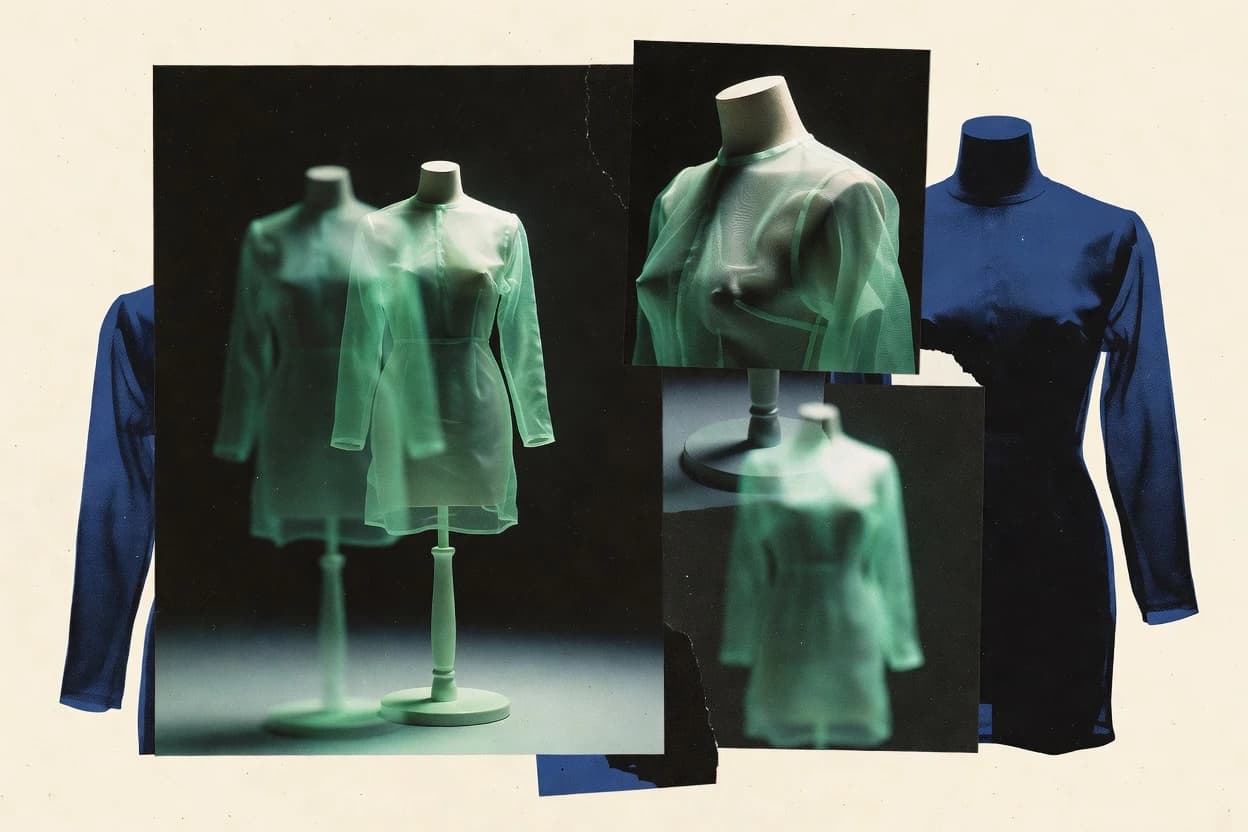
GITNUXSOFTWARE REVIEW
AI Fashion PhotographyTop 10 Best Ghost Mannequin Photography Generator of 2026
Top 10 best ghost mannequin photography generator options ranked with pros, limits, and use cases, aimed at ecommerce image editors and creators.

How we ranked these tools
Vendors set the topic, but our editors set the inclusion criteria and the evaluation framework before research starts.
AI search agents find sources, extract figures with provenance, and aggregate written reviews. They also transcribe video reviews and podcasts.
Framework: Features 40% · Ease 30% · Value 30%
Gitnux may earn a commission through links on this page — this does not influence rankings. Editorial policy
PhotoRoom is the best pick for catalog teams who want repeatable ghost mannequin output with limited masking labor, because its automatic apparel alignment keeps the garment’s anatomy and silhouette in the right place after background removal. Vmake is a strong alternative for teams that need batch-run apparel edge consistency with lighter retouching.
Editor’s top 3 picks
Three quick recommendations before you dive into the full comparison below — each one leads on a different dimension.
PhotoRoom
Automatic apparel alignment that maintains garment anatomy placement after background removal.
Best for: Fits when catalog teams need repeatable ghost mannequin output with limited masking labor.
Fotor
Editor pickTransparent PNG exports paired with edit repeatability for quick per-SKU catalog image sets.
Best for: Fits when small teams need fast apparel cutouts and transparent exports without a mannequin rig.
Flair AI
Editor pickBatch generation for ghost-mannequin catalog sets with consistent cutout edges and transparent PNG output.
Best for: Fits when teams need fast ghost mannequin imagery with repeatable cutout quality for many SKUs.
Comparison Table
PhotoRoom
SMBCreates clean product images with background removal, retouching, and generative scene tools.
Automatic apparel alignment that maintains garment anatomy placement after background removal.
PhotoRoom’s core strength is ghost mannequin workflow automation that starts from a photo with a garment and finishes with a mannequin effect that preserves garment edges. It combines background removal with automated pose and placement so neckline, sleeves, and torso silhouette remain visually consistent. Batch processing supports catalog throughput when many SKUs need front-and-back or multi-angle outputs.
A key tradeoff is that complex studio shots with strong color casts, overlapping accessories, or heavy occlusion often need extra refinement using its masking and retouch controls. PhotoRoom fits best when teams need repeatable apparel compositing without building a custom pipeline or managing clipping path logic manually. It also works well for ongoing image retouching where shadow retention and edge cleanliness affect buyer perception.
- +Ghost mannequin placement keeps garment silhouette consistent across batches
- +Wrinkle cleanup reduces manual retouch time for apparel edges
- +Transparent PNG output supports overlay on any catalog background
- +Batch processing speeds up multi-SKU catalog image production
- –Occluded or cluttered backgrounds increase mask refinement work
- –Front-and-back compositing still benefits from careful input photo selection
E-commerce merchandisers
Weekly SKU catalog refresh
Faster publish-ready listings
Apparel brands
High-volume product image batches
Lower retouch workload
Show 1 more scenario
Content teams
Multi-angle apparel storytelling
More consistent visual sets
Teams create multiple mannequin images from studio photos while keeping garment outline stability.
Best for: Fits when catalog teams need repeatable ghost mannequin output with limited masking labor.
Fotor
SMBAI image generator with a ghost mannequin feature for 3D invisible-mannequin apparel photos.
Transparent PNG exports paired with edit repeatability for quick per-SKU catalog image sets.
Fotor works best for apparel cutout creation where background removal and edge refinement produce clean garment silhouettes for front-and-back compositing. It supports common deliverables like transparent PNG exports and high-resolution image output, which helps when downstream systems expect isolated subjects. The workflow quality depends on manual masking and retouching, so consistent layer alignment is needed for convincing invisible-mannequin looks. Fotor also fits reuse-heavy workflows because saved edits and repeated exports can keep multi-angle product imagery consistent.
A key tradeoff is that Fotor does not provide a specialized ghost mannequin rig with join-point controls, so neck joint and sleeve joint realism requires more manual editing. The best fit is an operator-led pipeline where designers or photographers prepare garments, then use Fotor to generate per-SKU cutouts and catalog images for e-commerce refresh cycles.
- +Background removal yields clean silhouettes for apparel compositing
- +Transparent PNG exports support layering in downstream workflows
- +Batch-style repeat exports fit catalog refresh routines
- +Retouching tools help reduce edge artifacts after masking
- –No explicit neck and sleeve join controls for mannequin realism
- –Layer alignment work is manual for consistent multi-angle output
- –Complex hollow-man effects require extra cleanup time
- –Workflow coordination for multi-person approvals is limited
E-commerce merchandisers
Generate quick ghost-mannequin style cutouts
Faster SKU image turnover
Apparel content designers
Fix edges and cleanup after masking
Cleaner apparel visuals
Show 2 more scenarios
Catalog ops teams
Repeat edits across similar products
Higher output consistency
Teams reuse the same cutout workflow for multiple variants that share garment geometry.
Small studios
Create front-and-back composites
More complete product coverage
Studios align layered garment cutouts to produce basic front-and-back product imagery.
Best for: Fits when small teams need fast apparel cutouts and transparent exports without a mannequin rig.
Flair AI
SMBCreates staged product photography and editable commercial images from product assets.
Batch generation for ghost-mannequin catalog sets with consistent cutout edges and transparent PNG output.
Flair AI is a strong fit when the workflow goal is invisible-manikins output with consistent silhouette alignment across front and back angles. Background removal and edge cleanup are handled as part of the image generation loop, which reduces the number of manual masking steps per product. Multi-output runs are practical for catalog work where many images must share similar cutout quality and shadow continuity.
A tradeoff appears when garments need exact neckline reconstruction or tight sleeve and neck joint coherence for specialized pattern lines. Flair AI works best when reference images show the garment clearly and when the downstream pipeline can accept small retouch gaps as part of QA. Teams usually get the most throughput by standardizing garment photography rules and then letting the generator handle the bulk of cutout and compositing.
- +Fast cutout-to-ghost-mannequin compositing for catalog scale
- +Batch-style output supports multi-angle sets with consistent backgrounds
- +Transparent PNG outputs fit common commerce and DAM workflows
- +Edge cleanup reduces per-image masking time in early drafts
- –Neck joint and sleeve joint detail can drift on complex patterns
- –Achieving strict wrinkle and shadow retention may require extra retouch passes
E-commerce ops teams
Generate product cutouts at scale
Faster catalog publishing cycles
Merchandising content teams
Maintain style across multi-angle sets
More consistent product pages
Show 2 more scenarios
Retail DAM stewards
Deliver layered assets for downstream use
Less format conversion work
Exports transparent PNG outputs that integrate into image pipelines and resizing workflows.
Apparel QA reviewers
Rapid draft review for retouch decisions
Reduced manual cleanup time
Generates first-pass masking so QA can target only problematic seams and edges.
Best for: Fits when teams need fast ghost mannequin imagery with repeatable cutout quality for many SKUs.
Pebblely
SMBCreates product backgrounds and marketing images from isolated product photos.
Configuration-driven compositing that preserves garment boundary continuity during invisible mannequin effect rendering.
Pebblely generates apparel ghost mannequin imagery by combining automatic background removal with compositing controls that target wearable cutouts. The workflow is geared toward turning product photos into consistent studio-style outputs, with attention to garment edge continuity and layer alignment during the invisible mannequin effect.
- +Compositing workflow keeps garment edges consistent across multiple images
- +Exported transparent PNG outputs support straightforward downstream layer work
- +Batch-style processing fits catalog image automation needs
- +Configuration focuses on cutout boundaries and layer alignment
- –Deep neckline reconstruction can require manual correction on tight collar shapes
- –Sleeve joint continuity drops on heavily wrinkled or sheer fabrics
- –PSD layer output depth can be limited for complex interior garment fill
- –More control is available through settings than through automation hooks
Best for: Fits when teams need fast ghost mannequin workflow outputs with consistent cutouts and lightweight post-editing.
Vmake
vertical specialistUses AI for product photography, background editing, and fashion image generation.
Apparel-centric compositing that maintains garment boundary continuity for neck and sleeve edges across batch runs
Vmake turns apparel product photos into ghost mannequin style images by removing the visible model and rebuilding consistent garment presence. The workflow focuses on generating clean, e-commerce-ready outputs with preserved fabric texture and controlled edges around necklines, sleeves, and torso boundaries.
- +Batch processing supports consistent catalog-scale output
- +Produces cleaner cutout edges around common apparel joints
- +Preserves fabric texture better than quick background removal
- +Export-ready images reduce downstream clipping and masking work
- –Thin straps and extreme drape can need manual cleanup
- –Automation can still require rework for unusual garment symmetry
Best for: Fits when catalog teams need repeatable ghost mannequin results across many SKUs with light retouching.
Rewarx Studio
vertical specialistAI ghost mannequin tool with interior reconstruction engine for collar and lining synthesis plus batch processing.
Layered compositing output that preserves garment cut edges for faster manual follow-up work.
Rewarx Studio is positioned for apparel ghost mannequin workflows that need automated compositing outputs and repeatable catalog imagery. It focuses on turning cutout-style inputs into presentation-ready results while keeping garment edges consistent across a batch.
- +Batch generation keeps background and garment separation consistent across sets
- +Exports in layered formats that support continuing retouching passes
- +Workflow handles front-and-back compositing for catalog readiness
- +Edge preservation reduces the amount of manual masking cleanup
- –Tuning results for unusual sleeves and atypical necklines takes iteration
- –Automation coverage is strongest for standard apparel cuts and angles
Best for: Fits when apparel teams need fast catalog imagery output with layered files for retouching and quality control.
On-Model
vertical specialistAI ghost mannequin generator producing invisible-mannequin packshots from a single raw garment photo.
Layered PSD output with clipping path oriented cutout edges for later neck and sleeve joint alignment work.
On-Model focuses on ghost mannequin and apparel compositing workflows that turn cutout garment assets into consistent e-commerce images. It supports background removal and image masking outputs that feed into layered editing patterns for front and back results.
- +Batch oriented generation for catalog volumes
- +Produces transparent PNG and layered PSD style deliverables
- +Background removal designed for apparel cutout workflows
- +Consistent seam and edge treatment across repeated jobs
- –Neckline reconstruction can need manual refinement for complex collars
- –Automation control is limited when garments require unusual joint placement
Best for: Fits when apparel teams need high-throughput ghost mannequin workflows with edit-ready layered outputs.
PixFocal
SMBAI photoshoot generator producing ghost mannequin, on-model, flat-lay, and hanger shots from one upload.
Layered PSD exports keep separate garment components for faster front-and-back compositing adjustments.
PixFocal generates ghost mannequin imagery using a guided workflow that targets garment cutouts and layered compositing. The output is oriented toward e-commerce catalog use, with automated background removal and foreground layer alignment intended to preserve fabric texture and edges.
- +Batch processing supports catalog-scale invisible mannequin effect workloads
- +Exports include transparent PNG and layered PSD for downstream editing
- +Preserves garment edges well for cleaner clipping path style cutouts
- +Layer alignment reduces manual stitching across garment joints
- –Neckline reconstruction can require manual fix work on complex collars
- –Output control depends on chosen configuration rather than per-image masking refinement
Best for: Fits when an apparel studio needs batch ghost mannequin workflow output with PSD-grade layering for retouching.
Pollo AI
SMBAI ghost mannequin generator converting flat-lay and hanger photos into invisible-mannequin product shots.
Cutout-to-composite generation keeps fabric texture while reconstructing clean apparel edges for consistent product-ready scenes.
Pollo AI generates ghost mannequin style garment imagery by producing cutout-based results that keep fabric appearance while removing the model presence. The workflow focuses on compositing garment pieces back into a clean product scene, including alignment across front and back views.
- +Consistent garment masking across multi-angle photo sets
- +Layer alignment stays stable during front-and-back compositing
- +Batch processing supports higher catalog throughput
- +Outputs designed for downstream image retouching workflows
- –Less effective on extreme poses with complex overlap areas
- –Produces edits that still require manual review for edge fidelity
Best for: Fits when e-commerce teams need repeatable ghost mannequin imagery at catalog scale without building a custom pipeline.
Pixelcut
SMBProvides AI product photography, background removal, and image editing for online sellers.
Layered compositing output that supports quick iteration of apparel positioning and edge cleanup without rebuilding the scene.
Pixelcut generates ghost mannequin style imagery by automating subject cutout and apparel compositing onto prepared backgrounds. It focuses on turning single or catalog images into layered outputs that support e-commerce style consistency, including background removal and invisible mannequin effects.
- +Fast batch-oriented ghost mannequin workflow for apparel catalogs
- +Layered outputs help maintain garment edge quality during compositing
- +Background removal is consistent across many product photos
- +Straightforward UI for iterating different garment framing choices
- –Neckline reconstruction can look unnatural on complex collars
- –Hollow-man gaps appear when sleeves or cuffs overlap the background
- –Less control than retouch-first pipelines for shadow retention tuning
- –Automation tends to depend on source photo cleanliness for best edges
Best for: Fits when catalog teams need consistent invisible mannequin effect images with minimal manual retouching.
How to Choose the Right Ghost Mannequin Photography Generator
Teams using a ghost mannequin photography generator want consistent cutouts and stable placement so the garment reads as properly supported on an invisible figure across a catalog. The tools covered here include PhotoRoom, Fotor, Flair AI, and Pebblely, plus Vmake, Rewarx Studio, On-Model, PixFocal, Pollo AI, and Pixelcut.
Different generators handle the ghost mannequin workflow at different points in the pipeline, from background removal through layer alignment for front-and-back compositing. Some tools focus on apparel-specific alignment, while others emphasize export formats like transparent PNG and layered PSD for later retouching control.
Ghost Mannequin Photography Generator: cutouts, compositing layers, and export outputs for apparel catalogs
A ghost mannequin photography generator automates apparel ghost mannequin workflows by separating the garment from the background and then compositing it into an invisible mannequin effect scene with repeatable edge quality. PhotoRoom is built around automatic apparel alignment that maintains garment anatomy placement after background removal, which directly reduces rework when batches vary in background clutter.
Fotor and Flair AI prioritize fast production for small to mid-size catalog operations, with Fotor centering transparent PNG exports for quick layering and Flair AI providing batch generation for consistent cutout edges across many SKUs. Tools like On-Model and PixFocal add layer-oriented deliverables such as layered PSD and transparent PNG, which shifts more control to later neck and sleeve joint alignment work when collars and cuffs need manual correction.
Core capabilities that determine ghost mannequin output quality
Ghost mannequin photography generators win or fail based on how consistently they preserve garment boundaries after background removal and during invisible mannequin effect compositing. The tools that keep neck and sleeve placement stable across batches save the most retouch time when catalog SKUs vary in backgrounds and fabric behavior.
Apparel-specific alignment that holds garment anatomy placement
PhotoRoom maintains consistent garment anatomy placement after background removal using automatic apparel alignment, which reduces rework when backgrounds change across a catalog. Vmake also focuses on maintaining garment boundary continuity for neck and sleeve edges across batch runs.
Transparent PNG outputs that support repeatable catalog compositing
Fotor emphasizes transparent PNG exports that stay repeatable for quick per-SKU catalog image sets. Flair AI similarly targets transparent PNG output while generating ghost-mannequin catalog sets at batch scale.
Layered PSD and clipping-path style deliverables for joint refinement
On-Model provides layered PSD with clipping path oriented cutout edges for later neck and sleeve joint alignment work. PixFocal exports transparent PNG and layered PSD so retouching can adjust front-and-back compositing without re-cutting the entire garment.
Batch processing for throughput across multi-angle product imagery
Flair AI and Rewarx Studio support batch generation so teams can create many ghost mannequin scenes with consistent cutout quality. Vmake also supports batch processing for catalog-scale output with lighter retouching needs.
Edge continuity and garment boundary preservation across compositing
Pebblely uses configuration-driven compositing that preserves garment boundary continuity during invisible mannequin effect rendering. Rewarx Studio preserves garment cut edges for faster manual follow-up work using layered compositing output.
Choose by workflow control: alignment-first versus export-first
Ghost mannequin work splits into two practical philosophies. Some generators optimize for apparel alignment so the invisible mannequin result reads correctly immediately, while others prioritize export formats that shift neck and sleeve joint correction to later retouching stages.
If batch apparel alignment accuracy matters more than layered editing, start with PhotoRoom
PhotoRoom centers the workflow on automatic apparel alignment that maintains garment anatomy placement after background removal. This is the strongest fit when catalog teams need repeatable ghost mannequin output with limited masking labor even when backgrounds become occluded or cluttered.
If transparent PNG repeatability drives downstream layering, choose Fotor or Flair AI
Fotor pairs background removal with transparent PNG exports designed for quick per-SKU catalog image sets. Flair AI generates ghost-mannequin catalog sets in batches and outputs transparent PNG for consistent cutout edges across many SKUs.
If the workflow requires edit-ready layers for neck and sleeve joints, pick On-Model or PixFocal
On-Model outputs layered PSD and uses clipping path oriented cutout edges that support later neck and sleeve joint alignment work. PixFocal outputs layered PSD and transparent PNG, which helps when neckline reconstruction needs manual correction on complex collars.
If configuration and boundary continuity matter, evaluate Pebblely and Vmake for joint-edge stability
Pebblely emphasizes configuration-driven compositing that preserves garment boundary continuity during invisible mannequin effect rendering. Vmake focuses on apparel-centric compositing that maintains neck and sleeve edge continuity across batch runs with lighter retouching needs.
If unusual sleeves, collars, or extreme poses drive failures, plan for manual iteration
Flair AI can drift on neck joint and sleeve joint detail on complex patterns, which increases cleanup time for high-detail apparel. Pollo AI shows weaker results on extreme poses with complex overlap areas, so manual review is needed when garments intersect heavily.
Who benefits from a Ghost Mannequin Photography Generator
Ghost mannequin photography generators fit teams that must produce consistent apparel ghost mannequin imagery at catalog scale while keeping edge fidelity stable across varying backgrounds. The strongest use cases come from catalog pipelines that need repeatable cutouts, predictable compositing outcomes, and export formats that can plug into retouching work.
Catalog teams generating multi-SKU apparel cutouts
PhotoRoom and Vmake both target repeatable ghost mannequin results across batches with consistent cutout edges around neck and sleeve areas.
Small to mid-size operations that layer quickly using transparency
Fotor and Flair AI focus on transparent PNG exports, which support fast per-SKU catalog image sets without requiring layered PSD workflows.
Apparel studios that retouch in layers for collars, cuffs, and overlaps
On-Model and PixFocal provide layered PSD deliverables that support later neck and sleeve joint alignment work when neckline reconstruction requires manual refinement.
Teams prioritizing configuration-driven boundary continuity for standardized apparel
Pebblely and Rewarx Studio emphasize compositing that keeps garment edges consistent across sets, which reduces post-editing when apparel shapes are predictable.
E-commerce teams producing images without building a custom pipeline
Pollo AI targets cutout-to-composite generation that keeps fabric texture while reconstructing clean apparel edges at catalog scale without a custom pipeline.
Common ghost mannequin workflow mistakes to avoid
Teams often mistake export format for output correctness, then discover that joint areas like necklines and sleeve joins still need careful handling. Several tools provide layered PSD or transparent PNG, but neckline reconstruction can still require manual correction for complex collars and cuffs.
Selecting a tool for its PNG export without accounting for neck and sleeve joint drift
Fotor and Flair AI emphasize transparent PNG output, but Flair AI can drift on neck joint and sleeve joint detail on complex patterns, so joint fidelity needs validation on real SKUs.
Assuming layered PSD eliminates the need for neckline reconstruction edits
On-Model and PixFocal provide edit-ready layered PSD and transparent PNG, but both report that neckline reconstruction can require manual refinement for complex collars.
Ignoring overlap complexity and extreme poses in pose-heavy catalogs
Pollo AI shows less effectiveness on extreme poses with complex overlap areas, so edge fidelity often needs manual review when garments intersect heavily.
Over-relying on automation when backgrounds are occluded or cluttered
PhotoRoom improves automatic apparel alignment, but cluttered backgrounds increase mask refinement work, which can raise the manual time needed to clean edges for consistent compositing.
Expecting automatic hollow-man consistency when sleeves or cuffs overlap the background
Pixelcut can produce hollow-man gaps when sleeves or cuffs overlap the background, so teams should test sleeve styles that frequently cross behind cuffs.
How analysts built this ghost mannequin generator shortlist
Analysts built the shortlist by gathering information from the original publication that lists ghost mannequin photography generator contenders and by extracting the specific figures shown alongside category claims. Analysts checked each extracted figure against official product documentation and the published changelog, and they also used an independent review when one was cited.
The writeups kept a figure only when it matched those vendor materials, and they included a published benchmark only when that benchmark was the cited basis. The ranking emphasis that put PhotoRoom at the top came from its automatic apparel alignment approach that maintains garment anatomy placement after background removal, which directly reduces batch rework for apparel catalogs.
Frequently Asked Questions About Ghost Mannequin Photography Generator
Which tools handle batch processing for multi-angle ghost mannequin catalog sets?
How do PhotoRoom and On-Model reduce manual masking time while keeping edges consistent?
Which generator produces the most usable layered PSD exports for downstream retouching pipelines?
What breaks if garment photos have messy lighting or dirty backgrounds for tools like Pixelcut?
When does background removal without an explicit mannequin rig fall short, as in Fotor?
How do tools differ in front-and-back compositing control for apparel ghost mannequin workflows?
Which tool best fits teams that need transparent PNG exports for catalog automation?
What security and access controls should be checked before using an automated ghost mannequin generator in a production environment?
When do admin controls and configuration options decide fit, especially for Pe bblely and Rewarx Studio?
Which tools integrate more naturally into an existing image retouching pipeline through APIs or automated workflows?
Conclusion
After evaluating 10 ghost mannequin photography generator, PhotoRoom stands out as our overall top pick — it scored highest across our combined criteria of features, ease of use, and value, which is why it sits at #1 in the rankings above.
Use the comparison table and detailed reviews above to validate the fit against your own requirements before committing to a tool.
Tools reviewed
Primary sources checked during evaluation.
Referenced in the comparison table and product reviews above.
Funding and competing interests
This study was co-funded by several of the vendors assessed in it. No single vendor funded it. Funders could propose the market studied.
They had no role in selecting vendors, setting or weighting criteria, analysing data or drawing conclusions, and they received the same factual-accuracy check as every other vendor assessed.
Market definition, inclusion rules and criteria weights were fixed by an editor before research began and did not change afterwards. Editorial process →
- Top 10 Best AI Young Woman Generator of 2026
- Top 10 Best AI Women Generator of 2026
- Top 10 Best AI Woman Generator of 2026
- Top 10 Best AI Virtual Influencer Generator of 2026
- Top 10 Best AI Ultra Hd Image Generator of 2026
- Top 10 Best AI Ukrainian Female Generator of 2026
- Top 10 Best AI Turkish Male Generator of 2026
- Top 10 Best AI Toned Female Generator of 2026
- Top 10 Best AI Turkish Female Generator of 2026
- Top 10 Best AI Swedish Female Generator of 2026
- Top 10 Best AI Thai Female Generator of 2026
- Top 10 Best AI Style Generator of 2026
- Top 10 Best AI Thai Male Generator of 2026
- Top 10 Best AI Stock Photo Generator of 2026
- Top 10 Best AI Stock Image Generator of 2026
- Top 10 Best AI Southeast Asian Female Generator of 2026
- Top 10 Best AI South Asian Male Generator of 2026
- Top 10 Best AI Social Media Photography Generator of 2026
- Top 10 Best AI Snapchat Story Generator of 2026
- Top 10 Best AI Snapchat Carousel Generator of 2026
Keep exploring
Comparing two specific tools?
Software Alternatives
See head-to-head software comparisons with feature breakdowns, pricing, and our recommendation for each use case.
Explore software alternatives→In this category
AI Fashion Photography alternatives
See side-by-side comparisons of ai fashion photography tools and pick the right one for your stack.
Compare ai fashion photography tools→