GITNUXSOFTWARE ADVICE
Food Service RestaurantsTop 10 Best Food Manufacturing Production Software of 2026
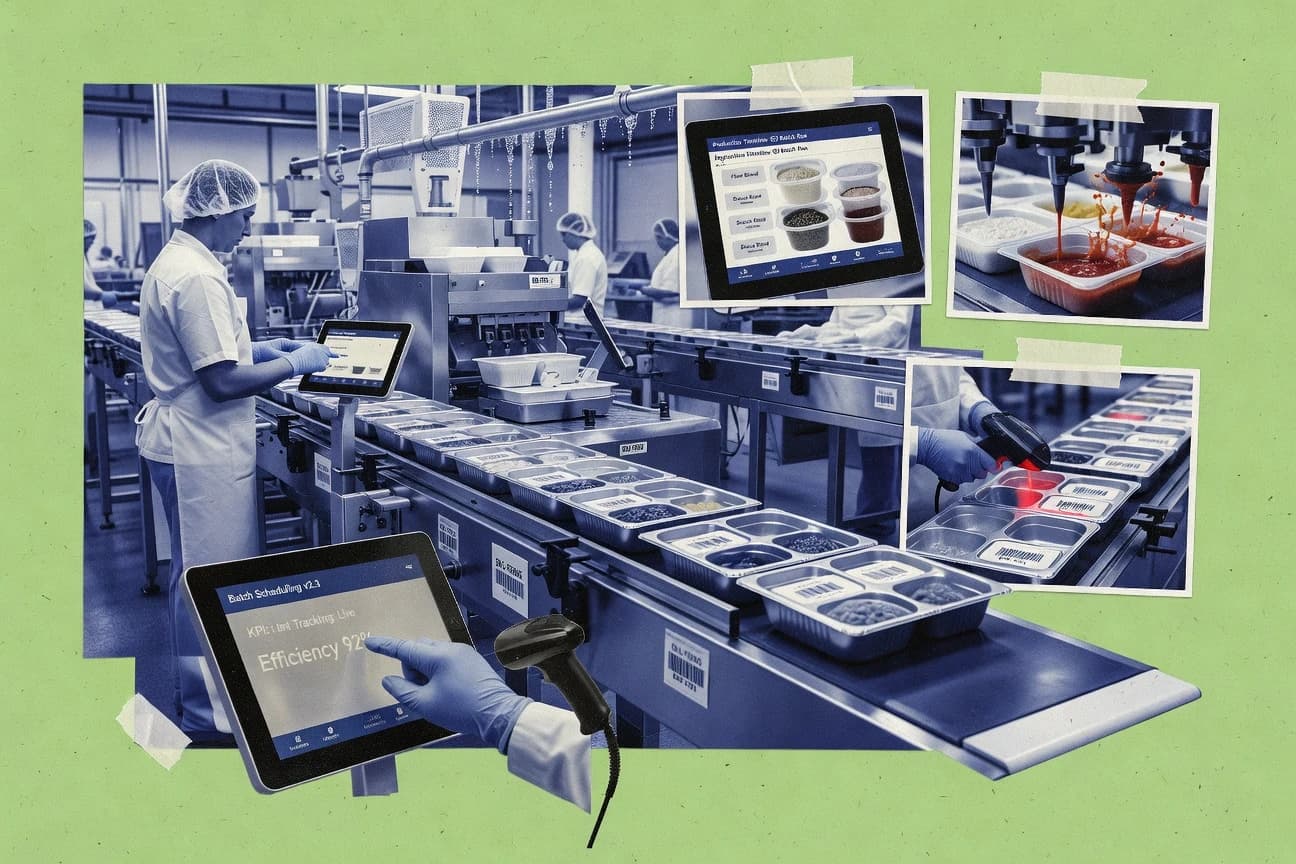
Compare food manufacturing production software options and where they fit in food plants, with tradeoffs for production planning and inventory control.

How we ranked these tools
An editor sets the topic, the inclusion criteria, and the evaluation framework before research starts.
AI search agents find sources, extract figures with provenance, and aggregate written reviews. They also transcribe video reviews and podcasts.
Framework: Features 40% · Ease 30% · Value 30%
Gitnux may earn a commission through links on this page — this does not influence rankings. Editorial policy
Wherefour is the best pick for regulated food and beverage process teams that need batch traceability and controlled executions because its batch genealogy links supplier ingredient lots through every production event, while MRPeasy fits recipe-driven batch producers that want batch documentation tied to actual postings without a full MES.
Editor’s top 3 picks
Three quick recommendations before you dive into the full comparison below — each one leads on a different dimension.
Wherefour
Batch genealogy that links supplier ingredient lots through every production event.
Best for: Fits when regulated process teams need batch traceability and controlled executions with system-to-system integration.
MRPeasy
Editor pickRecipe-driven batch execution that ties planned materials to actual production postings and batch records.
Best for: Fits when batch production teams need recipe-driven planning and batch documentation without a full MES.
Odoo Manufacturing
Editor pickManufacturing orders connect to tracked component lots so material consumption and genealogy follow the same master records across ERP processes.
Best for: Fits when food manufacturers want batch-linked ERP execution with routing-based planning and audit-friendly record trails across departments.
Comparison Table
Wherefour
vertical specialistWherefour provides cloud ERP for food and beverage production, inventory, traceability, and costing.
Batch genealogy that links supplier ingredient lots through every production event.
Wherefour manages recipe or formula structures and ties them to batch execution so manufacturing history reflects approved bill-of-ingredients content. The production record model supports lot traceability from supplier lots through internal handling, which is essential for expiry controls and FEFO rotation decisions. Quality workflows can attach checkpoints to specific batch events so nonconformance and corrective actions are grounded in the same execution timeline.
A tradeoff appears in the need to align data definitions early, because batch genealogy and ingredient lot control require consistent identifier strategies across ERP, lab systems, and equipment data sources. Wherefour fits teams running process manufacturing in make-to-stock or make-to-order modes that need controlled production records, traceability for audits, and repeatable execution without manual spreadsheet reconciliation.
- +Configurable batch execution workflows with traceable batch events
- +Strong support for ingredient lot control and genealogy continuity
- +API surface supports integration with ERP and quality systems
- +Quality checkpoints attach directly to production batch timelines
- –Requires upfront data mapping for lot identifiers and genealogy rules
- –Complex governance setup increases admin workload during rollout
- –Shop-floor integration depends on available equipment data feeds
- –Reporting depth is strongest after aligning batch events to KPIs
Regulatory quality teams
Investigate lot-level nonconformance impact
Faster, defensible investigations
Manufacturing operations
Run consistent batch work instructions
More consistent batch outcomes
Show 2 more scenarios
Supply chain planners
Control expiry-driven batch release
Lower expiry-related disruptions
Use lot traceability to support FEFO rotation decisions tied to batch readiness states.
ERP integration teams
Automate production record synchronization
Less manual reconciliations
Integrate batch creation, statuses, and quality events via API-connected data flows.
Best for: Fits when regulated process teams need batch traceability and controlled executions with system-to-system integration.
MRPeasy
SMBMRPeasy provides cloud MRP for production planning, inventory, purchasing, bills of materials, and shop-floor work.
Recipe-driven batch execution that ties planned materials to actual production postings and batch records.
MRPeasy is a web-based production and inventory control system for food manufacturers that needs batch-oriented planning and practical shop-floor execution. Recipe and formula management supports product breakdowns tied to batch runs, and it keeps consumption linked to what was actually produced.
Batch production scheduling and electronic batch documentation workflows help coordinate materials, postings, and production events across make-to-stock and make-to-order runs. MRPeasy also provides integrations through published automation options so external systems can exchange production and inventory data.
- +Batch-focused workflow links recipe consumption to production postings
- +Recipe and formula setup supports both planning and execution records
- +Scheduling views reduce spreadsheet dependency for batch release
- +Automation options support integration with upstream and downstream systems
- –HACCP-specific workflow coverage can require process customization
- –Advanced shop-floor data collection needs external devices or middleware
- –Complex multi-site governance is harder than in enterprise MES suites
- –Extensibility relies on available integration paths rather than native module depth
Best for: Fits when batch production teams need recipe-driven planning and batch documentation without a full MES.
Odoo Manufacturing
SMBOdoo Manufacturing manages bills of materials, work orders, inventory, quality, and production planning.
Manufacturing orders connect to tracked component lots so material consumption and genealogy follow the same master records across ERP processes.
Odoo Manufacturing targets food producers that need process manufacturing workflows tied to ERP operations like inventory, procurement, and accounting. Production planning is driven by routing and work centers, with batch-level execution tied to specific lots when item tracking is enabled.
Setup centers on Odoo’s Manufacturing and its related modules so production orders, consumption, and quality steps can move through the same record structure. The product’s integration depth comes from a shared data model across apps and a documented automation layer built on Odoo’s ORM and server actions.
- +Tight ERP coupling ties production orders to inventory, purchasing, and accounting records
- +Lot tracking on components supports ingredient lot consumption visibility during production
- +Routing and work centers support scheduling logic tied to capacity and operations
- +Workflow automation can trigger on manufacturing milestones via Odoo server actions
- –Food-specific compliance workflows require careful configuration across multiple apps
- –Shop-floor data collection depends on add-on devices and integration work
- –Batch execution details can become complex when many variants and routes coexist
- –Advanced analytics need additional setup for reporting beyond standard manufacturing views
Best for: Fits when food manufacturers want batch-linked ERP execution with routing-based planning and audit-friendly record trails across departments.
QAD Adaptive ERP
enterpriseQAD Adaptive ERP manages manufacturing, supply chain, quality, inventory, and financial processes.
Production execution ties batch reporting outputs to controlled item definitions so quality outcomes can reference the exact run context.
QAD Adaptive ERP is built for process and production-heavy manufacturers that need tighter operational control than generic ERP workflows. In food production settings, it supports batch and formula driven execution, production planning signals, and shop-floor traceability fields used in batch reporting.
- +Batch and formula execution ties production activity to item definitions
- +Quality checkpoints can attach results to specific production runs
- +Strong integration patterns for order, inventory, and master data events
- +Extensibility supports food-specific workflows without replacing core execution
- –Food compliance workflows can require significant configuration effort
- –Usability can feel administration-heavy compared with lighter ERPs
- –Shop-floor data capture depends on the breadth of connected systems
- –Process manufacturing setup can be complex for multi-site rollouts
Best for: Fits when manufacturers need batch driven production control with quality checkpoints tied to run records across sites.
SYSPRO ERP
enterpriseSYSPRO ERP supports production planning, inventory, quality, traceability, and financial management.
Genealogy-driven batch traceability that follows lot consumption and production output through reversals and backflushing logic.
SYSPRO ERP executes batch-oriented production workflows for process and hybrid manufacturers using formula and routing control tied to shop-floor execution. It supports lot and batch traceability with genealogy-style links across receipt, issue, production output, and reversals.
- +Batch traceability links receipts, issues, and production outputs
- +Formula and routing control fit make-to-stock and make-to-order
- +Extensible automation via API for production and inventory integration
- +Configurable workbenches support shop-floor transaction handling
- –Deep configuration requires governance to keep batch logic consistent
- –Allergen and CCP workflows are not prepackaged as a single control plane
- –Shop-floor data collection depends on connected devices or middleware
- –Complex genealogy and reversals can slow training for new operators
Best for: Fits when food manufacturers need strong batch genealogy and traceability with integration to MES and quality systems.
Microsoft Dynamics 365 Business Central
enterpriseBusiness Central provides manufacturing, inventory, purchasing, sales, finance, and supply chain management.
Production order posting ties item consumption and finished receipt to lot-tracked inventory movements.
Business Central supports process and discrete-style manufacturing through routing and production order workflows, where work centers define labor and capacity and consumption comes from item BOMs. Lot and item tracking features let production orders reference specific quantities and lots used, and posting links those lots forward into finished goods movements. For automation, built-in approvals, notifications, and workflow can drive production readiness checks before posting key transactions.
- +Manufacturing order postings keep inventory and costing aligned
- +Workflow automation routes production approvals and readiness checks
- +Lot tracking supports lot-to-lot traceability in posted transactions
- +Extension APIs enable integrations for production data capture
- –Electronic batch records and genealogy depth may need partner extensions
- –Process manufacturing setups can become complex with multi-step routings
- –Shop-floor event capture is limited compared with dedicated MES
- –Traceability quality depends on disciplined lot coding at intake
Best for: Fits when mid-market manufacturers need ERP-grade production postings and lot traceability without a full MES footprint.
Aptean Food & Beverage ERP
vertical specialistFood and beverage ERP software manages production, traceability, quality, inventory, and compliance.
Batch execution configured around food-grade electronic batch record workflows with checkpoint signoff tied to production steps.
Aptean Food & Beverage ERP targets process and batch production operations with modules for recipes, production control, and shop-floor execution. It is distinct for its food-and-beverage oriented configuration of manufacturing workflows and compliance documentation around batch work.
- +Recipe and formula structures map to batch execution workflows
- +Electronic batch records support checkpoint-driven production signoff
- +Traceability links ingredients and production lots for audit review
- +Workflow configuration fits regulated food manufacturing needs
- –Scenarios like complex genealogy may require careful configuration
- –Shop-floor data collection depends on specific integration and device options
- –Extensibility often relies on vendor or partner development
- –User access design can need ongoing governance to stay consistent
Best for: Fits when regulated food manufacturers need batch execution workflows with traceability and documented checkpoints.
JustFood ERP
vertical specialistJustFood ERP provides production, traceability, quality, warehouse, and compliance functions for food manufacturers.
Step-linked quality checkpoints tied to batch progress and transformation records for traceable nonconformance handling.
JustFood ERP is positioned for food manufacturing execution, with a process-oriented workflow that tracks production work from recipe setup through shop-floor completion. Core capabilities focus on batch execution and traceability of inputs and outputs, which supports investigations when yields, claims, or nonconformances shift. The system also covers quality checkpoints tied to production steps, aligning documentation with batch progress.
- +Batch lifecycle tracking links materials, steps, and outputs in one workflow
- +Quality checkpoints can be associated to production stages and batch completion
- +Ingredient lot control supports FEFO rotation decisions during execution
- +Genealogy-style tracing helps respond to customer and supplier lot questions
- –Automation breadth depends on external integration for shop-floor data collection
- –Allergen and cross-contact controls need careful configuration to match plant practice
- –Genealogy coverage may require disciplined batch and transformation data entry
- –Reporting depth is stronger for standard flows than for complex rework loops
Best for: Fits when food manufacturers need batch traceability and quality checkpoints tied to production steps.
BatchMaster ERP
vertical specialistBatchMaster ERP supports batch production, formulation, quality, compliance, and inventory management.
Electronic batch record workflows that bind step completion, quality checkpoints, and batch transactions into one execution trail.
BatchMaster ERP manages recipes, batch orders, and shop-floor activity under a batch execution model designed for lot and batch traceability. Electronic batch record workflows capture step completion and quality control checkpoints alongside yield and material consumption reporting. Batch-to-batch genealogy and ingredient lot control help connect finished goods back to supplier lots for recall and verification workflows.
- +Batch-level execution ties e-record steps to production transactions
- +Genealogy supports ingredient lot control for supplier-to-finish traceability
- +Quality checkpoints attach to batch activities for structured deviations
- +Yield and consumption reporting connects to batch outcomes
- –Batch order and work instruction setup requires careful governance discipline
- –Integration depth depends on available connectors and custom mappings
- –Shop-floor data capture depends on process step modeling and templates
- –UI navigation can feel transaction-dense for operators
Best for: Fits when food plants need batch genealogy and electronic batch records tied to quality checkpoints.
Infor CloudSuite Food & Beverage
enterpriseInfor CloudSuite Food & Beverage supports planning, production, quality, traceability, and supply chain management.
Electronic batch execution uses structured recipe and step control to capture checkpoint data tied to released production orders and ingredient lots.
Infor CloudSuite Food & Beverage runs core food manufacturing production workflows with ERP-grade planning, scheduling, and execution for plants running process manufacturing and hybrid operations. The system supports electronic batch execution through structured work instructions, data capture at key checkpoints, and lineage-style traceability from ingredients to finished goods.
- +Batch execution aligns production steps with structured data capture points
- +Planning and scheduling connect to released work orders for execution traceability
- +Role-based access and audit trails support controlled changes to production data
- +APIs support integration with manufacturing systems and downstream quality tools
- –Multi-site setup requires careful standardization of item, routing, and batch rules
- –Shop-floor data throughput depends on the quality of the connected collection layer
- –Extending workflows outside core production processes often needs custom configuration
- –Some advanced food safety workflows require adjacent quality capabilities to be complete
Best for: Fits when food producers need ERP-grade batch execution, traceability, and governed production changes across multiple plants.
Conclusion
After evaluating 10 food manufacturing production software, Wherefour stands out as our overall top pick — it scored highest across our combined criteria of features, ease of use, and value, which is why it sits at #1 in the rankings above.
Use the comparison table and detailed reviews above to validate the fit against your own requirements before committing to a tool.
How to Choose the Right Food Manufacturing Production Software
This buyer's guide covers food manufacturing production software tools used for batch execution, traceability, and electronic batch documentation workflows. It includes Wherefour, BatchMaster ERP, Microsoft Dynamics 365 Business Central, Aptean Food & Beverage ERP, Infor CloudSuite Food & Beverage, Odoo Manufacturing, JustFood ERP, QAD Adaptive ERP, SYSPRO ERP, and MRPeasy.
The guide maps selection criteria to how each tool actually handles batch genealogy, step-linked checkpoints, and integration patterns. It also calls out setup and governance friction that shows up when batch logic is not standardized, including lot coding discipline and shop-floor data capture dependencies.
Food Manufacturing Production Software that executes batches and preserves ingredient-to-finish traceability
Food manufacturing production software coordinates batch-style manufacturing records, materials movement, and checkpoint signoff tied to production steps. The software solves audit and investigation workflows by keeping ingredient lot traceability and electronic batch record trails connected to what was produced. Teams typically use these tools to reduce manual reconciliation between production postings, quality checkpoints, and inventory transactions.
In practice, Wherefour focuses on batch execution plus batch genealogy across production events with an API for integrations. BatchMaster ERP centers electronic batch record workflows that bind step completion, quality checkpoints, and batch transactions into one execution trail.
Execution control, traceability depth, and integration surfaces that support food batch workflows
Evaluation should start with how the tool binds production steps to the records that must survive audits. Where a tool attaches quality checkpoints directly to production timelines, batch events become the spine of the execution workflow.
The second evaluation focus is integration depth and automation reach for shop-floor data capture and downstream quality systems. Tools like Wherefour, BatchMaster ERP, and Infor CloudSuite Food & Beverage emphasize APIs and structured work instruction control points to reduce manual stitching of production and quality evidence.
Batch genealogy that links supplier lots through production events
Wherefour links supplier ingredient lots through every production event, which makes investigations trace back from outputs to the originating ingredient lots. SYSPRO ERP also follows lot consumption and production output through reversals and backflushing logic, which supports trace continuity when transactions need rollback paths.
Electronic batch record workflows with step completion and checkpoint signoff
BatchMaster ERP binds step completion, quality checkpoints, and batch transactions into a single execution trail to keep deviations tied to the exact batch record. Aptean Food & Beverage ERP and Infor CloudSuite Food & Beverage both configure electronic batch execution around food-grade checkpoint-driven signoff tied to production steps.
Lot-tracked production postings that keep inventory and costing aligned
Microsoft Dynamics 365 Business Central ties item consumption and finished receipt to lot-tracked inventory movements through production order posting. Odoo Manufacturing connects manufacturing orders to tracked component lots so material consumption and genealogy follow the same master records across ERP processes.
Structured work instructions and released-order execution for checkpoint capture
Infor CloudSuite Food & Beverage uses structured recipe and step control to capture checkpoint data tied to released production orders and ingredient lots. JustFood ERP also ties step-linked quality checkpoints to batch progress and transformation records, which improves the auditability of nonconformance handling.
Integration and automation reach for production, quality, and shop-floor events
Wherefour uses an API surface built around event-driven integrations so batch events can feed ERP and quality systems without rebuilding workflows per integration. MRPeasy provides published automation options for exchanging production and inventory data, which helps batch documentation connect to upstream and downstream systems when dedicated MES devices are not available.
Governance controls for controlled recipe, order, and production data changes
Infor CloudSuite Food & Beverage uses role-based access and audit logging to govern who can change recipes, production orders, and operational data across sites. BatchMaster ERP requires careful governance discipline because batch order and work instruction setup affects execution and deviation traceability, which becomes visible during training and handover.
A batch-execution decision framework for choosing the right food production tool
Start by deciding where the batch record should originate. Where the requirement is supplier-to-finished lot continuity across all production events, tools like Wherefour and SYSPRO ERP reduce reconstruction work during investigations.
Then choose the execution model that matches the shop-floor reality. If the shop floor can deliver structured step and checkpoint signals, Infor CloudSuite Food & Beverage and Aptean Food & Beverage ERP fit naturally, while Microsoft Dynamics 365 Business Central fits teams that want ERP-grade production postings without a full MES footprint.
Pick the record spine: genealogy-first or step-checkpoint-first
If the main risk is losing supplier lot continuity during production changes, prioritize Wherefour for batch genealogy across every production event or SYSPRO ERP for genealogy that follows reversals and backflushing logic. If the main risk is inconsistent deviation evidence, prioritize BatchMaster ERP for electronic batch records that bind step completion and quality checkpoints into one execution trail.
Map checkpoint evidence to how the tool binds quality results to production steps
For plants that need checkpoint signoff tied to production steps, choose Aptean Food & Beverage ERP or Infor CloudSuite Food & Beverage because both configure electronic batch execution around food-grade checkpoint workflows. For teams focused on traceable nonconformance handling, JustFood ERP emphasizes step-linked quality checkpoints tied to batch progress and transformation records.
Decide whether the ERP posting layer must carry the lot truth
If lot truth must be enforced in postings so costing and inventory reconciliation stay aligned, choose Microsoft Dynamics 365 Business Central because production order posting ties item consumption and finished receipt to lot-tracked inventory movements. If the organization prefers a single record structure across departments, Odoo Manufacturing connects tracked component lots to manufacturing orders so consumption and genealogy follow the same master records across ERP processes.
Match integration reality to the automation surface required for shop-floor capture
Where shop-floor data capture depends on event feeds and integrations, Wherefour provides an API surface designed around event-driven batch integrations. For teams that need batch documentation and exchange paths without building a full MES stack, MRPeasy supports batch documentation workflows with published automation options.
Stress-test governance and standardization needs before rollout
If multi-site governance is a hard requirement, Infor CloudSuite Food & Beverage offers role-based access and audit logging that supports controlled changes to recipes and production orders. If governance discipline is likely to lag, BatchMaster ERP can still work but requires careful governance for batch order and work instruction setup to keep step evidence consistent.
Which food manufacturers should buy which production execution tool
Tool fit depends on how tightly batch identity must connect to execution evidence and how much shop-floor instrumentation or integration already exists. Most teams fall into one of two patterns. Some need supplier-to-finished lot continuity across every batch event. Others need step-linked electronic batch records that make deviations and quality checkpoints traceable by design.
Operations that run controlled regulated processes and need to avoid manual stitching should lean toward tools that bind batch records to checkpoint evidence or postings. Operations that already rely on ERP posting truth can choose ERP-first execution models that still support lot tracking.
Regulated process teams that need batch genealogy and system integrations
Wherefour is the clearest fit when supplier ingredient lots must link through every production event and those events must feed downstream systems through its API surface. The same teams often prefer this approach over tools where shop-floor capture depends on connected collection layers that are not part of core execution.
Food plants that need electronic batch record trails tied to quality checkpoint signoff
BatchMaster ERP fits when step completion and quality checkpoints must be bound into one electronic batch record trail for structured deviations and investigation evidence. Aptean Food & Beverage ERP also fits regulated food manufacturing with food-grade electronic batch workflows and checkpoint signoff tied to production steps.
Mid-market manufacturers that want ERP-grade lot-tracked production postings without full MES coverage
Microsoft Dynamics 365 Business Central is built for manufacturing order posting that keeps inventory and costing aligned using lot-tracked inventory movements. That makes it a strong fit when the operational requirement is correct postings and lot traceability rather than deep shop-floor data collection.
Multi-site operators who require governed production changes with auditability
Infor CloudSuite Food & Beverage is aligned with multi-site standardization needs because it provides role-based access and audit logging to govern who can change recipes and production data. It also uses structured recipe and step control to capture checkpoint data tied to released production orders and ingredient lots.
Batch production teams that need recipe-driven planning and batch documentation without a full MES rollout
MRPeasy fits when batch teams want recipe and formula setup that supports planning and execution records and ties consumption to what was actually produced. It targets coordination of materials, postings, and production events for make-to-stock and make-to-order runs without requiring the broad device and middleware footprint common in deeper shop-floor capture setups.
Common selection and rollout failures in food batch production software
Failures usually come from mismatching the batch record spine to the evidence requirements for investigations and audits. They also come from underestimating governance and integration dependencies that affect operator workflows.
Another recurring failure is assuming shop-floor capture will be automatic. Multiple tools depend on connected devices, middleware, partner extensions, or integration-ready equipment feeds to populate execution and checkpoint data consistently.
Choosing a tool for genealogy depth but underfunding lot identifier mapping and governance
Wherefour delivers genealogy continuity through configured lot identifiers, but it requires upfront data mapping for lot identifiers and genealogy rules. BatchMaster ERP also requires careful governance discipline for batch order and work instruction setup, so standard lot coding and step modeling must be established before rollout.
Assuming electronic batch records will be step-complete without configuring checkpoint signoff
BatchMaster ERP binds step completion and quality checkpoints into its execution trail, but those checkpoints must be configured to match actual production steps. JustFood ERP provides step-linked quality checkpoints, so nonconformance workflow evidence fails when transformation records and batch progress inputs are entered inconsistently.
Buying an ERP-first tool and expecting MES-level shop-floor data capture coverage out of the box
Microsoft Dynamics 365 Business Central includes workflow automation and extension APIs, but electronic batch records and genealogy depth can need partner extensions for deeper shop-floor capture. Odoo Manufacturing can automate via server actions, but shop-floor data collection depends on add-on devices and integration work when equipment events are required.
Overlooking how reversals and complex transaction paths affect training and execution evidence
SYSPRO ERP supports genealogy-driven traceability through reversals and backflushing logic, but complex genealogy and reversals can slow training for new operators. QAD Adaptive ERP can tie batch reporting outputs to controlled item definitions, but usability can feel administration-heavy compared with lighter ERPs, which increases change management effort during rollout.
How We Selected and Ranked These Tools
We evaluated Wherefour, BatchMaster ERP, Microsoft Dynamics 365 Business Central, Aptean Food & Beverage ERP, Infor CloudSuite Food & Beverage, Odoo Manufacturing, JustFood ERP, QAD Adaptive ERP, SYSPRO ERP, and MRPeasy using feature coverage, ease of use, and value. Features carried the most weight at 40 percent, while ease of use and value each accounted for 30 percent. This scoring is criteria-based on the capabilities described in the tool summaries and feature breakdowns, not on hands-on lab testing or private benchmark experiments.
Wherefour set itself apart for the editorial ranking because its batch genealogy links supplier ingredient lots through every production event and it pairs that execution trail with an API surface for event-driven integrations. That combination elevated the features score the most and also improved ease of integration compared with tools where integration depth depends more on specific connected equipment feeds.
Frequently Asked Questions About Food Manufacturing Production Software
Which tools provide controlled batch execution tied to shop-floor events?
How do these systems handle recipe and formula governance for batch planning?
What tradeoff appears when production postings are tied to an ERP financial data model instead of a standalone MES?
How do systems support lot and batch traceability when reversals or backflushing occur?
Which products bind electronic batch records to quality checkpoint signoff at the step level?
How do integrations and APIs work for pushing production and traceability data to other systems?
When multi-site administration requires controlled changes to recipes and production orders, what mechanisms exist?
How does identity and access control show up in day-to-day operations for these platforms?
What breaks if batch genealogy must remain consistent across configuration changes and production status transitions?
Tools reviewed
Primary sources checked during evaluation.
Referenced in the comparison table and product reviews above.
Funding and competing interests
This study was co-funded by several of the vendors assessed in it. No single vendor funded it. Funders could propose the market studied.
They had no role in selecting vendors, setting or weighting criteria, analysing data or drawing conclusions, and they received the same factual-accuracy check as every other vendor assessed.
Market definition, inclusion rules and criteria weights were fixed by an editor before research began and did not change afterwards. Editorial process →
- Food Service RestaurantsTop 10 Best Food And Beverage Manufacturing Software of 2026
- Manufacturing EngineeringTop 10 Best Factory Production Management Software of 2026
- Chemicals Industrial MaterialsTop 10 Best Chemical Production Software of 2026
- Food Service RestaurantsTop 10 Best Food Safety Quality Management Software of 2026
- Food Service RestaurantsTop 10 Best Meat Processing Software of 2026
Keep exploring
Comparing two specific tools?
Software Alternatives
See head-to-head software comparisons with feature breakdowns, pricing, and our recommendation for each use case.
Explore software alternatives→In this category
Food Service Restaurants alternatives
See side-by-side comparisons of food service restaurants tools and pick the right one for your stack.
Compare food service restaurants tools→