
GITNUXSOFTWARE ADVICE
Art DesignTop 7 Best Facial Composite Software of 2026
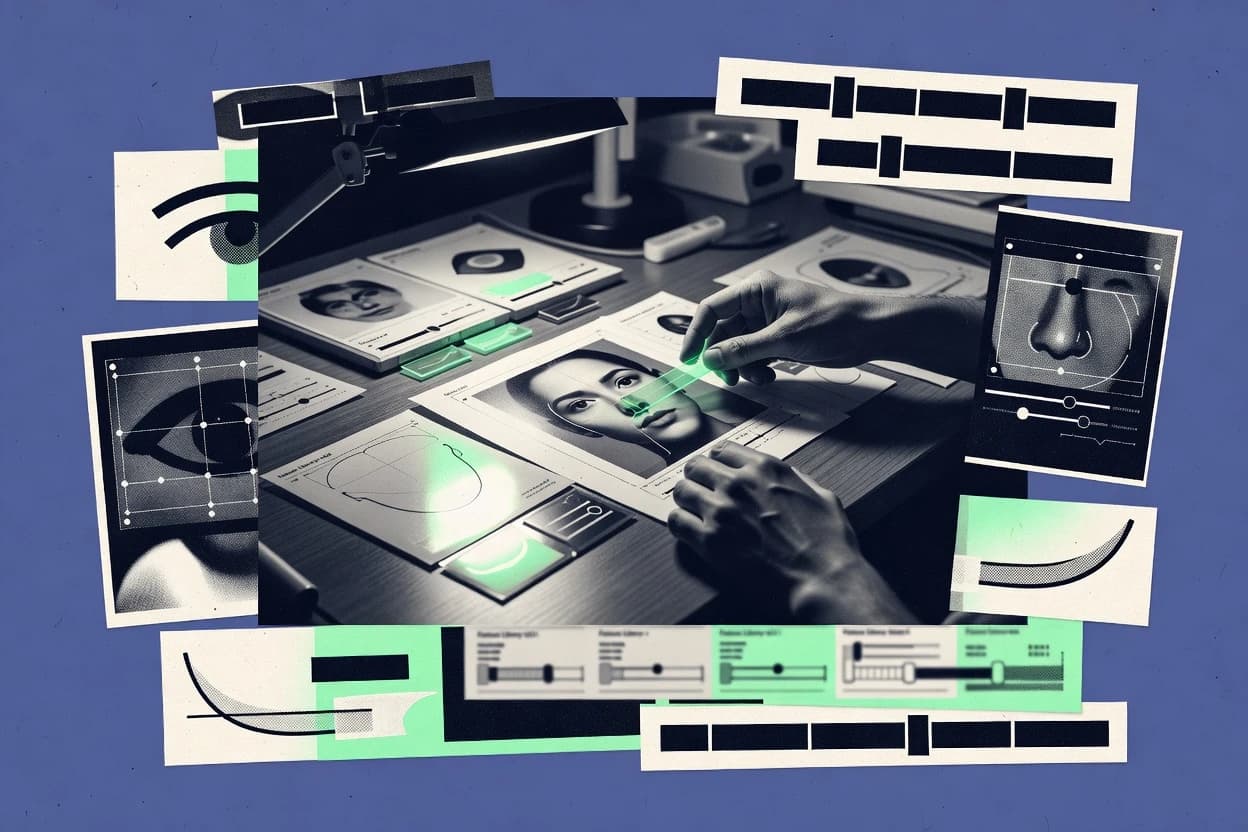
Ranked comparison of top facial composite software for forensic and retouching work, including Identi-Kit 7 HD, FACES, and EvoFIT picks.

How we ranked these tools
Core product claims cross-referenced against official documentation, changelogs, and independent technical reviews.
Analyzed video reviews and hundreds of written evaluations to capture real-world user experiences with each tool.
AI persona simulations modeled how different user types would experience each tool across common use cases and workflows.
Final rankings reviewed and approved by our editorial team with authority to override AI-generated scores based on domain expertise.
Score: Features 40% · Ease 30% · Value 30%
Gitnux may earn a commission through links on this page — this does not influence rankings. Editorial policy
Identi-Kit 7 HD is the go-to fit when investigators need repeatable, high-detail composites with consistent evidence-ready exports for iterative reviews, whereas FACES suits teams that want a repeatable operator workflow across cases without going enterprise.
Editor’s top 3 picks
Three quick recommendations before you dive into the full comparison below — each one leads on a different dimension.
Identi-Kit 7 HD
High-definition rendering tied to component-driven morphology controls for consistent, fine-grain revision outcomes.
Built for fits when investigators need repeatable, high-detail facial composites for evidence exports and iterative review meetings..
FACES
Editor pickIn-work overlay alignment and iterative component placement keep composite refinement inside a single operator workspace.
Built for fits when investigative teams need repeatable composite outputs with consistent operator workflow across cases..
EvoFIT
Editor pickPhoto-realistic composite generation built around facial component placement and evidence-ready export.
Built for fits when investigations need repeatable photo-realistic composites and consistent operator iteration..
Comparison Table
Identi-Kit 7 HD
enterpriseHigh-definition facial composite sketch software with 200 dpi feature library for law enforcement investigators.
High-definition rendering tied to component-driven morphology controls for consistent, fine-grain revision outcomes.
Identi-Kit 7 HD is built around facial component selection where operators pick and place individual facial elements, then refine proportions and feature geometry to match the subject description. It supports iterative generation of composite versions so reviewers can compare outcomes across rounds of changes, rather than restarting from scratch. The software also supports image overlay and composite comparison so operators can align a new iteration against reference images during revision.
A key tradeoff is that component-driven assembly and HD rendering favor repeatable investigative workflows over ad hoc, freeform portrait artistry. This makes the tool best for structured witness interview output where a facial feature library and controlled edits are needed for consistent results across cases and operators. In settings that require rapid hand-drawn sketches or fully bespoke 3D reconstruction, the component-first pipeline may feel slower than sketch-first or model-first tools.
- +HD composite output that preserves fine facial detail during revision
- +Component-based editing supports repeatable iterations across review cycles
- +Overlay and comparison tools reduce alignment errors in revisions
- +Built for investigative handoffs with structured composite exports
- –Component-driven workflow can slow down highly manual sketch styles
- –HD output refinement benefits from operator training and practice
- –Deep integration with external case systems depends on implementation needs
- –Advanced 3D reconstruction workflows are not the primary focus
Forensic imaging operators
Produce HD composites from witness descriptions
Fewer rebuilds during revisions
Detective unit review teams
Compare composite iterations against references
Faster decision on best version
Show 1 more scenario
Case management analysts
Prepare evidentiary composite exports
Cleaner evidence packaging
Composite outputs support downstream review and evidence handling using structured export workflows.
Best for: Fits when investigators need repeatable, high-detail facial composites for evidence exports and iterative review meetings.
FACES
SMBCloud-based facial composite tool for law enforcement officers to create suspect images from witness descriptions.
In-work overlay alignment and iterative component placement keep composite refinement inside a single operator workspace.
FACES is a facial composite workflow tool centered on producing consistent composites from controlled selections and operator steps. It supports image overlay style composition so the operator can iterate on alignment and feature placement without leaving the composite workspace. Exported artifacts are structured for case reuse and downstream review in evidence workflows.
A notable tradeoff is that FACES is optimized for composite production rather than deep 2D paint-style retouching, so heavy manual artistry depends on external tools. It fits best when agencies need repeatable outputs for witness interviews and when multiple operators must regenerate composites from the same project context.
- +Workflow-first interface for repeatable composite creation
- +Operator iteration supported through in-work image overlay adjustments
- +Project packaging supports reusing composite work across sessions
- +Exports designed for investigative evidence distribution
- –Less suited for heavy freeform retouching beyond composite tasks
- –Composite refinement still depends on operator visual judgment
- –Limited scope for fully custom pipelines without integration work
- –Learning curve for best results in alignment workflow
Detective units and forensic ops
Generate photo-real composite for leads
More consistent suspect descriptions
Specialist composite operators
Recreate composites across interview sessions
Faster revision cycles
Show 1 more scenario
Case management administrators
Package outputs for evidence review
Cleaner evidence handoffs
Exported composite artifacts support later sharing and internal documentation for case files.
Best for: Fits when investigative teams need repeatable composite outputs with consistent operator workflow across cases.
EvoFIT
vertical specialistHolistic facial composite system using evolutionary face-selection by witnesses, developed by UCLan and University of Stirling.
Photo-realistic composite generation built around facial component placement and evidence-ready export.
EvoFIT’s core capability centers on composite sketch creation using selectable facial components and overlay-style adjustments that map to common operator motions in forensic facial imaging. The workflow supports iterative refinement, which matters when witness recall changes between interview phases. Evidence-oriented export is handled as a first-class step, so composite outputs can move into case management pipelines without extra rework. EvoFIT’s feature set fits organizations that need consistent operator output during repeated sessions.
A clear tradeoff is that EvoFIT’s differentiation is workflow depth for composites rather than broad editing for stylized art or heavy 3D reconstruction. Teams get the best results when they standardize component libraries, document operator guidance, and run composites as part of a repeatable witness interview workflow. EvoFIT can feel restrictive when a project needs nonstandard effects or freeform retouching beyond composite assembly.
- +Composite assembly workflow matches investigative iteration cycles
- +Component selection supports fast face reconstruction choices
- +Evidence-oriented export reduces post-processing steps
- +Operator-driven placement controls support consistent outputs
- –Limited coverage for fully freeform retouching outside composites
- –Advanced 3D reconstruction tooling is not the primary focus
- –Photo-realistic output still depends on operator component calibration
Forensic imaging teams
Iterate composites during witness updates
Faster, consistent composite revisions
Law enforcement evidence officers
Export composites for case handoff
Reduced handoff friction
Show 1 more scenario
Regional multi-station units
Standardize operator composite processes
More consistent composite quality
Shared component selection and placement patterns support repeatable results across operators and sessions.
Best for: Fits when investigations need repeatable photo-realistic composites and consistent operator iteration.
FACES 4
vertical specialistFacial composite software for constructing, editing, and managing suspect images.
Layered composite building with revision trace keeps each edit attributable during witness-driven iterations.
FACES 4 is a facial composite workflow tool that focuses on investigator-driven construction of photo-realistic and hand-drawn style composites. It supports structured component selection, layered editing, and export-ready composite outputs for casework.
The product is geared toward repeatable operator work where the same reference set and component choices can be reused across cases. It also emphasizes documentation of edits so composite generation and revisions remain traceable during investigative collaboration.
- +Layered composite editing supports iterative witness refinement
- +Component library workflow reduces ad hoc manual redraws
- +Export-focused outputs support evidentiary handoff to case systems
- +Revision trace supports collaborative review of composite changes
- –Component search and selection workflows can feel slow on large libraries
- –Automation coverage is lighter than API-first forensic imaging suites
- –Fine-grain governance controls like role-scoped permissions are limited
- –3D reconstruction depth is not as extensive as specialized 3D tools
Best for: Fits when investigators need repeatable 2D composite construction with layered edits and traceable revisions.
E-FIT
vertical specialistFacial composite software that supports witness-led suspect image construction.
Investigator-oriented composite assembly with built-in image overlay alignment for refinement cycles.
E-FIT performs facial composite generation and forensic-style image assembly from configurable facial component inputs. The workflow centers on building a composite that can be iterated quickly and exported as evidentiary-friendly image outputs.
It also supports image overlay steps for aligning subject photographs or reference imagery during composite refinement. E-FIT’s main differentiator versus other facial composite tools in this tier is its tight coupling to investigator-facing composite building steps rather than purely generating sketches from a single upload.
- +Focused workflow for iterative facial component selection and adjustment
- +Supports image overlay alignment during composite refinement
- +Exports composites as investigation-ready still images
- +Designed around investigator steps rather than pure generator automation
- –Limited automation depth compared with tools that script full workflows
- –API and external system integration surface is not clearly documented for case orchestration
- –Fine-grained governance controls like role-based permissions are not prominent
- –3D facial reconstruction tooling is not as comprehensive as higher-ranked systems
Best for: Fits when mid-size investigations need guided composite iteration and photo overlay refinement.
Identi-Kit
vertical specialistFacial composite software used by law enforcement for witness-based suspect identification.
Component-based composite assembly that produces consistent photo-realistic composites from managed facial asset sets.
Identi-Kit is built for forensic and retouch workflows that need consistent facial composite generation from controlled source assets.
It supports witness-facing composition steps such as facial component selection and layering, then exports composites for investigative review.
The workflow is geared toward producing photo-realistic composite outputs with repeatable asset handling.
For teams that also need integration into case work, Identi-Kit is designed around exportable image results and process documentation for operator handoff.
- +Facial component selection supports structured, repeatable composite builds
- +Photo-realistic composite output is tuned for investigative visual review
- +Image export workflow fits evidence handling and downstream case tooling
- +Operator handoff benefits from consistent composite composition steps
- –Workflow depth for complex edits is narrower than higher-ranked tools
- –Requires careful source photo normalization to avoid inconsistent results
- –Limited automation surface compared with products offering broader API orchestration
Best for: Fits when mid-size forensic teams need controlled facial composite creation with reliable exports for case handoff.
SketchCop FACETTE
vertical specialistFacial composite software for creating forensic sketches from witness descriptions.
Guided facial component selection with structured refinement controls supports fast, repeatable composite revisions in one workspace.
SketchCop FACETTE focuses on facial composite creation using discrete facial components and guided refinement controls. The authoring flow is designed for iterative edits that keep face structure changes predictable.
FACETTE emphasizes case-centered organization so operators can manage multiple composite versions tied to a single investigation workflow. The tool includes export paths for sharing composite outputs outside the editing environment.
- +Component-first authoring workflow reduces time spent reworking face structure
- +Parameterized adjustments make iterative revisions consistent across versions
- +Case workspace keeps composite edits organized for multi-session investigations
- +Export-oriented output fits downstream evidence sharing needs
- –Limited automation surface compared with tools that expose deeper APIs
- –Governance features like RBAC and audit log controls are not prominent in FACETTE
- –3D reconstruction support is not the center of the authoring workflow
- –Advanced facial comparison tooling is less developed than in higher-ranked products
Best for: Fits when investigative units need repeatable facial composite revisions across witness sessions without heavy technical integration.
Conclusion
After evaluating 7 art design, Identi-Kit 7 HD stands out as our overall top pick — it scored highest across our combined criteria of features, ease of use, and value, which is why it sits at #1 in the rankings above.
Use the comparison table and detailed reviews above to validate the fit against your own requirements before committing to a tool.
How to Choose the Right facial composite software
Facial composite software turns witness-facing prompts into controllable facial reconstruction outputs using component-driven authoring. This guide covers Identi-Kit 7 HD, FACES, EvoFIT, FACES 4, E-FIT, Identi-Kit, and SketchCop FACETTE as the core set for forensic and retouching workflows.
The evaluation emphasis is on how each tool handles revision cycles, evidence-oriented output quality, and operator workflow discipline inside a case context. Tools ranked near the top focus on repeatable component placement and controlled iteration, while lower-ranked entries prioritize guided authoring over broader automation and governance.
Facial composite software for investigator workflows, component-based reconstruction, and evidence-ready outputs
Facial composite software provides authoring and refinement tools that produce facial composite sketches, photo-realistic composites, or layered 2D composites from component libraries and overlay alignment workflows. The practical differentiator is how tightly the tool couples component placement to revision iteration so the same operator can reproduce consistent outcomes across sessions.
Identi-Kit 7 HD centers on high-definition rendering tied to component-driven morphology controls, which supports fine-grain revision outcomes during iterative review meetings. FACES emphasizes in-work overlay alignment and keeps refinement inside a single operator workspace for repeatable composite creation across cases.
Key capabilities for forensic and retouching facial composites
Facial composite software lives or dies on how reliably it turns component placement into repeatable revision outcomes across witness-driven iterations. The tools at the top of this list focus on high-definition rendering, tight overlay alignment, and component workflows that keep edits consistent from one review cycle to the next.
For forensic work, the feature set must support iterative operator sessions without forcing full rebuilds of the composite. Tools like Identi-Kit 7 HD and FACES prioritize controlled component-driven edits, while others emphasize guided assembly or layered traceable changes inside the editor.
High-definition rendering and component-driven morphology controls
Identi-Kit 7 HD delivers HD composite output that preserves fine facial detail during revision using component-driven morphology controls. FACES 4 instead emphasizes layered composite building with revision trace so each edit remains attributable during witness refinement.
In-work overlay alignment for iterative refinement cycles
FACES supports in-work image overlay alignment and iterative component placement inside a single operator workspace. E-FIT also includes built-in image overlay alignment to guide photo overlay refinement through iterative facial component selection.
Layered revision trace for attribution during witness-driven edits
FACES 4 keeps composites in layered form and maintains revision trace so each edit stays attributable across witness sessions. Identi-Kit (identi-kit.com) focuses on structured component selection from managed facial asset sets to produce consistent photo-realistic outputs for case handoff.
Component workflow speed versus freeform retouching depth
SketchCop FACETTE uses guided component-first authoring with parameterized adjustments to make iterative revisions consistent across versions. Identi-Kit 7 HD supports fine-grain revision outcomes but can slow down highly manual sketch styles because the workflow is component-driven.
Automation and external integration depth
FACES 4 has lighter automation coverage than API-first forensic imaging suites. E-FIT highlights limited automation depth and lacks a clearly documented API surface for case orchestration.
How to choose facial composite software for controlled revision workflows
Choosing the right facial composite tool depends on how the editor couples component placement to iteration speed and operator consistency. The higher-ranked tools in this guide favor controlled component workflows that keep outcomes stable across multiple review cycles.
The decision then splits into editor philosophy. Some tools keep refinement inside a single workspace with overlay alignment, while others emphasize traceable layered edits or photo-realistic composite assembly for evidence-ready export.
Pick an iteration model: component precision with HD rendering or workspace overlay alignment
Select Identi-Kit 7 HD when fine-grain, HD detail preservation matters during iterative review meetings with component-driven morphology controls. Select FACES when the workflow must keep composite refinement inside one operator workspace using in-work image overlay adjustments.
Choose between layered traceability and guided component parameterization
Select FACES 4 when witness-driven revisions require layered composite editing and revision trace so each edit stays attributable. Select SketchCop FACETTE when fast, repeatable revisions across witness sessions depend on guided component selection with parameterized controls.
Match composite realism needs to the tool’s primary assembly style
Select EvoFIT when photo-realistic composite generation is the primary output goal and the workflow is centered on component placement with evidence-ready export. Select E-FIT when photo overlay refinement and guided component selection are the primary iteration mechanisms for mid-size investigations.
Validate retouching scope beyond composite assembly
Select Identi-Kit 7 HD when the team expects high-detail refinement through iterative component revisions and can invest in operator practice. Select FACES when the team focuses on composite tasks and avoids heavy freeform retouching beyond overlay refinement and component placement.
Plan governance and integration needs based on automation depth and control visibility
Select a tool with clearer automation and integration exposure when case orchestration needs scripting or external coordination, since E-FIT calls out thin automation depth and unclear API documentation. Select SketchCop FACETTE when governance features like RBAC and audit log controls are not a prominent requirement in day-to-day operations.
Assess library scale and operator workflow friction for component search
Select FACES 4 if layered edits and revision trace outweigh the risk of slower component search and selection on large libraries. Select FACES or E-FIT when operator workflow depends more on in-editor overlay alignment and guided iterative component adjustment.
Who should buy facial composite software and for which workflows
Facial composite software is a fit when investigations require repeatable composite refinement across witness sessions and consistent operator output. The best matches in this set focus on component-driven authoring, overlay alignment, and revision cycles that keep results stable.
Different teams should prioritize different editor mechanics. Some teams need HD detail preservation for evidence exports and iterative meetings, while others need traceable layered edits or guided component parameterization for fast witness workflows.
Investigative teams producing evidence exports and iterative review outputs
Identi-Kit 7 HD targets repeatable high-detail facial composites for evidence exports and iterative review meetings using HD component-driven morphology controls.
Teams standardizing operator workflow across cases with overlay-based refinement
FACES supports workflow-first composite creation with in-work image overlay adjustments so multiple operators can follow the same refinement sequence.
Units that require layered edit attribution during witness refinement sessions
FACES 4 keeps layered composite editing with revision trace so witness-driven changes stay attributable during iterative sessions.
Mid-size investigations that need guided photo overlay refinement rather than deep automation
E-FIT centers on investigator-oriented composite assembly with built-in image overlay alignment for refinement cycles and calls out limited automation depth.
Organizations prioritizing fast, consistent witness-facing revisions with minimal technical overhead
SketchCop FACETTE uses guided component-first authoring and parameterized adjustments to make repeatable composite revisions across witness sessions without emphasizing deeper automation and governance controls.
Common buying mistakes that cause unstable composite outputs
Many failed deployments come from picking a tool optimized for one iteration style and then applying it to a different refinement reality. Component-first workflows can be fast for structured revisions, but they can slow down manual sketch-driven approaches if the team expects freeform retouching behavior.
Another common failure is assuming governance and automation depth exist even when the editor is primarily focused on guided composite assembly inside one workspace. Teams that need traceability, external orchestration, or operational controls should validate the workflow mechanics that the tool emphasizes.
Assuming HD detail refinement comes free without operator practice
Identi-Kit 7 HD preserves fine facial detail during revision, but HD output refinement depends on operator training and practice to avoid inconsistent outcomes.
Choosing a component workflow tool but expecting unrestricted freeform retouching
FACES and EvoFIT are optimized around composite refinement and component placement, so both are less suited for fully freeform retouching beyond composite tasks.
Overlooking component library workflow friction at scale
FACES 4 can feel slow in component search and selection on large libraries, so teams should validate the editor speed for the expected range of facial components.
Assuming automation and API integration depth without a documented orchestration surface
E-FIT explicitly notes limited automation depth and unclear API and external system integration for case orchestration, which can block automation-heavy workflows.
Expecting prominent governance controls in a guidance-first editor
SketchCop FACETTE lists governance features like RBAC and audit log controls as not prominent, so control requirements should be validated against operational expectations.
How We Selected and Ranked These Tools
We evaluated Identi-Kit 7 HD, FACES, EvoFIT, FACES 4, E-FIT, Identi-Kit, and SketchCop FACETTE using features at 40%, ease at 30%, and value at 30%. We weighted repeatable revision behavior tied to component placement and editor workflow discipline more heavily than isolated output quality claims because these tools are used across multiple witness-driven iterations.
Identi-Kit 7 HD received the highest overall score for HD composite output that preserves fine facial detail during revision with component-based editing that supports repeatable iterations across review cycles. We also used the fact that FACES emphasizes in-work overlay alignment to keep refinement inside a single operator workspace, while FACES 4 emphasizes layered composite editing with revision trace to keep edits attributable during witness refinement.
Frequently Asked Questions About facial composite software
Which tool in the list supports layered composite edits with traceable revisions?
How do Identi-Kit 7 HD and EvoFIT differ in how composite realism is produced?
What breaks if a team needs overlay alignment inside the same operator workspace?
Which option is most suitable for guided investigator work that includes image overlay alignment steps?
When does SketchCop FACETTE fit better than a workflow centered on evidence exports first?
How do FACES and Identi-Kit handle repeatability across multiple sessions?
Which tool is designed to produce multiple candidate composites from the same witness input?
What are the key tradeoffs between using component-driven morphology controls versus operator workspace overlay placement?
Which software best supports investigator workflow documentation for later handoff?
Tools reviewed
Primary sources checked during evaluation.
Referenced in the comparison table and product reviews above.
- AI In IndustryTop 10 Best Facial Analysis Software of 2026
- Art DesignTop 10 Best Face Editing Software of 2026
- Arts Creative ExpressionTop 10 Best Facial Animation Software of 2026
- Art DesignTop 10 Best Compositing Services of 2026
- Cybersecurity Information SecurityTop 10 Best AI Facial Recognition Services of 2026
Keep exploring
Comparing two specific tools?
Software Alternatives
See head-to-head software comparisons with feature breakdowns, pricing, and our recommendation for each use case.
Explore software alternatives→In this category
Art Design alternatives
See side-by-side comparisons of art design tools and pick the right one for your stack.
Compare art design tools→