
GITNUXSOFTWARE ADVICE
Business FinanceTop 10 Best Ergonomic Assessment Software of 2026
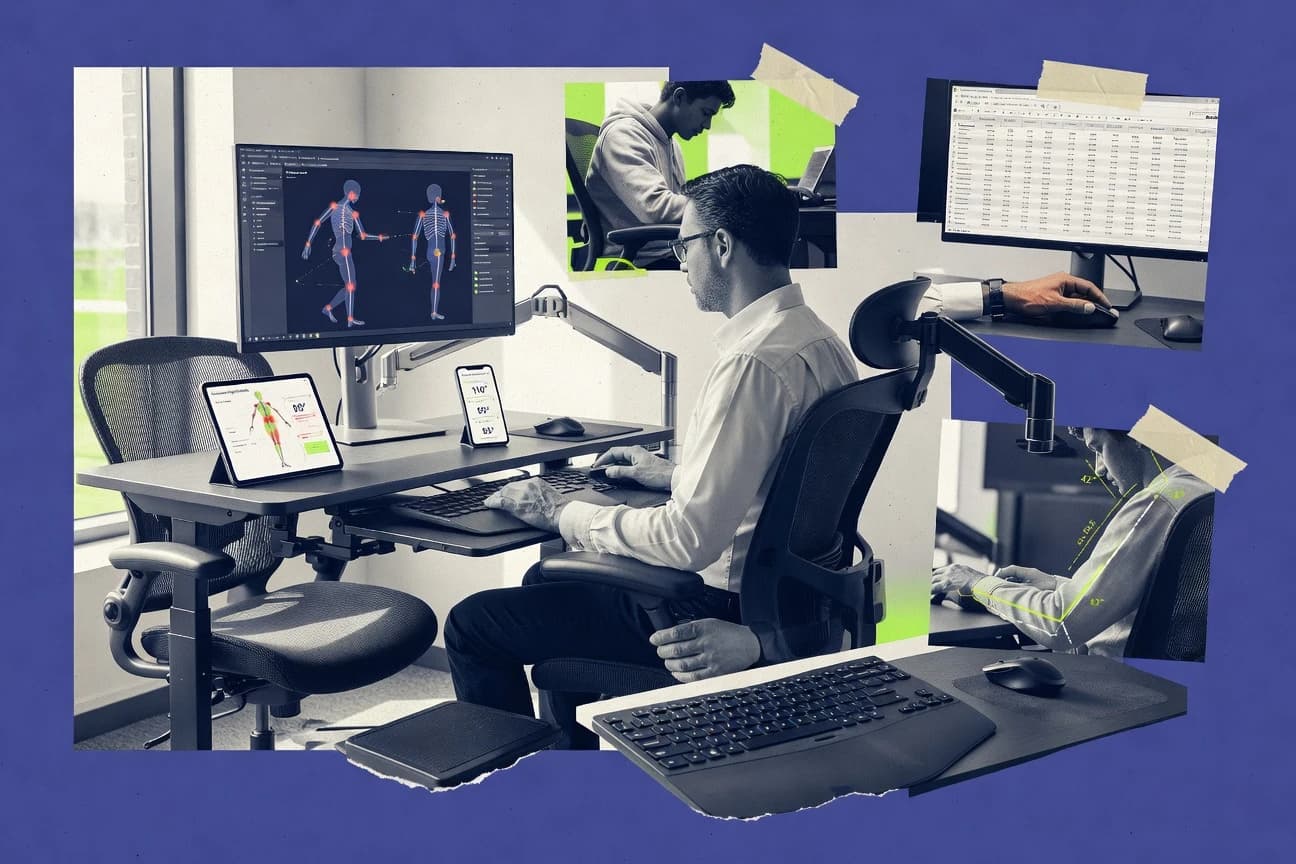
Top 10 ergonomic assessment software ranked by feature fit for workplace health teams. Includes Cority Ergonomics, VelocityEHS, TuMeke.

How we ranked these tools
Core product claims cross-referenced against official documentation, changelogs, and independent technical reviews.
Analyzed video reviews and hundreds of written evaluations to capture real-world user experiences with each tool.
AI persona simulations modeled how different user types would experience each tool across common use cases and workflows.
Final rankings reviewed and approved by our editorial team with authority to override AI-generated scores based on domain expertise.
Score: Features 40% · Ease 30% · Value 30%
Gitnux may earn a commission through links on this page — this does not influence rankings. Editorial policy
Cority Ergonomics is the strongest pick for teams that need mobile capture plus intervention tracking to closure across multiple work areas, whereas TuMeke Ergonomics fits when you want consistent, action-ready assessment outputs captured from workplace video.
Editor’s top 3 picks
Three quick recommendations before you dive into the full comparison below — each one leads on a different dimension.
Cority Ergonomics
End-to-end corrective action workflow ties each assessment finding to intervention status and closure evidence.
Built for fits when ergonomic assessors need mobile capture plus intervention tracking to closure across multiple work areas..
VelocityEHS Ergonomics
Editor pickEnd to end ergonomics workflow that connects assessment findings to corrective action tracking for closure visibility.
Built for fits when multi-site safety teams need ergonomic assessments tied to tracked interventions and review history..
TuMeke Ergonomics
Editor pickTemplate-driven recommendation generation ties assessor observations to standardized interventions in each assessment record.
Built for fits when ergonomic programs need consistent assessment capture and action-ready reporting across multiple sites..
Comparison Table
Cority Ergonomics
enterpriseErgonomics management software supports assessments, risk controls, and occupational health programs.
End-to-end corrective action workflow ties each assessment finding to intervention status and closure evidence.
Cority Ergonomics supports guided assessment creation with configurable checklists and scoring fields that can be reused across plants, departments, and workstations. Mobile capture is designed for field use, with attachments and notes that travel with each assessment record. Built-in reporting groups results for trends, risk categories, and intervention status so teams can see which sites and job types need attention.
A practical tradeoff is that deep tailoring of workflows and forms requires administrator effort before teams can run assessments consistently. Cority Ergonomics fits situations where ergonomic assessors need to run repeatable field checklists and then manage corrective action workflows to closure for each assessed work area.
- +Assessment records stay linked to corrective actions and status
- +Mobile capture supports field execution with attachments
- +Configurable checklists and scoring fields support standardized assessments
- +Reports summarize risk trends and intervention progress
- –Workflow and form tailoring requires administrator setup effort
- –Complex multi-site rollouts can take time to standardize
EHS managers
Track ergonomic findings to closure
Faster remediation visibility
Ergonomic assessors
Run standardized field assessments
Consistent data collection
Show 1 more scenario
Operations leaders
Prioritize fixes by work area
Better prioritization decisions
Review assessment outcomes tied to locations to direct corrective action capacity where risk concentrates.
Best for: Fits when ergonomic assessors need mobile capture plus intervention tracking to closure across multiple work areas.
VelocityEHS Ergonomics
enterpriseAI-powered ergonomic assessment and hazard management platform for workplace safety teams.
End to end ergonomics workflow that connects assessment findings to corrective action tracking for closure visibility.
VelocityEHS Ergonomics centers on repeatable assessment execution with guided data capture and links from observed conditions to risk-related records. The workflow model supports intervention tracking so the ergonomic process moves from identification to corrective action instead of ending at documentation. This approach fits organizations running multiple facilities where ergonomic work must stay consistent across assessors and locations.
A key tradeoff is that the most effective use depends on configuring assessment templates and action workflows to match internal standards. Teams that already run safety case management with disciplined change control will get faster rollout, while teams without process ownership may see slower adoption. A strong usage situation is rolling out a standardized ergonomic assessment and corrective action cadence across a distributed workforce.
- +Assessment records link directly to corrective actions for end to end closure
- +Configurable ergonomic workflow reduces assessor-to-assessor output variance
- +Centralized enterprise operations model supports multi-site standardization
- +Audit oriented history supports safety review and internal accountability
- –Template and workflow configuration adds upfront implementation effort
- –Ergonomics setup can lag behind active operations without governance
- –Advanced automation requires deeper admin involvement than basic form entry
- –Mobile field workflows may feel constrained versus purpose built tools
EHS program managers
Standardize ergonomic assessments across sites
Fewer missed closures
Industrial hygiene analysts
Coordinate ergonomic and safety work orders
Cleaner operational handoffs
Show 2 more scenarios
Safety compliance leads
Maintain auditable assessment history
Faster safety reporting
Preserves assessment and action history for internal review cycles.
Regional ergonomic specialists
Scale assessments with consistent templates
More repeatable results
Uses standardized templates to reduce variability across assessors and locations.
Best for: Fits when multi-site safety teams need ergonomic assessments tied to tracked interventions and review history.
TuMeke Ergonomics
vertical specialistComputer vision software assesses ergonomic risk from workplace video.
Template-driven recommendation generation ties assessor observations to standardized interventions in each assessment record.
TuMeke Ergonomics is built around assessment capture, where assessors log specific workstation and task details in a consistent form and then generate recommendations from that structured input. It is well suited to teams that need consistent ergonomic hazard identification and repeatable reporting across multiple locations. The integration depth is strongest when the organization already standardizes work identifiers and wants assessments to stay connected to that operational context.
A key tradeoff is that organizations get more value when they adopt TuMeke Ergonomics’ templates and data entry conventions for each assessment type. Teams that need one-off studies with unusual scoring logic may spend time fitting those studies into the available assessment workflow. For ongoing workplace programs, the tool fits situations where multiple assessors must produce comparable results for intervention tracking.
- +Structured assessment forms keep workstation and task context linked
- +Standardized recommendation outputs support consistent corrective action messaging
- +Template-based workflows reduce variation between assessors
- +Reporting outputs align to ergonomic program review needs
- –Best results require disciplined adoption of assessment templates
- –Deep customization of scoring logic is limited versus custom-built workflows
- –Complex multi-department governance needs more admin coordination
- –Video or motion capture handling is not designed as a primary centerpiece
EHS teams
Run repeatable office workstation assessments
Comparable reports across locations
Industrial engineering teams
Assess repeat manual handling tasks
Actionable control lists
Show 2 more scenarios
Workplace health coordinators
Coordinate multi-assessor ergonomic surveys
Lower handoff inconsistencies
Consistent templates keep notes, risk scoring inputs, and recommendation text aligned across assessors.
Safety program managers
Publish intervention progress summaries
Faster program reporting
Program managers use consistent outputs to review ergonomic assessment status and recommended corrective actions.
Best for: Fits when ergonomic programs need consistent assessment capture and action-ready reporting across multiple sites.
Sphera Ergonomics
enterpriseCorporate EHS platform with integrated ergonomic risk assessment and job task analysis tools.
Corrective action workflow integration that ties intervention status to each structured ergonomic assessment record.
Sphera Ergonomics is designed for workplace ergonomic risk assessment workflows that connect hazard identification to corrective action execution. The core capability centers on structured assessment creation with scoring, documentation, and intervention tracking for workstation and task evaluation.
It also supports cross-site data reuse by turning assessments into repeatable templates aligned to internal safety processes. Admin oversight focuses on governance of forms and assignments so ergonomic findings route consistently to responsible owners.
- +Assessment templates standardize ergonomic hazard identification across sites
- +Risk scoring links findings directly to corrective action workflow states
- +Intervention tracking keeps owners tied to specific assessment records
- +Governance controls keep assignment and form versions consistent
- –Video-based assessment and motion capture integration are not the primary strengths
- –Setup requires careful mapping of assessment steps and ownership rules
- –Complex workflows can slow users when form rules change often
Best for: Fits when mid to large organizations need governed ergonomic assessment forms with consistent corrective action routing.
ErgoPlus
vertical specialistErgonomics software supports workplace assessments, action plans, and injury prevention programs.
Corrective action workflow links each ergonomic assessment finding to named remediation steps and status updates.
ErgoPlus performs workplace ergonomic assessment workflows from intake through corrective action tracking and reporting. The core toolset centers on ergonomic hazard identification with structured assessment checklists and consistent risk scoring outputs for office and industrial scenarios.
Ergonomic assessment forms can be completed as guided tasks, then exported as compliance-style deliverables for stakeholder review. Integration and automation are oriented around pulling assessment results into wider occupational health and safety processes rather than replacing EHS systems end-to-end.
- +Guided assessment checklists reduce variation between assessors
- +Corrective action workflow ties findings to tracked remediation steps
- +Assessment results export cleanly for workplace ergonomic reporting
- +Task-based entry supports both office and industrial observation styles
- –Video-based assessment requires added process steps for linkage
- –Automation depth depends on external integration patterns
- –Large assessor groups need more governance planning for consistency
- –Some advanced workstation modeling workflows stay outside the core form flow
Best for: Fits when teams need consistent ergonomic assessment forms, risk scoring outputs, and corrective action tracking.
Cardinus
vertical specialistErgonomic assessment platform offering Healthy Working Pro and RiskAI with AI motion capture for industrial and office environments.
On-site checklist scoring that turns walkthrough observations into consistent, shareable assessment reports.
Cardinus is a workplace ergonomic assessment tool that focuses on structured data capture during workstation and task walkthroughs. Assessments are organized around checklists and scoring so teams can document ergonomic risk findings and track follow-up actions.
Cardinus supports report generation for stakeholders who need consistent views of assessment results. Mobile field use is positioned for capturing observations on site and converting them into shareable assessment outputs.
- +Checklist-driven assessments keep observations consistent across raters
- +Scoring ties findings to repeatable risk interpretation
- +Report outputs help standardize updates for stakeholders
- +Mobile capture supports on-site walkthroughs and faster documentation
- –Automation options for corrective action workflows are limited
- –Integration coverage beyond assessment export appears narrow
- –Configuration details for custom forms are not as flexible as advanced workflows
- –Role controls and audit logging are not prominent in core usage
Best for: Fits when teams need consistent ergonomic assessment documentation with scoring and on-site capture.
ErgoWOW
enterpriseEnterprise ergonomic risk assessment platform with self-assessments, role-based logic, action tracking, and multilingual support.
Corrective action workflow built into the assessment process so risk findings translate into tracked interventions without exporting to spreadsheets.
ErgoWOW from ergooglobal.com focuses on ergonomic assessment workflow management with a guided intake to produce standardized outputs. The core workflow supports observational ergonomic hazard identification, task or workstation review, and risk scoring output that can be used for corrective action tracking.
It also provides form-based assessment collection that can be used in office and light industrial settings where repeatable checklists matter. Admin controls center on templates and controlled assessment creation so teams can keep results consistent across assessors.
- +Guided assessment checklist structure reduces assessor-to-assessor variance
- +Risk scoring outputs link directly into corrective action workflow steps
- +Template-driven workstation review supports repeatable office ergonomics audits
- +Form-based data capture works well for mobile field assessments
- –Automation and integration depth is limited without custom implementation work
- –Video-based assessment and motion capture inputs are not central to the workflow
- –Complex multi-site governance needs manual template and permission management
- –Reporting customization can require more configuration than checklist-only use
Best for: Fits when teams need consistent checklist-driven ergonomic assessments and follow-up actions across multiple locations.
Evotix
enterpriseEHS platform with a dedicated ergonomic assessment module supporting RULA, REBA, NIOSH RLE, and action tracking.
Built-in corrective action workflow that ties assessment findings to intervention ownership and closure tracking.
Evotix is an ergonomic assessment software solution focused on turning workplace observations into structured findings and corrective actions. Its core workflow centers on creating assessments and checklists for workstation and task review, then tracking intervention status from identification through closure.
Evotix also supports exporting assessment outputs for reporting use, which helps keep occupational health and safety documentation aligned across sites. Integration and automation depth appear to be more limited than for tools that tightly connect to HRIS, EHS systems, or asset platforms.
- +Assessment creation and checklist workflows are fast to set up for teams
- +Structured findings link cleanly to intervention tracking and closure states
- +Exports support consistent reporting outputs across multiple assessments
- +Mobile-friendly data capture reduces friction for field observations
- –Integration depth is limited compared with tools that support deep EHS and HR connectivity
- –Custom risk scoring logic and task-analysis automation are restricted
- –Role-based governance and audit trails are not as granular as in enterprise EHS systems
- –Video-based assessment tooling is not a primary strength
Best for: Fits when operations teams need structured ergonomic assessments and intervention tracking with minimal workflow engineering.
E2ergo
vertical specialistErgonomic risk analysis tool for manual workers that generates reliable assessments in 15 minutes using proprietary algorithms.
Assessment-centered workflow that links workstation observation entries to intervention tracking outputs.
E2ergo performs workplace ergonomic risk assessment by collecting employee and task observations into structured ergonomic assessment forms. It focuses on office ergonomics workflows and supports workstation evaluation documentation for posture and task-related hazards.
The system organizes assessments into repeatable intervention planning cycles and keeps assessment outputs available for reporting. E2ergo also supports field-style data collection patterns so assessments can be gathered and reviewed as work changes.
- +Structured ergonomic assessment forms for repeatable workstation evaluations
- +Clear workflow for turning observations into corrective actions
- +Supports office-focused ergonomic hazard capture and documentation
- +Assessment outputs stay accessible for ongoing review cycles
- –Limited published automation surface for large-scale assessment throughput
- –Requires disciplined data entry to keep risk scoring consistent
- –Narrower integration depth compared with systems built for OT and HR ecosystems
- –Less documented API and extensibility options for custom pipelines
Best for: Fits when office ergonomics teams need repeatable assessment and action tracking.
EasyErgo
SMBMobile ergonomics field assessment app for Android with RULA, REBA, QEC methods, AI pose estimation, and cloud sync.
Corrective action workflow links assessment findings to closure status without switching tools.
EasyErgo is ergonomic assessment software aimed at turning workplace observations into consistent workplace ergonomic assessment outputs. It supports structured assessment templates, task or workstation documentation, and an intervention workflow that carries findings from intake to follow-through.
The solution is designed around repeatable checklists and standardized scoring so teams can compare risk status across sites and time. Automation and integration depth show up most in how assessment results move into corrective action tracking and reporting outputs.
- +Template-driven assessments keep workstation checklists consistent across assessors
- +Built-in corrective action workflow tracks closure against identified issues
- +Standardized scoring supports repeat comparisons across time and locations
- +Reporting outputs package assessment results for workplace health reviews
- –Requires careful configuration to align templates and scoring to local processes
- –Advanced automation beyond workflow steps depends on integration support
- –Limited evidence of deep mobile field data capture tooling
- –Export and data reuse workflows appear narrower than in higher-ranked tools
Best for: Fits when teams need standardized ergonomic assessments plus corrective action tracking across multiple locations.
Conclusion
After evaluating 10 business finance, Cority Ergonomics stands out as our overall top pick — it scored highest across our combined criteria of features, ease of use, and value, which is why it sits at #1 in the rankings above.
Use the comparison table and detailed reviews above to validate the fit against your own requirements before committing to a tool.
How to Choose the Right ergonomic assessment software
Ergonomic assessment software is judged by how reliably risk findings travel from a workstation walkthrough to corrective action closure without spreadsheets breaking the chain. This guide covers Cority Ergonomics, VelocityEHS Ergonomics, TuMeke Ergonomics, Sphera Ergonomics, ErgoPlus, Cardinus, ErgoWOW, Evotix, E2ergo, and EasyErgo.
The tools differ most in how they structure assessment records and how tightly they bind those records to intervention status, ownership, and closure evidence. Cority Ergonomics and VelocityEHS Ergonomics lead with end-to-end corrective action workflow linkage, while TuMeke Ergonomics centers template-driven recommendation generation.
Ergonomic assessment software that standardizes workplace observations and tracks corrective action to closure
Ergonomic assessment software captures ergonomic hazard identification using structured ergonomic assessment forms or checklist workflows, then stores the results with enough context to support consistent risk scoring and intervention routing. Cority Ergonomics and VelocityEHS Ergonomics tie assessment findings directly into corrective action tracking so closure visibility stays in the same system of record.
Many teams also use these platforms to control output variance by driving assessors through governed templates and standardized steps, which is central in tools like Sphera Ergonomics and ErgoPlus. TuMeke Ergonomics differentiates by generating standardized intervention recommendations from template-based inputs within each assessment record.
Corrective action binding, workflow governance, and capture standardization
Ergonomic assessment software succeeds when each workstation walkthrough finding remains linked to an intervention record until closure evidence is captured in the same system. Cority Ergonomics and VelocityEHS Ergonomics keep that chain intact by connecting assessment findings directly to corrective action tracking and closure visibility.
Standardized capture is the second lever because assessor variance breaks risk scoring consistency and makes reporting hard to defend. Sphera Ergonomics and ErgoPlus reduce variance by driving assessors through governed templates and checklist steps that route findings into corrective action workflow states.
End-to-end corrective action workflow linkage
Cority Ergonomics binds each assessment finding to intervention status and closure evidence inside one workflow. VelocityEHS Ergonomics provides the same end-to-end chain with direct links from assessment findings to corrective action tracking.
Template-driven assessment records with action-ready outputs
TuMeke Ergonomics uses template-driven recommendation generation so workstation and task context stays attached to the intervention-ready output. Cardinus turns on-site checklist scoring into consistent, shareable reports with risk interpretation tied to the documented observations.
Corrective action workflow embedded into the assessment process
ErgoWOW builds corrective action workflow steps into the assessment experience so risk findings translate into tracked interventions without exporting to spreadsheets. EasyErgo also links assessment findings to closure status in the same workflow so teams do not switch tools.
Configurable ergonomic workflow with reduced assessor variance
VelocityEHS Ergonomics supports configurable ergonomic workflow steps to reduce assessor-to-assessor output variance across sites. ErgoPlus uses guided assessment checklists so teams get consistent risk scoring outputs tied to named remediation steps and status updates.
Fit-for-governance routing with mapping to owners and steps
Sphera Ergonomics standardizes ergonomic hazard identification across sites and routes risk scoring states into corrective action workflow states. Evotix ties assessment findings to intervention ownership and closure tracking with minimal workflow engineering but lower connectivity to broader EHS and HR systems.
Choose by workflow binding depth and implementation control points
The first fork should be workflow binding depth because several tools can document findings while only a subset keep closure evidence tied to the same assessment record. Cority Ergonomics and VelocityEHS Ergonomics are built around assessment-to-corrective-action linkage that preserves closure visibility in the workflow.
The second fork should be how templates and recommendations are produced because template-driven outputs change how teams standardize interventions and report risk trends. TuMeke Ergonomics emphasizes standardized recommendation generation from template inputs while ErgoPlus and Cardinus emphasize guided checklist scoring and action workflows.
Pick the workflow engine that preserves closure in the same system
Select Cority Ergonomics or VelocityEHS Ergonomics when assessment findings must remain linked to corrective action status and closure evidence. Select ErgoWOW or EasyErgo when corrective action tracking must stay inside the assessment flow to avoid spreadsheet handoffs.
Decide whether recommendations are template-generated or workflow-authored
Choose TuMeke Ergonomics when template-driven recommendation generation should produce consistent intervention messaging inside each assessment record. Choose ErgoPlus or Cardinus when guided checklist steps and risk scoring should drive corrective action workflow updates with minimal custom recommendation logic.
Match governance needs to template standardization and routing complexity
Choose Sphera Ergonomics when governed ergonomic assessment forms and risk scoring-to-workflow states must follow mapping rules for steps and ownership. Choose VelocityEHS Ergonomics when multi-site consistency depends on configurable ergonomic workflow states but the implementation effort can be scheduled.
Validate assessor variance controls against real adoption discipline
Choose TuMeke Ergonomics only if assessment templates can be enforced because standardized outputs depend on disciplined template adoption. Choose ErgoPlus when checklist guidance is the main control because risk scoring consistency relies on the guided assessment process.
Confirm whether capture media and integrations are primary requirements
Choose Cority Ergonomics or VelocityEHS Ergonomics when mobile capture plus attachment support must coexist with intervention tracking. Choose Sphera Ergonomics when governed forms and routing matter more than making video-based assessment and motion capture a primary path.
Set expectations for customization depth before rollout planning
Choose tools that support deep workflow tailoring when complex multi-site standardization is required because Cority Ergonomics and VelocityEHS Ergonomics require administrator setup effort to standardize forms. Choose Evotix when minimal workflow engineering is required even though automation and deeper connectivity beyond structured assessment and intervention tracking are more limited.
Which ergonomic assessment software buyers should target each workflow profile
Workplace ergonomic assessment programs usually fail at handoff between observation and closure, so buyers should align tool behavior with their operational workflow. Cority Ergonomics and VelocityEHS Ergonomics fit teams that run multi-area programs and need closure visibility and review history tied to each assessment finding.
Some buyers prioritize standardization of assessor capture through templates, while others prioritize keeping corrective action steps inside the assessment experience. TuMeke Ergonomics and Cardinus emphasize template and checklist standardization, and ErgoWOW and EasyErgo keep corrective action tracking in the assessment workflow.
Multi-site safety teams that need closure visibility tied to findings
VelocityEHS Ergonomics links assessment records directly to corrective actions for end-to-end closure and review history across multiple sites.
Programs that run field assessments with mobile capture and attachments
Cority Ergonomics pairs mobile capture with attachment support while keeping assessment records linked to corrective actions and status through closure.
Ergonomics programs that require standardized recommendations from structured inputs
TuMeke Ergonomics turns assessor observations into standardized intervention recommendations inside the same assessment record using template-driven output generation.
Organizations that want corrective action tracking without exporting to spreadsheets
ErgoWOW and EasyErgo both embed corrective action workflow into the assessment experience so tracked interventions and closure status stay in one tool.
Teams that document ergonomic risk with consistent checklist scoring for shareable reports
Cardinus and ErgoPlus rely on checklist-driven scoring to keep observations consistent across raters and produce reports that map findings to remediation steps.
Common buying mistakes that break ergonomic assessment workflows
Many teams buy ergonomic assessment software for data capture and only later discover that closure linkage is the missing capability. Tools that do not bind findings tightly to corrective action status force teams back to spreadsheets for follow-up and closure evidence.
Another frequent mistake is treating template standardization as a configuration step rather than an adoption behavior. Template-driven systems reduce assessor variance only when templates are enforced, and checklist-driven systems require disciplined data entry to keep risk scoring consistent.
Choosing a tool that documents findings but does not preserve correction-to-closure linkage
Select Cority Ergonomics or VelocityEHS Ergonomics when assessment findings must stay linked to corrective action status and closure evidence in the same workflow.
Overestimating how much template output stays consistent without enforced assessor behavior
Plan for adoption discipline when evaluating TuMeke Ergonomics because standardized recommendation generation depends on consistent use of assessment templates.
Under-scoping implementation effort for governed templates and workflow ownership rules
Allocate admin setup time for Sphera Ergonomics because setup requires careful mapping of assessment steps and ownership rules for routed corrective actions.
Ignoring how video-based assessment and motion capture needs rank against checklist strengths
Treat Sphera Ergonomics as a governed forms and workflow tool when video-based assessment and motion capture integration are not the primary strengths in the workflow profile.
Assuming automation depth will match the workflow depth without integration support
Confirm automation and integration expectations when evaluating ErgoPlus, Cardinus, or E2ergo because automation depth and large-scale assessment throughput are limited without deeper integration patterns.
How We Selected and Ranked These Tools
We evaluated each ergonomic assessment software tool on feature coverage for corrective action binding and standardized assessment capture, then weighted that at 40%. Ease of setup and day-to-day usability carried 30% weighting, and value for operating teams carried 30% weighting.
Cority Ergonomics ranked first because it ties assessment records to corrective actions with status and closure evidence while supporting mobile capture with attachments. VelocityEHS Ergonomics ranked highest after Cority Ergonomics because it also provides end-to-end ergonomics workflow linkage and configurable workflow steps to reduce assessor-to-assessor output variance.
Frequently Asked Questions About ergonomic assessment software
Which ergonomic assessment tools keep intervention closure tied to the original assessment record?
How do these platforms handle mobile field capture for workstation or task walkthroughs?
When does an organization need governed forms and assignment oversight across multiple sites?
What breaks if ergonomic assessments are exported as files instead of staying in an intervention workflow?
Which tool workflows are strongest for turning observations into standardized, action-ready recommendations?
How do templates and configuration affect consistency of risk scoring across assessors?
How do these tools support cross-site reuse of assessment structures without rebuilding forms repeatedly?
Which platforms fit office ergonomics programs that need repeatable workstation evaluation cycles and reporting outputs?
Where do these tools fall short for integrations and automation compared with tightly connected enterprise systems?
Tools reviewed
Primary sources checked during evaluation.
Referenced in the comparison table and product reviews above.
Keep exploring
Comparing two specific tools?
Software Alternatives
See head-to-head software comparisons with feature breakdowns, pricing, and our recommendation for each use case.
Explore software alternatives→In this category
Business Finance alternatives
See side-by-side comparisons of business finance tools and pick the right one for your stack.
Compare business finance tools→