
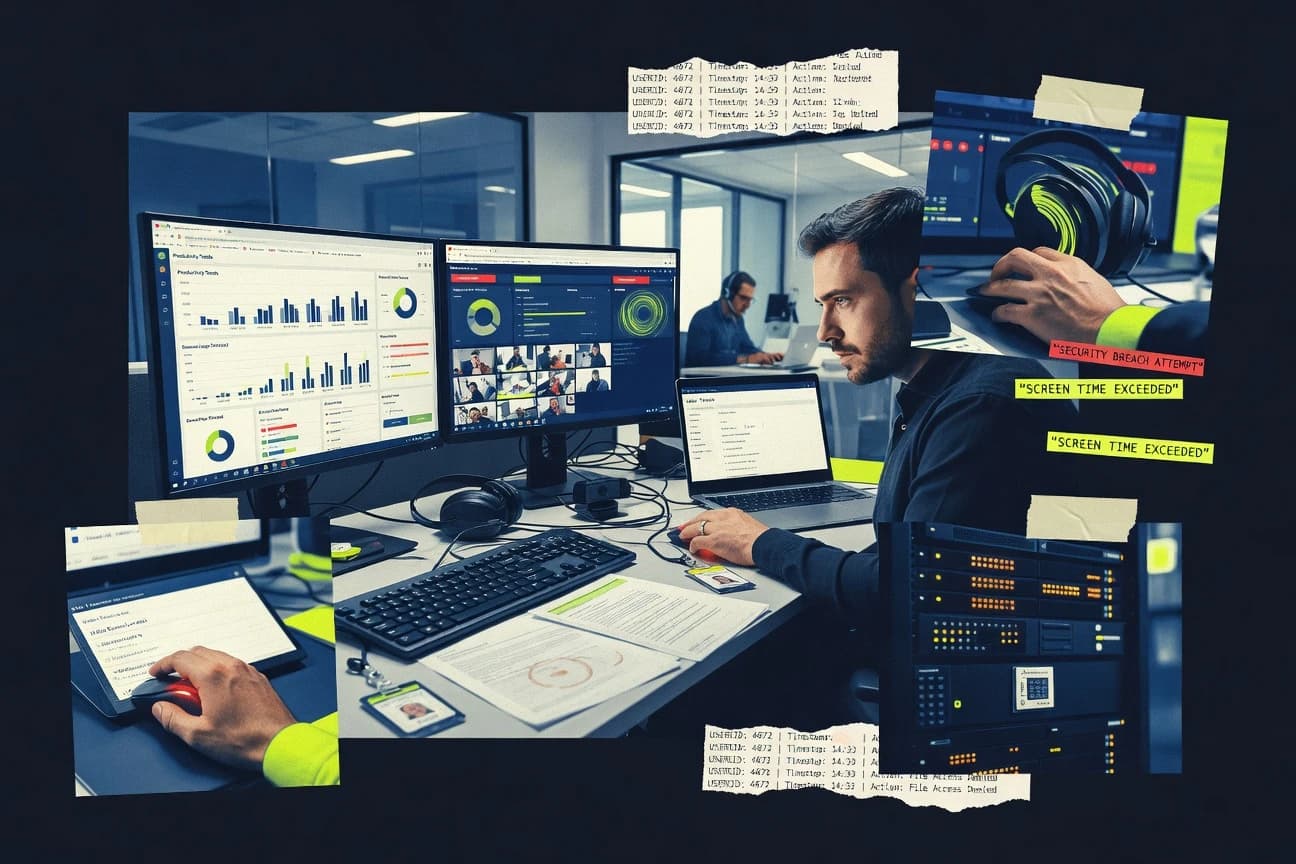
GITNUXSOFTWARE ADVICE
HR In IndustryTop 10 Best Employee System Monitoring Software of 2026
Ranked roundup of top employee system monitoring software, comparing tools like Veriato and StaffCop by features, limits, and reporting for IT teams.

How we ranked these tools
Core product claims cross-referenced against official documentation, changelogs, and independent technical reviews.
Analyzed video reviews and hundreds of written evaluations to capture real-world user experiences with each tool.
AI persona simulations modeled how different user types would experience each tool across common use cases and workflows.
Final rankings reviewed and approved by our editorial team with authority to override AI-generated scores based on domain expertise.
Score: Features 40% · Ease 30% · Value 30%
Gitnux may earn a commission through links on this page — this does not influence rankings. Editorial policy
Insightful is the best fit for distributed teams that need auditable productivity and attendance insights without losing governance, whereas Veriato suits governance-heavy orgs that want traceable endpoint monitoring for investigations and policy alerts, especially when you must keep evidence tied to user behavior.
Editor’s top 3 picks
Three quick recommendations before you dive into the full comparison below — each one leads on a different dimension.
Insightful
Activity scoring ties endpoint time and application patterns into baseline-aware productivity reports for managers and investigations.
Built for fits when distributed teams need productivity analytics with auditable governance and privacy masking..
Veriato
Editor pickPolicy-driven monitoring scope controls with investigable audit trail support for controlled collection during reviews.
Built for fits when governance-heavy teams need traceable endpoint monitoring for investigations and policy alerts..
StaffCop
Editor pickPolicy-driven monitoring rules with monitoring exclusions tied to targeted user and device groups.
Built for fits when IT or security teams need centralized endpoint activity monitoring across Windows workstations..
Comparison Table
Insightful
SMBEmployee productivity software that measures app usage, attendance, focus time, and workload.
Activity scoring ties endpoint time and application patterns into baseline-aware productivity reports for managers and investigations.
Insightful’s monitoring workflow captures endpoint events such as active time and application usage, then groups them into productivity analytics dashboards for team and individual views. Configuration can include exclusions so monitoring does not cover defined apps, users, or contexts. Privacy masking is available for sensitive content, and alerts can be routed when activity deviates from configured baselines.
A practical tradeoff is that meaningful results require careful scoping so activity scoring reflects real work rather than meetings, shared tooling, or automation. Insightful fits best in organizations running remote or hybrid work where managers need consistent activity scores and audit trails for policy enforcement.
- +Policy-based alerts built on activity baselines, not raw event streams
- +Privacy masking for sensitive text reduces review risk during investigations
- +Configurable monitoring scope supports exclusions for roles and apps
- +Audit trails document administrative changes and monitoring outcomes
- –Requires governance discipline to tune scoring and alert thresholds
- –Screenshot and recording features depend on agent configuration
- –Advanced reporting setup takes time when teams use many custom apps
- –Operational dashboards can feel dense without a reporting ownership model
Security and compliance teams
Investigate policy breaches from activity trails
Faster incident triage
People analytics teams
Measure time-on-task across teams
Consistent workforce reporting
Show 2 more scenarios
IT operations
Tune monitoring scope by app and role
Lower alert fatigue
Exclusions reduce noise from approved tools and shared workflows.
Team managers
Detect productivity deviations in hybrid teams
Earlier coaching interventions
Baseline-aware alerts flag unusual activity patterns for follow-up.
Best for: Fits when distributed teams need productivity analytics with auditable governance and privacy masking.
Veriato
enterpriseInsider risk management software with user behavior analytics and employee activity monitoring.
Policy-driven monitoring scope controls with investigable audit trail support for controlled collection during reviews.
Veriato is commonly evaluated for breadth of endpoint visibility through an installed agent that captures workstation and user behavior, then correlates events for reporting and investigations. Policy controls allow monitoring scope changes and alerting based on conditions, which helps standardize response workflows across teams. Admin features support centralized oversight of monitoring configuration and ongoing audit documentation for compliance reviews.
A practical tradeoff is that wider coverage relies on agent deployment and ongoing endpoint management, so onboarding time increases for large fleets. Veriato fits incident triage scenarios where HR, IT security, or legal teams need traceable activity timelines when insider-risk signals trigger alerts.
- +Agent-based endpoint activity auditing with investigable event timelines
- +Policy-driven alerting that supports consistent insider-risk response
- +Centralized governance for monitoring configuration and audit documentation
- +Configurable monitoring scope controls reduce data collection where needed
- –Agent deployment and endpoint upkeep adds onboarding overhead
- –Best alert results require careful rule tuning and review cycles
- –High-signal investigations can depend on workflow integration by admins
IT security operations
Investigating insider-risk alerts on endpoints
Faster incident triage
HR and compliance teams
Reviewing policy violations consistently
Repeatable evidence packets
Show 2 more scenarios
Operations leadership
Detecting unusual employee workstation behavior
Earlier escalation
Rule-based alerting flags conditions that deviate from defined monitoring policies.
Workplace IT administrators
Managing monitoring across a device fleet
Lower admin drift
Centralized configuration helps apply monitoring rules and exclusions across endpoints.
Best for: Fits when governance-heavy teams need traceable endpoint monitoring for investigations and policy alerts.
StaffCop
enterpriseEmployee monitoring and data loss prevention software with activity recording and insider risk controls.
Policy-driven monitoring rules with monitoring exclusions tied to targeted user and device groups.
StaffCop uses an agent installed on monitored machines to collect activity signals and send them to a central management console for reporting and review. Monitoring scope is controlled by configuration rules that cover what gets collected and where exclusions apply for reduce false positives. The product supports audit-style reporting used for internal investigations and workforce analytics built from the captured activity streams.
A notable tradeoff is that agent-based monitoring increases deployment and governance effort compared with agentless approaches. StaffCop fits best when IT or security teams need consistent endpoint telemetry across managed Windows fleets and want centralized tuning of monitoring behavior for different groups.
- +Endpoint agent telemetry supports consistent activity coverage across managed devices
- +Policy rules and monitoring exclusions reduce alert noise in shared environments
- +Audit trail reports support review workflows for internal investigations
- +Role-based access limits who can view monitoring results
- –Agent deployment adds operational overhead for large device fleets
- –High-cardinality activity events can create bulky dashboards without tuning
- –Fine-grained configuration for multiple teams takes governance discipline
- –Some user-facing reporting workflows require console familiarity
Security operations analysts
Investigate suspected policy violations
Faster incident evidence gathering
IT administrators
Standardize monitoring across departments
Lower manual configuration effort
Show 2 more scenarios
HR compliance teams
Review workplace conduct concerns
More traceable documentation
Generate structured reports for governance reviews using recorded endpoint activity signals.
Team leads
Track application usage behavior
Improved behavioral guidance
Review application activity patterns to support time-on-task coaching workflows.
Best for: Fits when IT or security teams need centralized endpoint activity monitoring across Windows workstations.
Teramind
enterpriseEmployee monitoring software with activity tracking, insider risk controls, and workflow analytics.
Behavior-driven case workflows that connect alerts, evidence capture, and investigation assignment in one operational flow.
Teramind focuses on employee system monitoring with agent-based collection, combining application usage tracking, behavioral analytics, and enforcement workflows under centralized governance. It supports policy-based alerts and evidence capture for investigations, including activity context around user actions across endpoints and business apps.
Admin controls include role-based access to monitoring views, plus audit trail records for investigator and operator actions. Teramind also provides an extensibility surface for automation through APIs and webhooks tied to alerts and case activities.
- +Policy-based alerts tie behavioral signals to investigator-ready evidence
- +Central admin governance includes RBAC and an audit trail for monitoring actions
- +APIs and webhooks support alert-to-workflow automation and case routing
- +Cross-application activity visibility covers endpoints and key user workflows
- –Agent-based monitoring increases deployment effort across heterogeneous fleets
- –High-cardinality activity streams can raise investigation noise without tight tuning
- –Privacy masking and exclusions require governance discipline to stay effective
- –Deep configuration for data collection scope can lengthen initial rollout
Best for: Fits when HR, security, and IT need investigation workflows tied to user behavior across endpoints.
WorkTime
SMBEmployee monitoring software that records computer usage, applications, websites, and work hours.
Policy-driven monitoring scope with monitoring exclusions tied to admin configuration, not per-user manual handling.
WorkTime provides employee system monitoring via an endpoint agent that collects application and activity usage for workstations. It focuses on producing per-user activity timelines and attendance-style active time metrics that can be reviewed for time-on-task and idle patterns.
The admin experience centers on configuring monitoring scope, exclusions, and data retention so oversight aligns with internal policy. WorkTime also includes reporting that can be scheduled for recurring review of workforce analytics outputs.
- +Agent-based activity timeline with application usage breakdowns
- +Configurable monitoring exclusions for role-based privacy alignment
- +Reporting suited for attendance-like active time review
- +Scheduled reports support recurring workforce review workflows
- –Screen capture and keystroke-style monitoring are not the core focus
- –Automation depth for custom workflows depends on available integration hooks
- –Data governance controls require careful upfront scope planning
- –Admin setup is more involved than purely agentless monitoring tools
Best for: Fits when mid-size teams need agent-collected activity reporting for workstation time-on-task review.
Kickidler
specialistEmployee monitoring software with screen recording, live viewing, time tracking, and policy alerts.
Configurable monitoring exclusions let admins reduce noise from selected apps, windows, and sites while keeping session reports intact.
Kickidler fits organizations that need endpoint activity monitoring to understand how work happens on managed PCs and browsers. The core coverage includes application usage tracking, website usage tracking, and configurable activity summaries tied to user sessions.
Admin controls support monitoring exclusions and visibility settings, with reporting that can be filtered by user and time window. Automation options focus on scheduled reports and alert rules tied to observed behaviors rather than custom code workflows.
- +Session-based reporting that connects activity to specific users and time windows
- +Configurable monitoring exclusions for managed roles and sensitive systems
- +Clear activity timelines that reflect app and web usage during work hours
- +Alert rules that trigger from observed behavior patterns
- –Deployment requires endpoint agent rollout to reach detailed activity data
- –Workflow coverage can feel broad for IT and HR, but shallow for audit-grade investigations
- –Advanced governance needs consistent policy setup across device groups
- –API and automation depth is limited compared with monitoring suites built for integrations
Best for: Fits when mid-size teams need endpoint visibility and scheduled reporting with basic alerting and exclusions.
Controlio
SMBCloud employee monitoring software with screen capture, web filtering, activity reports, and alerts.
Policy alerts tied to employee behavior patterns, plus configurable monitoring exclusions to control what gets collected.
Controlio focuses on employee system monitoring with endpoint activity visibility aimed at work-session behavior. The solution emphasizes automated policy alerts around risky actions and configurable monitoring exclusions.
It supports operational workflows for IT and security teams that need audit-style evidence from monitored endpoints. Admin control is centered on agent deployment management and rule-driven reporting for ongoing oversight.
- +Rule-driven monitoring alerts based on defined behavioral triggers
- +Configurable monitoring exclusions to reduce noise on sensitive workflows
- +Endpoint-scoped visibility that supports investigation after suspicious events
- +Audit-style evidence generation for compliance-oriented internal reviews
- –Advanced governance requires careful policy design and exclusions planning
- –Integration options can feel limited compared with agent platforms that add SIEM-first connectors
- –Deep application-specific reporting depends on what the agent can capture
- –More granular tracking increases event volume and demands retention tuning
Best for: Fits when IT and security teams need policy alerts and evidence from monitored endpoint activity across remote work.
Monitask
SMBEmployee time tracking software with screenshots, activity levels, attendance, and project reporting.
Rule-driven alerts tied to monitoring events, with admin audit logs that track monitoring outcomes across users and devices.
Monitask focuses on employee system monitoring through agent-based collection that ties activity signals to device and user context. The product supports configuration of what to monitor, time-windowed reporting, and policy-driven alerts for rule breaches.
Admin tooling centers on access controls, auditability of monitoring events, and management workflows for devices and users. The monitoring output is geared toward workforce visibility such as app usage patterns and active time rather than only security telemetry.
- +Agent-based monitoring improves user and device association for reporting
- +Configuration supports targeted monitoring and rule-based alerts
- +Audit-friendly event logs support governance over monitoring outcomes
- +Time-windowed activity summaries help translate usage into patterns
- –Kept data collection scope requires explicit governance decisions
- –Advanced monitoring setups depend on careful policy configuration
- –Some user workflow gaps require operational process tuning
- –Integration depth beyond core monitoring is narrower than larger suites
Best for: Fits when mid-size teams need managed endpoint activity visibility with policy alerts.
Hubstaff
SMBTime tracking and workforce management software with screenshots, activity levels, and GPS tracking.
Idle time reporting combines with time tracking to quantify away periods during scheduled work windows.
Hubstaff measures employee work time with desktop and mobile time tracking plus activity signals like app and website usage. It supports agent-based monitoring with optional screenshot capture and idle time reporting to help managers separate active work from away time.
The system can generate workforce analytics for time-on-task reporting and team-level trends. Admin controls include monitoring rules and exclusions so specific roles or applications can be treated differently.
- +Time tracking tied to app and website activity for work-time reporting
- +Screenshot capture and idle time metrics for quality checks
- +Monitoring exclusions support role-specific or application-specific rules
- +Workforce analytics show time-on-task patterns at team level
- –Agent deployment is required for endpoint monitoring coverage
- –Activity scoring and screenshot review can create heavy admin overhead
- –Browser detection is uneven across complex web apps and embedded work
- –High-fidelity monitoring needs careful policy and notification setup
Best for: Fits when teams need time-on-task reporting with app-based signals and selective monitoring exclusions.
Time Doctor
SMBWorkforce productivity software with time tracking, screenshots, web usage, and attendance reporting.
Screenshot capture tied to time-on-task patterns gives managers context for productivity reviews.
Time Doctor combines employee activity tracking with workforce analytics to show time-on-task and application usage patterns. Screenshot capture and screen recording support management reviews when teams need evidence-based check-ins.
Policy controls like monitoring exclusions and privacy masking help reduce noise around sensitive contexts. Admin workflows focus on agent-based deployment, configuration management, and governance through audit logs tied to reporting and alerts.
- +Screenshot capture supports review of time-on-task and context
- +Workforce analytics summarizes patterns across apps and web activity
- +Monitoring exclusions and privacy masking reduce irrelevant monitoring
- +Audit trails connect monitoring events to reporting and alerts
- –Requires agent rollout and periodic policy tuning for accuracy
- –Activity scoring workflows can feel opaque without metric training
- –Advanced governance needs careful RBAC design to avoid overexposure
- –High-detail capture increases operational review workload
Best for: Fits when distributed teams need measurable time-on-task reporting and screenshot evidence for manager reviews.
Conclusion
After evaluating 10 hr in industry, Insightful stands out as our overall top pick — it scored highest across our combined criteria of features, ease of use, and value, which is why it sits at #1 in the rankings above.
Use the comparison table and detailed reviews above to validate the fit against your own requirements before committing to a tool.
How to Choose the Right employee system monitoring software
This buyer's guide covers employee system monitoring software across Insightful, Veriato, StaffCop, Teramind, WorkTime, Kickidler, Controlio, Monitask, Hubstaff, and Time Doctor.
The included tools emphasize auditability and operational controls, including policy-driven alerting scopes, monitoring exclusions for sensitive workflows, and evidence capture tied to investigable timelines.
Employee System Monitoring Software for Endpoint Activity Tracking and Investigation Workflows
Employee system monitoring software captures endpoint activity signals like application usage and session behavior, then turns those signals into reports and policy alerts for managers, IT, and security teams.
Insightful ties activity scoring to baseline-aware productivity reports for investigations, while Veriato uses policy-driven monitoring scope controls with investigable audit trail support during controlled collection.
Across the category, administrators typically manage monitoring scope with exclusions and govern collection and review actions with audit logs and access controls so monitoring results stay traceable.
Evaluation criteria for employee system monitoring outcomes
Category buyers need monitoring that turns raw endpoint activity into reviewable evidence, not just dashboards. The tools below separate collection scope from investigation workflows so teams can control what gets recorded and how findings get used.
The strongest differences show up in activity-to-insight mechanics, policy governance, and automation surface for alerts and investigations. Insightful ranks highest because it ties activity scoring to baseline-aware productivity reports that support manager reviews and investigative follow-ups.
Baseline-aware activity scoring and evidence framing
Insightful ties endpoint time and application patterns into baseline-aware productivity reports for managers and investigations. Time Doctor provides screenshot capture tied to time-on-task patterns, which supports review context even when scoring workflows feel opaque.
Policy-driven monitoring scope with investigable timelines
Veriato uses policy-driven monitoring scope controls with investigable audit trail support for controlled collection during reviews. StaffCop pairs centralized endpoint monitoring coverage with monitoring exclusions tied to targeted user and device groups to reduce alert noise in shared environments.
Governance controls for monitoring actions and access boundaries
Teramind includes central admin governance with RBAC and an audit trail for monitoring actions, which supports case accountability. Monitask includes admin audit logs that track monitoring outcomes across users and devices for managed endpoint activity visibility.
Investigation workflows that connect alerts to evidence and assignment
Teramind builds behavior-driven case workflows that connect alerts, evidence capture, and investigation assignment in one operational flow. Veriato focuses on policy-driven alerting with an investigable audit trail, which supports review timelines without case workflow coupling.
Monitoring exclusions that reduce noise without breaking session reporting
Kickidler offers configurable monitoring exclusions by selected apps, windows, and sites while keeping session reports intact for user and time-window review. Controlio applies configurable monitoring exclusions to control what gets collected while using rule-driven policy alerts based on defined behavioral triggers.
Time-on-task and idle-time reporting for operational attendance-like review
Hubstaff combines idle time reporting with time tracking inside scheduled work windows to quantify away periods. WorkTime provides agent-collected activity timeline reporting with application usage breakdowns for workstation time-on-task review, while excluding noisy screen and keystroke workflows as a priority.
Decision framework for employee system monitoring configuration and governance
The first fork is whether monitoring outputs are meant to be scored against baseline behavior or handled as timeline evidence for investigators. Insightful uses activity scoring tied to baseline-aware productivity reports, while Veriato and StaffCop emphasize policy scope controls with traceable review timelines.
The second fork is how much operational automation is expected from the product itself. Teramind connects alerts, evidence capture, and investigation assignment in one workflow, while Insightful and Veriato focus more on governance and report generation that feeds downstream review processes.
Match output mechanics to review purpose
Choose Insightful when productivity analytics need baseline-aware activity scoring that ties endpoint time and application patterns into auditable manager reports. Choose Veriato when controlled collection requires policy-driven scope plus investigable audit trail support for endpoint monitoring during reviews.
Decide whether governance must include role boundaries for monitoring actions
Choose Teramind when central admin governance must include RBAC and an audit trail for monitoring actions tied to investigation operations. Choose Monitask when admin audit logs tracking monitoring outcomes across users and devices is the governance anchor.
Select a workflow model for alerts to evidence handling
Choose Teramind when behavior-driven case workflows must connect alerts, evidence capture, and investigation assignment in one operational flow. Choose Controlio when rule-driven policy alerts and configurable exclusions are the main investigation trigger, and evidence handling can stay separate from alert routing.
Set exclusions strategy based on the type of noise to suppress
Choose Kickidler when the goal is to suppress noise for selected apps, windows, and sites while preserving session-based reporting per user and time window. Choose StaffCop when monitoring exclusions must target specific user and device groups to reduce bulky dashboards caused by high-cardinality activity events.
Pick time-on-task coverage level for workforce-style monitoring
Choose Hubstaff when idle time reporting combined with time tracking inside scheduled work windows is the core operational view. Choose WorkTime when application usage breakdowns in an activity timeline are needed for workstation time-on-task review, while screen capture and keystroke-style monitoring are not a core focus.
Validate how much setup discipline the alerting model needs
Choose Insightful when activity scoring and policy-based alerts require tuning of thresholds for baseline-aware findings, and screenshot and recording rely on agent configuration. Choose Veriato when policy alerts perform best after agent deployment and rule tuning across endpoint populations.
Who needs employee system monitoring software and why
Employee system monitoring software fits teams that must turn endpoint behavior into traceable investigation evidence and policy-based alerts. The main split is between managers needing productivity analytics and security or IT teams needing governable scope, exclusions, and audit trails.
Insightful is the top fit when distributed organizations need productivity analytics with auditable governance and privacy masking. Veriato and Teramind fit governance-heavy teams that need controlled collection with traceable monitoring actions.
Security operations and insider-risk responders
Veriato supports controlled collection using policy-driven monitoring scope and investigable audit trail support for consistent insider-risk response. Teramind adds behavior-driven case workflows that connect alerts, evidence capture, and investigator assignment.
IT admins managing Windows workstation fleets
StaffCop centralizes endpoint activity monitoring for managed Windows workstations and applies monitoring exclusions tied to targeted user and device groups. Monitask provides agent-based monitoring with admin audit logs that track monitoring outcomes across users and devices.
HR and workplace teams running behavior-linked investigations
Teramind is built around behavior-driven case workflows that support HR and IT investigation responsibilities tied to user behavior across endpoints. Insightful adds activity scoring tied to baseline-aware productivity reports that support manager and investigative reviews.
Operations teams focused on time-on-task and away-period metrics
Hubstaff combines idle time reporting with time tracking inside scheduled work windows for away-period quantification. WorkTime provides agent-based activity timelines with application usage breakdowns for workstation time-on-task review.
Common mistakes that cause poor monitoring outcomes
A recurring failure mode is treating policy-based alerting as a set-and-forget feature instead of tuning monitoring scope and thresholds for the target workforce. Another failure mode is underestimating operational overhead from agent rollout and endpoint upkeep.
Teams also miss that evidence capture features like screenshots and recording depend on agent configuration and that high-cardinality activity streams can inflate dashboards without tuning.
Using baseline-sensitive scoring without governance tuning for thresholds and exclusions
Insightful policy-based alerts depend on baseline-aware activity scoring that requires governance discipline to tune scoring and alert thresholds. Align exclusions with sensitive workflows before attempting investigations so baseline comparisons remain meaningful.
Deploying agent-based monitoring without planning for endpoint upkeep
Veriato adds onboarding overhead because agent deployment and endpoint upkeep are required for detailed endpoint auditing. StaffCop also relies on endpoint agent telemetry across managed devices, which increases operational load for large fleets.
Expecting investigation-grade evidence from workflow areas that are not the product focus
WorkTime does not prioritize screen capture and keystroke-style monitoring, so teams needing evidence-heavy workflows should evaluate whether evidence capture meets investigation requirements. Kickidler offers session-based reporting with exclusions, but its workflow coverage can feel broad for IT and HR while staying shallow for audit-grade investigations.
Allowing high-cardinality activity to overwhelm dashboards and triage queues
StaffCop can create bulky dashboards when high-cardinality activity events are not tuned. Teramind can raise investigation noise without tight tuning when activity streams produce large event volumes.
Assuming time tracking alone provides investigator-ready behavior evidence
Hubstaff’s idle time reporting and screenshot capture can support quality checks, but activity scoring and screenshot review can create heavy admin overhead. Time Doctor’s activity scoring workflows can feel opaque without metric training, which slows consistent investigations.
How We Selected and Ranked These Tools
We evaluated Insightful, Veriato, StaffCop, Teramind, WorkTime, Kickidler, Controlio, Monitask, Hubstaff, and Time Doctor across feature coverage, operational ease, and value for monitoring teams. Feature coverage counted for 40% because the category hinges on policy alerts, evidence capture, and exclusions that preserve review workflows.
Ease and value each counted for 30% because agent deployment overhead and investigation workload directly affect adoption. Insightful ranked highest because activity scoring ties endpoint time and application patterns into baseline-aware productivity reports that support both manager reviews and investigations, and because it includes privacy masking for sensitive text.
Frequently Asked Questions About employee system monitoring software
How do Insightful and Teramind convert endpoint activity into manager-ready outputs without losing auditability?
Which tools provide agent-based endpoint monitoring with configurable monitoring scopes and monitoring exclusions?
How does privacy masking or privacy handling work in Time Doctor versus Insightful?
When do policy-based alerts trigger, and how do StaffCop and Controlio differ in alert outcomes?
What breaks if organizations need investigation workflows that chain alerts to case assignments?
How do admin controls and audit logs differ between Veriato and Monitask?
How do integration and automation workflows work in Teramind compared with Kickidler and Hubstaff?
Where do monitoring outputs fit for time-on-task reporting, and how does Hubstaff’s approach differ from WorkTime?
What data migration and rollout steps matter for agent-based monitoring in StaffCop versus Insightful?
Tools reviewed
Primary sources checked during evaluation.
Referenced in the comparison table and product reviews above.
- Education LearningTop 10 Best Classroom Monitoring Software of 2026
- Finance Financial ServicesTop 10 Best Investment Monitoring Software of 2026
- Marketing AdvertisingTop 10 Best Backlink Monitoring & Analysis Software of 2026
- Transportation LogisticsTop 10 Best Modbus Monitoring Software of 2026
- Customer Experience In IndustryTop 10 Best Customer Support Management Software of 2026
Keep exploring
Comparing two specific tools?
Software Alternatives
See head-to-head software comparisons with feature breakdowns, pricing, and our recommendation for each use case.
Explore software alternatives→In this category
HR In Industry alternatives
See side-by-side comparisons of hr in industry tools and pick the right one for your stack.
Compare hr in industry tools→