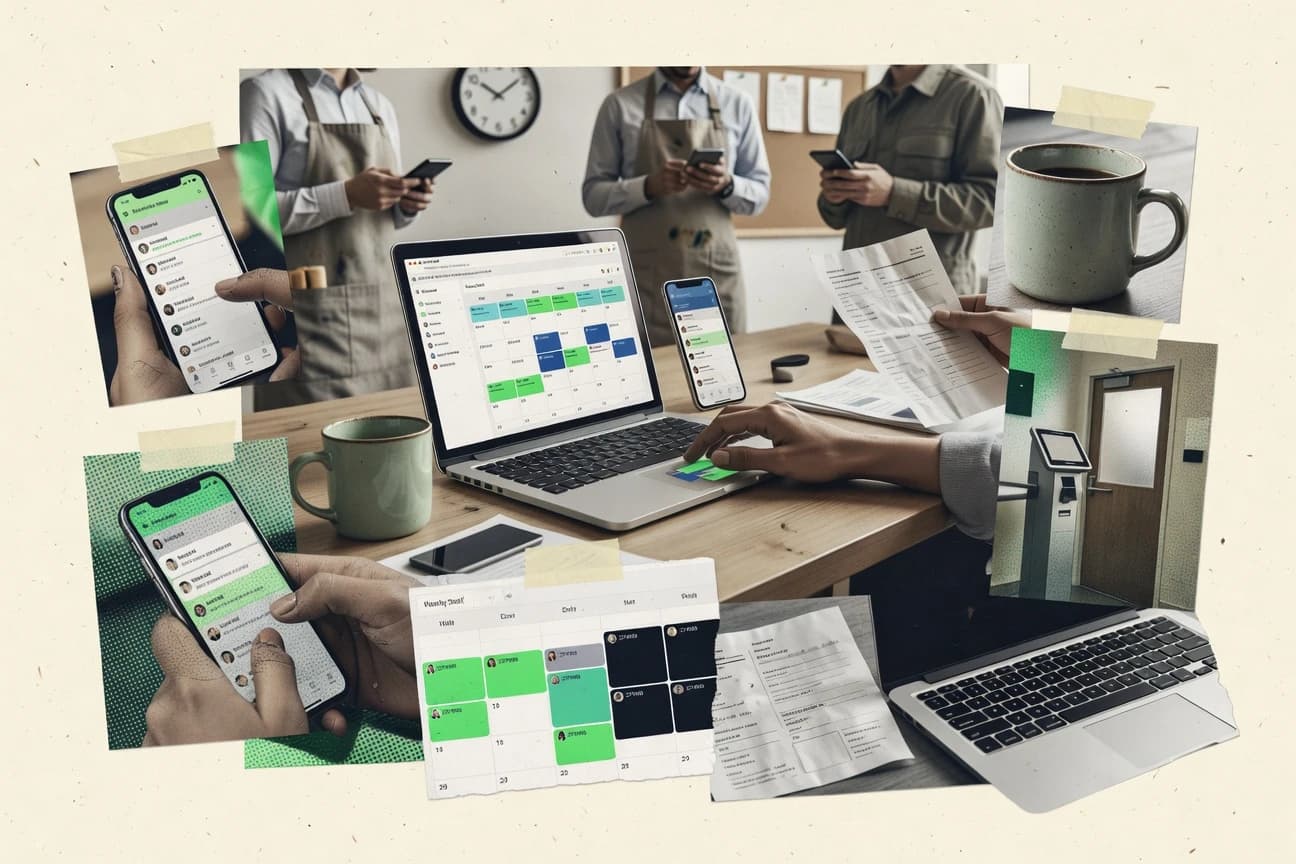
GITNUXSOFTWARE ADVICE
HR In IndustryTop 10 Best Employee Scheduling Online Software of 2026
Ranked roundup of employee scheduling online software for teams. Side-by-side comparisons of QuickBooks Time, ZoomShift, 7shifts, and more.

How we ranked these tools
Gitnux editors write the brief first: the topic, the inclusion rules, and the frame for what belongs.
Agents extract product evidence with provenance, then collect written reviews and transcribe video reviews and podcasts.
Framework: Features 40% · Ease 30% · Value 30%
Gitnux may earn a commission through links on this page — this does not influence rankings. Editorial policy
QuickBooks Time is the best pick when multi-location managers need shift scheduling tied to accurate time clocks and payroll-ready exports, while 7shifts fits operators running restaurant labor across locations with clear coverage visibility and swap approvals, and Clockify is a budget-friendly entry when you mainly need scheduling plus time connected.
Editor’s top 3 picks
Three quick recommendations before you dive into the full comparison below — each one leads on a different dimension.
QuickBooks Time
Geofenced time clocks connect clock-in events to location context used during payroll reconciliation.
Best for: Fits when multi-location managers need shift scheduling tied to accurate time clocks and payroll-ready exports.
ZoomShift
Editor pickApproval-based shift and time-off request workflow with centralized manager routing for published rosters.
Best for: Fits when multi-location teams need controlled weekly scheduling with approvals and predictable templates.
7shifts
Editor pickEmployee-facing shift swapping and open shift claiming workflows integrated with manager approvals to keep coverage updates controlled.
Best for: Fits when multi-location operators need schedule publishing, swaps, and approvals with clear daily coverage visibility.
Comparison Table
QuickBooks Time
SMBTime tracking and employee scheduling integrated with QuickBooks payroll.
Geofenced time clocks connect clock-in events to location context used during payroll reconciliation.
QuickBooks Time merges scheduling and time tracking so shift assignments and clock records follow a single employee identity across locations. Scheduling supports schedule templates, drag-and-drop shift building, and notifications tied to publish events. Time tracking includes geofenced time clocks, punch rounding rules, and automated overtime alerts that flag potential labor exceptions.
A notable tradeoff is that advanced labor compliance needs depend on careful rule configuration rather than a ready-made union rule engine. QuickBooks Time fits well when managers need consistent scheduling across multi-location teams and payroll export requires fewer manual reconciliations.
- +Geofenced clock-in links time capture to assigned location
- +Shift templates and drag-and-drop planning reduce scheduling churn
- +Overtime alerts and punch rules reduce manual review
- +Schedule publish notifications support consistent manager communications
- –Union-rule automation requires governance discipline and detailed setup
- –Open shift claiming workflow needs tighter admin configuration for control
- –Deep scheduling analytics depend on reporting configuration rather than built-in dashboards
Retail operations managers
Publish weekly rosters and handle time-off
Fewer last-minute coverage gaps
Multi-location workforce teams
Enforce location-based clocking
Cleaner time records
Show 2 more scenarios
Payroll and HR analysts
Apply punch and overtime rules
Faster payroll processing
Punch rounding and overtime alerts reduce manual exception handling before export.
Frontline supervisors
Rebalance shifts during staffing changes
Better schedule adherence
Supervisors adjust shifts with drag-and-drop and send publish notifications for updates.
Best for: Fits when multi-location managers need shift scheduling tied to accurate time clocks and payroll-ready exports.
ZoomShift
SMBOnline employee scheduling and time clock software for hourly teams.
Approval-based shift and time-off request workflow with centralized manager routing for published rosters.
ZoomShift covers core scheduling mechanics like drag-and-drop shift building, schedule publish notifications, and recurring templates that reduce repeated admin work. Manager approval routing helps keep posted rosters under control when employees submit change requests or time-off requests. The product also supports operational follow-through with audit-style activity visibility around schedule changes and approvals.
A tradeoff appears in automation depth, since advanced scheduling logic like union rule engines, fairness scoring, and complex labor compliance checks depend on structured configuration and process discipline. ZoomShift works well when teams need consistent weekly schedules across stores and can maintain standardized role definitions and availability rules. It is less ideal for organizations that expect highly customized rule evaluation for certification tracking or labor law compliance without additional configuration effort.
- +Recurring schedule templates reduce repeat setup for common staffing cycles
- +Manager approval routing adds control over shift change and time-off requests
- +Schedule publish notifications keep employees aligned after roster updates
- +Multi-location scheduling supports shared roles and coordinated posting
- –Advanced labor policy logic may require careful configuration to stay accurate
- –API and integration depth are not the primary focus for complex workflow automation
Store operations managers
Publish schedules with approval gate
Fewer last-minute schedule mistakes
Multi-location HR teams
Standardize staffing templates across sites
More consistent staffing
Show 1 more scenario
Shift coordinators
Handle change requests day-to-day
Faster schedule revisions
Shift coordinators review requests and update schedules without reverting to spreadsheets.
Best for: Fits when multi-location teams need controlled weekly scheduling with approvals and predictable templates.
7shifts
vertical specialistRestaurant employee scheduling and labor management software.
Employee-facing shift swapping and open shift claiming workflows integrated with manager approvals to keep coverage updates controlled.
7shifts provides a drag-and-drop schedule builder for creating and editing shifts, then publishing schedules to the team with clear visibility into assignments. Shift swapping and open shift claiming workflows are supported so employees can request coverage without waiting for manager email threads. Time-off request flows and availability constraints feed into approval routing so managers can decide with context rather than back-and-forth messaging.
A key tradeoff is that governance and specialized labor rules often require deliberate configuration, especially when multiple store policies differ. 7shifts fits teams that publish schedules on a regular cadence and need ongoing shift adherence, not just one-time planning.
- +Shift swapping and open shift claiming reduce manual coverage coordination
- +Recurring schedule templates speed up rolling schedule creation
- +Time-off request and availability workflows tie into manager approval routing
- +Coverage visibility helps managers spot gaps before shifts start
- –Governance requires careful setup when stores follow different policies
- –Advanced labor rule edge cases may require workarounds outside core automation
- –Some workflows depend on consistent manager approval habits to avoid churn
- –Cross-department scenarios can feel less structured than single-venue operations
Restaurant managers
Cover call-outs during busy weeks
Fewer uncovered shifts
Multi-location operations teams
Maintain consistent staffing templates
Quicker schedule turnaround
Show 2 more scenarios
Store schedulers
Process time-off and availability constraints
Less scheduling rework
Availability inputs and time-off requests feed approvals so staffing reflects constraints.
Workforce coordinators
Reduce coverage gaps after publishing
More stable staffing
Schedule adherence checks and notifications help managers respond to changes early.
Best for: Fits when multi-location operators need schedule publishing, swaps, and approvals with clear daily coverage visibility.
Deputy
SMBEmployee scheduling, time tracking, and task management platform.
Shift coverage visibility during planning, paired with approval routing for schedule edits and time-off requests.
Deputy is an employee scheduling solution that combines shift planning with operational workflows like time-off requests and time management. Its scheduling workspace supports drag-and-drop roster building, multi-location shift assignment, and publish-notification controls for managers.
- +Drag-and-drop scheduler with fast roster iteration and manager review
- +Time-off request workflow routes approvals against scheduled coverage
- +Role-based access controls separate editing, approvals, and attendance visibility
- +Payroll-ready export ties roster and timesheet outputs into one process
- –Shift templates need careful ownership to prevent inconsistent deployments
- –Advanced automation depends on setup discipline across managers and locations
- –Non-standard labor rules may require process workarounds outside native options
- –Complex multi-job scheduling can increase admin time to keep rules consistent
Best for: Fits when multi-location teams need roster publishing control plus time-off and timesheet workflows in one system.
Findmyshift
SMBBrowser-based employee scheduling tool with drag-and-drop shift management.
Approval-gated scheduling publishing that routes time-off and shift changes through manager review.
Findmyshift focuses on managing employee shift schedules and the workflows around shift changes, time-off requests, and manager approvals. Scheduling is handled through a builder that supports recurring templates and day-by-day assignment management.
- +Recurring schedule templates reduce repeat setup for steady work patterns
- +Manager approval routing supports controlled publishing before employee visibility
- +Shift change and time-off request workflows keep decisions inside the schedule tool
- +Notification triggers help staff act on updates and pending requests
- –Open shift claiming and bidding workflows can require explicit configuration
- –Payroll-ready export support is limited to basic output needs in many setups
- –Advanced labor rule automation for complex union logic is not a core emphasis
- –Multi-location rollups can be cumbersome for organizations with shared labor pools
Best for: Fits when mid-size teams need approval-driven scheduling workflows with recurring templates.
Connecteam
SMBEmployee management app with scheduling, time tracking, and communication.
Unified shift notifications and in-app staff messaging tied to published schedules, not separate communication modules.
Connecteam is a scheduling and workforce operations tool for teams that need staff rosters plus the workflows around staffing changes.
- +Schedule templates and recurring builds reduce manual roster editing
- +In-app shift messaging keeps managers and staff on the same thread
- +Mobile shift cards support quick check-ins for coverage and updates
- +Time-off request workflows integrate into the scheduling day-to-day
- –Shift swapping and bidding require clear manager process discipline
- –Coverage gap analysis is limited compared to dedicated scheduling platforms
- –Advanced labor rule engines for complex union rules are not a primary focus
- –Deep POS integration requires implementation work beyond core scheduling
Best for: Fits when teams need scheduling plus daily workforce workflows on mobile, with manager-controlled approvals.
Agendrix
SMBEmployee scheduling, time tracking, and communication software for small businesses.
Built-in manager approval routing for shift swaps and open-claim flows reduces unauthorized schedule edits.
Agendrix focuses on employee scheduling workflows that combine request handling, manager approvals, and schedule publishing in a single operational loop. The system supports schedule generation from templates and role-based assignment so staffing rules can be applied consistently across shifts.
- +Manager approval routing keeps shift changes auditable
- +Schedule templates reduce repeated build work across locations
- +Open shift claiming supports fast coverage for call-outs
- +Schedule publish notifications reduce stale shift communication
- –Complex constraint sets take time to configure correctly
- –Coverage gap analysis is less granular than niche scheduling suites
- –Certification tracking needs more setup effort for multi-role teams
- –API documentation and extensibility details are thinner than developer-first tools
Best for: Fits when mid-size employers need approval-driven shift changes with template-based schedules and consistent rule configuration.
Homebase
SMBScheduling, time tracking, hiring, and payroll tools for small businesses.
Schedule publishing tied to employee time clock activity to keep planned hours and punches aligned during daily operations.
Homebase is an employee scheduling system that connects shift planning with time tracking and basic HR workflows for hourly teams. It supports drag-and-drop scheduling, employee availability and time-off requests, and publishing schedules with manager review steps.
- +Drag-and-drop schedule builder with quick staffing edits
- +Employee availability and time-off request workflows reduce admin follow-ups
- +Integrated time clock supports punch capture alongside the roster
- +Coverage and attendance reporting supports schedule adherence conversations
- –Advanced scheduling rules like union engines require operational workarounds
- –API and automation depth is limited for complex data synchronization needs
- –Multi-location governance tools are basic for large orgs
- –Payroll exports can require mapping cleanup when roles vary by site
Best for: Fits when single-site or light multi-location teams need scheduling plus clocking in one workflow.
Shiftboard
enterpriseEnterprise shift scheduling for complex, high-volume labor operations.
Manager approval routing for schedule edits ties shift changes to governance before publishing, with audit-friendly exception tracking.
Shiftboard generates and publishes employee schedules with approval steps, shift templates, and role-based assignment workflows. The scheduling workflow supports common operational needs like time-off requests, open shift management, and manager routing for exceptions.
- +Approval routing for schedule changes reduces unmanaged exceptions
- +Schedule templates and reusable shift patterns cut repetitive setup work
- +Open shift workflows support controlled claiming and coverage fill rates
- +Reporting tools track adherence and exception activity by location and role
- –Advanced rules need careful configuration to avoid unexpected assignment outcomes
- –Integration coverage depends on add-ons for attendance, payroll, and POS workflows
- –Complex multi-location governance can require more admin time than simpler tools
- –Some workforce execution details require setup beyond basic shift publishing
Best for: Fits when multi-location teams need governed scheduling workflows with approvals, templates, and exception reporting.
Clockify
SMBTime tracking and scheduling platform with a generous free tier.
Schedule publish controls connect roster changes to the same time-reporting records used for payroll exports.
Clockify is designed around time tracking, then adds scheduling workflows for teams that want shift planning tied to actual logged hours.
- +Recurring schedule templates reduce repeat planning work
- +Publish workflow supports controlled schedule updates for staff
- +Time entries stay aligned with rostered shift activity
- +Export options support payroll handoff from worked hours
- –Advanced labor compliance rule engines are not the primary focus
- –Shift fairness metrics and analytics are limited for large multi-site teams
- –Approval routing for time-off and shift changes can feel basic
- –Automation coverage is narrower than tools built for demand scheduling
Best for: Fits when teams want shift schedules connected to time tracking and exports for payroll workflows.
Conclusion
After evaluating 10 employee scheduling online software, QuickBooks Time stands out as our overall top pick — it scored highest across our combined criteria of features, ease of use, and value, which is why it sits at #1 in the rankings above.
Use the comparison table and detailed reviews above to validate the fit against your own requirements before committing to a tool.
How to Choose the Right Employee Scheduling Online Software
This guide compares QuickBooks Time, ZoomShift, 7shifts, Deputy, and Findmyshift for online employee scheduling. It also covers Connecteam, Agendrix, Homebase, Shiftboard, and Clockify.
The comparison examines schedule templates, approval routing, shift changes, time clocks, coverage visibility, and payroll exports. QuickBooks Time ranks highest with a 9.1 overall score and connects geofenced time capture with payroll-ready scheduling workflows.
What Employee Scheduling Online Software Controls
Employee scheduling online software stores employee availability, builds rosters, publishes shifts, and routes schedule changes through manager workflows. Common functions include recurring schedule templates, time-off requests, shift notifications, and employee access to assigned work.
QuickBooks Time connects scheduled work with geofenced clock-ins and payroll-ready exports. Homebase combines a drag-and-drop schedule builder with employee clocking, availability records, and time-off requests.
Scheduling controls that reduce coverage gaps and keep approvals auditable
Employee scheduling online software has to do more than publish rosters. It has to coordinate shift changes, time-off requests, and time capture records so payroll exports stay aligned with the plan.
The strongest tools in this category separate planning from publishing and route changes through manager approvals. They also connect schedules to time clocks for reconciliation so planned hours and punches match at execution time.
Geofenced time capture linked to assigned work
QuickBooks Time links clock-in events to location context for payroll reconciliation using geofenced time clocks. This reduces rework when multi-location shift assignments need punch verification.
Approval-based workflow for shift and time-off changes
ZoomShift and Findmyshift route schedule publishes, time-off requests, and shift changes through manager approval steps. Deputy also combines approval routing with coverage visibility during planning so exceptions do not go live unnoticed.
Shift swapping and open shift claiming with controlled coverage updates
7shifts supports employee-facing shift swapping and open shift claiming with manager approvals to keep coverage updates governed. Agendrix focuses on manager approval routing for shift swaps and open-claim flows to limit unauthorized edits.
Drag-and-drop scheduling with reusable templates
Deputy and Homebase both use drag-and-drop schedule builders and schedule templates for faster roster iteration. QuickBooks Time also combines shift templates with drag-and-drop planning to reduce repeated setup work.
Schedule coverage visibility with exception handling
Deputy and Shiftboard provide shift coverage visibility during planning paired with approval routing. Shiftboard adds audit-friendly exception tracking when governance blocks an edit from reaching the published roster.
Unified in-app staff messaging attached to published schedules
Connecteam ties schedule publishing to unified shift notifications and in-app staff messaging instead of splitting communication into separate tools. This design supports daily execution workflows that run directly from roster changes.
Publish controls that bind roster edits to time reporting used for payroll exports
Clockify connects schedule publish controls to the same time-reporting records used for payroll exports. This keeps schedule updates tied to the records that payroll workflows consume.
How to choose Employee Scheduling Online Software with the right governance and automation surface
Choice hinges on how schedule edits become official and how the system ties planning to the records payroll and compliance teams use. Tools that separate approvals from publishing reduce unauthorized schedule changes and make exceptions traceable.
The second hinge is integration and automation depth. QuickBooks Time emphasizes geofenced time clocks and payroll-ready exports, while other tools prioritize approval routing, coverage visibility, or staff communications.
Start with the approval model for roster edits
Select ZoomShift or Findmyshift when schedule publishing and time-off request workflows must be gated by manager approvals. Choose 7shifts or Agendrix when shift swapping and open-claim flows must still require approval before coverage updates are finalized.
Pick the schedule builder approach that matches day-to-day planning volume
Choose Deputy or Homebase when teams need fast drag-and-drop roster iteration with reusable schedule templates. QuickBooks Time is a stronger fit when drag-and-drop planning must connect to location-aware clocking for payroll reconciliation.
Decide how multi-location time capture should influence scheduling and exports
If shifts differ by location and payroll reconciliation must use location context, choose QuickBooks Time for geofenced time clocks. If payroll linkage is more about binding publish actions to the records used for exports, choose Clockify for publish controls connected to time reporting records.
Validate coverage visibility and exception reporting for your manager workflow
Choose Deputy when shift coverage visibility during planning plus approval routing is required to prevent unmanaged exceptions. Choose Shiftboard when exception tracking needs to be audit-friendly alongside governance gates.
Check whether staffing execution needs messaging tied to the roster
Choose Connecteam when shift notifications and in-app staff messaging must follow published schedules and stay in the same workflow. Choose tools like Deputy or 7shifts when coverage coordination and approval routing are the primary daily workflows.
Stress test edge-case rules before rolling out across locations
Use 7shifts or Deputy to model store-specific policy differences since governance requires careful setup when locations follow different rules. Use QuickBooks Time or Deputy to test union-rule automation and advanced labor logic so rule configuration does not create unexpected assignment outcomes.
Who Employee Scheduling Online Software buyers should target
Operations teams that manage shift coverage, time-off requests, and publish controls will get the most value from software that keeps changes governed and traceable. Buyers should map their approval steps and time capture workflows to the product design used by the tools.
Multi-location organizations and teams that rely on payroll exports tied to time capture records should prioritize products that connect scheduling decisions to clocking and export workflows.
Multi-location managers running payroll reconciliation by location
QuickBooks Time fits when location-aware clock-in events must support payroll reconciliation and scheduled work assignments. Its geofenced time clocks connect time capture context to the assigned location.
Retail and service operators coordinating swaps and open shifts with approvals
7shifts and Agendrix support employee-facing shift swapping and open-claim flows while keeping manager approval routing in the loop. This design limits uncontrolled coverage changes after publishing.
Supervisors who need schedule edits governed before employee visibility
ZoomShift and Findmyshift route shift and time-off changes through manager review before publishing. This supports predictable weekly scheduling and controlled roster visibility.
Teams that want day-of-work execution messaging attached to rosters
Connecteam matches teams that need unified shift notifications and in-app staff messaging tied to published schedules. Coverage gap analysis is less granular than scheduling-first suites, so it works best where day-to-day execution communication matters most.
Workforces that treat time reporting as the anchor for payroll exports
Clockify fits when schedule publish actions must connect to the same time-reporting records used for payroll exports. The schedule is the control surface, but payroll alignment depends on those time records.
Common pitfalls when implementing Employee Scheduling Online Software
Many failures come from letting planning workflows drift away from the approval and time capture systems that payroll and managers rely on. Another frequent issue is deploying templates and labor logic without defining ownership across locations.
Avoid building coverage workflows that cannot explain why a shift changed or why an edit was blocked from publishing.
Allowing schedule edits without enforcing a governed publish workflow
Use approval routing features in Deputy, ZoomShift, or Shiftboard so roster changes require manager review before employees see updates. This prevents unmanaged exceptions that appear after publishing.
Treating schedule templates as universal when policies differ by location
Deputy and 7shifts both require careful ownership of templates when different stores follow different policies. Assign policy owners per location before rolling out recurring schedule templates.
Skipping validation of advanced labor logic during configuration
QuickBooks Time and ZoomShift can require governance discipline for union-rule automation and complex labor policy logic. Run test schedules that cover shift differentials and edge cases before releasing templates to staff.
Decoupling schedule changes from time reporting records used for exports
Clockify and QuickBooks Time explicitly bind publish controls or clock-in context to records used for payroll exports. If other tools are added without a clear time capture mapping, payroll-ready exports can diverge from the published roster.
Over-relying on coverage analysis when the platform prioritizes messaging instead
Connecteam provides schedule templates and shift messaging but offers limited coverage gap analysis compared to dedicated scheduling tools. For teams that need deep coverage analytics, confirm the planning metrics required for adherence before rollout.
How We Selected and Ranked These Tools
We evaluated QuickBooks Time, ZoomShift, 7shifts, Deputy, Findmyshift, Connecteam, Agendrix, Homebase, Shiftboard, and Clockify against scheduling controls that impact coverage gaps, approval routing, and execution time capture. Features counted for 40% of the score by measuring capabilities like geofenced time clocks, approval-based shift and time-off workflows, and template-driven planning.
Ease and value each counted for 30% by checking how quickly managers can publish governed rosters and how much operational friction shows up in daily schedule edits. QuickBooks Time ranked highest because geofenced time clocks connect location-aware clock-in events to payroll reconciliation while keeping scheduling templates and drag-and-drop planning aligned with export workflows.
Frequently Asked Questions About Employee Scheduling Online Software
How do QuickBooks Time and Homebase connect scheduling to payroll-ready time data?
When do teams use approval routing for schedule publishing in ZoomShift, Deputy, or Findmyshift?
Which tool best supports open shift claiming with controlled coverage updates?
What breaks if shift swaps are allowed without governance controls in Agendrix or Shiftboard?
How do geofenced clock-ins affect scheduling accuracy in QuickBooks Time compared with tools without location-aware clocks?
How do scheduling templates and recurring workflows differ between 7shifts and Connecteam?
How do API and integration options typically show up for Deputy versus QuickBooks Time?
When does schedule governance matter more for multi-location teams in ZoomShift or Deputy?
What technical workflow problem does Connecteam solve by tying notifications to published schedules?
How do schedule publish controls and time-reporting alignment differ in Clockify versus systems built for complex labor rules?
Tools reviewed
Primary sources checked during evaluation.
Referenced in the comparison table and product reviews above.
- HR In IndustryTop 10 Best Scheduling Employee Software of 2026
- HR In IndustryTop 10 Best Employee Shift Scheduling Software of 2026
- HR In IndustryTop 10 Best Employee Self Scheduling Software of 2026
- HR In IndustryTop 10 Best Automated Employee Scheduling Software of 2026
- Food Service RestaurantsTop 10 Best Restaurant Employee Scheduling Software of 2026
Keep exploring
Comparing two specific tools?
Software Alternatives
See head-to-head software comparisons with feature breakdowns, pricing, and our recommendation for each use case.
Explore software alternatives→In this category
HR In Industry alternatives
See side-by-side comparisons of hr in industry tools and pick the right one for your stack.
Compare hr in industry tools→