GITNUXSOFTWARE ADVICE
HR In IndustryTop 10 Best Employee Records Management Software of 2026
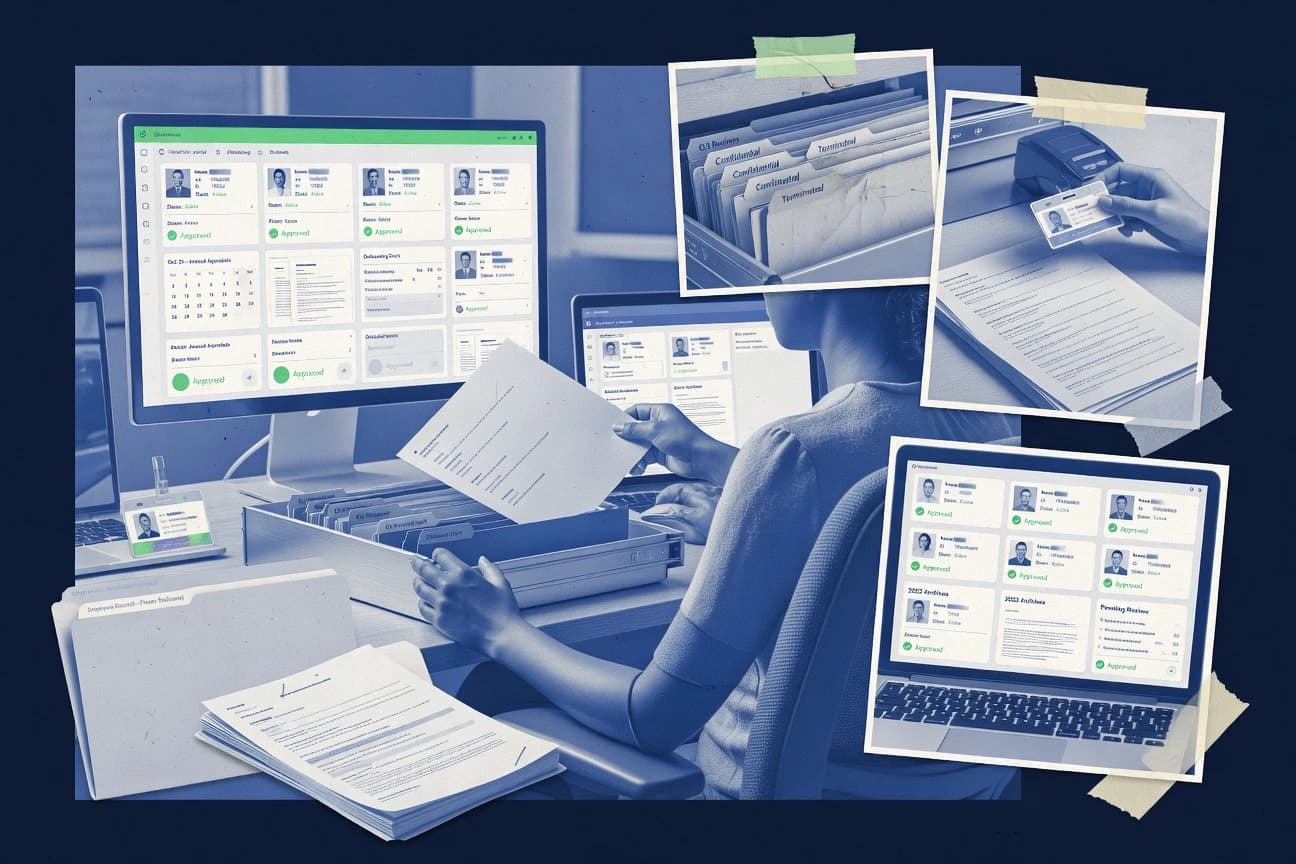
Top 10 employee records management software ranked with criteria and tradeoffs for HR teams. Includes Hibob, Zoho People, and Charlie HR.

How we ranked these tools
Before any source is gathered, an editor locks the question, what qualifies, and how the piece will be judged.
Search agents gather the source set and the review record, including transcriptions of video reviews and podcasts.
Framework: Features 40% · Ease 30% · Value 30%
Gitnux may earn a commission through links on this page — this does not influence rankings. Editorial policy
Hibob is the best fit for teams that need governed employee record workflows with controlled document changes, whereas Workday works better when you require tightly governed personnel file lifecycle control tied to HR events and enterprise scale.
Editor’s top 3 picks
Three quick recommendations before you dive into the full comparison below — each one leads on a different dimension.
Hibob
Employee record actions run through configurable workflows with auditable approval paths.
Best for: Fits when HR needs governed employee record workflows and controlled document changes.
Zoho People
Editor pickDocument request and approval flows bound to employee profiles using configurable HR forms.
Best for: Fits when HR teams need configurable employee records workflows inside the Zoho ecosystem.
Charlie HR
Editor pickWorkflow automation that triggers onboarding and offboarding record steps based on employee status changes.
Best for: Fits when HR teams need controlled employee document workflows across hiring and terminations.
Comparison Table
Hibob
SMBA modern HRIS platform designed to centralize employee records and improve workforce engagement.
Employee record actions run through configurable workflows with auditable approval paths.
Hibob focuses on personnel record workflows, including creation, update, and closure activities tied to employee profiles. Document handling supports versioned file updates with audit visibility on record changes, which helps keep a defensible history during policy and compliance reviews. The configuration surface includes permissions controls and governed processes for HR actions, which supports segregation of duties across HR operations and managers.
A tradeoff is that deeper automation depends on clean integration mappings between Hibob and the connected HR or identity systems. Teams that already run workflows in adjacent tools often need an upfront design pass for which fields and documents remain system-of-record. Hibob fits when HR needs controlled record change flows instead of ad hoc file uploads and email-based approvals.
- +Workflow-driven document updates tied to employee profiles
- +Role-based access supports separation of duties for HR actions
- +Change history visibility supports consistent record governance
- +Integration hooks reduce manual data reentry across HR tools
- –Automation design requires upfront field and process mapping
- –Advanced reporting depends on export or integration paths
- –Bulk data moves can be slower when reconciliation rules are strict
HR operations teams
Manage contract and form updates
Lower approval errors
IT and identity teams
Integrate HR records with identity sources
Fewer data discrepancies
Show 2 more scenarios
Compliance and governance
Maintain controlled change history
Stronger audit readiness
Preserves who changed records and when for reviewable personnel file history.
People managers
Request record updates with access limits
Faster, controlled updates
Submits actions through defined processes while respecting record visibility rules.
Best for: Fits when HR needs governed employee record workflows and controlled document changes.
Zoho People
SMBA cloud-based HRIS offering employee record management and time tracking within the Zoho ecosystem.
Document request and approval flows bound to employee profiles using configurable HR forms.
Zoho People centralizes employee records with role and policy-driven workflows for onboarding, updates, and offboarding records closure. It provides configurable fields and HR documents tied to employee profiles, plus approval steps for common HR requests. Reporting and exports help with EMF-style record snapshots and bulk data handling for downstream systems.
A tradeoff is that Zoho People’s records depth depends on how HR forms and document templates are configured, so gaps in governance show up as workflow omissions. It fits a mid-size company that needs employee profile maintenance with controlled request approvals more than it needs complex classification taxonomies for retained documents.
- +Configurable employee profile fields for tailored HR records entry
- +Approval workflows for HR documents tied to employee profiles
- +Export-oriented reporting for ongoing HR record reviews
- +Works well when other Zoho apps already exist in operations
- –Records retention and legal hold depth needs additional process design
- –Complex document versioning depends on template discipline
- –Advanced reconciliation for imports often requires manual QA steps
- –Granular record-level access needs careful role mapping
HR operations teams
Manage onboarding and profile updates
Fewer missed updates
People analytics teams
Export employee records snapshots
Consistent record snapshots
Show 1 more scenario
IT and security admins
Control access for HR requests
Controlled HR access
Use Zoho account permissions and workflow roles to limit who can view or approve HR record actions.
Best for: Fits when HR teams need configurable employee records workflows inside the Zoho ecosystem.
Charlie HR
SMBA lightweight HR tool for small teams to store employee records and manage onboarding.
Workflow automation that triggers onboarding and offboarding record steps based on employee status changes.
Charlie HR organizes employee records around a controlled document set per employee so HR can manage what gets stored, who can view it, and when changes occur. Document uploads support common office formats like PDF and DOCX, and the product tracks edits so teams can review what changed over time. Administrators can configure role-based access for record viewing and editing, which helps segregation of duties between HR administrators, managers, and employees.
The main tradeoff is that teams with highly custom retention logic and bespoke legal workflows may need configuration effort to match every jurisdictional scenario. Charlie HR fits best when HR operations need consistent document handling for hires, periodic updates, and terminations using the same routing and checklist patterns.
- +Employee-centric record folders reduce document scattering across HR tools
- +Version history and change tracking support internal review of document edits
- +Role-based access controls separate HR data permissions by responsibility
- +Workflow automation ties onboarding and offboarding to required documents
- –Advanced retention and legal hold patterns can require more governance work
- –Complex custom indexing rules may take time to map to existing HR taxonomy
- –Large migrations need staging to avoid mismatched document metadata
- –Some downstream use cases depend on integration projects for full interoperability
HR operations teams
Standardize hiring document collection
Fewer missing items
Compliance and HR governance
Maintain audit-ready document changes
Cleaner audit responses
Show 2 more scenarios
HRIS integration teams
Manage bulk import reconciliation
Reduced migration rework
Bulk onboarding imports help align document sets with employees while flagging metadata mismatches.
People managers
Access HR files with boundaries
Controlled visibility
RBAC limits which record documents managers can view versus HR administrators.
Best for: Fits when HR teams need controlled employee document workflows across hiring and terminations.
Cezanne HR
SMBA configurable HR management system for international employee records and core HR processes.
Configurable document templates tied to employee records and approval workflows, keeping updates consistent across the personnel file lifecycle.
Cezanne HR manages employee records around a personnel file lifecycle with configurable document templates, workflow approvals, and retention-oriented organization. It supports HRIS interoperability through integrations that move employee and document data while keeping record ownership aligned to staff profiles.
- +Workflow-based document approvals for personnel file updates
- +Document versioning with clear change tracking
- +Granular access controls for record views and actions
- +Employee record indexing that accelerates retrieval
- –Advanced retention mappings can require HR process design
- –Bulk imports need reconciliation steps to avoid profile mismatches
- –Some governance workflows depend on consistent template usage
- –Audit depth for every downstream document action varies by integration
Best for: Fits when HR teams need governed personnel file lifecycles with document workflows and traceable changes.
BrightHR
SMBA personnel management tool for small businesses to store employee records and track absences.
BrightHR’s permissions model controls employee record and document access by user role, supporting segregation of duties in day-to-day HR operations.
BrightHR manages employee records through a structured personnel file workflow, including document storage and lifecycle steps for hires, changes, and leavers. Admin users can configure what staff can view, and HR can keep a consistent audit trail of document edits and key record updates.
- +Personnel record lifecycle includes document steps for leavers and renewals
- +Role-based permissions limit HR data access by function and user role
- +Bulk upload supports onboarding and record migration staging workflows
- +Activity and change history helps trace who updated documents and fields
- –API surface is documentation-first, so deeper integrations need engineering work
- –Advanced retention mapping and legal holds require careful configuration discipline
- –Document governance relies on consistent naming and indexing practices
- –eDiscovery-style search across document metadata is limited versus specialist tools
Best for: Fits when HR needs controlled employee records workflows with audit history and strong document handling for common HR lifecycle events.
Gusto
SMBA payroll and benefits platform with built-in employee record management for small businesses.
Status-driven offboarding workflow that coordinates record closure with employment lifecycle events inside the payroll experience.
Gusto is a payroll-first HR system that also handles employee records, so it fits teams that want personnel files managed inside their payroll workflow. The employee records experience centers on employee profiles, document storage, and offboarding closure steps that stay tied to employment status.
- +Employee profiles and document capture stay linked to payroll onboarding and changes
- +Offboarding steps help close out records using employment status triggers
- +Admin roles control who can view or manage HR record data
- +Integration and API support enable data sync with HR and back-office systems
- –Records retention workflows and legal hold tooling are not positioned as a full RM module
- –Deep record classification taxonomy and versioned personnel file history are limited
- –Audit trail depth for every document-level change is narrower than dedicated eDiscovery-focused systems
- –Bulk import reconciliation and migration staging are not built to handle complex reconciliation cycles
Best for: Fits when payroll-driven teams need personnel records, documents, and offboarding closure in one HR workflow.
Rippling
SMBA unified workforce platform combining HR records management with IT device management.
Event-linked employee record workflows that update files and permissions automatically during lifecycle transitions.
Rippling manages employee records as part of its broader HR and lifecycle automation, so personnel file actions can be triggered by employment events.
- +Event-driven workflows connect HR record actions to hire and termination
- +API-first integrations support automated record and permissions updates
- +Role-based access control limits who can view and manage specific records
- +Audit trails track record-linked changes for personnel files and metadata
- –Document taxonomy and retention mapping require deliberate admin configuration
- –Bulk import reconciliation tooling is limited for complex source mismatches
- –eDiscovery-style retrieval workflows need additional workflow design
- –Cross-system record lineage for subject rights depends on integration coverage
Best for: Fits when mid-market HR teams need automation-driven personnel records with API-integrated controls.
Sage HR
SMBA cloud-based HR solution managing employee records and shift scheduling.
Workflow-driven personnel file updates that keep each employee document attached to the right lifecycle event.
Sage HR is an employee records management system built to centralize personnel documents, employment data, and lifecycle events in one place. It provides configurable record workflows for onboarding, changes, and offboarding so HR can keep personnel files consistent across the employee lifecycle.
- +Employee-linked records and workflow steps for onboarding, changes, and offboarding
- +Change history visibility for document and employee record edits
- +Configurable access to employee files by HR roles and responsibilities
- +Bulk record handling supports migration and ongoing reconciliation needs
- –Legal hold and eDiscovery workflow coverage is limited compared with record-first suites
- –Advanced retention mapping and legal taxonomy rules need tighter governance discipline
Best for: Fits when mid-size HR teams need employee-linked personnel files with controlled workflows and documented edits.
Workday
enterpriseAn enterprise platform offering global human capital management and financial management capabilities.
Workday security model with configurable permissions and audit trails for personnel record access and updates.
Workday manages employee master records by tying personnel changes to events like hires, transfers, and separations. The solution stores HR documents in structured personnel file workflows with retention controls and audit-ready change histories.
- +Personnel file workflows connect documents to lifecycle events
- +Audit trails track record changes across HR processes
- +API-driven integrations support consistent EMF updates
- +Role-based access control supports segregation of HR data
- –Complex configurations require strong HR data governance
- –Some records retention mappings depend on disciplined setup
- –Bulk import reconciliation can require careful staging
- –eDiscovery and legal hold workflows need integration design
Best for: Fits when HR needs tightly governed personnel file lifecycle control tied to events.
UKG
enterpriseA comprehensive enterprise suite combining workforce management and human resources data systems.
Record lifecycle governance combines document handling with audit trails tied to employee record indexing and access rules.
UKG is an employee records management and HR data hub used by mid-market and enterprise HR teams that need governed personnel file lifecycle handling. UKG centralizes employee record indexing across hire, change, and termination events, then routes documents through defined access rules and audit trails.
- +Employee record indexing supports end-to-end personnel file lifecycle events
- +Governed access controls align to role-based segregation needs for HR data
- +Audit trails help trace record changes and document actions over time
- +API surface supports integration, provisioning, and external synchronization workflows
- –Legal hold management and eDiscovery workflows are not as granular as specialized ERM systems
- –Records classification taxonomy requires deliberate configuration to match retention schedules
- –Bulk import reconciliation and migration staging take governance work to avoid data mismatches
- –Advanced document governance depends on training for HR operations teams
Best for: Fits when HR teams need governed personnel records lifecycle, audit trails, and integration support across HR systems.
Conclusion
After evaluating 10 employee records management software, Hibob stands out as our overall top pick — it scored highest across our combined criteria of features, ease of use, and value, which is why it sits at #1 in the rankings above.
Use the comparison table and detailed reviews above to validate the fit against your own requirements before committing to a tool.
How to Choose the Right Employee Records Management Software
Employee records management software centralizes HR documents and personnel file updates around employee profiles, lifecycle events, and governed access so teams can control who changes records and how those changes are tracked. This buyer’s guide covers Hibob, Zoho People, Charlie HR, Cezanne HR, BrightHR, Gusto, Rippling, Sage HR, Workday, and UKG.
The reviews that follow map each product to record actions that trigger workflows, approval paths, and audit trails tied to employee records. The strongest implementations also show extensibility through configuration and automation, with Hibob leading on workflow-driven document updates that run through auditable approval paths.
Employee Records Management Software for governed personnel file lifecycle control
Employee records management software manages personnel files as a lifecycle-connected set of documents and record entries, including controlled edits, document version history, and access rules tied to employee profiles. Hibob uses configurable workflows that route employee record actions through auditable approval paths, and it ties those updates to the employee record context.
Many teams also use workflow automation to link document steps to onboarding, changes, and offboarding, so record closure and indexing follow employment status transitions instead of manual HR handoffs. Charlie HR emphasizes workflow automation that triggers onboarding and offboarding record steps based on employee status changes, and it maintains version history and change tracking for edits under employee-centric record folders.
Evaluation criteria for employee records management
Employee records management software must tie document actions to employee profiles so HR can control what changes and when those changes occur. Tools with configurable workflows and auditable approval paths make record edits measurable and assignable to specific roles.
Workflow-driven record updates with auditable approval paths
Hibob runs employee record actions through configurable workflows with auditable approval paths. Charlie HR automates onboarding and offboarding record steps from employee status changes and tracks version history and edits.
Employee-profile document request and approval flows
Zoho People binds document request and approval flows to employee profiles using configurable HR forms. Cezanne HR uses configurable document templates tied to employee records and approval workflows to keep updates consistent across the personnel file lifecycle.
Governed access control aligned to segregation of duties
BrightHR uses a permissions model that controls employee record and document access by user role. Workday provides a configurable security model with permissions and audit trails for personnel record access and updates.
Event-driven lifecycle automation for record actions
Rippling links employee record workflows to lifecycle transitions so files and permissions update automatically. Gusto coordinates status-driven offboarding that closes records tied to employment lifecycle events in the payroll experience.
Personnel file versioning and change history visibility
Cezanne HR includes document versioning with clear change tracking for personnel file updates. Sage HR provides change history visibility for document and employee record edits.
Retention, legal hold, and eDiscovery workflow depth
Hibob emphasizes governed document workflows and approval paths that support controlled record change processes. Zoho People and Sage HR both show limited depth for retention and legal hold or eDiscovery workflows and push teams toward additional governance work.
How to choose Employee Records Management Software
The primary decision is whether record handling should be modeled as governed workflows with approvals or as lifecycle-triggered automation tied to HR events. A second decision is how much governance depth is required for retention, legal hold, and eDiscovery workflows versus what can be handled by configuration and process discipline.
Model record edits as approvals first, or as event automation first
Choose Hibob if record updates must route through configurable workflows with auditable approval paths connected to employee profiles. Choose Charlie HR if onboarding and offboarding record steps must trigger from employee status changes and maintain version history tied to employee-centric record folders.
Pick the template and request experience that matches HR document throughput
Choose Zoho People when HR forms need to drive document requests and approvals bound to employee profiles inside the Zoho ecosystem. Choose Cezanne HR when personnel file updates must follow controlled document templates tied to employee records and approval workflows.
Validate role segregation with the permissions model used in day-to-day HR
Choose BrightHR when the day-to-day requirement is role-based permissions that limit access to employee records and documents for segregation of duties. Choose Workday when the organization needs configurable permissions and audit trails across HR processes with stronger governance expectations.
Stress test lifecycle-driven indexing and permissions updates
Choose Rippling when lifecycle transitions must automatically update files and permissions through event-driven workflows and when API-first integration is a core control mechanism. Choose UKG when employee record indexing needs to align end-to-end with lifecycle events and governed access rules.
Confirm retention, legal hold, and eDiscovery fit against governance scope
Choose Hibob when guided document workflows and approval trails cover the majority of controlled record-change governance needed for the personnel file lifecycle. Choose products like Gusto or Sage HR with limited legal hold and eDiscovery coverage only if governance scope stays inside workflows and offboarding closure rather than requiring granular ERM-grade legal controls.
Who needs Employee Records Management Software
HR teams need employee records management software when personnel files must be updated under controlled workflows tied to employee profiles and tracked with change history. Legal, HR operations, and security teams need the same systems when access rules, approvals, and document lifecycle steps must align to segregation of duties and audit requirements.
HR operations teams running onboarding and offboarding at scale
Charlie HR and Gusto both connect onboarding and offboarding record steps to employee status transitions so record closure and lifecycle steps do not depend on manual HR handoffs.
Enterprises that require governed document edits with approval trails
Hibob routes employee record actions through configurable workflows with auditable approval paths, which supports governed document updates tied to employee profiles.
Organizations enforcing segregation of duties for HR data access
BrightHR provides role-based permissions that restrict employee record and document access by user role, while Workday adds configurable permissions and audit trails for personnel record access and updates.
Mid-market teams integrating HR lifecycle controls into broader systems
Rippling emphasizes API-first integrations and event-driven workflows that update files and permissions automatically during lifecycle transitions.
Common pitfalls in employee records management deployments
Many failures come from under-scoping governance and under-planning configuration work for record classification, templates, and approval routing. Other failures come from expecting retention and legal hold depth to work the same way as workflow approvals when the product focuses on workflow and document control first.
Building workflows without mapping required fields and approval steps up front
Hibob highlights that automation design requires upfront field and process mapping, so teams should define the record inputs and approval path ownership before rollout.
Assuming retention and legal hold depth matches workflow depth
Zoho People and Sage HR both position retention and legal hold or eDiscovery coverage as less granular than record-first suites, so governance requirements should be validated against legal workflow scope early.
Treating taxonomy and document indexing rules as a quick configuration task
Charlie HR notes that complex custom indexing rules can take time to map to an existing HR taxonomy, so teams should plan taxonomy migration and naming alignment before switching lifecycle operations.
Underestimating integration effort when API depth is documentation-first
BrightHR calls out a documentation-first API surface, so deeper integrations should be treated as engineering work rather than a configuration-only task.
How We Selected and Ranked These Tools
We evaluated each tool by workflow-driven record handling, configurability, and the presence of auditable approval paths tied to employee profiles. Features weighed 40% of the ranking because Hibob scores 9.7 For features and centers approvals in configurable employee record workflows.
Ease and value each weighed 30% because implementations often hinge on how quickly HR teams can set up employee-centric record actions, like Zoho People’s profile-bound HR forms and Charlie HR’s status-driven onboarding and offboarding steps. Hibob ranked highest because it combines workflow-driven document updates with auditable approval paths and role-based access support for segregation of duties in HR actions.
Frequently Asked Questions About Employee Records Management Software
How do employee records management platforms handle personnel file lifecycle changes from hire to offboarding?
Which system makes it easiest to bind document requests and approvals directly to an employee profile?
What API or integration patterns are commonly used to sync employee records with HRIS and downstream apps?
How is SSO implemented, and what security controls typically exist around record access?
What happens during data migration when employee records already exist across multiple tools?
How do access request workflows work when employees or HR users need documents or record actions?
Where does employee records management software fall short when organizations need strict audit trail immutability for edits?
How do versioning and change history tracking differ across document lifecycle workflows?
What breaks if HR teams do not align workflow configuration with offboarding closure and termination steps?
Tools reviewed
Primary sources checked during evaluation.
Referenced in the comparison table and product reviews above.
Funding and competing interests
This study was co-funded by several of the vendors assessed in it. No single vendor funded it. Funders could propose the market studied.
They had no role in selecting vendors, setting or weighting criteria, analysing data or drawing conclusions, and they received the same factual-accuracy check as every other vendor assessed.
Market definition, inclusion rules and criteria weights were fixed by an editor before research began and did not change afterwards. Editorial process →
- HR In IndustryTop 10 Best Employee Records Software of 2026
- Non Profit Public SectorTop 10 Best Public Records Management Software of 2026
- Emergency DisasterTop 10 Best Fire Department Records Management Software of 2026
- HR In IndustryTop 10 Best Employee Screen Recording Software of 2026
- Education LearningTop 10 Best Student Health Records Software of 2026
Keep exploring
Comparing two specific tools?
Software Alternatives
See head-to-head software comparisons with feature breakdowns, pricing, and our recommendation for each use case.
Explore software alternatives→In this category
HR In Industry alternatives
See side-by-side comparisons of hr in industry tools and pick the right one for your stack.
Compare hr in industry tools→