
GITNUXSOFTWARE ADVICE
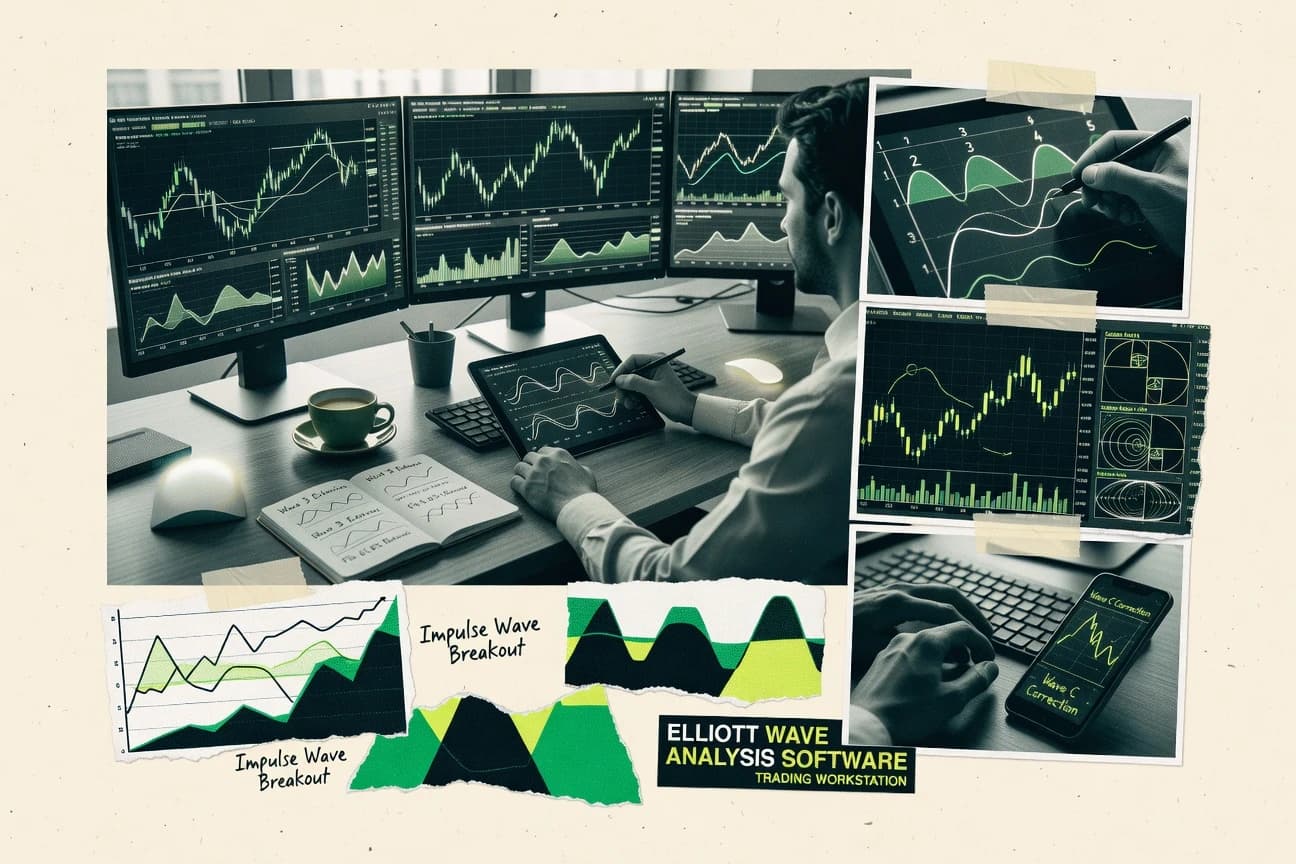
Finance Financial ServicesTop 10 Best Elliott Wave Analysis Software of 2026
Top 10 ranking of elliott wave analysis software tools with feature and review comparisons for traders using MTPredictor, TradingView, or ProRealTime.

How we ranked these tools
Core product claims cross-referenced against official documentation, changelogs, and independent technical reviews.
Analyzed video reviews and hundreds of written evaluations to capture real-world user experiences with each tool.
AI persona simulations modeled how different user types would experience each tool across common use cases and workflows.
Final rankings reviewed and approved by our editorial team with authority to override AI-generated scores based on domain expertise.
Score: Features 40% · Ease 30% · Value 30%
Gitnux may earn a commission through links on this page — this does not influence rankings. Editorial policy
MTPredictor is the best fit for active Elliott Wave traders who want automated counts and rule-based trade setups on desktop charts, whereas TradingView suits analysts who prefer manual Elliott studies and shared, scriptable chart work, and MotiveWave is the better low-cost entry if you need dedicated wave labeling with rule checks and Fibonacci time projections.
Editor’s top 3 picks
Three quick recommendations before you dive into the full comparison below — each one leads on a different dimension.
MTPredictor
Probability-based setup engine links detected wave structures with predefined entry, stop, and target conditions.
Built for fits when active Elliott Wave traders want automated counts and rule-based trade setups on desktop charts..
TradingView
Editor pickPine Script and the public script library support custom, inspectable indicators for specialized wave-count workflows.
Built for fits when analysts need manual Elliott studies, custom Pine Script indicators, and shared chart review in one workspace..
ProRealTime
Editor pickIntegrated ProBuilder, ProBacktest, and ProOrder stack connects custom code, historical tests, and automated execution in one workspace.
Built for fits when traders need manual wave studies connected to screening, testing, and automated execution..
Comparison Table
MTPredictor
vertical specialistTrading software that combines Elliott Wave principles with setup identification and risk management.
Probability-based setup engine links detected wave structures with predefined entry, stop, and target conditions.
MTPredictor evaluates wave relationships, projected price levels, and setup conditions within a single charting workflow. Traders can review proposed counts, modify labels, compare alternate interpretations, and define invalidation points before considering an entry. The software also supports chart analysis across multiple timeframes and provides tools for historical market review.
The main tradeoff is a desktop-first interface that requires analyst review of automated counts and separate market-data configuration. That design suits active traders who screen several instruments, validate candidate setups, and apply consistent entry, stop, and target rules before placing orders.
- +Automated pattern recognition reduces manual chart marking.
- +Probability-based setup scoring supports consistent trade selection.
- +Fibonacci tools cover price relationships and projected targets.
- +Supports several external market-data feed connections.
- –Windows desktop deployment limits browser and mobile access.
- –Feed configuration can require separate vendor setup.
- –Public API and granular team controls are not core features.
- –Automated counts still require experienced analyst review.
Futures swing traders
Scanning daily futures charts
Faster setup screening
Independent technical analysts
Comparing alternative wave counts
More consistent analysis
Show 1 more scenario
Trading educators
Demonstrating repeatable chart analysis
Clearer instruction
Desktop charts show how pattern rules, projected levels, and invalidation points shape a trade plan.
Best for: Fits when active Elliott Wave traders want automated counts and rule-based trade setups on desktop charts.
TradingView
SMBWeb-based charting platform with Elliott Wave drawing tools, indicators, scripting, and market data.
Pine Script and the public script library support custom, inspectable indicators for specialized wave-count workflows.
TradingView supports separate wave counts across intervals through flexible chart layouts and synchronized symbol changes. Pine Script can calculate indicators, trigger alerts, and backtest strategies. Public scripts provide readable implementations when authors expose their source code.
The main tradeoff is manual interpretation because TradingView does not natively validate wave rules or generate automatic counts. Analysts can review historical moves with Bar Replay and publish annotated charts for peer feedback. The workflow suits traders who combine Elliott studies with broader technical analysis instead of seeking a dedicated counting engine.
- +Native Elliott drawing tools cover impulse and corrective structures.
- +Pine Script supports custom indicators, alerts, and strategy backtesting.
- +Bar Replay supports bar-by-bar review of historical price action.
- +A large public script library adds alternative calculation methods.
- –No native automatic wave detection supports hands-off labeling.
- –Pine Script cannot programmatically manipulate native Elliott drawing objects.
- –Public scripts vary in maintenance and methodological quality.
- –Complex layouts and alerts require deliberate workspace configuration.
Elliott wave analysts
Comparing competing market counts
Faster count comparison
Swing trading teams
Monitoring invalidation price levels
Earlier trade review
Show 2 more scenarios
Trading educators
Publishing annotated wave lessons
Clearer student feedback
Authors can publish annotated charts, replay historical moves, and discuss competing interpretations through public ideas.
Systematic traders
Testing custom indicator logic
Faster signal prototypes
Pine Script supports indicator calculations and alert logic for prototypes that complement manually drawn wave structures.
Best for: Fits when analysts need manual Elliott studies, custom Pine Script indicators, and shared chart review in one workspace.
ProRealTime
SMBCharting platform with Elliott Wave drawing tools and pattern recognition capabilities.
Integrated ProBuilder, ProBacktest, and ProOrder stack connects custom code, historical tests, and automated execution in one workspace.
ProRealTime gives discretionary analysts extensive drawing controls, configurable indicators, and reusable chart templates for Elliott wave studies. Fibonacci retracement tools, multiple chart intervals, and alert rules support structured review across instruments. ProBuilder extends the built-in indicator set without requiring external charting software.
The main tradeoff is that automatic Elliott wave recognition is not the central workflow, so analysts must validate and maintain labels manually. A trader can test a rule-based entry in ProBacktest, refine the logic in ProBuilder, and deploy it through ProOrder. Broker integration and available market data depend on the selected connection.
- +Integrated ProBuilder, ProScreener, ProBacktest, and ProOrder modules
- +Fibonacci retracement and extension tools support manual wave studies
- +Large indicator library with customizable chart layouts
- +Broker connectivity supports chart-led order execution
- –Automatic Elliott wave recognition is not the central workflow
- –ProOrder automation requires learning the proprietary ProBuilder language
- –Desktop features exceed the browser experience
- –Broker and market-data availability depends on the connection
Discretionary technical traders
Manual wave studies across markets
Consistent chart review
Systematic strategy developers
Testing coded trading rules
Faster strategy iteration
Show 2 more scenarios
Active screening teams
Scanning multiple instruments
Smaller daily watchlists
Traders use ProScreener conditions to narrow watchlists before reviewing detailed charts and manual annotations.
Broker-connected traders
Chart-based trade execution
Fewer workflow handoffs
Users link supported broker accounts to place orders from the same workspace used for analysis.
Best for: Fits when traders need manual wave studies connected to screening, testing, and automated execution.
MotiveWave
vertical specialistDesktop trading software with dedicated Elliott Wave analysis and automated wave labeling.
Wave-count validation that flags rule conflicts against invalidation level boundaries during labeling.
MotiveWave is an Elliott wave analysis tool built around chart-first workflow for labeling impulse and corrective structures. The software supports multi-timeframe charting, rule-based wave constraints, and Fibonacci tools for both price levels and time projections.
It mixes manual wave annotation with automation for wave labeling suggestions and wave-count validation against invalidation levels. Exports and integration options target trading workflows that depend on chart annotations and technical indicators.
- +Rule-based wave constraints help enforce invalidation level logic
- +Multi-timeframe charting supports cross-chart wave-degree comparisons
- +Manual annotation and automated labeling can coexist in one workspace
- +Fibonacci tools cover retracement, extension, and time projection workflows
- –Wave automation can require manual correction to match the chosen count
- –Advanced labeling workflow takes time to learn across wave degrees
Best for: Fits when active traders need Elliott wave labeling with rule checks and Fibonacci time projections across timeframes.
Optuma
professionalTechnical-analysis platform with Elliott Wave studies, charting, scanning, and market analytics.
Wave-count validation that flags breaches of Elliott rules and invalidation levels for each labeled scenario.
Optuma is used for Elliott wave labeling on top of market charts, with workflows that tie counts to rules and invalidation levels. It supports impulse and corrective structures with manual annotation plus validation to keep wave-degree hierarchy and Fibonacci retracement and extension logic consistent.
The charting layer is designed for multi-timeframe review so alternative wave counts and the resulting implications can be compared during analysis sessions. Annotation exports and study objects help preserve labeled context for repeat analysis.
- +Rule-based wave constraints reduce invalid wave-count drift during labeling
- +Wave-degree hierarchy tools help keep motive and corrective labeling structured
- +Alternate wave count workflows support side-by-side scenario thinking
- +Fibonacci retracement and extension measurements remain tied to labeled swings
- –Annotation setup can take time for consistent repeatable workflows
- –Automatic wave detection coverage is not uniform across all instruments
- –Complex counts become harder to audit quickly on dense chart regions
- –Integration surfaces rely more on chart exports than full automation
Best for: Fits when active analysts need rule-checked Elliott wave counts and repeatable Fibonacci-linked annotations.
MetaStock
SMBMarket-analysis software with technical studies, charting, scanning, and Elliott Wave capabilities.
Wave annotation that stays synchronized with MetaStock drawing tools and multi-timeframe chart views for count validation by context.
MetaStock targets traders who want Elliott wave labeling work tied to its end-user charting and indicator toolchain rather than a standalone annotation app. The workflow combines manual wave annotation with Fibonacci retracement and Fibonacci extension drawing so wave counts can be cross-checked against price structure.
MetaStock also supports wave-count validation style checks through rule-like constraints inside its labeling process, plus multi-timeframe chart views for motive and corrective wave comparison. For teams, exportable chart annotations and repeatable saved chart layouts help standardize how impulse wave and correction structures are documented across symbols and time ranges.
- +Elliott wave labeling workflow stays inside mature charting and indicator tools
- +Fibonacci retracement and extension drawings integrate with wave annotations
- +Multi-timeframe chart views support quicker motive and correction context checks
- +Saved chart layouts and annotation exports support repeatable analysis
- –Automatic wave detection coverage is limited versus dedicated wave research tools
- –Elliott wave rule constraints are less configurable than rule-engine specialists
- –Large watchlists can slow chart redraws during heavy annotation sessions
- –API and external automation surface is thinner than trading-platform ecosystems
Best for: Fits when traders need Elliott wave labeling tied to charting and Fibonacci tools without a separate wave workstation.
ELWAVE
vertical specialistSpecialized Elliott Wave software for automated wave analysis, pattern recognition, and forecasting.
Constraint-driven invalidation levels that link labeled impulse and corrective structure to clear chart stop conditions.
ELWAVE focuses on Elliott wave labeling workflows with a chart-first interface that supports both manual annotation and guided wave constraint checks. The tool is built around wave-degree hierarchy, Fibonacci retracement and extension drawing, and validation mechanics for impulse and corrective structure rules.
It also supports probability-style comparison between alternate wave counts so analysts can track competing interpretations against an invalidation level. Compared with other desktop and web options, ELWAVE is distinct for how quickly labeled wave counts translate into actionable chart annotations and condition-based invalidation behavior.
- +Wave-degree hierarchy keeps multi-timeframe labeling consistent
- +Alternate wave count handling supports side-by-side interpretation
- +Fibonacci retracement and extension tools integrate with wave labels
- +Rule-based invalidation levels connect labels to chart decisions
- –Automation depth for automatic wave detection is limited versus mainstream chart platforms
- –Data and alert export options are narrow for multi-system workflows
- –Wave-count validation depends on analysts maintaining correct constraints
- –Batch analysis and historical scenario tooling feels thin for power backtesting
Best for: Fits when analysts need structured Elliott wave labeling plus rule checks on actively monitored charts.
Advanced GET
vertical specialistTechnical analysis platform with dedicated Elliott Wave analysis modules.
Rule-based wave constraints that surface invalidation levels while labeling, reducing silent contradictions during count revisions.
Advanced GET targets Elliott wave labeling workflows with a charting-first interface and a rule-driven approach to labeling consistency. The software combines Fibonacci retracement and extension tools with wave-degree hierarchy controls to support motive and corrective wave counts.
Manual annotation is supported for alternate wave count mapping, while chart objects can be exported for documentation and review. Built for desktop deployment, Advanced GET also emphasizes multi-timeframe analysis and validation behavior during labeling.
- +Wave-degree hierarchy tools support consistent multi-level labeling
- +Fibonacci retracement and extension objects integrate into wave workflows
- +Alternate wave count mapping helps track competing scenarios
- +Exportable chart annotations help package analysis for review
- –Automation coverage is limited compared with dedicated labeling automation engines
- –Manual workflows require disciplined labeling to avoid count drift
- –API and extensibility options are not prominent for third-party integration
- –Real-time charting setup can take longer than purely web-based tools
Best for: Fits when traders need disciplined Elliott wave labeling with desktop charting and exportable annotations.
WaveBasis
vertical specialistWeb-based analysis software that applies automated Elliott Wave analysis to financial charts.
Probability weighting for alternate wave counts tied to invalidation levels during wave-count validation.
WaveBasis performs Elliott wave labeling by combining a wave-count workflow with rule-based constraints for motive and corrective structures. Charts support multi-timeframe annotation, Fibonacci-based tools for retracement and extension, and export-ready chart annotations for sharing.
The tool also includes probability weighting features for alternate wave counts and invalidation level handling to keep counts internally consistent across sessions. Manual labeling remains available alongside automation, with edits tied to the underlying wave-degree hierarchy so revisions propagate through the count.
- +Alternate wave count probability weighting supports side-by-side scenarios
- +Manual edits propagate through wave-degree hierarchy and related levels
- +Rule-based wave constraints reduce obvious count contradictions
- +Annotation export supports reuse in reports and reviews
- –Automation coverage can lag behind highly customized wave-label workflows
- –Large workspaces take longer to validate after substantial edits
- –Alert conditions are limited compared with notification-first trading systems
- –API and automation hooks are not exposed at a full integration depth
Best for: Fits when discretionary analysts need rule-checked wave counts with scenario weighting across multiple timeframes.
EWAVES
vertical specialistAutomated Elliott wave pattern recognition engine with a real-time wave search tool called Wave Finder.
Alternate wave count handling tied to invalidation-level logic on the same annotated chart view.
EWAVES focuses on Elliott wave labeling workflows built around rule-based wave constraints and alternate wave count handling. The tool combines Fibonacci retracement and extension measurement with motive and corrective structure labeling on charts.
Users can annotate wave degrees manually while relying on validation logic to flag rule breaks and invalidation level breaches. Export and reuse of annotated chart views support repeating analysis across the same instrument and timeframe set.
- +Rule-based wave constraints help detect broken Elliott rules early
- +Alternate wave count management supports side-by-side scenarios
- +Wave-degree hierarchy labeling keeps labeling consistent across chart spans
- +Fibonacci retracement and extension tools integrate into the labeling workflow
- –Automatic wave detection coverage can require frequent manual corrections
- –Workflow depth favors chart-centric analysis over report automation
- –Alert conditions are limited to basic threshold style triggers
- –Multi-timeframe setups increase interaction load during labeling
Best for: Fits when traders need disciplined Elliott wave labeling with validation and alternate counts on interactive charts.
Conclusion
After evaluating 10 finance financial services, MTPredictor stands out as our overall top pick — it scored highest across our combined criteria of features, ease of use, and value, which is why it sits at #1 in the rankings above.
Use the comparison table and detailed reviews above to validate the fit against your own requirements before committing to a tool.
How to Choose the Right elliott wave analysis software
Elliott wave analysis software supports structured wave labeling, rule-based invalidation checks, and Fibonacci-linked annotations inside desktop and charting workflows. The tools covered here include MTPredictor, TradingView, MotiveWave, Optuma, and MetaStock.
A category-first split separates automation-heavy setups like MTPredictor and wave-count probability engines from chart-workspace tools like TradingView that focus on manual studies and Pine Script customization. The list also includes rule-engine and execution-oriented platforms like ProRealTime and rule-checked labeling tools like ELWAVE, Advanced GET, WaveBasis, and EWAVES.
Elliott wave analysis software for rule-checked wave labeling, invalidation logic, and Fibonacci-linked workflows
Elliott wave analysis software is used to label motive and corrective structures with wave-degree hierarchy, attach Fibonacci retracement or extension levels, and validate counts against invalidation level boundaries during chart annotation. MotiveWave and Optuma emphasize rule-based wave constraints that flag rule conflicts while the labeled scenario remains tied to invalidation logic.
Beyond labeling, some platforms add scenario logic around entry, stop, and target conditions or alternate wave management so decisions stay consistent across edits. MTPredictor links detected wave structures to predefined probability-based entry, stop, and target conditions on Windows desktop charts, while TradingView emphasizes Pine Script and its public script library for custom Elliott studies and alert workflows without native automatic wave detection.
Rule constraints, automated setup logic, and Fibonacci-linked annotation workflows
Elliott wave analysis software becomes decision-grade when labeled counts can be checked against invalidation level boundaries and rule conflicts, because a rejected wave scenario forces a rethink before risk planning. Platforms like MotiveWave and Optuma focus on rule-based wave constraints that surface invalidation logic during labeling, so the wave count stays tied to chart levels instead of drifting silently.
Automation matters when it connects wave structures to trade mechanics, since a workflow that links labeling directly to entry, stop, and target reduces manual translation errors. MTPredictor links detected wave structures to probability-based setup conditions on Windows desktop charts, while TradingView relies on Pine Script and the public script library for custom Elliott studies because it does not provide native automatic wave detection.
Probability-based setup and scenario mechanics
MTPredictor ties wave-structure detection to predefined entry, stop, and target conditions using probability-based setup scoring. WaveBasis adds probability weighting for alternate wave counts tied to invalidation levels during wave-count validation.
Wave-count validation against invalidation levels
MotiveWave flags rule conflicts against invalidation level boundaries during wave labeling, and it supports Fibonacci time projections across timeframes. Optuma also uses rule-based wave constraints to flag breaches of Elliott rules and invalidation levels for each labeled scenario.
Alternate wave counts and side-by-side interpretation
ELWAVE manages alternate wave counts using constraint-driven invalidation levels that connect impulse and corrective structure to chart stop conditions. EWAVES supports alternate wave count handling tied to invalidation logic on the same interactive chart view.
Custom Elliott workflows and inspectable scripting
TradingView uses Pine Script and the public script library so Elliott studies, alerts, and strategy backtesting can be created with inspectable code. TradingView’s approach fits manual wave annotation workflows where analysts want customization rather than native automatic wave detection.
Integrated analysis, testing, and execution stacks
ProRealTime connects custom code, historical tests, and automated execution with ProBuilder, ProBacktest, and ProOrder inside one workspace. ProRealTime also includes a wave study workflow with Fibonacci retracement and extension tools for manual Elliott analysis.
Chart-native labeling synchronization and multi-timeframe views
MetaStock keeps Elliott wave annotation synchronized with its chart drawing tools and multi-timeframe chart views for count validation by context. MetaStock supports Fibonacci retracement and extension drawings that integrate with wave annotations.
Match the workflow to labeling discipline, automation depth, and integration needs
Choice should start with the primary operational risk: whether wave counts need rule-engine validation at labeling time or whether trade decisions need structured setup mechanics linked to wave structures. MotiveWave and Optuma lean into invalidation-aware labeling with rule checks, while MTPredictor leans into probability-based setup conditions linked to detected structures.
The second fork should reflect how the workflow is built. TradingView centers Pine Script customization for Elliott studies and alerts without native automatic wave detection, while ProRealTime centers code-assisted screening, backtesting, and automated execution using its ProBuilder, ProScreener, ProBacktest, and ProOrder modules.
Choose label-time validation if wave drift is the failure mode
Pick MotiveWave or Optuma when labeled counts must be checked against invalidation level logic during labeling to prevent contradictions. MotiveWave emphasizes rule conflicts against invalidation boundaries, and Optuma flags rule and invalidation breaches per labeled scenario.
Choose setup-time automation if trade mechanics must follow the count
Pick MTPredictor when wave structures must map directly into predefined entry, stop, and target conditions using probability-based scoring. This supports an automated pattern-to-trade workflow on Windows desktop charts rather than relying on manual translation.
Choose scripting-led customization when the team controls the logic
Pick TradingView when analysts need inspectable Pine Script indicators, alerts, and strategy backtesting around Elliott studies. TradingView does not provide native automatic wave detection and does not programmatically manipulate native Elliott drawing objects.
Choose an integrated research to execution stack when outcomes must be testable
Pick ProRealTime when wave study workflows must connect to screening, historical tests, and automated execution in one environment. ProRealTime’s ProBuilder, ProBacktest, and ProOrder modules support a tighter loop than chart-only workflows.
Choose alternate count management when subjective labeling needs comparison
Pick ELWAVE or EWAVES when the workflow depends on side-by-side alternate wave counts tied to invalidation logic. ELWAVE links alternate interpretation to impulse and corrective structure stop conditions, and EWAVES manages alternate counts on the same interactive chart view.
Choose chart-native labeling synchronization when one platform must host everything
Pick MetaStock when Elliott wave labeling must stay synchronized with chart drawing tools and multi-timeframe chart views for context-based validation. MetaStock integrates Fibonacci retracement and extension drawings directly with wave annotations.
Who benefits from rule-checked labeling, alternate-count discipline, and automation
Different teams fail in different ways, so the best fit depends on where discipline must be enforced. Analysts who revise counts during active monitoring need invalidation-aware labeling that highlights rule conflicts, while traders who want repeatable execution need probability-based setup logic linked to structure detection.
Some organizations also need a single workspace that connects labeling, testing, and automated order logic, because splitting workflows across tools introduces transcription errors and inconsistent invalidation levels.
Active Elliott wave traders on Windows desktop charts
MTPredictor supports probability-based setup scoring that links detected wave structures to entry, stop, and target conditions. The workflow is built for hands-on chart decisions inside a desktop environment.
Analysts who require invalidation-aware rule enforcement during labeling
MotiveWave and Optuma both flag rule conflicts or invalidation breaches tied to labeled scenarios. These tools keep the wave count consistent with invalidation boundaries as counts are edited.
Teams that build custom Elliott studies and alerts with inspectable logic
TradingView fits when workflows are driven by Pine Script and the public script library for custom indicators and alert conditions. The platform is designed for manual Elliott studies rather than native automatic wave detection.
Traders who need testing and automated execution connected to the wave workflow
ProRealTime pairs manual wave study support with ProBuilder for custom code plus ProBacktest and ProOrder for testing and automation. This is aligned with execution-oriented analysis where outcomes must be backtestable.
Discretionary analysts who manage multiple interpretations under one ruleset
WaveBasis adds probability weighting for alternate wave counts tied to invalidation levels and supports wave-degree hierarchy propagation across edits. EWAVES and ELWAVE also support alternate wave count handling tied to invalidation logic for side-by-side comparison.
Common pitfalls when buying Elliott wave analysis software
Many buyers underestimate how much labeling discipline depends on where validation happens in the workflow. A tool that only provides drawing tools can look productive until a wave count contradicts invalidation levels after edits.
Another common mistake is buying for automatic detection when the workflow actually depends on manual wave marking and custom alerts, because some platforms do not offer native automatic wave detection or cannot programmatically manipulate native Elliott drawing objects.
Assuming automatic wave detection exists for hands-off labeling
TradingView lacks native automatic wave detection and relies on Pine Script customization and manual Elliott studies. MTPredictor is the exception in this list because it links detected structures to probability-based setup conditions.
Treating alternate wave counts as a cosmetic feature instead of a validation workflow
ELWAVE and EWAVES tie alternate wave counts to invalidation-level logic so broken rules surface during interpretation. Wave-count validation only helps when alternate scenarios keep coherent invalidation boundaries.
Ignoring the cost of learning when automation exists but requires manual correction
MotiveWave can require manual correction to match the chosen count even when it enforces rule constraints with invalidation levels. Optuma also flags invalidation breaches but still needs time to set up consistent annotation workflows.
Choosing a platform without an execution loop when trade decisions must be tested
MetaStock can support wave labeling and Fibonacci tools inside mature charting, but its automatic wave detection coverage is limited versus dedicated wave research tools. ProRealTime is more aligned when screening, backtesting, and automated execution must connect to the same workflow.
Building everything around scripting while needing native wave object control
TradingView supports alerts and strategy backtesting through Pine Script but cannot programmatically manipulate native Elliott drawing objects. For automation that changes wave objects directly, a desktop wave workstation workflow is typically a better match.
How We Selected and Ranked These Tools
We evaluated how each platform supports rule-checked Elliott wave labeling with invalidation level boundaries and wave-count validation during annotation. Features accounted for 40% because probability-based setup scoring, alternate wave management, and integration depth affect day-to-day throughput.
Ease and value each accounted for 30% because the workflow includes both manual labeling steps and any required learning curve for modules like ProBuilder and ProOrder. MTPredictor set the ranking pace by linking detected wave structures to predefined probability-based entry, stop, and target conditions on Windows desktop charts while also using rule-oriented setup selection that reduces manual translation from labeled waves into trade mechanics.
Frequently Asked Questions About elliott wave analysis software
How does MTPredictor generate setups compared with MotiveWave’s labeling workflow?
Which tool supports Pine Script customization for Elliott wave workflows and shared chart review?
When wave counts are inconsistent, what do Optuma and ELWAVE do during labeling?
What breaks if a user relies on native automation rather than manual annotation in MetaStock?
How do ProRealTime and TradingView differ for building automation around Elliott wave tasks?
Which desktop tool targets quick propagation of count revisions across wave-degree hierarchy?
How does MotiveWave handle time projection versus Fibonacci price levels in Elliott labeling?
What tradeoff appears when using chart annotation exports for repeat analysis in Advanced GET versus WaveBasis?
How do SSO and RBAC typically work in these tools when multiple analysts collaborate?
Tools reviewed
Primary sources checked during evaluation.
Referenced in the comparison table and product reviews above.
- Finance Financial ServicesTop 10 Best Stock Trading Analysis Software of 2026
- Finance Financial ServicesTop 10 Best Option Trading Analysis Software of 2026
- Finance Financial ServicesTop 10 Best Stock Analysis Software of 2026
- Business FinanceTop 10 Best Financial Analysis Software of 2026
- Finance Financial ServicesTop 10 Best Investment Analysis Software of 2026
Keep exploring
Comparing two specific tools?
Software Alternatives
See head-to-head software comparisons with feature breakdowns, pricing, and our recommendation for each use case.
Explore software alternatives→In this category
Finance Financial Services alternatives
See side-by-side comparisons of finance financial services tools and pick the right one for your stack.
Compare finance financial services tools→