
GITNUXSOFTWARE ADVICE
Education LearningTop 10 Best Dyslexia Software of 2026
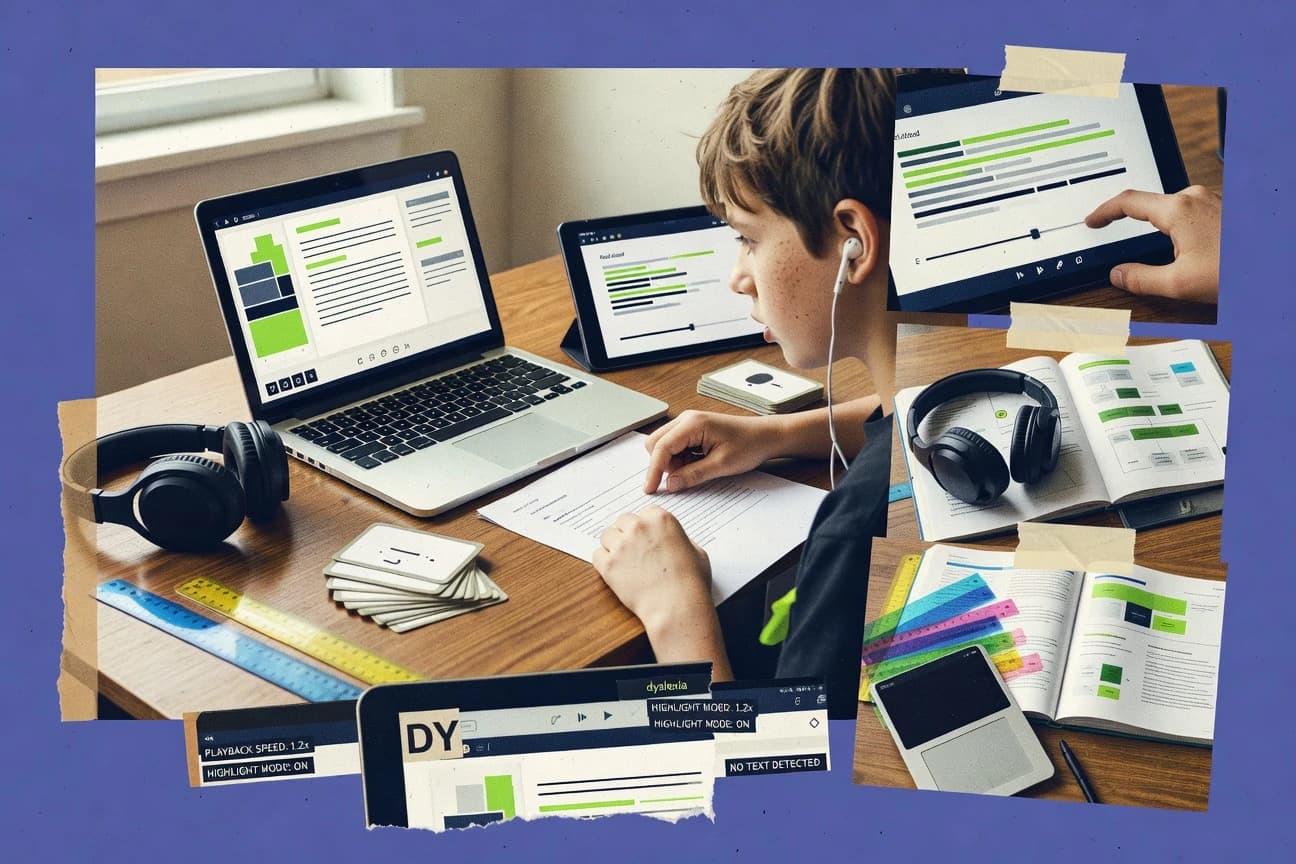
Ranked roundup of top dyslexia software tools, comparing features and learning support for reading practice with options like Ghotit, Nessy, and EasyReader.

How we ranked these tools
Core product claims cross-referenced against official documentation, changelogs, and independent technical reviews.
Analyzed video reviews and hundreds of written evaluations to capture real-world user experiences with each tool.
AI persona simulations modeled how different user types would experience each tool across common use cases and workflows.
Final rankings reviewed and approved by our editorial team with authority to override AI-generated scores based on domain expertise.
Score: Features 40% · Ease 30% · Value 30%
Gitnux may earn a commission through links on this page — this does not influence rankings. Editorial policy
Ghotit is the best overall pick for writing support that helps dyslexia and dysgraphia learners draft, correct, and read back, whereas ReadSpeaker is a strong alternative when teams need a consistent read‑aloud layer across web and documents.
Editor’s top 3 picks
Three quick recommendations before you dive into the full comparison below — each one leads on a different dimension.
Ghotit
Interactive writing feedback that generates dyslexia-aware suggestions inside the authoring workflow.
Built for fits when students need writing-time dyslexia support for drafting, correction, and read-back..
Nessy
Editor pickGuided practice routines tie specific spelling and reading tasks to a structured skill progression.
Built for fits when structured decoding and spelling practice need consistent lesson sequencing at home or in intervention..
EasyReader
Editor pickRead-aloud guided practice combines decoding-focused steps with dyslexia-friendly typography controls inside one session flow.
Built for fits when teams need structured dyslexia practice with read-aloud and layout controls in recurring sessions..
Comparison Table
Ghotit
vertical specialistWriting assistance software designed specifically for people with dyslexia and dysgraphia.
Interactive writing feedback that generates dyslexia-aware suggestions inside the authoring workflow.
Ghotit’s workflow centers on rewriting feedback during typing, plus dyslexia-friendly typography controls such as font and spacing adjustments. Read-aloud support helps learners listen to their own draft while reviewing corrections. It also provides guidance that maps to common reading and spelling breakdowns instead of flagging only surface-level punctuation issues.
A clear tradeoff is that Ghotit’s strongest value shows up during assisted writing rather than during standalone intervention lessons. It fits best when students already have a writing task and need targeted help to read, revise, and produce more accurate text in one place.
- +In-text correction flow while typing reduces revision friction
- +Read-aloud support supports self-checking against the drafted text
- +Font and spacing controls improve line tracking for dyslexic readers
- +Writing support targets dyslexia error patterns rather than generic rules
- –Instructional scripting for structured literacy lessons is limited
- –Advanced automation needs outside integrations for system-wide use
- –Best results depend on consistent learner use during drafting
- –Coaching for comprehension strategy scaffolding is not the focus
Middle school students
Drafting essays with revision help
Fewer spelling errors in final text
Special education teachers
Independent writing assignments with supports
More complete submissions with fewer breakdowns
Show 2 more scenarios
Literacy intervention staff
Practice error correction during writing
Improved revision accuracy
Interventionists use the assistance loop to reinforce correction behaviors during authentic text creation.
School administrators
Assistive technology deployment for learners
Consistent accommodations across writing tasks
Schools standardize dyslexia-friendly display settings and writing support for students with documented needs.
Best for: Fits when students need writing-time dyslexia support for drafting, correction, and read-back.
Nessy
vertical specialistStructured literacy and dyslexia intervention program for children with reading difficulties.
Guided practice routines tie specific spelling and reading tasks to a structured skill progression.
For literacy support, Nessy centers on explicit phonics instruction with multisensory-style presentation built into its lesson flow. It includes reading and spelling activities that repeatedly train phoneme–grapheme correspondence with controlled pacing and practice sequencing. Learner records support progress monitoring across sessions and skill strands.
A key tradeoff is that Nessy is not positioned as a full assessment and accommodation management system for schools. It works best when teachers or parents already have a planned intervention structure and want a consistent practice engine for decoding and spelling. Nessy fits well for short, frequent practice blocks where skill order and repetition reduce planning overhead.
- +Phonics lesson flow keeps practice tightly sequenced for decoding and spelling
- +Skill-level progress tracking helps target which activities need more repetition
- +Activities support short sessions that fit school intervention schedules
- +Dyslexia-friendly presentation uses layout choices that reduce visual clutter
- –Intervention content depth is stronger for decoding and spelling than reading comprehension strategy
- –Requires consistent adult selection of the right skill sequence
- –Collaboration features for multiple educators and reviewers are limited
- –Integration with external LMS tools is not a primary workflow focus
Primary intervention teachers
Daily decoding drills during small groups
More consistent practice coverage
Parents running home intervention
Short practice sessions with guidance
Reduced planning time
Show 2 more scenarios
Special education assistants
Targeted remediation on reading and spelling
More efficient remediation blocks
Support staff select activities aligned to learner tracking so sessions focus on weaker strands.
Literacy coordinators
Monitor skill improvements over time
Clearer progress visibility
Coordinators use learner records to identify progress patterns and adjust intervention focus.
Best for: Fits when structured decoding and spelling practice need consistent lesson sequencing at home or in intervention.
EasyReader
vertical specialistAccessible reading app from Dolphin providing text-to-speech and format support for users with dyslexia.
Read-aloud guided practice combines decoding-focused steps with dyslexia-friendly typography controls inside one session flow.
EasyReader supports multisource learner text reading using built-in read-aloud and text-to-speech read-aloud pairing, then moves learners through scripted practice steps aimed at phoneme–grapheme correspondence and decoding accuracy. Dyslexia-friendly typography and line-layout controls help manage contrast and line-length, which can be tuned per learner rather than fixed in the content. The strongest fit appears in classroom or clinic settings where instructors want consistent session structure and repeatable practice patterns.
A notable tradeoff is that EasyReader works best when instruction uses the product’s guided flow rather than when teachers need highly customized lesson scripting. It fits situations where an interventionist runs frequent short sessions and needs progress monitoring views to decide what to practice next.
- +Guided reading sessions keep intervention steps consistent
- +Typography and layout controls reduce visual stress during practice
- +Read-aloud supports learners while they work through decoding tasks
- +Progress monitoring shows practice movement across sessions
- –Limited flexibility for fully custom lesson scripting
- –Setup requires careful learner-level configuration of reading settings
- –Deeper interoperability with external assessment systems is not the main focus
- –Works best with guided workflows rather than ad hoc materials
Special education teachers
Daily small-group reading intervention
More consistent intervention delivery
Dyslexia interventionists
Fluency and decoding progression tracking
Faster adjustment of instruction
Show 2 more scenarios
Reading specialists
Accommodated reading during instruction
Improved independent practice time
Learners use paced read-aloud support with controlled line-length and contrast to reduce decoding load.
Learning support coordinators
Standardized dyslexia-friendly text experience
Reduced variability across sessions
Teams configure dyslexia-friendly typography and pacing so learners get consistent presentation across materials.
Best for: Fits when teams need structured dyslexia practice with read-aloud and layout controls in recurring sessions.
Bookshare
vertical specialistAccessible online library offering over one million titles in formats usable by people with dyslexia.
Bookshare delivers accessible eBook files optimized for read-aloud and display settings, centered on alternate-format publication rather than instructional content.
Bookshare is an accessibility service for dyslexia-support reading materials, distinct for its focus on converting eligible titles into readable formats for qualifying readers. It provides text-to-speech read-aloud access, dyslexia-friendly typography controls, and multiple reading formats designed for screen reading and assistive apps.
Content is delivered as accessible eBooks rather than as a classroom intervention engine with scripted phonics-to-decoding sequences. Administrators get catalog-level selection and user access workflows rather than per-skill progress monitoring dashboards or intervention fidelity checklists.
- +Accessible eBook formats for reading assist with text-to-speech
- +Dyslexia-friendly typography options for line length and spacing
- +Broad title catalog aimed at readers who need alternate formats
- +Reader-focused delivery model reduces local conversion workload
- –Limited phoneme to grapheme training or phonological processing instruction tools
- –No dedicated intervention scripting for multisensory structured literacy routines
- –Progress monitoring dashboards for skill gains are not a core workflow
- –Access and eligibility workflows require clear stakeholder coordination
Best for: Fits when schools or libraries need accessible eBooks for dyslexia support without building local conversion pipelines.
Wordshark
vertical specialistLiteracy games software using structured phonics and word-recognition activities for dyslexic learners.
Intervention planning that converts learner needs into structured reading and spelling teaching sequences for repeated delivery.
Wordshark provides dyslexia-focused, classroom-ready literacy assessment and intervention planning that turns learner profiles into targeted reading and spelling practice. The core workflow centers on structured skills coverage, practical teaching materials, and monitoring that links student performance to next-step activities.
Wordshark’s distinguishing capability is its ability to generate intervention guidance designed for spelling and reading instruction aligned to structured literacy methods. The system also supports ongoing practice with configurable routines for multisession delivery and progress review.
- +Structured literacy-aligned materials for reading and spelling intervention cycles
- +Learner profile to activity mapping supports consistent instructional routines
- +Progress tracking helps teams decide when to adjust intervention steps
- +Teacher-facing workflow reduces time spent assembling intervention worksheets
- –Limited visibility into fine-grained phoneme-level analytics compared with specialist tooling
- –Intervention fidelity checks require careful teacher use of prescribed sequences
- –External integrations for LMS and assessment standards are not the primary focus
- –Multi-school administration depends on disciplined roster and process management
Best for: Fits when schools need structured literacy intervention planning and monitoring without deep integration engineering.
ReadSpeaker
enterpriseText-to-speech platform offering online read-aloud and bimodal reading support for accessibility compliance.
Synchronized read-aloud with coordinated on-page highlighting to support sustained decoding attention.
ReadSpeaker focuses on speech-enabled accessibility for dyslexia accommodations, with text-to-speech read-aloud and audio controls designed for reading support. Its differentiator is a content accessibility workflow that can pair synchronized audio playback with on-page highlighting and tuned reading pace behavior.
Admins can configure accessibility experiences for web and documents without relying on per-student custom instruction scripts. ReadSpeaker is most effective when read-aloud is treated as an accommodation layer alongside consistent formatting and comprehension supports.
- +Text-to-speech read-aloud with user-adjustable playback pace
- +Audio and highlighting support reduces attention switching during reading
- +Document and web accessibility can be delivered through one reading experience
- +Admin configuration supports consistent accommodations across users
- –Structured literacy instruction scripting is not the primary workflow
- –Fine-grained dyslexia intervention sequencing needs external curriculum pairing
- –Accessibility quality depends on source text cleanup and markup quality
- –Reporting depth for progress monitoring can be limited versus dedicated assessment tools
Best for: Fits when accommodations teams need a consistent read-aloud layer for web and documents.
OrCam Read
vertical specialistA handheld reading device that scans printed or digital text and reads it aloud.
Point-of-need reading with spoken output from a wearable camera and on-device text-to-speech, with line tracking feedback.
OrCam Read is a wearable reading assistant focused on turning printed text into spoken output at the point of need, using an on-device camera and text-to-speech pipeline. It supports dyslexia-friendly interaction with adjustable reading pace plus controls for line tracking and text presentation that reduce visual clutter.
The core workflow centers on scanning a line or page and listening to the highlighted reading results, rather than structured phonological training or scripted phonics lessons. OrCam Read pairs best with learners who need immediate decoding and fluency support during real-world reading tasks.
- +Wearable camera-to-speech workflow supports in-the-moment reading assistance
- +Adjustable reading pace helps manage decoding speed during live reading
- +Direct scanning reduces dependence on manual device operation mid-sentence
- +Highlighted reading feedback improves tracking when text skips or wraps
- –Less suited for structured phonics-to-decoding instruction and intervention sequencing
- –Performance can drop with glare, low contrast, or complex layouts
- –Limited admin controls for schools compared with multi-user education software
- –Not designed for content management across a district library of materials
Best for: Fits when learners need real-time read-aloud support for printed classroom materials without running a full literacy program.
Voice Dream Reader
SMBA reading application with text-to-speech, document import, and adjustable visual reading settings.
Highly synchronized word highlighting during text-to-speech with touch-to-review for immediate decoding support.
Voice Dream Reader is a text-to-speech and reading-assist app used by people with dyslexia for long-form read-aloud, word-level highlighting, and adjustable reading controls. It supports large-batch handling of common document types and offers speed and typography settings designed for steadier phonics-to-decoding support during reading.
Its core value comes from fast switching between read-aloud and touch-based word feedback, plus consistent text formatting options that help reduce visual load. Integration depth is mostly centered on content import and in-app configuration rather than system-wide accommodations orchestration.
- +Word-level highlighting stays synchronized with speech
- +Typography controls include font size, spacing, and line presentation
- +Multi-format imports support libraries of course and personal content
- +Touch controls make in-context word checking quick
- –Enterprise rostering and RBAC are not a primary governance surface
- –No built-in intervention fidelity checklist workflows
- –LMS interoperability is limited compared with education-focused tools
- –Automation and API access for provisioning are not central
Best for: Fits when individual readers need consistent read-aloud synchronization and dyslexia-friendly typography without admin workflows.
Capti Voice
vertical specialistA reading and learning platform that converts digital content into accessible audio and supports study workflows.
Learner-controlled voice and playback pacing for text-to-speech read-aloud without forcing a separate learning module workflow.
Capti Voice creates dyslexia-friendly read-aloud and speaking support for written text, with controls for how speech is delivered to the learner. Capti Voice focuses on converting text into guided listening, which complements phonics-to-decoding work by reducing reading load during comprehension and practice.
Capti Voice also provides editing and selection workflows that keep learners on task while text is being read aloud. Capti Voice is best evaluated through its reading assist behavior, its pace and voice controls, and its fit with existing learning content sources.
- +Text-to-speech read-aloud support with learner-facing playback controls
- +Dyslexia-oriented pacing options that reduce time pressure during listening
- +Inline reading workflow that supports accommodation use during instruction
- +Good fit for pairing with structured literacy lessons and written materials
- –Limited visibility into intervention fidelity compared with checklist-based programs
- –Less coverage for phoneme-grapheme decoding scripting than literacy-only tools
- –Workflow automation options are thin for school IT governance needs
- –Accessibility controls focus on reading assist rather than document-level remediation
Best for: Fits when educators need strong read-aloud support for dyslexia accommodations while using existing literacy materials.
OpenDyslexic
SMBOpen-source font family designed with weighted characters to prevent letter confusion and reading errors.
Dyslexia-specific font family built to keep letter shapes more distinguishable at common reading sizes.
OpenDyslexic is a dyslexia-focused font and reader experience that swaps in letterforms designed to reduce common visual confusion. Its core capability is dyslexia-friendly typography, with downloadable font files and browser-side support so pages render with the intended shapes.
The tool is distinct because it focuses on typography controls rather than full LMS-based instruction scripting or assessment workflows. OpenDyslexic can be paired with other assistive reading features, but it does not provide structured literacy lesson delivery or progress monitoring.
- +Dyslexia-targeted font design reduces visual crowding during reading
- +Simple adoption path through font installation and browser support
- +Works across many text sources that honor installed fonts
- +Good fit for consistent typography across classroom or personal reading
- –No built-in reading intervention scripting or multisensory lesson flow
- –No progress monitoring dashboards or fidelity checklists
- –Limited control over pace, segmentation, or line-length management
- –Achieving consistent use across devices can require manual rollout discipline
Best for: Fits when typography is the main accommodation need for reading at school or home.
Conclusion
After evaluating 10 education learning, Ghotit stands out as our overall top pick — it scored highest across our combined criteria of features, ease of use, and value, which is why it sits at #1 in the rankings above.
Use the comparison table and detailed reviews above to validate the fit against your own requirements before committing to a tool.
How to Choose the Right dyslexia software
Dyslexia software in this guide spans writing-time feedback in Ghotit, guided practice routines in Nessy, and read-aloud and typography controls in EasyReader, Bookshare, and ReadSpeaker. The list also includes intervention planning in Wordshark, point-of-need reading support in OrCam Read and Capti Voice, and word-synchronized reading in Voice Dream Reader.
For typography-only support, OpenDyslexic provides a dyslexia-specific font, while other tools focus on structured practice or accommodation layers for reading. Each tool review below maps the workflow from first interaction through repeated use, then checks how well the tool supports lesson sequencing, read-aloud synchronization, and ongoing progress needs.
Dyslexia software for structured practice, read-aloud accommodations, and writing support
Dyslexia software uses structured literacy workflows, read-aloud delivery, and dyslexia-friendly display controls to reduce decoding friction during reading and spelling practice. Tools like Nessy focus on guided practice routines that tie spelling and reading tasks to a skill progression, while Ghotit adds interactive writing feedback that generates dyslexia-aware suggestions inside the authoring flow.
Some tools center accommodation-first reading experiences rather than intervention scripting, including Bookshare’s accessible eBook formats and ReadSpeaker’s synchronized read-aloud with on-page highlighting. Others add learner-facing control over pacing and presentation, such as Voice Dream Reader’s word-level highlighting with touch-to-review and EasyReader’s session flow that combines decoding steps with dyslexia-friendly typography controls.
Key evaluation criteria for dyslexia software
Dyslexia software succeeds when it maps to a repeatable workflow for decoding practice, reading support, or writing-time correction. The strongest tools reduce the gap between instruction and daily use by keeping feedback in the same session as the learner task.
Feature choices also determine who can run the program with consistent outcomes. Some tools focus on in-the-moment accommodations like synchronized read-aloud and highlighting. Others focus on lesson sequencing for decoding and spelling with planning and monitoring routines.
In-session writing or reading feedback
Ghotit adds interactive writing feedback that generates dyslexia-aware suggestions inside the authoring workflow. ReadSpeaker and Voice Dream Reader deliver synchronized read-aloud with on-page or word-level highlighting during listening.
Guided practice sequencing and skill progression
Nessy ties spelling and reading practice to a structured skill progression with a guided lesson routine. Wordshark converts learner needs into structured reading and spelling teaching sequences for repeated delivery.
Typography and session display controls
EasyReader combines guided reading practice with dyslexia-friendly typography controls inside one session flow. Bookshare and OpenDyslexic support dyslexia-focused display through accessible formats and a dyslexia-specific font family.
Intervention planning and monitoring workflows
Wordshark supports intervention planning and learner profile to activity mapping for consistent instructional routines. Nessy adds skill-level progress tracking that targets which activities need more repetition.
Accommodation-first delivery for existing materials
OrCam Read provides point-of-need reading from a wearable camera with spoken output and line tracking feedback. Capti Voice and ReadSpeaker focus on read-aloud support with learner-facing or user-adjustable playback controls.
How to choose dyslexia software by workflow fit
Start with the session type that needs the most support. Writing drafts require correction and read-back tied to what the learner writes. Reading practice requires decoding steps and display controls tied to what the learner reads.
Then decide whether the program needs teacher-led intervention sequencing or accommodation-first support. Tools like Nessy and Wordshark organize repeated instruction cycles. Tools like Bookshare, ReadSpeaker, and OrCam Read primarily layer assistive reading over materials.
Choose the core workflow: writing feedback, guided practice, or read-aloud accommodation
Ghotit is built for interactive writing correction while the learner types, with read-aloud support for self-checking against drafted text. Nessy and EasyReader center guided practice routines that keep decoding and spelling steps consistent during sessions. OrCam Read, ReadSpeaker, and Capti Voice prioritize point-of-need or accommodation-first read-aloud support for existing materials.
Select lesson sequencing depth: structured routines versus presentation-only support
Nessy provides guided practice routines that sequence specific spelling and reading tasks through a structured skill progression. Wordshark turns learner needs into structured intervention teaching sequences and repeated delivery. OpenDyslexic and Bookshare focus on readable presentation, such as dyslexia-targeted font design or accessible eBook formats, without dedicated structured literacy intervention scripting.
Match monitoring and accountability to the setting
Wordshark supports intervention planning with learner profile mapping to activity routines, which helps with consistent delivery in schools. Nessy adds skill-level progress tracking that surfaces which activities require more repetition. Tools focused on accommodations, including ReadSpeaker and Voice Dream Reader, do not provide structured fidelity checklist workflows.
Set display constraints before committing to a tool
EasyReader includes typography and layout controls inside the recurring practice session flow, which reduces visual stress during decoding work. Bookshare provides dyslexia-friendly typography options such as line length and spacing that apply to accessible eBooks. Voice Dream Reader and Capti Voice add dyslexia-friendly typography plus synchronized or paced read-aloud options that address presentation during listening.
Evaluate real-world usability risks for live classroom reading
OrCam Read can experience performance drops with glare, low contrast, or complex layouts because it relies on camera-based tracking of printed text. ReadSpeaker and Capti Voice keep the read-aloud workflow stable across web and document contexts and avoid glare-related camera constraints. Voice Dream Reader emphasizes touch-to-review with highly synchronized word highlighting, which supports immediate follow-up during independent reading.
Who should use which dyslexia software workflow
Different dyslexia software tools target different breakpoints in the learner day. Some reduce decoding friction through synchronized read-aloud and word highlighting. Others reduce instructional inconsistency by sequencing structured practice and spelling routines.
The best choice depends on who is running sessions and what support is needed during the learner task. Writing-time learners benefit from correction inside the authoring flow. Intervention settings benefit from planning and repeated delivery routines. Accommodation settings benefit from fast read-aloud over existing materials.
Students drafting longer writing assignments
Ghotit is built for interactive writing-time correction while the learner types, with read-aloud support for self-checking against the drafted text.
Parents and tutors delivering structured decoding and spelling practice at home
Nessy provides guided phonics lesson flow that sequences spelling and reading tasks and includes skill-level progress tracking to identify activities needing more repetition.
Special education teams building repeatable intervention cycles
Wordshark supports intervention planning that converts learner needs into structured reading and spelling teaching sequences for repeated delivery.
Teachers and accommodation teams supporting classroom reading with minimal setup
ReadSpeaker offers synchronized read-aloud with on-page highlighting and user-adjustable playback pace. OrCam Read adds point-of-need spoken output from a wearable camera with line tracking for printed classroom materials.
Learners who need real-time decoding assistance during independent reading
Voice Dream Reader provides highly synchronized word highlighting during text-to-speech and touch-to-review for immediate decoding support, with typography controls for font size and spacing.
Common dyslexia software mistakes that break outcomes
Many failures come from mismatching tool workflow to the support required in the moment. Read-aloud accommodations can reduce attention switching but do not replace structured decoding practice when the goal is phoneme to grapheme instruction.
Other failures come from underestimating configuration and lesson fidelity needs. Tools that sequence practice require consistent learner-level selection or careful teacher use of prescribed sequences to keep outcomes stable.
Choosing a typography-only solution for decoding and spelling intervention needs
OpenDyslexic provides a dyslexia-specific font family for letter distinguishability but does not include built-in reading intervention scripting, so it cannot replace phonics-to-decoding instruction. Bookshare also prioritizes accessible eBook delivery and read-aloud display settings rather than structured phonological or intervention routines.
Relying on read-aloud synchronization while skipping structured skill progression
ReadSpeaker and Voice Dream Reader improve sustained decoding attention with synchronized highlighting and adjustable playback, but they do not provide structured literacy instruction sequencing as the primary workflow. Nessy adds guided practice routines that keep spelling and reading tasks tied to a structured skill progression.
Buying intervention planning without planning for fidelity and sequence discipline
Wordshark includes intervention fidelity checks that require careful teacher use of prescribed sequences. EasyReader supports recurring guided session steps but offers limited flexibility for fully custom lesson scripting, so the delivered sequence must match the planned intervention goals.
Overestimating camera-based reading reliability in low-contrast print environments
OrCam Read can drop performance with glare, low contrast, or complex layouts because it depends on camera tracking and line tracking feedback. ReadSpeaker and Capti Voice avoid that camera constraint by focusing on read-aloud playback and highlighting or pacing for digital or accessible text.
How We Selected and Ranked These Tools
We evaluated dyslexia software on feature coverage for in-session correction or practice, including Ghotit interactive writing feedback, Nessy guided practice routines, and EasyReader session-level typography controls. Features accounted for forty percent of the score and ease and value each accounted for thirty percent, using the ease ratings tied to guided use versus setup complexity in the tool cards.
Ghotit earned the top rank at an overall score of 9.2/10 Because it combines in-text correction flow while typing with read-aloud support in the same authoring workflow. The ranking also reflected that Ghotit’s instructional scripting for structured literacy lessons is limited compared with Nessy and Wordshark, which sets expectations for who it fits best.
Frequently Asked Questions About dyslexia software
Which tools provide writing-time assistance for dyslexia errors inside the authoring workflow?
How does structured literacy sequencing differ between Nessy and EasyReader?
When is an accessible eBook conversion workflow a better fit than a local intervention engine?
How do synchronized read-aloud experiences work in ReadSpeaker compared with Wordshark’s intervention planning?
What breaks if dyslexia software is used without typography and pacing controls?
Which tool is designed for point-of-need printed text support rather than classroom lesson scripting?
How do integrations and interoperability expectations differ between accessibility layers and literacy programs?
When does a handwriting or spelling-focused feedback loop like Ghotit outperform general read-aloud apps such as Voice Dream Reader?
What tradeoff exists between using OpenDyslexic for font accommodation and using a full intervention tool like Wordshark?
Tools reviewed
Primary sources checked during evaluation.
Referenced in the comparison table and product reviews above.
- Education LearningTop 10 Best Digital Learning Software of 2026
- Education LearningTop 10 Best Reading And Writing Software of 2026
- Education LearningTop 10 Best Typing Tutor Software of 2026
- Education LearningTop 10 Best Early Childhood Education Software of 2026
- Education LearningTop 10 Best After School Software of 2026
Keep exploring
Comparing two specific tools?
Software Alternatives
See head-to-head software comparisons with feature breakdowns, pricing, and our recommendation for each use case.
Explore software alternatives→In this category
Education Learning alternatives
See side-by-side comparisons of education learning tools and pick the right one for your stack.
Compare education learning tools→