GITNUXSOFTWARE ADVICE
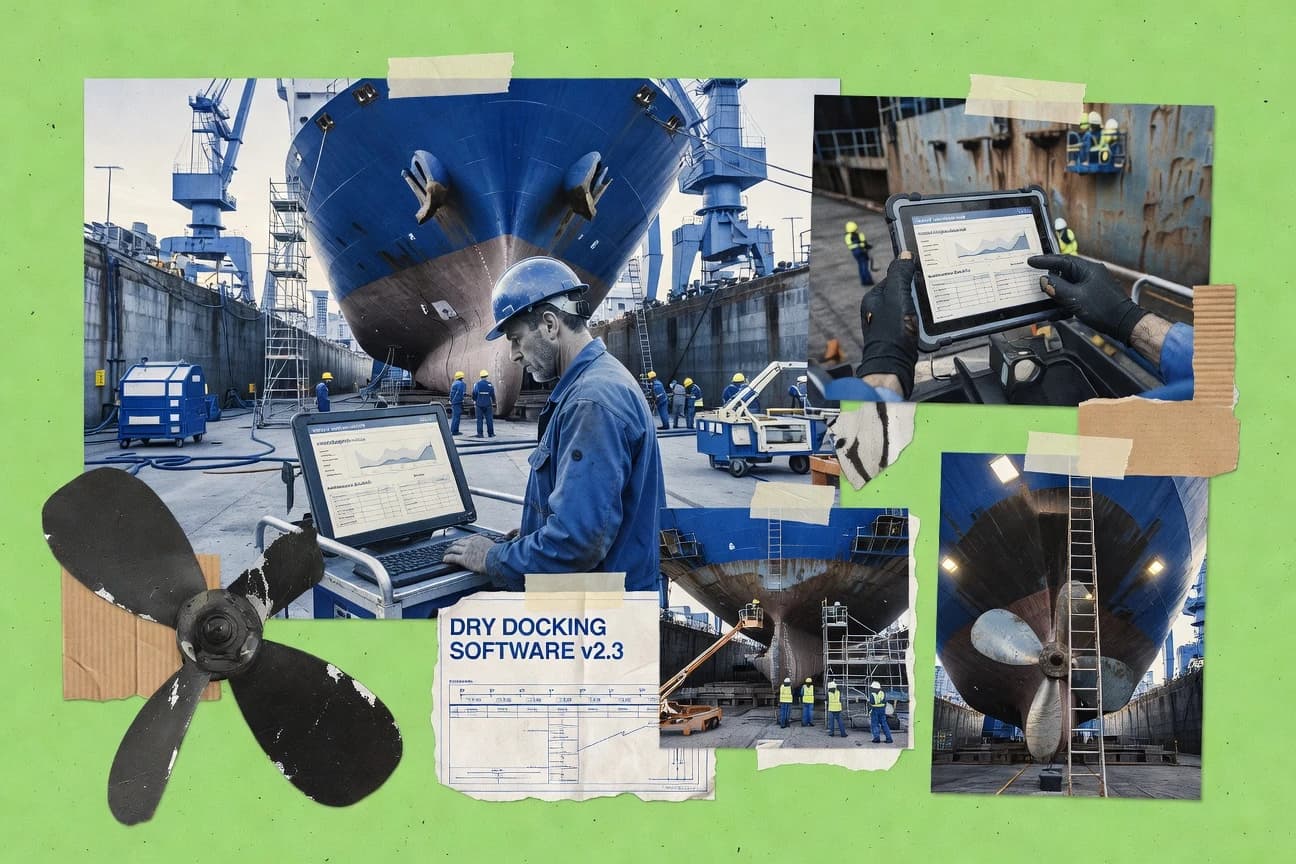
Transportation LogisticsTop 9 Best Dry-Docking Software of 2026
Review a shortlist of dry docking software options and key tradeoffs for fleet operators choosing tools for planning, tracking, and maintenance.

How we ranked these tools
An editor sets the topic, the inclusion criteria, and the evaluation framework before research starts.
AI search agents find sources, extract figures with provenance, and aggregate written reviews. They also transcribe video reviews and podcasts.
Framework: Features 40% · Ease 30% · Value 30%
Gitnux may earn a commission through links on this page — this does not influence rankings. Editorial policy
ClickUp is the best pick for shipyard and maintenance teams managing dry-docking schedules and inspection workflows because its conditional automations can trigger inspections, work orders, and status transitions as work advances, while Fiix fits operations teams that want inspection checklists to drive evidence-backed work orders.
Editor’s top 3 picks
Three quick recommendations before you dive into the full comparison below — each one leads on a different dimension.
ClickUp
Automations with conditional rules to trigger inspections, work orders, and status transitions
Best for: Shipyard and maintenance teams managing dry-docking schedules and inspection workflows
Fiix
Editor pickConfigurable inspection checklists that drive work order creation and completion evidence
Best for: Maintenance and operations teams coordinating asset work during vessel docking events
Trello
Editor pickButler automation for moving cards, setting labels, and enforcing workflow triggers
Best for: Shipyards managing docking task tracking and document coordination visually
Comparison Table
ClickUp
project managementManages project tasks, timelines, and status reporting to coordinate dry-docking preparation and execution plans across teams.
Automations with conditional rules to trigger inspections, work orders, and status transitions
ClickUp stands out with highly configurable workflows that can model dry-docking planning from intake to release using tasks, statuses, and dependencies. It provides Gantt views for schedule tracking, dashboards for shipyard KPI visibility, and recurring automations to keep inspection and work orders moving.
Strong customization supports checklists, templates, and custom fields for vessel, equipment, and contractor-specific data capture. Cross-workspace reporting helps consolidate progress across departments, but complex governance can require careful setup to avoid inconsistent job naming and field usage.
- +Gantt timelines map dry-docking phases with dependencies across many work streams.
- +Custom fields and templates capture vessel, system, and inspection-specific requirements.
- +Automations reduce missed handoffs between planning, execution, and closeout tasks.
- –Workflow customization can create inconsistent processes without strict configuration.
- –Reporting depth depends on disciplined data entry and standardized fields.
Dry-dock planners and schedulers
Build vessel work breakdown schedules
Schedule integrity across vessel activities
Port engineers and inspectors
Track inspections into repair work orders
Faster handoff to execution
Show 2 more scenarios
Shipyard operations managers
Monitor KPI dashboards by department
Clear visibility on bottlenecks
Use dashboards and cross-workspace reporting to track progress, delays, and work completion trends.
Contractors and subcontractor coordinators
Coordinate contractor scopes and deliverables
Reduced coordination friction
Assign tasks to contractors using templates and automations for standardized job naming and status flow.
Best for: Shipyard and maintenance teams managing dry-docking schedules and inspection workflows
Fiix
CMMSManages preventive maintenance schedules, work orders, and asset histories to coordinate service tasks that align with docking downtime windows.
Configurable inspection checklists that drive work order creation and completion evidence
Fiix stands out with structured asset and work management built around maintenance workflows that map well to dry-docking planning. The platform supports inspection checklists, work orders, schedules, and documentation tied to vessels, assets, and locations.
It also provides configurable tracking so teams can coordinate vendor scopes and verify completion against planned requirements. Strong reporting helps teams review progress by status, asset, and maintenance history during a docking event.
- +Configurable work orders and checklists align to docking scope and verification
- +Asset-centric history links repairs to recurring defects and future planning
- +Scheduling and status tracking improves visibility across docking phases
- +Document management supports evidence for completed inspection and repair work
- –Dry-docking specific templates still require configuration for consistent setups
- –Cross-vendor coordination can need extra workflow design to avoid manual steps
- –Planning views can feel less specialized than dedicated marine docking tools
- –Complex maintenance hierarchies can slow onboarding for new teams
Dry-dock planners and coordinators
Create vessel maintenance schedules and sequences
Fewer missed tasks
Maintenance superintendents
Track asset repairs against planned scopes
Clear completion evidence
Show 2 more scenarios
In-house and vendor work crews
Manage assigned work orders during docking
Reduced rework
Uses configurable tracking and status reporting to coordinate vendor scopes and confirm deliverables.
Quality and compliance teams
Verify inspections and documentation for audits
Audit-ready documentation
Maintains inspection results and records tied to vessels and required maintenance procedures.
Best for: Maintenance and operations teams coordinating asset work during vessel docking events
Trello
lightweight planningUses boards and cards to track dry-docking checklists, approvals, and task handoffs across departments.
Butler automation for moving cards, setting labels, and enforcing workflow triggers
Trello stands out with its board-and-card visual system that maps naturally to dry-docking work breakdowns and shipyard task tracking. Users can model docking phases as lists, assign crew to cards, and track progress with checklists and due dates.
Automation using Butler reduces manual status updates by moving cards between lists and triggering actions on events. Reporting relies mainly on built-in board views like calendar and dashboards rather than deep analytics for compliance-heavy maritime processes.
- +Board lists model docking phases and handoffs with clear visual flow
- +Card checklists, due dates, and assignments support repeatable maintenance steps
- +Butler automations move tasks automatically based on card events
- +Integrations and attachments centralize permits, photos, and vendor documents
- –Limited native features for regulatory reporting and maritime audit trails
- –Large boards can become hard to govern without strict card conventions
- –Schedule and resource planning depend on manual structure and add-ons
Dry dock project managers
Plan docking phases as board lists
Phase milestones tracked consistently
Shipyard planning supervisors
Schedule maintenance tasks with due dates
Schedule risk reduced
Show 2 more scenarios
QA and compliance coordinators
Track inspection checklists per task card
Checks completed and documented
Checklist items record verification steps for each work order and support audit-ready traceability.
Site operations leads
Automate status changes with Butler rules
Manual updates minimized
Butler moves cards between lists and triggers actions when fields update during docking execution.
Best for: Shipyards managing docking task tracking and document coordination visually
MaintainX
field maintenanceTracks maintenance work orders and preventive schedules for assets so planned maintenance can be synchronized with vessel availability.
Mobile work order execution with checklist steps and photo-linked evidence per asset
MaintainX stands out with field-first asset maintenance workflows that translate well into dry-docking planning, work execution, and closeout documentation. The platform supports asset checklists, work orders, and repeatable inspection routines across fleet or sites, which helps standardize docking-related maintenance tasks.
- +Mobile-first work orders link photos, notes, and completion steps to each asset
- +Configurable checklists support repeatable dry-docking inspection and repair routines
- +Audit trails and structured histories improve traceability for docking deliverables
- +Asset-based assignment helps coordinate multi-vessel or multi-area maintenance planning
- –Dry-docking project schedules require more setup than classic Gantt-centric tools
- –Cross-team approval workflows can feel heavy for fast turnaround docking decisions
- –Advanced analytics depend on consistent data entry across asset records
Best for: Teams standardizing repeatable docking work orders and inspections without heavy customization
monday.com
workflow orchestrationCreates customizable project boards and dashboards for coordinating dry-docking planning tasks, stakeholder approvals, and task timelines.
Workflow Automations that trigger assignments, updates, and alerts based on board status changes
monday.com stands out with a highly configurable workflow builder that supports dockyard-style planning across teams and vessels. It delivers drag-and-drop boards for schedules, task checklists, work orders, and status tracking using custom columns, automations, and dashboards.
- +Custom boards model dry-docking stages, tasks, and dependencies without custom code
- +Automations update statuses, assign owners, and trigger notifications across workstreams
- +Dashboards consolidate vessel progress and milestone attainment in one operational view
- –Complex ship-wide programs require careful board design to prevent clutter
- –Advanced reporting depends on consistent data entry and column discipline
- –Some dry-docking-specific workflows still need manual configuration workarounds
Best for: Shipyard teams needing configurable visual workflows and cross-team task orchestration
Odoo Maintenance
ERP maintenanceProvides maintenance scheduling, preventive maintenance, and work order management that can be configured for dry-docking related equipment servicing workflows.
Preventive maintenance schedules that generate work orders tied to specific assets
Odoo Maintenance stands out by combining maintenance planning with broader ERP execution across assets, vendors, and procurement records. It supports preventive schedules, work orders, and multi-step maintenance workflows tied to assets and locations.
- +Asset-based preventive maintenance scheduling with work orders
- +End-to-end workflow links work tasks to vendors and procurement records
- +Maintenance history and documentation stay accessible per asset
- –Dry-docking-specific engineering steps require configuration or customization
- –Scheduling and execution views can feel generic for shipyard operations
- –Workflow complexity rises when multiple roles and boards are enabled
Best for: Shipyard teams managing maintenance execution workflows across assets
Navis N4
terminal operationsImplements terminal operating workflows and yard and vessel planning processes for port and marine logistics including dry-docking related planning support.
Work package and schedule traceability across dry-docking scope and engineering deliverables
Navis N4 stands out by focusing dry-docking planning and engineering coordination around ship lifecycle workflows. It centralizes asset, work package, and maintenance planning data to support schedule creation and change control across involved teams. The solution emphasizes traceable engineering deliverables tied to docking scope and dependencies for smoother handovers between planning, engineering, and operations.
- +Strong support for structured dry-docking work planning with clear scope traceability.
- +Good dependency and schedule coordination across engineering tasks and docking phases.
- +Centralized data management helps keep deliverables aligned with approved work packages.
- –Workflow setup and governance can require significant configuration effort.
- –User experience can feel heavy for purely operational teams without planning responsibilities.
Best for: Shipyards and operators managing complex docking schedules with engineering deliverables traceability
SAMSARA (Fleet Maintenance)
maintenance schedulingTracks fleet assets, maintenance events, and work orders to operationalize scheduled downtime planning for transport equipment tied to vessel support operations.
Condition-based maintenance triggers using integrated telematics and event context
Samsara stands out with fleet operations telemetry and connected workflows that turn maintenance management into a data-backed process. The platform supports scheduled and condition-driven maintenance, work order creation, and tracking across vehicles and assets.
- +Condition-informed maintenance planning using telematics-driven signals
- +Centralized work orders for vehicles and related assets
- +Good traceability from events to maintenance actions
- +Operational visibility that connects uptime to maintenance scheduling
- –Dry-docking workflows require configuration beyond basic maintenance planning
- –Setup effort increases when expanding beyond telematics-managed assets
- –Reporting is capable but not specialized for marine dry-dock compliance
Best for: Fleet maintenance teams managing asset uptime with telemetry-linked workflows
SAP Plant Maintenance
enterprise CMMSProvides maintenance planning, work orders, and asset management functions that support coordinated service and scheduling for marine and port-side equipment.
Preventive maintenance planning with hierarchical asset structures and maintenance order execution
SAP Plant Maintenance stands out for marrying maintenance planning with enterprise asset and work order processing used across heavy industry. It supports preventive and corrective maintenance, inspection planning, and task execution through structured maintenance orders.
- +Strong work order and maintenance history for regulated asset audits
- +Flexible preventive maintenance scheduling across complex asset hierarchies
- +Parts planning and material management tied to maintenance orders
- +Enterprise integration options for ERP master data and procurement flows
- –Dry-docking execution requires configuration rather than out-of-the-box yard workflows
- –Operational setup and data modeling demands experienced SAP maintenance design
- –User experience can be slower for day-of-dock task boards and frequent changes
- –Cross-department coordination often needs additional process tooling outside core PM
Best for: Enterprises managing vessel and port assets with ERP-based maintenance workflows
Conclusion
After evaluating 9 dry docking software, ClickUp stands out as our overall top pick — it scored highest across our combined criteria of features, ease of use, and value, which is why it sits at #1 in the rankings above.
Use the comparison table and detailed reviews above to validate the fit against your own requirements before committing to a tool.
How to Choose the Right Dry-Docking Software
This buyer’s guide explains how to choose Dry-Docking Software by mapping shipyard and marine maintenance workflows to specific tools like Navis N4, Fiix, MaintainX, and monday.com. It covers planning traceability, work order execution, evidence capture, and cross-team coordination mechanisms that show up in real docking programs. It also calls out common implementation traps using concrete limitations seen in SAP Plant Maintenance, Samsara (Fleet Maintenance), ClickUp, and Trello.
What Is Dry-Docking Software?
Dry-Docking Software organizes dry-docking planning, execution, and closeout so work packages, assets, and approvals stay synchronized across shipyard teams. It solves schedule coordination and documentation needs by linking docking phases to tasks, checklists, work orders, and maintenance evidence. Navis N4 is built around ship lifecycle workflows and dependency-aware schedule creation. monday.com and ClickUp model docking stages and handoffs using customizable boards, dashboards, and automations.
Key Features to Look For
Dry-docking programs succeed when software keeps scope, execution steps, and proof aligned to the same asset and docking phase across teams.
Work package and schedule traceability across docking scope and engineering deliverables
Navis N4 excels at traceable work packages tied to docking scope and engineering deliverables so handovers between planning, engineering, and operations remain consistent. This capability fits shipyards that need dependency and schedule coordination across docking phases without losing delivery lineage.
Condition-based maintenance triggers using event context
SAMSARA (Fleet Maintenance) supports condition-informed maintenance planning using telematics-driven signals and integrated location and safety context. This matters when docking readiness depends on whether equipment shows condition events that justify maintenance work order generation.
Hierarchical preventive maintenance planning with maintenance order execution
SAP Plant Maintenance supports preventive and corrective maintenance with hierarchical asset structures and structured maintenance orders. This matters for enterprises that require audit-friendly history tied to maintenance activities across complex vessel and port equipment hierarchies.
Configurable inspection checklists that drive work order creation and completion evidence
Fiix provides configurable inspection checklists that drive work order creation and completion evidence tied to vessels, assets, and locations. This matters when docking deliverables must be proven through documented inspection and repair completion steps.
Mobile-first field capture with photo-linked completion evidence per asset
MaintainX links mobile work order execution to checklist steps with photos, notes, and completion actions per asset. This matters during tight dock windows when technicians need offline-capable capture and reliable audit trails without manual follow-up.
Workflow automations that move work through status transitions and approvals
monday.com uses workflow Automations to update statuses, assign owners, and trigger notifications based on board status changes. ClickUp and Trello also support automations that trigger inspections and work order transitions or move cards with Butler based on card events.
How to Choose the Right Dry-Docking Software
The right choice comes from matching docking workflow complexity and evidence requirements to the tool’s modeled planning structure and execution capabilities.
Start with the docking workflow type: engineering-traceable vs task-board execution
Select Navis N4 when dry-docking planning must trace work packages and schedules directly to engineering deliverables with clear dependency coordination across docking phases. Choose monday.com or ClickUp when the core need is configurable visual workflows with drag-and-drop boards, automations, and dashboards that orchestrate tasks and approvals across teams.
Model the scope at the right level of granularity
Use SAP Plant Maintenance when vessel and port assets require hierarchical preventive maintenance planning and structured maintenance order execution across complex asset hierarchies. Use Fiix or MaintainX when the scope is best managed around inspection checklists and asset-level work orders that connect directly to completion evidence.
Require evidence capture where docking execution actually happens
MaintainX supports mobile-first execution with offline-capable field capture and photo-linked evidence per asset, which fits teams that need rapid closeout during dock windows. Fiix supports documentation and evidence through inspection checklists and work order completion records tied to vessels and locations.
Decide how automation should enforce handoffs and status changes
Use monday.com when automations must trigger assignments, updates, and alerts based on board status changes for milestone tracking. Use ClickUp when conditional rules must trigger inspections, work orders, and status transitions, and use Trello when Butler-based card moves enforce workflow triggers across docking task phases.
Plan for configuration effort based on governance needs
Avoid overextending heavy governance models when docking teams need quick operational use by considering that Navis N4 workflow setup and governance can require significant configuration. For maintenance-focused teams, Fiix and MaintainX still require docking-ready templates and process setup, while ClickUp requires strict board design to prevent clutter in complex ship-wide programs.
Who Needs Dry-Docking Software?
Dry-docking software fits specific operational patterns where schedules, approvals, maintenance work, and proof of completion must align across multiple teams and assets.
Shipyards and operators running complex docking schedules with engineering deliverables traceability
Navis N4 is the best fit because it centralizes asset, work package, and maintenance planning data and emphasizes traceable engineering deliverables tied to docking scope and dependencies. It also supports schedule creation and change control across involved teams to keep handovers consistent.
Fleet maintenance teams that tie readiness to condition signals and real-time event context
SAMSARA (Fleet Maintenance) fits teams that use telematics-driven signals to trigger condition-informed maintenance and connect location and safety context to work orders. This supports readiness planning that links equipment status to docking-related maintenance decisions.
Enterprises that manage vessel and port assets through ERP-grade maintenance history and audits
SAP Plant Maintenance is the best fit because it supports preventive and corrective maintenance with hierarchical asset structures and audit-friendly maintenance history. It is designed for enterprises that need maintenance order execution and parts planning across complex asset hierarchies.
Shipyard teams that standardize repeatable inspections and mobile execution evidence during dock windows
MaintainX fits because it delivers mobile work order execution with checklist steps and photo-linked evidence per asset, plus offline-capable field capture. Fiix also fits because configurable inspection checklists create work orders and produce completion evidence tied to docking scope.
Common Mistakes to Avoid
Frequent failure patterns come from choosing a workflow model that does not match docking governance, execution evidence, or automation enforcement needs.
Treating docking programs like generic maintenance tasks
SAP Plant Maintenance and Odoo Maintenance require configuration to implement dry-docking execution workflows rather than providing out-of-the-box yard docking logistics dashboards. Fiix and MaintainX also require docking-ready templates and process setup to keep consistent evidence and checklist-driven execution.
Building dependency-heavy programs without strong governance rules
Navis N4 requires significant configuration effort for workflow setup and governance, which can derail timelines if governance owners are not assigned. monday.com and ClickUp can become cluttered in complex ship-wide programs unless board design and column discipline enforce consistent status and field usage.
Underestimating the evidence and closeout workflow requirements
Trello supports checklists, attachments, and due dates but offers limited native regulatory reporting and maritime audit trails, which can break compliance-heavy closeout expectations. Teams that need photo-linked evidence and structured audit trails should align execution to MaintainX or Fiix.
Automating handoffs without conditional logic and status discipline
Trello Butler can move cards and trigger workflow actions based on card events, but large boards become hard to govern without strict card conventions. ClickUp and monday.com automations work best when workflows use disciplined templates and consistent custom fields so reporting depth does not degrade.
How We Selected and Ranked These Tools
we evaluated every tool on three sub-dimensions with fixed weights. Features received weight 0.4 because docking workflows rely on concrete capabilities like checklists, work orders, evidence capture, and traceability. Ease of use received weight 0.3 because docking programs depend on practical day-of-dock execution without excessive friction. Value received weight 0.3 because organizations need capabilities to fit docking operations rather than requiring excessive process workarounds. The overall rating is the weighted average calculated as overall = 0.40 × features + 0.30 × ease of use + 0.30 × value. Navis N4 separated from lower-ranked tools by delivering strong work package and schedule traceability tied to docking scope and engineering deliverables, which directly improved the features dimension for shipyard and operator teams managing complex docking schedules.
Frequently Asked Questions About Dry Docking Software
Which dry-docking platforms handle dock master coordination and docking sequence planning with traceability?
How do dry-docking tools support integrations and APIs for shipyard systems like CMMS and document exchange?
When does SSO and RBAC matter for dock windows and contractor access?
What data migration approach works when moving vessel, asset, and inspection records from spreadsheets or legacy systems?
What admin controls prevent configuration drift across multiple vessels, sites, and departments?
Where does dry-docking execution fall short when the tool models workflows but not engineering deliverables?
How do mobile inspection workflows handle hull inspection evidence during docking survey and closeout?
What tradeoff happens when teams rely on automations for work order creation and status transitions during a docking event?
How should teams get started when building a dry-docking workflow that spans planning, engineering handover, and maintenance execution?
Tools reviewed
Primary sources checked during evaluation.
Referenced in the comparison table and product reviews above.
- Transportation LogisticsTop 10 Best Dock Management Software of 2026
- Personal Care ServicesTop 10 Best Dry Cleaning Software of 2026
- Technology Digital MediaTop 10 Best Dry Cleaners Computer Software of 2026
- Transportation VehiclesTop 10 Best Boat Repair Software of 2026
- Transportation LogisticsTop 10 Best Ocean Shipping Software of 2026
Keep exploring
Comparing two specific tools?
Software Alternatives
See head-to-head software comparisons with feature breakdowns, pricing, and our recommendation for each use case.
Explore software alternatives→In this category
Transportation Logistics alternatives
See side-by-side comparisons of transportation logistics tools and pick the right one for your stack.
Compare transportation logistics tools→