
GITNUXSOFTWARE ADVICE
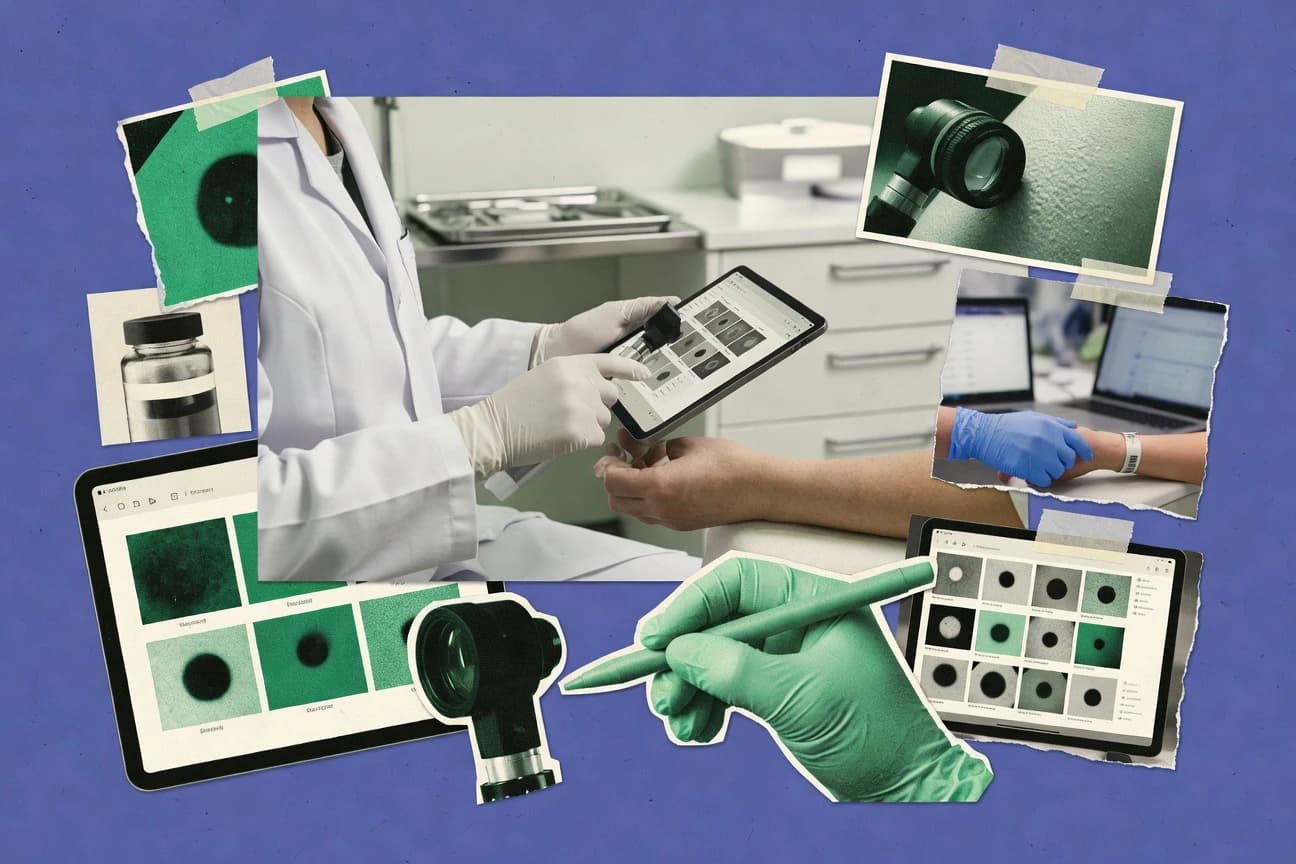
Healthcare MedicineTop 10 Best Dermatology Ehr Software of 2026
Top 10 dermatology ehr software options ranked for dermatology clinics, with feature comparisons and reviews including NextGen Healthcare EHR.

How we ranked these tools
Core product claims cross-referenced against official documentation, changelogs, and independent technical reviews.
Analyzed video reviews and hundreds of written evaluations to capture real-world user experiences with each tool.
AI persona simulations modeled how different user types would experience each tool across common use cases and workflows.
Final rankings reviewed and approved by our editorial team with authority to override AI-generated scores based on domain expertise.
Score: Features 40% · Ease 30% · Value 30%
Gitnux may earn a commission through links on this page — this does not influence rankings. Editorial policy
PrognoCIS by Bizmatics is the best fit for dermatology clinics that want templated, controlled photo-first documentation across providers, whereas NextGen Healthcare EHR works better for practices that also need stronger enterprise integration coverage as they scale.
Editor’s top 3 picks
Three quick recommendations before you dive into the full comparison below — each one leads on a different dimension.
PrognoCIS by Bizmatics
Dermatology visit templates coordinate skin exam capture and photo documentation inside the same encounter workflow.
Built for fits when dermatology clinics need templated documentation, photo workflows, and controlled chart structure across providers..
NextGen Healthcare EHR
Editor pickEncounter-linked photo documentation supports longitudinal lesion tracking within dermatology visit workflows.
Built for fits when dermatology practices need specialty visit structure plus enterprise integration coverage..
Modernizing Medicine (ModMed) EMA Dermatology
Editor pickDermatology photo documentation is built into the encounter workflow with direct chart linkage.
Built for fits when dermatology teams need structured visit capture plus imaging-linked documentation..
Comparison Table
PrognoCIS by Bizmatics
SMBSpecialty EHR with dermatology templates and image documentation.
Dermatology visit templates coordinate skin exam capture and photo documentation inside the same encounter workflow.
PrognoCIS is built for dermatology workflows where documentation structure matters, including templated visit note creation, consistent problem tracking, and photo documentation during the encounter. Appointment workflows feed documentation so clinicians can complete SOAP-style notes and assessments without switching between multiple tools. Audit and access controls support day-to-day governance, and the configuration options help clinics enforce documentation patterns across providers.
A practical tradeoff is that deeper template customization requires operational discipline, because small differences in visit forms can change downstream coding and billing behavior. PrognoCIS fits clinics that standardize dermatologic documentation across multiple clinicians and want predictable capture for follow-ups, procedures, and documentation-heavy cases.
- +Dermatology-focused visit templates reduce rework in skin exam documentation
- +Structured problem tracking supports consistent longitudinal charting
- +Photo documentation is integrated into the visit workflow
- +Configuration tools support clinic-specific documentation standards
- –Template customization demands governance to avoid documentation drift
- –Advanced workflow automation can depend on interface configuration
- –Reporting depth for niche dermatology metrics may require build effort
- –Some external workflow steps can require additional integration mapping
Dermatology clinic operators
Standardize documentation across providers
Less note variability across clinicians
Dermatology clinicians
Document lesions with photos
Faster, consistent clinical notes
Show 2 more scenarios
IT integration teams
Connect EHR data to other systems
Fewer manual data handoffs
An API and interface layer supports integration patterns for patient and clinical data exchange.
Medical billing coordinators
Translate encounters into billable details
Lower rework before submission
Structured documentation output helps coordinators align encounter content with billing requirements.
Best for: Fits when dermatology clinics need templated documentation, photo workflows, and controlled chart structure across providers.
NextGen Healthcare EHR
enterpriseAmbulatory EHR platform with dermatology-specific content and workflows.
Encounter-linked photo documentation supports longitudinal lesion tracking within dermatology visit workflows.
NextGen Healthcare EHR fits dermatology clinics that want specialty-oriented documentation within an enterprise-style EHR. Dermatology teams typically rely on visit templates to standardize SOAP-style entries, capture dermatologic findings, and keep documentation consistent across providers. Photo documentation workflows help teams attach images to encounters so follow-up comparisons remain part of the clinical record.
A key tradeoff is that specialty documentation depth depends on template configuration and ongoing admin attention as workflows evolve. The product works best when a clinic has clear ownership for template updates, coding mappings, and interface maintenance, especially when immunization capture and lab result feeds must stay current.
- +Dermatology visit templates standardize documentation across providers
- +Photo documentation supports lesion follow-up tied to encounter context
- +Structured coding support reduces manual mapping work
- +Integration focus supports ePrescribing and external clinical document flow
- –Specialty workflow quality depends on template governance and updates
- –UI navigation can feel heavy for smaller single-provider setups
- –Interface changes can require coordination with implementation resources
- –Dermatology-specific optimization may lag after major workflow shifts
Dermatology practice managers
Standardize documentation across providers
Fewer charting variations
Dermatology clinicians
Track lesions over multiple visits
Clearer clinical progression
Show 2 more scenarios
Clinical operations teams
Reduce manual coding work
Lower coding friction
Structured documentation fields feed diagnosis and procedure coding needs.
IT integration owners
Connect labs and external records
More complete records
Integration-oriented workflows help coordinate lab feeds and clinical document exchange.
Best for: Fits when dermatology practices need specialty visit structure plus enterprise integration coverage.
Modernizing Medicine (ModMed) EMA Dermatology
vertical specialistSpecialty-specific EHR built by dermatologists for dermatology practices.
Dermatology photo documentation is built into the encounter workflow with direct chart linkage.
EMA Dermatology organizes dermatology EHR workflows around encounter-driven templates, so typical notes like visit summaries and problem updates can be created from structured form elements. Photo documentation is a first-class workflow so imaging intake, linkage to the visit, and retrieval for follow-ups stay within the dermatology chart. Billing and prescribing actions can be initiated from the same documentation context, which reduces handoffs between clinical and back-office staff.
A key tradeoff is that template-driven charting can require careful governance of terminology and required fields to maintain consistent documentation across providers. The system fits best when a dermatology practice wants standardized note structure and imaging-linked documentation, and when administrators can manage template and workflow configuration so clinicians do not work around the form.
- +Dermatology-focused visit templates reduce charting variability across clinicians
- +Photo documentation ties directly to dermatologic visits for faster follow-ups
- +ePrescribing actions launch in the same encounter context as documentation
- +Referral and letter generation stays connected to the clinical note
- –Template governance is required to keep documentation consistent across teams
- –Some workflows depend on configuration rather than fully guided defaults
- –Integration outcomes depend on local IT mapping and interface validation
- –Complex encounter documentation can slow typing for highly manual styles
Dermatology clinical staff
Standardize lesion-focused visit notes
Fewer charting inconsistencies
Dermatology practice administrators
Coordinate referral letters from charts
Lower administrative back-and-forth
Show 2 more scenarios
Dermatology care coordinators
Manage imaging for follow-up visits
Faster review of prior lesions
Care teams retrieve and reference stored photos when documenting progression over time.
Dermatology prescribers
Initiate prescriptions during documentation
Reduced workflow handoffs
Prescribing steps happen from the same encounter used for clinical decision documentation.
Best for: Fits when dermatology teams need structured visit capture plus imaging-linked documentation.
Athenahealth athenaOne
enterpriseCloud-based EHR, RCM, and patient engagement with dermatology content.
athenaOne’s photo documentation capture tied to structured visit documentation and follow-up task routing inside the same chart workflow.
Athenahealth athenaOne combines dermatology EHR workflow tools with athenaNet services for front end scheduling, claims-facing revenue workflows, and clinical documentation operations. Its clinical visit flow uses configurable templates and structured documentation for common dermatologic encounters, including photo capture and follow-up task routing.
The system also emphasizes integration with outside labs, imaging sources, and referral pathways so results and documents can reach the chart without manual re-entry. Governance features focus on role-based access, audit trails, and administrative control over data sharing, messaging, and user provisioning.
- +Strong integration execution for results, referrals, and downstream workflows
- +Configurable dermatology visit templates with structured documentation patterns
- +Audit trails and role-based access support compliance-oriented chart controls
- +Photo documentation workflows support visit capture and longitudinal review
- –Dermatology-specific workflow configuration can require governance time
- –Some advanced reporting needs rely on external reporting tools or exports
Best for: Fits when dermatology practices want an EHR with operational workflow automation and heavy integration depth for referrals and results.
Epic ambulatory
enterpriseEnterprise EHR with specialty modules for dermatology.
Specialty visit templates that keep dermatology documentation fields structured and linked to the same longitudinal chart used for photos and follow-ups.
Epic ambulatory generates dermatology visit documentation using specialty-oriented templates and structured fields tied to the patient chart. It supports photo documentation workflows for conditions like rashes and lesions and links imaging to encounter history for review during subsequent visits.
Clinical orders and results can flow through standard healthcare interfaces such as HL7 v2 ORU^R01 so dermatology data stays available across departments. For governance, Epic provides role-based access controls and audit trails that record who accessed or changed clinical content.
- +Dermatology visit templates enforce consistent structured documentation
- +Photo documentation links directly to encounters and clinical history
- +HL7 v2 ORU^R01 result feeds keep lab and related clinical data current
- +Audit logs and role-based access controls support content accountability
- –Dermatology workflows can require specialty build and ongoing configuration
- –Template-heavy documentation can slow notes for clinicians without training
- –Third-party dermatology tooling often depends on the local integration approach
- –Some specialty details rely on build choices rather than out-of-the-box settings
Best for: Fits when large dermatology groups need templated documentation, photo workflows, and governed access across many clinics.
eClinicalWorks
enterpriseAmbulatory EHR with dermatology templates and telehealth.
Dermatology-ready visit and documentation templates that keep photo documentation and structured assessment aligned within the same encounter.
eClinicalWorks targets dermatology clinics that need an ambulatory EHR with specialty-oriented documentation patterns.
It supports clinical documentation workflows, ePrescribing, problem list maintenance, and coded diagnosis capture used in routine outpatient care.
Dermatology usability depends on how photo documentation and specialty templates fit local visit structure across clinicians.
Care coordination artifacts like referrals and referral letters support follow-up planning inside the same chart environment.
- +Dermatology-focused visit templates speed repeat documentation across providers
- +ePrescribing and structured orders reduce manual order transcription
- +Imaging and photo workflows support visual documentation within visits
- +Referral and communication tools support continuity across outside specialists
- –Dermatology workflows can require careful configuration to match local templates
- –Specialty-specific reporting can lag general reporting needs
- –Integration depth depends on interfacing setup rather than native order plumbing
- –Medication and problem list updates can add clicks during rapid visit throughput
Best for: Fits when mid-size dermatology practices want templated documentation, photo capture, and integrated prescribing in one ambulatory EHR.
CureMD
SMBCloud EHR with specialty-specific dermatology templates and billing.
Dermatology-tailored clinical templates that standardize structured documentation and photo capture during the same visit flow.
CureMD is a dermatology-focused EHR that centers clinical documentation for specialty visits, including structured dermatologic note templates and photo capture workflows. The system supports practice operations with appointment and patient management that map to dermatology encounter flow rather than generic primary-care templates.
CureMD’s integration approach emphasizes external clinical content and document exchange, including interfaces common in healthcare data movement. Admin tooling focuses on access control, audit visibility, and configuration needed to keep documentation and billing workflows consistent across clinicians.
- +Dermatology visit templates reduce variability in structured note sections
- +Photo documentation workflows fit longitudinal skin-care follow-ups
- +Integration targets clinical data exchange for labs, documents, and messaging
- +Role-based access supports separation between clinical and admin actions
- –Workflow customization requires setup effort to match clinic-specific documentation habits
- –Specialty reporting depth depends on configured templates and mappings
- –Some advanced automation paths need careful configuration to avoid extra steps
- –Edge-case documentation like unusual lesions can still take manual formatting
Best for: Fits when dermatology practices need specialty note structure and photo workflows with controlled user access.
CharmHealth
SMBCloud-based EHR with configurable dermatology workflows and telehealth.
Dermatology-focused visit documentation with photo capture tied into structured clinical entries for consistent follow-up.
CharmHealth focuses on dermatology EHR workflows, with visit documentation geared toward recurring skin-care use cases. The product supports structured clinical notes and photo documentation workflows that match common dermatology charting patterns.
CharmHealth also emphasizes operational integration needs such as interoperability messaging for clinical results and document exchange. Admin controls are designed for multi-staff clinics that need consistent documentation rules and access governance.
- +Dermatology note templates reduce repetition across common visit types
- +Photo documentation workflow fits dermatology review and follow-up needs
- +Structured chart elements support consistent problem tracking habits
- +Clinic-oriented configuration supports multi-user workflows
- –Integration depth for billing and referral documents can require external coordination
- –Some workflow automation requires careful setup across visit types
- –Specialty documentation fields may not map 1:1 to every site’s practice conventions
- –Admin governance controls require disciplined role assignment and audit checking
Best for: Fits when a dermatology clinic needs specialty documentation and photo-centric charting with controlled clinic workflows.
Nextech
vertical specialistNextech provides dermatology EHR, practice management, scheduling, billing, and patient engagement software.
Photo documentation embedded in dermatology visits for clinician-to-clinician continuity within the same encounter flow.
Nextech captures dermatology clinical documentation, encounter notes, and patient records inside a practice-focused EHR workflow. The system supports dermatology visit documentation patterns such as SOAP-style notes and structured encounter elements, with photo documentation meant for visual care continuity.
Nextech also connects administrative tasks like appointment flow, problem list maintenance, and referrals to the documentation work, so clinicians spend fewer clicks switching contexts. Integration depth depends heavily on the external interface stack chosen for the practice, especially for imaging storage, reporting feeds, and exchange with lab or billing systems.
- +Dermatology-oriented encounter documentation supports visit note consistency
- +Photo documentation fits visual workflows across common skin care scenarios
- +Problem list updates can stay linked to structured visit elements
- +Referral and letter workflow stays close to clinical documentation
- –Interoperability depth depends on chosen interface partner setup
- –Dermatopathology reporting workflows may require extra configuration effort
- –Template customization can increase admin overhead over time
- –Advanced automation requires careful workflow design rather than out-of-box rules
Best for: Fits when dermatology practices want a documentation-first EHR with photo capture and tight visit workflows.
PatientNow
vertical specialistPatientNow combines EHR, practice management, scheduling, billing, and patient communication for dermatology and aesthetic practices.
Built-in dermatology visit templates that standardize documentation and photo workflows for recurring appointment types.
PatientNow targets dermatology clinics that need clinical documentation centered on skin-focused visit workflows, including structured SOAP-style notes and dermatology visit templates. The system supports photo documentation for common dermatology use cases and ties visit content to downstream billing-ready documentation.
PatientNow also focuses on appointment scheduling, patient charting, and practice-facing administration tasks that fit a dermatology workflow. Integration depth and interoperability depend on how PatientNow is connected to the clinic’s broader EHR and document ecosystem.
- +Dermatology-focused visit templates reduce note rework across common visit types
- +Photo documentation supports clinical context for skin findings and follow-ups
- +Structured documentation helps keep visit content consistent for billing support
- +Clinic administration and scheduling cover core dermatology practice needs
- –FHIR and HL7 connectivity depth is limited without added integration work
- –Automation around prior authorization and referrals can require process alignment
- –Long-term problem list maintenance needs careful workflow governance
- –Reporting and export capabilities may be constrained versus broader EHR suites
Best for: Fits when dermatology clinics prioritize skin-focused documentation and photo workflows over deep platform extensibility.
Conclusion
After evaluating 10 healthcare medicine, PrognoCIS by Bizmatics stands out as our overall top pick — it scored highest across our combined criteria of features, ease of use, and value, which is why it sits at #1 in the rankings above.
Use the comparison table and detailed reviews above to validate the fit against your own requirements before committing to a tool.
How to Choose the Right dermatology ehr software
This buyer's guide covers top dermatology EHR software options for clinics that need structured dermatology visit templates and photo documentation tied to the same encounter workflow. The lineup includes PrognoCIS by Bizmatics, NextGen Healthcare EHR, Modernizing Medicine EMA Dermatology, athenaOne, Epic ambulatory, eClinicalWorks, CureMD, CharmHealth, Nextech, and PatientNow.
Each tool is assessed for how encounter-linked documentation supports longitudinal lesion tracking and follow-up, how templates reduce chart variability across providers, and how much configuration governs template behavior. Tools like PrognoCIS by Bizmatics and NextGen Healthcare EHR are highlighted for photo capture and visit-context linkage that keeps skin findings grounded in each encounter.
Dermatology EHR software for templated skin exam documentation and encounter-linked photo workflows
Dermatology EHR software is designed to capture dermatologic visit documentation with specialty visit templates that keep skin exams, structured findings, and photo documentation aligned inside a single encounter flow. PrognoCIS by Bizmatics coordinates skin exam capture and photo documentation within dermatology visit templates, which supports controlled chart structure across providers.
Modernizing Medicine EMA Dermatology also builds dermatology photo documentation into the encounter workflow with direct chart linkage, which reduces friction for follow-ups tied to prior images. Across the category, the differentiators focus on template governance, how well photo and clinical entries remain connected to encounter context, and how configuration and integration affect downstream referral, results, and reporting workflows.
Dermatology EHR evaluation criteria: encounter templates, photo linkage, and workflow control
Dermatology EHR software lives or dies on how reliably specialty visit templates keep structured skin exam elements aligned with the encounter where photos are captured and reviewed. When the documentation structure and the photo workflow are encounter-linked, lesion follow-ups stay grounded in the same clinical context across multiple visits.
Template governance and workflow configuration determine whether standardized documentation holds over time. The standout capability across this set is controlled chart structure for skin exams plus encounter-linked photo documentation that supports continuity for longitudinal lesion tracking.
Encounter-linked dermatology photo documentation
PrognoCIS by Bizmatics ties skin exam capture and photo documentation into dermatology visit templates for encounter-grounded follow-ups. NextGen Healthcare EHR links encounter context to photo documentation to support lesion tracking over time within dermatology visit workflows.
Specialty dermatology visit templates with structured findings
Epic ambulatory keeps specialty visit templates structured and linked to the same longitudinal chart that supports photos and follow-ups. Modernizing Medicine EMA Dermatology builds dermatology photo documentation into the encounter workflow with direct chart linkage.
Template governance and configuration depth
PrognoCIS by Bizmatics speeds repeat skin exam documentation through dermatology-focused visit templates but requires governance to prevent documentation drift. Epic ambulatory can require specialty build and ongoing configuration, which becomes a governance burden for large groups managing multiple clinics.
Operational workflow automation for dermatology referrals and results
athenaOne focuses on photo documentation capture tied to structured visit documentation and follow-up task routing inside the same chart workflow. Athenahealth athenaOne also emphasizes integration execution for results and referrals that drive downstream dermatology workflows.
Integrated prescribing and order capture inside dermatology visits
eClinicalWorks supports integrated prescribing with dermatology-ready visit and documentation templates that align photo documentation and structured assessment in the encounter. eClinicalWorks also uses structured orders to reduce manual transcription when teams document common dermatology orders.
How to choose dermatology EHR software for templated skin exams and longitudinal photos
Start with the charting model rather than the user interface, because these systems differ in how dermatology visit templates coordinate documentation fields with photo capture during the same encounter. The templates in this category should reduce rework for clinicians while keeping structured content consistent across providers.
Then branch based on integration and governance needs, because some tools focus on tightly controlled encounter workflows while others emphasize broader operational automation and downstream integration execution. The right fit depends on whether the clinic can commit to template governance and interface configuration to keep documentation and photos accurate over time.
Map the encounter workflow where photos and structured exam fields must stay linked
If skin exams and photo capture must remain in the same visit workflow, PrognoCIS by Bizmatics pairs dermatology visit templates with coordinated skin exam capture and photo documentation. If encounter context must drive lesion follow-up, NextGen Healthcare EHR connects photo documentation to the encounter workflow for longitudinal lesion tracking.
Choose a templating approach that matches the clinic’s governance capacity
If the clinic can run governance for template updates, Epic ambulatory provides specialty visit templates that enforce consistent structured documentation across governed access. If the clinic needs faster standardization with less specialty build, Modernizing Medicine EMA Dermatology offers dermatology-focused templates that reduce charting variability but still require template governance to keep consistency across teams.
Select for operational automation only if referrals and results drive care coordination
If dermatology follow-ups rely on chart-based task routing for results and referrals, athenaOne couples photo documentation capture to structured visit documentation and follow-up task routing. If the clinic’s focus is mainly on visit documentation and photo capture rather than heavy downstream operational routing, Nextech can fit a documentation-first workflow with photo documentation embedded in visits.
Decide whether prescribing and order capture must be part of the dermatology encounter template set
If integrated prescribing within the encounter reduces transcription work, eClinicalWorks aligns dermatology-ready visit templates with integrated prescribing and structured orders. If the priority is specialty note structure plus photo workflows with controlled user access, CureMD standardizes structured documentation and photo capture during the same visit flow but depends on configured templates for deeper specialty reporting.
Set expectations for interoperability and reporting depth based on configuration and interface choices
If interoperability depth matters for external connections, Nextech notes that interoperability depends on chosen interface partner setup. If dermatopathology reporting workflows must run without extra setup work, CharmHealth flags that reporting breadth can require external coordination for billing and referral documents.
Who dermatology EHR buyers should target with these systems
Dermatology clinics should shortlist tools that make structured skin exam documentation repeatable across providers and keep photo evidence tied to the encounter where it was captured. This focus matters most for longitudinal lesion tracking, referral follow-through, and consistent patient education during recurring visits.
The systems also split by operational workload, where some products emphasize encounter-linked automation for referrals and results while others concentrate on templated documentation and photo workflows. Buyer fit depends on whether the clinic can sustain template governance and configuration work across teams and sites.
Dermatology clinics standardizing skin exam documentation across providers
PrognoCIS by Bizmatics and Modernizing Medicine EMA Dermatology both reduce clinician-to-clinician variation by using dermatology-focused visit templates that coordinate skin exam capture and photo documentation within the encounter workflow.
Multi-clinic dermatology groups needing governed access and template consistency
Epic ambulatory is built around specialty visit templates that enforce consistent structured documentation across many clinics and keep photo documentation linked to encounters and clinical history.
Dermatology practices where referrals and results routing must be driven from the EHR chart
athenaOne couples photo documentation capture with structured visit documentation and follow-up task routing, which supports operational automation for referral and downstream results workflows.
Mid-size practices that want prescribing and orders integrated into dermatology templates
eClinicalWorks ties dermatology-ready visit templates to ePrescribing and structured order capture so teams document and place common dermatology orders inside the same encounter flow.
Clinics prioritizing documentation-first visit flows over extensibility
PatientNow is a fit when clinics prioritize built-in dermatology visit templates and photo workflows for recurring appointment types while limiting reliance on deep extensibility and automation around prior authorization and referrals.
Common mistakes when buying dermatology EHR software for photo workflows
A frequent failure mode is choosing based on photo capture features without verifying how photos stay linked to encounter context and longitudinal history. Another failure mode is underestimating template governance work, because dermatology visit templates can drift across teams if changes are not managed.
Buyers also risk mismatched expectations for interoperability depth and downstream workflow coverage, especially when referrals, results, and dermatopathology reporting must run without extra configuration effort.
Selecting an EHR for photo storage instead of encounter-linked photo documentation
PrognoCIS by Bizmatics and NextGen Healthcare EHR both emphasize encounter context linkage so lesion follow-up stays grounded in the visit where photos were captured. Tools that embed photo capture without strong encounter linkage can lead to fragmented follow-up notes.
Ignoring template governance requirements and later treating note structure as a one-time setup
PrognoCIS by Bizmatics and Modernizing Medicine EMA Dermatology both flag that template governance is required to keep documentation consistent across providers and teams. Without governance, structured findings and photo-linked entries can diverge over time.
Assuming advanced operational automation is included without configuration or additional workflow design
athenaOne supports operational workflow automation and integration execution for results and referrals, but dermatology-specific workflow configuration can require governance time. PatientNow and CharmHealth also indicate that certain referral, billing, and prior authorization workflows can depend on process alignment or external coordination.
Overlooking interoperability and reporting depth ceilings tied to configuration choices
Nextech notes that interoperability depth depends on the chosen interface partner setup, which can affect continuity for lab and external document flows. CharmHealth also points to potential external coordination needs for billing and referral documents when deeper reporting workflows are required.
How We Selected and Ranked These Tools
We evaluated PrognoCIS by Bizmatics, NextGen Healthcare EHR, Modernizing Medicine EMA Dermatology, athenaOne, Epic ambulatory, eClinicalWorks, CureMD, CharmHealth, Nextech, and PatientNow using features for dermatology encounter template structure plus photo documentation linkage. Features accounted for 40% of the scoring, ease accounted for 30%, and value accounted for 30%.
PrognoCIS by Bizmatics earned the top position because dermatology visit templates coordinate skin exam capture and photo documentation inside the same encounter workflow, and the structured problem tracking supports consistent longitudinal charting. NextGen Healthcare EHR ranked near the top because encounter-linked photo documentation and standardized dermatology visit templates support lesion follow-up tied to encounter context.
Frequently Asked Questions About dermatology ehr software
How do PrognoCIS and NextGen Healthcare EHR handle lesion photo documentation within a single dermatology visit?
What integration paths differ between Athenahealth athenaOne and Epic ambulatory for results, imaging, and external documents?
How does ModMed EMA Dermatology connect photo documentation to the chart context clinicians need during follow-ups?
Which dermatology EHR supports stronger administration controls for user provisioning and access governance?
How do eClinicalWorks and CureMD compare for aligning structured documentation with dermatology SOAP-style workflows?
What tradeoff appears when a clinic needs tight control of chart structure versus broad enterprise connectivity?
How do integrations for referrals and referral letters show up in ModMed EMA Dermatology and eClinicalWorks?
When clinics must standardize photo-centric documentation rules across multiple staff, which tool provides the most direct workflow governance?
What breaks if a practice relies on generic note templates instead of dermatology-specific encounter templates in NextGen Healthcare EHR and PatientNow?
How should a dermatology practice plan initial setup to connect documentation workflows and downstream billing documentation in Nextech and PatientNow?
Tools reviewed
Primary sources checked during evaluation.
Referenced in the comparison table and product reviews above.
- Healthcare MedicineTop 10 Best Ophthalmology Ehr Software of 2026
- Healthcare MedicineTop 10 Best Dermatology Practice Management Software of 2026
- Healthcare MedicineTop 10 Best Ehr Chiropractic Software of 2026
- Healthcare MedicineTop 10 Best Podiatry Emr Software of 2026
- Healthcare MedicineTop 10 Best Electronic Health Records Software of 2026
Keep exploring
Comparing two specific tools?
Software Alternatives
See head-to-head software comparisons with feature breakdowns, pricing, and our recommendation for each use case.
Explore software alternatives→In this category
Healthcare Medicine alternatives
See side-by-side comparisons of healthcare medicine tools and pick the right one for your stack.
Compare healthcare medicine tools→