GITNUXSOFTWARE ADVICE
Healthcare MedicineTop 10 Best Dental Practice Management Software of 2026
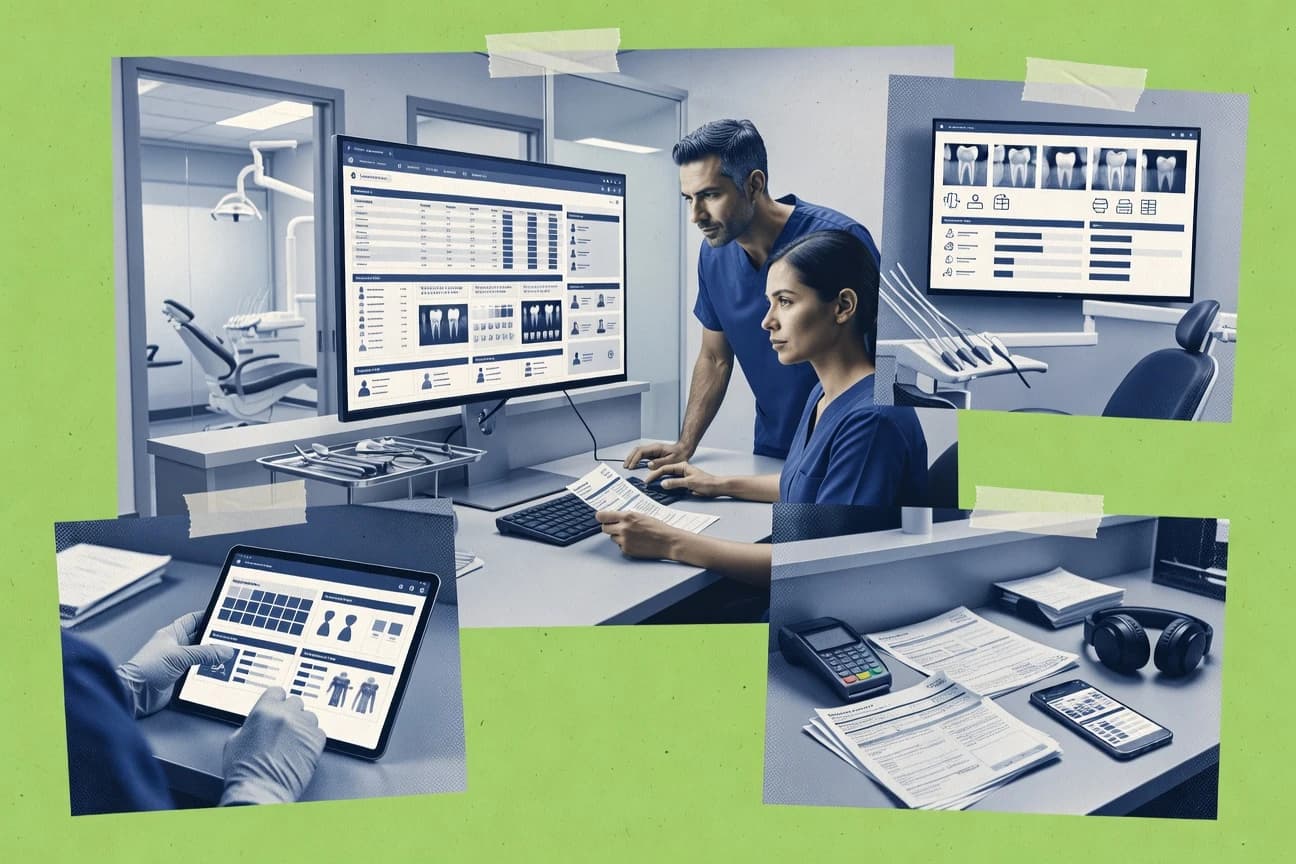
Compare dental practice management software tools and key tradeoffs for clinics choosing between Open Dental, CareStack, and tab32.

How we ranked these tools
Before any source is gathered, an editor locks the question, what qualifies, and how the piece will be judged.
Search agents gather the source set and the review record, including transcriptions of video reviews and podcasts.
Framework: Features 40% · Ease 30% · Value 30%
Gitnux may earn a commission through links on this page — this does not influence rankings. Editorial policy
Open Dental is the best pick for mid-size clinics that need configurable clinical workflows and deep integration support because its direct-to-database extensibility and practical API help automate scheduling, imaging, and billing-adjacent steps, while CareStack fits teams that want staff-driven intake and clinical automation that flows into downstream appointments and follow-ups.
Editor’s top 3 picks
Three quick recommendations before you dive into the full comparison below — each one leads on a different dimension.
Open Dental
Direct-to-database style add-on extensibility plus a practical API for automating scheduling, imaging, and billing-adjacent workflows.
Best for: Fits when mid-size clinics need configurable clinical workflows and integration depth with controlled access.
CareStack
Editor pickStaff-driven workflow automation that pushes completed intake and clinical entries into downstream appointment and follow-up tasks.
Best for: Fits when mid-size clinics want workflow automation across intake, charting, and scheduling without heavy customization.
tab32
Editor pickWorkflow linkage between scheduled visits, clinical documentation, and claim preparation that reduces rekeying across roles.
Best for: Fits when practices need coordinated scheduling, charting, and claim workflows with automation and integrations.
Comparison Table
Open Dental
SMBPractice management software with scheduling, charting, billing, imaging, and patient communication features.
Direct-to-database style add-on extensibility plus a practical API for automating scheduling, imaging, and billing-adjacent workflows.
Open Dental is a practice management system focused on clinical workflows like dental charting, treatment planning, and appointment scheduling. It uses a configurable procedure code library for CDT coding and integrates patient registration data into scheduling, recall, and accounts receivable.
Administration supports role-based access and audit-style logs for common operational changes. Open Dental also offers extensibility through add-ons and a documented API surface that supports integration with imaging, radiography, and other practice systems.
- +Strong dental charting and odontogram workflow support
- +Procedure and CDT coding support with configurable fee schedules
- +Recall and reactivation workflows tied to patient records
- +RBAC-style controls and change tracking for daily administration
- –Workflow configuration depth can slow initial setup
- –Reporting breadth depends on installed modules and add-ons
- –Multi-location administration requires careful governance
- –Some integrations rely on third-party connectors rather than native tools
Best for: Fits when mid-size clinics need configurable clinical workflows and integration depth with controlled access.
CareStack
enterpriseCloud dental software for practice management, clinical operations, billing, patient engagement, and multi-site groups.
Staff-driven workflow automation that pushes completed intake and clinical entries into downstream appointment and follow-up tasks.
CareStack is a cloud-based dental practice management system built around end-to-end clinic workflows, from patient intake through scheduled care and billing handoffs. It supports core operational needs like appointment scheduling, patient registration, dental charting, and document-driven patient communication.
Automation centers on moving completed intake and clinical items into next-step workflows so staff do not re-key data between screens. Admin controls focus on role-based access for day-to-day governance and auditability across clinical and operational actions.
- +Clean appointment scheduling that stays aligned with clinical workflows
- +Dental charting supports odontogram entry and procedure-ready documentation
- +Role-based permissions help separate front desk and clinical access
- +Workflow automation reduces duplicate data entry between intake and scheduling
- –Fewer configuration options than some contenders for complex multi-location rules
- –API coverage is not as visible for high-volume custom integrations
- –Some reporting templates require manual filtering for management views
- –Clinical terminology mapping can take time when migrating legacy coding
Best for: Fits when mid-size clinics want workflow automation across intake, charting, and scheduling without heavy customization.
tab32
vertical specialistCloud dental software with practice management, clinical charting, patient communication, and reporting tools.
Workflow linkage between scheduled visits, clinical documentation, and claim preparation that reduces rekeying across roles.
Dental teams that run daily schedules and need consistent patient records can use tab32 to connect visit intake, clinical documentation, and billing execution in one operating thread. The software’s workflow orientation emphasizes reducing duplicate data entry between scheduling inputs, charting updates, and claim preparation steps. tab32 is also a fit when multi-role teams require clear task handoffs between front desk functions and billing functions.
The main tradeoff is governance overhead. tab32 requires disciplined configuration of clinical and billing data elements so staff follow the same documentation and coding rules across providers and locations. A common fit is a practice that has standardized procedure templates and wants consistent claim submission output from those templates.
- +Connects scheduling events to clinical documentation handoffs
- +Handles insurance eligibility workflows for claim readiness
- +Supports electronic claims submission with claim attachment management
- +Works well for multi-role daily operations coordination
- –Charting and coding rules require deliberate setup discipline
- –Role-based workflow permissions need careful admin review
- –Advanced automation depends on consistent staff processes
- –Some integration scenarios can require additional IT effort
Front-desk coordinators
Daily scheduling to intake
Fewer intake delays
Dental assistants
Chairside charting templates
Cleaner clinical records
Show 2 more scenarios
Billing coordinators
Eligibility to claim submission
Faster claim throughput
Eligibility checks feed claim readiness so claims progress with fewer billing stalls.
Practice administrators
Admin governance of workflows
More consistent execution
Role handoffs across documentation and billing functions support controlled daily operations.
Best for: Fits when practices need coordinated scheduling, charting, and claim workflows with automation and integrations.
Denticon
enterpriseCloud dental practice management software for clinical records, scheduling, billing, analytics, and multi-site administration.
Built-in recall and patient communication workflows that tie scheduled care to follow-up actions.
Denticon focuses on patient communication and clinical workflow support with modules designed around routine dental practice needs. The software supports appointment scheduling, patient registration, and charting workflows that feed into treatment planning and billing execution.
- +Appointment and recall workflows reduce manual follow-up work
- +Charting flows connect to treatment planning and billing execution
- +Patient registration fields are built for day-to-day intake speed
- +Operational reporting covers front-desk and clinical activity
- –Insurance eligibility workflows depend on specific integration coverage
- –Advanced automation requires careful process mapping by admin roles
- –Multi-location governance tools are less detailed than top-tier rivals
- –Some imaging and claims steps can require external system coordination
Best for: Fits when clinics want configured workflows for scheduling, charting, and follow-ups without custom development.
Curve Dental
vertical specialistCloud-based dental practice management software for clinical, scheduling, billing, and reporting workflows.
Chart-driven visit workflows that keep procedures and related clinical documentation aligned during scheduling and subsequent treatment planning.
Curve Dental supports appointment scheduling, patient registration, and dental charting in a single clinic workflow. Its practice management focus centers on chart-driven treatment planning and procedure documentation tied to clinical visits.
- +Chart-first workflow that ties documentation to subsequent treatment steps
- +Recall and reactivation tracks follow-ups across patient status changes
- +In-visit notes and procedures stay connected to the same clinical record
- +Patient communication history reduces scatter across tools
- –Advanced automation requires careful configuration of workflow steps
- –Multi-location reporting is narrower than systems built for chains
- –Some integrations depend on external tooling for imaging and exchange steps
- –Detailed insurance worklists can feel less streamlined than billing-first suites
Best for: Fits when single-site practices need chart-driven workflows, structured follow-ups, and consistent visit documentation.
Dentally
SMBCloud dental practice management software for scheduling, patient records, treatment planning, billing, and communication.
Odontogram-driven clinical documentation that carries recorded procedures into follow-on practice revenue workflows.
Dentally manages dental practice operations with cloud-based workflows for patient registration, appointment scheduling, and clinical documentation. Dental charting and treatment planning are built into daily work, including odontogram and procedure recording that feed downstream clinical and billing steps.
- +Clinical documentation connects odontogram to procedure recording in one workspace
- +Recall and reactivation workflows reduce manual follow-up between visits
- +Accounts receivable features support statement generation tied to visit history
- +Patient intake and registration flows reduce re-keying across appointments
- –CDT coding coverage depends on the quality of the configured procedure library
- –Multi-location governance can require careful role setup to avoid data leakage
- –Reporting depth needs extra configuration for complex operational KPIs
- –Some imaging integrations may require external coordination to match capture formats
Best for: Fits when practices need tightly connected charting, scheduling, and revenue follow-through in one workflow.
ClearDent
SMBDental practice management software for charting, scheduling, billing, imaging, and patient communication.
Visit-based clinical record flow that links charting and treatment planning to front-desk and billing steps.
ClearDent is a dental practice management system geared toward clinics that want end-to-end chairside-to-front-desk workflows in one workspace. Appointment scheduling, patient registration, and digital intake capture feed into dental charting and treatment planning so staff can keep records aligned across visits.
- +Clinical charting and treatment planning are organized around visit documentation
- +Appointment scheduling supports day-to-day operations without heavy workflow hopping
- +Digital intake and registration reduce retyping of patient demographics
- +Billing workflow maps cleanly from procedure coding to claim-ready activities
- –Multi-location and advanced roles with audit log controls are limited for larger groups
- –Intraoral imaging and digital radiography integrations are not a central differentiator
- –Insurance eligibility and predetermination workflows look narrower than enterprise competitors
- –Automation depends more on manual staff steps than on configurable trigger logic
Best for: Fits when a single- or small multi-provider clinic needs tight chart-to-visit continuity.
Practice-Web
SMBDental practice management software for patient records, scheduling, billing, imaging, and electronic claims.
Chart-to-billing continuity ties odontogram-style documentation into insurance eligibility and claim preparation steps.
Practice-Web supports the core day-to-day modules needed to run a dental front desk and clinical room, including appointment scheduling and patient registration tied to visit workflows. Clinical documentation includes dental charting with odontogram-style data capture used during examinations. For financial operations, it connects insurance eligibility checking to claims preparation workflows so staff can progress from visit documentation to submission steps.
- +Appointment scheduling is integrated with patient registration workflows
- +Dental charting supports odontogram-style documentation during exams
- +Insurance eligibility and claim workflows reduce manual handoffs
- +Single system reduces cross-tool operational friction for front desk staff
- –Customization depth for intake workflows can require focused setup time
- –Complex multi-location governance needs may exceed typical single-site usage patterns
- –Advanced automation beyond core visit steps can depend on configuration scope
- –Extensibility depends more on integration choices than native app marketplace breadth
Best for: Fits when single-location teams need appointment-to-chart-to-claims execution with controlled workflows.
MacPractice
SMBDental practice management software for scheduling, charting, billing, imaging, and patient records on Apple platforms.
Workflow configuration that ties charting decisions to procedure coding for visit-to-claims continuity.
MacPractice supports appointment scheduling with operational calendars and links schedule items to patient records for day-of-visit continuity. Patient registration and digital forms feed clinical workflows, and dental charting with an odontogram approach provides structured documentation for procedures and outcomes. Procedure coding is tied to the visit workflow so teams can generate claim-ready records without re-keying.
- +Charting and odontogram workflow keeps documentation consistent across visits
- +Procedure coding ties clinical entries to billing workflows without duplicate entry
- +Multi-location operations support consistent records and workflow routing
- +Admin configuration supports template governance and operational consistency
- –Advanced automation requires careful setup of templates and workflow rules
- –Complex rule sets can slow front-desk throughput during initial adoption
- –Reporting depth may require export workflows for certain analyses
- –Some integrations depend on partner-connected data exchange paths
Best for: Fits when multi-location dental teams need standardized charting and coding tied to daily operations.
ABELDent
SMBDental practice management software with charting, scheduling, billing, reporting, and patient record tools.
Chart-linked treatment execution that keeps clinical entries and financial steps synchronized within the same patient record.
ABELDent is a dental practice management system focused on day-to-day clinic workflows like charting, scheduling, and billing operations. The product ties patient demographics to clinical documentation and then carries that context into treatment and financial processes.
- +Clinical documentation flows directly into treatment and billing steps
- +Recall and reactivation workflows reduce lapses in follow-up
- +Scheduling supports routine visit coordination without manual workarounds
- +Patient communication tools keep key updates in the same record
- –Digital radiography integration depth varies by external vendor workflow
- –Procedure code and CDT coding guidance can feel rigid
- –Multi-location operations are harder to govern at scale than expected
- –Automation and API support are limited compared with top-ranked systems
Best for: Fits when single or small multi-provider teams need consistent chart-to-billing workflow automation.
Conclusion
After evaluating 10 dental practice management software, Open Dental stands out as our overall top pick — it scored highest across our combined criteria of features, ease of use, and value, which is why it sits at #1 in the rankings above.
Use the comparison table and detailed reviews above to validate the fit against your own requirements before committing to a tool.
How to Choose the Right Dental Practice Management Software
This buyer's guide covers dental practice management software tools that handle scheduling, charting, treatment workflows, and billing handoffs. It specifically references MacPractice, tab32, Practice-Web, Open Dental, and Curve Dental, plus the lower-ranked options CareStack, Denticon, ABELDent, Dentally, and ClearDent.
The guide shows how to evaluate workflow linkage, automation setup effort, and integration readiness across these products. It also maps common failure points to the exact limitations reported for each tool.
Dental Practice Management Software that connects chairside charting to claims-ready billing
Dental practice management software runs day-to-day clinic operations across appointment scheduling, patient registration, and clinical documentation workflows. It ties dental charting and treatment planning to procedure coding, recall tracking, and insurance eligibility and claim preparation so front desk and clinical teams avoid rekeying.
MacPractice and tab32 illustrate how workflow linkage can connect scheduled visits to odontogram and procedure coding outcomes that flow into claims work. The same category also appears as chart-to-billing continuity in Practice-Web, plus extensibility and API-driven integration approaches in Open Dental.
Evaluation criteria for dental workflow linkage, governance, and integration depth
Dental offices fail most often when scheduling, charting, and billing do not share a consistent handoff model across roles. These features focus on reducing retyping, preserving clinical context through claims preparation, and keeping admin controls usable when real staff roles change.
The criteria below also highlight where automation and integration can become a configuration project instead of a built-in workflow, based on how each tool describes its setup and operational behavior.
Chart-to-procedure-code continuity across visits
MacPractice ties charting decisions to procedure coding to preserve visit-to-claims continuity without duplicate documentation entry. Dentally also emphasizes odontogram-driven clinical documentation that carries recorded procedures into follow-on revenue workflows.
Workflow linkage from scheduled visits to claims preparation artifacts
tab32 links scheduled visits, clinical documentation handoffs, and claim preparation to reduce rekeying across roles. Practice-Web provides chart-to-billing continuity by connecting odontogram-style documentation to insurance eligibility and claim preparation steps.
Governance controls for workflow configuration and role permissions
MacPractice includes admin configuration that supports template governance and operational consistency for multi-location workflows. Open Dental adds role-based access and audit-style logs for common operational changes so administrators can control daily workflow edits.
Automation that shifts completed intake and clinical items into next-step tasks
CareStack pushes completed intake and clinical entries into downstream appointment and follow-up tasks to prevent staff from reentering the same data across screens. Curve Dental similarly keeps chart-driven visit procedures connected to subsequent treatment planning steps during the clinic workflow.
Extensibility and integration readiness via API and add-on paths
Open Dental offers direct-to-database style add-on extensibility plus a practical API aimed at automating scheduling and imaging-adjacent workflows. ABELDent emphasizes integration connectability for imaging and claims-related workflows, but it limits automation and API visibility compared with top-ranked tools.
Recall and reactivation workflow automation tied to patient records
Denticon builds recall and patient communication workflows that tie scheduled care to follow-up actions. Curve Dental tracks recall and reactivation across patient status changes while maintaining auditable communication history.
Decision framework for matching clinic workflow philosophy to operational constraints
Selection works best when the intended workflow philosophy is clear before comparing feature checklists. The question is whether the practice needs chart-to-claims continuity driven by configurable workflow rules, or whether it needs appointment-to-chart-to-claims linkage that reduces cross-role rekeying.
The next steps also separate tools that emphasize governance and automation configuration discipline from tools that prioritize simpler single-location visit continuity, so setup effort and operational throughput stay aligned with staff capacity.
Pick a workflow linkage model: chart-first or visit-first
Choose MacPractice or Curve Dental when the clinic wants chart-first workflows where odontogram and procedures stay connected to subsequent treatment steps. Choose tab32 or Practice-Web when the clinic wants visit-first linkage that connects scheduling events to clinical documentation handoffs and claim preparation.
Match automation setup tolerance to staffing and governance capability
If workflow automation needs deliberate setup discipline, tab32 and MacPractice fit teams that can standardize templates and staff processes before scaling. If staff needs simpler automation that pushes completed intake into next steps without deep rule engineering, CareStack aligns better with that operating style.
Validate admin control depth for multi-location or role-heavy operations
For organizations that require multi-location governance and operational template control, MacPractice supports workflow configuration that preserves record consistency across locations. For mid-size clinics needing controlled access and change tracking, Open Dental adds role-based controls and audit-style logs to manage day-to-day operational edits.
Assess extensibility and integration path expectations before migrating imaging and radiography work
If the integration plan needs an API and practical add-on extensibility for scheduling and imaging-adjacent automation, Open Dental is the clearest fit in this set. If imaging and claims exchange depend more on external coordination or third-party connectors, ABELDent and ClearDent can work for single or small multi-provider setups.
Confirm recall and communication workflow coverage for follow-up execution
For practices that want built-in recall execution tied to patient communication history, Denticon and Curve Dental provide recall and reactivation workflows designed to reduce manual follow-up. For teams that manage follow-ups mainly through chart-to-billing synchronization, ABELDent and Dentally keep follow-up continuity inside the same patient record.
Which dental practice management tools fit which clinic operating models
Different dental teams prioritize different choke points in the workflow. Some need strict continuity between charting and procedure coding so claims can be prepared without re-documentation. Others need visit-to-claims linkage that connects scheduling, clinical documentation, and claim artifacts across roles.
The segments below follow the stated best-for fit and translate it into concrete operational needs.
Multi-location dental teams standardizing charting and coding
MacPractice fits teams that need standardized charting and coding tied to daily operations across multiple locations. Its multi-location workflow routing and template governance support consistent patient record handling when operational rules differ by site.
Clinics coordinating scheduling, clinical documentation, and claims with automation
tab32 fits practices that want coordinated scheduling, charting, and insurance claim workflows aligned through the same workflow session. Practice-Web fits teams focused on a single location that needs appointment-to-chart-to-claims execution with controlled steps for front desk continuity.
Mid-size clinics that need configurable clinical workflows plus integration depth
Open Dental fits mid-size clinics that want configurable clinical workflows for charting, treatment planning, and procedure code libraries. Its API and add-on extensibility target automation around scheduling and imaging-adjacent workflows with controlled access.
Single-site practices using chart-driven workflows and auditable follow-ups
Curve Dental fits single-site practices that run chart-driven visit workflows and want procedures and related clinical documentation aligned during scheduling and treatment planning. ClearDent also supports single- or small multi-provider clinics with visit-based continuity from charting and treatment planning into front-desk and billing steps.
Common failure points when implementing dental practice management tools
Dental practice management implementations fail most often when staff roles and workflow rules are not standardized before automation is relied on for daily throughput. Another common problem is expecting deep reporting and enterprise governance features from tools designed around simpler single-site workflows.
The mistakes below map directly to concrete limitations described for the tools in this set so teams can avoid predictable operational friction.
Overbuilding workflow automation without template and rule discipline
MacPractice and tab32 both tie charting and coding decisions to downstream claims continuity, so advanced automation setup can slow initial front-desk throughput. CareStack reduces duplicate data entry with staff-driven automation, which works better when governance and template engineering capacity is limited.
Underestimating multi-location governance requirements
Practice-Web flags that complex multi-location governance needs can exceed typical single-site usage patterns, and Open Dental still requires careful governance for multi-location administration. For broader multi-location control, MacPractice has workflow configuration support that keeps patient records consistent across locations.
Assuming reporting depth works for complex KPIs without export or configuration
MacPractice notes that reporting depth may require export workflows for certain analyses, and Dentally requires extra configuration for complex operational KPIs. Open Dental reporting breadth depends on installed modules and add-ons, which means reporting capability may shift based on what gets deployed.
Treating imaging and radiography integration as a native, one-click feature across tools
ABEDDent reports that digital radiography integration depth varies by external vendor workflow, and ClearDent states that imaging and digital radiography are not a central differentiator. Open Dental is the strongest option here due to its API and add-on extensibility, but other tools may require external system coordination.
How We Selected and Ranked These Tools
We evaluated each dental practice management tool on features coverage for scheduling, charting, billing workflows, automation behavior, and integration readiness, plus ease of use for day-to-day staff operation and value for practical rollout. Features carried the most weight at 40% while ease of use and value each accounted for 30% in the overall scoring.
This scoring used only the capability statements, configuration notes, pros, and cons described for each named tool in the provided materials. MacPractice separated itself from lower-ranked options by delivering workflow configuration that ties charting decisions to procedure coding for visit-to-claims continuity, and that alignment lifted both features and ease of use relative to the rest of the set.
Frequently Asked Questions About Dental Practice Management Software
How do MacPractice, tab32, and Practice-Web reduce rekeying between charting and claims?
Which tools provide a documented API or extensibility surface for integration work?
How should practices validate insurance eligibility verification and electronic claims submission coverage?
What breaks if a practice needs multi-location standardization across patient records?
How do admin controls and access governance differ between Open Dental and CareStack?
When does setup complexity become a practical constraint for odontogram-to-workflow continuity?
What tradeoff shows up when practices prioritize chart-to-billing continuity over enterprise governance?
How do Curve Dental, Denticon, and Dentally handle recall and reactivation workflows with patient communication records?
When should ABELDent, Denticon, or CareStack be chosen for internal workflow automation depth?
Tools reviewed
Primary sources checked during evaluation.
Referenced in the comparison table and product reviews above.
Funding and competing interests
This study was co-funded by several of the vendors assessed in it. No single vendor funded it. Funders could propose the market studied.
They had no role in selecting vendors, setting or weighting criteria, analysing data or drawing conclusions, and they received the same factual-accuracy check as every other vendor assessed.
Market definition, inclusion rules and criteria weights were fixed by an editor before research began and did not change afterwards. Editorial process →
- Healthcare MedicineTop 10 Best Dental Practice Software of 2026
- Healthcare MedicineTop 10 Best Cloud Based Dental Practice Management Software of 2026
- Healthcare MedicineTop 10 Best Dental Treatment Plan Software of 2026
- Healthcare MedicineTop 10 Best Most Popular Dental Software of 2026
- Healthcare MedicineTop 10 Best Dental Office Computer Software of 2026
Keep exploring
Comparing two specific tools?
Software Alternatives
See head-to-head software comparisons with feature breakdowns, pricing, and our recommendation for each use case.
Explore software alternatives→In this category
Healthcare Medicine alternatives
See side-by-side comparisons of healthcare medicine tools and pick the right one for your stack.
Compare healthcare medicine tools→