
GITNUXSOFTWARE ADVICE
Healthcare MedicineTop 10 Best Dental Lab Software of 2026
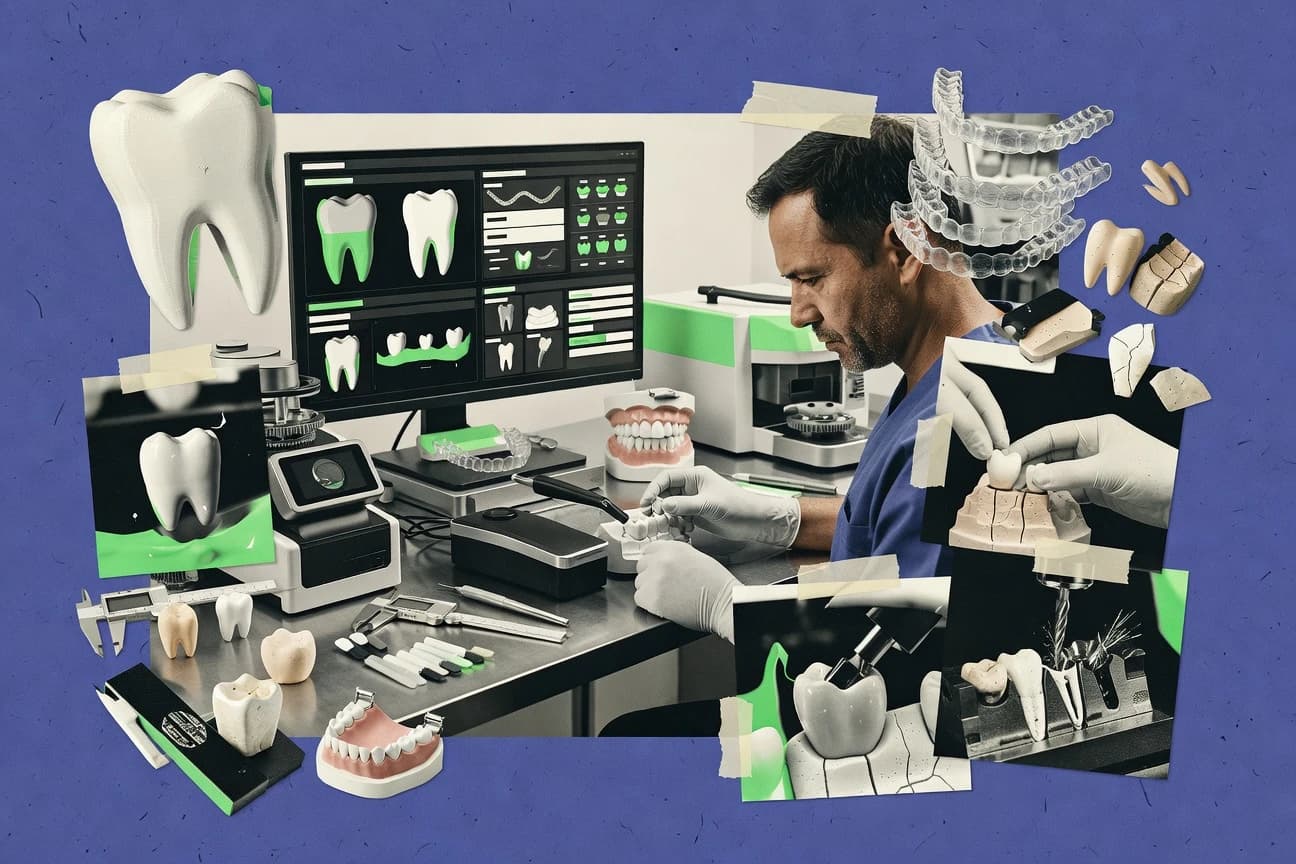
Top 10 ranking of dental lab software with feature, workflow, and tradeoff comparisons for exocad, 3Shape, and Labtrac teams.

How we ranked these tools
Core product claims cross-referenced against official documentation, changelogs, and independent technical reviews.
Analyzed video reviews and hundreds of written evaluations to capture real-world user experiences with each tool.
AI persona simulations modeled how different user types would experience each tool across common use cases and workflows.
Final rankings reviewed and approved by our editorial team with authority to override AI-generated scores based on domain expertise.
Score: Features 40% · Ease 30% · Value 30%
Gitnux may earn a commission through links on this page — this does not influence rankings. Editorial policy
Labtrac is the strongest pick if you need centralized control of intake, production, dispatch, and customer updates across the day to day lab workflow, whereas exocad is the better fit when your throughput hinges on consistent CAD parameter control and export-ready machine files.
Editor’s top 3 picks
Three quick recommendations before you dive into the full comparison below — each one leads on a different dimension.
Labtrac
Department-based visual workflow boards route cases through configurable production stages.
Built for fits when a dental lab needs centralized control across intake, production, dispatch, and customer updates..
exocad
Editor pickEnd-to-end prosthetic design to CAM machine file generation tied to parameterized workflows.
Built for fits when production throughput depends on consistent CAD parameter control and export-ready machine files..
3Shape
Editor pickTRIOS-to-Dental System handoff through Communicate with Automate-assisted design for selected indications.
Built for fits when dental labs need connected 3Shape scanning, CAD, collaboration, and assisted design workflows..
Comparison Table
Labtrac
SMBDental lab production tracking and management system.
Department-based visual workflow boards route cases through configurable production stages.
Labtrac gives dental laboratories a centralized case record for intake, prescription changes, production updates, and delivery tracking. Configurable workflow stages let managers route work between departments and give technicians focused production views. Reporting connects case activity with turnaround performance and workload patterns.
The main tradeoff is scope. Labtrac does not provide the native crown design, implant planning, or denture modeling found in exocad and 3Shape. A multi-technician laboratory can use Labtrac to control the operational handoffs while keeping design work in a dedicated CAD application.
- +Visual case routing shows each job’s department, status, and next action.
- +Centralized records retain prescriptions, files, notes, and communication history.
- +Customer-facing access reduces repeated status requests from dental practices.
- +Reporting exposes turnaround patterns across technicians and production stages.
- –Does not replace exocad or 3Shape for dental CAD design and modeling.
- –Advanced integration work may require vendor involvement instead of self-service API configuration.
- –Consistent reporting depends on disciplined workflow status setup.
Multi-technician dental laboratories
Routing cases across production departments
Fewer status handoffs
Practice-facing laboratory teams
Handling prescription updates and queries
Faster customer responses
Show 1 more scenario
Labs using external CAD tools
Managing CAD files through production
Clearer design-to-delivery handoffs
Labtrac tracks operational progress while exocad or 3Shape handles design and modeling work.
Best for: Fits when a dental lab needs centralized control across intake, production, dispatch, and customer updates.
exocad
enterpriseOpen-architecture dental CAD software for labs and clinics.
End-to-end prosthetic design to CAM machine file generation tied to parameterized workflows.
Exocad covers the core dental CAD/CAM loop with interactive margin editing, occlusion registration handling, and design parameter control for crowns, bridges, frameworks, and aligner-related workflows. Case-level organization helps teams coordinate intake artifacts, design revisions, and export steps without re-entering context in separate tools. Automation is strongest where parameterized design choices map directly to downstream milling file generation and machine configuration profiles. Integration depth is driven by file-based interoperability plus workflow hooks that connect design outputs to production tools.
A tradeoff appears when labs want deep API-driven orchestration across intake, QA sign-off, and dispatch that replaces most manual steps. Exocad fits best when CAD output quality and production-ready exports matter more than building a fully custom lab operating system. It also fits labs running multiple designers who need consistent configuration to reduce variation between workstations and remakes.
- +Interactive margin line editing with tight occlusion and contact control
- +Parameter-driven design settings that map to export behavior
- +Broad CAD coverage for fixed, removable, and aligner staging workflows
- +Structured case revision workflow reduces rework during redesign
- –Automation outside CAD design depends on lab process setup and integrations
- –Advanced configuration can be time-consuming for multi-site standardization
- –Some niche prescription validation steps require external forms or scripts
- –Steep learning curve for full feature depth across prosthetic types
Large lab production teams
Standardize design parameters across shifts
Fewer remake cycles
CAD specialists
Refine contacts through occlusion edits
Better fit outcomes
Show 2 more scenarios
Operations managers
Track design revisions per case
Clear accountability
Revision history links exported artifacts to changes made during redesign cycles.
Multi-site labs
Generate consistent machine outputs
Reduced cross-site variance
Teams manage export configurations so similar cases produce comparable CAM files.
Best for: Fits when production throughput depends on consistent CAD parameter control and export-ready machine files.
3Shape
enterpriseDigital dentistry ecosystem including lab scanners and CAD.
TRIOS-to-Dental System handoff through Communicate with Automate-assisted design for selected indications.
Dental System covers common laboratory CAD work, including crown and bridge design, denture setup, framework creation, implant restorations, and aligner-related workflows. Direct TRIOS intake reduces manual file handling, while Communicate supports case exchange between dentists and laboratories. Automate adds assisted design for selected indications and can reduce repetitive technician work.
The main tradeoff is ecosystem dependence because the smoothest workflow assumes 3Shape scanners, Dental System modules, and compatible production equipment. A multi-technician lab receiving TRIOS cases can use Communicate for intake, Dental System for design, and Automate for selected repeatable restorations.
- +TRIOS cases move directly into Dental System workflows
- +Automate reduces repetitive design work for selected indications
- +Dental System covers fixed, removable, implant, and orthodontic workflows
- +Communicate supports dentist-laboratory case collaboration
- –The strongest workflow depends on multiple 3Shape products
- –Advanced modules require technician training and workflow configuration
- –Mixed scanner estates may need additional file handling
- –Automate does not cover every restoration or design scenario
Digital dental laboratories
Processing connected TRIOS prescriptions
Fewer manual intake steps
Implant restoration teams
Designing implant-supported restorations
Consistent implant designs
Show 2 more scenarios
High-volume crown teams
Automating repeatable crown designs
Higher technician throughput
Automate handles selected routine design tasks while technicians review and finalize the resulting work.
Dentist-lab partnerships
Reviewing digital cases remotely
Clearer case coordination
Communicate gives dentists and technicians a shared channel for prescriptions, files, comments, and case updates.
Best for: Fits when dental labs need connected 3Shape scanning, CAD, collaboration, and assisted design workflows.
Dentsply Sirona
enterpriseinLab CAD/CAM software for dental restorations.
Case traceability across design revisions with controlled work order progression between QA steps.
Dentsply Sirona packages its dental lab software around production planning and clinical-grade digital workflows that connect lab work orders to design and manufacturing handoffs. The toolset centers on case intake, prescription validation, and controlled execution paths that reduce rework between design, QA review, and export to CAM.
Management features focus on traceable job history, revision handling, and operator views that reflect factory-floor responsibilities. Integration emphasis is strongest around secure document exchange patterns and industry file interoperability used in CAD/CAM lab pipelines.
- +Tight case control from intake through design handoff
- +Revision history supports repeat work with clear artifact lineage
- +Factory-style job views map to production operator responsibilities
- +Strong interoperability for CAD/CAM file exchange between tools
- –Workflow depth can require training to use consistently
- –Automation breadth depends on connected modules rather than one core suite
- –Admin governance settings can be complex for multi-site labs
- –API coverage is narrower than workflow suite capabilities
Best for: Fits when mid-to-large labs need controlled case progression from intake to CAD/CAM output with audit-friendly job history.
Amann Girrbach
vertical specialistCeramill CAD/CAM system for dental technicians.
Production dispatch and revision history are modeled around Amann Girrbach workflow artifacts and task progression.
Amann Girrbach runs dental lab case management tightly tied to its CAD/CAM workflow, with job intake, task progression, and production dispatch oriented around lab operations. The system supports design handoff via standard digital artifacts such as STL, and it fits labs that need repeatable creation and revision handling across crown, bridge, and related prosthetics workflows.
Workflow configuration and staff role separation focus on controlling who can move cases forward, approve outputs, and document changes. The integration surface centers on file-based exchange and lab process automation rather than deep EDI or clinical data interoperability.
- +Case lifecycle tracking aligns with daily lab queue and revision handling
- +CAD handoff via common scan and mesh artifacts supports practical workflow continuity
- +Production task views reduce context switching between intake and dispatch
- +Staff role separation supports controlled case movement and documentation
- –Limited visibility into external systems like EDI and HL7 compared with broader integration labs
- –Automation depth depends on workflow setup and operator discipline for consistent throughput
- –Deep interoperability requires careful file handoff discipline instead of native clinical linkage
- –Advanced governance tooling like audit evidence export can feel constrained for large networks
Best for: Fits when labs want tight CAD/CAM-aligned case tracking with controlled handoffs and queue management.
3D Systems
enterpriseGeomagic for Dental 3D scanning and design software.
Versioned case artifacts linked to revision history for remake and redo workflows across the production queue.
3D Systems serves dental labs with software tied to its digital workflow tooling and library resources rather than a generic case-tracking wrapper. Core capabilities center on managing dental lab work orders and supporting file exchange for downstream CAD/CAM and manufacturing steps.
The workflow focus aligns best when teams already standardize on 3D Systems scan, modeling, and production pipelines for consistent artifact handling. Administration and governance controls are geared toward lab operations, with role-based access patterns and operational logs that fit multi-station production queues.
- +Workflow integration that matches 3D Systems scan-to-production pipelines
- +File lifecycle tracking for revisions so remake and redo work stays auditable
- +Operational queue support for intake, prioritization, and dispatch handling
- +Case data consistency when labs standardize on shared libraries and artifacts
- –Limited fit for labs needing vendor-neutral orchestration across multiple CAD suites
- –Automation depth depends on how much of the pipeline stays within 3D Systems tooling
- –API and extensibility surface is not oriented around custom production scheduling logic
- –Admin setup requires clear role mapping across operators, QA, and designers
Best for: Fits when a lab standardizes on 3D Systems tooling and needs work order dispatch with versioned artifacts.
Sum3D
vertical specialistCAM software specifically for dental milling machines.
Work-order anchored case history that ties revisions and file sets to production routing decisions.
Sum3D is a dental lab software stack focused on managing digital case workflows end to end. Case intake, work tracking, and file handling are organized around lab orders so production teams can move cases through design, approval, and output without losing context.
It also supports interoperability patterns used in CAD/CAM pipelines through consistent import and export of common digital artifacts. Automation and collaboration depend on how labs structure intake data, revisions, and status updates across teams.
- +Case status tracking keeps revisions tied to the originating work order
- +Centralized file handling reduces manual folder searching between steps
- +Workflow views match common production roles such as intake, design, and QA
- +Consistent export packaging helps standardize handoff to downstream tools
- –Advanced automation requires careful intake data mapping and staff discipline
- –API and integration surface are not described with the granularity seen in higher-ranked peers
- –Interoperability for edge-case file types may need manual intervention
- –Complex multi-site governance needs extra process design to avoid drift
Best for: Fits when labs want work-order driven tracking and straightforward handoffs around existing CAD/CAM tooling.
SmileFy
SMBAI-driven smile design software for dental professionals.
Case-linked messaging that keeps revision history attached to the same work order context.
SmileFy focuses on dental lab case management with a digital intake and job tracking workflow. It supports work-order style handling for prescriptions, production status, and versioned case documents across the lab lifecycle.
Collaboration features cover dentist-lab messaging and secure case exchange for ongoing refinements. File handling emphasizes CAD deliverables like STL export and mesh-ready assets aligned to typical CAD/CAM handoffs.
- +Digital case intake to production status tracking reduces manual job copying
- +Dentist-lab messaging supports revision rounds with case-linked context
- +Versioned case documents keep earlier artifacts available during remakes
- +Mesh-oriented file exchange supports common STL-based CAD handoffs
- –API surface is limited for automated work-order dispatch and queue orchestration
- –Audit trail and chain-of-custody reporting depth is less extensive than enterprise lab suites
- –Automation for prescription validation and discrepancy reporting needs heavier manual checks
- –Multi-site governance features such as strict role mapping across sites are not comprehensive
Best for: Fits when labs need structured case tracking and dentist messaging without building custom integrations.
Zirkonzahn
vertical specialistModellier CAD software and zirconia milling systems.
Zirkonzahn-guided, parameterized restoration design that connects design edits to consistent manufacturing-ready exports.
Zirkonzahn CAD/CAM lab software drives dental case design and production prep from scan-to-CAD and model editing through export to milling workflows. The system supports Zirkonzahn-specific specimen libraries and parameterized restoration design features that reduce manual rework for common crown, bridge, and framework jobs.
Job processing is centered on structured worklists that connect case revisions to downstream manufacturing artifacts. File exchange and production outputs are oriented around lab floor throughput with machine-ready export steps and controlled build settings.
- +Restoration design workflows aligned to Zirkonzahn production requirements
- +Parameter-driven design reduces repeated margin and occlusion edits
- +Case revision handling ties design changes to manufacturing outputs
- +Export steps support consistent machine-ready preparation for production
- –Interoperability outside Zirkonzahn ecosystems can add extra conversion work
- –Complex parameter sets increase training time for new operators
- –Automation depth depends on how standardized cases are within the lab
- –Advanced workflow governance features require careful internal process design
Best for: Fits when a lab runs Zirkonzahn-centric CAD/CAM workflows and needs repeatable production exports.
Blue Sky Bio
SMBImplant planning software and biological modeling.
Revision and remake tracking at the work order level, tied to clinician prescription intake records.
Blue Sky Bio is dental lab software focused on prescription intake, case organization, and digital workflows that connect clinician submissions to lab production tasks. The tool emphasizes work order level tracking for case revisions and remake flows, plus review checkpoints for production handoffs. It also supports file exchange patterns for scan and design artifacts so staff can move work from intake through export to fabrication toolchains.
- +Work order focused case tracking supports remake and revision history
- +Prescription intake records reduce intake gaps across multi-user teams
- +Handoff checkpoints map cleanly to typical design to production stages
- +File exchange workflow supports managing common digital impression artifacts
- –Automation depth for scheduling and capacity planning is limited versus stronger lab suites
- –Integration surface for external systems is narrower than the most API-first competitors
- –Advanced governance controls like audit retention and evidence exports are less granular
- –Machine file generation and CAM export orchestration require tighter lab process alignment
Best for: Fits when labs need structured prescription-to-work-order workflows with revision tracking and controlled handoffs.
Conclusion
After evaluating 10 healthcare medicine, Labtrac stands out as our overall top pick — it scored highest across our combined criteria of features, ease of use, and value, which is why it sits at #1 in the rankings above.
Use the comparison table and detailed reviews above to validate the fit against your own requirements before committing to a tool.
How to Choose the Right dental lab software
Dental lab software coordinates case intake, production routing, design handoffs, and dispatch tracking across the dental CAD/CAM workflow. This guide covers Labtrac, exocad, 3Shape, Dentsply Sirona, Amann Girrbach, 3D Systems, Sum3D, SmileFy, Zirkonzahn, and Blue Sky Bio.
Each tool card emphasizes how the system moves work from clinician-facing prescription intake to technician editing, export-ready machine outputs, and revision-aware fulfillment status updates. The comparisons focus on workflow control depth, automation reach, and the practical surface area for integration and handoff between lab teams and connected software.
Dental lab software for CAD/CAM case management, work-order routing, and revision-aware dispatch
Dental lab software is the case management layer that links clinician prescription intake records to work orders, design artifacts, and production routing decisions. The strongest systems keep prescription and revision history attached to the same case context so remake and redo work does not break artifact lineage.
Labtrac centers department-based visual workflow boards that route jobs through configurable production stages with centralized records for prescriptions, files, and communication history. exocad focuses on parameter-driven prosthetic design tied to export-ready machine file generation, with margin line editing and occlusion/contact controls that map directly into export behavior for consistent throughput.
Dental lab software capabilities that drive routing, design control, and revision-safe fulfillment
Dental lab software succeeds when case state stays consistent from clinician intake through CAD/CAM export and dispatch so remake and redo work keeps the same artifact lineage.
The standout differences show up in how each system routes work, stores revision history, and couples design edits to production-ready outputs without breaking operator handoffs.
Department-based visual workflow boards with configurable routing stages
Labtrac routes jobs through configurable production stages using department-oriented visual boards. This approach keeps prescription records, file sets, and next actions in one case context as work moves from intake to dispatch.
Parameter-driven CAD workflows that map directly to export-ready machine files
exocad ties prosthetic design settings to CAM machine file generation through parameterized workflows. The system supports interactive margin line editing and contact control so export behavior stays consistent with design intent.
Connected scanning handoff with Automate-assisted design for selected indications
3Shape supports TRIOS-to-Dental System handoff using Communicate workflows for selected indications. Automate reduces repetitive design work during case progression inside the 3Shape ecosystem.
Case traceability with controlled progression between QA steps
Dentsply Sirona models tight case control from intake through design handoff with revision history that supports repeat work. The workflow links revision artifacts to work order progression so QA steps leave an auditable job history.
CAD/CAM-aligned case lifecycle tracking built around workflow artifacts and task progression
Amann Girrbach tracks case lifecycle through production dispatch and revision history that follows its workflow artifacts and task progression. The tracking stays aligned to its CAD handoff patterns that rely on common scan and mesh continuity.
Versioned case artifact tracking for remake and redo workflows across the queue
3D Systems links versioned case artifacts to revision history so remake and redo work stays auditable across the production queue. The workflow is designed to keep file lifecycle tracking inside the 3D Systems pipeline.
How to choose dental lab software by workflow ownership, automation surface, and integration depth
A lab-first decision starts by identifying which side of the dental CAD/CAM workflow should own the process state. Some products centralize routing and case status while others concentrate on design-to-export control and require more process setup outside CAD.
Second, the decision should match automation expectations to what the system actually supports. Systems differ sharply in how much automation and integration surface is described for connecting work order dispatch and external systems.
Choose the system that should define production stage state
If production control needs to live in a department-driven queue view, Labtrac provides visual case routing across configurable production stages. If case progression should be tightly tied to QA handoff steps and revision lineage, Dentsply Sirona models controlled work order progression between QA steps.
Decide whether CAD parameter control or orchestration drives throughput
If consistent CAD parameters must map directly into export-ready machine outputs, exocad uses parameter-driven design settings that connect into its export behavior. If connected scanning handoff and assisted design for selected indications are the throughput driver, 3Shape supports TRIOS-to-Dental System movement with Communicate and Automate-assisted design.
Match revision handling to how remake and redo work enters the queue
If remake and redo workflows require versioned artifacts attached to revision history across dispatch, 3D Systems provides versioned case artifact tracking. If revision history should be tied to work order context and clinician-facing case messaging, SmileFy keeps case-linked messaging attached to the same work order context.
Validate integration goals against described automation and surface area
If integration depth for automated work-order dispatch and queue orchestration is a requirement, tools with described stronger automation surfaces are favored over systems with limited API coverage. Labtrac explicitly notes advanced integration work may require vendor involvement instead of self-service API configuration, while SmileFy states the API surface is limited for automated dispatch and queue orchestration.
Check whether external-system visibility is expected or optional
If external system visibility is part of daily operations, Amann Girrbach signals limited visibility into external systems like EDI and HL7 compared with broader integration labs. If the lab standardizes within a vendor pipeline, Amann Girrbach supports CAD/CAM-aligned case tracking around its workflow artifacts.
Who should buy which style of dental lab software
Labs that need centralized control across intake, production routing, dispatch, and customer updates should prioritize systems that make case state visible across departments.
Labs that rely on consistent CAD parameters for machine-ready exports should prioritize platforms that couple design workflows to export behavior and reduce the need for downstream process interpretation.
A multi-department lab running daily queue handoffs
Labtrac fits labs that need department-based visual workflow boards to route cases through configurable production stages while keeping prescriptions, files, and communication history in one record.
A throughput-focused lab standardizing CAD parameter behavior for CAM output
exocad fits labs that depend on consistent CAD parameter control and need interactive margin line editing with export behavior tied to those parameters.
A lab built around TRIOS scanning and 3Shape design workflows
3Shape fits labs that want TRIOS cases to move directly into Dental System workflows with Communicate-assisted handoff and Automate for selected indications.
A mid-to-large lab enforcing QA-gated case progression and revision lineage
Dentsply Sirona fits labs that need controlled case progression between QA steps and revision history that supports repeat work with clear artifact lineage.
A lab that standardizes on one vendor pipeline for remake and redo traceability
3D Systems fits labs that require versioned case artifacts tied to revision history to keep remake and redo work auditable across the production queue.
Common failure modes when selecting dental lab software
Many selection errors come from assuming the software that handles CAD design also fully owns routing automation and external integrations. The tools in this category split responsibilities between production orchestration and design-to-export control.
Another frequent issue comes from underestimating operator training requirements for workflow depth, because revision handling and QA steps only work consistently when staff use the system as designed.
Choosing a CAD-heavy platform and expecting it to replace production routing across intake, dispatch, and customer updates
exocad focuses on parameter-driven prosthetic design tied to export-ready machine file generation, and Labtrac is the tool that emphasizes centralized records and department routing boards for the full case lifecycle.
Treating workflow automation as plug-and-play without accounting for process setup and operator discipline
3D Systems supports versioned artifact tracking for remake and redo workflows, but automation depth across the pipeline depends on how much work stays inside the 3D Systems tooling and how dispatch is configured.
Overestimating integration readiness when the stated integration surface is limited or depends on configuration work
SmileFy states the API surface is limited for automated work-order dispatch and queue orchestration, so it may not meet labs that require extensive automated dispatch control.
Ignoring the training load required to use workflow depth consistently across QA steps
Dentsply Sirona notes workflow depth can require training to use consistently, so labs should plan role-based rollout and SOP alignment before relying on controlled work order progression between QA steps.
Assuming a vendor-centric pipeline will stay vendor-neutral for external systems and exchange
Amann Girrbach signals limited visibility into external systems like EDI and HL7 compared with broader integration labs, so labs needing external visibility should validate orchestration requirements against that constraint.
How We Selected and Ranked These Tools
We evaluated Labtrac, exocad, 3Shape, Dentsply Sirona, Amann Girrbach, 3D Systems, Sum3D, SmileFy, Zirkonzahn, and Blue Sky Bio on features, ease of use, and value with features weighted at 40% and ease and value each weighted at 30%. Features scored higher where the system described concrete workflow routing behavior and revision-aware fulfillment mechanisms, with Labtrac scoring strongly for department-based visual workflow boards and centralized case records.
We weighted ease by how directly the described workflow supports operators during intake to routing and handoff, and we weighted value by the degree to which the product reduces manual job copying and file searching between steps. Labtrac ranked first because it concentrates routing control and case context into a visual production board model, while also keeping prescriptions, files, notes, and communication history attached to each case as it moves through stages.
Frequently Asked Questions About dental lab software
How does Labtrac route cases across departments compared with exocad and 3Shape?
Which tool is better for generating CAM-ready machine files from dental CAD design artifacts?
When does case management become a bottleneck in production, and how do Dentsply Sirona and Amann Girrbach address it?
What breaks if work order status and file sets are not versioned in the same system?
How do SSO and RBAC controls differ across these platforms when multiple lab roles require access separation?
What integration patterns matter most for dentist-lab collaboration, and where does each tool fit?
How should data migration be approached when moving from one lab case tracker into Sum3D or SmileFy?
Which platform is a stronger fit for labs standardizing on Zirkonzahn-centric workflows and parameterized production exports?
When should labs choose Labtrac over exocad for multi-site synchronization and operational oversight?
How do remake workflows get governed differently in Blue Sky Bio compared with Labtrac?
Tools reviewed
Primary sources checked during evaluation.
Referenced in the comparison table and product reviews above.
- Healthcare MedicineTop 10 Best Dental Lab Billing Software of 2026
- Healthcare MedicineTop 10 Best Most Popular Dental Software of 2026
- Healthcare MedicineTop 10 Best Dental Implant Planning Software of 2026
- Healthcare MedicineTop 10 Best Dental Office Computer Software of 2026
- Healthcare MedicineTop 10 Best Web Based Dental Software of 2026
Keep exploring
Comparing two specific tools?
Software Alternatives
See head-to-head software comparisons with feature breakdowns, pricing, and our recommendation for each use case.
Explore software alternatives→In this category
Healthcare Medicine alternatives
See side-by-side comparisons of healthcare medicine tools and pick the right one for your stack.
Compare healthcare medicine tools→