GITNUXSOFTWARE ADVICE
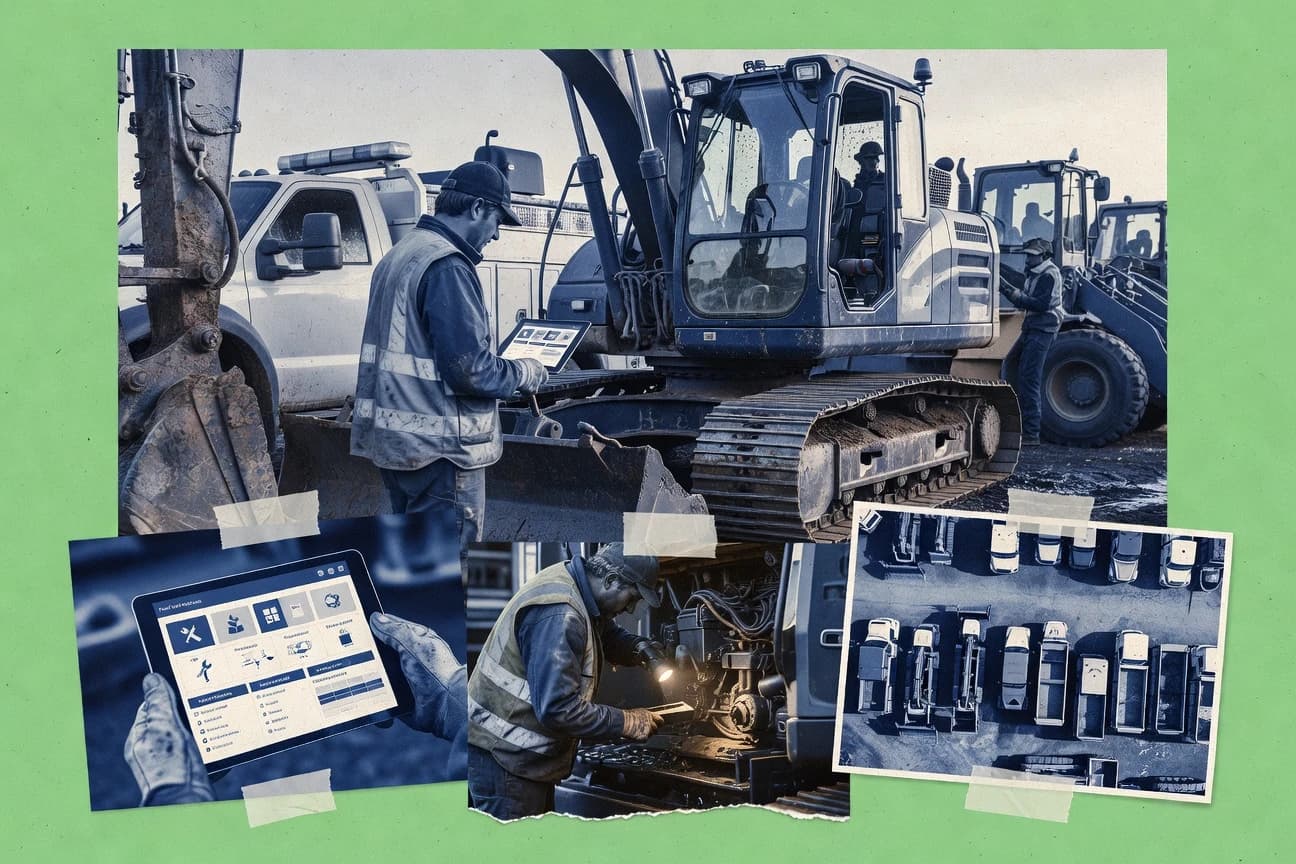
Construction InfrastructureTop 10 Best Construction Fleet Maintenance Software of 2026
Ranked roundup of construction fleet maintenance software for contractors, comparing Samsara, UpKeep, and others by features and maintenance workflows.

How we ranked these tools
Before any source is gathered, an editor locks the question, what qualifies, and how the piece will be judged.
Search agents gather the source set and the review record, including transcriptions of video reviews and podcasts.
Framework: Features 40% · Ease 30% · Value 30%
Gitnux may earn a commission through links on this page — this does not influence rankings. Editorial policy
Whip Around is the best fit if your crews need mobile inspection checklists and photo work orders tied to asset records, while Samsara Fleet Management is the stronger choice when you want telematics-connected maintenance execution and field workflows for a larger construction fleet.
Editor’s top 3 picks
Three quick recommendations before you dive into the full comparison below — each one leads on a different dimension.
Whip Around
Offline-capable mobile work order execution with checklist form fields and photo attachments tied to each asset.
Best for: Fits when crews need mobile checklists and photo-based work orders tied to asset records.
Samsara Fleet Management
Editor pickTelemetry-based maintenance triggers that link utilization signals to work orders without manual meter entry.
Best for: Fits when construction fleets need telematics-connected maintenance execution with mobile field workflows.
RTA Fleet
Editor pickUsage-meter based preventive maintenance scheduling that generates checklist-backed work orders from the equipment registry.
Best for: Fits when contractors need mobile work orders tied to usage meters and standardized inspection checklists.
Comparison Table
Whip Around
SMBMobile fleet software manages inspections, maintenance requests, defects, and compliance records.
Offline-capable mobile work order execution with checklist form fields and photo attachments tied to each asset.
Whip Around builds a fleet asset registry and attaches work orders, inspection results, and defect reports to each asset record. Preventive maintenance scheduling uses maintenance intervals and service meter inputs to generate service tasks, then tracks completion through technician updates. Mobile execution supports offline-friendly work order screens with photo capture and structured checklist responses, which keeps daily equipment inspections usable on job sites.
A key tradeoff is that deep systems integration is limited compared with products that provide a broad telematics-to-maintenance pipeline. Whip Around fits best when dispatch and maintenance follow a technician-centric workflow with structured checklists, with less emphasis on GPS driven alerts feeding work orders automatically.
- +Mobile work orders include photo evidence and checklist responses
- +Preventive maintenance scheduling turns intervals into trackable tasks
- +Asset-based history keeps repairs and inspections together
- +Role-based access supports supervisor review of field updates
- –Telematics-to-work-order automation is narrower than full integrations
- –Advanced parts procurement workflows depend on external systems
Field maintenance supervisors
Review daily inspection findings
Reduced maintenance backlog
Dispatch and service managers
Schedule recurring service work
Higher schedule adherence
Show 1 more scenario
Technicians on job sites
Capture defects during inspections
Fewer resubmissions
Technicians submit defect reports and photos within mobile checklists and attach them to the correct asset.
Best for: Fits when crews need mobile checklists and photo-based work orders tied to asset records.
Samsara Fleet Management
enterpriseConnected operations software combines vehicle telematics, diagnostics, maintenance, inspections, and compliance.
Telemetry-based maintenance triggers that link utilization signals to work orders without manual meter entry.
Samsara Fleet Management ties asset status to maintenance workflows using equipment telemetry and usage signals, which reduces manual meter entry for mixed fleets. The system supports work order management with technician assignment and mobile-friendly execution for field teams running inspections and defect reporting workflows. Fleet asset registry records provide the baseline for maintenance intervals and service history, which helps coordinators standardize maintenance backlog across branches.
A key tradeoff is that deeper maintenance automation depends on correct device provisioning and reliable data capture from connected assets. Samsara fits usage situations where telematics coverage is consistent and field teams need mobile workflows for daily equipment checks and fast turnarounds on reported defects.
- +Telematics-driven triggers reduce manual scheduling and meter transcription
- +Mobile inspections and defect reporting keep field notes tied to assets
- +Strong fleetwide asset history supports maintenance backlog prioritization
- +Integration options support downstream workflow automation for teams
- –Maintenance automation quality depends on device provisioning and data reliability
- –Parts and inventory workflows can feel indirect for small parts teams
- –Multi-step approval processes may require careful admin configuration
- –Reporting depth can require training for maintenance coordinators
Fleet maintenance coordinators
Turn engine-hour changes into work orders
Fewer missed service intervals
Construction superintendents
Track equipment downtime during job cycles
Faster equipment recovery
Show 1 more scenario
Regional maintenance managers
Standardize maintenance across branches
Lower branch variance
Fleet asset registry and service history support consistent maintenance intervals and backlog views.
Best for: Fits when construction fleets need telematics-connected maintenance execution with mobile field workflows.
RTA Fleet
vertical specialistFleet maintenance management software handles work orders, preventive maintenance, parts, fuel, and reporting.
Usage-meter based preventive maintenance scheduling that generates checklist-backed work orders from the equipment registry.
RTA Fleet’s core workflow starts with an asset registry that feeds preventive maintenance scheduling and generates mobile-ready work orders for field execution. Inspection checklists and defect reporting attach to jobs, which helps standardize daily equipment inspections and capture issues where they occur. Engine-hour and odometer tracking link maintenance intervals to actual usage, reducing manual re-entry of meter readings.
A tradeoff is that deeper integrations, like accounting or purchasing workflows, require deliberate setup rather than coming pre-wired for every construction ERP. RTA Fleet fits best when mixed fleets need consistent inspection forms and repeatable maintenance intervals across many assets and technicians.
- +Engine-hour and odometer triggers tie maintenance intervals to real usage
- +Work order routing supports checklist-driven field execution
- +Asset registry reduces duplicate equipment records across crews
- +Role-based access and audit trails support governance and accountability
- –More complex setups need careful configuration for consistent checklist usage
- –Accounting and purchasing connections may not match every ERP workflow shape
Operations managers
Track maintenance intervals across mixed assets
Fewer missed service events
Maintenance technicians
Complete mobile inspections and work orders
Cleaner field records
Show 2 more scenarios
Fleet administrators
Control access and changes across teams
Stronger maintenance governance
Role-based permissions and audit trails track who changed assets, intervals, and maintenance jobs.
Project support teams
Reduce maintenance backlog visibility gaps
Better scheduling throughput
Scheduled work orders make maintenance backlog easier to spot and sequence before downtime accumulates.
Best for: Fits when contractors need mobile work orders tied to usage meters and standardized inspection checklists.
Fleetio
SMBFleet maintenance platform serving construction companies with asset tracking, work orders, and preventive maintenance scheduling.
Service meter-driven preventive maintenance that maps readings to recurring schedules and generates work orders from meter events.
Fleetio centralizes fleet and maintenance operations around an asset registry tied to service meter readings and work order workflows. Configuration supports scheduled maintenance intervals, inspection checklists, and technician-ready mobile capture for field reporting.
- +Asset registry connects service meter readings to scheduled maintenance intervals
- +Mobile work orders support field defect reporting and checklist completion
- +API enables automated data sync for telematics, parts, and accounting workflows
- +Utilization and maintenance backlog reporting supports planning for downtime reduction
- –Complex maintenance configurations require careful governance across asset types
- –Parts and purchasing workflows can feel secondary versus work order execution
- –Offline mobile access is limited compared with purpose-built field-first tools
- –Advanced reporting depends on consistent meter and event data capture
Best for: Fits when contractors need meter-driven maintenance scheduling with API automation for field workflows.
AssetWorks FleetFocus
enterpriseEnterprise fleet management system supporting heavy equipment and construction asset maintenance workflows.
Field inspection and defect capture are built into the maintenance workflow, linking checks directly to work orders.
AssetWorks FleetFocus manages heavy-equipment and mixed-fleet maintenance through a work order workflow tied to a fleet asset registry. It supports maintenance planning with service meter tracking and inspection workflows used by field technicians.
- +Maintenance workflow stays attached to fleet asset records for traceable history
- +Service meter support fits interval scheduling that depends on runtime and usage
- +Inspection workflows support structured field checks and defect capture
- +Audit trails and RBAC support controlled administration of maintenance data
- –Setup requires disciplined configuration of assets, meters, and interval rules
- –Integration depth depends on connected modules and requires systems mapping
- –Mobile capture workflows can feel rigid when field processes vary by site
- –Reporting is strong for maintenance operations but thinner for ad hoc analytics
Best for: Fits when contractors run heavy and mixed fleets and need controlled maintenance workflows tied to usage meters.
Tenna
vertical specialistConstruction fleet management software combines equipment tracking, maintenance, utilization, and inspections.
Field inspection and defect reporting that stays linked to assets and locations for downstream work creation.
Tenna targets contractors that need a maintenance and inspection workflow connected to asset and site context, with field-first capture and structured work follow-up. The system supports mobile defect and inspection reporting tied to specific equipment and locations, then routes that information into maintenance execution and closure.
- +Mobile inspection capture links defects to named assets and locations
- +Configurable inspection and checklist workflows reduce manual rework
- +Automation supports pushing field findings into maintenance execution
- +Audit trail helps trace workflow edits and status transitions
- –Advanced asset registry depth can lag dedicated fleet management suites
- –Geofencing-driven dispatch requires setup discipline across sites
Best for: Fits when field teams need structured mobile inspections and defect reporting that flows into maintenance work management.
Fleet Maintenance Pro
SMBDesktop and cloud fleet maintenance software targeting construction and heavy equipment operators with PM scheduling.
Service meter interval planning that auto-generates maintenance work orders from jobsite readings.
Fleet Maintenance Pro centers construction fleet maintenance around technician-ready workflows for inspections, work orders, and recurring maintenance tasks. The system supports a structured fleet asset registry with service meter fields and interval-based maintenance planning that ties directly to work order creation.
- +Mobile inspection and defect capture supports jobsite form workflows
- +Interval planning drives work order creation from service meter readings
- +Fleet asset registry organizes equipment records for maintenance history
- +Parts and procurement workflows connect maintenance tasks to sourcing needs
- –Integration depth for external accounting and ERP systems can be limited
- –Automation requires careful setup of maintenance intervals and meter fields
Best for: Fits when contractors need mobile work order execution tied to service meters and inspection checklists.
Linxup
SMBGPS fleet tracking platform with maintenance alerts, vehicle diagnostics, and engine hour monitoring.
Engine-hour and odometer driven maintenance triggers tied to Linxup telematics assets.
Linxup targets construction fleet maintenance workflows by combining vehicle telematics with maintenance task management tied to fleet assets. The system supports engine-hour tracking and odometer tracking so maintenance intervals can reference service meters instead of calendar dates.
- +Telematics-linked engine-hour and odometer tracking for interval-based work
- +Work orders and defect reporting connect field problems to assets
- +Fleet asset registry helps maintain asset-level history
- +Permissions support admin control over who can act on records
- –Maintenance scheduling relies on asset service meter availability per unit
- –Parts and procurement workflows are limited compared with dedicated CMMS tools
Best for: Fits when contractors need meter-based maintenance tied to telematics for mixed jobsite fleets.
GeoTab
enterpriseFleet telematics platform with maintenance reminders, engine hour tracking, and diagnostic data for vehicle fleets.
Geotab maintenance workflows can trigger interval logic from engine-hour and odometer telemetry without spreadsheet-driven meter entry.
GeoTab logs equipment activity through GPS and telematics integrations for mixed fleets that include light vehicles and heavy equipment. It supports maintenance planning using event-driven engine-hour and odometer collection for service meter readings and interval triggers.
- +Telematics-derived service meter data reduces manual preventive maintenance entry work.
- +Mixed-fleet asset registry supports vehicles plus heavy equipment under one operational view.
- +Extensible configuration and integrations support custom maintenance workflows and reporting.
- +Role-based access helps segregate dispatcher, technician, and admin responsibilities.
- –Maintenance scheduling workflows require careful interval and asset mapping setup.
- –Offline mobile work order authoring is limited compared with dedicated field-first maintenance tools.
Best for: Fits when contractors need telematics-driven maintenance triggers across mixed fleets and want admin governance.
EquipmentShare
vertical specialistConstruction equipment platform offering fleet management, telematics, and maintenance tracking through Track unit.
EquipmentShare ties maintenance work to a shared equipment registry used across field deployment and service history tracking.
EquipmentShare combines fleet maintenance workflow tools with a contractor-focused equipment management ecosystem built around shared assets and job-site movement. The offering supports work order management, inspection workflows, and service tracking tied to equipment records used across procurement and field operations.
- +Equipment registry and job equipment tracking reduce asset mismatches
- +Work order and inspection workflows fit field-to-back-office handoffs
- +Service history stays tied to the same equipment records across jobs
- +Integration options help move maintenance data into other business systems
- –Maintenance rules require clean equipment master data to work reliably
- –Some advanced fleet telemetry and geofencing workflows need add-on setup
- –Offline mobile work order handling is not built as a universal baseline
- –Parts and procurement workflows can lag behind specialized maintenance systems
Best for: Fits when contractors run shared equipment across multiple jobs and need asset-linked maintenance execution.
Conclusion
After evaluating 10 construction fleet maintenance software, Whip Around stands out as our overall top pick — it scored highest across our combined criteria of features, ease of use, and value, which is why it sits at #1 in the rankings above.
Use the comparison table and detailed reviews above to validate the fit against your own requirements before committing to a tool.
How to Choose the Right Construction Fleet Maintenance Software
We separate construction fleet maintenance software by how it turns field signals into scheduled work with clean history. The biggest differences usually show up in preventive maintenance scheduling, work order management, and fleet asset registry.
Preventive maintenance scheduling
Why it matters
Preventive maintenance scheduling matters because crews need the right tasks at the right time, not a calendar guess. When it supports automation, you reduce manual follow-ups that stall jobs.
How to check
Ask for a demo that creates one preventive program tied to a recurring trigger and show how it generates upcoming tasks. Then change a rule (date or meter basis) and confirm the system updates the next scheduled work without breaking history.
Work order lifecycle tracking
Why it matters
Work order lifecycle tracking matters because maintenance outcomes live in statuses, notes, and attachments. When this is consistent, supervisors can trust what is open, blocked, or completed.
How to check
Create a small sample order through the system, then walk through status changes from assigned to completed. Ask whether the system preserves labor notes, parts notes, and inspection outcomes on the same record.
Fleet asset registry with identifiers
Why it matters
A fleet asset registry with identifiers matters because the same unit can show up across teams, sites, and time. If identifiers are weak, reports and scheduling break down into mismatched records.
How to check
Request to see how an asset is created with unique identifiers and how duplicates are prevented or flagged. Then view an asset’s timeline to confirm you can filter by site, unit, and configuration changes.
Telematics and meter-based triggers
Why it matters
Telematics and meter-based triggers matter because construction uptime often depends on usage, not only dates. When meter inputs are reliable, scheduling becomes more accurate across mixed run patterns.
How to check
Ask the demo to import or simulate meter readings and show how they drive the next tasks. Confirm you can test a rule change (for example, threshold) and see the schedule shift.
Mobile workflow and offline capture
Why it matters
Mobile workflow and offline capture matter because field staff may work without reliable connectivity. If capture quality drops offline, you end up with missing inspections and late defect reporting.
How to check
In a demo, open a mobile screen and submit a work note or inspection while the connection is intentionally interrupted. Verify the record syncs later without creating duplicates and that the operator can see the updated status.
Audit log for edits and approvals
Why it matters
Audit log for edits and approvals matters because maintenance decisions get questioned later. Strong change history supports troubleshooting, and it helps admin teams manage governance without manual spreadsheets.
How to check
Ask what gets recorded when someone edits a scheduled rule, changes an order status, or reassigns a technician. Then request a view that shows who changed what and when, and confirm it is retained for older records.
Red flags
- Preventive maintenance scheduling that doesn’t update cleanly after rule changes
- Work order lifecycle tracking where status changes erase notes or attachments
- Fleet asset registry that allows duplicates or can’t show a clear asset timeline
Fit by situation
- If you rely on usage-based timing, prioritize telematics and meter-based triggers.
- If supervisors juggle many open jobs across sites, prioritize work order lifecycle tracking.
- If field crews work with spotty connectivity, prioritize mobile workflow and offline capture.
Frequently Asked Questions About Construction Fleet Maintenance Software
How do Samsara Fleet Management and RTA Fleet create work orders from utilization signals?
Which tool best supports offline mobile execution for asset-linked checklists and photos?
When should Fleetio be used for service meter driven scheduling instead of manual meter entry workflows?
What breaks if admin teams cannot standardize fleet asset registry rules across sites in Tenna and EquipmentShare?
How do UpKeep style mobile inspection workflows compare with AssetWorks FleetFocus for defect capture inside maintenance execution?
Which integration surfaces and APIs matter most for contractors connecting maintenance data to other systems?
How do Samsara Fleet Management and GeoTab handle maintenance interval triggers when engine-hour and odometer telemetry is unreliable?
What security controls should buyers check for role-based access and audit trail governance?
How does Fleet Maintenance Pro connect inspection checklists to service meter interval planning and technician execution?
When is Linxup the better choice for mixed fleets that require engine-hour and odometer driven maintenance tied to telematics assets?
Tools reviewed
Primary sources checked during evaluation.
Referenced in the comparison table and product reviews above.
- Construction InfrastructureTop 10 Best Construction Maintenance Software of 2026
- Construction InfrastructureTop 10 Best Construction Fleet Management Software of 2026
- Construction InfrastructureTop 10 Best Construction Equipment Maintenance Software of 2026
- Construction InfrastructureTop 10 Best Construction Equipment Fleet Management Software of 2026
- Construction InfrastructureTop 10 Best Construction Equipment Software of 2026
Keep exploring
Comparing two specific tools?
Software Alternatives
See head-to-head software comparisons with feature breakdowns, pricing, and our recommendation for each use case.
Explore software alternatives→In this category
Construction Infrastructure alternatives
See side-by-side comparisons of construction infrastructure tools and pick the right one for your stack.
Compare construction infrastructure tools→