GITNUXSOFTWARE ADVICE
Automotive ServicesTop 10 Best Collision Estimating Software of 2026
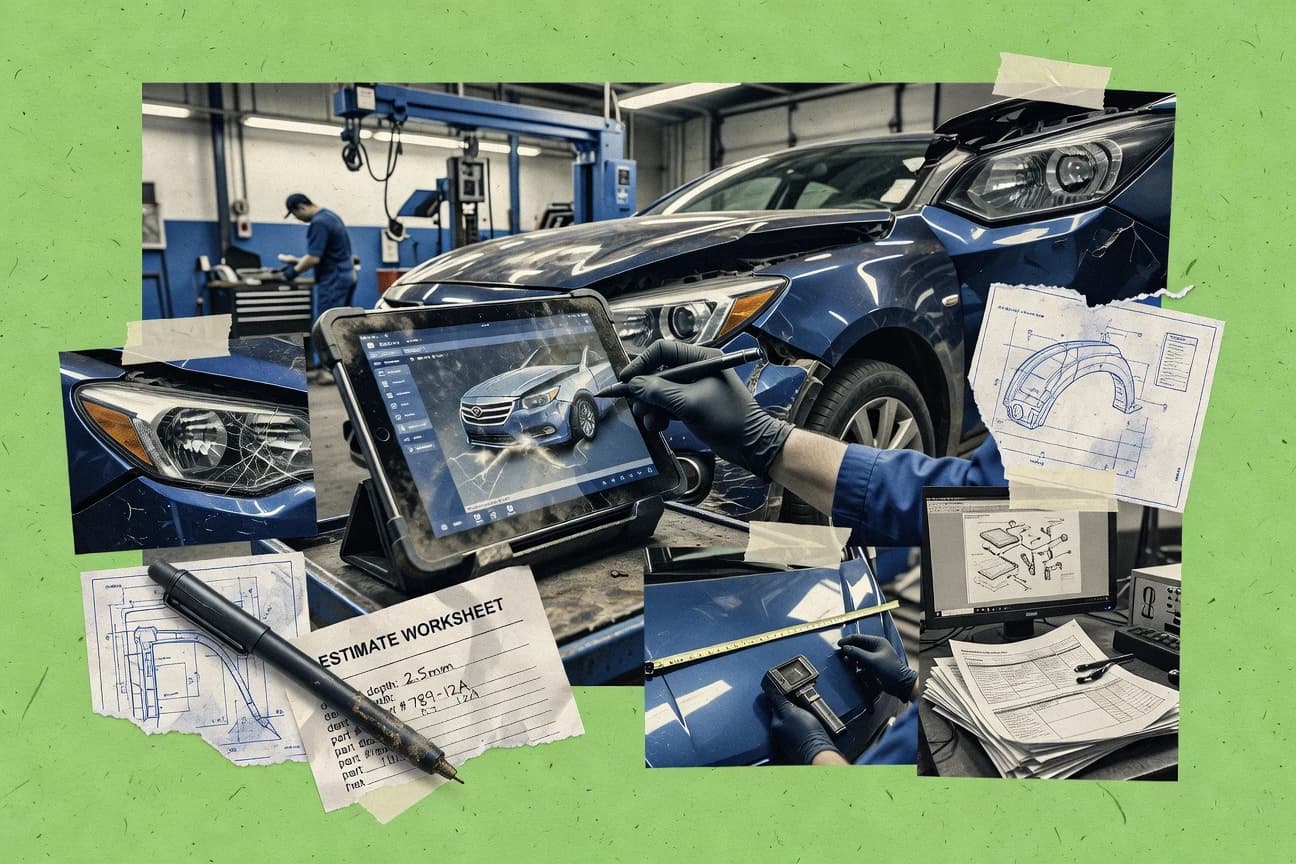
Compare collision estimating software options for collision repair shops, covering features and tradeoffs to help shortlisting decisions.

How we ranked these tools
Gitnux editors write the brief first: the topic, the inclusion rules, and the frame for what belongs.
Agents extract product evidence with provenance, then collect written reviews and transcribe video reviews and podcasts.
Framework: Features 40% · Ease 30% · Value 30%
Gitnux may earn a commission through links on this page — this does not influence rankings. Editorial policy
Mitchell Cloud Estimating is the best fit for collision centers that need audit-ready supplements because it keeps added-damage documentation and approval steps tied to the originating estimate lines. AutoServe1 is a strong alternative for SMB shops since it treats supplement approvals as first-class steps inside the estimate workflow.
Editor’s top 3 picks
Three quick recommendations before you dive into the full comparison below — each one leads on a different dimension.
Mitchell Cloud Estimating
Supplement management that preserves approval steps and ties added damage documentation to the originating estimate lines.
Best for: Fits when collision centers need audit-ready supplements, OEM procedure guidance, and insurer-friendly estimate exchange.
AutoServe1
Editor pickSupplement approvals are managed as first-class steps within the estimate workflow, not as a side workflow or email thread.
Best for: Fits when collision centers need supplement routing, photo attachment, and consistent estimate auditing across multiple adjuster workflows.
CCC ONE
Editor pickEstimate audit rules that enforce consistent documentation and output across insurer and repair cycles.
Best for: Fits when multi-location collision centers need insurer-facing estimate exchange with controlled supplement workflows.
Comparison Table
Mitchell Cloud Estimating
enterpriseCloud-based collision estimating software connected to repair, parts, and claims workflows.
Supplement management that preserves approval steps and ties added damage documentation to the originating estimate lines.
Mitchell Cloud Estimating supports collision repair estimating with a parts-and-labor workflow that ties estimate line items to labor procedures. The system handles supplement management so changes like additional damage and approval steps can be documented without rebuilding the estimate.
Mitchell Cloud Estimating also incorporates OEM repair procedures references and photo-based documentation to support repair plan writeups for adjusters and repairers. For shops that exchange estimate data with insurers and parts procurement systems, it centers on estimate data exchange and audit rule enforcement across the repair estimate lifecycle.
- +Supplement workflow keeps additional damage and approvals attached to the original estimate
- +OEM repair procedure support improves consistency across repair plan writeups
- +Photo-based documentation ties visual evidence to specific estimate items
- +Estimate data exchange supports insurer assignment and repairer workflow handoffs
- –Workflow depth requires disciplined estimate processes to avoid approval churn
- –Structural and frame measurement steps can feel tool-heavy for low-volume centers
- –ADAS operations documentation adds complexity when scan records are incomplete
- –Labor-time database usage depends on correct selection of labor products and procedures
Best for: Fits when collision centers need audit-ready supplements, OEM procedure guidance, and insurer-friendly estimate exchange.
AutoServe1
SMBDigital vehicle inspection and estimating platform for collision and auto repair shops.
Supplement approvals are managed as first-class steps within the estimate workflow, not as a side workflow or email thread.
AutoServe1 centers collision repair estimating workflows around shop execution, not only quote generation. It supports repair planning outputs that link parts estimating and labor-time database usage into a single estimate record.
The workflow focuses on supplement management and approval routing for insurer assignment scenarios. Estimate audit rules and photo-based estimating artifacts are handled as part of the estimate lifecycle.
- +Estimate record keeps parts and labor entries aligned for repair planning
- +Supplement management fits common insurer assignment approval workflows
- +Photo-based estimating artifacts stay attached to the same estimate context
- +Audit-rule checks help catch missing notes before submission
- –ADAS operations add documents but do not fully automate calibration requirements
- –OEM repair procedures coverage requires shop-specific content setup
- –ADAS scan and diagnostic documentation depends on consistent intake discipline
- –Frame measurement capture fields support estimating, but complex templates need tuning
Best for: Fits when collision centers need supplement routing, photo attachment, and consistent estimate auditing across multiple adjuster workflows.
CCC ONE
enterpriseCollision repair software for estimating, workflow management, parts, and insurer communication.
Estimate audit rules that enforce consistent documentation and output across insurer and repair cycles.
CCC ONE centralizes collision repair estimating around CCC’s networked workflow and data exchange with insurers and repairers. It supports estimate creation that ties photos, labor operations, parts pricing, and supplement management into one repair plan.
Automation targets insurer assignment workflow and supplement approval steps, reducing rework across estimate cycles. Admin controls focus on estimate audit rules and operational configuration for consistent outputs across centers.
- +Estimate data exchange supports consistent handoffs across insurer and repair workflows
- +Photo-based estimating and supplement management stay linked to the repair plan
- +Labor operation coverage aligns with collision labor breakdowns and refinish labor entries
- +Estimate audit rules help enforce workflow consistency across locations
- –Workflow setup and configuration require governance discipline across multiple centers
- –ADAS operations and calibration documentation depend on the shop’s enabled processes
- –Frame measurement and OEM procedure capture may require additional operator effort
- –Parts estimating depth can vary by catalog coverage and required integration setup
Best for: Fits when multi-location collision centers need insurer-facing estimate exchange with controlled supplement workflows.
R.O. Writer
SMBShop management software with repair order writing and estimating for collision and auto shops.
Supplement-ready estimate structure that maintains repair-plan context as changes are added.
R.O. Writer focuses on collision repair estimating workflows and turns labor and parts inputs into complete repair estimates with supplement-ready structure.
- +Photo-based estimate workflow keeps visual proof attached to line items
- +Supplement-ready estimate structure supports ongoing repair plan updates
- +Repair-plan style documentation helps keep labor and parts tied together
- +Insurer assignment oriented workflow supports predictable handoffs
- –Limited public detail on ADAS scan and diagnostic documentation integration
- –Requires careful setup to keep labor and parts mapping consistent
- –Automation depth depends on template and process discipline
- –Export and estimate data exchange formats appear less emphasized publicly
Best for: Fits when collision shops need photo-driven estimating plus supplement flow without heavy custom development.
Shop Boss
SMBWeb-based shop management software offering collision estimating for independent repair shops.
ADAS operations documentation that records scan and calibration requirements inside the estimate workflow.
Shop Boss is a collision repair estimating system focused on end-to-end repairer workflow from estimate creation through supplement management. The software combines photo-based estimating with labor-time guidance that supports consistent body labor, mechanical labor, and refinish labor calculations.
- +Photo-based estimating keeps damage evidence and estimate lines in the same workflow
- +Supplement management supports iterative repair plan updates without rebuilding the estimate
- +ADAS operations documentation helps tie scan requirements to repair steps
- +Repair plan tracking reduces missed steps during insurer re-review cycles
- –OEM position statements and OEM repair procedures coverage can require manual linking
- –Frame measurement capture depends on consistent operator inputs for usable outputs
- –Export and estimate data exchange formats can limit downstream customization for some shops
- –ADAS documentation workflows need setup discipline to match each vehicle policy
Best for: Fits when a collision center needs photo-led estimating and supplement workflows tied to ADAS steps.
Web-Est
vertical specialistWeb-based collision estimating software for repair shops and independent estimators.
Supplement-to-repair-plan linkage that carries scope changes through approvals without losing estimator context.
Collision centers typically need estimates that stay consistent across photos, teardown notes, and labor and parts calculations, and Web-Est is built around that repairer workflow. The system ties together estimator inputs, supplement changes, and repair plan updates so revisions do not lose context. It also supports refinish labor and paint-materials calculation so color-related and surface-prep scope stays attached to the estimate record.
- +Photo-based estimating keeps defect evidence tied to line items
- +Supplement management preserves repair plan changes across revisions
- +Labor-time database use supports consistent labor scope between estimators
- +Estimate audit rules help keep insurer and shop revisions traceable
- –Labor-rate matrix and labor-time database setup require disciplined governance
- –ADAS operations scan documentation support is uneven across workflows
- –Frame measurement steps can add time when teardown photos are late
- –Parts estimating accuracy depends on electronic parts catalog integration completeness
Best for: Fits when collision centers need controlled estimate revisions across supplements and review steps.
Collision Repair AI
API-firstAI-powered estimate analysis platform that reviews collision estimates for missing operations.
Photo-to-estimate draft generation with supplement-ready follow-ups built into the estimating workflow.
Collision Repair AI is a collision repair estimating workflow focused on turning photos and inspection notes into a repair estimate with fewer manual steps than a pure spreadsheet process. The workflow centers on supplement management, labor and parts estimation outputs, and estimate-ready documentation for repairer workflow and insurer assignment workflows.
- +Photo-driven draft creation reduces time spent on first-pass estimates
- +Supplement workflow supports follow-up changes without redoing the estimate
- +Estimate output packaging supports repairer workflow review and handoff
- +Focus on repeatable estimate generation reduces estimator-to-estimator variance
- –Coverage of OEM repair procedures and position statements is not consistently explicit
- –ADAS operations documentation support can be thin for calibration-heavy claims
- –Mechanical labor and structural repair detail can require manual adjustment
- –Integration depth for parts procurement and electronic parts catalog data is limited
Best for: Fits when photo-based estimating needs faster drafts for common claim types with supplement follow-up.
ABF Systems
SMBLow-cost collision estimating software for independent auto body shops.
Supplement management that preserves estimate context while applying audit rules to each change.
ABF Systems organizes repair estimate work around repeatable procedures, including photo-based estimating inputs and supplement management for ongoing approvals. Labor and parts calculations are designed to track changes as the repair plan evolves, which reduces rework when new information arrives. Audit rules help enforce estimate consistency across body labor, mechanical labor, and refinishing labor entries.
- +Rule-driven audit logic supports consistent estimate change control
- +Photo-based estimating inputs reduce transcription and clerical errors
- +Supplement management keeps repair plan updates attached to the claim
- +Structured labor and parts calculations reduce manual recalculation
- –Requires careful configuration to match shop labor-rate expectations
- –Advanced workflows take training to use efficiently
- –Integrations depend on connector readiness for the target insurer or PII process
- –Customization can increase admin workload during process changes
Best for: Fits when collision centers need consistent supplement workflows and audit rules across multiple estimators.
Repair360
SMBCollision repair shop software for estimating, scheduling, production control, and invoicing.
Supplement management that preserves evidence links across estimate versions during repair plan updates.
Repair360 centers on the repairer workflow after an initial appraisal, with estimate versions that can be managed through supplement cycles instead of starting over for each new discovery. Teams can capture photo-based estimating evidence and attach it to estimate decisions so internal review and insurer review stay anchored to the same visual record. The tool also supports OEM repair procedure alignment by structuring repairs around documented steps rather than only line items.
- +Supplement management keeps estimate versions linked to new findings
- +Photo-based estimating evidence supports consistent repair justification
- +Repair plan oriented workflow reduces repeat teardown documentation
- +Insurer assignment workflow aligns repairer actions with approval steps
- –Requires careful configuration of procedure and labor standards
- –ADAS operations documentation needs consistent capture discipline
- –Frame measurement and calibration workflows may need add-on processes
- –Some estimate data exchange steps can add operator overhead
Best for: Fits when multi-person collision centers run supplement cycles that need insurer-aligned repair plan documentation.
Tractable
API-firstAI-based vehicle damage assessment and estimating technology for insurers and repair networks.
Computer-vision damage localization from captured images that returns structured, estimate-ready outputs for repair planning.
Tractable performs photo-driven collision damage assessment that generates repair-relevant findings from captured vehicle imagery. It also supports downstream estimate use cases by producing structured outputs that can feed repair estimating and supplement decisions.
- +Photo-based damage detection tailored to collision estimating workflows
- +Structured outputs support parts and repair plan handoffs
- +Integration-friendly automation for estimate creation and supplement context
- +Consistent visual interpretation reduces repeated manual inspection work
- –Accuracy depends heavily on image quality and capture angles
- –Vehicle coverage gaps can shift cases back to manual parts evaluation
- –Frame and structural verification still needs shop-specific measurement procedures
- –Workflow governance is required to prevent inconsistent usage across teams
Best for: Fits when collision teams need consistent photo-based damage findings to accelerate estimating and supplement triage.
Conclusion
After evaluating 10 collision estimating software, Mitchell Cloud Estimating stands out as our overall top pick — it scored highest across our combined criteria of features, ease of use, and value, which is why it sits at #1 in the rankings above.
Use the comparison table and detailed reviews above to validate the fit against your own requirements before committing to a tool.
How to Choose the Right Collision Estimating Software
Collision estimating software centralizes repair estimating, parts and labor calculations, and supplement workflows inside one estimate record so revisions do not break insurer handoffs. Across the set reviewed here, ABF Systems leads with rule-driven supplement management that preserves estimate context while applying audit logic to each change. CCC ONE follows with estimate audit rules that enforce consistent documentation and output across insurer and repair cycles. Several other tools such as Web-Est and Repair360 focus on carrying photo evidence and repair-plan linkage through supplement approvals.
This buyer’s guide narrative compares how each tool handles supplement cycles, photo-based evidence capture, and workflow controls that affect estimator throughput and claim documentation quality. ABF Systems is a category reference point for estimate-change governance because its audit logic runs per change while preserving the original context. Web-Est adds supplement-to-repair-plan linkage so scope changes propagate through approvals without losing estimator context. CCC ONE is the strongest fit when consistent estimate exchange behavior across multi-location collision centers is the primary requirement.
Collision Estimating Software for repair planning, supplement control, and insurer-ready documentation
Collision estimating software produces collision damage assessment outputs and supports repair plan writeups by tying line items to documentation, photos, and insurer-facing estimate exchange. The strongest workflows keep supplement revisions connected to the originating estimate record so audit rules can verify that each change remains traceable.
ABF Systems emphasizes supplement management that preserves estimate context while applying rule-driven audit logic to each modification. Web-Est complements that focus with supplement-to-repair-plan linkage that carries scope changes through approvals while keeping estimator context intact.
Evaluation criteria for collision estimating workflows and documentation control
Collision estimating software has to keep every repair plan update tied to the originating estimate record, because supplements are where scope drift and documentation gaps usually show up. The tools that score highest here treat supplement changes as structured workflow steps with evidence and audit rules attached.
The second priority is evidence capture that stays connected to line items, not just stored as generic attachments. Photo-based estimating matters most when the workflow preserves links from defect images to the exact parts and labor rows that justify the repair plan.
Supplement governance with change-traceable estimate context
ABF Systems and Web-Est both preserve estimate context while routing supplement changes through approvals so line-level justification stays traceable. CCC ONE adds estimate audit rules aimed at consistent documentation and insurer-facing output across repair cycles.
Repair-plan linkage for supplement-to-scope propagation
Web-Est and Repair360 focus on carrying scope changes into the repair plan while maintaining estimator context across revisions. Mitchell Cloud Estimating also ties added damage and approvals back to the originating estimate lines to reduce approval churn.
Photo-based evidence inputs attached to estimate line items
ABF Systems and Repair360 use photo-based estimating inputs that reduce transcription and clerical errors by keeping defect evidence tied to the relevant line items. R.O. Writer and Shop Boss also keep photo evidence in the estimating workflow so repair justification stays visible during iterative updates.
Insurer-facing estimate exchange consistency with controlled supplement workflows
CCC ONE and ABF Systems both emphasize estimate data exchange and supplement management designed for insurer and repair workflows. Web-Est complements that with supplement-to-repair-plan linkage so scope changes move through approvals without losing estimate context.
ADAS scan and calibration documentation coverage inside the workflow
Shop Boss and Web-Est both support ADAS operations documentation, but their scan documentation coverage is uneven across workflows in Web-Est and depends on consistent operator inputs in Shop Boss. AutoServe1 and Collision Repair AI add ADAS documents, yet both keep calibration automation limited for calibration-heavy claims.
How to choose Collision Estimating Software for supplements, evidence, and throughput
The best fit starts with where the shop wants control to live during supplements. Tools like ABF Systems center audit logic on each estimate change, while CCC ONE centers audit rules on consistent output behavior across insurer and repair cycles.
Next, the workflow needs to match the evidence and revision pattern used in day-to-day estimating. Shops that run frequent supplement cycles should prioritize repair-plan linkage and estimator context preservation across approvals, while shops that rely on photo intake should confirm photo evidence stays attached to the rows that justify the repair plan.
Pick the supplement-control philosophy: per-change audit logic versus output-consistency audit rules
ABF Systems routes supplement updates through rule-driven audit logic that applies to each change while preserving original estimate context. CCC ONE enforces estimate audit rules to keep documentation and output consistent across insurer and repair cycles, which matters most when multiple centers must produce uniform exchange behavior.
Map how scope changes should propagate through approvals during supplements
Web-Est links supplements to the repair plan so scope changes move through approvals while keeping estimator context intact. Repair360 also maintains evidence links across estimate versions when repair plan updates happen, which supports multi-person supplement cycles that require insurer-aligned documentation.
Confirm photo evidence stays connected to the exact parts and labor justification
ABF Systems and Repair360 keep photo-based estimating inputs tied to line items so defect evidence supports specific repair justification during revisions. Tractable generates structured outputs from captured images for estimate-ready repair planning, which shifts value toward consistent damage localization from photos.
Check ADAS and calibration documentation requirements against real workflow coverage
Shop Boss records scan and calibration requirements inside the estimate workflow, which depends on consistent operator inputs for usable outputs. AutoServe1 adds ADAS documents but does not fully automate calibration requirements, which can increase manual work on calibration-heavy claims.
Choose the workflow style for supplement routing and approval steps
AutoServe1 manages supplement approvals as first-class workflow steps within the estimate workflow instead of relying on side processes. ABF Systems also supports rule-driven audit logic, which benefits shops that need consistent estimate change control across multiple estimators.
Who should buy which Collision Estimating Software workflow
Collision centers should select based on the supplement cadence, the number of estimators, and how strict the documentation expectations are during insurer handoffs. Tools that preserve estimate context across revisions matter most when multiple people touch the same claim record.
Multi-estimator collision centers that need supplement audit control across revisions
ABF Systems provides rule-driven audit logic that applies to each supplement change while preserving the original estimate context so multiple estimators do not break traceability.
Centers that run controlled supplement revisions through repair plan approvals
Web-Est and Repair360 both focus on preserving estimator context during repair-plan updates so scope changes carry through approvals without losing linked evidence.
Multi-location shops that prioritize insurer-facing estimate exchange consistency
CCC ONE supports estimate data exchange with estimate audit rules that enforce consistent documentation and output across insurer and repair workflows.
Teams that rely on photo intake to accelerate first-pass estimating and supplement triage
Tractable returns structured, estimate-ready outputs from captured images that support faster photo-based damage localization, and Collision Repair AI drafts photo-to-estimate outputs with supplement-ready follow-ups.
Common buying pitfalls for Collision Estimating Software
Most implementation failures come from mismatched workflow governance rather than missing estimate capabilities. The category needs disciplined setup so labor-rate expectations and procedure standards produce predictable outputs during supplements.
Choosing a tool based on photo-based estimating features while ignoring how evidence links survive supplement revisions
ABF Systems and Repair360 keep photo evidence tied to line items and preserve evidence links across estimate versions, which prevents justification from detaching after supplements.
Assuming ADAS scan documentation and calibration requirements are fully automated inside the estimate workflow
Shop Boss captures scan and calibration requirements inside the estimate workflow, while AutoServe1 manages ADAS documents without fully automating calibration requirements, so calibration-heavy claims can still require manual work.
Underestimating governance overhead for labor standards and mapping
Web-Est and ABF Systems both require disciplined configuration to match labor-rate expectations and to keep mappings consistent during audits and supplements.
Treating supplement approvals as side steps that do not change the underlying estimate record structure
AutoServe1 implements supplement approvals as first-class steps inside the estimate workflow, which reduces the risk of approval threads that do not stay attached to the estimate record.
How We Selected and Ranked These Tools
We evaluated ABF Systems, Web-Est, Repair360, CCC ONE, Mitchell Cloud Estimating, R.O. Writer, AutoServe1, Shop Boss, Tractable, and Collision Repair AI on supplement governance, photo-based evidence linkage, and workflow controls that protect insurer handoffs. Features accounted for 40% of scoring, and the strongest weight went to supplement management that preserves estimate context while applying audit logic to each change.
Ease of use accounted for 30% and assessed whether estimate revisions stay coherent across supplements without creating approval churn. Value accounted for the remaining 30% with emphasis on whether each tool’s documented workflow depth reduces rework during repair plan updates, with ABF Systems standing out for rule-driven audit logic per change tied to preserved estimate context.
Frequently Asked Questions About Collision Estimating Software
How do collision estimating tools link supplements to the original estimate instead of creating a new quote from scratch?
Which platforms support photo-based estimating artifacts that stay attached to repair plan decisions?
What breaks if a shop needs insurer exchange and controlled supplement approval steps across multiple locations?
How does administration and RBAC-style governance differ between tools that target estimator consistency?
When teams need automation, what integration and API capabilities matter most for estimate data exchange?
How do tools handle labor-time database and labor-rate matrix changes without rebuilding every estimate?
Which collision estimating systems capture ADAS operations requirements inside the estimate workflow?
Where does computer-vision damage localization add value compared with manual photo-to-line entry?
How do supplement approval workflows differ from “side documents” that must be reconciled later?
What should be evaluated when migrating existing estimate data and repair plan history into a collision estimating system?
Tools reviewed
Primary sources checked during evaluation.
Referenced in the comparison table and product reviews above.
Funding and competing interests
This study was co-funded by several of the vendors assessed in it. No single vendor funded it. Funders could propose the market studied.
They had no role in selecting vendors, setting or weighting criteria, analysing data or drawing conclusions, and they received the same factual-accuracy check as every other vendor assessed.
Market definition, inclusion rules and criteria weights were fixed by an editor before research began and did not change afterwards. Editorial process →
- Automotive ServicesTop 10 Best Autobody Estimating Software of 2026
- Construction InfrastructureTop 10 Best Estimate Estimating Software of 2026
- Construction InfrastructureTop 10 Best Construction Cost Estimator Software of 2026
- Construction InfrastructureTop 10 Best Commercial Estimating Software of 2026
- Financial Services InsuranceTop 10 Best Insurance Estimate Software of 2026
Keep exploring
Comparing two specific tools?
Software Alternatives
See head-to-head software comparisons with feature breakdowns, pricing, and our recommendation for each use case.
Explore software alternatives→In this category
Automotive Services alternatives
See side-by-side comparisons of automotive services tools and pick the right one for your stack.
Compare automotive services tools→