GITNUXSOFTWARE ADVICE
Education LearningTop 10 Best Classroom Monitor Software of 2026
Top 10 classroom monitor software ranking for teachers and IT, weighing GoGuardian Teacher, Securly Classroom, AB Tutor, and tradeoffs.

How we ranked these tools
Gitnux editors write the brief first: the topic, the inclusion rules, and the frame for what belongs.
Agents extract product evidence with provenance, then collect written reviews and transcribe video reviews and podcasts.
Framework: Features 40% · Ease 30% · Value 30%
Gitnux may earn a commission through links on this page — this does not influence rankings. Editorial policy
GoGuardian Teacher is the best fit for districts that need real-time, roster-aligned supervision across managed Chromebooks with IT and teachers working from the same classroom sessions, whereas AB Tutor suits smaller IT teams that want quick live monitoring controls without going all-in on enterprise rollout.
Editor’s top 3 picks
Three quick recommendations before you dive into the full comparison below — each one leads on a different dimension.
GoGuardian Teacher
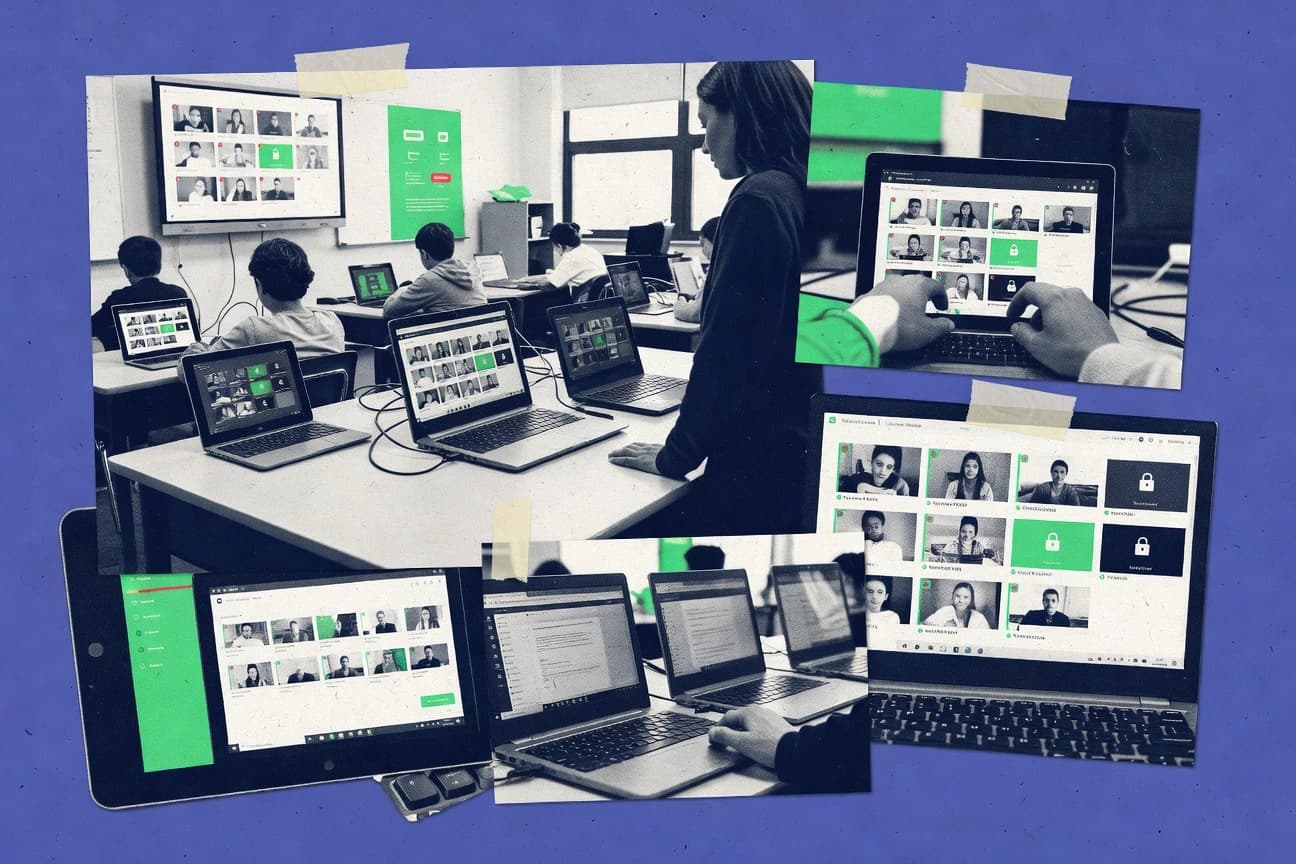
Live teacher monitoring with thumbnail activity views that support rapid interventions during an active classroom session.
Best for: Fits when IT and teachers need real-time supervision across managed Chromebooks with roster-aligned classroom sessions.
Securly Classroom
Editor pickStudent privacy controls that restrict teacher visibility during monitoring without removing classroom supervision workflows.
Best for: Fits when districts want teacher session monitoring plus enforceable web and app policies tied to class rosters.
AB Tutor
Editor pickInstructor session controls combine real-time visibility with in-class blocking actions from one teacher workflow.
Best for: Fits when IT can manage endpoint agents and teachers need live supervision controls.
Comparison Table
GoGuardian Teacher
enterpriseClassroom monitoring software for viewing student screens, managing tabs, and supporting remote instruction.
Live teacher monitoring with thumbnail activity views that support rapid interventions during an active classroom session.
GoGuardian Teacher is designed around teacher-led monitoring during a classroom session, with visibility into what students access and when. The teacher console supports thumbnail-style activity views that reduce time spent scanning many devices, and it supports fast actions during live incidents. Roster alignment helps the dashboard map monitoring context to the current class. Deployment commonly targets managed Chromebooks through browser extension and device enrollment workflows.
A practical tradeoff is that meaningful results depend on device management consistency across the school, since incomplete extension or enrollment coverage creates blind spots. It fits best for teachers who need real-time interventions during guided activities, such as stopping off-task browsing while maintaining class flow.
- +Teacher dashboard provides fast thumbnail views for many students
- +Live session interventions reduce off-task time during instruction
- +Chromebook-focused workflows align well with common classroom fleets
- +Policy-driven monitoring supports consistent enforcement across classes
- –Monitoring coverage degrades when Chromebook enrollment or extension deployment is incomplete
- –Some advanced admin workflows rely on careful setup by IT staff
- –Intervention granularity can feel coarse for small edge cases
- –Extensive monitoring can increase attention to privacy communication
K-12 IT admins
Manage district Chromebook monitoring rollout
Consistent supervision coverage
Secondary teachers
Stop off-task browsing during labs
Less time wasted
Show 1 more scenario
School administrators
Standardize classroom filtering enforcement
Fewer enforcement gaps
Governance settings keep monitoring and filtering aligned across classrooms and periods.
Best for: Fits when IT and teachers need real-time supervision across managed Chromebooks with roster-aligned classroom sessions.
Securly Classroom
enterpriseTeacher-focused software for monitoring student devices, controlling classroom activity, and guiding online work.
Student privacy controls that restrict teacher visibility during monitoring without removing classroom supervision workflows.
Securly Classroom is built around teacher-led monitoring in classroom sessions, using live thumbnail and focused teacher views instead of forcing teachers to manage devices directly. It pairs monitoring with policy controls that can restrict websites and applications, so supervision and enforcement happen in the same classroom workflow. Roster sync reduces manual assignment friction by tying supervision to the class list used during instruction.
A key tradeoff is that deep governance requires consistent upfront policy configuration so the same enforcement behaviors apply across devices and classes. It fits best when a district wants teacher-facing monitoring for daily lessons while IT needs predictable configuration and audit-style visibility for policy outcomes. In rooms with mixed device types, teams should plan device onboarding and agent deployment work to avoid gaps during class start.
- +Teacher dashboard workflow keeps supervision actions close to live classroom moments
- +Class roster sync ties monitoring sessions to real class lists
- +Policy controls cover both web access and application behavior
- +Student privacy controls limit what teachers can view
- –Broad policy coverage needs disciplined upfront configuration per school or grade
- –Remote control-style actions can be limited by device and browser behavior
District technology teams
Enforce acceptable-use across classrooms
Fewer policy deviations
K-12 teachers
Monitor student screens during lessons
Faster redirection
Show 2 more scenarios
School administrators
Review policy impact by class
Clearer accountability
Roster-connected sessions make it easier to connect monitoring events to specific instructional groups.
IT managers for Chromebook
Onboard monitoring across device fleets
Consistent classroom coverage
Agent-based device onboarding supports monitoring and policy enforcement at scale once deployment is complete.
Best for: Fits when districts want teacher session monitoring plus enforceable web and app policies tied to class rosters.
AB Tutor
SMBClassroom management software for monitoring screens, restricting applications, and communicating with students.
Instructor session controls combine real-time visibility with in-class blocking actions from one teacher workflow.
AB Tutor supports teacher-led supervision with live classroom visibility, plus tools for blocking access and managing what students can use during a class session. The product aligns with schools that need consistent class control across rosters and repeated periods, not ad hoc troubleshooting. Monitoring is positioned as an ongoing agent-based model, which reduces reliance on intermittent browser-only hooks.
A practical tradeoff is that deeper visibility depends on deploying and maintaining the endpoint agent across the student fleet. AB Tutor fits best when staff can standardize deployment and follow an acceptable-use process, because enforcement actions and monitoring coverage are only as reliable as the managed endpoints.
- +Live teacher dashboard supports classroom session monitoring and intervention
- +Agent-based approach enables device-level visibility beyond browser activity
- +Class control workflow maps to repeated periods and teacher supervision
- +Enforcement tools cover access restrictions during instruction
- –Endpoint agent rollout and updates add operational work for IT
- –Limited insight into cross-class analytics compared with report-first products
- –Advanced controls require consistent teacher process during active sessions
- –Browser-only coverage is not the primary strength of the product
K-12 IT administrators
Manage student endpoint monitoring at scale
Coverage stays consistent across rooms
Middle and high school teachers
Oversee devices during independent work
Disruptions drop in-session
Show 1 more scenario
Instructional coaches
Standardize teacher intervention routines
Interventions stay repeatable
Tracks classroom-session outcomes through the teacher workflow used for monitoring and enforcement.
Best for: Fits when IT can manage endpoint agents and teachers need live supervision controls.
Lightspeed Classroom Management
enterpriseClassroom management software for monitoring screens, guiding browsing, and responding to student activity.
Class roster sync links classroom supervision actions to managed identity groups, cutting manual teacher configuration.
Lightspeed Classroom Management centralizes teacher-led supervision with a teacher dashboard, class rosters, and device monitoring hooks used across school-managed accounts. It focuses on classroom session controls such as screen visibility, student messaging, and remote management actions, which supports quick intervention during lessons.
Administrative tooling centers on policy configuration tied to user and class groupings, plus reporting for monitoring events and device status. The product’s distinct angle is its tight integration workflow around school-managed identity and classroom group sync, which reduces manual teacher setup.
- +Teacher dashboard supports fast actions during live classroom sessions
- +Class roster sync reduces per-class reconfiguration for teachers
- +Device health signals help narrow troubleshooting to endpoint issues
- +Policy configuration maps to school user and group structures
- –Best results depend on consistent identity and group provisioning
- –Advanced reporting filters can take time to learn
- –Remote control workflows require teacher permissions and governance checks
- –Some monitoring views can feel dense on small screens
Best for: Fits when schools need classroom supervision plus policy enforcement with low teacher setup overhead.
LanSchool
vertical specialistClassroom management software for screen viewing, application control, communication, and lesson support.
Thumbnail-first teacher monitoring with live screen viewing and remote control built around classroom session targeting.
LanSchool uses a teacher dashboard to monitor classroom screens and run live classroom session supervision with thumbnail and full-screen views. Agent-based monitoring supports Windows, macOS, and Chromebook managed classes while keeping supervision anchored to a class roster workflow.
Admin controls focus on deployment configuration and classroom session targeting, with less emphasis on modern API-led automation than some cloud-first competitors. Reporting centers on what the teacher can observe during instruction, rather than exporting a granular activity schema for downstream SIEM pipelines.
- +Teacher dashboard shows multiple student thumbnails and supports rapid switching
- +Remote control features enable targeted help without leaving instruction flow
- +Works across common school endpoints with agent-based monitoring design
- +Classroom session targeting aligns supervision to a roster-based workflow
- –Automation depth is limited for data exports and integration-first governance
- –Browser-level visibility can be narrower than tools focused on web activity timelines
- –Agent deployment increases IT overhead during initial rollout
- –Advanced policy enforcement depends more on configuration choices than centralized rules
Best for: Fits when schools need dependable teacher-led screen viewing and remote assist during live instruction.
Apple Classroom
vertical specialistApple education software for viewing student screens, launching activities, and managing iPad classroom sessions.
Teacher-led screen viewing and broadcasting built around Apple device enrollment and class rosters from Apple School Manager.
Apple Classroom is a teacher management tool for Apple device classrooms that focuses on iPad and Mac oversight built around Apple School Manager rostering. It provides a teacher dashboard with class lists, managed apps, and the ability to show student screens or broadcast instruction during a classroom session.
Device enrollment, class creation, and policy-style restrictions depend on Apple’s managed-device workflow rather than third-party agents. Its monitoring depth and controls are strongest for managed Apple endpoints, while Windows and non-Apple ecosystems are out of scope.
- +Screen sharing and broadcasting are integrated into the teacher experience for supervised instruction
- +Class rosters and app sets flow through Apple School Manager enrollment and assignment
- +Policy enforcement is aligned to iPad and macOS device management capabilities
- +Teacher controls are simple enough for same-day classroom supervision
- –Monitoring coverage is limited to Apple-managed devices and does not replace cross-platform monitoring stacks
- –Advanced governance and data export depend on Apple’s management layer rather than per-event reporting in the teacher UI
- –Web and application enforcement options are constrained by Apple device management capabilities
- –Setup requires coordinated identity, enrollment, and class assignment steps across Apple systems
Best for: Fits when a school already manages iPad or Mac with Apple School Manager and needs teacher-led supervision without third-party agents.
NetSupport School
vertical specialistClassroom management software for monitoring student screens, sharing content, and controlling classroom computers.
Broadcasting with teacher-initiated control in the same classroom session flow across many endpoints.
NetSupport School targets classroom screen monitoring with teacher-led supervision via a dedicated teacher console and agent-driven endpoints. It adds granular monitoring surfaces like thumbnail view and live viewing, plus classroom controls such as remote control and broadcasting during a classroom session.
NetSupport School also supports management workflows for class rosters and device management across common OS environments, with centrally handled policy deployment. Compared with simpler monitor-only tools, NetSupport School emphasizes operational control that teachers and IT can manage in the same deployment footprint.
- +Thumbnail view helps scan many devices quickly
- +Teacher console supports live viewing and remote control in-session
- +Broadcasting lets one teacher screen reach multiple endpoints
- +Central deployment fits classroom and lab-style endpoint rollouts
- –Configuration depth can slow initial rollout and policy tuning
- –Monitoring and control workflows can feel complex for small classes
- –Some advanced governance workflows require IT involvement
- –Endpoint coverage and features vary by OS and agent settings
Best for: Fits when districts need teacher monitoring plus classroom control managed from a central IT deployment.
Hapara
vertical specialistDigital classroom management software for viewing student work, monitoring browsing, and organizing learning activities.
Rosters-driven teacher dashboard workflows that connect class membership to monitoring and policy enforcement in one place.
Hapara centralizes teacher monitoring for device fleets using a teacher dashboard that connects to class roster sources and session context. The system supports classroom screen monitoring with live thumbnail view plus focused observation workflows for specific students.
Admins get configuration controls for browser extension deployment, policy settings for acceptable-use enforcement, and audit-style visibility into student activity within the monitored scope. Hapara also targets automation around onboarding and class start workflows through directory-linked rostering and recurring class setups.
- +Teacher dashboard ties roster context to monitoring actions
- +Thumbnail view supports quick scanning across multiple students
- +Policy controls for acceptable-use enforcement are centralized
- +Automation reduces rework for recurring class setup cycles
- –Full effectiveness depends on agent and extension deployment coverage
- –Classroom session workflows can require training for consistent usage
- –Remote control depth is narrower than dedicated remote-classroom tools
- –Fine-grained student privacy controls require careful configuration
Best for: Fits when IT wants directory-linked setup plus teacher-led monitoring workflows with centralized governance.
Blocksi
enterpriseClassroom management software for monitoring screens, filtering content, and applying teacher controls.
Agent-based student device monitoring paired with thumbnail classroom viewing for immediate attention cues.
Blocksi runs classroom screen monitoring through agent-based monitoring on student devices and a teacher-facing management console. It supports thumbnail-style classroom viewing and live viewing for teacher-led supervision workflows, plus web and application controls that can be enforced per policy.
Admins get central configuration for classroom and device oversight, including class roster import to align monitoring with groups. Audit-style reporting and session activity logs support review after lessons.
- +Thumbnail view and live viewing support quick teacher intervention
- +Device-side monitoring enables class oversight even when navigation differs
- +URL and application blocking can be applied alongside classroom monitoring
- +Roster-based grouping reduces manual switching between classes
- –Agent rollout adds IT effort across student device fleets
- –Remote control and granular interaction controls are not as detailed as category leaders
- –Setup requires policy configuration before monitoring is reliably actionable
- –Classroom analytics depth lags tools with richer activity timelines
Best for: Fits when district IT can manage agent deployment and teachers need fast thumbnail and live supervision.
Veyon
open-sourceOpen-source classroom management software for viewing, controlling, and demonstrating computer screens.
Teacher console thumbnail view for rapid device targeting during live screen viewing and classroom broadcasting.
Veyon is classroom monitor software that runs as a local agent with central teacher workflows for live viewing and guided supervision.
It supports classroom session controls such as screen preview, broadcasting, and remote control, with teacher-side thumbnails for fast device selection.
Veyon also includes inventory-style device organization and directory-driven target selection for consistent class rosters across repeated sessions.
- +On-prem, agent-based setup supports LAN monitoring without a cloud dependency
- +Thumbnail-based teacher view speeds up targeting specific student devices
- +Works across common classroom OS environments using locally installed components
- +Broadcast and remote-control actions can be started from the teacher console
- –Central administration and policy enforcement are weaker than cloud-first classroom tools
- –Automation and integration rely more on local configuration than standardized APIs
- –Advanced student privacy workflows need careful operator discipline in practice
- –Large fleet performance depends on local network throughput and endpoint resources
Best for: Fits when schools want on-prem classroom monitoring with teacher-led live viewing and basic session control.
Conclusion
After evaluating 10 classroom monitor software, GoGuardian Teacher stands out as our overall top pick — it scored highest across our combined criteria of features, ease of use, and value, which is why it sits at #1 in the rankings above.
Use the comparison table and detailed reviews above to validate the fit against your own requirements before committing to a tool.
How to Choose the Right Classroom Monitor Software
Classroom monitor software supports teacher-led supervision during active instruction and district governance across student devices. This buyer’s guide covers GoGuardian Teacher, Securly Classroom, AB Tutor, Lightspeed Classroom Management, LanSchool, Apple Classroom, NetSupport School, Hapara, Blocksi, and Veyon.
The tools in this list differ in how they connect to class rosters, how live thumbnail views drive rapid interventions, and how much admin workflow control they provide to IT. The comparison also focuses on whether monitoring depends on browser-only visibility or uses endpoint agents that can follow beyond the browser experience.
Classroom Monitor Software for roster-aligned supervision, live viewing, and enforceable policies
Classroom monitor software delivers teacher dashboard workflows that show student status in a thumbnail view, supports live screen viewing or screen broadcasting, and enables intervention actions during a classroom session. Many products also connect monitoring to class rosters so supervision actions stay aligned with specific student lists.
GoGuardian Teacher is built around live teacher monitoring with thumbnail activity views that support rapid interventions during active classroom sessions on managed Chromebooks. Securly Classroom adds student privacy controls that restrict teacher visibility during monitoring while still keeping teacher session supervision workflows tied to class roster sync.
Classroom Monitor Software features that change day-to-day supervision
The feature set matters most in two moments: when a teacher needs instant visibility in a live classroom session, and when IT needs monitoring to stay aligned with roster membership across classes. The strongest classroom monitor software couples a teacher workflow with class context so interventions target the right student device every time.
Across this shortlist, the biggest differentiators are how monitoring reaches the teacher dashboard and what governance controls can be enforced without relying on manual teacher setup. GoGuardian Teacher, for example, pairs thumbnail-first live monitoring with fast intervention actions during active classroom sessions on managed Chromebooks.
Live thumbnail visibility and intervention workflow
GoGuardian Teacher uses thumbnail activity views for rapid intervention during active classroom sessions on managed Chromebooks, which supports real-time teacher action. LanSchool also centers teacher monitoring on thumbnails, and it pairs those thumbnails with live viewing and remote assistance that keep help actions inside the live instruction flow.
Rosters and class roster sync that bind supervision to student lists
Securly Classroom ties monitoring sessions to enforceable class roster sync, which keeps teacher actions aligned with the class list. Lightspeed Classroom Management links supervision actions to managed identity group membership via class roster sync, reducing per-class reconfiguration for teachers.
Student privacy controls that limit teacher visibility during monitoring
Securly Classroom adds student privacy controls that restrict teacher visibility during monitoring while still keeping teacher session supervision workflows active. Hapara builds roster-driven teacher dashboard workflows that connect class membership to monitoring and policy enforcement, which can keep teacher actions grounded in roster context even when visibility policies differ.
Coverage model: browser-focused monitoring versus agent-based device visibility
AB Tutor uses an agent-based approach for device-level visibility beyond browser activity, which supports teacher supervision when navigation differs. Blocksi also pairs agent-based student device monitoring with thumbnail classroom viewing, and it keeps attention cues available even when browsing behavior changes.
Teacher-led screen viewing and broadcasting inside classroom sessions
Apple Classroom provides teacher-led screen sharing and broadcasting integrated into the teacher experience with Apple School Manager enrollment and assignment. NetSupport School uses broadcasting with teacher-initiated control in the same classroom session flow across many endpoints.
Deployment shape: cloud-first classroom stacks versus on-prem management
Veyon is built for on-prem classroom monitoring with teacher-led live viewing and basic session control, which supports LAN monitoring without a cloud dependency. NetSupport School manages classroom monitoring and control from a central IT deployment, which can fit districts that want centralized control even when local setup complexity is acceptable.
How to choose Classroom Monitor Software for roster accuracy, live control, and governance
The selection decision should start with how class context enters the system and how quickly teachers can act during instruction. A classroom monitor product that is fast in thumbnails but weak in roster alignment creates supervision drift across class sessions.
Next, the choice should separate browser-only visibility from agent-based coverage, because those two models behave differently when students switch apps or use devices in ways that do not match browser activity. GoGuardian Teacher ranks highest for live teacher monitoring with thumbnail activity views on managed Chromebooks, which makes it a strong baseline when real-time teacher intervention is the priority.
Confirm the roster binding model matches the district setup workflow
If class membership must be synchronized into monitoring sessions with minimal teacher effort, choose Lightspeed Classroom Management with class roster sync tied to managed identity groups, or choose Securly Classroom with class roster sync tied to enforceable roster-linked sessions. If teacher supervision must stay connected to Apple School Manager enrollments and assignments, choose Apple Classroom so class roster and app sets flow through Apple’s management layer.
Choose the visibility coverage model based on student behavior outside the browser
If supervision must follow students beyond browser activity, choose AB Tutor or Blocksi because both use endpoint agents for device-side monitoring paired with thumbnail views. If monitoring can rely on teacher screen viewing and broadcasting inside a teacher-led session flow, choose NetSupport School or Apple Classroom.
Match privacy and visibility controls to classroom policy requirements
If district policy requires limiting teacher visibility during monitoring while maintaining supervision workflows, select Securly Classroom because it includes student privacy controls that restrict teacher visibility. If visibility needs to stay grounded in roster context and consistent teacher workflows, select Hapara so the teacher dashboard ties roster context to monitoring actions.
Decide whether on-prem administration or cloud-standardization fits the IT operating model
If the school environment needs on-prem classroom monitoring without a cloud dependency, choose Veyon because it targets LAN monitoring with an on-prem, agent-based setup. If the district prefers central IT deployment for teacher-initiated classroom control, choose NetSupport School because it supports live viewing and remote control through a central deployment.
Account for setup workload tied to extension or agent rollout
If teacher monitoring depends on extension deployment and Chromebook enrollment completeness, choose GoGuardian Teacher while planning for Chromebook and extension coverage to avoid monitoring gaps. If endpoint agent rollout is acceptable and the IT team can manage updates, choose AB Tutor because endpoint agents add operational work but enable device-level visibility beyond browser activity.
Ensure teacher control actions align with the classroom session workflow
If teacher intervention must happen fast through thumbnail-first classroom monitoring, choose GoGuardian Teacher or LanSchool because both center teacher dashboards on rapid thumbnail targeting. If remote control capabilities must stay within a teacher session flow across many endpoints, choose NetSupport School because broadcasting and teacher-initiated control are built into the classroom session flow.
Who Classroom Monitor Software fits best
Classroom monitor software fits roles that must balance real-time teacher supervision with district-level governance across student devices. The right fit depends on whether the organization needs roster-aligned session monitoring, privacy-aware teacher visibility, or on-prem classroom administration.
This list includes tools that differ in device coverage model and in the amount of operational work required from IT to keep monitoring effective during instruction.
District IT teams managing managed Chromebooks for many classrooms
GoGuardian Teacher fits IT teams that need real-time teacher monitoring on managed Chromebooks with roster-aligned classroom sessions and fast thumbnail-driven interventions.
Districts that must enforce monitoring privacy limits for teacher visibility
Securly Classroom fits districts that need student privacy controls that restrict teacher visibility during monitoring while still keeping supervision workflows tied to class roster sync.
Schools standardizing on Apple School Manager for iPad or Mac device enrollment
Apple Classroom fits schools that already manage iPad or Mac with Apple School Manager because screen viewing and broadcasting are built around Apple device enrollment and class rosters.
IT teams willing to deploy endpoint agents for device-level visibility
AB Tutor and Blocksi fit organizations that can manage endpoint agent rollout and updates because both provide device-side visibility beyond browser activity paired with thumbnail classroom viewing.
Schools prioritizing on-prem classroom monitoring without cloud dependencies
Veyon fits schools that want on-prem, LAN-based monitoring with teacher console thumbnail targeting and classroom broadcasting without a cloud dependency.
Common Classroom Monitor Software pitfalls
Most failures happen when implementation assumptions do not match the tool’s coverage model and workflow design. Monitoring can look functional in a pilot and still degrade during full deployment if device coverage, extension deployment, or agent rollout is incomplete.
Another frequent issue is confusing privacy and governance requirements with basic teacher visibility. Tools with student privacy controls or roster sync still require correct setup so the teacher experience matches district policy.
Assuming thumbnail monitoring stays accurate without consistent device and extension coverage
GoGuardian Teacher monitoring coverage degrades when Chromebook enrollment or extension deployment is incomplete, so full coverage planning must happen before scaling.
Treating privacy controls as a toggle instead of a workflow requirement
Securly Classroom includes student privacy controls that restrict teacher visibility, so district teams should run classroom-session tests to confirm supervision workflows still meet policy needs.
Choosing based on teacher features while ignoring the roster sync dependency
Lightspeed Classroom Management depends on consistent identity and group provisioning for best roster sync outcomes, so identity provisioning discipline must match the classroom structure.
Underestimating operational work from endpoint agent rollout and updates
AB Tutor adds operational work because endpoint agent rollout and updates must be managed by IT, so the IT team must plan for deployment cadence.
Overvaluing cloud-first governance for environments that need local administration
Veyon central administration and policy enforcement are weaker than cloud-first classroom tools, so districts that need standardized governance should validate whether on-prem administration meets their enforcement expectations.
How We Selected and Ranked These Tools
We evaluated classroom monitor software on features coverage, ease of getting teachers productive, and overall value for district operations. Features carried 40% of the weight and focused on live teacher monitoring, thumbnail activity visibility, intervention or control workflows, and how roster context is applied across classroom sessions.
Ease and value each carried 30% and reflected teacher workflow usability for rapid actions and IT effort required to keep monitoring effective during active instruction. GoGuardian Teacher separated from the rest with live teacher monitoring built around thumbnail activity views that support rapid interventions during active classroom sessions on managed Chromebooks.
Frequently Asked Questions About Classroom Monitor Software
How do GoGuardian Teacher and Securly Classroom structure a live classroom monitoring session?
What breaks if a district needs roster accuracy across repeated classes with changing membership?
Which tools provide student privacy controls that limit what teachers can view during monitoring?
How do AB Tutor and Veyon handle on-device monitoring without relying on browser-only visibility?
When IT needs directory-based onboarding, which platforms tie class rostering to configuration and onboarding automation?
How do classroom screen viewing surfaces differ between LanSchool and NetSupport School?
Where does classroom monitor software fall short for exporting activity data to downstream security tooling?
How do admin controls and configuration governance differ between Apple Classroom and Chromebook or Windows-focused tools?
What integration and API expectations should be validated for enterprise directory and automation workflows?
Tools reviewed
Primary sources checked during evaluation.
Referenced in the comparison table and product reviews above.
- Education LearningTop 10 Best Classroom Monitoring Software of 2026
- Education LearningTop 10 Best K-12 Software of 2026
- Education LearningTop 10 Best Digital Learning Software of 2026
- Education LearningTop 10 Best Enrollment Software of 2026
- Education LearningTop 10 Best School Visitor Management Software of 2026
Keep exploring
Comparing two specific tools?
Software Alternatives
See head-to-head software comparisons with feature breakdowns, pricing, and our recommendation for each use case.
Explore software alternatives→In this category
Education Learning alternatives
See side-by-side comparisons of education learning tools and pick the right one for your stack.
Compare education learning tools→