GITNUXSOFTWARE ADVICE
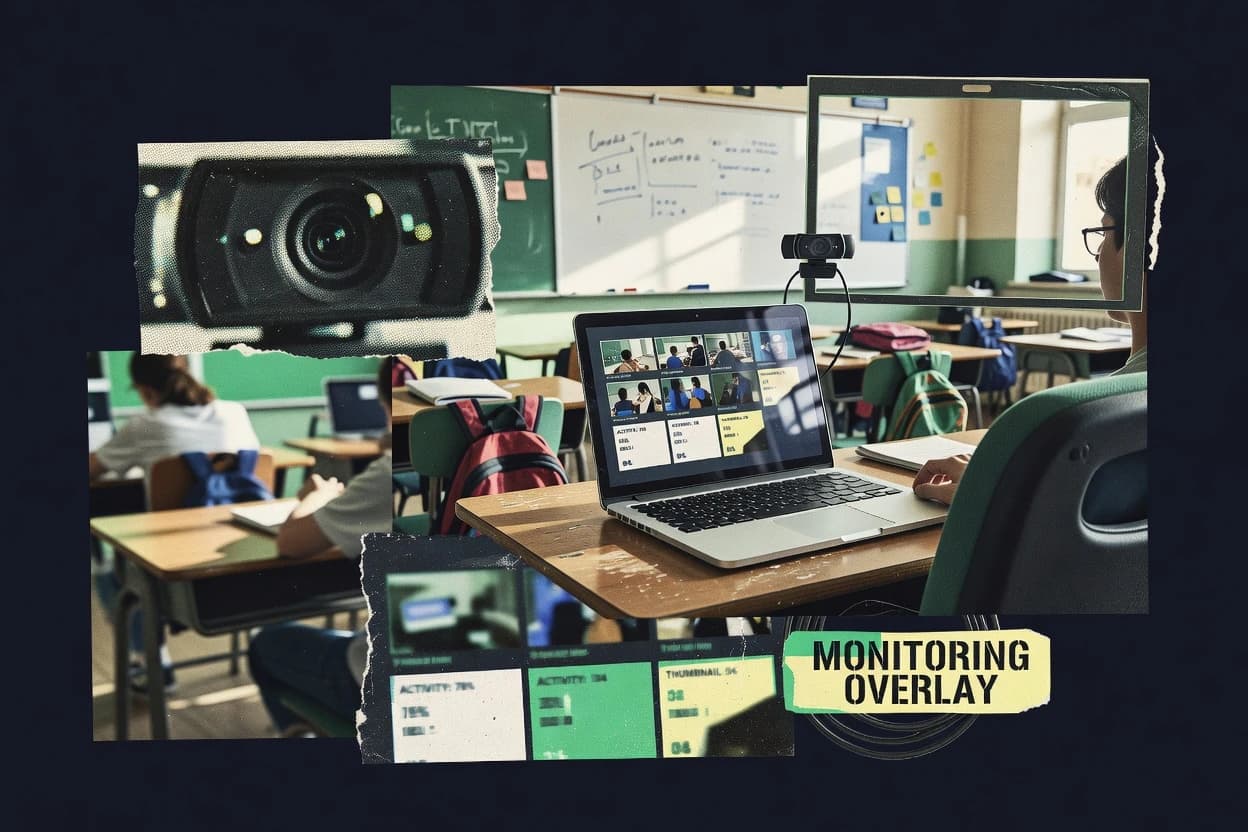
Education LearningTop 10 Best Class Monitoring Software of 2026
Top 10 class monitoring software for proctoring and reporting with ranked comparisons of ClassMarker, ProctorExam, Kryterion plus Veyon and Securly.

How we ranked these tools
Gitnux editors write the brief first: the topic, the inclusion rules, and the frame for what belongs.
Agents extract product evidence with provenance, then collect written reviews and transcribe video reviews and podcasts.
Framework: Features 40% · Ease 30% · Value 30%
Gitnux may earn a commission through links on this page — this does not influence rankings. Editorial policy
Veyon is the best fit overall for schools running on-prem labs and needing repeatable teacher console monitoring with agent-controlled endpoints, whereas Securly Classroom works better for K-12 teams that want centralized device visibility and centrally enforced controls across many student devices.
Editor’s top 3 picks
Three quick recommendations before you dive into the full comparison below — each one leads on a different dimension.
Veyon
Teacher console supports both global screen broadcast mode and per-device remote actions from the same monitoring workflow.
Best for: Fits when schools run on-prem labs and need teacher console monitoring with repeatable agent-controlled endpoints.
Securly Classroom
Editor pickTeacher screen broadcast and observation flows that keep supervision active while limiting direct device control by default.
Best for: Fits when K-12 teams need teacher visibility and centrally enforced controls across many student devices.
Bark for Schools
Editor pickSchool-level policy assignment tied to managed device enrollment reduces drift across classes.
Best for: Fits when school IT needs device-assigned classroom monitoring with teacher-led in-session controls.
Comparison Table
Veyon
vertical specialistOpen source classroom monitoring and computer management software for schools and training environments.
Teacher console supports both global screen broadcast mode and per-device remote actions from the same monitoring workflow.
Veyon’s core workflow supports live monitoring through screen broadcast and thumbnail grid monitoring, with an observation-only mode that reduces risk of accidental interference. The teacher console includes remote command broadcast and targeted remote device controls that fit structured lab sessions and scheduled classroom orchestration. Deployment is practical in on-prem lab environments where student machines can run the Veyon agent and receive centrally defined configuration.
A tradeoff is that Veyon’s effectiveness depends on agent install coverage and consistent classroom device enrollment, because session control is tied to managed student endpoints. It fits usage situations where labs need repeatable classroom monitoring behavior across many devices, not where browser-based proctoring with web-only controls is the only requirement.
- +Real-time screen mirroring with thumbnail grid monitoring for quick scanning
- +Teacher console supports observation-only plus targeted remote device controls
- +Central configuration for consistent classroom behavior across managed endpoints
- +Works well in on-prem lab deployments with agent-based device control
- –Effective monitoring requires reliable agent deployment on student devices
- –Advanced policy workflows need careful configuration planning for each lab setup
Computer lab instructors
Monitor groups during guided exercises
Faster feedback during lab work
Technology directors
Standardize classroom agent settings
Lower variance between labs
Show 1 more scenario
Assessment coordinators
Run low-interruption observation sessions
More consistent supervision
Teams use observation-only monitoring to reduce student disruption while maintaining oversight.
Best for: Fits when schools run on-prem labs and need teacher console monitoring with repeatable agent-controlled endpoints.
Securly Classroom
educationClassroom management and monitoring solution for student devices.
Teacher screen broadcast and observation flows that keep supervision active while limiting direct device control by default.
For day-to-day oversight, Securly Classroom supports a teacher console that surfaces attention and behavior signals and enables remote classroom actions. Administrators get centralized configuration for blocking and filtering rules, plus device inventory signals that help identify which endpoints are active. Integration depth shows up through roster provisioning options like SIS roster sync and Clever-compatible provisioning, which reduces manual device assignment.
A key tradeoff is that strong enforcement depends on consistent deployment of the classroom agent on student devices, so partial coverage creates blind spots during lessons. Securly Classroom fits best when instruction teams run scheduled lab sessions or mixed device classrooms and need predictable enforcement plus live supervision in the same operational workflow.
- +Teacher console supports live monitoring signals and fast intervention actions
- +Web filtering policy engine and application blocklist are centrally managed
- +Roster and device assignment options reduce manual class setup work
- +Observation-only supervision supports oversight without remote control takeover
- –Enforcement effectiveness depends on consistent MDM or classroom agent deployment
- –Advanced automation requires admin configuration discipline across classroom setups
K-12 IT administrators
MDM-enforced classroom agent deployment
Fewer policy gaps across rooms
Middle school teachers
Live instruction oversight during labs
Quicker redirection during practice
Show 2 more scenarios
District curriculum teams
Consistent classroom content controls
Uniform access rules by class
Web filtering policy and app blocklist settings are applied across scheduled lab sessions.
Tech coordinators
Clever-compatible provisioning at scale
Less setup time per term
Roster sync reduces manual device assignment work for large grade-level deployments.
Best for: Fits when K-12 teams need teacher visibility and centrally enforced controls across many student devices.
Bark for Schools
educationStudent safety and monitoring platform for school-issued devices.
School-level policy assignment tied to managed device enrollment reduces drift across classes.
Bark for Schools is used to coordinate classroom monitoring actions from a teacher console, including attention-related signals and controlled interventions on student devices. It is structured around managed student participation rather than after-the-fact review only, which supports real-time teaching workflows. School administrators can manage which devices and students receive the classroom agent and associated policies, then track usage across sessions through the admin reporting area.
A tradeoff exists in that classroom control capabilities can depend on consistent device enrollment and agent health, so missed assignments reduce coverage. Bark for Schools works best in lab-style or 1:1 chromebook management settings where devices stay under one administrative domain and policies can be applied uniformly. It is also a practical fit when a school prioritizes teacher-led intervention in-session rather than only historical session playback for later review.
- +Teacher console supports real-time attention and intervention workflows
- +School admin tools help keep policy assignment consistent across devices
- +Student monitoring is tied to device enrollment rather than ad hoc sessions
- +Reporting supports session-level review for governance needs
- –Coverage drops when device enrollment or agent checks are inconsistent
- –Some advanced classroom control actions rely on policy configuration discipline
- –Integrations can require IT coordination for roster and device assignment
- –Historical review depth can lag tools focused only on proctoring playback
K-12 IT coordinators
Centralize classroom monitoring policy for devices
Consistent enforcement across classrooms
Classroom teachers
Respond to off-task behavior during lessons
Faster in-session corrections
Show 1 more scenario
Dean of students
Review session activity for discipline follow-up
Clearer follow-up documentation
Staff use admin reporting to assess monitoring events tied to student participation.
Best for: Fits when school IT needs device-assigned classroom monitoring with teacher-led in-session controls.
GoGuardian Teacher
educationClassroom management software for monitoring student devices and web activity.
Observation-only mode lets assigned staff view student activity without enabling intervention actions.
GoGuardian Teacher centers on classroom monitoring with a teacher console that supports live visibility into student device activity. Real-time screen mirroring, off-task behavior alerting, and thumbnail grid monitoring enable quick intervention during lessons.
- +Live screen mirroring with thumbnail grid monitoring improves fast classroom checks
- +Web filtering policy enforcement extends monitoring into browsing control
- +Co-teacher delegation roles support shared classroom oversight workflows
- +Observation-only mode supports compliance-friendly oversight without active control
- –Remote device locking capabilities depend on the classroom agent being properly deployed
- –Automation and integration depth is weaker than tools with fuller LTI and SIS sync coverage
- –Bandwidth use can increase during high-concurrency screen mirroring sessions
- –Granular per-student intervention permissions take governance discipline to configure consistently
Best for: Fits when district-managed classroom agent deployments need teacher console monitoring plus enforced web policies.
LanSchool
educationClassroom management software for monitoring and controlling student screens.
Historical session playback for reviewing classroom activity after a lesson ends.
LanSchool can run teacher-led screen broadcast and real-time student monitoring from a teacher console. Classroom session workflows include teacher observation modes and student attention indicators to support off-task behavior detection.
- +Teacher console provides direct classroom monitoring and broadcast controls
- +Historical session playback helps compare observed behavior to teacher actions
- +Works well in managed labs with consistent classroom device configurations
- +Observation modes support graded visibility for classrooms with privacy needs
- –Best outcomes depend on disciplined lab deployment and device enrollment
- –Advanced web policy controls can be less granular than dedicated web-filter products
Best for: Fits when districts need teacher-driven monitoring in managed labs with session recording and playback for review.
NetSupport School
educationClassroom management and monitoring software for instructors.
Remote device locking from the teacher console enables containment actions without switching to a separate enforcement tool.
NetSupport School centers on teacher-led classroom monitoring with a teacher console that supports real-time student visibility and controlled interventions during a live lab or lecture. Core capabilities include screen broadcast mode, student thumbnail grid monitoring, and remote device locking so teachers can respond to off-task behavior without leaving the dashboard.
- +Teacher console combines monitoring, announcements, and remote control in one workflow.
- +Thumbnail grid view supports fast scan of student screens during live instruction.
- +Screen broadcast mode keeps classroom content synchronized for focused viewing.
- +Remote device locking supports immediate containment during policy violations.
- –Best outcomes depend on consistent agent deployment across student devices.
- –Advanced governance like audit log depth depends on deployment choices and integration scope.
- –Some proctoring-style workflows require careful class-level configuration.
- –Bandwidth-heavy monitoring can strain thinner networks during high concurrent sessions.
Best for: Fits when teachers need live monitoring and intervention tools with admin-managed device rollout in computer labs.
Faronics Insight
educationClassroom management software for monitoring student computer activity.
Historical session playback ties classroom monitoring views to later review for device-attached incidents.
Faronics Insight differentiates through its endpoint-first classroom agent approach that focuses on monitoring and managing student devices rather than adding a separate proctoring workflow. The console supports real-time teacher visibility with thumbnail grid monitoring and active screen counts so instructors can identify off-task screens quickly.
- +Thumbnail grid monitoring with active screen counts in the teacher console
- +Historical session playback helps investigate incidents after a lesson ends
- +Remote device locking supports quick classroom containment workflows
- +MDM-enforced classroom agent model fits managed device fleets
- –Requires setup, configuration, and governance discipline to keep policies consistent
- –Co-teacher delegation role support is limited compared with proctoring-led suites
- –Screen share annotation workflows are not as comprehensive as specialized proctoring tools
- –Bandwidth throttling threshold controls are less granular than bandwidth management vendors
Best for: Fits when lab admins need device-centric monitoring and playback across managed classroom endpoints.
Blocksi
educationClassroom management and web filtering for K-12 education.
Web filtering policy enforcement tied to classroom sessions and teacher monitoring controls.
Blocksi is a class monitoring product that combines web filtering with classroom control and device policy enforcement. The core workflow centers on a teacher console that can observe student screens, trigger attention cues, and apply session-level restrictions.
- +Web filtering and classroom controls run together in one teacher workflow
- +Student screen monitoring supports active classroom awareness during lessons
- +Policy grouping helps keep lab sessions aligned to shared rules
- +Reports show classroom activity outcomes that teachers can review
- –Setup and policy governance require consistent IT handling across device fleets
- –Extensibility through API and automation is limited compared with more integration-first tools
- –Live classroom controls can depend on browser and endpoint behavior
- –Advanced delegation workflows for co-teachers are less granular than some peers
Best for: Fits when schools want integrated web filtering plus teacher monitoring without building custom integrations.
LearnSafe
vertical specialistClassroom management and student safety platform with live screen monitoring and teacher intervention tools.
Session playback tied to monitoring events gives teachers reviewable evidence after each completed class or assessment.
LearnSafe provides classroom monitoring and exam proctoring workflows through a teacher console that supports live view controls and session reporting. It focuses on scheduled monitoring sessions, student activity visibility, and enforcement actions during assessments.
- +Teacher console supports live monitoring controls during scheduled sessions.
- +Session playback helps review what happened after a proctored event.
- +Student attention indicators provide quick signals for classroom intervention.
- +Administration workflow supports managing monitored sessions at scale.
- –Remote control and lockdown style actions may need careful governance setup.
- –Live monitoring depth can vary by device and network conditions.
- –Advanced policy workflows take more planning than basic proctoring use cases.
- –Reporting granularity can require manual selection to answer specific questions.
Best for: Fits when schools need teacher-led monitoring for classes and timed assessments with post-session playback.
Classroom.cloud
vertical specialistCloud-based classroom management software for monitoring student screens and controlling online activity.
Observation-only monitoring supports non-disruptive classroom supervision without enabling remote device control.
Classroom.cloud is a class monitoring and device management product that pairs a teacher-facing dashboard with student endpoint control workflows. It supports real-time classroom views like screen thumbnails and student attention signals, plus instructor actions such as observation-only viewing and remote session controls.
- +Teacher dashboard shows student attention signals and active session counts
- +Observation-only mode supports low-friction monitoring during instruction
- +Endpoint inventory helps keep class device coverage aligned to sessions
- +Role-based access separates teacher viewing from admin configuration work
- –Class control workflows require consistent classroom agent rollout across devices
- –No clear public automation surface details for SIS roster sync at scale
- –Advanced governance like audit log retention and reporting depth is not prominent
- –Live monitoring performance can depend on lab network bandwidth
Best for: Fits when schools need teacher monitoring workflows with device inventory discipline and light teacher oversight.
Conclusion
After evaluating 10 class monitoring software, Veyon stands out as our overall top pick — it scored highest across our combined criteria of features, ease of use, and value, which is why it sits at #1 in the rankings above.
Use the comparison table and detailed reviews above to validate the fit against your own requirements before committing to a tool.
How to Choose the Right Class Monitoring Software
Class monitoring software helps teachers and school administrators supervise student devices with screen mirroring, thumbnail grid scanning, and intervention workflows that range from observation-only to remote device containment. This buyer's guide covers ten tools used for classroom monitoring and reporting, including Veyon, Securly Classroom, ProctorExam, and Kryterion along with eight additional options.
The tools in this guide are evaluated for integration depth, automation and API surface where available, and admin and governance controls such as centralized policy assignment and practical auditability through operational workflows. The comparison emphasis focuses on how each product handles teacher console monitoring, enforcement behavior, and the deployment discipline required across managed student endpoints.
Class Monitoring Software for teacher consoles, student device supervision, and intervention governance
Class monitoring software runs in a teacher console workflow to show live or near-real-time classroom activity using screen mirroring and thumbnail grid monitoring. It also supports intervention patterns that may include observation-only supervision, teacher screen broadcast, and remote actions such as targeted device controls or containment behaviors.
Veyon provides a teacher console that combines global screen broadcast mode with per-device remote actions from the same monitoring workflow, and it relies on reliable agent deployment on student devices for consistent monitoring. Securly Classroom centers teacher visibility with teacher screen broadcast and observation flows that keep supervision active while limiting direct device control by default, and it depends on consistent MDM or classroom agent deployment to maintain enforcement effectiveness.
Teacher console visibility, enforcement behavior, and governance controls
Class monitoring software needs to show live classroom activity in a way that teachers can scan quickly, usually through screen mirroring plus thumbnail grid monitoring and student attention signals. That visibility becomes actionable only when the same teacher console supports observation-only workflows or remote intervention actions.
Governance controls decide whether enforcement stays consistent across many student devices, because monitoring agents and policy assignment must match how the device fleet is deployed. Tool differences show up in how central policy assignment works, how device enrollment affects coverage, how remote device locking is executed, and whether session playback provides evidence after a class ends.
Monitoring workflow depth in the teacher console
Veyon and NetSupport School combine teacher console monitoring with intervention actions in one workflow, so teachers can scan thumbnail grids and then act without switching tools. GoGuardian Teacher and Classroom.cloud emphasize non-disruptive observation-only monitoring paths, so staff can supervise without enabling remote containment.
Observation-only vs remote containment action design
Securly Classroom and GoGuardian Teacher prioritize observation flows while limiting direct device control by default, which reduces accidental enforcement during live teaching. NetSupport School and Veyon provide teacher console remote actions or remote device locking so containment can happen from the same monitoring interface.
Policy enforcement and central administration consistency
Securly Classroom and Blocksi manage web filtering policy engine and application blocklist centrally, which keeps classroom web controls aligned across device fleets. Bark for Schools ties school-level policy assignment to managed device enrollment, which reduces class-to-class drift when enrollment and agent checks stay consistent.
Session playback for incident review and evidence
LanSchool and Faronics Insight provide historical session playback tied to classroom monitoring views, which supports after-lesson investigations using recorded activity context. LearnSafe and Veyon also support review-oriented workflows, with LearnSafe tying session playback to monitoring events and Veyon focusing on agent-driven live monitoring consistency.
Agent deployment dependency and device enrollment coverage
Veyon and GoGuardian Teacher require reliable classroom agent deployment to maintain remote actions and remote locking behavior at scale. Bark for Schools and Faronics Insight see coverage drop when device enrollment or agent checks are inconsistent, which makes device onboarding discipline part of the monitoring outcome.
Choose based on enforcement posture, deployment model, and review requirements
The main split is whether the classroom monitoring workflow is designed around observation-only supervision or around remote intervention and device containment from the teacher console. Tools that emphasize observation-only mode fit training and governance-heavy environments, while tools that include remote actions fit labs where containment must be immediate.
The second split is deployment discipline, because several tools deliver full monitoring and remote actions only when classroom agents are deployed reliably across student devices and when enrollment stays consistent. The final split is whether after-session review matters, since historical session playback changes how teams handle incidents and validate what happened during a class.
Pick an enforcement posture that matches governance
Select Securly Classroom or GoGuardian Teacher when the monitoring workflow must keep supervision active while limiting direct device control by default. Select NetSupport School or Veyon when teacher console monitoring must include remote actions such as per-device controls or remote device locking.
Validate the agent deployment model against the student device fleet
Choose Veyon when on-prem labs and agent-controlled endpoints are already in place and the school can sustain reliable agent deployment. Choose Bark for Schools or GoGuardian Teacher when the organization can maintain consistent device enrollment or classroom agent deployment to avoid coverage gaps.
Decide whether web filtering policy must be centrally enforced in the same workflow
Select Securly Classroom or Blocksi when classroom sessions must pair teacher monitoring with centrally managed web filtering policy enforcement and an application blocklist. Select classroom-only monitoring tools like LanSchool when the primary requirement is teacher-driven monitoring with post-session review rather than web policy administration.
Require post-lesson evidence or historical comparison for incidents
Choose LanSchool or Faronics Insight when historical session playback is needed to investigate what happened after a lesson ends. Choose LearnSafe when the organization expects session playback tied to monitoring events after completed classes or timed assessments.
Match the teacher workflow to how staff actually supervise
Choose Veyon when the teacher console must support both global screen broadcast mode and per-device remote actions from the same monitoring workflow. Choose Classroom.cloud when a low-friction observation-only monitoring path with active session counts and attention signals is the operational preference.
Who Class Monitoring Software fits and how each team uses it
K-12 IT and instructional technology teams need monitoring that stays consistent across device fleets, because remote actions depend on agent deployment and enrollment reliability. Teachers need fast classroom scanning via thumbnail grids and then intervention only when policies and controls are aligned with classroom expectations.
Different tools match different operating rhythms, including school-level policy assignment workflows, teacher-console observation-only supervision, and historical session playback for incident handling. The best fit depends on which team owns deployment discipline and which team owns incident review workflows.
K-12 districts standardizing teacher visibility across many classroom devices
Securly Classroom and Bark for Schools are built around centrally enforced control behavior, with Securly Classroom emphasizing centrally managed web filtering policy engine and Bark for Schools tying school-level policy assignment to managed device enrollment.
Lab-heavy schools running on-prem deployments with repeatable endpoint controls
Veyon and NetSupport School support teacher console monitoring with remote actions that rely on reliable agent deployment and consistent rollout across student devices.
Districts that need non-disruptive supervision for specific roles or periods
GoGuardian Teacher and Classroom.cloud provide observation-only mode designs so assigned staff can view activity without enabling intervention actions.
IT teams that handle disputes through after-session evidence review
LanSchool and Faronics Insight provide historical session playback so teams can review classroom activity after lessons end, which improves incident reconstruction.
Schools that require web filtering controls integrated into the monitoring workflow
Blocksi and Securly Classroom keep web filtering policy enforcement tied to classroom sessions while teachers monitor live classroom activity from the same workflow.
Common failure modes when deploying Class Monitoring Software
Class monitoring software fails most often when tool behavior is assumed to work without the deployment steps that make it function. Several products depend on reliable agent deployment and consistent device enrollment, and enforcement behavior degrades when those conditions are not met.
A second failure mode is treating remote containment and web filtering governance as an afterthought. Tools that include remote device locking or centralized policy engines still require classroom setup discipline, because the teacher workflow can only act within what the configured agents and policies allow.
Assuming remote locking works without consistent classroom agent deployment
Veyon and GoGuardian Teacher require reliable agent deployment on student devices, so coverage gaps will directly reduce the effectiveness of remote actions and remote containment.
Configuring enforcement policies without governance discipline across classroom setups
Securly Classroom and Bark for Schools rely on consistent admin configuration to keep centrally enforced controls aligned, so automation outcomes degrade when class-specific setups drift.
Choosing a monitoring tool without a plan for after-lesson incident review
LanSchool and Faronics Insight provide historical session playback for incident investigation, while tools focused on live observation can leave teams without the recorded playback context needed for dispute resolution.
Underestimating how device enrollment gaps affect policy assignment coverage
Bark for Schools and Faronics Insight show reduced coverage when device enrollment or agent checks are inconsistent, so device onboarding processes become part of monitoring reliability.
How We Selected and Ranked These Tools
We evaluated each class monitoring tool on feature coverage for teacher-console monitoring workflows, including screen mirroring, thumbnail grid scanning, attention signals, and intervention patterns. Features account for 40% of the score, and ease of classroom rollout and daily usability each account for 30%.
Automation and integration surface influenced scoring when the workflow depended on centrally managed behavior, and governance controls influenced scoring when remote actions required consistent policy assignment. Veyon separated from the rest by combining global screen broadcast mode with per-device remote actions in the same teacher console workflow while still delivering real-time screen mirroring with thumbnail grid monitoring.
Frequently Asked Questions About Class Monitoring Software
How do teacher console workflows differ between ClassMarker, ProctorExam, and Kryterion during a live class?
Which platform provides observation-only access for delegated staff without granting intervention rights?
How do screen broadcast and remote command controls map to common lab layouts?
What tradeoff appears when a product enforces policies by default versus treating monitoring as view-first?
How are historical session playback and post-class review records handled across the category?
What does an administrator need for device-side classroom agent management in Veyon and Faronics Insight?
How do web filtering and application controls integrate with monitoring actions in K-12 classrooms?
When does a tool’s lockdown browser or exam-first architecture become the right fit instead of classroom monitoring?
What breaks if a district cannot map student rosters into monitoring sessions consistently?
How do SSO and security controls typically differ between classroom monitoring and exam proctoring products?
Tools reviewed
Primary sources checked during evaluation.
Referenced in the comparison table and product reviews above.
- Top 10 Best Classroom Behavior Management Software of 2026
- Top 10 Best Remote Viewing Training Software of 2026
- Top 10 Best Pte Practice Test Software of 2026
- Top 10 Best Book Scan Software of 2026
- Top 10 Best Book List Software of 2026
- Top 10 Best Higher Education CRM Software of 2026
- Top 10 Best Plc Learning Software of 2026
- Top 10 Best Online Course Authoring Software of 2026
- Top 10 Best Online Classroom Software of 2026
- Top 10 Best Online Admission Application Software of 2026
- Top 10 Best AI Grading Software of 2026
- Top 10 Best Adaptive Math Software of 2026
- Top 10 Best Adaptive Learning Software of 2026
- Top 10 Best Accessibility Software of 2026
- Top 10 Best Academic Catalog Management Software of 2026
- Top 10 Best Academic Course Scheduling Software of 2026
- Top 10 Best Math Teaching Software of 2026
- Top 10 Best Math Practice Software of 2026
- Top 10 Best Math Learning Software of 2026
- Top 10 Best Lessons Learned Database Software of 2026
Keep exploring
Comparing two specific tools?
Software Alternatives
See head-to-head software comparisons with feature breakdowns, pricing, and our recommendation for each use case.
Explore software alternatives→In this category
Education Learning alternatives
See side-by-side comparisons of education learning tools and pick the right one for your stack.
Compare education learning tools→