
GITNUXSOFTWARE ADVICE
Technology Digital MediaTop 10 Best Character Recognition Software of 2026
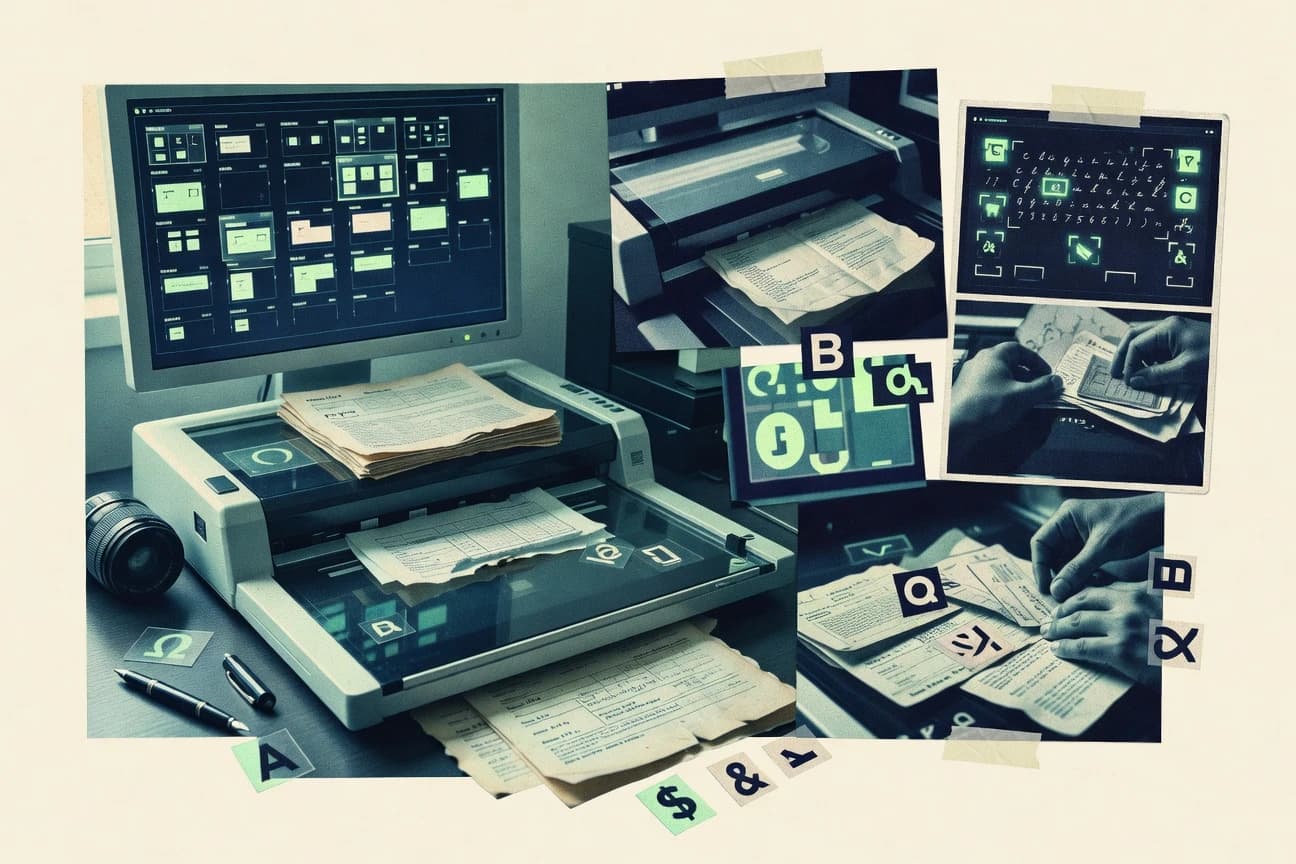
Ranked list of the top character recognition software by accuracy and OCR workflow fit, with comparisons of Docparser, Veryfi, Nanonets.

How we ranked these tools
Core product claims cross-referenced against official documentation, changelogs, and independent technical reviews.
Analyzed video reviews and hundreds of written evaluations to capture real-world user experiences with each tool.
AI persona simulations modeled how different user types would experience each tool across common use cases and workflows.
Final rankings reviewed and approved by our editorial team with authority to override AI-generated scores based on domain expertise.
Score: Features 40% · Ease 30% · Value 30%
Gitnux may earn a commission through links on this page — this does not influence rankings. Editorial policy
SimpleOCR fits best when you need character-level OCR output for automated pipelines with confidence-based review, while Mindee is the better fit if recognition must reliably populate structured document fields through an API-first workflow.
Editor’s top 3 picks
Three quick recommendations before you dive into the full comparison below — each one leads on a different dimension.
SimpleOCR
Per-character bounding boxes paired with confidence scoring, which enables span-level gating and targeted correction.
Built for fits when teams need character-level OCR output for automated pipelines with confidence-based review..
Mindee
Editor pickModel-driven extraction that links recognized character outputs to document fields with confidence for routing.
Built for fits when character recognition must feed structured document fields with confidence-based automation and auditability..
Veryfi
Editor pickConfidence-driven review routing that helps triage uncertain recognition before structured outputs are committed.
Built for fits when AP and expense automation need character-level accuracy plus structured field exports..
Comparison Table
SimpleOCR
SMBFree desktop OCR software for scanned document conversion with basic handwriting support.
Per-character bounding boxes paired with confidence scoring, which enables span-level gating and targeted correction.
SimpleOCR is built for image-to-text extraction with both the recognized text and per-character geometry, which helps when aligning OCR output back to the source. The workflow supports confidence signals so teams can route low-confidence spans into a review step or apply stricter acceptance rules during automation. Export and integration options are oriented around API consumption, which reduces glue code compared with tools that only provide desktop export.
A key tradeoff is that the output quality depends heavily on image preprocessing, including skew correction and contrast for scanned documents and photographed text. SimpleOCR fits best when a pipeline already captures consistent scans, or when the ingestion layer can de-noise and deskew before OCR.
- +API-first character output with per-character bounding boxes
- +Confidence scoring supports automated acceptance and review routing
- +Reading-order extraction improves multi-line text usability
- +Structured exports reduce re-parsing in OCR downstream steps
- –Accuracy drops when input images lack contrast and de-skew
- –Advanced governance features like RBAC and audit logs are not central
Document processing teams
Automated capture from scanned forms
Faster review and cleaner exports
Workflow automation engineers
Image-to-text conversion via REST
Less glue code
Show 2 more scenarios
Data quality teams
Confidence-thresholded OCR acceptance
Lower error rates
Confidence scoring enables automatic rejection of low-quality spans for human verification.
Ops teams handling photos
OCR for photographed receipts
More usable text layers
Reading-order extraction improves multi-line outputs when photos are consistently lit.
Best for: Fits when teams need character-level OCR output for automated pipelines with confidence-based review.
Mindee
API-firstDeveloper-first OCR API for extracting structured data from receipts, invoices, and ID documents.
Model-driven extraction that links recognized character outputs to document fields with confidence for routing.
Mindee is a strong choice when character recognition accuracy must stay consistent across repeatable document layouts, because the system is built around trained extraction models that map recognized characters into document fields. The product surfaces confidence signals alongside structured results, which supports rule-based confidence thresholding and routing to human review when confidence drops. Mindee exports recognition artifacts in machine-parseable formats, which helps teams integrate recognition outputs into indexing and verification systems.
A key tradeoff is that model quality depends on the alignment between target documents and the training coverage for those layouts, so highly unique document styles may need extra training and iteration. Mindee fits best for automated document ingestion pipelines where throughput and review governance matter, like invoice processing with exceptions routed to a triage queue.
- +Structured field extraction supports character recognition tied to specific document templates
- +Confidence signals make it practical to enforce quality gates in automation
- +API-first integration supports building OCR pipelines into existing systems
- +Annotation-style outputs help downstream checks and correction workflows
- –High variability document layouts can require model training and iteration
- –Human-in-the-loop workflows take more engineering for queue and review integration
Accounts payable teams
Invoice ingestion with exception triage
Fewer manual corrections
Document workflow automation teams
Batch processing of form scans
Faster processing cycles
Show 1 more scenario
Back-office ops teams
Multistage OCR validation
Higher extraction reliability
Bounding-box style outputs enable rule checks and targeted post-correction when confidence is low.
Best for: Fits when character recognition must feed structured document fields with confidence-based automation and auditability.
Veryfi
SMBAutomated document processing platform for receipts, invoices, and bills.
Confidence-driven review routing that helps triage uncertain recognition before structured outputs are committed.
Veryfi is built for end-to-end OCR pipelines where image-to-text is only one step toward document understanding. It couples recognition with page understanding so bounding outputs can be turned into fields for invoices, receipts, and other structured documents. The workflow supports confidence scoring so systems can route low-confidence results for human review.
A key tradeoff is that Veryfi performs best when the input documents match common business formats and when field mapping is configured for the target document types. It fits teams automating expense capture or AP intake where consistent layout yields higher character accuracy and fewer correction loops.
- +Field extraction tied to document layout, reducing post-processing effort
- +Confidence scoring enables quality gating and review routing
- +API-first ingestion supports batch and automated document pipelines
- +Structured exports simplify mapping into finance workflows
- –Document type coverage depends on template-like layouts for best results
- –High-variance handwriting requires more review time than printed text
- –Meaningful gains require configuring field mappings per document set
- –Output consistency can drop on extreme image noise and glare
Accounts payable teams
Automate invoice capture and field extraction
Fewer manual data rekeys
Expense operations teams
Process receipts into accounting categories
Faster reimbursement cycles
Show 2 more scenarios
Document workflow engineering
Integrate OCR into internal pipelines
Less glue code
Uses API ingestion to connect capture events to downstream validation and storage steps.
Customer support operations
Index scanned forms for searches
Quicker document lookup
Converts captured characters into structured outputs that support case search and retrieval.
Best for: Fits when AP and expense automation need character-level accuracy plus structured field exports.
Google Cloud Vision API
API-firstCloud image analysis API providing OCR, label detection, and handwriting recognition.
Built-in confidence scoring on per-annotation results enables deterministic routing for review queues and rejection rules.
Google Cloud Vision API turns images into text and structured geometry outputs with character and word-level annotations, which makes it usable for character recognition pipelines beyond basic OCR. It supports printed text recognition with bounding boxes and reading-order signals, and it returns confidence scores that help downstream confidence thresholding and human review routing.
The API surface provides REST and gRPC methods for batch document image analysis workflows, and it integrates with Google Cloud IAM for controlled access. Output can be exported as markup-aligned coordinates for building custom post-processing rules for skew correction, segmentation refinement, and text normalization.
- +Character-level annotation outputs with bounding boxes and confidence scores
- +gRPC and REST endpoints support low-latency integration patterns
- +IAM-based authentication fits enterprise governance and access separation
- +Consistent geometry output supports custom post-processing and reading-order logic
- –Handwriting recognition quality is less consistent than printed text
- –Quality depends on image preparation and document capture consistency
Best for: Fits when teams need API-first character recognition with confidence-driven workflows and custom post-processing.
Tesseract OCR
open sourceOpen-source OCR engine supporting 100+ languages with LSTM-based recognition.
Character bounding boxes plus hOCR or HOCR HTML exports make character-level review and post-correction pipelines practical.
Tesseract OCR converts image pixels into character text using a mature OCR engine with language data packs.
It supports printed text recognition with layout cues like line detection, character segmentation, and deskewing, then emits OCR results as plain text and structured markup formats such as hOCR and HOCR HTML.
Tesseract also provides bounding boxes for downstream workflows that need character-level coordinates, which helps validation and document-image review tooling.
Training and customization are possible by rebuilding or fine-tuning language data, which supports domain-specific recognition targets.
- +On-prem execution via command line and library integration
- +Outputs hOCR and HOCR HTML for page and character coordinates
- +Works offline using CPU inference for batch document ingestion
- +Language packs enable printed text recognition across many scripts
- –Handwriting recognition quality is limited compared with ML-first OCR systems
- –Layout analysis and reading order often need post-processing for forms
Best for: Fits when teams need offline, low-dependency OCR for printed documents with coordinate exports.
ABBYY FineReader PDF
enterpriseDesktop and enterprise OCR software for converting scanned documents and PDFs into editable formats.
FineReader PDF’s integrated document layout analysis is designed to keep reading order stable across varied page structures.
ABBYY FineReader PDF targets organizations that need high-accuracy OCR for scanned pages and document conversion into searchable formats. It includes printed text recognition with layout analysis features for preserving reading order when exporting results and creating a searchable OCR text layer.
FineReader PDF also supports handwriting recognition workflows, which can be useful for signed forms and annotated documents. ABBYY’s output options include common OCR export formats for downstream processing and review.
- +Strong printed text accuracy with layout-aware reading order preservation
- +Handwriting recognition support for forms and annotated scans
- +Searchable PDF output suitable for document retrieval workflows
- +Export options that fit OCR review and downstream processing
- –OCR configuration choices can be complex for batch-heavy operations
- –Handwriting accuracy depends heavily on input quality and writing style
- –Workflow automation needs more manual setup than API-first OCR tools
- –Advanced post-processing may require export-to-editor round trips
Best for: Fits when teams need accurate desktop OCR with searchable outputs and occasional handwriting recognition.
Nanonets
SMBAI-powered OCR platform for document data extraction with custom model training.
Training corpus driven model fine-tuning that targets character-level accuracy improvements for custom handwriting and noisy scans.
Nanonets pairs OCR and document AI with a character-level training loop that lets teams refine recognition for forms, labels, and handwritten marks. The workflow centers on model fine-tuning, then uses an extraction pipeline that outputs structured results instead of only text.
Its integration depth shows up in REST and webhook-style automation patterns for ingesting images and routing results into downstream systems. This makes it a closer fit for production OCR workflows that need iteration, reprocessing, and export-ready outputs.
- +Model fine-tuning supports domain-specific character recognition
- +Webhook style automation helps route extraction results downstream
- +Structured extraction output is ready for form-style processing
- +Iteration loop supports improving recognition across batches
- –Effective accuracy depends on high-quality annotation coverage
- –Export formats and standards alignment can require extra mapping
Best for: Fits when teams need OCR for repeatable forms and must improve character accuracy over time with feedback.
OCR.Space
API-firstAn online OCR API converts images and PDFs into text with language and layout options.
API responses include character-level positional data and confidence scores that work directly for deterministic human-in-the-loop triage.
OCR.Space provides an image-to-text and document-OCR workflow through a REST API that returns text plus positional outputs for each detected element. The distinct fit comes from fast, practical ingestion of scanned images with configurable pre-processing and predictable output formats for downstream pipelines.
Core capabilities include printed text recognition, character-level bounding boxes, and export options suitable for overlays and extraction rule engines. OCR.Space also supports confidence scoring so applications can route low-confidence regions into review queues.
- +REST API returns OCR text plus coordinates for overlay and extraction pipelines
- +Configurable pre-processing improves readability on skewed or noisy scans
- +Confidence scores enable deterministic routing into human review
- +Batch-friendly endpoints support high-throughput OCR ingestion
- –Handwriting recognition quality is less consistent than printed text OCR
- –Layout fidelity drops on dense documents with complex reading order
- –Character-level segmentation outputs require careful post-processing for forms
- –Multi-language autodetect can misfire on short or low-contrast images
Best for: Fits when teams need API-driven OCR outputs with coordinates and confidence for review workflows.
Scanbot SDK
API-firstMobile and web SDKs scan documents and provide OCR, data capture, and PDF creation.
Character-level bounding outputs paired with configurable layout preprocessing for region-anchored post-correction.
Scanbot SDK performs image-to-text extraction by turning document images into structured text and character-level outputs via SDK integration. The SDK focuses on ingestion control in mobile and server runtimes, with configuration for preprocessing steps like deskew and binarization before OCR.
It also supports export workflows that carry bounding boxes and reading-order information so downstream services can map text back onto page regions. Strong API surface helps teams wire OCR into their document ingestion pipeline with confidence data and callback-driven processing.
- +SDK-first integration for client-side and server-side document image analysis
- +Outputs include character and layout coordinates for region-aware downstream parsing
- +Preprocessing configuration supports deskew and binarization prior to recognition
- +Confidence signals help drive confidence thresholding and review routing
- –Character-level workflows add complexity versus plain text extraction
- –Integration effort rises when multiple export formats and region mappings are required
Best for: Fits when teams need controllable OCR integration with character-level bounding data in an ingestion pipeline.
Tungsten OmniPage
SMBDesktop OCR software converts scanned pages and PDFs into editable and searchable documents.
Form and field extraction geared toward consistent structured outputs from scanned documents in production pipelines.
Tungsten OmniPage is a document OCR and ICR stack focused on turning scanned pages into structured text and form fields for enterprise workflows. It supports high-volume batch ingestion and production-grade extraction, with configurable recognition and export output for downstream systems.
The product also emphasizes deployment flexibility, including on-premises options for organizations that need air-gapped or tightly controlled processing. Workflow fit is strongest when OCR results must feed form understanding and repeatable document processing pipelines.
- +Enterprise-oriented OCR workflows with repeatable extraction steps
- +Configurable page processing aimed at consistent text and field outputs
- +Deployment options designed for controlled or offline environments
- +Outputs designed to support downstream indexing and document processing
- –Setup and tuning effort is higher than lighter cloud OCR tools
- –Handwriting and edge-case character accuracy depend on document-specific conditions
- –Integration work is more engineering-heavy than API-only OCR services
- –Output quality needs ongoing validation for mixed layouts
Best for: Fits when controlled, repeatable document OCR pipelines must run on-prem with structured field outputs.
Conclusion
After evaluating 10 technology digital media, SimpleOCR stands out as our overall top pick — it scored highest across our combined criteria of features, ease of use, and value, which is why it sits at #1 in the rankings above.
Use the comparison table and detailed reviews above to validate the fit against your own requirements before committing to a tool.
How to Choose the Right character recognition software
Character recognition software converts scanned images into character-level text using engines that produce character boxes and confidence signals, then routes uncertain results into review or correction steps. This guide covers SimpleOCR, Mindee, Veryfi, and the rest of the top set so teams can match workflow expectations to measurable OCR behaviors.
The included tools span API-first character output like SimpleOCR and Google Cloud Vision API, document-field extraction systems like Mindee and Veryfi, and offline or deployment-focused options like Tesseract OCR and Tungsten OmniPage. Each tool section emphasizes how character accuracy and OCR workflow fit change across printed text, handwriting variability, and ingestion pipelines.
Character Recognition Software for OCR Workflows That Need Character-Level Output
Character recognition software is OCR and document image analysis that produces recognized characters with coordinates, reading order, and confidence scoring so downstream systems can act on the output. Systems like SimpleOCR focus on per-character bounding boxes with confidence scoring to support span-level gating and targeted correction in automated pipelines.
Other tools prioritize how character output connects to structured document understanding. Mindee ties recognized content to document fields with confidence signals for quality gates and auditability, while Veryfi uses confidence-driven review routing to triage uncertain recognition before structured exports are committed.
Character recognition evaluation criteria for accuracy and workflow fit
Character recognition software should output character-level boxes plus confidence signals so systems can gate acceptance and route low-confidence segments to review. SimpleOCR uses per-character bounding boxes paired with confidence scoring to support span-level gating and targeted correction.
Workflow fit matters as much as recognition accuracy because teams often need deterministic routing rules, field mapping, or offline execution. Mindee and Veryfi connect character outputs to document fields using confidence signals for quality gates, while Google Cloud Vision API and OCR.Space provide character-level positional data and confidence for review triage.
Per-character bounding boxes with confidence for automated quality gates
SimpleOCR provides API-first per-character bounding boxes with confidence scoring for automated acceptance and review routing. Google Cloud Vision API also returns character-level annotation results with bounding boxes and confidence scores for deterministic review queue logic.
Confidence-driven review routing before committing structured outputs
Veryfi uses confidence-driven review routing to triage uncertain recognition before structured exports are committed. OCR.Space includes character-level positional data and confidence scores that support deterministic human-in-the-loop triage via API responses.
Character outputs tied to document fields for template-based automation
Mindee is model-driven for extraction that links recognized character outputs to document fields with confidence for routing. Veryfi connects field extraction to document layout to reduce post-processing effort and to enforce quality gates in automation.
Layout stability and reading order preservation for document capture workflows
ABBYY FineReader PDF is designed to preserve reading order through integrated document layout analysis across varied page structures. ABBYY also supports desktop OCR workflows with searchable outputs where reading order stability affects downstream reading zones.
Export formats and offline coordinate outputs for post-correction pipelines
Tesseract OCR outputs hOCR and HOCR HTML, which makes character-level review and post-correction practical using page and character coordinates. Scanbot SDK outputs character and layout coordinates from its SDK pipeline for region-aware downstream parsing.
Automation surface for ingestion pipelines, callbacks, and downstream routing
Nanonets supports training and a webhook-style automation pattern to route extraction results downstream without manual reprocessing. OCR.Space provides a REST API that returns OCR text plus coordinates for overlay and extraction pipelines.
Decision framework for choosing character recognition software by workflow control
Start by mapping what downstream systems need to consume from OCR. If the pipeline requires character-level boxes plus confidence for automated acceptance and targeted fixes, SimpleOCR and Google Cloud Vision API align with those requirements.
Then choose between three workflow philosophies based on how data becomes structured output. Mindee and Veryfi focus on linking recognition to document fields using confidence for auditability and quality gates, while Tesseract OCR and Scanbot SDK emphasize offline or SDK-based coordinate exports that teams can post-process with their own reading order logic.
Pick the output granularity your automation must enforce
If acceptance logic must operate at the character span level, prioritize systems that deliver per-character bounding boxes plus confidence scoring such as SimpleOCR and Google Cloud Vision API. If acceptance logic can operate after field extraction, prioritize Mindee and Veryfi where confidence is tied to document templates and fields.
Choose the review strategy based on when uncertainty must be intercepted
If uncertainty must be triaged before structured exports are committed, prioritize Veryfi because it routes review using confidence signals before committing structured outputs. If deterministic routing rules must run against character annotations from the same API response, prioritize Google Cloud Vision API or OCR.Space because both return character-level positional data with confidence.
Select the document modeling approach that matches page variability
If the document layouts are repeatable and template-like, choose Mindee or Veryfi because field extraction is designed to tie recognized content to specific document templates. If layouts are highly varied and reading order stability affects parsing, choose ABBYY FineReader PDF because layout analysis is integrated to keep reading order stable across varied structures.
Decide between offline coordinate exports and API-first extraction
If the workflow requires offline execution and coordinate exports without a cloud dependency, choose Tesseract OCR because it runs on-prem via command line and library integration and outputs hOCR and HOCR HTML. If the workflow needs server integration with low-latency endpoints, choose Google Cloud Vision API or OCR.Space because both support API-first ingestion patterns.
Match handwriting expectations to the model strategy
If handwriting and noisy scans must improve over time, choose Nanonets because training corpus-driven model fine-tuning targets character-level accuracy for custom handwriting and noisy inputs. If handwriting can be occasional and input quality is controlled, ABBYY FineReader PDF can be sufficient because handwriting accuracy depends heavily on scan quality and writing style.
Who should use which character recognition software
Teams should choose character recognition tools based on where uncertainty is handled and how outputs feed business logic. SimpleOCR suits pipelines that need character-level coordinates and confidence to drive automated acceptance and targeted corrections.
Teams building document understanding also need field-level mapping and reviewability for governance. Mindee and Veryfi are built around confidence signals that tie recognition results to structured fields, while Google Cloud Vision API and OCR.Space provide raw character annotations that teams can route into custom review queues.
AP and expense automation teams that need character-level accuracy plus structured exports
Veryfi aligns with workflows where confidence-driven review routing triages uncertain recognition before structured field exports are committed.
Document capture teams that must preserve reading order across varied page structures
ABBYY FineReader PDF is designed to keep reading order stable using integrated document layout analysis.
Engineering teams building character-span gating and automated correction loops
SimpleOCR provides per-character bounding boxes with confidence scoring so pipelines can gate and route low-confidence spans to review.
Teams that need offline OCR with coordinate exports for post-correction tools
Tesseract OCR outputs hOCR and HOCR HTML so character and page coordinates can drive correction interfaces without relying on cloud services.
Organizations training custom handwriting recognition for repeatable form batches
Nanonets targets domain-specific character recognition via training corpus-driven model fine-tuning and routes results downstream with automation.
Common pitfalls in character recognition software selection
A frequent mistake is selecting based on average text accuracy while ignoring how uncertainty needs to be routed. If routing requires character-level confidence and bounding boxes, tools like SimpleOCR and Google Cloud Vision API support span-level gating, while tools that focus more on end-to-end field extraction can shift work into post-processing.
Another pitfall is underestimating how input quality and document variability affect character accuracy, especially for handwriting. Several systems show handwriting inconsistency compared with printed text, so document capture standards like contrast, de-skew quality, and consistent framing matter for character-level outcomes.
Choosing a tool without validating character-level confidence output for review automation
If the pipeline depends on acceptance thresholds and review routing, validate that outputs include character-level bounding boxes and confidence signals like SimpleOCR, Google Cloud Vision API, or OCR.Space.
Assuming handwriting accuracy will match printed text accuracy without scan-quality controls
Handwriting recognition quality varies across tools, and ABBYY FineReader PDF and Google Cloud Vision API explicitly describe less consistent handwriting quality than printed text, so capture quality gates should be tested.
Buying a field-extraction system for layouts that are not template-like
Mindee and Veryfi depend on repeatable layout patterns for best results, so highly variable layouts can require model training and engineering to integrate review queues.
Overlooking reading order stability when downstream parsing depends on it
If reading order stability affects form field extraction and reading zones, ABBYY FineReader PDF is the safer choice because its layout analysis aims to preserve reading order across varied structures.
Underestimating integration effort when multiple export formats and region mappings are required
Scanbot SDK provides character-level bounding data and layout coordinates, but character-level workflows can add complexity versus plain text extraction when multiple region mappings and export formats are required.
How We Selected and Ranked These Tools
We evaluated character recognition systems on features that directly affect OCR workflow execution, including per-character positional output, confidence signaling, and how uncertainty routes into review or structured outputs. Features accounted for 40% of scoring and ease and value each accounted for 30%, with ease weighted toward integration friction across API-first and offline paths.
SimpleOCR ranked highest because it pairs per-character bounding boxes with confidence scoring for span-level gating and targeted correction, and it exposes an API-first character output model that supports automated acceptance and review routing. The ranking also reflected practical coverage gaps described in each tool card, including where handwriting consistency or layout stability depends heavily on input quality and pre-processing.
Frequently Asked Questions About character recognition software
Which tools in this list return character-level bounding boxes for review gating?
How does confidence scoring change the workflow in Veryfi and Google Cloud Vision API?
Which products handle mixed printed and handwritten content better for form-like documents?
When building an OCR document ingestion pipeline, which option is the most API-first?
How do Mindee and Nanonets differ in structured extraction versus plain OCR text output?
What breaks if a pipeline assumes a stable reading order for reading-zone exports?
How do admin controls and IAM integration affect security for Google Cloud Vision API versus on-prem options like Tungsten OmniPage?
How should data migration be handled when moving from one OCR workflow to another?
Which standards-aligned output formats are commonly used for downstream search and markup overlays?
Which tool best supports reprocessing and continuous improvement via an annotation feedback loop?
Tools reviewed
Primary sources checked during evaluation.
Referenced in the comparison table and product reviews above.
- Technology Digital MediaTop 10 Best Optical Character Recognition (OCR) Software of 2026
- Digital Products And SoftwareTop 10 Best Intelligent Character Recognition Software of 2026
- Technology Digital MediaTop 10 Best Barcode Recognition Software of 2026
- Art DesignTop 10 Best Character Design Software of 2026
- SecurityTop 10 Best License Plate Recognition Software of 2026
Keep exploring
Comparing two specific tools?
Software Alternatives
See head-to-head software comparisons with feature breakdowns, pricing, and our recommendation for each use case.
Explore software alternatives→In this category
Technology Digital Media alternatives
See side-by-side comparisons of technology digital media tools and pick the right one for your stack.
Compare technology digital media tools→