
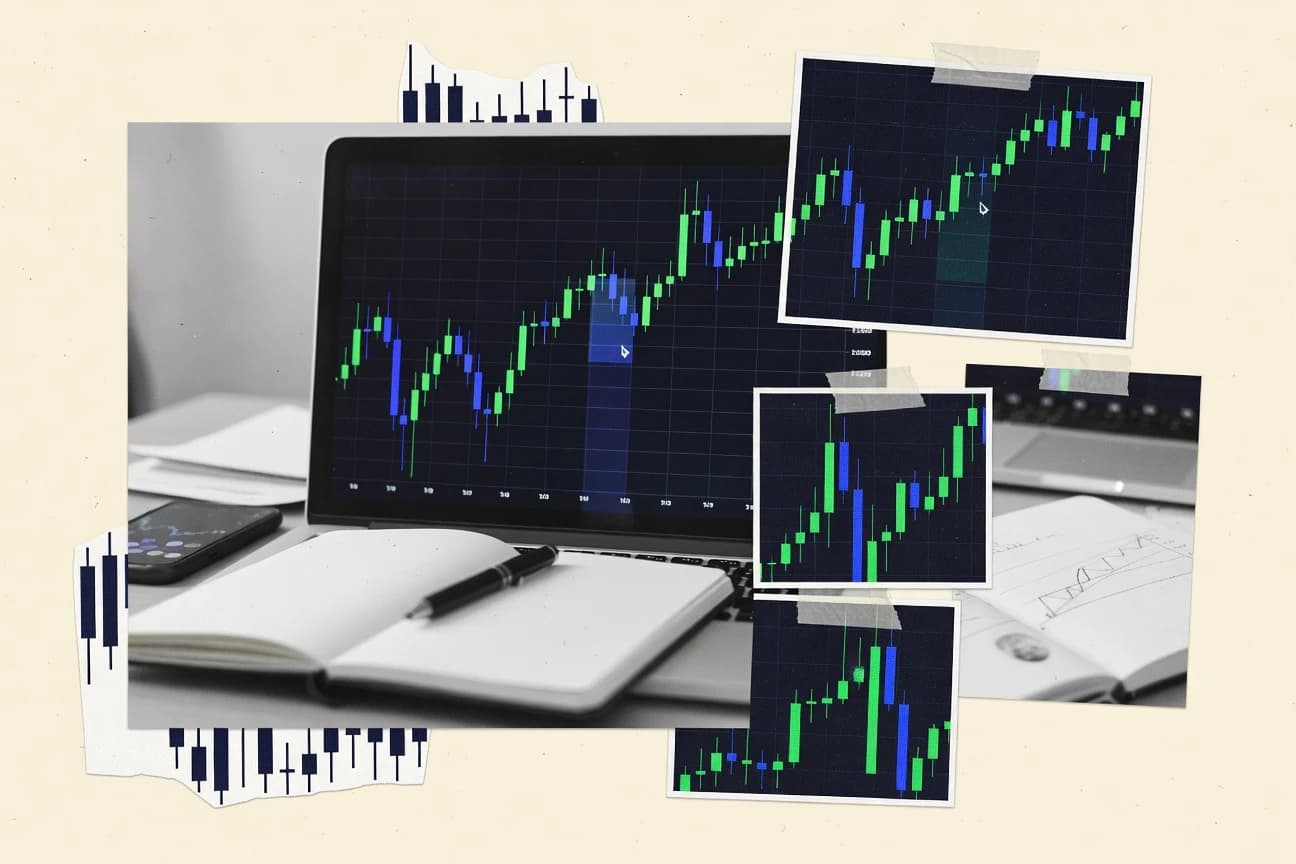
GITNUXSOFTWARE ADVICE
SalesTop 10 Best Candlestick Trading Software of 2026
Compare the top 10 Candlestick Trading Software with rankings and standout features. Check picks and choose the right charting tool.

How we ranked these tools
Gitnux editors write the brief first: the topic, the inclusion rules, and the frame for what belongs.
Agents extract product evidence with provenance, then collect written reviews and transcribe video reviews and podcasts.
Framework: Features 40% · Ease 30% · Value 30%
Gitnux may earn a commission through links on this page — this does not influence rankings. Editorial policy
Editor’s top 3 picks
Three quick recommendations before you dive into the full comparison below — each one leads on a different dimension.
TradingView
Pine Script with strategy backtesting and alert conditions tied to candlestick data
Best for: Traders needing scriptable candlestick signals with alerts and visual backtests
TrendSpider
Editor pickTrendSpider Pattern Recognition that automatically marks candlestick patterns on charts
Best for: Traders needing visual candlestick pattern scanning with backtesting and alerts
MetaTrader 5
Editor pickStrategy Tester with tick-level modeling for EA backtests on candlestick strategies
Best for: Traders using candlestick signals plus automated execution and backtesting
Comparison Table
TradingView
charting platformProvides interactive candlestick charting, technical indicators, drawing tools, and web-based strategy/backtesting with market data for many brokers and exchanges.
Pine Script with strategy backtesting and alert conditions tied to candlestick data
TradingView stands out with its chart-first workflow, where candlestick analysis, indicator layering, and alerts live inside a single browser experience. It supports candlestick-centric technical analysis across many markets with synchronized drawings and multi-timeframe views.
Pine Script enables custom candlestick patterns, signals, and strategy backtests, including visual overlays tied to price action. Built-in strategy and alert tools connect pattern logic to real-time notifications.
- +Pine Script builds custom candlestick indicators, patterns, and strategies
- +Rich drawing tools support trendlines, channels, and multi-candle annotations
- +Backtesting and chart-based strategy testing integrate with candle logic
- +Real-time alerts trigger from indicator or strategy conditions
- –Advanced Pine Script requires programming discipline and careful debugging
- –Some order-execution features are limited compared with broker-native platforms
- –Heavy charting can slow down on complex indicator stacks
Best for: Traders needing scriptable candlestick signals with alerts and visual backtests
TrendSpider
automated analysisDelivers automated technical indicator scans, candlestick charting with pattern recognition, and backtesting to help traders evaluate setups.
TrendSpider Pattern Recognition that automatically marks candlestick patterns on charts
TrendSpider stands out with automated candlestick pattern recognition that labels setups directly on charts. It provides configurable charting, strategy backtesting, and AI-assisted scanning workflows for identifying candlestick-based signals across markets.
The platform also supports alerts and multi-timeframe chart layouts suited to discretionary and rule-based candlestick trading. Strong visualization and scanning make it practical for signal discovery, while some workflows still require careful indicator and rule configuration.
- +Automated candlestick pattern labeling runs directly on charts
- +AI scanning helps surface candlestick setups across multiple symbols
- +Backtesting and strategy testing support pattern and indicator rules
- +Alerting and chart annotations improve signal monitoring workflows
- –Pattern scans can require tuning to match specific candlestick definitions
- –Advanced strategy setup can feel complex without a structured workflow
- –Some candlestick-focused tools still depend on user-defined filters
- –Performance and chart rendering can slow during heavy multi-symbol scanning
Best for: Traders needing visual candlestick pattern scanning with backtesting and alerts
MetaTrader 5
broker platformSupports candlestick charting with built-in technical indicators and custom automated trading via Expert Advisors.
Strategy Tester with tick-level modeling for EA backtests on candlestick strategies
MetaTrader 5 stands out for combining charting and order execution with a broad indicator ecosystem built for candle-based technical analysis. Its Market Watch, multi-timeframe charting, and built-in candlestick pattern tools support day trading and swing workflows.
Automated strategies can be run as trading robots and custom indicators can be added to candlestick charts for signal logic. Trade management includes advanced order types and position netting or hedging modes to match different execution styles.
- +Multi-timeframe candlestick charting with deep indicator customization
- +Supports algorithmic trading via automated EAs and custom indicators
- +Order execution options and strategy tester support signal iteration
- –Interface complexity can slow setup for candlestick-only workflows
- –Indicator management and debugging EAs can demand technical effort
- –Chart-based signals need risk controls to prevent overtrading
Best for: Traders using candlestick signals plus automated execution and backtesting
MetaTrader 4
broker platformOffers candlestick charting, chart indicators, and automated strategies through Expert Advisors in a widely supported multi-broker environment.
MQL4-based Expert Advisors for automating candlestick-driven trade logic
MetaTrader 4 stands out for its long-established charting workflow and extensive ecosystem of indicators and expert advisors built around candlestick analysis. The platform delivers multi-timeframe candlestick charts, drawing tools, and strategy backtesting with historical data for rule-based candle patterns.
Advanced users can automate candlestick-driven entries using built-in expert advisor support and the MQL4 language. MetaTrader 4 also connects to multiple broker feeds, which is useful for executing the same candlestick logic across instruments and accounts.
- +Multi-timeframe candlestick charts with fast zoom and scroll
- +Built-in drawing tools for trendlines, channels, and pattern marking
- +MQL4 automation supports candle-pattern entries and exits
- +Strategy Tester enables candle-rule backtests on historical data
- –Interface customization can be tedious across multiple chart layouts
- –Candlestick pattern recognition requires indicators or custom coding
- –Mobile and web experiences are limited for deep chart annotation
Best for: Traders using candle patterns with automated execution and backtesting
NinjaTrader
trading workstationProvides advanced candlestick charting, strategy backtesting, and automated execution via scripts for futures, forex, and other markets.
NinjaScript strategy automation using candlestick rules for entries, exits, and risk controls
NinjaTrader stands out for its trading workflow built around customizable charting, advanced order handling, and automated strategy execution. Candlestick-based technical analysis is supported through granular indicators, drawing tools, and multi-timeframe chart views that make visual pattern work practical. Automated candle logic is achievable via NinjaScript, which can evaluate candlestick states and place orders based on those rules.
- +NinjaScript enables automated candlestick pattern logic and rule-based entries
- +Advanced chart drawing and annotation tools support detailed candle analysis
- +Multiple timeframes and configurable indicators support context around candle signals
- –Strategy setup and order-management configuration can feel complex for new users
- –Chart customization and templates require time to standardize for repeat use
- –Candlestick pattern scanning still depends heavily on user-built logic
Best for: Active traders building candlestick-driven strategies with automation
cTrader
algorithmic tradingSupplies candlestick charting with extensive indicators and algorithmic trading support with cBots and custom tools.
cTrader cAlgo for building custom indicators and cBots directly from the charting workflow
cTrader stands out for its advanced charting workflow and fast order execution inside a desktop-first trading terminal. It supports candlestick chart customization, multi-timeframe analysis, and automated trading via cAlgo with indicators and cBots.
Drawing tools, event-driven order management features, and deep integration with its matching engine make it well-suited to discretionary candlestick strategies and semi-automated rule sets. Compared with simpler candlestick-only tools, it offers more platform capabilities but requires learning its trading and automation model.
- +High-speed execution and order management built for active candlestick trading
- +Candlestick charts support multiple timeframes, indicators, and extensive chart styling
- +cAlgo enables custom indicators and cBots with full access to strategy logic
- +Powerful drawing tools for support, resistance, and pattern annotations
- –Workflow complexity increases for users focused only on basic chart signals
- –Automation requires programming knowledge for custom indicator or strategy logic
- –Advanced features can feel crowded until charting and trade panels are configured
Best for: Active traders needing detailed candlestick charts plus automation through custom cBots
Thinkorswim
broker platformDelivers candlestick charting with technical studies, watchlists, and strategy tools tied to account trading workflows.
thinkScript custom indicators and strategies directly augment candlestick chart analysis
thinkorswim stands out with deeply configurable charting, including extensive candlestick studies and drawing tools for multi-timeframe analysis. The platform supports custom technical indicators, strategy building, and backtesting workflows that integrate with chart-based candlestick patterns. Futures and options trading tools pair tightly with chart layouts, scans, and alerting, making it easier to act on candlestick setups.
- +Highly configurable candlestick charts with robust drawing and cross-timeframe navigation
- +Powerful chart studies and custom indicator support for candlestick pattern research
- +Screeners and watchlists that help filter symbols for candlestick-based setups
- +Strategy and backtest workflows tied to chart data for scenario evaluation
- –Interface density makes advanced candlestick workflows slower to learn
- –Customization flexibility can create clutter and inconsistent chart configurations
- –Performance tuning is sometimes needed for complex studies and multi-panel layouts
Best for: Active traders using candlesticks for discretionary signals plus scripted strategy testing
Trading Technologies
pro trading softwareOffers professional futures and options trading software with candlestick charts, market depth features, and advanced order entry tools.
Chart-based order entry with configurable trade windows and bracket-style order logic
Trading Technologies stands out with a chart-to-order workflow built around customizable trade windows and event-driven execution. Candlestick analysis is supported through live and historical charting, multi-timeframe views, and flexible annotation tools. Advanced users get configurable order entry, bracket-style order logic, and strategy-like workflows through its platform-style controls rather than indicator-only trading.
- +Highly configurable chart-linked order entry for candlestick-to-trade execution
- +Robust multi-timeframe charting with detailed candlestick visualization
- +Advanced workflow controls like bracket orders and conditional order behaviors
- +Strong tools for managing orders, fills, and execution feedback in one workspace
- –Setup and customization require time to reach a productive candlestick workflow
- –Not as streamlined for indicator-first charting without active order management
- –Complex interface can slow down quick changes for sporadic trade styles
Best for: Active traders using candlestick patterns with tightly controlled order workflows
AvaTradeGO
mobile tradingProvides mobile candlestick charting, technical indicators, and trade ticket workflows connected to AvaTrade brokerage accounts.
In-chart order ticketing tied directly to the candlestick chart view
AvaTradeGO differentiates itself with a chart-first mobile workflow that emphasizes candlestick charting, quick order placement, and streamlined watchlist management. The app supports standard technical analysis tools needed for candlestick trading, including drawing tools and common indicators.
Screen-to-trade navigation is tight, which helps traders react to candle closes and intraday patterns without leaving the chart view. The overall experience is strongest for directional candle setups, while deeper, strategy-builder style automation is not the focus.
- +Fast tap-to-trade flow from candlestick charts
- +Solid set of drawing tools for support and resistance marking
- +Readable chart interface with clear candlestick visualization
- +Watchlist and alerts support active monitoring during candle closes
- –Strategy automation and backtesting for candle patterns are limited
- –Advanced customization for indicators and templates is less extensive
- –Order management controls feel basic versus pro trading workspaces
Best for: Active traders using candlesticks who need quick chart-to-order execution
Kite by Zerodha
broker chartingDelivers interactive candlestick charts and trading execution through broker integration for equities and derivatives markets.
Live candlestick charting integrated with Zerodha order placement
Kite by Zerodha stands out with a tight bridge from charting to execution inside the same Zerodha ecosystem. It provides candlestick charting for multiple instruments plus drawing and indicator tools tailored for market analysis. Real-time market data and order placement support fast trade workflows, while advanced strategy automation stays limited compared with dedicated pattern backtesting platforms.
- +Real-time candlestick charts with quick instrument switching
- +Integrated order placement reduces lag between signal and execution
- +Drawing tools and standard technical indicators support live analysis
- –Limited depth for candlestick pattern scanning and alerts
- –Automation focuses on execution workflow more than strategy backtesting
- –Chart customization feels less advanced than specialist charting suites
Best for: Traders needing fast candlestick charting and quick execution in Zerodha flows
How to Choose the Right Candlestick Trading Software
This buyer’s guide explains how to choose candlestick trading software for scanning patterns, annotating candles, backtesting candle rules, and executing trades. It covers TradingView, TrendSpider, MetaTrader 5, MetaTrader 4, NinjaTrader, cTrader, thinkorswim, Trading Technologies, AvaTradeGO, and Kite by Zerodha. The guide also maps each tool to concrete workflows such as automated pattern labeling, tick-level strategy testing, and chart-to-order execution.
What Is Candlestick Trading Software?
Candlestick trading software provides charting built around OHLC candlesticks plus tools that help interpret or act on candle patterns. It solves problems like identifying multi-candle setups, turning visual patterns into repeatable rules, and monitoring signals from alerts or scanners. Many platforms also include strategy testing tied to candle logic and automated trade execution through scripts or robots. TradingView and TrendSpider show what the category looks like in practice with chart-based indicators plus alerting and pattern recognition workflows.
Key Features to Look For
The fastest path to better candlestick trading comes from selecting software that matches how signals are discovered, tested, and turned into orders.
Candlestick pattern recognition and visual labeling
Pattern recognition reduces the manual work of scanning for repeatable candle structures. TrendSpider automatically marks candlestick patterns directly on charts, which supports faster setup identification and monitoring.
Scriptable candlestick logic with alerts and visual backtests
Scriptable logic turns candle rules into repeatable signals and lets those signals drive alerts. TradingView uses Pine Script to build custom candlestick indicators, strategies, and alert conditions tied to candlestick data.
Strategy backtesting that runs on candle rules
Backtesting validates whether candle-based entry and exit rules perform across historical swings. TradingView integrates strategy testing with chart logic, while TrendSpider includes backtesting and strategy testing for candle patterns and indicator rules.
Tick-level strategy testing for automated systems
Tick-level modeling helps evaluate how an automated candlestick strategy would behave at execution granularity. MetaTrader 5 includes a Strategy Tester with tick-level modeling for Expert Advisors backtests on candlestick strategies.
Automation via platform scripting and trading robots
Automation helps remove emotional execution by running candle logic as a trade system. MetaTrader 4 uses MQL4-based Expert Advisors, NinjaTrader uses NinjaScript for automated candlestick rules, and cTrader uses cAlgo and cBots for custom indicators and strategies.
Chart-to-order execution and bracket-style order workflows
Candlestick traders often need tight control from candle context to order placement. Trading Technologies provides chart-based order entry with configurable trade windows and bracket-style order logic, while AvaTradeGO and Kite by Zerodha connect candlestick viewing to rapid order tickets and execution.
How to Choose the Right Candlestick Trading Software
Choosing the right tool comes down to mapping the software’s candle workflow to the way signals are found, tested, and executed.
Start with the signal discovery workflow
Pick TrendSpider if candle patterns must be discovered through automated recognition that labels setups on charts with multi-timeframe layouts and alerting support. Pick TradingView if the workflow starts with building custom candlestick indicators and patterns, then using those scripts to generate actionable alert conditions.
Match the testing depth to the strategy type
Choose MetaTrader 5 if automated systems need tick-level Strategy Tester modeling for Expert Advisor backtests tied to candle logic. Choose TradingView or TrendSpider if visual and script-driven backtests are enough to validate candle rules without requiring EA-grade tick modeling.
Decide how automation will be implemented
Choose NinjaTrader for candlestick rule automation using NinjaScript that evaluates candlestick states and places orders with risk controls. Choose cTrader for custom automation using cAlgo indicators and cBots built directly from the charting workflow.
Align order execution with candlestick timing needs
Choose Trading Technologies for chart-linked order entry with configurable trade windows and bracket-style orders that react to candle analysis in one workspace. Choose AvaTradeGO if the priority is mobile screen-to-trade execution tied directly to the candlestick chart view.
Confirm usability and chart performance with complex indicators
Choose TradingView if heavy indicator stacks and multi-timeframe charting must coexist with Pine Script alerts, while keeping expectations that advanced scripts can require disciplined debugging. Choose thinkorswim if deeply configurable candlestick studies and thinkScript-based strategies matter, while recognizing that dense interfaces may slow up advanced chart workflows.
Who Needs Candlestick Trading Software?
Different candlestick traders need different combinations of pattern discovery, candle-rule testing, and order execution control.
Traders who want scriptable candlestick signals with alerts and visual backtests
TradingView fits traders who build candlestick logic with Pine Script and want strategy backtesting plus real-time alert conditions tied to candlestick data. This also suits traders who depend on rich drawing tools for multi-candle annotations and multi-timeframe views.
Traders who want automated candlestick pattern scanning and chart labeling
TrendSpider fits traders who need automated candlestick pattern recognition that marks setups directly on charts, supported by backtesting and alerts. This fits traders who monitor multiple symbols with multi-timeframe chart layouts for both discretionary and rule-based workflows.
Traders who combine candlestick signals with automated execution and EA-style testing
MetaTrader 5 and MetaTrader 4 fit traders who want candlestick-driven strategies paired with automated trading robots. MetaTrader 5 adds tick-level Strategy Tester modeling, while MetaTrader 4 supports automation through MQL4 Expert Advisors.
Active traders who need chart-to-order execution tightly coupled to candle decisions
Trading Technologies fits active futures and options traders who want configurable chart-linked trade windows and bracket-style order logic. AvaTradeGO and Kite by Zerodha fit traders who want fast candlestick charting with quick execution inside mobile or broker-integrated flows.
Common Mistakes to Avoid
Candlestick traders commonly lose time or performance by choosing the wrong tool for how their workflow actually operates.
Choosing chart tools without a candle-to-signal method
Avoid selecting platforms where candle signals stay manual when the trading plan requires repeatability. TradingView’s Pine Script strategy and alert conditions tied to candlestick data and TrendSpider’s automatic pattern labeling reduce manual scanning time.
Buying automation without verifying the testing depth
Avoid launching EA-style or robot-style candlestick logic without matching the tester to the execution reality needed. MetaTrader 5 includes tick-level Strategy Tester modeling for Expert Advisors, while NinjaTrader focuses on NinjaScript strategy automation with historical strategy testing.
Overloading the chart with complex studies without planning for performance
Avoid building candle dashboards with many stacked indicators if the platform slows down rendering during complex sessions. TradingView supports rich indicator layering but can slow down on complex indicator stacks, and thinkorswim performance tuning may be needed for complex studies and multi-panel layouts.
Ignoring order workflow complexity during candle decision windows
Avoid using software that forces extra steps between candle confirmation and order placement. Trading Technologies streamlines chart-based order entry with bracket-style logic, while AvaTradeGO provides in-chart order ticketing tied directly to the candlestick chart view and Kite by Zerodha integrates order placement in the Zerodha workflow.
How We Selected and Ranked These Tools
we evaluated each candlestick trading software across three sub-dimensions with features weighted at 0.40, ease of use weighted at 0.30, and value weighted at 0.30. The overall rating equals 0.40 × features plus 0.30 × ease of use plus 0.30 × value. TradingView separated from lower-ranked tools by combining a high feature score with strong ease of use for its chart-first workflow that includes Pine Script strategy backtesting and alert conditions tied to candlestick data.
Frequently Asked Questions About Candlestick Trading Software
Which candlestick trading software best supports custom candle patterns and visual backtesting?
What platform makes candlestick pattern discovery fastest using automated chart labeling and scanning?
Which option is best for running candlestick signals through automated execution and order management?
How do MetaTrader 4 and MetaTrader 5 differ for candle-based strategy testing and automation?
Which tools are best when the goal is discretionary candlestick charting with alerts and tight chart-to-order workflows?
What platform is most suitable for traders who want chart-to-order execution with custom trade windows and bracket logic?
Which software is strongest for multi-timeframe candlestick analysis and complex visualization on desktop?
What common setup problem occurs when candlestick signals look correct on charts but behave differently during automation?
What is the most efficient starting workflow for candlestick trading if fast charting and execution matter most inside an existing broker ecosystem?
Conclusion
After evaluating 10 candlestick trading software, TradingView stands out as our overall top pick — it scored highest across our combined criteria of features, ease of use, and value, which is why it sits at #1 in the rankings above.
Use the comparison table and detailed reviews above to validate the fit against your own requirements before committing to a tool.
Tools reviewed
Primary sources checked during evaluation.
Referenced in the comparison table and product reviews above.
- Top 10 Best Forex Trading Signals Software of 2026
- Top 10 Best Forex Signal Software of 2026
- Top 10 Best Forex Affiliate Software of 2026
- Top 10 Best Email Merge Software of 2026
- Top 10 Best Email Mass Software of 2026
- Top 10 Best Electricians Estimating Software of 2026
- Top 10 Best Electrical Quotation Software of 2026
- Top 10 Best Electrical Quote Software of 2026
- Top 10 Best Discounts On Software of 2026
- Top 10 Best Discounted Software of 2026
- Top 10 Best Discount School Software of 2026
- Top 10 Best Discount Student Software of 2026
- Top 10 Best Discount Oem Software of 2026
- Top 10 Best Discount Computer Software of 2026
- Top 10 Best Discount Antivirus Software of 2026
- Top 10 Best Discount Education Software of 2026
- Top 10 Best Discount Academic Software of 2026
- Top 10 Best Consignment System Software of 2026
- Top 10 Best Consignment Shop Computer Software of 2026
- Top 10 Best Consignment Sales Software of 2026
Keep exploring
Comparing two specific tools?
Software Alternatives
See head-to-head software comparisons with feature breakdowns, pricing, and our recommendation for each use case.
Explore software alternatives→In this category
Sales alternatives
See side-by-side comparisons of sales tools and pick the right one for your stack.
Compare sales tools→