GITNUXSOFTWARE ADVICE
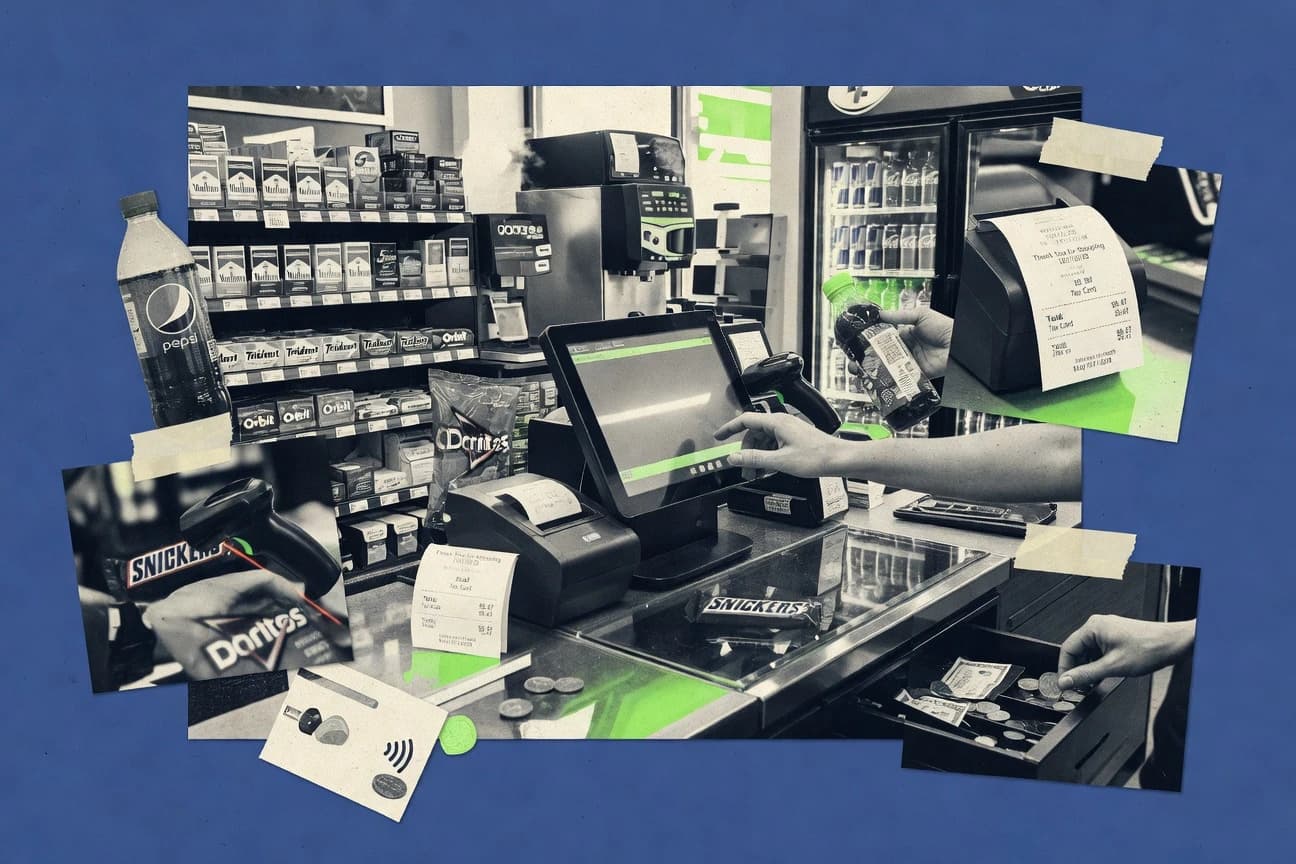
Consumer RetailTop 10 Best C-Store Pos Software of 2026
Top 10 ranking of c store pos software options with criteria and tradeoffs for convenience stores, plus a Clover focus among top systems.

How we ranked these tools
Vendors set the topic, but our editors set the inclusion criteria and the evaluation framework before research starts.
AI search agents find sources, extract figures with provenance, and aggregate written reviews. They also transcribe video reviews and podcasts.
Framework: Features 40% · Ease 30% · Value 30%
Gitnux may earn a commission through links on this page — this does not influence rankings. Editorial policy
Square is the best overall choice for convenience stores rolling out multiple registers quickly, because it unifies POS and payments with extensible API app extensions that keep loyalty, promos, and inventory in sync, while IT Retail is the smarter fit when you need restricted-sales enforcement plus daily shift and end-of-day reconciliation across registers.
Editor’s top 3 picks
Three quick recommendations before you dive into the full comparison below — each one leads on a different dimension.
Square
Square for Retail plus API-based app extensions for promotions, loyalty, and inventory sync flows.
Best for: Fits when convenience stores need quick multi-register rollout with extensible integrations.
KORONA POS
Editor pickPeripheral integration via configurable add-ons for convenience store hardware workflows beyond the base POS lane.
Best for: Fits when inside sales must run smoothly, and optional forecourt or peripheral links can be configured.
Clover
Editor pickClover’s payments-first setup pairs register transactions with transaction-linked back-office reporting across store days.
Best for: Fits when convenience stores need dependable inside sales checkout plus extensible integrations.
Comparison Table
Square
SMBSquare provides POS, payments, inventory, and employee management for small retailers.
Square for Retail plus API-based app extensions for promotions, loyalty, and inventory sync flows.
Square handles convenience-store checkout with barcode-friendly item entry, receipts, and end-of-day reconciliation workflows built around shift reporting. Square’s inventory features support perpetual-style tracking and pack-size math in systems that maintain item hierarchies and unit conversions. Square’s hardware support covers common in-store peripherals and reduces workarounds when building a counter-based POS workflow.
A key tradeoff is that Square’s standard POS setup is strongest for inside sales rather than tightly coupled fuel or forecourt controller integrations. Square fits best for convenience retailers that want fast rollout across multiple registers and an integration plan for loyalty, promotions, and vendor cost updates that live outside the core POS.
- +Unified POS, payments, and reporting reduces cross-system reconciliation
- +Staff roles and permissions support controlled access by register area
- +Inventory tracking supports item hierarchy and unit conversion workflows
- +Extensible app and API surface supports promotions and loyalty integrations
- –Fuel and forecourt workflows depend on external controllers and integrations
- –Restricted-sales enforcement requires careful configuration per item and workflow
Store operations managers
Daily close with staff shift visibility
Fewer end-of-day discrepancies
IT integration teams
Automate price and catalog updates
Lower manual catalog work
Show 2 more scenarios
Inventory analysts
Perpetual inventory for fast movers
Better stock availability
Analysts track perpetual movement and reconcile variances against shift activity and item adjustments.
Regional retail teams
Standardize checkouts across locations
Consistent execution
Teams replicate configuration across stores while maintaining controlled staff permissions and reporting.
Best for: Fits when convenience stores need quick multi-register rollout with extensible integrations.
KORONA POS
SMBKORONA POS provides cloud retail software with inventory, reporting, and multi-location management.
Peripheral integration via configurable add-ons for convenience store hardware workflows beyond the base POS lane.
KORONA POS fits teams that run multiple store terminals and want consistent receipt, tax, and item setup across locations. Core POS workflows include item entry with barcode scanning, customer-facing receipts, and cashier shift reporting tied to daily closeout. Back-office functions include product and pricing configuration and inventory movement visibility that supports daily reconciliation and ordering workflows.
A key tradeoff is that peripheral depth depends on integration setup work, since forecourt, ID scanning, and other devices often require configuration beyond the base POS session. KORONA POS works best in a convenience store deployment where the inside sales lane and reporting cycle need to be stable, while optional hardware integrations can be phased in after the core cashier workflow is live.
- +Strong inside-store sales flow with fast barcode and modifier entry
- +Back-office reporting supports daily closeout and cashier shift review
- +Inventory and price book management reduce daily operational friction
- +Integration-oriented design for peripheral and forecourt add-ons
- –Forecourt and ID device support can require extra configuration work
- –Complex promotion setups can take more administration time
- –Advanced back-office tuning needs consistent item and pricing discipline
Store operations managers
Daily closeout and cashier reconciliation
Faster daily exception handling
C-store IT coordinators
Multi-terminal rollout with add-ons
More consistent deployments
Show 2 more scenarios
Foodservice shift leads
Hot food modifier capture
Fewer order-taking mistakes
Shift leads record item modifiers at checkout to support kitchen preparation workflows.
Merchandising teams
Price book and product catalog control
Reduced pricing mismatches
Teams maintain product definitions and price updates to keep POS and reporting aligned.
Best for: Fits when inside sales must run smoothly, and optional forecourt or peripheral links can be configured.
Clover
SMBClover provides countertop and mobile POS hardware with payments, inventory, and retail applications.
Clover’s payments-first setup pairs register transactions with transaction-linked back-office reporting across store days.
Clover brings together POS registers, store management screens, and operational reporting designed for daily cadence, including cashier shift summaries and end-of-day reconciliation workflows. The system’s strengths show when stores need consistent checkout operations, straightforward item and price configuration, and dependable transaction capture for reporting. Integration depth matters in convenience retail, and Clover’s integration and developer ecosystem can support add-ons like customer-facing displays, loyalty, and specialized device behaviors when supported through its integration routes.
A key tradeoff is that forecourt-heavy deployments often require outside hardware integration paths, and fuel pump controller workflows are less standardized than inside register workflows. Clover works well when the store’s priorities are inside sales execution, shift controls, and daily reporting, while fuel or lottery peripherals are either handled by dedicated controllers or integrated through specific supported device paths. Stores that anticipate frequent custom workflows may need more governance time around configuration and integration management than systems with purely native retail modules.
- +Fast register workflow with consistent shift and close operations
- +Integration ecosystem supports retail add-ons without redesigning checkout
- +Peripheral compatibility for common scanners and receipt hardware
- +Daily reporting covers key operational checks for stores
- –Forecourt workflows can depend on external controller integration
- –Inventory and complex pricing structures may require careful setup
Convenience store store managers
Daily close and cashier shift reporting
Faster end-of-day reconciliation
Retail IT administrators
Add-ons via integration and developer tooling
More tailored retail workflows
Show 2 more scenarios
Multi-store operations teams
Consistent configuration across registers
Fewer process deviations
Teams standardize item setup and configuration patterns to reduce cashier variance.
Front counter retail staff
Barcode-driven item lookup at checkout
Quicker transaction handling
Cashiers use scanning to reduce entry time and improve checkout throughput during rush periods.
Best for: Fits when convenience stores need dependable inside sales checkout plus extensible integrations.

Shopify POS
SMBShopify POS connects in-store checkout with online products, orders, customers, and inventory.
Tight linkage between POS transactions and Shopify admin customer and inventory records for consistent omnichannel reporting.
Shopify POS brings a unified register workflow for in-store sales that ties directly into Shopify’s commerce back office. Cash handling, receipt printing, and item-level sale editing are covered for day-to-day retail operations, with transaction history visible in the same administrative ecosystem.
- +Omnichannel sales reporting stays consistent with Shopify commerce records
- +Barcode scanning supports fast item entry and reduced cashier typing
- +Clear day-end exports and shift visibility align with common retail routines
- +Manager workflows reuse Shopify admin patterns across locations
- –Fuel pump controller and fuel dispenser integration are not native POS controls
- –Restricted-sales workflows for tobacco often require add-ons and disciplined setup
- –Forecourt-specific throughput needs can outgrow register-first workflows
- –Device and peripheral coverage depends heavily on supported hardware tiers
Best for: Fits when convenience retail teams want unified back-office reporting and omnichannel customer records.
Lightspeed Retail
SMBLightspeed Retail provides cloud POS, inventory, purchasing, and reporting for multi-location retailers.
Centralized product and pricing management that keeps multi-register inventory and sale rules consistent across locations.
Lightspeed Retail handles POS transactions with inventory and product catalog management for retail and convenience operations that sell multiple SKUs across locations. It provides cashier workflows for sales, returns, and discounts plus back-office reporting for day-end reconciliation and shift visibility.
- +Strong inventory movement support for perpetual stock tracking
- +Centralized product and pricing updates reduce register drift
- +Role-based access controls support tighter cashier governance
- +Category add-ons expand hardware and workflow coverage
- –Fuel dispenser and pump controller integration support depends on partner modules
- –Complex food modifier workflows can require extra configuration time
Best for: Fits when convenience teams need inventory-first POS with controlled access and integration-based hardware coverage.
IT Retail
vertical specialistIT Retail provides POS software for convenience stores, fuel stations, and liquor retailers.
Restricted-sales enforcement tied to tobacco age verification workflows at the point of sale.
IT Retail is a c-store point-of-sale system aimed at operators who need tight retail workflows plus forecourt-adjacent controls. It supports convenience-store sales through barcode scanning, receipt and cash drawer workflows, and back-office reporting built for daily store operations.
- +Tobacco age verification and restricted-sales enforcement fits counter workflows
- +Back-office reporting supports cashier shift reporting and end-of-day reconciliation
- +Barcode-driven item entry reduces manual keying at the register
- +Inventory accounting supports daily operational controls for convenience retail
- –Forecourt and fuel dispenser integration typically depends on specific site hardware
- –Advanced configuration for product rules can require disciplined rollout across stores
- –Mix-and-match promotions require careful setup for consistent modifier behavior
- –Per-store workflow customization can increase training needs for new cashiers
Best for: Fits when convenience retailers need restricted-sales control plus daily back-office reconciliation across multiple registers.
InComm Payments Platform
vertical specialistPayment and lottery integration platform for convenience stores and fuel retailers.
Payments workflow integration built around InComm commerce services for store checkout handling.
InComm Payments Platform is differentiated by its focus on payments-adjacent commerce workflows that can plug into convenience retail POS operations. Core capabilities center on authorization, settlement, and transaction handling used to support store checkout.
- +Strong payments workflow coverage for store checkout operations
- +Transaction handling supports consistent authorization and settlement needs
- +Better fit for retailers already standardizing on InComm commerce services
- +Integration orientation suits multi-vendor convenience retail environments
- –POS device workflow breadth depends on the integrated c store POS
- –Back-office configuration can require governance across payment endpoints
- –Limited evidence of built-in convenience-specific merchandising depth
- –Operational visibility relies on integration and reporting wiring
Best for: Fits when convenience retailers need payments workflow control inside a POS integration.
LS Retail
enterpriseLS Retail provides retail management and POS software built on Microsoft Dynamics platforms.
Restricted-sales enforcement designed for controlled-item workflows in convenience retail stores.
LS Retail is an enterprise-focused c-store and convenience retail POS stack that fits chains needing tight back-office control and multi-site rollout. It covers inside sales workflows with configurable menus, restricted item handling, and store operations reporting that support daily cashier close and exception management.
- +Enterprise configuration supports consistent behavior across multi-store deployments
- +Restricted-sales enforcement workflows reduce clerical mistakes for controlled items
- +Back-office reporting supports operational monitoring through end-of-day close outputs
- +Integration design supports forecourt and fuel-adjacent environments
- –Admin setup and store configuration require governance discipline across locations
- –Interface usability depends on configured workflows rather than pure out-of-box simplicity
- –Advanced automation and integrations often rely on partner or vendor delivery
- –Hot food workflows can be dependent on included modules for full coverage
Best for: Fits when multi-store convenience operators need controlled deployments and integration depth beyond a single terminal.
POS Nation
SMBPOS Nation provides convenience-store POS software with inventory, employee, and reporting features.
Restricted-sales enforcement built into the checkout flow to gate qualifying purchases at the register.
POS Nation runs convenience store checkout workflows with support for restricted items and operational reporting needed for daily store control. The system centers on POS terminals plus back-office tools for inventory, item setup, and end-of-day reconciliation so store staff can complete transactions and close shifts consistently.
- +Restricted-sales workflows support consistent compliance at checkout
- +Back-office reporting covers end-of-day reconciliation and shift close
- +Inventory and item configuration tools support ongoing product management
- +Lane-based device setup supports scanners and common retail peripherals
- –Forecourt and fuel integrations depend on external controller compatibility
- –Advanced customization depends on integration work rather than in-POS controls
Best for: Fits when convenience stores need restricted item handling plus dependable shift and inventory workflows.
KioSoft KioCloud
vertical specialistPOS and retail management software for convenience stores with forecourt and loyalty support.
Shift-close and pricing configuration work together to keep daily selling behavior consistent across tills.
KioSoft KioCloud is a convenience store POS suite built for operators who need consistent forecourt and inside-sales workflows under one cashier and back-office setup. The core capabilities center on menu and modifier driven selling, inventory movement with reconciliation reporting, and device integration for scanning and receipt operations in a retail shift flow.
- +Forecourt and inside sales can be managed as one store workflow
- +End-of-day reconciliation supports repeatable shift close operations
- +Modifier and price-book style configuration reduces per-item manual entry
- +Role-based access helps separate cashier tasks from back-office changes
- –Fuel dispenser and controller integrations depend on supported hardware pairing
- –Advanced reporting is stronger for store operations than multi-store analytics
Best for: Fits when a multi-till convenience retailer needs controlled shift workflows and device integrations.
Conclusion
After evaluating 10 c store pos software, Square stands out as our overall top pick — it scored highest across our combined criteria of features, ease of use, and value, which is why it sits at #1 in the rankings above.
Use the comparison table and detailed reviews above to validate the fit against your own requirements before committing to a tool.
How to Choose the Right C Store Pos Software
Convenience retailers buying c store pos software usually pick between register-first systems and store-operations-first platforms, then map those choices to forecourt workflows, restricted-sales rules, and shift close reporting. Square, Clover, and KORONA POS anchor different operational styles, so the decision starts with how each system connects payments, checkout, and day-end close.
The guide focuses on integration depth and automation surface because convenience hardware and store policies do not stay inside the browser window. Square emphasizes API-based app extensions for promotions, loyalty, and inventory sync flows, while Clover ties payments execution to transaction-linked reporting and KORONA POS leans on configurable add-ons for peripheral workflows.
What C Store POS Software controls: checkout rules, restricted sales, and end-of-day reconciliation
C store pos software runs inside an inside sales terminal for item scanning, modifier entry, receipt printing, cash drawer control, and shift reporting, while also coordinating restricted-sales enforcement at checkout. IT Retail and LS Retail both position restricted-sales enforcement around tobacco age verification workflows that gate controlled-item purchases directly in the point-of-sale flow.
Beyond the register lane, c store pos software also supports store-level governance for multi-register rollout, daily closeout, and consistent product and pricing behavior across tills. Lightspeed Retail concentrates control on centralized product and pricing updates for perpetual stock tracking, while Square targets extensibility through API-based app extensions that can synchronize inventory and apply store policies across connected systems.
C-store POS feature map for checkout rules, integration automation, and day-end control
Checkout rule enforcement determines whether staff can sell restricted items correctly and whether cashier workflows stay consistent at scale. IT Retail, LS Retail, and POS Nation place restricted-sales enforcement into the point-of-sale flow, while Square and Clover rely on configuration and integrations for controlled workflows.
Integration automation determines whether forecourt events, inventory movement, and store policies stay synchronized across registers and connected systems. Square centers extensibility around API-based app extensions for promotions, loyalty, and inventory sync flows, while Lightspeed Retail focuses on centralized product and pricing management that keeps multi-register behavior consistent across locations.
Restricted-sales enforcement at the counter
IT Retail ties tobacco age verification and restricted-sales enforcement to point-of-sale counter workflows. LS Retail and POS Nation both gate controlled-item purchases directly in checkout, which reduces reliance on clerical handling.
Forecourt and fuel controller integration pathway
Square and Clover both depend on external controllers for forecourt workflows instead of treating fuel as a native POS control. Shopify POS and Lightspeed Retail also do not cover fuel pump controller and fuel dispenser integration as native POS controls, so partner or hardware-dependent integrations drive outcomes.
API and extensibility surface for retail-specific workflows
Square provides an API-first extensibility approach through app extensions that connect promotions, loyalty, and inventory sync flows to POS transactions. Clover supports an integration ecosystem for retail add-ons without redesigning checkout, which creates a different integration pattern than Square’s app-extension model.
Centralized product and pricing control across locations
Lightspeed Retail concentrates product and pricing management so pricing rules remain consistent across locations and registers. Square and Clover emphasize extensibility or transaction-linked reporting, so teams typically need stronger governance when pricing and product rules must stay uniform.
Inside sales transaction speed with modifier entry
KORONA POS emphasizes a fast inside-store sales flow with barcode and modifier entry to reduce typing during rush periods. Clover also targets fast register workflows with consistent shift and close operations, while Lightspeed Retail shifts emphasis toward inventory and pricing consistency rather than speed of modifier entry.
Shift close and end-of-day reconciliation workflow depth
KioSoft KioCloud keeps shift-close and pricing configuration work tied to daily selling behavior for repeatable closing across tills. KORONA POS and Clover both cover daily closeout and cashier shift review in back-office reporting, which supports day-end reconciliation routines.
Choose a c store POS by integration ownership, governance depth, and workflow placement
Convenience retailers usually end up choosing between systems that keep enforcement and daily close tightly inside the POS and systems that push key behavior into connected services. IT Retail and LS Retail prioritize restricted-sales workflows tied to age verification in the point-of-sale flow, while Square and Clover prioritize extensibility and integration patterns around payments and connected apps.
Forecourt integration usually determines the integration ownership model. Square, Clover, and KioSoft KioCloud can keep inside sales and forecourt as one store workflow only when the paired controllers and device integration paths are available, while Shopify POS and Lightspeed Retail often require partner coverage for fuel dispenser and pump controller integration.
Map restricted item rules to where enforcement should run
If tobacco and other controlled items need gating inside the checkout screen, IT Retail, LS Retail, and POS Nation place restricted-sales enforcement into the point-of-sale workflow. If controlled workflows can be governed through configuration and integrations around checkout, Square and Clover can still deliver controlled behavior, but they require careful configuration per item and workflow.
Pick the forecourt model that matches the site hardware reality
If forecourt depends on external controller integration, Square and Clover align with controller-based workflows rather than treating fuel as native POS controls. If the retailer expects fuel dispenser and pump controller integration to be handled by a partner module or specific supported hardware pairing, Lightspeed Retail and KioSoft KioCloud match a more integration-dependent approach.
Decide whether the integration strategy should be app-extension driven
If promotions, loyalty, and inventory sync flows need API-based app extensions tied directly to POS behavior, Square is built around that extension model. If add-ons must work inside an ecosystem that preserves a register-first checkout experience, Clover’s integration ecosystem supports retail add-ons without redesigning checkout.
Choose how pricing and product governance should be centralized
If the priority is centralized product and pricing management so multi-register drift stays low, Lightspeed Retail focuses on consistent inventory and sale rules. If pricing can be coordinated through store operations plus shift-close configuration work, KioSoft KioCloud ties shift-close and pricing configuration together to keep daily selling behavior consistent across tills.
Match inside sales workflow speed to the modifier and scanning pattern
If the store relies on barcode scanning and frequent modifier entry at the counter, KORONA POS emphasizes a strong inside-store sales flow designed for those steps. If barcode scanning needs to support omnichannel reporting and customer record continuity, Shopify POS links POS transactions to Shopify admin customer and inventory records.
Who benefits from these c store POS patterns
Convenience retailers with dense counter workflows benefit most when the POS keeps checkout steps tight and day-end reconciliation predictable. KORONA POS and Clover emphasize inside sales flow speed and shift close reporting, while KioSoft KioCloud focuses on shift-close and pricing configuration working together across tills.
Operators with controlled-item compliance needs benefit most when restricted-sales enforcement is anchored inside the point-of-sale flow. IT Retail, LS Retail, and POS Nation align with tobacco age verification and restricted-sales workflows that gate controlled items at checkout.
Multi-register convenience retailers rolling out fast across locations
Square’s API-based app extensions support inventory sync flows and promotions or loyalty integrations while Staff roles and permissions help control access by register area.
Operators running inside sales with heavy barcode scanning and modifier entry
KORONA POS targets fast barcode and modifier entry in the inside-store sales flow and pairs it with back-office reporting for daily closeout and cashier shift review.
Convenience retailers that require restricted-sales enforcement tied to tobacco age verification
IT Retail and LS Retail position tobacco age verification and restricted-sales enforcement inside the point-of-sale workflow, while POS Nation builds restricted-sales enforcement directly into the checkout flow.
Merchants that depend on forecourt controllers and need predictable controller integration
Square and Clover both depend on external controllers for forecourt workflows, so their fit depends on controller integration availability for the specific site hardware.
Multi-till stores that want repeatable shift-close behavior and coordinated pricing configuration
KioSoft KioCloud keeps forecourt and inside sales manageable as one store workflow and uses end-of-day reconciliation tied to repeatable shift close operations.
Common c store POS buying mistakes that create operational friction
Buyers frequently underestimate how much day-end reconciliation and shift-close design affects training and exception handling. Teams also overestimate how much fuel and forecourt integration is native in POS products rather than controlled by external controllers and partner modules.
Most failures show up during restricted-sales compliance and promotion complexity because governance and configuration discipline become the real project scope. Square’s restricted-sales enforcement needs careful per-item and per-workflow configuration, while KORONA POS promotion setups can take more administration time when rules grow complex.
Assuming forecourt and fuel integration is native without controller or partner work
Square, Clover, Shopify POS, and Lightspeed Retail all depend on external controller integration or partner coverage for fuel pump controller and fuel dispenser integration, so the integration plan must start from site hardware.
Treating restricted-sales enforcement as a one-time setup instead of a workflow governance task
Square requires careful configuration per item and workflow for restricted-sales enforcement, while KORONA POS can require extra configuration for ID device support, so buyers should plan governance time before rollout.
Picking a centralized inventory or pricing tool without validating complex food modifier workflows
Lightspeed Retail’s centralized product and pricing management can require extra configuration time for complex food modifier workflows, so the counter workflow must be validated against that configuration depth.
Buying add-ons for payments and omitting integration breadth for device workflows
InComm Payments Platform delivers strong payments workflow coverage, but POS device workflow breadth depends on the integrated c store POS, so device coverage must be confirmed as part of the integration scope.
How analysts built the Top 10 list for C Store POS Software
Analysts gathered information by opening the original product and feature documentation and copying each stated figure that supports a product capability claim. Analysts then compared those figures with official documentation and changelogs and used independent reviews when those reviews were cited alongside the capability being described.
Analysts kept figures when they matched what the documents and release notes described and excluded claims that did not align. Square was treated as the anchor pick because its API-based app extensions support promotions, loyalty, and inventory sync flows and because unified POS, payments, and reporting reduces cross-system reconciliation work.
Frequently Asked Questions About C Store Pos Software
How do IT Retail and Clover handle restricted-sales enforcement workflows at checkout?
Which tool supports the most practical integration and API-driven automation for c-store add-ons?
When do KORONA POS and KioSoft KioCloud fit better than Shopify POS for multi-till convenience retail operations?
What breaks if a store migrates away from Lightspeed Retail without aligning its inventory and product catalog schema?
How do LS Retail and IT Retail differ in admin controls for multi-location rollouts?
How do Square and Clover manage role-based access and cashier close reporting at day end?
Which platform is most suitable when a retailer needs payments workflow control inside POS operations?
When does POS Nation’s restricted-item gating reduce cashier exceptions versus a more configurable setup?
What data migration steps matter most for KORONA POS and Lightspeed Retail when moving product and pricing rules?
Tools reviewed
Primary sources checked during evaluation.
shopify.comReferenced in the comparison table and product reviews above.
Funding and competing interests
This study was co-funded by several of the vendors assessed in it. No single vendor funded it. Funders could propose the market studied.
They had no role in selecting vendors, setting or weighting criteria, analysing data or drawing conclusions, and they received the same factual-accuracy check as every other vendor assessed.
Market definition, inclusion rules and criteria weights were fixed by an editor before research began and did not change afterwards. Editorial process →
- Consumer RetailTop 10 Best Store Pos Software of 2026
- Consumer RetailTop 10 Best Cell Phone Store Pos Software of 2026
- Consumer RetailTop 10 Best THR ift Store Pos Software of 2026
- Consumer RetailTop 10 Best Convenience Store Back Office Software of 2026
- Furniture And Home DecorTop 10 Best Retail Furniture Store Software of 2026
Keep exploring
Comparing two specific tools?
Software Alternatives
See head-to-head software comparisons with feature breakdowns, pricing, and our recommendation for each use case.
Explore software alternatives→In this category
Consumer Retail alternatives
See side-by-side comparisons of consumer retail tools and pick the right one for your stack.
Compare consumer retail tools→