GITNUXSOFTWARE ADVICE
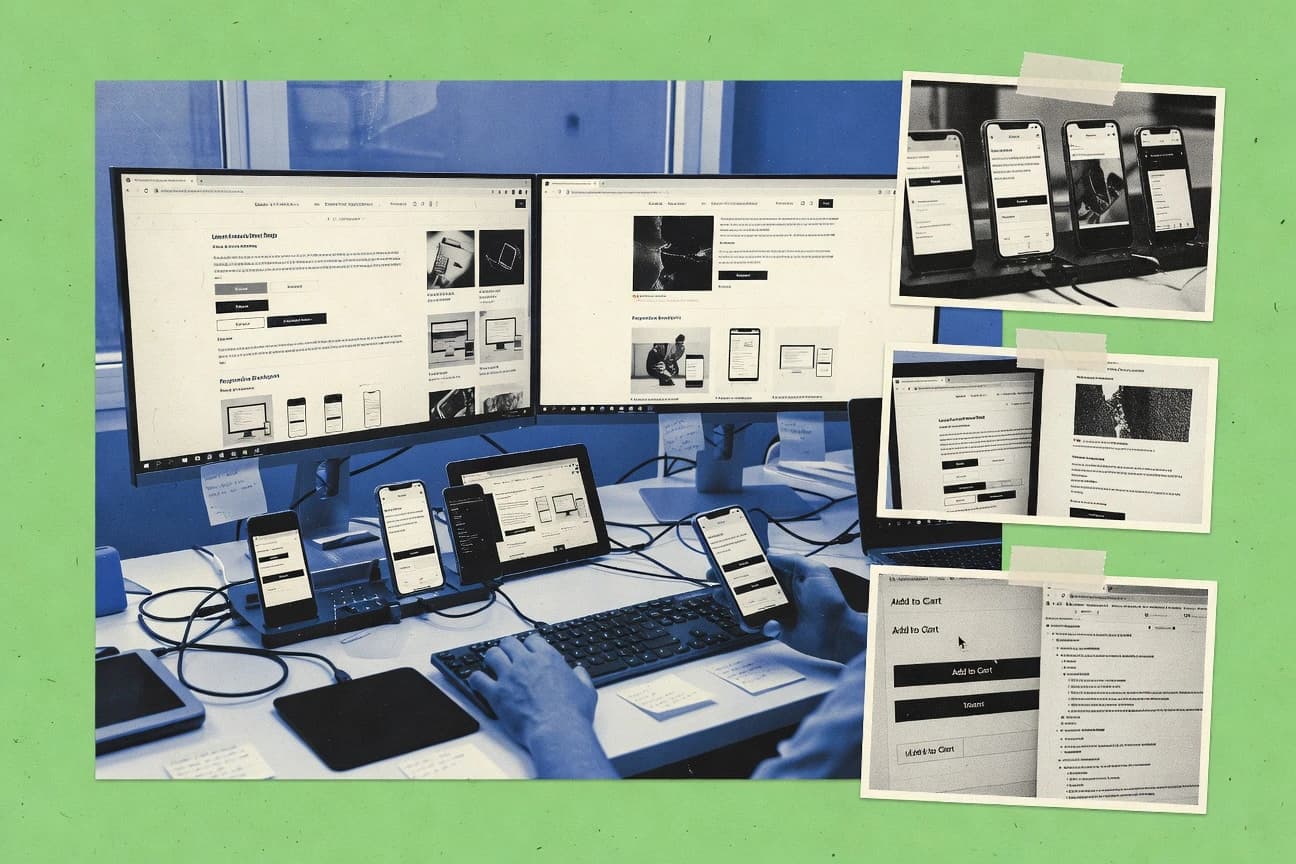
Technology Digital MediaTop 10 Best Browser Testing Software of 2026
Ranked browser testing software for cross-browser QA, with tool strengths and tradeoffs, including BrowserStack, plus Cypress and Sauce Labs.

How we ranked these tools
Before any source is gathered, an editor locks the question, what qualifies, and how the piece will be judged.
Search agents gather the source set and the review record, including transcriptions of video reviews and podcasts.
Framework: Features 40% · Ease 30% · Value 30%
Gitnux may earn a commission through links on this page — this does not influence rankings. Editorial policy
Cypress is the best fit for teams that want fast, DOM-centric end-to-end automation with clear debugging in CI, whereas Sauce Labs is the better choice when QA is distributed and you need real-device cross-browser coverage with pipeline-driven execution.
Editor’s top 3 picks
Three quick recommendations before you dive into the full comparison below — each one leads on a different dimension.
Cypress
Time-travel command log in the Cypress Test Runner makes DOM state changes easy to trace.
Best for: Fits when teams need fast, DOM-centric E2E automation with strong debugging in CI.
Sauce Labs
Editor pickSauce Connect Proxy tests privately hosted applications through an encrypted tunnel without public exposure.
Best for: Fits when distributed QA teams need real-device coverage, private-app access, and pipeline automation.
BrowserStack
Editor pickPercy provides screenshot baselines, pull-request comparisons, and approval workflows for visual changes across supported browsers and devices.
Best for: Fits when QA organizations need browser, mobile-app, private-staging, and visual checks under one account.
Comparison Table
Cypress
SMBJavaScript-based end-to-end testing framework with an optional cloud dashboard for test management.
Time-travel command log in the Cypress Test Runner makes DOM state changes easy to trace.
Cypress is best suited for teams that want tight feedback loops while authoring end-to-end tests with direct DOM assertions and reliable control over browser state. The test runner surfaces granular command logs and lets engineers step through execution to pinpoint flakiness triggers. A common fit is component testing and smoke coverage where fast iteration matters more than device farm scale.
A key tradeoff is that Cypress test execution is optimized for a single browser context per run and it does not replace a third-party real device grid for broad device and OS combinations. Cypress works well when CI needs repeatable UI regression checks across a small, chosen browser set, and when network or auth mocking can be controlled within the test harness.
- +Interactive runner shows command-by-command execution and state changes
- +DOM assertions integrate tightly with the application under test
- +Extensible API for custom commands and reusable test flows
- +CI-friendly execution model for consistent automation runs
- –Cross-browser coverage beyond common desktop browsers needs extra planning
- –Parallel execution requires external orchestration rather than built-in scaling
Frontend QA teams
Debugging flaky UI flows
Faster root-cause isolation
Web platform teams
Automated smoke testing in CI
Earlier defect detection
Show 1 more scenario
Tooling teams
Reusable test framework extensions
Lower test maintenance effort
Teams standardize authentication and navigation through custom commands and shared helpers.
Best for: Fits when teams need fast, DOM-centric E2E automation with strong debugging in CI.
Sauce Labs
enterpriseCloud-based continuous testing platform for web and mobile applications with automated and manual testing.
Sauce Connect Proxy tests privately hosted applications through an encrypted tunnel without public exposure.
Sauce Labs combines automated browser sessions, live interactive sessions, mobile emulators, and physical devices in one account. Its REST API, language bindings, CI integrations, and session metadata support framework-driven execution and centralized reporting.
The main tradeoff is operational complexity across large browser and device matrices. Sauce Labs fits release teams testing internal applications, mobile workflows, and customer-facing sites across many operating system combinations.
- +Real Android and iOS coverage includes device selection, OS versions, and screen configurations.
- +Sauce Connect Proxy reaches applications behind firewalls without exposing them publicly.
- +REST APIs and language bindings support framework-driven test orchestration.
- +Session metadata, screenshots, video, and logs aid failure investigation.
- –Large browser and device matrices require disciplined queue management and result triage.
- –Visual testing uses a separate workflow from ordinary functional sessions.
- –Advanced organization-wide governance requires careful project and role configuration.
Mobile QA teams
iOS and Android regression
Broader mobile coverage
Enterprise QA teams
Private application smoke tests
Protected test access
Show 1 more scenario
Release engineering teams
Commit-triggered browser checks
Faster release feedback
Pipeline integrations start parallel test execution and return session results to build jobs.
Best for: Fits when distributed QA teams need real-device coverage, private-app access, and pipeline automation.
BrowserStack
enterpriseCloud-based cross-browser testing platform providing real browsers and devices for manual and automated testing.
Percy provides screenshot baselines, pull-request comparisons, and approval workflows for visual changes across supported browsers and devices.
BrowserStack gives QA teams a large real device cloud for mobile-browser and native-app checks, alongside desktop browser sessions. Automate accepts familiar browser-driver suites and exposes videos, screenshots, console output, and network logs for triage. CI/CD pipeline integration, issue tracking connectors, and team permissions support centralized release workflows.
The tradeoff is operational breadth because maintaining browser, device, app, and visual baselines creates more configuration work than a browser-only service. An enterprise QA group validating a private staging site can route automated checks through Local, then inspect failed sessions from one workspace. Percy adds a separate approval flow for visual regression testing, which suits teams with a formal interface review process.
- +Broad desktop, mobile-browser, and native-app coverage in one account.
- +Local tunnel access reaches private staging and development environments.
- +Percy connects visual approvals to pull requests and baseline history.
- +Detailed videos, screenshots, console logs, and network logs support failure triage.
- –Separate product areas can increase administration across functional and visual test workflows.
- –Large device matrices can create longer queues during high-volume runs.
- –Native mobile testing requires Appium-compatible test design and device-specific maintenance.
Enterprise QA teams
Cross-browser and mobile release validation
Wider release coverage
Frontend engineering teams
Pull-request interface review
Faster visual signoff
Show 2 more scenarios
Mobile app teams
Native app compatibility checks
Reproducible device failures
App Automate executes scripted iOS and Android flows on physical devices with video evidence.
Release engineering teams
Private staging validation
Safer pre-release validation
Local connects automated checks to inaccessible applications without exposing staging endpoints publicly.
Best for: Fits when QA organizations need browser, mobile-app, private-staging, and visual checks under one account.
Playwright
open-sourceOpen-source browser automation framework supporting Chromium, Firefox, and WebKit with cross-language support.
Tracing records step-by-step browser activity with bundled screenshots and DOM snapshots for root-cause analysis.
Playwright focuses on browser automation with a single API that drives Chromium, Firefox, and WebKit from the same test code. Core capabilities include auto-waiting locators, request interception, and built-in tracing with screenshots and video for test diagnostics.
- +Auto-waiting locator actions reduce timing flakiness in dynamic UIs
- +Request interception enables deterministic mocks and network assertion
- +Built-in tracing bundles screenshots and DOM snapshots per step
- +Parallel test execution scales suite throughput with runner configuration
- –Cross-browser device fidelity depends on correct viewport and context setup
- –Visual regression requires external screenshot diff workflow and storage
- –Test runner conventions can constrain complex custom orchestration
- –Requires discipline in locator strategy to avoid brittle selectors
Best for: Fits when teams want deterministic browser automation with strong debugging artifacts inside CI pipelines.
Nightwatch.js
open-sourceEnd-to-end testing framework for web applications using the W3C WebDriver API.
Native screenshot capture tied to assertion failures and the test runner workflow for faster CI debugging.
Nightwatch.js runs end-to-end browser automation tests in JavaScript with a WebDriver-compatible execution model. It supports page-object-style test structure, DOM assertions, and test hooks that coordinate setup and teardown around each run.
- +JavaScript-first test authoring with a consistent automation API surface
- +Built-in waits and hooks reduce custom orchestration code
- +Page-object patterns map cleanly to locator strategy and DOM assertions
- +Failure screenshots can be captured as part of the test lifecycle
- –Parallel test execution depends on external Selenium Grid-style infrastructure
- –Advanced cross-browser needs often require additional drivers and environment wiring
Best for: Fits when teams use JavaScript tests and want WebDriver-style scripting with maintainable page objects.
Ghost Inspector
SMBAutomated website testing tool with record-and-playback and codeless test creation.
Step-level command flows with record-and-edit test steps that include DOM assertions and screenshot capture per step.
Ghost Inspector records user flows in a browser and runs them as repeatable checks with assertions on page state.
- +Flow recorder converts manual actions into reusable automated steps
- +DOM assertions and waits reduce false failures from transient UI states
- +API enables scripted test runs and environment-driven orchestration
- +Screenshot capture supports quick debugging of failing runs
- –Cross-browser coverage depends on enabled browser targets in the service
- –Recorded locators can become fragile after frequent UI refactors
- –Advanced orchestration still requires external CI logic for complex matrices
- –Debugging flaky failures can take extra iterations due to async UI timing
Best for: Fits when teams need repeatable browser checks with DOM assertions and CI-triggered execution for key user journeys.
Reflect
SMBNo-code automated web testing platform with visual test creation and scheduling.
Evidence-linked visual assertions that keep expected UI states attached to recorded steps for faster review.
Reflect focuses on visual test authoring and review for browser behaviors, not just execution through a test grid. The workflow centers on recording and asserting UI states, then validating them through deterministic playback in CI.
- +Visual-first assertions reduce DOM assertion churn across UI changes
- +Evidence-led review makes failures easier to triage than raw logs
- +CI-friendly execution supports parallel runs for faster feedback
- +Locator management ties expectations to recorded UI states
- –Advanced WebDriver-style control needs deeper configuration than scripted suites
- –Complex test orchestration can require extra pipeline glue
- –Large suites may hit review latency when many evidence artifacts are produced
- –Some edge browser behaviors need manual assertions instead of recorded defaults
Best for: Fits when QA teams want evidence-based browser tests with CI automation and faster failure triage.
Selenium
open-sourceOpen-source suite of tools for automating web browsers across multiple languages and platforms.
Selenium Grid coordinates remote WebDriver sessions across nodes for distributed test execution.
Selenium is a browser testing framework built around the WebDriver protocol, which makes it practical for driving many browsers with a shared API surface. Selenium Grid supports distributed execution across machines, which helps scale test runs and manage execution concurrency.
- +WebDriver protocol API enables consistent browser control across languages
- +Selenium Grid enables distributed execution for higher throughput
- +Extensive ecosystem support for page object model patterns and locators
- +Works well with CI runners using standard test framework hooks
- –Parallel test orchestration needs careful grid and test isolation design
- –Built-in tooling for cross-browser DOM assertions is limited
- –Test flakiness often requires explicit waits and synchronization tuning
- –No native cloud device coverage for real-device sessions
Best for: Fits when QA teams need protocol-based browser automation and can engineer grid orchestration discipline.
Puppeteer
open-sourceNode.js library providing a high-level API to control Chrome and Chromium browsers.
Network request interception and inspection lets tests stub, throttle, and assert on HTTP behavior inside the same script.
Puppeteer drives Chromium-based browsers via a JavaScript API for scripted UI and automation tasks. It provides low-level control over navigation, input events, network interception, and headless execution.
- +JavaScript API exposes DOM, events, and network interception for custom assertions
- +Headless execution supports CI test runs with deterministic browser control
- +Screenshot and PDF generation support simple UI verification workflows
- +Wide Chromium instrumentation enables testing of complex client-side behavior
- –Browser coverage is limited to Chromium-family targets, not full cross-browser fleets
- –Parallel execution requires custom orchestration in the test harness
- –Flake risk increases when relying on timing instead of explicit waiting and stability signals
- –No native RBAC or audit logging for shared governance across teams
Best for: Fits when Chromium-only UI automation needs strong JS control and CI-friendly execution.
Mabl
enterpriseLow-code, cloud-native test automation platform with AI-assisted test creation and maintenance.
Workflow-based test creation with built-in step referencing and run artifacts that keep failures traceable across executions.
Mabl targets teams that need browser automation and test lifecycle management driven from a web UI and a test runner that plugs into CI/CD. It records and maintains tests with a business-readable workflow, then executes them with controlled concurrency across supported browsers.
- +Visual workflow authoring reduces test maintenance for UI changes
- +CI-friendly execution model supports parallel runs for faster feedback
- +Step-level failure context speeds root-cause analysis during regressions
- +Environment variables enable the same test logic across staging setups
- –Complex DOM assertions can require more rewrite than code-only frameworks
- –Custom execution needs may be constrained by the platform’s orchestration model
- –Cross-browser coverage depends on the browsers supported in the managed runner
- –Large suite reliability can still be limited by flakiness in dynamic UIs
Best for: Fits when QA teams want automated cross-browser regression with workflow-driven maintenance and CI execution.
Conclusion
After evaluating 10 browser testing software, Cypress stands out as our overall top pick — it scored highest across our combined criteria of features, ease of use, and value, which is why it sits at #1 in the rankings above.
Use the comparison table and detailed reviews above to validate the fit against your own requirements before committing to a tool.
How to Choose the Right Browser Testing Software
Browser testing software covers cross-browser compatibility verification through real browser execution, headless runs, and test artifacts tied to failures. This guide follows the tool reviews for Cypress, Sauce Labs, BrowserStack, Playwright, and Nightwatch.js, then expands coverage to Ghost Inspector, Reflect, Selenium, Puppeteer, and Mabl.
These tools are compared on integration depth with CI pipelines and automation control from APIs or runner capabilities. The selection also reflects how each product handles parallel execution, traceability of UI state, and the operational overhead of larger browser or device matrices.
Browser Testing Software for Cross-Browser Compatibility, Visual Checks, and CI Automation
Browser testing software automates verification that web and hybrid UI behave consistently across browser engines, device configurations, and execution environments. The category often pairs browser automation with evidence outputs like screenshots, DOM assertions, or execution traces so QA teams can debug regressions and flakiness.
Cypress emphasizes a time-ordered command log inside its Test Runner, which makes DOM state changes easy to trace when assertions fail. Playwright adds bundled tracing that records step-by-step activity with screenshots and DOM snapshots, which supports root-cause analysis for dynamic UI and timing issues inside CI pipelines.
Core Browser Testing Software capabilities that decide CI reliability
Browser testing software quality shows up in how execution artifacts explain failures, not just in whether tests can run across multiple browsers. Cypress delivers a time-ordered command log in the Test Runner so DOM state changes can be traced directly to specific steps.
Failure evidence tied to browser actions
Cypress maps DOM state changes to an interactive, command-by-command execution view. Playwright bundles step traces with screenshots and DOM snapshots to pinpoint where dynamic UI behavior diverges.
Private environment access for staged and firewall apps
Sauce Labs uses Sauce Connect Proxy to reach applications behind firewalls through an encrypted tunnel. BrowserStack uses a Local tunnel to access private staging and development environments from hosted runs.
Visual regression that fits functional workflows
BrowserStack includes Percy for screenshot baselines, pull-request comparisons, and approval workflows across supported browsers and devices. Reflect links evidence-rich visual assertions to recorded steps so failures are triaged with expected UI state attached.
Deterministic control over network behavior
Playwright uses request interception for deterministic mocks and network assertions inside the same automation run. Puppeteer offers network request interception and inspection so tests can stub, throttle, and assert HTTP behavior in one script.
Execution model for scaling across machines
Selenium Grid coordinates remote WebDriver sessions across nodes for distributed execution and higher throughput. Nightwatch.js relies on external Selenium Grid-style infrastructure for parallel execution rather than built-in scaling.
Test authoring workflow suited to maintenance style
Cypress supports DOM-centric E2E automation with interactive debugging, which fits teams that maintain code-centric suites. Mabl builds tests via workflow-driven step creation with run artifacts that keep failures traceable across executions.
Browser test platform selection framework for compatibility and debugging
Choose based on how the platform represents browser actions and failures, then validate that the execution model matches CI throughput goals. Cypress and Playwright prioritize code-driven automation with CI-friendly artifacts, while Sauce Labs and BrowserStack emphasize managed real-device coverage and environment access.
Start with the failure-debugging artifact format the team will actually use
If failures need direct mapping to DOM state changes, Cypress provides an interactive command log in the Test Runner. If root-cause requires step-by-step artifacts with screenshots and DOM snapshots, Playwright tracing keeps this evidence bundled with execution.
Match the environment access pattern to staging and firewall constraints
If private apps must be tested without public exposure, Sauce Labs’ Sauce Connect Proxy provides an encrypted tunnel path from the grid to the app. If private staging is reachable via a local agent, BrowserStack Local tunnel access supports hosted runs against non-public environments.
Pick the visual verification workflow that aligns with code review and evidence triage
If visual changes should be approved during pull request review, BrowserStack’s Percy workflow provides screenshot baselines, pull-request comparisons, and approval gates. If evidence must remain attached to recorded steps for faster triage, Reflect structures visual assertions around evidence-linked UI state.
Select the network control depth based on whether tests must validate HTTP behavior
If the automation needs deterministic mocks and network assertions built into the same runner, Playwright request interception supports this within each test flow. If Chromium-only automation is acceptable and HTTP inspection is central, Puppeteer’s request interception and inspection covers stubbing, throttling, and HTTP assertions.
Choose the scaling philosophy based on whether orchestration will be managed by the platform
If distributed execution should be managed through a protocol-based grid, Selenium Grid coordinates remote WebDriver sessions across nodes. If parallel execution requires an external infrastructure layer, Nightwatch.js depends on Selenium Grid-style setups to achieve concurrency.
Validate authoring and maintenance model before locking test coverage
If DOM assertions and run artifacts should stay tightly coupled to an execution runner, Cypress’ interactive debugging model reduces time spent correlating failures to state changes. If test creation should be flow-based with step record-and-edit mechanics, Ghost Inspector records reusable steps with DOM assertions and screenshots tied to each step.
Who should buy which Browser Testing Software capabilities
Teams that debug UI regressions rely on browser testing software that preserves execution context and evidence without manual correlation. Cypress and Playwright focus on deep debugging artifacts inside the automation run, which reduces the time spent translating a failing screenshot into a root cause.
QA teams running DOM-heavy E2E suites in CI
Cypress provides interactive command-by-command execution and DOM-centric assertions, which supports faster debugging when UI state changes break expectations. Ghost Inspector can also fit CI-driven journeys with step-level DOM assertions and screenshots when record-and-edit maintenance is preferred.
Organizations testing private apps behind firewalls or non-public staging
Sauce Labs’ Sauce Connect Proxy reaches applications behind firewalls through an encrypted tunnel without public exposure. BrowserStack’s Local tunnel similarly connects hosted runs to private staging and development environments.
Teams requiring real mobile-device and OS coverage across Android and iOS
Sauce Labs provides real Android and iOS coverage with device selection, OS versions, and screen configurations. BrowserStack also consolidates broad desktop, mobile-browser, and native-app coverage under one account.
Teams standardizing on traceable evidence for visual regression failures
BrowserStack integrates Percy to manage screenshot baselines and pull-request comparisons with approval workflows. Reflect attaches evidence-linked visual assertions directly to recorded steps for review that maps failures to expected UI state.
Engineering teams that need protocol-level control and custom orchestration
Selenium Grid enables distributed WebDriver sessions with explicit node coordination for higher throughput. Nightwatch.js supports WebDriver-style scripting with maintainable page objects but parallel execution depends on external Selenium Grid-style infrastructure.
Common purchase and rollout mistakes that break browser testing workflows
Browser testing software deployments fail when teams misalign evidence strategy, execution scaling, or workflow boundaries to their CI and debugging habits. A tool that generates screenshots without strong step context can increase triage time when regressions occur across multiple browsers and devices.
Assuming visual testing and functional testing share one execution workflow without extra administration
BrowserStack keeps Percy visual testing in separate product areas, which increases administration across functional and visual workflows. Reflect keeps visual evidence tightly attached to recorded steps, which reduces triage overhead when teams need evidence-led review.
Purchasing for cross-browser goals without planning the execution model for scale
Cypress requires external orchestration for parallel execution rather than built-in scaling, so throughput depends on the CI setup. Selenium Grid supports distributed WebDriver sessions, but it also requires careful grid and test isolation design to avoid cross-test interference.
Expecting full cross-browser device fidelity without validating viewport and context setup
Playwright’s cross-browser device fidelity depends on correct viewport and context setup, so misconfiguration leads to misleading compatibility results. Puppeteer limits browser coverage to Chromium-family targets, so cross-browser compatibility validation needs a different plan for non-Chromium engines.
Allowing recorded locators to drift until failures become untriageable
Ghost Inspector recorded locators can become fragile after frequent UI refactors, which increases maintenance when selectors change. Cypress keeps DOM assertions tightly integrated with the runner, which reduces the amount of external mapping needed during debugging.
How We Selected and Ranked These Tools
We evaluated Cypress, Sauce Labs, BrowserStack, Playwright, Nightwatch.js, Ghost Inspector, Reflect, Selenium, Puppeteer, and Mabl on features at 40% weight and on ease and value at 30% each. Features coverage focused on evidence artifacts tied to failures, like Cypress command logs and Playwright tracing bundles, and on managed execution capabilities like Sauce Connect Proxy and BrowserStack Local tunnel access.
Cypress stood at the top because the interactive Test Runner command log makes DOM state changes traceable during debugging, and its DOM assertions integrate tightly with the application under test. The ranking also rewarded tools that reduce triage friction through step-level evidence, which shows up as bundled tracing, screenshot capture tied to assertions, or evidence-linked visual failures.
Frequently Asked Questions About Browser Testing Software
How should teams structure assertions when mixing DOM checks and visual checks across tools?
Which tool is better for parallelizing large suites while keeping artifacts usable in CI logs?
What breaks if cross-browser coverage is attempted with a Chromium-only automation script?
How can teams test privately hosted web apps without exposing them to the public internet?
When does WebDriver-style automation become a better fit than a recorder-based workflow?
How do teams handle test flakiness from timing issues and dynamic locators?
Which approach gives the most actionable root-cause data for a failing step, tracing or screenshot diffs?
How should access control and admin controls be handled for distributed QA execution?
What execution differences matter when replacing Selenium Grid orchestration with a single-process runner?
Tools reviewed
Primary sources checked during evaluation.
Referenced in the comparison table and product reviews above.
- Technology Digital MediaTop 10 Best Testing Services Software of 2026
- Marketing AdvertisingTop 10 Best Split Testing Software of 2026
- Technology Digital MediaTop 10 Best Network Tester Software of 2026
- Construction InfrastructureTop 10 Best Web Page Building Software of 2026
- Business FinanceTop 10 Best List Software of 2026
Keep exploring
Comparing two specific tools?
Software Alternatives
See head-to-head software comparisons with feature breakdowns, pricing, and our recommendation for each use case.
Explore software alternatives→In this category
Technology Digital Media alternatives
See side-by-side comparisons of technology digital media tools and pick the right one for your stack.
Compare technology digital media tools→