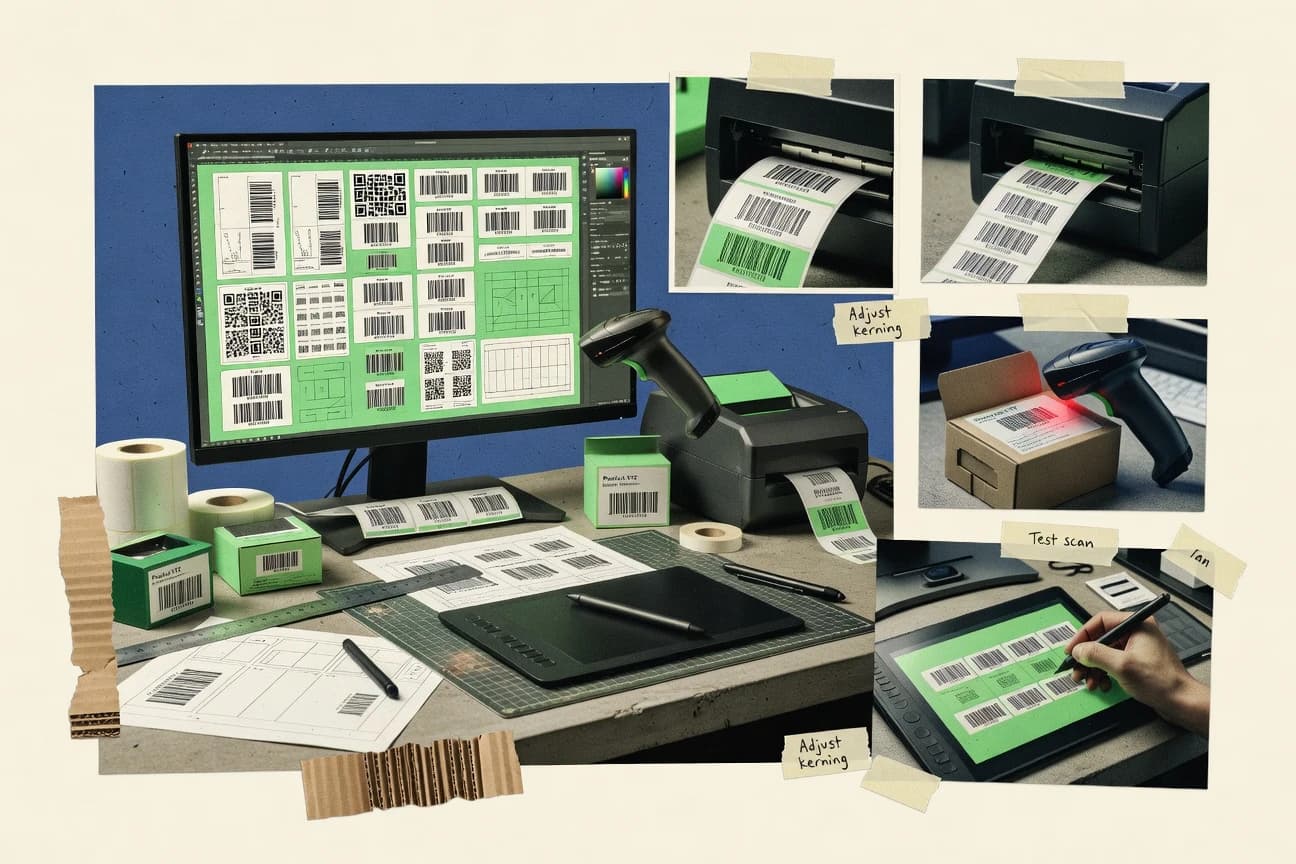
GITNUXSOFTWARE ADVICE
Technology Digital MediaTop 10 Best Barcode Design Software of 2026
Ranked roundup of barcode design software for labeling teams, covering Label LIVE, CODESOFT, NiceLabel, and tradeoffs for each tool.

How we ranked these tools
Gitnux editors write the brief first: the topic, the inclusion rules, and the frame for what belongs.
Agents extract product evidence with provenance, then collect written reviews and transcribe video reviews and podcasts.
Framework: Features 40% · Ease 30% · Value 30%
Gitnux may earn a commission through links on this page — this does not influence rankings. Editorial policy
Label LIVE is the best fit for SMB labeling teams that need reusable barcode templates with batch variable printing from desktops or mobile, whereas CODESOFT is the stronger choice if you’re standardizing many templates and want database-driven variable data with industrial printer support.
Editor’s top 3 picks
Three quick recommendations before you dive into the full comparison below — each one leads on a different dimension.
Label LIVE
Visual barcode label template editor that preserves layout consistency while swapping variable field data at print time.
Best for: Fits when labeling teams need reusable barcode templates and batch variable printing for thermal printers.
CODESOFT
Editor pickElement-level barcode configuration tied to reusable templates for consistent outputs across label formats.
Best for: Fits when labeling teams standardize many label templates and require variable-data repeatability without code.
NiceLabel
Editor pickControlled label publishing with governance workflows that manage format approvals and distribution to production printing.
Best for: Fits when labeling teams need governed barcode templates with repeatable variable-data printing and controlled publishing.
Comparison Table
Label LIVE
SMBLabel LIVE designs and prints barcode labels from desktop computers and mobile devices.
Visual barcode label template editor that preserves layout consistency while swapping variable field data at print time.
Label LIVE is built around barcode label template creation for thermal label printing workflows, including predictable layout settings that map to label stock and printer constraints. It supports barcode symbologies used in warehouse and retail labeling, and it renders human-readable interpretations and check digit behavior according to the chosen format. Batch-oriented variable data entry lets labeling teams generate many distinct labels from one template without redesigning layout elements each time.
A key tradeoff is that template design flexibility is highest when teams stay within the editor’s supported field types rather than requiring deep custom logic. It fits situations where a labeling team needs consistent label formats across sites while still producing serialized or otherwise variable labels from controlled inputs.
- +Template reuse keeps barcode layouts consistent across batch print runs
- +Batch variable data generation reduces manual label entry work
- +Field-level configuration supports common barcode label formatting needs
- +Output formatting is designed around thermal label printing constraints
- –Advanced conditional data rules require tighter editor-supported patterns
- –Complex enterprise workflows can depend on external systems for data prep
Warehouse operations teams
Batch printing serialized location labels
Faster label production
Retail labeling teams
Create seasonal item label variants
Consistent label formats
Show 1 more scenario
Quality and compliance teams
Standardize barcode formatting rules
Lower formatting errors
Use template governance to keep symbology settings consistent across printers.
Best for: Fits when labeling teams need reusable barcode templates and batch variable printing for thermal printers.
CODESOFT
enterpriseCODESOFT designs barcode labels with database connectivity, automation, and industrial printer support.
Element-level barcode configuration tied to reusable templates for consistent outputs across label formats.
CODESOFT fits organizations that need controlled barcode label design for warehouses, manufacturing lines, and distribution operations. It supports multiple symbologies and label object types inside the same design environment, so teams can maintain one visual standard while changing the data source. Template-based layouts reduce rework when label versions change across SKUs, destinations, and packaging levels. Barcode settings are exposed at the element level, which helps standardize scanability outcomes across printer models.
A key tradeoff is that CODESOFT’s higher-control design workflow can take longer to stand up than lighter barcode generators. Teams also need to align printer driver settings, label size definitions, and quiet-zone behavior with their actual label stock before scaling output. CODESOFT works best when label formats are reused and automated variable data printing is already part of the operational process.
- +Template-first layout supports consistent barcode placement across many SKUs
- +Variable-data labeling supports batch and record-driven print runs
- +Barcode element controls help standardize scan-ready output formatting
- +Printer-driver aware design reduces mismatches between preview and output
- –Setup time increases when aligning printer drivers and label dimensions
- –Complex workflows can require stronger label governance to avoid drift
- –Advanced automation paths rely on connector and workflow configuration
- –Design changes may require coordinated updates across template variants
Warehouse label operations
Run variable data labels from records
Lower manual relabeling errors
Manufacturing labeling teams
Control serialization label variants
More consistent line-side labeling
Show 1 more scenario
Packaging and compliance groups
Standardize GS1 content layouts
Fewer format regressions
Designs consistent barcode fields and human-readable text blocks across multiple packaging label formats.
Best for: Fits when labeling teams standardize many label templates and require variable-data repeatability without code.
NiceLabel
enterpriseNiceLabel provides label design and management software for manufacturing, logistics, and regulated industries.
Controlled label publishing with governance workflows that manage format approvals and distribution to production printing.
NiceLabel fits teams that need barcode label templates managed like configuration, not ad hoc artwork. It supports variable data printing so formats can be reused across items, lots, or serialized identifiers without redesigning the layout each time. Standard label driver output is paired with format distribution, which helps keep operator-side printing aligned with the approved artwork. Data-driven labeling workflows reduce rework when the label needs to stay stable while field values change.
A tradeoff is that governance and controlled publishing add setup overhead versus purely local desktop-only design tools. A common fit is warehouse and logistics labeling, where multiple operators print many barcode labels per shift and format changes must be coordinated to avoid mismatches. In that situation, centralized template control and repeatable variable fields matter more than pixel-level design freedom. When rapid one-off experiments are the priority, the approval workflow can slow iteration.
- +Format lifecycle controls reduce accidental label edits during operations
- +Variable data printing supports item, batch, and serialized field reuse
- +Printer-driver output workflows align designs with production printers
- +Governed label publishing helps standardize barcode layouts across teams
- –Setup and governance configuration take more time than desktop-only tools
- –Advanced automation paths depend on integration work with label sources
- –Layout iteration feels heavier when approvals are required for changes
Enterprise labeling operations teams
Approve barcode formats before warehouse printing
Fewer label mismatches at print
Serialization workflow owners
Generate barcodes from serialized identifiers
Consistent per-unit barcode output
Show 1 more scenario
ERP integration teams
Drive label content from business records
Reduced manual label data entry
Label generation supports data-driven workflows aligned with upstream item and lot information.
Best for: Fits when labeling teams need governed barcode templates with repeatable variable-data printing and controlled publishing.
Barcode Producer
design specialistBarcode Producer creates vector barcode graphics for packaging, print, and graphic design applications.
Field mapping inside reusable barcode label templates for consistent variable data layout across print runs.
Barcode Producer targets barcode label design and generation with a focus on configurable templates and reusable data sources for high-volume printing workflows. It supports common linear and 2D barcode symbologies such as Code 128, QR Code, and GS1-128, plus human-readable text rendering alongside the barcode artwork.
- +Template-first workflow keeps layout consistent across variable data runs
- +Supports common 1D and 2D symbologies used in labeling programs
- +Human-readable text and barcode sizing controls support print-and-apply needs
- +Repeatable field mapping helps reduce manual label rework
- –Limited visibility into scanability verification metrics during design
- –Automation and API integration depth is not geared to complex ERP label orchestration
- –Advanced governance like RBAC and audit logging is not positioned for distributed labeling teams
- –Template scaling can require manual tuning for different label stock sizes
Best for: Fits when labeling teams need repeatable variable-data templates with standard barcode symbologies.
Aulux Barcode Label Maker
SMBProfessional barcode label design software for compliance and retail labeling.
Aulux’s label template editor with variable field placement enables quick reuse across many SKUs and consistent layout control.
Aulux Barcode Label Maker builds barcode label template files and generates barcode graphics tied to variable values for printing workflows.
- +Template-based label layout supports reusable variable fields
- +Built-in support for multiple barcode symbologies reduces format switching
- +Label sizing and text placement help keep scan areas consistent
- +Exportable label format files fit common print-and-apply workflows
- –Limited automation and API surface compared with enterprise labeling suites
- –No native warehouse integration and serialization workflow tooling
- –Barcode verification guidance is minimal and depends on print setup discipline
- –RBAC and audit log controls are not positioned for multi-role governance
Best for: Fits when labeling teams need repeatable barcode layouts and manual print execution without deep integrations.
iBarcoder
SMBmacOS and Windows barcode generator for custom label design.
Template-based label design that keeps symbology settings consistent across linear and 2D barcode layouts.
iBarcoder targets teams that need barcode label design with variable inputs and consistent print output. The editor supports barcode symbology configuration, barcode label template creation, and layout control for linear and 2D codes, including quiet-zone handling.
- +Barcode label template reuse reduces layout drift across label runs.
- +Layout controls for human-readable interpretation and spacing help scanability.
- +Supports multiple symbologies for mixed SKU labeling in one project.
- +Exports label format files compatible with typical label printer workflows.
- –Automation depth for ERP or warehouse systems is limited versus API-first tools.
- –Serialization and variable data workflows require manual template parameter mapping.
- –Barcode verification guidance is limited, so scan testing is still needed.
- –Advanced governance controls like RBAC and audit logs are not a clear focus.
Best for: Fits when labeling teams need repeatable template layouts and reliable output over deep system integrations.
BarTender
enterpriseBarTender creates barcode labels, RFID labels, cards, and documents for regulated production environments.
BarTender’s Print Server workflow coordinates variable-data jobs across printers, producing consistent results at scale.
BarTender’s design environment centers on barcode label template layout with binding for variable fields and human-readable text control.
- +Database-driven labeling supports batch and high-volume print runs
- +Rich barcode symbology support including GS1-128 and QR Code
- +Strong variable data binding for serialization and unique label values
- +Print integration uses label printer drivers for consistent output
- –Advanced configuration takes time for teams new to label workflows
- –Integration depth depends on the available connectors and scripting approaches
- –Complex layouts can be harder to govern across many label templates
- –Barcode verification and scanability tooling is not central for every setup
Best for: Fits when labeling teams need variable-data barcode templates with database-driven printing and printer-driver consistency.
EasyLabel
vertical specialistEasyLabel creates barcode and product labels for manufacturing, warehousing, and distribution.
Database-driven label generation that keeps one template reusable across variable barcode and text sets.
EasyLabel provides barcode label design for teams that need repeatable templates and database-driven layouts. It focuses on generating common linear and 2D symbologies, including Code 128 and GS1-style formatting, then rendering them for label printers through printer-ready output workflows.
- +Template-first workflow for consistent barcode label layouts across batches
- +Supports variable data printing patterns for changing barcode and text values
- +Good coverage of common barcode symbologies for mixed warehouse labeling
- +Printer-ready output flow reduces rework when switching label formats
- –Limited automation and API surface for custom integrations
- –Advanced governance needs require manual control of templates and assets
- –Barcode verification workflows are not positioned as an end-to-end step
- –Complex enterprise data pipelines need external tooling around EasyLabel
Best for: Fits when labeling teams need repeatable barcode templates and batch printing without heavy integration work.
Barcode Studio
SMBBarcode Studio generates and exports many barcode symbologies for labels, packaging, and publishing.
Visual label editor with variable field mapping that stays printer-ready via label printer driver output formats.
Barcode Studio generates barcode label designs with support for common 1D and 2D symbologies like UPC-A, EAN-13, Code 128, QR Code, and GS1 DataMatrix. It pairs a visual label editor with data-driven fields for variable content such as serial numbers and SKU codes, then outputs label format files sized for label printer drivers.
- +Fast template building with a visual editor and drag-and-drop layout controls
- +Broad symbology coverage including QR Code and GS1 DataMatrix
- +Variable data fields support serial numbers and SKU-level label variation
- +Label printer driver output supports common industrial printing workflows
- –Limited automation depth for ERP or WMS integration compared with larger suites
- –Governance features like RBAC and audit logging are not a core focus
- –Print-and-apply integration depends on external workflow steps
- –Barcode verification workflows are not a native label design step
Best for: Fits when labeling teams need quick barcode label templates and variable data layouts without deep enterprise integrations.
Labeljoy
SMBLabeljoy designs barcode labels, tickets, badges, and product labels with database support.
Field-based variable-data label templates that generate many barcode instances from one layout.
Labeljoy focuses on barcode label design for teams that need repeatable templates with variable data feeds, then render print-ready layouts for barcode generators. The editor supports common symbologies like Code 128, QR Code, and GS1-128 while managing human-readable text and quiet zone behavior for scanability.
- +Template-first workflow for fast creation of many barcode variants
- +Symbology coverage includes Code 128 and QR Code for mixed labeling needs
- +Print-ready exports that align well with label stock and printer workflows
- +Field-based variable data layout reduces manual rework
- –Limited depth for enterprise governance like RBAC and audit logs
- –Automation depends on file-based workflows instead of deep API control
- –Fewer advanced print-engine tuning options for production edge cases
- –Serialization-style data generation is less structured than WMS-grade tooling
Best for: Fits when mid-size labeling teams need template-driven barcode generation and printable exports without heavy integration overhead.
Conclusion
After evaluating 10 barcode design software, Label LIVE stands out as our overall top pick — it scored highest across our combined criteria of features, ease of use, and value, which is why it sits at #1 in the rankings above.
Use the comparison table and detailed reviews above to validate the fit against your own requirements before committing to a tool.
How to Choose the Right Barcode Design Software
Barcode design software covers the workflows for creating printer-ready barcode label templates and generating variable barcode instances from mapped fields. This guide covers Label LIVE, CODESOFT, NiceLabel, BarTender, and seven other tools that emphasize different tradeoffs between visual template control and operational governance.
Across the set, Label LIVE focuses on a visual template editor that preserves layout consistency while swapping variable field data at print time. CODESOFT centers on element-level barcode configuration tied to reusable templates, while NiceLabel adds format lifecycle controls that manage approvals and distribution to production printing.
Barcode Design Software for template-driven label creation and variable-data printing
Barcode design software is used to build barcode label templates that encode symbology settings, human-readable interpretation rules, and variable field placement for repeatable label output. It also generates many barcode instances from one template by mapping record fields into barcode and text elements at print time.
Label LIVE and CODESOFT both emphasize reusable templates to keep barcode placement consistent across batch runs, with Label LIVE prioritizing visual layout preservation and CODESOFT prioritizing element-level barcode configuration tied to template reuse. NiceLabel extends template publishing with governance workflows that add format lifecycle controls to reduce accidental label edits during operations.
Barcode template control, variable-data repeatability, and operational governance
Barcode label work succeeds when template structure stays stable while variable records flow into barcode and text elements at print time. Across these tools, the differentiator is how consistently the editor or engine preserves layout during batch generation and how much control exists around format changes that reach production printers.
Template editor consistency vs element-level barcode configuration
Label LIVE emphasizes a visual barcode label template editor that preserves layout consistency while swapping variable field data at print time, which fits batch workflows with tight placement requirements. CODESOFT emphasizes element-level barcode configuration tied to reusable templates so teams can standardize barcode settings across many label formats.
Governed format lifecycle and controlled publishing to production
NiceLabel adds format lifecycle controls that manage approvals and distribution to production printing so operators avoid accidental format edits. Label LIVE focuses on layout preservation in the editor and does not add the same structured publishing workflow.
Variable-data label generation patterns for batch and record-driven prints
BarTender supports database-driven labeling for batch and high-volume print runs through its Print Server workflow that coordinates variable-data jobs across printers. EasyLabel provides database-driven label generation that keeps one template reusable across variable barcode and text sets, but it offers less automation depth for custom integration patterns.
Symbology coverage and mixed linear plus 2D output control
Barcode Studio provides broad symbology coverage including QR Code and GS1 DataMatrix while keeping output printer-ready through label printer driver output formats. Barcode Producer supports common 1D and 2D symbologies used in labeling programs, but it does not focus on scanability verification metrics during design.
Automation and API or integration depth for enterprise orchestration
NiceLabel and BarTender are positioned for automation paths that depend on integration work with label sources and available connectors or scripting approaches for Print Server coordination. Barcode Producer and Aulux target template-driven label execution with limited automation and API integration depth for complex ERP label orchestration.
Operational guardrails for repeatability at scale
NiceLabel reduces format drift with governance workflows that manage format approvals and distribution, and it also supports variable data printing for item, batch, and serialized field reuse. Labeljoy supports template-driven barcode generation for many barcode instances from one layout, but it limits enterprise governance like RBAC and audit logs.
Choose by workflow shape: desktop template reuse, governed publishing, or server-driven variable printing
Barcode design software selection should start from how labels change and how the label source system feeds print jobs, not from which symbologies appear in the editor. The practical decision is whether teams need governed publishing and controlled format lifecycle or whether they mostly need a visual editor that keeps template layout stable while variable data fills in at print time.
Map the variable-data workflow to the template model
If the main need is swapping variable field data into a consistent visual layout for batch print runs, Label LIVE is aligned with visual template preservation during print-time data substitution. If the workflow standardizes many barcode elements with stricter element configuration across formats, CODESOFT fits element-level barcode configuration tied to reusable templates.
Decide whether format lifecycle governance is part of production operations
If teams require approvals and controlled distribution of label formats before production printing, NiceLabel provides format lifecycle controls that manage format approvals and publishing. If the work is mostly desktop-driven with manual control of templates and assets, Aulux Barcode Label Maker emphasizes reusable variable field placement with limited automation and API surface.
Pick the print execution pattern that matches throughput needs
If high-volume printing needs centralized job coordination across printers with database-driven labeling, BarTender fits through its Print Server workflow for variable-data jobs. If the need is batch printing with template reuse and less dependency on server coordination, EasyLabel supports database-driven label generation that keeps one template reusable across variable barcode and text sets.
Check how the tool handles scanability outcomes in the design cycle
If scanability verification metrics are part of the design workflow, none of the listed tools emphasize verification metrics in the provided feature set, so evaluation should focus on whether iBarcoder and Label LIVE expose layout controls for human-readable interpretation and spacing to support readability. If verification is not a requirement, Barcode Producer and Barcode Studio can be sufficient because they emphasize template-first consistency and printer-ready output formats.
Validate integration depth against the actual label orchestration path
If label jobs must align with complex ERP or warehouse orchestration, prioritize tools with integration-oriented automation paths like NiceLabel and BarTender, because their workflows depend on connectors and integration with label sources. If label execution stays file-based or operator-driven, Labeljoy and Barcode Studio provide template-driven exports without requiring deep API control.
Who should use which Barcode Design Software based on labeling operations
Labeling teams should choose barcode design software based on whether control belongs in a governed publishing workflow, a visual template editor used by operators, or a server-driven variable print engine. The right fit shows up in how variable-data fields get mapped, how format changes are controlled, and how print jobs get orchestrated across printers.
Labeling teams managing many SKUs with repeated layouts across batches
Label LIVE and CODESOFT both emphasize reusable templates that keep barcode placement consistent across batch runs, which reduces layout drift when variable records change.
Operations teams that need approvals and controlled publishing before production printing
NiceLabel is built around governed format lifecycle controls that manage approvals and distribution, which fits environments where accidental label edits must be blocked.
Warehouse and manufacturing groups running high-volume variable prints across multiple printers
BarTender uses a Print Server workflow that coordinates variable-data jobs across printers, and it pairs with database-driven labeling for batch print throughput.
Teams focused on manual template creation and mixed symbology output without heavy integration
Aulux Barcode Label Maker and Barcode Studio emphasize template-based layout with reusable variable fields and broad symbology coverage while keeping automation and API depth limited.
Mid-size labeling operations that generate many barcode instances from one layout
Labeljoy focuses on field-based variable-data label templates that generate many barcode instances from one layout, with exports that rely more on file-based workflows than deep API control.
Common barcode label design buying mistakes that lead to rework
Mistakes usually happen when teams select a tool for its template editor feel instead of for the governance, automation, and print execution model required by production. The other recurring issue is assuming scanability outcomes are validated during design when the tool emphasizes layout controls rather than verification metrics.
Choosing a visual editor but ignoring how variable data is prepared before print-time mapping
Label LIVE helps preserve visual layout consistency during variable field substitution, but complex enterprise workflows may depend on external systems for data prep. CODESOFT can support variable-data labeling without code, but governance is needed to avoid drift when label inputs and printer settings evolve.
Assuming enterprise governance features exist without checking publishing workflow and access control focus
NiceLabel includes format lifecycle controls for approvals and controlled distribution, which directly supports operational guardrails around template edits. Barcode Studio and Labeljoy focus more on template creation and printable exports, and governance features like RBAC and audit logs are not a core focus in the provided tool positioning.
Underestimating the integration work required for server coordination and custom orchestration
BarTender offers Print Server coordination and database-driven labeling, but integration depth depends on available connectors and scripting approaches. Barcode Producer and Aulux prioritize template-driven execution and do not target deep ERP label orchestration through API-first automation.
Overlooking setup overhead for printer drivers and label dimensions
CODESOFT can increase setup time when aligning printer drivers and label dimensions, which can slow early rollouts. Label LIVE aims to reduce layout drift through a visual template editor, but teams still need to align template sizes with the target label stock and printer settings.
How We Selected and Ranked These Tools
We evaluated Label LIVE, CODESOFT, NiceLabel, BarTender, and the remaining seven tools by weighting features at 40%, ease at 30%, and value at 30% based on how template-driven barcode label creation and variable-data printing are executed. Features credit concentrated on how each tool keeps barcode layouts consistent during batch runs and how it supports variable field mapping into barcode and text elements at print time.
Ease credit emphasized how quickly teams can build printer-ready label formats using a visual editor or label printer driver output formats. Label LIVE separated from the pack because its visual barcode label template editor specifically preserves layout consistency while swapping variable field data at print time, which reduces manual alignment work during repeated batch generation.
Frequently Asked Questions About Barcode Design Software
How does Label LIVE handle high-throughput variable data printing compared with CODESOFT?
Which tool is better for governed format lifecycle and controlled publishing to production printers: NiceLabel or Labeljoy?
What breaks when barcode label templates do not preserve symbology settings across runs, and where does iBarcoder help?
How does Barcode Producer map variable fields inside a reusable template to keep scan geometry consistent?
When do serialization and database-driven labeling workflows favor BarTender over a template-only approach like Aulux Barcode Label Maker?
Which tool supports deeper connector-oriented workflows for data-driven labeling: CODESOFT or EasyLabel?
How do quiet zone and human-readable interpretation settings affect scanability in QR Code and GS1 DataMatrix labels?
What data migration steps usually matter most when moving existing barcode label templates to new software, and how do tools differ?
Where does RBAC and audit logging show up in admin controls for barcode template management: NiceLabel or Label LIVE?
Tools reviewed
Primary sources checked during evaluation.
Referenced in the comparison table and product reviews above.
Funding and competing interests
This study was co-funded by several of the vendors assessed in it. No single vendor funded it. Funders could propose the market studied.
They had no role in selecting vendors, setting or weighting criteria, analysing data or drawing conclusions, and they received the same factual-accuracy check as every other vendor assessed.
Market definition, inclusion rules and criteria weights were fixed by an editor before research began and did not change afterwards. Editorial process →
- Technology Digital MediaTop 10 Best Barcode Printing Software of 2026
- Technology Digital MediaTop 10 Best Bar Code Label Software of 2026
- Technology Digital MediaTop 10 Best Web Page Design Software of 2026
- Technology Digital MediaTop 10 Best Barcode Printer Software of 2026
- Technology Digital MediaTop 10 Best Barcode Recognition Software of 2026
Keep exploring
Comparing two specific tools?
Software Alternatives
See head-to-head software comparisons with feature breakdowns, pricing, and our recommendation for each use case.
Explore software alternatives→In this category
Technology Digital Media alternatives
See side-by-side comparisons of technology digital media tools and pick the right one for your stack.
Compare technology digital media tools→