GITNUXSOFTWARE ADVICE
HR In IndustryTop 10 Best Applicant Screening Software of 2026
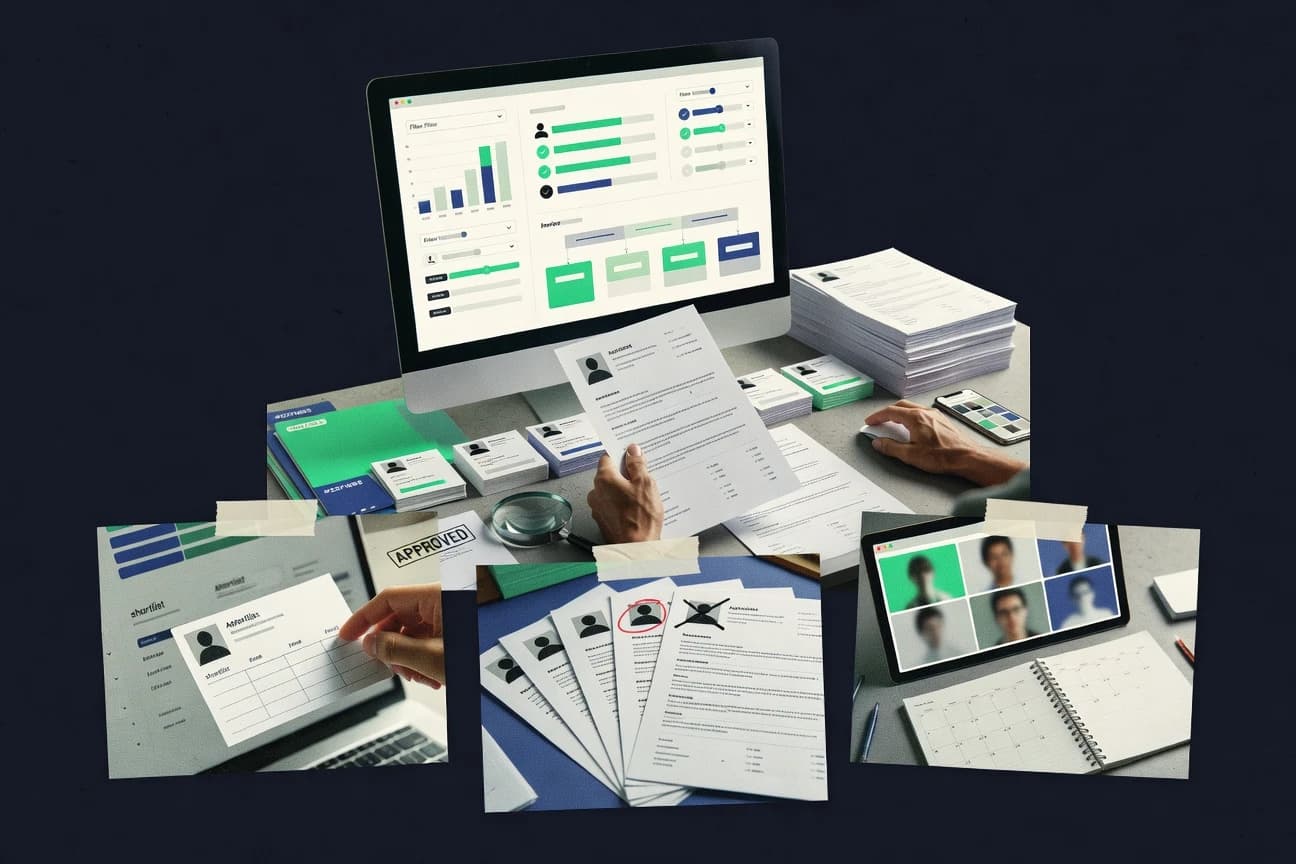
Compare applicant screening software tools with practical pros, key features, and tradeoffs for HR teams shortlisting candidates.

How we ranked these tools
Vendors set the topic, but our editors set the inclusion criteria and the evaluation framework before research starts.
Search agents gather the source set and the review record, including transcriptions of video reviews and podcasts.
Framework: Features 40% · Ease 30% · Value 30%
Gitnux may earn a commission through links on this page — this does not influence rankings. Editorial policy
HackerRank is the best choice for engineering hiring teams that need repeatable coding assessments because its item-bank test plans help reuse standardized problem sets and generate reviewer-friendly scoring, while TestGorilla is a strong fit for SMBs since role-specific authoring plus built-in scoring keeps results tied to each candidate record.
Editor’s top 3 picks
Three quick recommendations before you dive into the full comparison below — each one leads on a different dimension.
HackerRank
Assessment test plans with item banks let teams reuse standardized problem sets across multiple technical roles.
Best for: Fits when engineering hiring teams need repeatable coding assessments and reviewer-friendly scoring reports.
Mercer Mettl
Editor pickStage-based screening orchestration that ties assessment delivery and verification steps into a configurable applicant flow.
Best for: Fits when recruiting teams need assessment plus screening flow control with structured handoffs between stages.
TestGorilla
Editor pickRole-specific assessment authoring with built-in scoring and assessor review keeps test results linked to hiring decisions.
Best for: Fits when teams need structured assessments and automated stage gating across multiple roles.
Comparison Table
HackerRank
enterpriseCoding challenge platform for screening and interviewing technical talent.
Assessment test plans with item banks let teams reuse standardized problem sets across multiple technical roles.
HackerRank combines coding assessments with structured evaluation workflows that screening teams can reuse across multiple roles. Assessment creation supports item banks and test plans that standardize candidate scoring for developer-focused hiring.
Reporting aggregates results across attempts and lets reviewers compare performance within a single assessment run. For applicant screening use cases, it is most effective when role requirements map cleanly to programming and technical problem-solving formats.
- +Structured coding assessment workflows reduce scoring variability across reviewers
- +Item-based test plans support repeatable evaluations across roles and cohorts
- +Result reporting consolidates candidate performance per assessment run
- +Role targeting works well for engineering interviews and technical screenings
- –Non-technical screening steps need external tooling since it is assessment-centric
- –Advanced governance controls for screening workflows may be limited versus full ATS ecosystems
- –Adverse action workflow and compliance artifacts are not native for background checks
- –Automation depth for reference and identity verification remains outside its core scope
Best for: Fits when engineering hiring teams need repeatable coding assessments and reviewer-friendly scoring reports.
Mercer Mettl
enterpriseAssessment platform for skills, behavioral, and technical candidate screening.
Stage-based screening orchestration that ties assessment delivery and verification steps into a configurable applicant flow.
Mercer Mettl targets screening workflows that combine assessments, identity checks, and background check processing into hiring operations. The distinguishing part is its orchestration around test delivery and screening stages, with configurable workflows that can feed results to hiring teams.
Mercer Mettl also supports integration surfaces that connect verification and screening outputs to downstream HR systems. Admin controls focus on managing screening package behavior, candidate experience settings, and role-based access for recruiters and reviewers.
- +Screening workflows align assessment outcomes with downstream review steps
- +Identity verification and screening steps can be configured as part of a single flow
- +Integration-oriented design supports moving results into HR and hiring tooling
- +Administration features support controlled reviewer access across stages
- –Workflow configuration depth can require specialist setup for complex roles
- –Coverage depends on which screening modules are enabled for the target market
- –Long multi-stage pipelines can be harder to audit from a single view
- –API and automation breadth can vary by module instead of being uniform
Best for: Fits when recruiting teams need assessment plus screening flow control with structured handoffs between stages.
TestGorilla
SMBPre-employment testing platform with a library of screening assessments.
Role-specific assessment authoring with built-in scoring and assessor review keeps test results linked to hiring decisions.
TestGorilla runs structured pre-employment assessments and scores candidates inside an applicant screening workflow. It supports role-specific question libraries and assessor tools that collect both test results and hiring feedback in one place.
The system is designed for high-volume screening through configurable pipelines and automated pass or fail decisions. Workflows include candidate management, evaluation stages, and export-ready records for review by hiring teams.
- +Assessment scoring stays tied to each candidate record
- +Question libraries speed creation of role-specific screens
- +Configurable pipelines support consistent stage progression
- +Automations reduce manual copying of scores into reviews
- –Advanced workflow changes can require careful configuration
- –Recruiter dashboards can feel dense for small teams
- –External screening integrations can add operational dependency
- –Complex reporting needs more admin attention to stay current
Best for: Fits when teams need structured assessments and automated stage gating across multiple roles.
Paradox
enterpriseConversational recruiting assistant that screens and schedules candidates.
Identity verification and authenticated candidate collection tied to conversational intake, with API exports for applicant progression events.
Paradox routes applicants from branded conversation flows into structured application steps while capturing answers as reusable fields. The product emphasizes identity verification, candidate authentication, and conversational interview-style collection that feeds downstream screening.
- +Conversational intake captures structured fields without manual reentry
- +Identity verification and candidate authentication reduce low-quality submissions
- +API supports pushing candidate answers and status events to hiring systems
- +Workflow configuration keeps recruiter review aligned to stage requirements
- –Complex multi-role workflows can require disciplined configuration
- –Adverse action workflows depend on integration rather than a built-in decision engine
- –Screening data mapping can be labor-intensive when switching form schemas
- –Deep background check orchestration relies on external providers via integrations
Best for: Fits when hiring teams want conversational intake that converts to structured screening data and syncs to ATS workflows.
HireVue
enterpriseVideo interviewing and assessment platform for high-volume hiring.
Interview-led screening with rubric-scored video assessments tied to workflow stages and reviewer decisioning.
HireVue’s core screening flow is built around assessments that can be reused across requisitions, with scoring rubrics that map to recruiter and hiring manager review. Teams can configure workflow stages, reminders, and evaluation steps so interviews and written submissions stay tied to the same candidate record. Integration depth is focused on HR systems of record and recruiting stacks, and automation is strongest when the hiring process already fits a stage-based model.
- +Video assessment workflows link directly to structured scoring rubrics
- +Stage-based automation reduces manual coordination between recruiters and reviewers
- +Interview content can be reused across requisitions with consistent evaluation
- +Role controls and audit visibility support controlled access to decisions
- –Rubric alignment takes time when internal evaluation logic differs from stage design
- –Some background screening and compliance steps can require additional configuration effort
- –Complex adjudication matrices may need external decision processes
Talent acquisition teams
Standardize interview scoring across roles
More consistent hiring decisions
Recruiting operations
Automate candidate stage transitions
Lower coordinator workload
Show 2 more scenarios
Large hiring programs
Scale assessments with governance
Better oversight of decisions
Controlled access and audit visibility support large teams sharing evaluation responsibilities.
Internal HR teams
Reduce spreadsheet-based reviewer tracking
Fewer manual status updates
Assessment outputs stay attached to the candidate record through decision steps.
Best for: Fits when standardized interview scoring and recruiter workflow automation matter more than bespoke per-role logic.
Criteria
SMBPre-employment testing suite covering cognitive, personality, and skills assessments.
Configurable, stage-driven screening workflow that ties decision outcomes to structured candidate documentation and routing.
Criteria by CriteriaCorp targets applicant screening with configurable application intake, rule-based screening, and structured review workflows for hiring teams. It supports decisioning steps such as qualification checks and documentation capture, then routes outcomes to downstream communications workflows used in recruitment.
- +Rule-based screening steps with configurable routing to hiring stages
- +Structured candidate record handling across application and review phases
- +Admin-managed workflow templates that reduce per-requisition rework
- +Workflow design supports consistent documentation capture during evaluation
- –Requires careful configuration to keep screening logic consistent
- –Integration and automation surfaces are less transparent than category peers
- –Complex workflows can take longer to model than simpler screening funnels
- –Advanced reporting depth depends on how stages and decisions are modeled
Best for: Fits when teams need repeatable screening workflows with controlled review stages and consistent candidate documentation.
Vervoe
SMBSkills-based hiring platform using practical job simulations for screening.
Role-specific assessment packs with configurable scoring used to drive automatic shortlisting decisions.
Vervoe centers applicant screening on job-relevant assessments that candidates complete directly during the hiring flow. The product ties assessment outcomes to configurable role requirements and supports bulk candidate invitations, scoring, and shortlisting based on answer performance.
- +Job-skill assessments produce structured signals for role-based shortlisting
- +Bulk candidate invitations reduce manual scheduling and follow-up work
- +Configurable scoring supports consistent evaluation across cohorts
- +API access enables programmatic syncing of assessment results into HR workflows
- –Assessment creation takes time to tune for each role and competency
- –Advanced governance and audit details are less granular than enterprise HR suites
- –Some recruiting workflows still require manual handoff for scheduling steps
- –Identity verification and background check steps require separate systems
Best for: Fits when teams need skills-based screening and want assessment outputs routed into existing recruiting workflows.
iMocha
SMBSkills assessment platform with AI-powered candidate screening.
Reusable assessment question banks tied to configurable screening stages across positions.
iMocha focuses applicant screening around structured candidate assessments plus interview and workflow automation, rather than only resume parsing. It supports question banks and configurable screening stages that recruiters can reuse across roles.
- +Configurable screening stages make multi-step evaluations repeatable
- +Assessment question banks support standardized scoring across roles
- +Recruiter-friendly workflow views reduce time spent coordinating reviewers
- +Integrations carry candidate state into screening tasks
- –Complex workflows take planning to avoid inconsistent stage definitions
- –Some advanced screening configurations require administrator involvement
- –Reporting depth lags tools that specialize in recruiter analytics
- –Identity and background check coverage depends on external providers
Best for: Fits when recruiting teams need reusable assessment workflows with controlled reviewer routing.
Bryq
SMBPsychometric assessment tool for screening candidate job fit.
Role-based screening pipelines that standardize assessment inputs and automatically route candidates through next stages.
Bryq can drive an end-to-end applicant screening workflow from structured assessments through interviewer steps and automated status updates. Role configuration focuses on repeatable criteria so interviewers and recruiters can score consistently and route candidates to the right next stage. Automation reduces time spent copying notes and updating statuses across tools.
- +Structured scorecards align interviewer feedback to consistent criteria
- +Workflow automation reduces manual status updates across hiring stages
- +Integrations move candidate records and stage progress between systems
- +Role configuration supports repeatable screening across multiple requisitions
- –Advanced decision logic beyond configured steps needs external process
- –Complex multi-team governance can require careful workflow design
- –Some screening workflows still depend on external verification tools
- –Extensive edge-case routing may take iterative configuration effort
Talent acquisition teams
Standardize screening across requisitions
Faster, consistent shortlists
Recruiting operations
Automate candidate status updates
Lower admin overhead
Show 2 more scenarios
Hiring managers
Coordinate structured interview decisions
Less rework on reviews
Managers receive candidate summaries aligned to scoring criteria for quick stage recommendations.
Staffing and agencies
Route candidates to clients fast
More consistent placements
Configured pipelines help route applicants to the right client stage based on standardized criteria.
Best for: Fits when recruiters need role-based screening workflows with automation and reliable integration for candidate status flow.
eSkill
SMBCustomizable skills testing platform for pre-employment screening.
Role-based skills assessment workflows that tie candidate progress to evaluated test results and consistent scoring steps.
eSkill fits organizations that need assessment-backed screening rather than form-only resume triage. Workflows support moving candidates through defined stages tied to roles, with configurable forms and evaluation steps that reduce manual coordination. Reporting and export support helps HR and hiring managers review outcomes at the requisition level.
- +Assessment-first screening supports consistent, skills-based candidate comparisons
- +Role configuration and stage movement reduce ad hoc recruiter coordination
- +Hiring manager visibility into requisition progress and evaluations
- +Reporting supports decision review by requisition and candidate outcomes
- –Third-party screening integrations may require add-ons for full coverage
- –Complex hiring policies can need careful workflow design and maintenance
- –High-volume screening workloads depend on upfront template standardization
- –Admin setup takes time to map assessments to each role
Technical recruiting teams
Assess coding skills before interview
Shorter decision cycles
HR teams with standardized hiring
Apply consistent rubrics across roles
More consistent shortlists
Show 1 more scenario
Hiring managers with limited time
Review assessment outcomes quickly
Fewer review loops
Review candidate evaluation outputs within the requisition workflow to make faster go or no-go decisions.
Best for: Fits when assessment-based screening and structured evaluations reduce variability in hiring decisions.
Conclusion
After evaluating 10 applicant screening software, HackerRank stands out as our overall top pick — it scored highest across our combined criteria of features, ease of use, and value, which is why it sits at #1 in the rankings above.
Use the comparison table and detailed reviews above to validate the fit against your own requirements before committing to a tool.
How to Choose the Right Applicant Screening Software
Applicant screening software standardizes how applications become scored signals and routing decisions across hiring stages, using workflow automation and role-specific evaluation inputs.
This guide covers Bryq, eSkill, HireVue, HackerRank, TestGorilla, iMocha, Vervoe, Mercer Mettl, Paradox, and Criteria, with emphasis on integration depth and automation surfaces that move candidates from intake to reviewer decisions.
Tools like Bryq focus on role-based screening pipelines that route candidates through next stages, while HireVue emphasizes interview-led screening with rubric-scored video tied to workflow stages.
The coverage also contrasts assessment-first platforms like eSkill and HackerRank with conversational intake approaches like Paradox that produce structured screening data for ATS progression.
Applicant Screening Software for standardized evaluation workflows and candidate routing
Applicant screening software structures how candidates submit information, how evaluators score inputs, and how the system routes outcomes into downstream hiring stages.
Bryq exemplifies this model with role-based screening pipelines that standardize assessment inputs and automatically route candidates through next stages based on configured decision steps.
eSkill takes a different emphasis by tying candidate progress to evaluated test results and consistent scoring steps driven by role configuration.
Across these tools, the practical differences show up in how screening logic is configured, how stage movement is automated, and how reviewer outputs are aligned to structured records instead of ad hoc notes.
The result is screening workflows that reduce manual status updates between recruiters and reviewers while keeping decision signals consistent across roles and cohorts.
Applicant screening workflows, stage automation, and decision routing
Applicant screening software matters when it standardizes how applications become stage outcomes using configured steps and structured evaluation inputs. Workflow automation reduces manual status updates across hiring stages when screening events map to consistent candidate records.
This guide prioritizes tools that implement role-specific screening pipelines, because recruiter and reviewer coordination breaks down when inputs and scoring differ by stage. The strongest options also connect screening outputs to downstream progression so interview teams, assessment teams, and recruiters act on the same signals.
Role-based screening pipelines with stage routing
Bryq builds role-based screening pipelines that standardize assessment inputs and automatically route candidates through next stages. Criteria also uses stage-driven screening and routes decision outcomes to structured candidate documentation and review stages.
Assessment-driven screening with reusable test plans
eSkill ties candidate progress to evaluated test results using role configuration and consistent scoring steps. HackerRank supports assessment test plans with item banks so teams reuse standardized problem sets across multiple technical roles.
Interview-led screening that links rubrics to workflow stages
HireVue runs video assessment workflows where rubric-scored interview results tie directly to workflow stages and reviewer decisioning. TestGorilla connects assessment scoring to each candidate record so assessor review stays linked to hiring decisions.
Configurable screening stages with question banks
iMocha offers reusable assessment question banks tied to configurable screening stages across positions. Mercer Mettl combines stage-based screening orchestration with verification steps configured as part of a single applicant flow.
Conversational intake that outputs structured screening data
Paradox uses identity verification and authenticated candidate collection tied to conversational intake and exports applicant progression events. Vervoe focuses on role-specific assessment packs and configurable scoring used to drive automatic shortlisting decisions.
Automation surface clarity for multi-step governance
Bryq provides workflow automation that reduces manual status updates across hiring stages even when multiple teams contribute. Criteria’s integration and automation surfaces are less transparent than category peers, which can slow governance and operations.
Choose based on screening logic ownership, stage model fit, and workflow control
The best fit depends on who owns screening logic and where decisions should be computed. Some tools center on role-based pipelines that route candidates across stages, while others center on assessment engines that produce scored signals before decisions are made.
Another selection axis is how stage movement is configured across multi-step hiring flows. Options like Bryq and Criteria focus on configurable decision steps, while platforms like HireVue and Mercer Mettl emphasize stage-aligned review stages that reduce recruiter and reviewer drift.
Map stage ownership to the tool’s workflow model
Select Bryq or Criteria when hiring teams need role-driven stage routing where candidates move through next stages based on configured decision steps. Select Mercer Mettl when stage orchestration must bundle assessment delivery with verification steps inside one configurable applicant flow.
Choose the scoring source that matches the team’s work
Choose HireVue or TestGorilla when standardized scoring should come from interview-led rubrics or assessor-linked assessment results tied to workflow stages. Choose HackerRank or eSkill when scoring should come from assessment outcomes generated through reusable test plans and consistent scoring steps.
Check whether question banks and item banks drive repeatability
Choose iMocha when reusable assessment question banks must plug into configurable screening stages across multiple positions. Choose HackerRank when item-based test plans with item banks must cover repeatable technical evaluations for different cohorts and roles.
Decide whether intake should be conversational or structured at submission
Choose Paradox when identity verification and conversational intake must collect structured fields without manual reentry and export progression events to applicant workflows. Choose Vervoe when role-specific assessment packs and configurable scoring must drive automatic shortlisting decisions.
Plan governance work for complex multi-team hiring
Choose Bryq when recruiters need workflow automation that reduces manual status updates across hiring stages with role-based screening pipelines. Choose iMocha when reusable stage definitions are the priority, but plan admin involvement because complex workflow configurations require careful planning to avoid inconsistent stage definitions.
Which teams fit applicant screening workflows built around assessments, interviews, or intake
Applicant screening software fits teams when screening outcomes must be consistent, stage-driven, and recorded in a way downstream reviewers can act on. The right platform depends on whether the organization’s bottleneck is inconsistent scoring, slow stage movement, or low-quality application intake.
These tools also diverge in where they concentrate configuration effort. Some emphasize authoring and scoring of assessments, while others emphasize orchestration across interview or verification steps.
Recruiting teams running role-based multi-stage pipelines
Bryq is built for role-based screening pipelines that route candidates through next stages using automated status flow. Criteria also provides stage-driven screening with configurable routing to hiring stages and structured candidate documentation.
Engineering orgs standardizing technical evaluations
HackerRank supports assessment test plans with item banks so teams reuse standardized problem sets and reduce scoring variability. eSkill supports role configuration and stage movement tied to evaluated test results so teams can compare candidates using consistent steps.
Organizations standardizing interview scoring and reviewer workflows
HireVue ties video assessments to rubric-scored decisioning and stage-based automation to reduce manual coordination. TestGorilla links built-in scoring and assessor review so test results stay tied to each candidate record.
Hiring teams that need verification plus screening flow control
Mercer Mettl ties identity verification and screening modules into a configurable applicant flow with stage-based orchestration and structured handoffs. Paradox supports identity verification and authenticated intake with candidate authentication that reduces low-quality submissions.
Teams that need reusable assessment assets across positions
iMocha provides reusable assessment question banks tied to configurable screening stages across positions. Vervoe focuses on role-specific assessment packs with configurable scoring to drive automatic shortlisting decisions.
Common failure modes when configuring screening stages and logic
Configuration mistakes usually show up as inconsistent stage definitions, weak alignment between evaluation logic and stage design, or workflow governance that breaks across teams. Applicant screening becomes unreliable when scoring signals are not mapped to the stage routing logic used by recruiters and reviewers.
The most common operational issues are not missing features. They are mismatched workflow philosophy, too much reliance on external tooling for non-core screening steps, or insufficient planning for how complex multi-team governance will be maintained.
Designing stage logic that does not match the tool’s scoring artifacts
HireVue can require time to align rubric scoring with internal evaluation logic when internal logic differs from stage design. TestGorilla also needs careful configuration when workflow changes go beyond planned assessment flows.
Underestimating governance work for complex multi-role hiring pipelines
Bryq notes that advanced decision logic beyond configured steps needs external process, which can create gaps if hiring logic is not fully expressible in configured steps. iMocha calls out planning needs for complex workflows so stage definitions stay consistent across positions.
Assuming assessment-only tools cover full screening and compliance workflows
HackerRank is assessment-centric, so non-technical screening steps can require external tooling since it is not built as a full ATS-aligned screening workflow. eSkill similarly flags that third-party screening integrations may require add-ons for full coverage.
Relying on conversational intake without integration clarity for decision steps
Paradox exports applicant progression events, so adverse action workflows depend on integration rather than a built-in decision engine. Criteria warns that integration and automation surfaces are less transparent than category peers, which can complicate end-to-end automation planning.
How We Selected and Ranked These Tools
We evaluated Bryq, eSkill, HireVue, HackerRank, TestGorilla, iMocha, Vervoe, Mercer Mettl, Paradox, and Criteria on feature depth and fit for applicant screening workflows. Features carried the largest weight because stage routing and assessment-to-decision consistency come from the breadth of configured screening steps.
Ease and value were weighted heavily because recruiter adoption depends on how quickly teams can configure role steps and reduce manual status updates. Bryq ranked first because its role-based screening pipelines standardize assessment inputs and include workflow automation that reduces manual status updates across hiring stages.
Frequently Asked Questions About Applicant Screening Software
How do Bryq and CriteriaCorp handle role-based screening logic differently?
Which tool is better for skills assessment workflows that must stay tied to scored results?
How does HireVue move candidates from assessments into downstream review steps without forcing exports?
When do identity verification and consent handling matter most inside applicant screening workflows?
What breaks if an organization needs a background check API workflow integrated into screening status updates?
How do iMocha and Vervoe support administrator control over who can create and view assessments?
Which tool is designed for high-volume screening where stage gating needs automated outcomes?
How do HackerRank and TestGorilla differ when roles map to item banks and reusable test plans?
Where does Paradox fall short if the requirement is structured assessment delivery rather than conversational intake?
Tools reviewed
Primary sources checked during evaluation.
Referenced in the comparison table and product reviews above.
Funding and competing interests
This study was co-funded by several of the vendors assessed in it. No single vendor funded it. Funders could propose the market studied.
They had no role in selecting vendors, setting or weighting criteria, analysing data or drawing conclusions, and they received the same factual-accuracy check as every other vendor assessed.
Market definition, inclusion rules and criteria weights were fixed by an editor before research began and did not change afterwards. Editorial process →
- HR In IndustryTop 10 Best HR Applicant Tracking Software of 2026
- HR In IndustryTop 10 Best Pre Employment Screening Software of 2026
- Finance Financial ServicesTop 10 Best Stock Screening Software of 2026
- HR In IndustryTop 10 Best Small Business Hiring Software of 2026
- HR In IndustryTop 10 Best Online Job Application Software of 2026
Keep exploring
Comparing two specific tools?
Software Alternatives
See head-to-head software comparisons with feature breakdowns, pricing, and our recommendation for each use case.
Explore software alternatives→In this category
HR In Industry alternatives
See side-by-side comparisons of hr in industry tools and pick the right one for your stack.
Compare hr in industry tools→