
GITNUXSOFTWARE ADVICE
Fashion ApparelTop 10 Best AI Realistic Video Generator of 2026
An editorial ranking of ai realistic video generator tools, covering features, output quality, strengths, and tradeoffs for video teams.

How we ranked these tools
Core product claims cross-referenced against official documentation, changelogs, and independent technical reviews.
Analyzed video reviews and hundreds of written evaluations to capture real-world user experiences with each tool.
AI persona simulations modeled how different user types would experience each tool across common use cases and workflows.
Final rankings reviewed and approved by our editorial team with authority to override AI-generated scores based on domain expertise.
Score: Features 40% · Ease 30% · Value 30%
Gitnux may earn a commission through links on this page — this does not influence rankings. Editorial policy
RAWSHOT AI is the strongest overall pick for fashion brands and sellers that need consistent on-model product imagery and short videos from garment uploads, while Elai is the better alternative when your priority is turning training decks, scripts, or customer data into multilingual presenter videos.
Editor’s top 3 picks
Three quick recommendations before you dive into the full comparison below — each one leads on a different dimension.
RAWSHOT AI
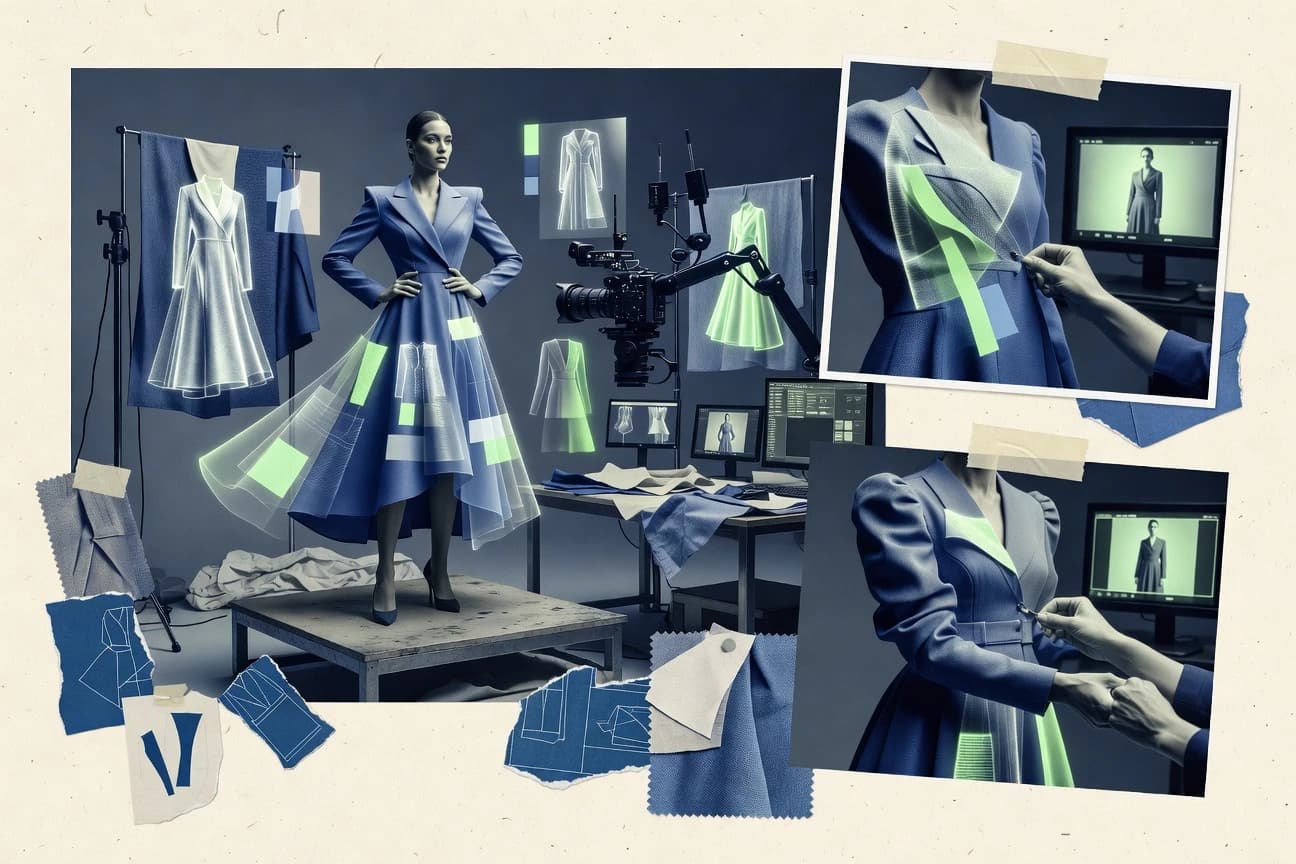
RAWSHOT AI replaces the usual empty text field with a seven-step visible-block photoshoot builder, then lets teams save the exact configuration as a Stack for repeatable treatment across hundreds of garment images.
Built for rAWSHOT AI is best for fashion labels, marketplace sellers and e-commerce teams producing consistent on-model images and short product videos across apparel, footwear and accessory catalogues..
Elai
Editor pickPPTX-to-video workflow with interactive learning elements and API-driven personalization.
Built for fits when teams automate multilingual presenter videos from training decks, scripts, or customer data..
Colossyan
Editor pickMulti-avatar conversation scenes for role-play training videos.
Built for fits when learning teams need multilingual, presenter-led compliance or onboarding videos with reusable templates..
Comparison Table
RAWSHOT AI
Block-based AI fashion photography and short-video platformRAWSHOT AI creates original on-model fashion images and short videos from real garment uploads through a guided, block-based photoshoot workflow.
RAWSHOT AI replaces the usual empty text field with a seven-step visible-block photoshoot builder, then lets teams save the exact configuration as a Stack for repeatable treatment across hundreds of garment images.
RAWSHOT AI organizes a photoshoot into seven guided selection steps, covering the garment, synthetic model, supporting garments, styling, background, photography direction and composition. Its catalogue includes more than 1,800 licence-free synthetic models, plus options for poses, expressions, makeup, framing and lighting. Saved Stacks preserve a repeatable setup across large product collections, while browser and REST API workflows have full feature parity.
For video work, RAWSHOT AI converts completed fashion stills into short sequences with up to three five-second scenes, 14 camera movements and frame-matched model actions. This suits a DTC label building consistent product-launch assets across many SKUs. The tradeoff is a fixed, accuracy-focused visual treatment: teams needing heavily graded or stylised campaign imagery must complete that work in post-production.
- +RAWSHOT AI includes full commercial rights forever, with no recurring licensing on library models.
- +RAWSHOT AI combines saved Stacks, bulk imports and a REST API with the same capabilities as its browser interface.
- –RAWSHOT AI limits video output to three five-second scenes at 720p or 1080p.
- –RAWSHOT AI offers no free-text input, limiting users who need to improvise beyond its available blocks.
DTC fashion labels
Launch a multi-SKU collection
Consistent launch catalogue
Marketplace sellers
Create on-model listing assets
Stronger product presentation
Show 2 more scenarios
On-demand brands
Show unproduced garment designs
Earlier merchandising assets
RAWSHOT AI creates product visuals without requiring physical samples or scheduled casting.
Retail platforms
Automate catalogue image production
Scalable catalogue operations
RAWSHOT AI's API applies the browser workflow to large product batches.
Best for: RAWSHOT AI is best for fashion labels, marketplace sellers and e-commerce teams producing consistent on-model images and short product videos across apparel, footwear and accessory catalogues.
Elai
SMBAI video software produces avatar-led presentations from scripts, documents, and slide content.
PPTX-to-video workflow with interactive learning elements and API-driven personalization.
Elai centers production on scripted, scene-based avatar video synthesis rather than open-ended cinematic generation. Its editor accepts text, uploaded presentations, and web content as starting points, then combines templates, screen recordings, brand assets, narration, and presenter avatars. The API supports programmatic video creation for workflows that assemble videos from customer, learner, or product data. Interactive video options add questions and branching-style engagement to training content.
Elai works well for organizations producing recurring explainers, compliance modules, and localized internal communications. Its visual output favors a studio-presenter format, so teams needing detailed camera control or complex action sequences will need a dedicated generative video product. A custom avatar also requires source capture and review before it can represent an employee or spokesperson.
- +PPTX-to-video conversion turns existing training decks into narrated scenes.
- +Documented API supports personalized video generation from external systems.
- +Interactive video features suit quizzes and learner engagement.
- +Custom avatars preserve a consistent presenter across recurring content.
- –Studio-presenter format offers limited control over cinematic action and camera movement.
- –Custom avatar creation requires approved source footage and review.
- –Presentation-driven workflows can produce repetitive visual pacing without editorial work.
Learning and development teams
Converting compliance decks
Faster compliance module production
Customer success teams
Personalized onboarding videos
More relevant customer onboarding
Show 1 more scenario
Internal communications teams
Localizing leadership updates
Consistent multilingual announcements
Teams can reuse a single script across language versions while retaining the same presenter.
Best for: Fits when teams automate multilingual presenter videos from training decks, scripts, or customer data.
Colossyan
enterpriseAI video software creates training and workplace videos with presenters, scripts, and translated narration.
Multi-avatar conversation scenes for role-play training videos.
Colossyan supports dialogue scenes that place multiple presenters in one training sequence. Authors can control scripts, avatars, layouts, voice language, and scene timing from the editor. Brand kits and shared templates keep onboarding, compliance, and enablement videos aligned across authors. An API supports programmatic rendering for repeatable template-based video workflows.
Presenter-led formats provide less visual range than products built for generated b-roll or controlled camera movement. Colossyan fits a learning team producing a manager-employee role-play in several languages. The product is less suited to agencies producing cinematic advertising sequences.
- +Multi-avatar scenes support role-play and dialogue-based training.
- +SCORM export supports LMS course distribution.
- +API rendering supports repeatable template-based video production.
- +Translation workflows reuse videos across language versions.
- –Presenter-led scenes offer limited cinematic camera and b-roll control.
- –Custom avatar creation requires source footage and approval steps.
- –Assessment options are narrower than dedicated course-authoring products.
Learning and development teams
Build compliance role-play modules
Repeatable training scenarios
HR onboarding teams
Produce new-hire orientation videos
Consistent onboarding content
Show 2 more scenarios
Global enablement teams
Localize product training videos
Broader language coverage
Automatic translation creates language versions without rebuilding each scene manually.
Operations teams
Generate recurring internal updates
Faster recurring communications
The API renders approved template variants from structured operational inputs.
Best for: Fits when learning teams need multilingual, presenter-led compliance or onboarding videos with reusable templates.
Tavus
API-firstAI video software generates personalized presenter videos with cloned voices and reusable digital replicas.
Conversational Video Interface API for live AI agents presented through a custom digital replica.
Tavus focuses AI realistic video generation on digital replicas that deliver personalized recordings or hold live conversations. Its Replica API renders a selected persona from a script and merges customer variables into each output.
Tavus also provides Conversational Video Interface APIs that combine a replica, language-model responses, and voice interaction for real-time sessions. The product fits embedded sales, onboarding, support, and recruiting workflows better than prompt-built cinematic scene production.
- +Replica API supports variable-driven personalized video generation at scale.
- +Conversational Video Interface enables live interactions through a digital replica.
- +Developer APIs cover replica creation, video rendering, and conversation orchestration.
- –Creative control favors presenter videos over multi-shot storyboards and cinematic scenes.
- –Custom replicas require source footage and documented participant consent.
- –Short-form social video workflows receive less focus than customer-facing automation.
Best for: Fits when product teams need API-driven personalized presenter videos or real-time video agents.
HeyGen
SMBAI video software creates presenter videos with realistic avatars, voice cloning, and multilingual speech.
Avatar IV animates a single portrait into a speaking presenter with responsive expressions and hand gestures.
HeyGen creates avatar-led videos from scripts, uploaded media, and localized voice tracks, with Avatar IV animating presenters from a single portrait. Its editor combines stock and custom avatars, scene templates, captions, screen recording, and brand assets.
The Video Translate workflow replaces spoken language in existing recordings while retaining the original speaker’s visual presence and lip synchronization. An API supports programmatic video generation, while enterprise workspaces support SSO, SCIM provisioning, and workspace roles.
- +Avatar IV animates a single portrait with facial expressions and hand gestures.
- +Video Translate localizes existing recordings while retaining the speaker’s visual identity.
- +API supports automated video generation from external applications.
- +Enterprise workspaces support SSO, SCIM provisioning, and workspace roles.
- –Avatar IV offers limited control over individual gestures and body movement.
- –Video Translate requires review for names, jargon, and region-specific phrasing.
- –The editor provides less shot-level camera control than cinematic text-to-video generators.
Best for: Fits when marketing or enablement teams need multilingual presenter videos generated through an editor or API.
VEED AI Video Generator
SMBOnline video software generates narrated videos and adds editing, subtitles, avatars, and voice tools.
Gen-AI Studio combines prompt-generated video drafts with VEED’s timeline editor, captions, stock assets, and screen recorder.
Marketing and social teams that need browser-based, editable video drafts from a script fit VEED AI Video Generator. VEED AI Video Generator combines Gen-AI Studio with a timeline editor, stock media, screen recording, captions, and brand controls in one workspace.
It generates draft scenes, narration, and avatar-led clips, then supports manual clip trimming and subtitle correction. Realistic presenter output suits training and promotional videos, while prompt-generated scenes provide limited direct camera and motion control.
- +Gen-AI Studio creates draft scenes, narration, visuals, and subtitles from prompts.
- +Built-in timeline editor supports clip trimming, branding, and caption correction.
- +AI Avatars support presenter-led training and announcement videos.
- +Screen recording and stock media stay within the same editing workspace.
- –Generated scenes offer limited manual camera movement and shot control.
- –AI avatars can appear less natural than filmed presenters.
Best for: Fits when marketing teams need editable prompt-to-video drafts with captions and branded layouts.
Synthesia
enterpriseBusiness video software produces presenter-led videos with AI avatars and multilingual narration.
AI Screen Recorder turns a narrated browser capture into an editable Synthesia video scene.
Synthesia centers realistic video production on presenter-led scenes rather than open-ended prompt-generated footage. It combines avatar video synthesis with multilingual scripted narration, scene editing, stock media, and MP4 exports.
Synthesia includes AI Screen Recorder for turning narrated browser captures into editable video scenes. Team workspaces support shared brand assets, commenting, role controls, SSO, and API-based video generation for configured enterprise workflows.
- +AI Screen Recorder converts browser demonstrations into editable scenes.
- +Brand Kits keep fonts, colors, and approved assets consistent.
- +Personal Avatars provide a recognizable presenter for recurring communications.
- +API generation supports repeatable video creation from external systems.
- –No prompt-driven cinematic shot generation or granular camera-motion controls.
- –Avatar customization offers less visual control than character-focused generation products.
- –Personal Avatar creation requires recorded footage and identity verification.
Best for: Fits when L&D and enablement teams need consistent presenter videos across languages.
D-ID
API-firstAI video software turns images and scripts into talking-avatar videos with synthetic voices.
D-ID Agents adds interactive digital people that respond in real time through conversational AI.
D-ID focuses realistic video generation on avatar video synthesis rather than prompt-built cinematic scenes. Creative Reality Studio turns scripts and selected avatars into spoken clips with lip synchronization and selectable voices. Its API supports programmatic video creation, while D-ID Agents provides interactive digital people for conversational AI experiences.
- +Creative Reality Studio converts scripts into presenter videos with selectable avatars and voices.
- +API supports automated video generation from application workflows.
- +D-ID Agents supports interactive avatar conversations instead of exported clips alone.
- +Custom avatars can preserve a branded spokesperson's appearance.
- –Creative Reality Studio offers limited shot composition and camera controls.
- –Presenter-led output does not cover cinematic B-roll or multi-scene storytelling.
- –Custom avatar creation depends on source footage meeting capture requirements.
Best for: Fits when teams need multilingual presenter videos and API-driven avatar production.
Pika
creativeGenerative video software turns text and images into short stylized or realistic animated clips.
Pikaffects applies named object transformations, including Inflate, Melt, Crush, and Explode, to generated clips.
Pika turns text prompts and still images into short video clips, then applies object-focused Pikaffects such as Inflate, Melt, Crush, and Explode. Its image-to-video generation creates motion from a reference frame, while Pikaformance drives a portrait or character image with uploaded audio. Pika focuses on rapid single-shot creation and lacks a multi-shot timeline for longer narrative edits.
- +Pikaffects applies Inflate, Melt, Crush, and Explode transformations to source subjects.
- +Pikaformance animates portrait images from uploaded audio tracks.
- +Browser workflow supports rapid creation of short concept clips.
- –Pika lacks a multi-shot timeline for longer narrative sequences.
- –Fine details and object boundaries can distort during Pikaffects transformations.
- –Pikaformance centers on one supplied image and audio track per clip.
Best for: Fits when social creators need short surreal transformations or audio-driven portrait clips from supplied images.
InVideo AI
SMBAI video software converts prompts into edited videos with scripts, stock media, voiceovers, and captions.
Magic Box conversational editor for rewriting scenes, replacing media, and changing voiceovers within an existing draft.
For social marketers producing frequent explainers and ads, InVideo AI converts detailed prompts into scripted, narrated videos with stock clips, generated visuals, and captions. InVideo AI distinguishes itself with the Magic Box editor, which applies conversational requests such as replacing footage, shortening scenes, or changing the voiceover. Its text-to-video workflow prioritizes fast assembly and editable drafts over fine-grained shot controls or recurring character identity.
- +Prompt drafts include scripts, scene selection, voiceover, and captions.
- +Magic Box applies plain-language edits to scenes, media, and narration.
- +Built-in stock media reduces manual asset searching for short marketing videos.
- –Generated sequences often rely on stock footage instead of custom visual continuity.
- –Shot-level camera and motion controls remain limited for cinematic production.
- –No documented public API supports programmatic video-generation workflows.
Best for: Fits when marketing teams need editable prompt-based videos for frequent social and promotional publishing.
Conclusion
After evaluating 10 fashion apparel, RAWSHOT AI stands out as our overall top pick — it scored highest across our combined criteria of features, ease of use, and value, which is why it sits at #1 in the rankings above.
Use the comparison table and detailed reviews above to validate the fit against your own requirements before committing to a tool.
Tools reviewed
Primary sources checked during evaluation.
Referenced in the comparison table and product reviews above.
How to Choose the Right ai realistic video generator
RAWSHOT AI, Elai, Colossyan, Tavus, and HeyGen serve catalog production, training, personalization, and presenter-led communication. VEED AI Video Generator, Synthesia, D-ID, Pika, and InVideo AI cover editable draft creation, screen-recorded tutorials, interactive agents, visual effects, and social publishing.
RAWSHOT AI ranks first through its seven-step photoshoot builder, saved Stacks, bulk imports, and REST API for repeatable product imagery and short videos. Tavus and Elai provide deeper API-driven personalization, while Pika and InVideo AI prioritize short-form visual transformations and conversational draft editing.
What an AI Realistic Video Generator Produces
An AI realistic video generator creates video scenes from text, images, scripts, presentation files, or recorded source material. The category includes photorealistic product clips, speaking digital presenters, narrated training scenes, and editable promotional drafts.
RAWSHOT AI generates consistent fashion and product treatments from visible configuration blocks rather than free-text prompts. HeyGen animates a supplied portrait into a speaking presenter with expressions and hand gestures. Realism depends on the workflow, because presenter systems prioritize speech and identity while product and scene generators prioritize visual treatment and repeatability.
Production Controls That Separate Realistic Video Generators
Realistic video production depends on the source workflow, repeatability controls, and the degree of editing available after generation. RAWSHOT AI, Elai, and Synthesia start from materially different inputs, including product configurations, presentation files, and browser captures.
API access matters for teams that generate videos from customer records, catalogues, or learning systems. Tavus, D-ID, Elai, and RAWSHOT AI connect generation to external workflows, while VEED AI Video Generator and InVideo AI focus on editor-led draft revision.
Repeatable catalogue configuration
RAWSHOT AI uses a seven-step visible-block photoshoot builder and saved Stacks for consistent apparel, footwear, and accessory treatments. InVideo AI uses Magic Box to revise an existing promotional draft through conversational instructions.
Training scene construction and distribution
Elai converts PPTX training decks into narrated scenes and supports API-driven personalization from external records. Colossyan builds multi-avatar role-play scenes and exports SCORM packages for LMS distribution.
Live digital-replica interaction
Tavus provides a Conversational Video Interface API for live agents presented through a custom digital replica. D-ID Agents provides real-time interactive digital people for conversational applications.
Editable production around generated footage
VEED AI Video Generator combines draft generation with a timeline editor, captions, stock assets, and a screen recorder. Synthesia converts browser demonstrations through AI Screen Recorder into editable video scenes and applies Brand Kits.
Portrait animation versus visual effects
HeyGen Avatar IV turns one supplied portrait into a speaking presenter with responsive expressions and hand gestures. Pika applies named Pikaffects such as Inflate, Melt, Crush, and Explode to subjects in short clips.
Match Generation Architecture to the Production Workflow
The first decision is between controlled repeat production and open-ended campaign drafting. RAWSHOT AI constrains creation through selectable photoshoot blocks, while VEED AI Video Generator assembles editable drafts from a prompt.
The second decision is between recorded presenter delivery and interactive application behavior. Elai and Colossyan produce structured training content, while Tavus and D-ID expose APIs for personalized or conversational video experiences.
Choose fixed visual recipes or conversational draft editing
Select RAWSHOT AI for catalogues that require saved Stacks across hundreds of garment images. Select InVideo AI for social drafts that need plain-language changes to media, scenes, and voiceovers.
Choose training documents or role-play dialogue
Select Elai when existing PPTX files must become narrated multilingual lessons. Select Colossyan when compliance and onboarding modules require dialogue between multiple avatars and SCORM delivery.
Choose batch personalization or live conversation
Select Tavus for a custom replica that handles variable-driven videos and live application interactions through its APIs. Select HeyGen for editor- or API-generated multilingual presenter videos without Tavus's live agent interface.
Choose an editing timeline or an editable screen demonstration
Select VEED AI Video Generator for prompt drafts that need clip trimming, caption correction, and branded layouts on a timeline. Select Synthesia for browser demonstrations that must remain editable as presenter-video scenes.
Set the required duration and scene structure
Select Pika for brief transformation clips or audio-driven portrait animation. Avoid RAWSHOT AI for longer narratives because its video output is limited to three five-second scenes.
Teams That Benefit From Specific AI Video Workflows
Fashion labels and marketplace sellers need image treatments that remain consistent across large product catalogues. RAWSHOT AI supports that operating model with bulk imports, saved Stacks, browser controls, and a REST API.
Learning, enablement, and product teams need different production paths because their inputs and delivery channels differ. Elai starts from decks, Colossyan supports course delivery, Synthesia starts from browser capture, and Tavus runs inside applications.
Fashion labels and e-commerce catalogue teams
RAWSHOT AI produces on-model imagery and short product videos for apparel, footwear, and accessories. RAWSHOT AI grants full commercial rights forever for its library models.
Learning and compliance teams
Colossyan creates dialogue-based training scenes with multiple avatars and exports SCORM packages. Elai turns training decks into narrated scenes with interactive learning elements.
Product teams building video into applications
Tavus supports variable-driven presenter videos and live digital-replica interactions through its API surface. D-ID supports automated presenter-video generation from application workflows.
Marketing teams producing editable campaign drafts
VEED AI Video Generator provides timeline editing, caption correction, stock assets, and screen recording around generated drafts. InVideo AI changes existing scenes, selected media, and narration through Magic Box.
Failure Modes in AI Realistic Video Selection
A presenter generator and a cinematic scene generator solve different production problems. Elai, Synthesia, and D-ID center their workflows on presenter-led scenes, while Pika centers its workflow on short visual transformations.
Source approval requirements can determine deployment speed. Tavus, Elai, and Colossyan require source footage and approval processes for custom replicas or avatars.
Expecting a presenter platform to produce multi-shot campaign footage
D-ID Creative Reality Studio does not cover cinematic B-roll or multi-scene storytelling. VEED AI Video Generator creates editable prompt drafts, but its generated scenes provide limited manual camera controls.
Selecting a free-text workflow for a fixed catalogue treatment
RAWSHOT AI does not offer free-text input because its seven-step builder uses available configuration blocks. Teams needing improvised prompt concepts should use InVideo AI or VEED AI Video Generator instead.
Treating generated translation as final copy
HeyGen Video Translate requires review of names, jargon, and regional phrasing. Training teams can use Elai's deck conversion when approved presentation content already supplies the lesson structure.
Planning longer narratives around short-form effects tools
Pika lacks a multi-shot timeline for longer narrative sequences. Pika can also distort fine details and object boundaries during Pikaffects transformations.
How We Selected and Ranked These Tools
We evaluated features at 40% of each ranking, with ease of use and value weighted at 30% each. We compared production inputs, editing controls, API access, automation paths, and limits on scene construction.
We ranked RAWSHOT AI first because its seven-step photoshoot builder, saved Stacks, bulk imports, and REST API support repeatable catalogue production. We also weighed each tool against its stated workflow, including Elai's deck conversion, Tavus's live replica interface, and Pika's short-form effects.
Frequently Asked Questions About ai realistic video generator
How do AI realistic video generators differ from prompt-to-video tools?
Which tools support API-based video generation?
When should a team choose a live AI video agent instead of rendered video?
What breaks if a team uses Pika for a longer training or onboarding video?
Which generator handles fashion product imagery and short catalogue videos?
How do SSO and user provisioning differ across these tools?
Which tools support multilingual localization of existing video?
How can teams move existing training material into an AI video workflow?
Where does prompt-based video assembly fall short for branded campaigns?
- Fashion ApparelTop 10 Best AI Realistic Image Generator of 2026
- Fashion ApparelTop 10 Best AI Story Video Generator of 2026
- Fashion ApparelTop 10 Best AI Baby Girl Model Photo Generator of 2026
- Fashion ApparelTop 10 Best AI People Picture Generator of 2026
- Fashion ApparelTop 10 Best AI Flat Lay Product Photography Generator of 2026
Keep exploring
Comparing two specific tools?
Software Alternatives
See head-to-head software comparisons with feature breakdowns, pricing, and our recommendation for each use case.
Explore software alternatives→In this category
Fashion Apparel alternatives
See side-by-side comparisons of fashion apparel tools and pick the right one for your stack.
Compare fashion apparel tools→