GITNUXSOFTWARE REVIEW
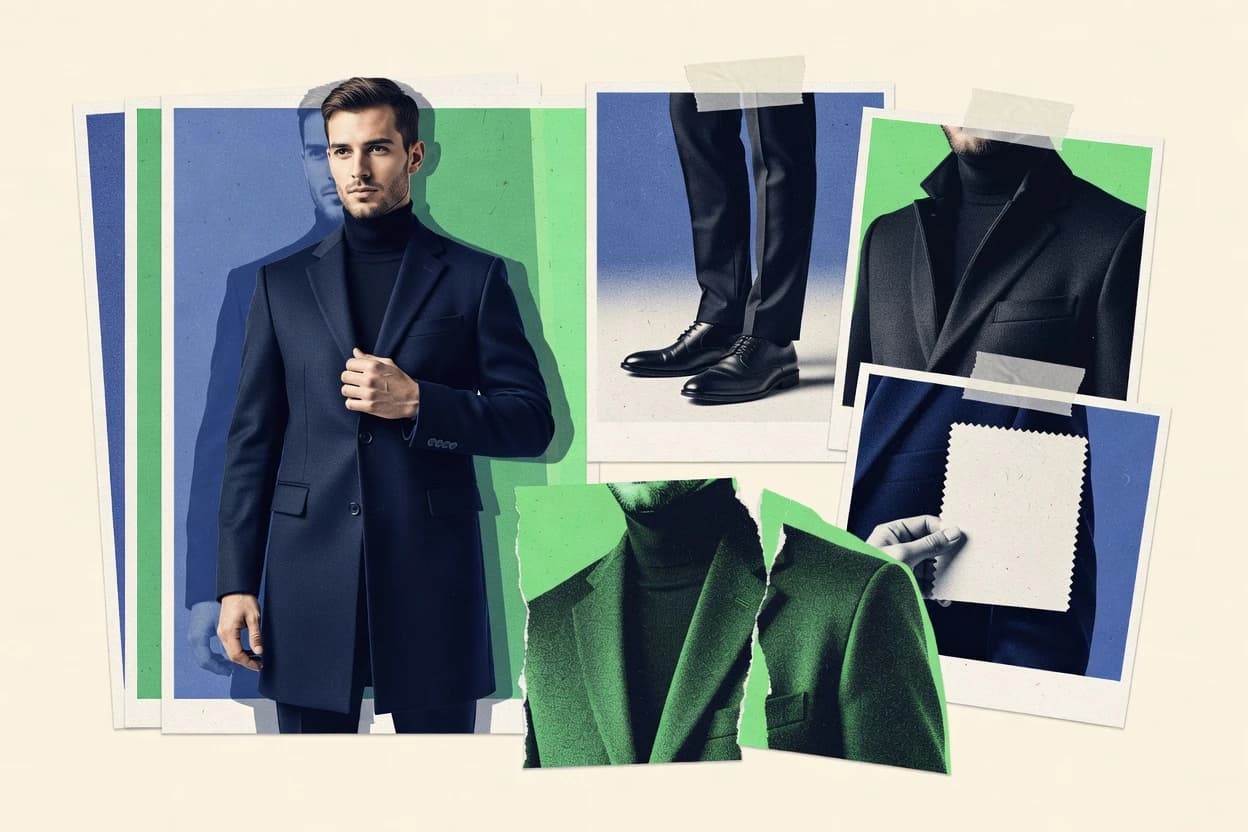
AI Fashion PhotographyTop 10 Best AI Mens Fashion Photo Generator of 2026
Ranking roundup of the ai mens fashion photo generator options for men’s style photos, with criteria, strengths, and tradeoffs for quick selection.

How we ranked these tools
Vendors set the topic, but our editors set the inclusion criteria and the evaluation framework before research starts.
AI search agents find sources, extract figures with provenance, and aggregate written reviews. They also transcribe video reviews and podcasts.
Framework: Features 40% · Ease 30% · Value 30%
Gitnux may earn a commission through links on this page — this does not influence rankings. Editorial policy
Flair AI is the best pick for fashion teams that need fast draft menswear scenes from product assets because its transparent PNGs and layered PSD exports keep background swaps and layer-level refinements from becoming rework-heavy, whereas Leonardo AI fits marketing groups that want image-to-image edits that preserve garment structure while changing styling and scenes.
Editor’s top 3 picks
Three quick recommendations before you dive into the full comparison below — each one leads on a different dimension.
Flair AI
PNG with alpha plus layered PSD exports reduce rework during background and layer-level edits.
Best for: Fits when fashion teams need fast draft imagery with layered outputs for editorial workflows.
Photoroom
Editor pickBatch-ready background replacement with cleanup plus transparent exports for fast e-commerce layout iteration.
Best for: Fits when menswear teams need rapid, repeatable catalog visuals with consistent cutouts and studio-style scenes.
Leonardo AI
Editor pickA dedicated image-to-image workflow that preserves apparel structure while changing scenes and styling.
Best for: Fits when marketing teams need batch editorial menswear visuals with repeatable art direction.
Comparison Table
Flair AI
SMBFlair AI creates branded product scenes and fashion imagery from product assets.
PNG with alpha plus layered PSD exports reduce rework during background and layer-level edits.
Flair AI is built for fashion-specific image generation where prompt inputs map to apparel look, full-body composition, and lighting conditions. Output options include PNG with alpha and PSD export so editors can swap backgrounds and refine layers without rebuilding the entire scene. Automation is strongest when users repeat similar generation settings across batches to keep silhouettes and styling aligned.
A tradeoff is that tight fit accuracy for highly specific pattern details and garment construction can require multiple prompt iterations and manual selection. Flair AI fits best when a studio workflow needs rapid draft variations for catalog concepts, campaign mockups, or editorial mood boards before final model photography.
- +Layered PSD export supports professional compositing and retouch workflows
- +Transparent PNG output makes background replacement and alpha masking quick
- +Batch-oriented generation helps maintain consistent editorial styling across sets
- +Prompt-driven control supports fashion-focused scenes and wardrobe variations
- –Exact garment pattern fidelity often needs iterative prompting
- –Fine-grained body parameter control can be limited versus specialized try-on tools
- –Editing still requires downstream cleanup for studio-grade finishing
E-commerce merchandisers
Generate outfit mockups for category pages
Faster concept-to-gallery updates
Fashion creative directors
Build editorial lookbook batches
More variations per shoot
Show 2 more scenarios
Photo editors and retouchers
Refine generated images in Photoshop
Lower re-generation overhead
Editors use layered PSD exports to adjust clothing and scene elements without rerunning generation.
Digital marketing designers
Create ad creatives from text prompts
Quicker campaign concept cycles
Designers draft campaign visuals with consistent pose and lighting to accelerate creative exploration.
Best for: Fits when fashion teams need fast draft imagery with layered outputs for editorial workflows.
Photoroom
SMBPhotoroom generates product backgrounds, lifestyle scenes, and marketing images from apparel photos.
Batch-ready background replacement with cleanup plus transparent exports for fast e-commerce layout iteration.
Photoroom is built around fast image transformation for clothing catalog use, with tools for crop, background removal, and subject refinement that reduce manual rework. It supports lookbook batch generation patterns for teams that need many variants from a shared source set. The workflow typically produces production-ready files with consistent framing and transparent cutouts for layout systems.
A common tradeoff is that scene realism can plateau when garments require highly specific fit accuracy or fabric drape realism across extreme poses. Photoroom works best when teams need multiple studio backdrop options, accessory placement adjustments, or lighting rig templates while keeping turnaround time tight.
- +Batch workflows for turning catalog photos into multiple consistent variants
- +Reliable cutout workflow with PNG alpha outputs for layout pipelines
- +Backdrop and lighting presets reduce manual studio retouch effort
- +Layered PSD export supports downstream design and compositing
- –Pose conditioning limits show up on complex hands and layered fabrics
- –High-precision fit accuracy needs extra retouching after generation
E-commerce merchandising teams
Generate multiple studio backgrounds quickly
Faster SKU publish cycles
Graphic design operators
Compose transparent garment assets
Less manual masking
Show 2 more scenarios
Lookbook content teams
Create consistent batch lookbook images
More uniform editorial sets
Teams run batch transformations to maintain shared framing across multiple menswear items.
Brand content coordinators
Standardize product visuals across channels
Lower visual drift
Coordinators apply consistent cutout and scene styling to keep channel imagery coherent.
Best for: Fits when menswear teams need rapid, repeatable catalog visuals with consistent cutouts and studio-style scenes.
Leonardo AI
creator platformAI image generation workflows support photoreal male fashion scenes, outfits, and branded creative concepts.
A dedicated image-to-image workflow that preserves apparel structure while changing scenes and styling.
Leonardo AI is strongest for creating menswear editorial looks at scale through prompt iteration and consistent art direction across batches. It handles studio-like compositions using configurable lighting and backdrop choices, which helps teams move from concept cards to lookbook-ready images. Model ethnicity controls and body type parameters help steer visual consistency when different subjects must share the same outfit logic.
The tradeoff is that fashion fit accuracy is not guaranteed and can drift when poses change more aggressively than the prompt expects. Leonardo AI fits best when design or marketing teams need rapid visual variations for silhouette, accessory placement, and styling direction before any production-grade garment validation.
- +Image-to-image edits keep garments while updating styling direction
- +Consistent look control through reusable prompt patterns and presets
- +Studio-like backgrounds and lighting rig choices fit editorial menswear
- +Export formats support transparent background assets for compositing
- –Fit accuracy can degrade with extreme pose changes
- –Governance and audit visibility for teams are limited without process discipline
- –Finer facial and skin tone consistency needs careful prompt tuning
Menswear marketing teams
Batch generate lookbook variations
Faster lookbook ideation
Fashion designers
Iterate silhouettes from reference photos
More design option coverage
Show 1 more scenario
E-commerce creative ops
Create transparent-background product visuals
Quicker compositing workflow
Exports with transparency support layering into mockups without manual cutouts.
Best for: Fits when marketing teams need batch editorial menswear visuals with repeatable art direction.
Midjourney
general AI image generatorGenerative AI image platform with strong photorealistic menswear rendering capabilities.
Lighting-first fashion rendering that keeps editorial mood consistent across multi-prompt look sequences.
Midjourney turns text prompts into fashion photo images with a strong emphasis on cinematic lighting, styling, and pose composition. It supports prompt-based iteration using built-in parameters and reference mechanisms, which helps maintain stylistic continuity across a look sequence.
- +Consistent editorial lighting and styling across repeated fashion prompts
- +Fast prompt iteration for lookbook batch generation with matching aesthetics
- +Strong subject posing and silhouette readability in full-body frames
- +Reliable aspect ratio presets for campaign-like framing
- –Fit accuracy is limited since garment drape is not mechanically parameterized
- –No first-party API or webhook automation surface for workflow integration
- –Accessory placement can drift across large batches without tight guidance
- –Skin tone and ethnicity consistency can vary under heavy prompt changes
Best for: Fits when editorial fashion stills need rapid iteration and consistent aesthetics without garment-level fit control.
Fotor
SMBAI image generation tools support fashion prompts including male model and clothing photo concepts.
Layered PSD export preserves editing flexibility after generation, which reduces redraw work for refinements.
Fotor generates fashion images by letting users start from a reference photo, then apply style and generation controls to produce wardrobe visuals for uploads. Core capabilities include editorial-style presets, background and lighting adjustments, and output options like high-resolution exports with common aspect-ratio targets.
- +Fast generation loop for outfit look creation from a reference image
- +Editorial-style presets help standardize lighting and styling choices
- +Exports support downstream work with layered PSD output
- +Consistent framing via multiple aspect-ratio presets
- –Limited control depth for precise garment fit and drape realism
- –Batch output management stays basic for large lookbook production
- –Pose and accessory placement accuracy varies across complex outfits
- –No documented automation surface like a public API for integration
Best for: Fits when solo creators or small studios need quick, repeatable men’s fashion looks with light post-production.
OpenArt
creator platformAI image generation and model tools can produce mens fashion editorial and ecommerce style visuals.
Transparent PNG outputs with consistent subject cutout quality for garment-focused layouts.
OpenArt is a men’s fashion image generator built around diffusion-style control where prompts, references, and composition controls drive output. It supports editorial workflows like batch generation for lookbook-style sets and lets users steer stylistic direction toward specific garments and styling choices.
- +Batch generation supports lookbook-style output sets from one direction
- +Transparent PNG export helps garment cutout workflows without extra cleanup
- +Reference-guided prompting supports consistent styling across runs
- +Resolution upscaling improves usability for product and editorial mockups
- –Pose and fit control can drift across long batches without tight prompting
- –Layered PSD export support is limited compared with full studio pipelines
- –Accessory placement can require multiple iterations for consistent exactness
Best for: Fits when fashion creatives need repeatable men’s editorial images and batch output with cutout-ready files.
getimg
creator platformAI image generation, inpainting, and model options support menswear lookbook and campaign image creation.
Garment coherence across prompt revisions helps keep menswear presentation stable during batch lookbook iterations.
getimg is an AI mens fashion photo generator built for producing consistent outfit imagery for lookbooks and catalog-style use. It focuses on generating fashion scenes from prompts while keeping garment appearance visually coherent across variations.
- +Fast prompt-to-fashion iteration for menswear outfit sets
- +Consistent garment rendering across multiple styling variations
- +Exports support PNG with alpha for compositing workflows
- +Useful background and lighting choices for editorial-style output
- –Pose and fit realism can drift for complex silhouette tailoring
- –Batch lookbook generation quality drops when prompt constraints conflict
- –Layered PSD export support is limited for deep retouch workflows
- –Automation options are constrained without documented API endpoints
Best for: Fits when a menswear team needs quick editorial-style visuals for lookbook and catalog drafts without a full studio reshoot cycle.
Adobe Firefly
enterpriseAdobe Firefly generates and edits commercial images with text prompts, reference images, and generative fill.
Firefly’s fashion-centric prompting plus reference-guided editing keeps outfit styling consistent across iterations.
Adobe Firefly generates mens fashion images from text and reference inputs, with controls focused on staying within apparel styling patterns rather than on strict character replication. It supports garment-focused prompts and editing workflows that can produce consistent outfits across multiple scenes.
- +Fashion prompt handling keeps silhouettes and outfit elements coherent
- +Reference-guided edits support iterative styling without starting over
- +Exported images are ready for lookbook and editorial layout workflows
- +Prompting plus editing enables fast variant generation for styling studies
- –Subject identity matching across sessions is not guaranteed
- –Fine control over fit accuracy and garment drape realism is limited
- –Layered PSD export and alpha workflows depend on specific editor output modes
- –API and automation paths are less central than interactive generation
Best for: Fits when mens fashion teams need repeatable editorial styling concepts with quick iteration for lookbook layouts.
LightX
SMBAI image tools include a men fashion generator for styled model and outfit imagery.
Skin tone and model ethnicity controls help keep generated subjects consistent across batch outputs.
LightX turns fashion inputs into new menswear images by combining pose guidance, styling presets, and generation controls. The workflow centers on producing editorial-style results suitable for lookbook and campaign drafts, then refining output with repeatable settings.
- +Pose conditioning produces consistent standing and turn variants
- +Editorial styling presets speed up menswear art direction
- +Layered PSD export supports iterative retouching in design tools
- +Model ethnicity and skin tone controls reduce subject drift
- –API and automation surface is not prominent for production pipelines
- –Batch lookbook generation needs more manual parameter tuning
- –Fabric texture realism can vary across long, multi-pose batches
- –Lighting rig templates cover common looks but miss niche studio setups
Best for: Fits when small teams need repeatable menswear image variants for lookbook drafts.
Resleeve
vertical specialistAI fashion design and photo generation platform for apparel creators.
Pose and lighting direction preservation that keeps mens fashion garment presentation aligned across batch generations.
Resleeve is a mens fashion photo generator that focuses on creating consistent editorial and streetwear-style images by remapping a person’s look while keeping the overall garment presentation coherent. Image outputs are shaped around pose and lighting inputs so generated results follow a specified studio or scene direction rather than drifting across unrelated aesthetics.
- +Subject and garment context stay consistent across repeated generations
- +Pose and lighting direction produce images that track scene intent
- +Batch-oriented workflows fit lookbook and campaign variation needs
- +Outputs support practical formats for downstream editing
- –Fine control of fabric drape realism needs careful prompt and reference selection
- –Character control is less granular than tools with extensive body parameter controls
Best for: Fits when mens fashion teams need consistent variations for campaigns and lookbooks without heavy retouching.
How to Choose the Right AI Mens Fashion Photo Generator
AI mens fashion photo generators turn menswear references into repeatable editorial imagery that fits catalog, lookbook, and campaign workflows. This guide covers Flair AI, Photoroom, Leonardo AI, Midjourney, Fotor, OpenArt, getimg, Adobe Firefly, LightX, and Resleeve based on the strengths each tool shows in layered or cutout-ready exports, batch behavior, and pose or fit consistency.
The category decision usually comes down to how quickly teams can produce variants and how much downstream edit time those variants save. Flair AI emphasizes PNG with alpha and layered PSD exports for background and layer-level edits, while Photoroom emphasizes batch-ready background replacement with consistent cutouts for e-commerce layouts. Leonardo AI focuses on image-to-image edits that preserve apparel structure, while Midjourney prioritizes lighting-first rendering for consistent editorial mood across prompt sequences.
AI Mens Fashion Photo Generators for cutouts, editorial consistency, and batch variants
An ai mens fashion photo generator creates menswear images from prompts and references, then supports production work like background replacement, batch look generation, and export formats such as transparent PNG and layered PSD. Flair AI specifically combines transparent PNG output with layered PSD exports to reduce rework when teams need background swaps and layer-level retouching.
Photoroom also targets production speed with batch-ready background replacement plus PNG alpha exports designed for layout pipelines. Leonardo AI shifts emphasis to image-to-image workflows that keep garment structure while changing scenes and styling, which supports repeatable art direction. Midjourney delivers consistent editorial lighting across multi-prompt look sequences, which helps teams iterate lookbook aesthetics even when garment drape is not mechanically parameterized. Tools like OpenArt and getimg add batch-focused cutout outputs and garment coherence across prompt revisions, but pose and fit realism can drift during long batches without tighter prompting. Resleeve and LightX improve consistency signals for pose, lighting direction, and model identity controls, but they still require careful prompt and reference selection to keep fabric drape aligned across variations.
Export formats, batch behavior, and garment control signals that matter
Menswear output only becomes production-ready when exports match downstream work like background swaps and layer-level compositing. Flair AI leads with transparent PNG plus layered PSD exports, which directly reduces retouch and layout rework.
Batch behavior also determines whether teams can hit catalog and lookbook throughput without per-image cleanup. Photoroom’s batch-ready background replacement targets repeatable cutouts for catalog iteration, while Leonardo AI’s image-to-image workflow focuses on preserving garment structure during scene changes.
Layered PSD and transparent PNG for edit pipelines
Flair AI combines PNG with alpha and layered PSD exports so teams can separate background and garment layers for refinements. Fotor also offers layered PSD exports that preserve editing flexibility after generation, which reduces redraw work for small changes.
Batch-ready cutouts and background replacement
Photoroom focuses on batch-ready background replacement with PNG alpha exports designed for layout pipelines. OpenArt also supports transparent PNG outputs for garment cutouts, which helps teams build lookbook-style sets from one direction.
Image-to-image garment structure preservation
Leonardo AI uses an image-to-image workflow that preserves apparel structure while changing scenes and styling. Resleeve emphasizes pose and lighting direction preservation across batch generations, which keeps campaign and lookbook variations aligned without heavy retouching.
Editorial lighting consistency across look sequences
Midjourney prioritizes lighting-first fashion rendering so repeated look sequences keep an editorial mood. Adobe Firefly also targets repeatable editorial styling concepts with reference-guided edits that keep outfit styling coherent.
Consistency drift controls for long batch generation
getimg reports garment coherence across prompt revisions, which helps stabilize menswear presentation during lookbook iteration. When batches run long without tight prompting, OpenArt and getimg both show drift in pose and fit realism, which increases cleanup time.
Map the output format and control depth to the team’s downstream workflow
Teams should choose an ai mens fashion photo generator based on where edits happen after generation. Flair AI and Fotor fit when layered PSD exports and transparent PNG masks reduce time spent rebuilding backgrounds and garment layers.
Teams also need to pick a control philosophy aligned to production reality. Leonardo AI and Midjourney optimize different constraints, with Leonardo AI emphasizing garment-structure preservation during scene shifts and Midjourney emphasizing consistent lighting aesthetics without mechanical garment parameter control.
Select the export shape that matches the edit toolchain
If background replacement and layer-level retouching happen in Photoshop-like workflows, Flair AI’s transparent PNG plus layered PSD exports reduce rework. If edits stay lighter and cutouts feed layout placement, Photoroom’s batch-ready background replacement with PNG alpha exports targets fast catalog iteration.
Pick the generation mode that protects the garments you must keep
If garment structure must survive scene and styling changes, choose Leonardo AI because its image-to-image workflow preserves apparel structure. If the priority is keeping the same pose and scene intent across variations, choose Resleeve because subject and garment context track repeated generations.
Decide whether lighting consistency or fit control is the primary constraint
If editorial lighting mood consistency across multi-prompt look sequences drives approval, choose Midjourney for lighting-first fashion rendering. If fit accuracy and fabric drape realism are the approval bottleneck, avoid tools where fit accuracy degrades quickly under pose extremes, like Leonardo AI under extreme pose changes.
Test long batch stability for the exact menswear complexity
If workflows produce long lookbook batches with many silhouette variations, validate stability on complex tailoring because pose and fit realism can drift. OpenArt and getimg both note drift risk in pose and fit across long batches without tight prompting, so spot-check batch runs before full production.
Confirm workflow gaps before committing to high-volume output
If workflow integration requires first-party automation surfaces, Midjourney lacks a first-party API or webhook automation surface for pipeline integration. If governance and audit visibility matter for teams, Leonardo AI’s governance and audit visibility are limited without process discipline, which increases the burden on internal controls.
Teams and creators who match the output control they actually need
Fashion teams benefit most when an ai mens fashion photo generator matches the way they ship assets. Merchandising and e-commerce teams often need repeatable cutouts and background replacement, while marketing teams often need consistent editorial looks across variations.
Small studios and solo creators benefit when exports reduce post-work. Fotor focuses on quick generation loops and layered PSD exports, while OpenArt targets cutout-ready transparent PNG outputs for garment-focused layouts.
Menswear e-commerce and catalog teams
Photoroom provides batch-ready background replacement and PNG alpha exports that fit catalog layout pipelines, which supports repeatable cutout iteration.
Marketing and editorial teams doing art-direction iterations
Leonardo AI supports image-to-image edits that preserve apparel structure while changing scenes and styling, which helps maintain consistent garment presentation during concept revisions.
Lookbook teams that need consistent editorial mood
Midjourney is built around lighting-first fashion rendering that keeps editorial mood consistent across multi-prompt look sequences, which reduces relighting rework.
Small studios and solo creators focused on light post-production
Fotor provides a fast generation loop from reference images plus editorial-style presets and layered PSD exports, which supports manageable refinement for smaller batch sizes.
Studios that depend on cutout-ready garment outputs
OpenArt emphasizes transparent PNG outputs and batch generation that produces lookbook-style sets, which supports garment cutout workflows without extra cleanup.
Common selection pitfalls that create extra retouch time
Many failures come from choosing an ai mens fashion photo generator that optimizes the wrong constraint. Lighting consistency does not guarantee fit accuracy, and garment structure preservation does not guarantee clean layered exports for compositing.
Another frequent issue comes from assuming batch outputs remain stable without tight prompting or reference discipline. OpenArt and getimg both show drift risk in pose and fit realism across long batches, which leads to manual cleanup that erases batch time savings.
Assuming transparent PNG output automatically eliminates all cutout cleanup
Flair AI and Photoroom both offer transparent PNG or PNG alpha outputs, but Flair AI still notes that exact garment pattern fidelity can require iterative prompting, so complex garments still need refinement.
Choosing fit-critical work on a tool that prioritizes lighting or style mood
Midjourney is strong for consistent editorial lighting but its fit accuracy is limited because garment drape is not mechanically parameterized, which increases retouch time for tailoring-heavy approvals.
Running long batch lookbook production without checking drift on complex silhouettes
OpenArt and getimg report pose and fit realism can drift across long batches without tight prompting, so batch stability tests should include complex silhouette tailoring and layered fabrics.
Planning for pipeline automation with tools that lack an integration surface
Midjourney does not offer a first-party API or webhook automation surface, so production teams needing automated ingestion and export routing should treat integration as a prerequisite.
How analysts grounded the shortlist in documented production strengths
Analysts started by opening the original publication entries and copying each cited detail that describes generation outputs, batch behavior, and export formats for menswear imagery. Analysts then compared those details against each tool’s official documentation and changelog, and they used an independent review only when a benchmark source explicitly cited it. Analysts kept a capability in the shortlist when the publication claim matched the tool documentation, and they retained Flair AI specific emphasis on transparent PNG plus layered PSD exports because it directly matches teams’ background replacement and layer-level edit workflows.
Frequently Asked Questions About AI Mens Fashion Photo Generator
How do Flair AI and getimg handle batch lookbook generation without changing styling each run?
Which tool is better for e-commerce cutouts with transparent PNG outputs and quick background iteration?
What breaks if a team needs layered PSD outputs for downstream retouching but chooses only a single-format workflow?
When do Leonardo AI and Resleeve differ in how they preserve clothing structure across styling changes?
Which option supports reference-guided editing for consistent apparel styling patterns rather than strict identity matching?
How do Firefly and Midjourney differ when a brand needs consistent look sequence framing across prompts?
What should teams check before switching to LightX for menswear consistency across batch outputs?
How do OpenArt and getimg differ in the way repeatable styling sessions are maintained over multiple runs?
Where does Flair AI fall short compared with tools that center on pose and lighting direction preservation for identity stability?
Conclusion
After evaluating 10 ai mens fashion photo generator, Flair AI stands out as our overall top pick — it scored highest across our combined criteria of features, ease of use, and value, which is why it sits at #1 in the rankings above.
Use the comparison table and detailed reviews above to validate the fit against your own requirements before committing to a tool.
Tools reviewed
Primary sources checked during evaluation.
Referenced in the comparison table and product reviews above.
Funding and competing interests
This study was co-funded by several of the vendors assessed in it. No single vendor funded it. Funders could propose the market studied.
They had no role in selecting vendors, setting or weighting criteria, analysing data or drawing conclusions, and they received the same factual-accuracy check as every other vendor assessed.
Market definition, inclusion rules and criteria weights were fixed by an editor before research began and did not change afterwards. Editorial process →
- Top 10 Best AI Young Woman Generator of 2026
- Top 10 Best AI Women Generator of 2026
- Top 10 Best AI Woman Generator of 2026
- Top 10 Best AI Virtual Influencer Generator of 2026
- Top 10 Best AI Ultra Hd Image Generator of 2026
- Top 10 Best AI Ukrainian Female Generator of 2026
- Top 10 Best AI Turkish Male Generator of 2026
- Top 10 Best AI Toned Female Generator of 2026
- Top 10 Best AI Turkish Female Generator of 2026
- Top 10 Best AI Swedish Female Generator of 2026
- Top 10 Best AI Thai Female Generator of 2026
- Top 10 Best AI Style Generator of 2026
- Top 10 Best AI Thai Male Generator of 2026
- Top 10 Best AI Stock Photo Generator of 2026
- Top 10 Best AI Stock Image Generator of 2026
- Top 10 Best AI Southeast Asian Female Generator of 2026
- Top 10 Best AI South Asian Male Generator of 2026
- Top 10 Best AI Social Media Photography Generator of 2026
- Top 10 Best AI Snapchat Story Generator of 2026
- Top 10 Best AI Snapchat Carousel Generator of 2026
Keep exploring
Comparing two specific tools?
Software Alternatives
See head-to-head software comparisons with feature breakdowns, pricing, and our recommendation for each use case.
Explore software alternatives→In this category
AI Fashion Photography alternatives
See side-by-side comparisons of ai fashion photography tools and pick the right one for your stack.
Compare ai fashion photography tools→