
GITNUXSOFTWARE ADVICE
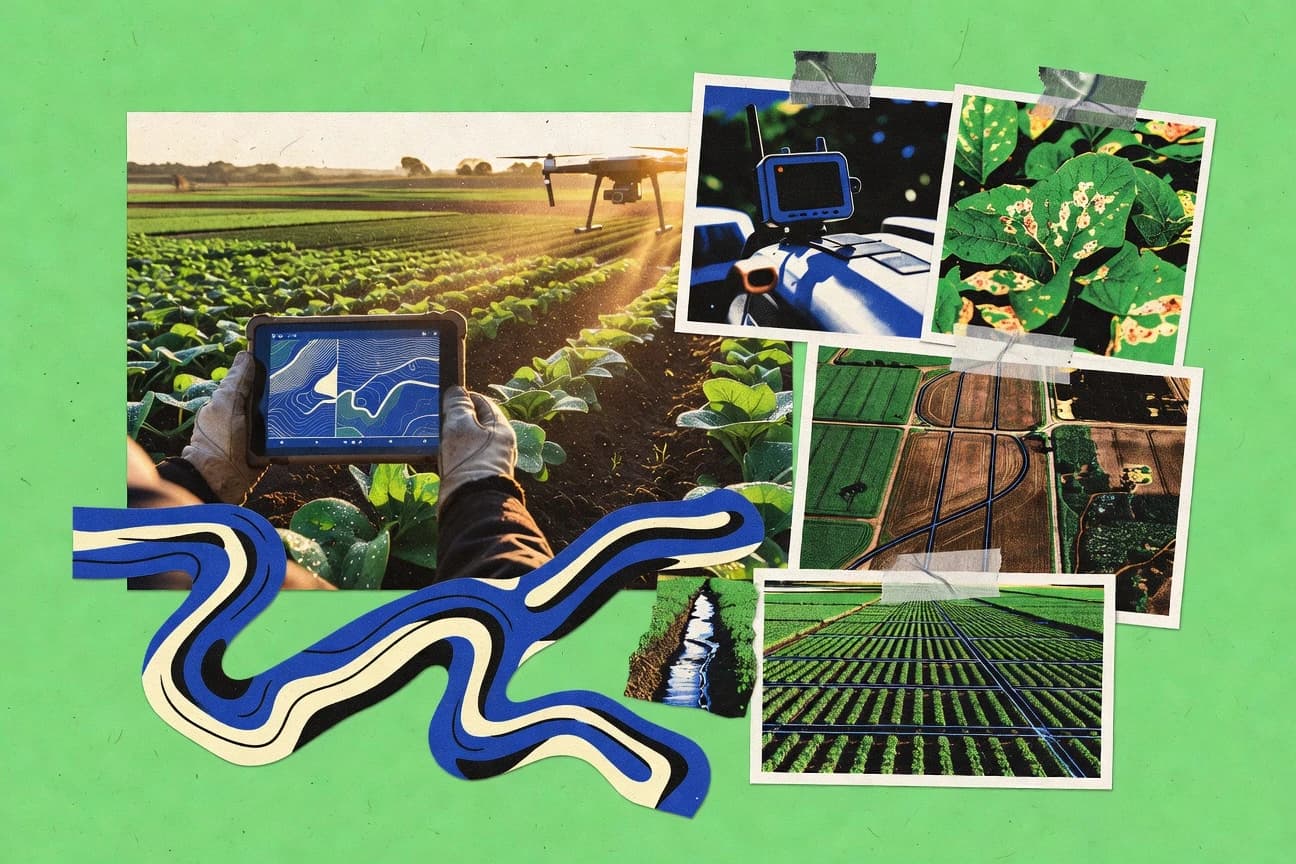
Agriculture FarmingTop 10 Best Agricultural Mapping Software of 2026
Ranking criteria for agricultural mapping software tools, including ArcGIS, Google Earth Engine, QGIS, plus FarmERP, Sentera FieldAgent, and AgriWebb.

How we ranked these tools
Before any source is gathered, an editor locks the question, what qualifies, and how the piece will be judged.
Search agents gather the source set and the review record, including transcriptions of video reviews and podcasts.
Framework: Features 40% · Ease 30% · Value 30%
Gitnux may earn a commission through links on this page — this does not influence rankings. Editorial policy
FarmERP is the strongest fit when you need repeatable, boundary-driven mapping tied to agronomy review and consistent as-applied outputs, whereas Sentera FieldAgent is the better choice for scouting teams that want offline capture and then rapid crop-health review in a spatial workflow.
Editor’s top 3 picks
Three quick recommendations before you dive into the full comparison below — each one leads on a different dimension.
FarmERP
Boundary drawing tied to agronomy tasks that produce as-applied map outputs from the same zone definitions.
Best for: Fits when farms need repeatable boundary-driven mapping workflows for agronomy review and as-applied outputs.
Sentera FieldAgent
Editor pickOffline field mode that preserves georeferenced scouting notes for later sync and review.
Best for: Fits when scouting teams need offline capture plus agronomist review in a repeatable spatial workflow.
AgriWebb
Editor pickOperational boundary and zone management ties agronomy and harvest layers to daily farm records in one workflow.
Best for: Fits when farm teams need boundary-based mapping linked to routine field operations, not deep GIS authoring.
Comparison Table
FarmERP
enterpriseAgribusiness software with GIS-based farm mapping, traceability, and operational management.
Boundary drawing tied to agronomy tasks that produce as-applied map outputs from the same zone definitions.
FarmERP’s mapping workflows start with boundary and zone setup, then connect those geometries to field operations and agronomy records. NDVI layering and imagery ingestion work as visual context on top of the operational boundary set, which reduces the gap between field work and map interpretation. The platform also supports as-applied map outputs that match how crews and agronomists think about field-level execution.
A tradeoff appears in advanced spatial analysis and deep geoprocessing, since FarmERP emphasizes operational mapping and workflow linkage rather than GIS-grade modeling. It fits best when field teams must keep boundaries consistent across seasons and when agronomists need faster review cycles tied to recorded operations. Teams that require heavy manipulation of GeoTIFF stacks or complex raster analytics may still need ArcGIS or QGIS for the analysis stage.
- +Boundary-first workflow keeps zone definitions consistent across operations
- +NDVI layering provides quick visual context for agronomist review
- +As-applied mapping outputs match recorded field execution
- +Workflow linkage reduces manual redraw work between crews
- –Advanced GIS geoprocessing depth trails ArcGIS and QGIS
- –Raster manipulation is lighter than full GIS toolchains
- –Offline field mode coverage may be limited for complex capture flows
- –More governance discipline is required to prevent boundary drift across teams
Agronomist dashboards teams
Review NDVI layers by field zones
Faster field-level decisions
Farm operations managers
Generate as-applied maps from executed tasks
Reduced manual mapping work
Show 2 more scenarios
Regional farm managers
Standardize boundary and zone setup
Less boundary mismatch
Central boundary definitions help multiple crews follow the same zoning for each field.
Precision ag coordinators
Layer imagery context over operations
Improved scouting follow-through
Imagery context layers help validate scouting and operational outcomes on the same field geometry.
Best for: Fits when farms need repeatable boundary-driven mapping workflows for agronomy review and as-applied outputs.
Sentera FieldAgent
vertical specialistField imagery analytics platform for crop health maps, stand assessment, and issue detection.
Offline field mode that preserves georeferenced scouting notes for later sync and review.
FieldAgent centers on field observation collection and annotation tied to georeferenced assets, which makes it more workflow-shaped than general-purpose GIS editors. It supports boundary drawing and zone management for organizing fields, then links scouting waypoints and media to those spatial objects for agronomist feedback. Integration depth tends to matter most here, because the workflow value depends on how well observations connect to agronomy processes and downstream mapping.
A tradeoff is limited flexibility compared with QGIS when workflows require custom geoprocessing chains or advanced raster editing. Sentera FieldAgent is a strong fit when agronomy teams need consistent field notes, repeatable boundary usage, and rapid return-to-field updates after review.
- +Offline-friendly field capture reduces disruption when coverage is inconsistent
- +Boundary drawing and zone organization keep scouting observations spatially consistent
- +Media tied to geolocation supports faster agronomist review cycles
- +Workflow reuse helps teams repeat collection rounds across farms
- –Advanced GIS editing and geoprocessing are thinner than QGIS
- –Integration requirements can constrain automation if downstream systems lack connectors
- –Large-scale raster analytics workflows are not the core focus
- –Admin governance controls can feel lighter than enterprise GIS deployments
Agronomy teams
Review scouting media on field boundaries
Faster corrective actions
Field scouts
Capture points in low-connectivity areas
Less missed field data
Show 2 more scenarios
Farm managers
Standardize recurring monitoring zones
Cleaner multi-round comparisons
Managers reuse boundaries to keep multi-round scouting aligned to the same field partitions.
GIS coordinators
Coordinate field boundaries with collection workflows
Lower rework between teams
Coordinators manage how observations attach to geospatial objects for consistent agronomy handoffs.
Best for: Fits when scouting teams need offline capture plus agronomist review in a repeatable spatial workflow.
AgriWebb
SMBFarm management software with mapping tools for paddocks, assets, livestock, and operational records.
Operational boundary and zone management ties agronomy and harvest layers to daily farm records in one workflow.
AgriWebb centers around a farm-record workflow where field boundaries drive downstream views for scouting, agronomy notes, and operational tracking. Boundary drawing and zone management are used as the core unit for grouping activities and outputs, which reduces the handoffs that occur in tools that treat mapping as a separate task. Harvest data layering ties results back to spatial areas so multi-season comparisons and as-applied style reviews can happen inside the same working environment.
A key tradeoff is that the mapping experience is structured around farm operations rather than a full GIS editing stack like QGIS or an analyst-first engine like ArcGIS. AgriWebb fits best when a team needs accurate boundary-driven workflows and repeatable agronomy review, while deep custom geoprocessing and extensive GIS publishing controls are not the primary objective.
- +Boundary-driven workflow keeps records aligned to zones
- +Harvest data layering supports fast spatial review of outputs
- +NDVI layering supports routine vegetation checks over time
- +Operational context reduces extra GIS project handoffs
- –GIS authoring depth lags ArcGIS and QGIS for complex editing
- –Advanced mapping publishing controls can be limited for heavy governance
- –High-volume imagery processing needs workflow planning to avoid bottlenecks
- –Some precision-ag integrations may require external data preparation
Farm managers
Run paddock reviews by zone
Faster field-to-result analysis
Agronomists
Review NDVI trends across fields
Targeted scouting priorities
Show 2 more scenarios
Crop consultants
Maintain repeatable as-applied map context
More consistent recommendations
Harvest data layering and boundary zones support consistent multi-season reviews.
Data and operations admins
Standardize field geometry across teams
Lower mapping rework
Boundary drawing and zone management create a shared spatial reference for farm activities.
Best for: Fits when farm teams need boundary-based mapping linked to routine field operations, not deep GIS authoring.
Farmbrite
SMBFarm management software with land maps, field records, livestock tracking, and production planning.
Farmbrite’s boundary-linked scouting workflow keeps annotations tied to farm zones for multi-session agronomy programs.
Farmbrite is an agricultural mapping solution built for field-level collaboration and annotation, with workflows centered on growers and agronomists. The system supports boundary drawing and zone management so teams can structure tasks against specific areas of a farm.
It also supports image and map layering workflows used for crop scouting and as-applied map review. Farmbrite’s differentiation is how it ties location-based work to repeatable field cycles rather than treating maps as a one-off export artifact.
- +Boundary drawing and zone management align directly with field task workflows
- +Image and map layering supports practical scouting review cycles
- +Field collaboration reduces back-and-forth between agronomists and growers
- +Repeatable location-based workflows fit recurring agronomy programs
- –Shapefile import and GeoTIFF handling are not as extensive as GIS-first tools
- –Precision ag integrations like yield monitor and machinery telemetry are limited
- –Complex geoprocessing needs move toward ArcGIS or QGIS
- –Automation depth depends on available integrations and setup discipline
Best for: Fits when agronomy teams need map-based scouting and zone workflows with shared field context.
xarvio FIELD MANAGER
vertical specialistxarvio FIELD MANAGER provides field maps, crop monitoring, zoning, and application recommendations.
Agronomy worklists tied to boundary zones enable end-to-end field instruction, scouting, and as-applied review in one workflow.
xarvio FIELD MANAGER turns field imagery and agronomy inputs into mapped field workflows used for planning, scouting, and as-applied review. The system emphasizes boundary and zone handling around connected farm operations so teams can align agronomist instructions with on-farm execution.
NDVI layering and multispectral imagery ingestion support visual checks across seasons and worklists tied to specific locations. Integration with external operational data supports overlaying harvest and machinery-related layers on top of field geometry.
- +Field boundary and zone workflows keep agronomy tasks aligned to mapped areas
- +NDVI layering and multispectral imagery ingestion support practical agronomic inspection
- +As-applied review links mapped context to scouting and planning worklists
- +Operational data overlays add continuity between execution and outcome views
- –Advanced spatial customization depends on external GIS pipelines
- –Offline field mode coverage is limited for deep edits during disconnected work
- –High-throughput batch imports require careful staging of files and metadata
- –RBAC granularity and audit log detail can be thin for multi-tenant deployments
Best for: Fits when crop teams need agronomy-led mapping workflows tied to boundaries and zone task execution.
Fieldmargin
SMBFieldmargin provides editable farm maps, field records, crop plans, tasks, and livestock locations.
As-applied map generation from field capture sessions with export-ready georeferenced results.
Fieldmargin targets agricultural teams that need field boundary capture, map annotation, and as-applied map generation in one workflow. It supports practical mapping tasks like importing geospatial files, overlaying field layers, and exporting georeferenced outputs for downstream precision ag work.
The system fits field operations that require repeatable workflows across seasons, plus coordination between growers and agronomists through shared field assets. It differentiates through focused agricultural mapping operations rather than general-purpose GIS modeling.
- +Field boundary workflows align with real farm capture and updates.
- +Layering supports common agronomy use like scoping and annotation layers.
- +Exports produce georeferenced outputs for downstream mapping tasks.
- +Operational mapping flow reduces handoff steps between agronomy and field staff.
- –API surface and field boundary API depth are limited versus ArcGIS-grade tooling.
- –Advanced geoprocessing and custom model building are not a primary focus.
- –Off-grid capture and later sync depend on workflow discipline rather than a built-in offline app.
- –Multisensor and drone processing steps are narrower than Earth Engine or specialist stacks.
Best for: Fits when agronomy teams need repeatable field mapping outputs and annotations without full GIS administration.
CropX
vertical specialistCropX maps fields and combines soil, sensor, weather, and irrigation data for agronomic management.
Field recommendation workflows that convert incoming sensing and field context into action-ready prescriptions for variable-rate operations.
CropX focuses on turning field sensor and imagery inputs into variable-rate and agronomy recommendations for large-scale grower operations. CropX supports map-ready outputs that agronomists and operations teams can review and apply alongside boundary and field context.
CropX also provides automation and extensibility through integrations and an API surface designed for data flows from farm systems into a precision ag workflow. CropX fits teams that need repeatable decision logic and controlled agronomy delivery across multiple fields and seasons.
- +Operational decisioning built around field inputs and agronomy actions
- +Variable-rate prescription outputs tied to field context and agronomic workflows
- +Integration-focused data ingestion for sensor, imagery, and farm systems
- +Automation paths reduce manual map preparation across repeat fields
- –Outputs rely on data quality so missing inputs reduce recommendation usefulness
- –More governance is needed to manage agronomist access across growers
- –Complex multi-tool stacks can require engineering to align data formats
- –Some workflows need external steps for export into legacy GIS layers
Best for: Fits when growers and agronomists need automated agronomy recommendations mapped to fields, with controlled delivery for operations teams.
Climate FieldView
enterpriseFieldView combines field boundaries, satellite imagery, machinery data, and crop performance maps.
As-applied prescription export tied to managed field zones, designed for agronomist review loops against executed work.
Climate FieldView maps agronomic and operational data around farm boundaries and helps teams layer field history, imagery, and in-season observations for decision-making. The workflow emphasizes task and operations visualization tied to equipment activity, then exports as-applied prescription outputs and records for agronomist review.
Map building supports boundary drawing, zone management, and multi-year layering so rotations and management zones stay consistent across seasons. Integration depth with farm software ecosystems and automation via field and operations data ingestion differentiates it from general GIS viewers.
- +Boundary-first workflow keeps zones consistent across field seasons
- +As-applied prescription exports keep agronomist review and execution aligned
- +Multi-year layering supports crop history context for scouting and decisions
- +Operational task visualization links field work to map locations
- –Zone management can feel rigid when farm boundaries change frequently
- –Advanced mapping requires more setup than basic GIS viewing
- –Offline field mode coverage depends on connected data sources
- –Complex drone or sensor pipelines often need preprocessing outside FieldView
Best for: Fits when agronomists and growers need boundary-based mapping tied to operations and prescription outputs.
DroneDeploy
enterpriseDroneDeploy processes aerial imagery into agricultural maps, orthomosaics, and crop analysis layers.
Mission-ready capture planning that ties directly to consistent boundary and zone workflows for repeat surveys.
DroneDeploy turns drone capture into georeferenced field maps by generating orthomosaics and driving NDVI-style vegetation layers from multispectral imagery. Boundary drawing and zone management support repeatable workflows for agriculture teams that need consistent reporting across visits.
The tooling emphasizes field-to-map capture planning, fast review in a web dashboard, and exportable outputs such as georeferenced rasters and measurement-ready layers. Integration depth is strongest around imagery ingestion and map delivery workflows rather than deep precision-ag device telemetry.
- +Web review workflow for orthomosaics and vegetation layers with rapid feedback
- +Boundary drawing and zone management for repeatable agriculture mapping areas
- +Capture planning flows that reduce rework between drone missions
- +Exportable georeferenced outputs for downstream field analysis
- –Limited visibility into precision-ag device telemetry such as yield monitor or machinery ISOBUS task data
- –Automation and API extensibility are narrower than GIS-centric stacks for custom pipelines
- –Offline field mode support is not emphasized compared with some field-first apps
- –Deep multi-year rotation layering requires careful manual organization
Best for: Fits when teams need fast drone-to-orthomosaic mapping with vegetation layers and shared web review.
Agroptima
SMBAgroptima provides farm maps, crop records, work orders, input tracking, and field activity history.
Agronomist dashboard workflows that keep field zones tied to map review and re-export cycles.
Agroptima targets agricultural teams that need field map creation tied to real farm workflows rather than generic GIS viewing. The system centers on boundary drawing, zone management, and agronomy-oriented map production for use in planning and reporting.
Agroptima also supports geospatial import such as shapefile and raster inputs like GeoTIFF for map layers. Automation and integration depth matter most here, since mapping output must connect to agronomist dashboards and downstream exports.
- +Boundary drawing and zone management match agronomy workflows
- +Shapefile and GeoTIFF imports support common field mapping data
- +Map layers are usable for as-applied and planning-style outputs
- +Field organization supports grower-style reporting and review loops
- –Field boundary API depth is not as extensive as major GIS stacks
- –NDVI layering and imagery pipelines depend on available data ingestion paths
- –Multi-year rotation layering needs careful manual setup to stay consistent
- –Offline field mode workflows are less mature than dedicated field apps
Best for: Fits when farm teams need structured field boundaries and zone maps for agronomy reporting.
Conclusion
After evaluating 10 agricultural mapping software, FarmERP stands out as our overall top pick — it scored highest across our combined criteria of features, ease of use, and value, which is why it sits at #1 in the rankings above.
Use the comparison table and detailed reviews above to validate the fit against your own requirements before committing to a tool.
How to Choose the Right Agricultural Mapping Software
Agricultural mapping software covers boundary drawing, zone organization, and georeferenced map outputs used for NDVI layering, prescription maps, and as-applied reviews across field seasons. This guide covers FarmERP, Sentera FieldAgent, AgriWebb, Farmbrite, xarvio FIELD MANAGER, Fieldmargin, CropX, Climate FieldView, DroneDeploy, and Agroptima.
Most buyers compare these tools on integration depth and automation surface, because each workflow links field capture to downstream agronomy review and export. FarmERP leads with boundary-first as-applied map outputs from shared zone definitions, while QGIS and ArcGIS-grade GIS depth shows up as a gap on several farm workflow tools.
Agricultural Mapping Software for boundary-driven zones, agronomy review loops, and export-ready field outputs
Agricultural mapping software turns field boundaries and zone definitions into repeatable mapping workflows for scouting notes, agronomy review, and executed work outputs. It commonly pairs image and raster overlays such as NDVI layering with operational layers like harvest data or prescription exports.
FarmERP ties boundary drawing to agronomy tasks that produce as-applied map outputs from the same zone definitions, keeping outputs consistent across operations. Sentera FieldAgent emphasizes offline field mode that preserves georeferenced scouting notes for later sync and agronomist review, with boundary and zone organization keeping observations spatially aligned.
Evaluation criteria for agricultural mapping workflows and zone-driven outputs
Farm mapping software succeeds when boundary and zone definitions stay consistent from scouting capture to as-applied outputs, because agronomists and operations teams need the same spatial context across NDVI layering, harvest overlays, and prescription exports. Tools like FarmERP and AgriWebb that tie boundary-first workflows to agronomy tasks reduce rework caused by mismatched zone geometry.
Integration depth matters because many farms already operate precision ag platforms and guidance pipelines that generate telemetry, prescriptions, and variable-rate work, and mapping software must connect those streams into layered field outputs. ArcGIS and QGIS-level GIS authoring can remain a gap in several farm workflow tools, so buyers should verify how much geoprocessing depth is actually reachable inside each mapping workflow.
Boundary-first workflows that keep zones consistent across seasons
FarmERP produces as-applied map outputs from the same zone definitions used for boundary drawing, which keeps agronomy review aligned to the zone geometry. Climate FieldView also enforces a boundary-first workflow to keep zones consistent across field seasons for as-applied prescription exports.
Offline capture that preserves georeferenced scouting notes for later review
Sentera FieldAgent offers offline field mode that preserves georeferenced scouting notes until sync and agronomist review. xarvio FIELD MANAGER supports offline field mode too, but its offline coverage targets field task continuity rather than deep disconnected edits.
Zone-linked agronomy worklists and task execution alignment
xarvio FIELD MANAGER ties agronomy worklists to boundary zones for end-to-end field instruction, scouting, and as-applied review. AgriWebb links operational boundary and zone management to daily farm records so harvest layers and mapped outputs stay tied to routine field execution.
Layering breadth for NDVI, imagery, and operational context
FarmERP includes NDVI layering for quick visual context during agronomist review of boundary-driven outputs. xarvio FIELD MANAGER supports practical agronomic inspection via NDVI layering and multispectral imagery ingestion, while DroneDeploy emphasizes orthomosaic web review plus vegetation layers.
Prescription and recommendation outputs for variable-rate operations
CropX converts incoming sensing and field context into action-ready field recommendations and maps variable-rate prescription outputs to field context. Climate FieldView focuses on as-applied prescription export tied to managed field zones for agronomist review loops against executed work.
Admin and governance controls for agronomist access and map publication
CropX requires governance to manage agronomist access across growers because recommendation usefulness depends on data quality and controlled delivery. AgriWebb can limit advanced mapping publishing controls for heavier governance needs compared with GIS-centric toolchains.
How to choose Agricultural Mapping Software based on workflow control and integration reach
Buyers should start by identifying whether the target workflow begins with boundary drawing or with agronomy recommendations, because that choice determines which tool can keep zone context intact through as-applied exports. FarmERP and AgriWebb lean toward boundary-first workflows that generate as-applied outputs tied to the same zone definitions, while CropX leans toward recommendation-driven mapping for variable-rate prescription delivery.
The second decision fork should be about disconnected operations, because offline field capture can preserve georeferenced scouting notes for later sync in Sentera FieldAgent, while other tools provide lighter offline support that may not cover deep editing during disconnected work. After that, buyers should check whether GIS authoring depth is required by the team, since several field workflow platforms provide lighter raster and geoprocessing depth than ArcGIS and QGIS.
Pick boundary-first or recommendation-first based on who authors zones
Choose FarmERP or AgriWebb when zone definitions are authored as the master reference for agronomy tasks, because outputs and harvest layer review stay tied to those boundary zones. Choose CropX when agronomy decisioning and variable-rate prescription generation should be the starting point, because recommendations map into action-ready outputs tied to field context.
Select offline mode depth based on disconnected edit requirements
Select Sentera FieldAgent when scouting requires offline field mode that preserves georeferenced notes for later sync and review. Avoid assuming deep disconnected edits when xarvio FIELD MANAGER is used offline, since offline coverage is limited for deeper edit workflows.
Validate your layering needs against each tool’s ingestion and imagery pipeline
Choose FarmERP when NDVI layering needs to be part of the agronomist review loop tied to boundary-first outputs. Choose DroneDeploy when fast drone-to-orthomosaic mapping and shared web review are the priority, and treat precision-ag device telemetry visibility as a constraint.
Decide how much GIS authoring depth must exist inside the mapping workflow
Pick FarmERP when the team needs boundary-driven mapping workflow outputs but can accept lighter raster manipulation compared with ArcGIS and QGIS toolchains. Pick QGIS and ArcGIS-grade tooling as the separate authoring environment when complex editing and deep GIS geoprocessing are non-negotiable, since multiple farm workflow tools note thinner GIS editing depth.
Check publishing and access control requirements for multi-grower programs
Use CropX with explicit governance planning when agronomist access needs to be managed across growers and outputs depend on input quality. Use AgriWebb when boundary-based workflow alignment to daily records matters, but verify advanced mapping publishing controls for heavy governance needs.
Who should buy Agricultural Mapping Software for zone mapping and as-applied review
Agricultural mapping software fits teams that must keep field geometry stable while moving from scouting capture to agronomy review and executed work outputs. Boundary-driven mapping also supports grower and agronomist review loops when the same zone definitions underpin NDVI layering, harvest overlay, and prescription exports.
The best fit depends on whether the organization runs boundary-led operations, relies on offline scouting workflows, or depends on automated recommendations for variable-rate delivery. FarmERP and Farmbrite emphasize boundary-driven workflows, Sentera FieldAgent emphasizes offline field capture, and CropX emphasizes recommendation workflows that translate sensing into prescriptions.
Farm operations and agronomy teams that standardize zones across the season
FarmERP keeps boundary definitions consistent across operations by generating as-applied outputs from the same zone definitions, which supports repeatable agronomy review and export cycles.
Scouting teams that need offline collection with later spatial sync
Sentera FieldAgent preserves georeferenced scouting notes in offline field mode so observations remain spatially aligned when they sync for agronomist review.
Crop teams that manage multi-year rotation layers and operational mapping tied to records
AgriWebb ties operational boundary and zone management to daily farm records, which supports harvest data layering and boundary-linked mapping review without building separate GIS authoring pipelines.
Growers and agronomists running variable-rate programs that rely on automated prescriptions
CropX converts sensing and field context into action-ready recommendations and maps variable-rate prescription outputs to field context for operational delivery.
Drone survey teams that need fast web review of orthomosaics
DroneDeploy supports mission-ready capture planning and shared web review for orthomosaics and vegetation layers, with boundary drawing and zone management for repeat survey areas.
Common mistakes when buying Agricultural Mapping Software for field zones
Many buyers overestimate how much GIS authoring depth a field workflow tool can deliver, then discover that complex editing and raster manipulation do not match ArcGIS or QGIS. FarmERP and Sentera FieldAgent both note thinner advanced GIS editing and geoprocessing depth compared with GIS-centric toolchains, which can become a bottleneck if workflows require advanced spatial customization.
Other buyers assume that integration and offline workflows will cover downstream precision-ag operations without validating device telemetry ingestion and API or automation depth. DroneDeploy flags limited visibility into precision-ag device telemetry such as yield monitor or machinery ISOBUS task data, while CropX highlights that recommendation usefulness depends on data quality and governance planning.
Assuming GIS-centric geoprocessing and advanced raster editing is available inside every workflow tool
FarmERP notes trails of GIS geoprocessing depth that trail ArcGIS and QGIS, and Sentera FieldAgent notes that advanced GIS editing and geoprocessing are thinner than QGIS, so plan complex spatial editing outside the mapping workflow when required.
Underestimating governance and access management for agronomist workflows across growers
CropX calls out the need for governance to manage agronomist access across growers, so buyers should define roles and review boundaries before rolling out recommendation and prescription workflows.
Selecting a drone-first mapping tool without checking for precision-ag telemetry requirements
DroneDeploy emphasizes orthomosaic web review and boundary-driven mapping, and its limited visibility into yield monitor or machinery ISOBUS task data can break end-to-end precision-ag layering if telemetry is a hard requirement.
Treating offline mode as equivalent across scouting platforms
Sentera FieldAgent’s offline field mode focuses on preserving georeferenced scouting notes for later sync, while xarvio FIELD MANAGER’s offline coverage is limited for deep edits during disconnected work.
Expecting large-scale API and automation extensibility without checking connector assumptions
Fieldmargin states that API surface and field boundary API depth are limited versus ArcGIS-grade tooling, so buyers needing deep extensibility should validate automation reach early.
How We Selected and Ranked These Tools
We evaluated boundary-driven mapping workflows by checking how FarmERP, Sentera FieldAgent, and AgriWebb keep zone definitions consistent from capture to as-applied outputs. We weighted features at 40% by scoring NDVI layering, multispectral imagery ingestion, harvest or prescription layering, and boundary-linked task workflows like xarvio FIELD MANAGER field worklists.
We weighted ease and value at 30% each by assessing offline field mode usability and the amount of setup friction implied by workflow design rather than isolated GIS tool depth. FarmERP ranked highest because boundary-first workflows produce as-applied map outputs from the same zone definitions used for agronomy tasks and it adds NDVI layering for agronomist review context.
Frequently Asked Questions About agricultural mapping software
How do Esri ArcGIS and QGIS workflows differ from FarmERP when producing as-applied field maps?
When an offline field connection drops, which tool preserves georeferenced scouting notes for later review?
Which mapping platforms can run NDVI-style vegetation layering from multispectral imagery ingestion?
What breaks if a team needs one system to connect harvest layers and equipment activity to managed zones?
How does an API or integration surface affect automation for precision ag outputs in CropX and FarmERP?
How do boundary drawing and zone management stay consistent across multi-session agronomy work in Farmbrite and Agroptima?
Which tool is better suited for drone-to-report production when review speed in a web dashboard matters?
What admin controls and auditability expectations usually matter for agronomist review workflows in enterprise setups?
When importing geospatial layers like shapefiles and GeoTIFFs is required, which systems support that workflow directly?
Tools reviewed
Primary sources checked during evaluation.
Referenced in the comparison table and product reviews above.
- Top 10 Best Fishing Software of 2026
- Top 10 Best Fishing Lure Design Software of 2026
- Top 10 Best Fisheries Software of 2026
- Top 10 Best Fish Farm Software of 2026
- Top 10 Best Fertilizer Software of 2026
- Top 10 Best Farming Management Software of 2026
- Top 10 Best Farmmanagement Software of 2026
- Top 10 Best Farmers Software of 2026
- Top 10 Best Farmer Software of 2026
- Top 10 Best Farmers Accounting Software of 2026
- Top 10 Best Farm Work Software of 2026
- Top 10 Best Farm Records Software of 2026
- Top 10 Best Farm Tracking Software of 2026
- Top 10 Best Farm Tax Software of 2026
- Top 10 Best Farm Plan Software of 2026
- Top 10 Best Farm Map Software of 2026
- Top 10 Best Farm Production Software of 2026
- Top 10 Best Farm Manager Software of 2026
- Top 10 Best Farm Managment Software of 2026
- Top 10 Best Farm Maintenance Software of 2026
Keep exploring
Comparing two specific tools?
Software Alternatives
See head-to-head software comparisons with feature breakdowns, pricing, and our recommendation for each use case.
Explore software alternatives→In this category
Agriculture Farming alternatives
See side-by-side comparisons of agriculture farming tools and pick the right one for your stack.
Compare agriculture farming tools→