
GITNUXSOFTWARE ADVICE
Science ResearchTop 10 Best 3D Em Simulation Software of 2026
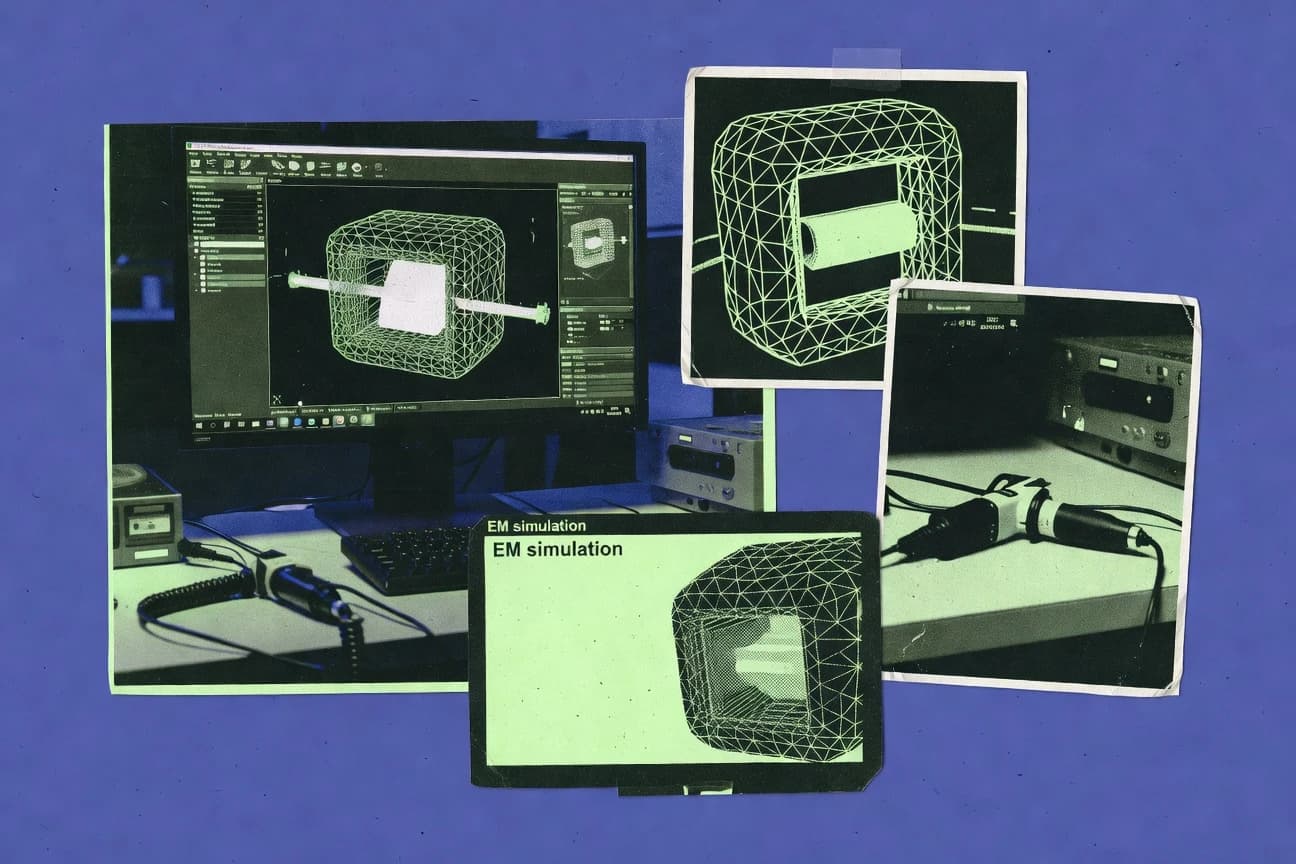
Compare the top 3D Em Simulation Software tools for EM design, including COMSOL, ANSYS HFSS, and CST, with a clear ranking for teams.

How we ranked these tools
Core product claims cross-referenced against official documentation, changelogs, and independent technical reviews.
Analyzed video reviews and hundreds of written evaluations to capture real-world user experiences with each tool.
AI persona simulations modeled how different user types would experience each tool across common use cases and workflows.
Final rankings reviewed and approved by our editorial team with authority to override AI-generated scores based on domain expertise.
Score: Features 40% · Ease 30% · Value 30%
Gitnux may earn a commission through links on this page — this does not influence rankings. Editorial policy
Editor’s top 3 picks
Three quick recommendations before you dive into the full comparison below — each one leads on a different dimension.
COMSOL Multiphysics
Live model object API for programmatic study configuration and execution across parameter sweeps.
Built for fits when teams need controlled, script-driven multiphysics simulations with repeatable model configuration..
ANSYS HFSS
Editor pickProject scripting and parametric model control for batch frequency-sweep electromagnetic studies.
Built for fits when mid to large teams need controlled 3D EM study automation with repeatable configuration..
CST Studio Suite
Editor pickCST scripts drive parametric studies and batch solves from repeatable project configurations.
Built for fits when engineering teams need repeatable EM study automation with controlled project artifacts..
Comparison Table
COMSOL Multiphysics
finite-elementFinite-element multiphysics simulation software for modeling electromagnetic phenomena with 3D geometry and coupled physics workflows.
Live model object API for programmatic study configuration and execution across parameter sweeps.
This entry targets multiphysics integration depth by letting users compose multiple physics interfaces, boundary conditions, and solvers inside a single study workflow. The schema spans geometry, mesh settings, solver sequences, and result datasets, so parameter changes can be applied consistently across dependent steps. For automation and extensibility, COMSOL provides an API surface that supports programmatic access to model setup and execution, which enables repeatable provisioning of simulation runs in batch or scripted pipelines.
A practical tradeoff is that automation depends on access patterns to model objects and study definitions, which can require careful handling of parameter scopes and dataset generation. This becomes visible when teams need high-throughput parameter sweeps with large result exports, because result management and storage strategy can dominate run throughput and downstream processing time. A common usage situation is an engineering group standardizing a validated COMSOL model template and driving controlled re-runs from external orchestration scripts for design review or regression testing.
- +Coupled multiphysics model tree unifies geometry, mesh, solvers, and results
- +Scriptable automation supports batch execution of parameterized study workflows
- +API access enables programmatic model configuration and repeatable runs
- +Reusable model parameters improve consistency across design iterations
- –Result export and dataset handling can bottleneck high-throughput sweeps
- –Administrative governance relies more on external environment controls than built-in RBAC
Best for: Fits when teams need controlled, script-driven multiphysics simulations with repeatable model configuration.
ANSYS HFSS
RF electromagnetics3D electromagnetic field solver for simulating RF, microwave, and antenna structures with advanced frequency- and time-domain analysis.
Project scripting and parametric model control for batch frequency-sweep electromagnetic studies.
HFSS is most useful when simulation work must connect to an engineering automation toolchain that manages geometries, materials, ports, and sweep parameters as structured inputs. The solver workflow is driven by a configurable project setup that can be generated and updated programmatically to reduce manual edits between iterations. This makes it suitable for parameterized electromagnetic designs such as packaging effects, antenna variants, and interconnect EM characterization where the schema of design variables matters.
A key tradeoff is that higher automation depth usually increases setup discipline, since parameter dependencies, boundary conditions, and meshing controls must be encoded consistently across studies. This tool fits teams that run many similar EM studies and need predictable throughput from scripted execution while keeping model definitions aligned across multiple engineers and projects.
- +Parametric studies support repeatable 3D EM setups with controllable variables
- +Automation-friendly workflow for generating and updating geometry and excitation definitions
- +Deterministic study configuration helps reduce variation across design iterations
- –Automation requires strict parameter dependency management to avoid invalid setups
- –Mesh control tuning can add overhead when designs shift geometry frequently
- –Large automated study batches increase storage needs for run artifacts
Best for: Fits when mid to large teams need controlled 3D EM study automation with repeatable configuration.
CST Studio Suite
EM simulation suite3D electromagnetic simulation platform that supports frequency-domain and time-domain solvers for antennas, EMC, and microwave devices.
CST scripts drive parametric studies and batch solves from repeatable project configurations.
CST Studio Suite supports EM-domain modeling with a detailed internal data model for geometry, materials, boundary conditions, and solver settings that stays stable across reruns. Study definitions can be structured for parametric variation, which enables repeatable throughput for sweeps and optimization loops. Automation can be driven from outside the GUI through its supported scripting workflow and batch execution patterns. Data exchange is commonly handled through exported results and project artifacts that other tools can ingest for downstream reporting or verification.
A concrete tradeoff is that deep automation control depends on the supported scripting and run-control interfaces rather than a generic REST-first API layer. Teams that need fine-grained runtime orchestration, multi-tenant provisioning, or schema-level validation inside a centralized admin console may find RBAC and audit-log governance less direct than in software-first workflow systems. CST Studio Suite fits usage situations where each simulation run is a controlled engineering artifact and where automation focuses on repeatable studies across a controlled environment.
- +Parametric study definitions keep simulation settings consistent across reruns
- +Scripting and batch execution support repeatable throughput for sweep workloads
- +Structured project data model maps geometry, materials, and solver settings tightly
- +Extensibility via add-ons and automation hooks supports custom engineering workflows
- –Automation control is tied to CST scripting patterns, not a generic REST API
- –Centralized governance for multi-tenant RBAC and audit logs is less explicit
- –Cross-tool integration often relies on exported artifacts and result files
Best for: Fits when engineering teams need repeatable EM study automation with controlled project artifacts.
Altair FEKO
antenna and RCS3D electromagnetic simulation software for antenna, radar cross-section, and propagation modeling using MoM and hybrid solvers.
FEKO project input structure enables deterministic batch sweeps and repeatable solver setup.
Altair FEKO connects physics-based EM solvers with repeatable project data and automation workflows used in engineering pipelines. Its FEKO model setup, meshing, and solver runs operate on a structured input format that supports batch execution for throughput across parameter sweeps.
Integration depth is driven by Altair’s broader simulation ecosystem, and extensibility is supported through scriptable workflows around model generation and run orchestration. Governance controls for teams center on managing project access in the surrounding Altair environment and tracking changes via audit-friendly configuration practices.
- +Structured FEKO input schema supports repeatable sweeps and controlled configuration
- +Batch execution supports higher throughput across parameter and geometry variants
- +Scriptable workflow enables automated model generation and run orchestration
- –Automation surface is strongest around scripting and orchestration, not a rich external API
- –Data model alignment with other tools depends on export and integration workflows
- –Admin governance depends on surrounding environment controls rather than built-in RBAC
Best for: Fits when teams need controlled batch EM simulation runs with scripted automation.
Simcenter 3D for EM
enterprise multiphysicsSimulation product family from Siemens used for electromagnetic and multiphysics workloads across Siemens workflows with 3D models.
Structured EM study definitions that support repeatable parameterized simulations across Siemens-managed artifacts.
Simcenter 3D for EM runs coupled electrical and multiphysics electromagnetic simulations inside Siemens engineering workflows. Its value shows up in integration depth through shared geometry, meshing, and model management with broader Siemens toolchains.
The data model centers on simulation setup objects, solver configurations, and post-processing artifacts that can be parameterized for repeatable studies. Automation and control depend on Siemens ecosystem automation interfaces, which enables job orchestration and model provisioning with governed access.
- +Tight integration with Siemens geometry, meshing, and multidisciplinary model setup
- +Simulation studies reuse a structured setup and results data model
- +Automation supports job orchestration for repeatable EM runs
- +Extensibility fits Siemens-centric workflows via scripting and integration hooks
- –Automation surface requires Siemens ecosystem familiarity and standards alignment
- –Data model customization can be limited to Siemens-managed object structures
- –Cross-tool schema mapping can add overhead for heterogeneous stacks
- –Parameter sweeps may need careful provisioning to control throughput
Best for: Fits when Siemens-centric teams need governed EM simulation automation and shared data models.
RADECSim for EMC
EMC analysisTooling used to analyze electromagnetic compatibility behaviors for systems with 3D electromagnetic modeling workflows.
Simulation project schema that binds 3D geometry, setup parameters, and EMC results into one governed dataset.
RADECSim for EMC targets EMC simulation workflows with a 3D geometry and material-aware model that maps directly into an EMC analysis dataset. The integration depth centers on importing or synchronizing CAD-derived geometry into a defined simulation data model for repeatable runs.
Automation and API surface are evaluated around how provisioning, configuration, and batch execution can be driven externally for high-throughput simulation studies. Admin and governance controls are assessed for RBAC alignment, audit logging coverage, and sandbox separation when multiple teams share projects.
- +3D geometry and material model aligns with repeatable EMC simulation setups
- +Structured simulation data model supports consistent geometry-to-results mapping
- +Automation-focused run definitions suit batch studies and regression testing
- +External configuration can reduce manual edits across scenario variants
- –Automation coverage depends on how much of the workflow is exposed via API
- –Governance controls can be limited if RBAC granularity is coarse
- –Data model alignment may require preprocessing of CAD inputs
- –High-throughput studies can stress project management and storage conventions
Best for: Fits when EMC teams need controlled 3D simulation runs driven by repeatable automation.
WIPL-D
lightning EMElectromagnetic simulation software for lightning and protection engineering using 3D models and field calculations.
Schema-backed project structure that supports automation and consistent parameterization for batch EM simulations.
WIPL-D pairs 3D EM simulation with an automation-first workflow that supports provisioning and repeatable runs. Its integration depth shows up through a structured data model for projects, geometry, materials, and result sets that can be driven by external orchestration.
The API and automation surface is geared toward extensibility via scripted execution and controlled configuration management rather than only interactive UI usage. Admin and governance controls focus on managing access boundaries and change tracking for simulation assets and outputs.
- +Automation-oriented workflow for repeatable 3D EM simulation runs
- +Structured project data model for geometry, materials, and results
- +Configuration-driven execution supports external orchestration
- +Extensibility via scripting and external tool integration
- –UI-first setup can add overhead before API-driven automation
- –Data model rigidity can require schema-aligned asset preparation
- –Limited visibility into job throughput metrics per run
- –RBAC granularity may lag teams needing fine-grained controls
Best for: Fits when teams need controlled automation and data-model consistency across many EM scenarios.
OpenEMS
open-source FDTDOpen-source FDTD electromagnetic field solver for 3D geometries that generates results through MATLAB or scripting workflows.
OpenEMS grid-based electromagnetic solver controlled through configuration and modeling scripts.
OpenEMS provides a script-driven electromagnetic simulation workflow with a structured data model for geometries, materials, excitations, and ports. The project’s integration depth comes from configuration files and a code-facing approach that supports programmatic generation of simulation setups and batch runs.
Automation and API surface are centered on extending the simulation pipeline through its modeling and scripting interfaces rather than a dedicated web-based automation layer. Governance depends on how configurations and simulation jobs are stored and reviewed, since access controls and audit features are not a first-class, UI-managed layer.
- +Configuration and model scripts support repeatable simulation setup generation
- +Structured handling of geometry, materials, ports, and excitations
- +Batch-oriented workflows fit high-throughput parameter sweeps
- +Extensibility via code and modeling hooks supports custom sources
- –Admin governance and RBAC controls are not UI-centric for shared use
- –Automation requires scripting, not point-and-click workflow orchestration
- –No built-in audit log for simulation runs and configuration changes
- –Integration effort increases when aligning external systems to schemas
Best for: Fits when teams need code-driven 3D EM simulation automation and custom integration control.
Gmsh
mesh for EMMesh generation tool used to create 3D meshes for electromagnetic simulation pipelines that run with external solvers.
Physical groups and entity tagging keep EM boundary assignments consistent across generated 3D meshes.
Gmsh generates 3D meshes from declarative geometry scripts and then computes field output suitable for EM simulations workflows. Its workflow centers on a geometry and meshing data model with physical groups, boundary tagging, and consistent element sizing controls.
Extensibility comes from script-driven automation and a plugin interface that can integrate external preprocessing steps into repeatable runs. Governance features like RBAC, audit logs, and centralized provisioning are not part of its core product surface.
- +Scriptable geometry and meshing pipeline for repeatable simulation inputs
- +Physical groups and entity tags provide deterministic boundary conditions mapping
- +Element size fields allow localized refinement in complex 3D domains
- +Plugin and API hooks support custom meshing and preprocessing automation
- –No built-in RBAC or audit logging for team admin governance
- –Automation is file and script oriented rather than job-orchestrator based
- –Limited native model schema and validation for multi-tool workflows
- –Parallel throughput depends on external orchestration and solver integration
Best for: Fits when simulation teams need deterministic 3D meshing from scripts with strong tagging control.
Elmer FEM
open-source FEMOpen-source FEM multiphysics engine that includes electromagnetic equations for 3D simulations.
Elmer configuration-driven solver setup that stays reproducible across batch and CI-style runs.
Elmer FEM targets teams that need scripted 3D FEM workflows with reproducible input files rather than GUI-only execution. The software integrates through Elmer’s established solver and mesh pipeline conventions, which supports automated run preparation and batch throughput.
Its data model centers on declarative .geo-like geometry, mesh objects, and solver configuration blocks that map cleanly to versioned files. Extensibility and automation rely on schema-like configuration structure and repeatable job definitions rather than a broad UI-driven API surface.
- +Declarative case setup via versionable configuration and solver blocks
- +Batch-friendly workflow from geometry and mesh through solver run
- +Integration aligns with Elmer solver conventions for predictable execution
- +Configuration-first data model supports reviewable engineering change control
- –Limited RBAC and governance controls for multi-admin environments
- –Automation surface depends more on file generation than a programmatic API
- –Cross-system orchestration requires external scripting and glue code
- –Audit logging coverage is minimal for run provenance and user attribution
Best for: Fits when teams manage FEM runs as versioned artifacts and automate via scripting.
Conclusion
After evaluating 10 science research, COMSOL Multiphysics stands out as our overall top pick — it scored highest across our combined criteria of features, ease of use, and value, which is why it sits at #1 in the rankings above.
Use the comparison table and detailed reviews above to validate the fit against your own requirements before committing to a tool.
How to Choose the Right 3D Em Simulation Software
This buyer's guide covers 3D EM simulation software for electromagnetic field and compatibility workflows using COMSOL Multiphysics, ANSYS HFSS, CST Studio Suite, Altair FEKO, Simcenter 3D for EM, RADECSim for EMC, WIPL-D, OpenEMS, Gmsh, and Elmer FEM.
The guide focuses on integration depth, data model control, automation and API surface, and admin and governance controls. It also compares EM design workflows against COMSOL Multiphysics, ANSYS HFSS, and CST Studio Suite using concrete mechanisms like scripting patterns, study definitions, and governed datasets.
3D EM simulation platforms that turn geometry, excitations, and sweeps into repeatable field results
3D EM simulation software builds 3D models with tagged geometry, materials, excitations, ports, and study definitions, then generates field and EMC results through frequency-domain or time-domain solvers. Teams use these tools to reproduce parametric sweeps, keep boundary and material assignments consistent, and feed standardized run artifacts into design automation pipelines.
COMSOL Multiphysics is a clear example because it keeps geometry, physics interfaces, mesh, studies, and results in one unified model tree that supports batch runs and scriptable configuration. ANSYS HFSS is another example because it emphasizes parametric studies and project scripting that supports repeatable 3D EM setup across automated frequency sweeps.
Evaluation criteria for integration depth, automation reach, and governed execution
Integration depth matters because EM workflows rarely live inside one application, and simulation results only become actionable when geometry, parameters, and run artifacts map cleanly into downstream tools. A tool with a strong automation surface reduces manual edits during throughput-heavy parameter sweeps.
Data model control matters because repeatability depends on how geometry, mesh, studies, and results are represented, stored, and re-instantiated across reruns. Admin and governance controls matter because multi-team environments need consistent permissions, change tracking, and auditability across simulation assets and run histories.
Programmatic model and study configuration via a live object API
COMSOL Multiphysics supports a live model object API for programmatic study configuration and execution across parameter sweeps. This directly reduces drift between interactive setup and automated runs because the same model tree objects drive batch execution.
Project scripting and parametric study control for batch frequency sweeps
ANSYS HFSS provides project scripting and parametric model control designed for batch frequency-sweep electromagnetic studies. CST Studio Suite also uses CST scripts to drive parametric studies and batch solves from repeatable project configurations.
Structured project data model that binds geometry, setup, and results
CST Studio Suite maps geometry, materials, solver settings, and results tightly into a structured project data model. RADECSim for EMC binds 3D geometry, setup parameters, and EMC results into one governed dataset to keep geometry-to-results mapping consistent.
Batch throughput support with configuration-driven execution
Altair FEKO uses a structured FEKO input structure that supports deterministic batch sweeps and repeatable solver setup. WIPL-D uses a schema-backed project structure that supports automation and consistent parameterization for batch EM simulations.
Governance controls that cover access boundaries and change tracking
Simcenter 3D for EM ties governance to Siemens-centric enterprise engineering tool access patterns and supports governed access through Siemens ecosystem automation interfaces. RADECSim for EMC evaluates RBAC alignment and audit log coverage with sandbox separation when multiple teams share projects.
Mesh tagging and entity mapping that preserves boundary assignments across runs
Gmsh keeps EM boundary assignments consistent via physical groups and entity tagging across generated 3D meshes. This reduces rerun variation when solvers depend on correct boundary tagging for excitations and materials.
Pick the 3D EM tool that matches the required automation path and governance depth
Start from the automation path, then validate that the tool’s data model and scripting or API surface can express the exact study lifecycle for parameter sweeps. COMSOL Multiphysics fits teams that need programmatic control through a live model object API, while ANSYS HFSS fits teams that standardize parametric setup through project scripting.
Next, confirm data model alignment for repeatability, then confirm governance coverage for shared environments. RADECSim for EMC focuses on a governed dataset schema, while OpenEMS and Gmsh shift responsibility to configuration and external orchestration because UI-centric RBAC and audit features are not first-class.
Map the required automation surface to an actual execution mechanism
Choose COMSOL Multiphysics if automation requires a live model object API that configures and executes studies programmatically across parameter sweeps. Choose ANSYS HFSS or CST Studio Suite if the automation strategy is project scripting and parametric study control that drives batch frequency-sweep or batch solves from repeatable project configurations.
Validate repeatability by checking how geometry, mesh, studies, and results are modeled
Select COMSOL Multiphysics when a single model tree unifies geometry, mesh, studies, and results so parameterized studies reuse the same structured objects. Select CST Studio Suite or RADECSim for EMC when the stored project or dataset structure keeps solver settings and geometry-to-results mapping consistent across reruns.
Confirm throughput bottlenecks in dataset export and job artifacts
If sweeps produce large outputs, COMSOL Multiphysics can bottleneck in result export and dataset handling during high-throughput runs. If storage and artifact growth are a concern, ANSYS HFSS also notes that large automated study batches increase storage needs for run artifacts.
Check governance for shared projects and multi-admin environments
For enterprise permissioning and change tracking tied into broader platforms, Simcenter 3D for EM aligns governance with Siemens-managed tool access patterns rather than a standalone multi-tenant admin console. For EMC teams needing dataset-level controls and sandbox separation, RADECSim for EMC focuses on schema binding plus RBAC alignment and audit log coverage.
Decide whether code-first configuration is acceptable or whether UI-driven modeling must stay primary
Choose OpenEMS when code-driven configuration and MATLAB or scripting pipelines are preferred for grid-based FDTD workflows with programmatic setup generation. Choose Gmsh when deterministic meshing with physical groups and entity tags must be preserved before external solvers run.
Which organizations benefit from specific 3D EM simulation tool profiles
Different EM simulation tools optimize for different failure points in real workflows like parameter drift, boundary mis-tagging, and inconsistent run artifacts. The best fit depends on how much automation and governance depth is needed beyond interactive setup.
The tool recommendations below map directly to which teams the platforms are built to support based on their described strongest workflows.
Teams needing API-driven, repeatable multiphysics study execution
COMSOL Multiphysics fits teams that need controlled, script-driven multiphysics simulations with repeatable model configuration using its live model object API. This segment often includes organizations that require parameterized reuse of the same model tree objects across design iterations.
Mid to large teams automating controlled 3D EM frequency sweeps
ANSYS HFSS fits teams that standardize parametric studies through project scripting and parametric model control for batch frequency sweeps. CST Studio Suite also fits when automation is expressed through CST scripting patterns that drive parametric studies and batch solves from repeatable project configurations.
ECM and EMC teams that need a governed dataset that binds setup to results
RADECSim for EMC fits EMC workflows that require a simulation project schema binding 3D geometry, setup parameters, and EMC results into one governed dataset. This segment benefits from automation-focused run definitions plus RBAC alignment and audit log coverage that reduces change ambiguity.
Siemens-centric organizations that need governed access across Siemens engineering toolchains
Simcenter 3D for EM fits Siemens-centric teams that want shared geometry, meshing, and multidisciplinary model setup within Siemens workflows. Governance and automation depend on Siemens ecosystem automation interfaces and enterprise engineering tool access patterns.
Teams comfortable with code-first configuration and external orchestration
OpenEMS fits teams that prefer code-driven FDTD configuration with batch-oriented workflows driven by configuration files and scripting interfaces. Gmsh fits teams that need deterministic 3D meshing with physical groups and entity tagging before external solvers compute fields.
Common buying pitfalls that break automation, repeatability, and governance
Many EM tool purchase decisions fail when the automation surface does not match the organization’s existing pipeline or when the data model does not preserve the exact objects needed for repeatability. Other failures come from ignoring governance expectations for shared projects and overlooking artifact and storage impacts of large sweeps.
These pitfalls are tied to concrete limitations and behaviors across COMSOL Multiphysics, ANSYS HFSS, CST Studio Suite, and the other reviewed tools.
Choosing a tool with a scripting pattern that cannot express the required study lifecycle
CST Studio Suite automation is tied to CST scripting patterns, so teams that require generic REST-style orchestration should validate fit early by mapping required workflow steps to CST scripts. OpenEMS also requires scripting for automation rather than a dedicated web-based automation layer, so external orchestration glue code becomes part of the delivery plan.
Underestimating governance gaps in shared admin environments
COMSOL Multiphysics governance relies more on external environment controls and Windows or cluster controls than built-in multi-tenant RBAC. OpenEMS and Gmsh also do not provide first-class UI-managed audit logs and RBAC, so governance must be implemented in how configs, jobs, and artifacts are stored and reviewed.
Assuming high-throughput sweeps are free from storage and export bottlenecks
COMSOL Multiphysics can bottleneck at result export and dataset handling during high-throughput sweeps. ANSYS HFSS also notes that large automated study batches increase storage needs for run artifacts, so storage and artifact retention must be planned alongside automation.
Ignoring boundary tagging and mesh entity mapping that drives correct EM results
Gmsh provides physical groups and entity tagging to keep EM boundary assignments consistent, so skipping this step or losing tags during export leads to misaligned boundary conditions. For any tool that depends on mesh tagging, the meshing pipeline must preserve the same entity mapping across generated meshes.
How We Selected and Ranked These Tools
We evaluated COMSOL Multiphysics, ANSYS HFSS, CST Studio Suite, Altair FEKO, Simcenter 3D for EM, RADECSim for EMC, WIPL-D, OpenEMS, Gmsh, and Elmer FEM using a criteria-based scoring approach focused on features, ease of use, and value. Each overall rating is a weighted average where features carries the most weight at 40%, and ease of use and value each account for 30%.
COMSOL Multiphysics set itself apart by offering a live model object API for programmatic study configuration and execution across parameter sweeps, and that capability lifted the features and ease-of-use fit for repeatable automation compared with tools whose automation is more centered on scripting patterns or external orchestration. That same API-first model tree reuse also supports controlled batch execution, which aligns strongly with integration depth and data model control needs that appear across the top-ranked picks.
Frequently Asked Questions About 3D Em Simulation Software
Which tools have the strongest API or automation surface for batch 3D EM study execution?
How do COMSOL Multiphysics and ANSYS HFSS handle repeatable parametric setups for frequency sweeps?
Which option best fits Siemens-centric workflows that require shared model management across tools?
What are the main integration tradeoffs between CST Studio Suite and COMSOL Multiphysics for external tooling?
Which tools support code-first or configuration-first pipelines when UI-driven setup is not acceptable?
How do RBAC, audit logs, and sandboxing differ across EM simulation tooling?
Which products make it easiest to keep geometry and tagging consistent across repeated runs at scale?
Which option fits EMC-focused simulation where results must map to a defined EMC dataset?
What should be evaluated when migrating existing EM simulation data models into these tools?
Which tools are best suited for throughput-oriented batch sweeps with external orchestration?
Tools reviewed
Primary sources checked during evaluation.
Referenced in the comparison table and product reviews above.
- Science ResearchTop 10 Best 3D Electromagnetic Simulation Software of 2026
- Science ResearchTop 10 Best 3D Electronics Simulation Software of 2026
- Science ResearchTop 10 Best 3D Physics Simulation Software of 2026
- Science ResearchTop 10 Best Air Flow Simulation Software of 2026
- Science ResearchTop 10 Best 3D Cad Simulation Software of 2026
Keep exploring
Comparing two specific tools?
Software Alternatives
See head-to-head software comparisons with feature breakdowns, pricing, and our recommendation for each use case.
Explore software alternatives→In this category
Science Research alternatives
See side-by-side comparisons of science research tools and pick the right one for your stack.
Compare science research tools→