GITNUXSOFTWARE ADVICE
Manufacturing EngineeringTop 10 Best Welding Robot Simulation Software of 2026
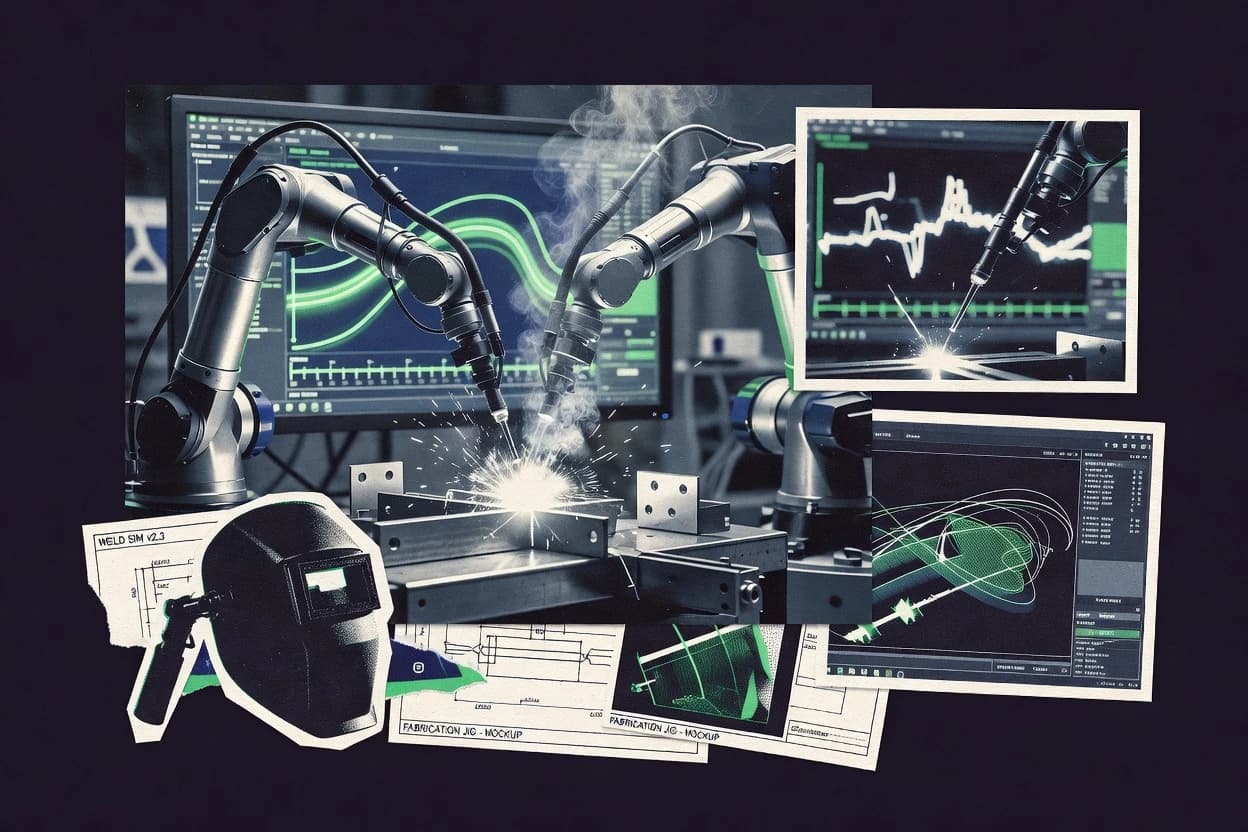
Ranked review of welding robot simulation software for welding cell modeling and offline programming, covering tools like RoboDK and RobotStudio.

How we ranked these tools
Vendors set the topic, but our editors set the inclusion criteria and the evaluation framework before research starts.
Search agents gather the source set and the review record, including transcriptions of video reviews and podcasts.
Framework: Features 40% · Ease 30% · Value 30%
Gitnux may earn a commission through links on this page — this does not influence rankings. Editorial policy
RoboDK is the best choice if your team needs repeatable offline welding programs with collision and reachability validation across many robot brands, whereas FANUC ROBOGUIDE is the better fit when you’re specifically programming FANUC robots for early arc-welding motion safety checks.
Editor’s top 3 picks
Three quick recommendations before you dive into the full comparison below — each one leads on a different dimension.
RoboDK
Welding-oriented offline programming pipeline that couples CAD-based paths with robot motion validation and controller-ready post-processing.
Best for: Fits when engineering teams need repeatable offline welding programs with collision and reachability validation.
FANUC ROBOGUIDE
Editor pickWelding-oriented offline program generation that keeps torch pose and motion constraints consistent with FANUC execution.
Best for: Fits when welding teams need FANUC-aligned offline programming and early motion safety validation.
KUKA.Sim
Editor pickKUKA controller-aligned execution semantics tie offline welding tasks closely to how KUKA robots run on the line.
Best for: Fits when KUKA robot programs need offline weld path validation and cycle time estimates before shop-floor deployment.
Comparison Table
RoboDK
SMBOffline programming and robot simulation software that supports welding path generation across many robot brands.
Welding-oriented offline programming pipeline that couples CAD-based paths with robot motion validation and controller-ready post-processing.
RoboDK supports welding cell calibration workflows that include coordinate frame setup, tool center point validation, and repeatable execution of generated paths. The software models robot motion, torch orientation, and weave patterns inside a digital twin workflow to reduce path surprises at the shop floor. It also handles native CAD import for fixture and workpiece geometry so weld paths can be planned against real interference surfaces.
A key tradeoff is that high-fidelity welding behavior depends on accurate robot and torch parameters, including payload envelope checks and tool offsets. Teams use RoboDK when they need offline programming throughput for many torch angles and approach routes across different welding fixtures. It is also a practical choice for early line change planning when CAD updates drive new collision and reachability checks.
- +Native CAD import enables weld planning against real fixtures and parts
- +Collision detection flags interference risk before controller deployment
- +Post-processor workflow supports robot brand neutrality
- +Reachability analysis helps reduce runtime path failures
- –Calibration accuracy heavily affects welding path validity
- –Advanced welding parameter tuning needs disciplined configuration work
- –Large cell models can increase compute time during simulation runs
Manufacturing engineering teams
Offline weld path planning for new fixtures
Fewer shop-floor rework cycles
Robotics integration teams
Generate controller code across robot brands
Faster multi-robot deployments
Show 1 more scenario
Quality and process owners
Pre-verify torch approach and weave
More consistent weld execution
Simulate torch orientation and weave pattern motion to detect path errors before welding trials.
Best for: Fits when engineering teams need repeatable offline welding programs with collision and reachability validation.
FANUC ROBOGUIDE
enterprise3D robot simulation and offline programming suite for FANUC robots including arc welding applications.
Welding-oriented offline program generation that keeps torch pose and motion constraints consistent with FANUC execution.
ROBOGUIDE supports offline program creation from geometry inputs and generates robot-ready movement sequences that can be validated through kinematic checks and motion constraints. Collision detection and collision-relevant clearances help catch fixture and torch interference before production runs. Welding workflows benefit from torch pose handling during path creation and verification so the simulated motion matches expected welding gun behavior.
A key tradeoff is that ROBOGUIDE depth is strongest in FANUC-centric cells, so cross-brand robot neutrality and controller-agnostic simulation can be limited. It is a good usage situation when a welding engineering group needs faster iteration on robot path accuracy and seam approach poses during commissioning of a new cell or fixture change.
- +Collision detection tied to FANUC robot motion planning reduces rework
- +Welding-focused torch pose validation during offline program creation
- +Offline sequence generation aligns with FANUC controller expectations
- +Geometry-driven path setup speeds commissioning for new fixtures
- –Non-FANUC controller behavior fidelity is limited for mixed-brand cells
- –Complex welding cell setups can require careful model configuration
Welding engineering teams
Commissioning a new FANUC welding cell
Fewer welding trials required
Robot programmers
Shortening changeover for fixture updates
Faster fixture revalidation
Show 1 more scenario
Automation leads
Reducing start-up risk during ramp
Lower start-up disruption
Use simulation to verify motion constraints and interference points before ramping throughput on the line.
Best for: Fits when welding teams need FANUC-aligned offline programming and early motion safety validation.
KUKA.Sim
enterpriseSimulation and offline programming software for KUKA robots used in automated welding and cell planning.
KUKA controller-aligned execution semantics tie offline welding tasks closely to how KUKA robots run on the line.
KUKA.Sim supports offline programming for welding cell development using KUKA robot models and controller-aligned motion behavior for faster translation from simulation to execution. Weld path validation is driven by kinematic checks, collision detection, and reachability analysis within the modeled cell geometry. Cycle time estimation uses motion and timing inputs from the simulated tasks, which helps compare candidate approaches during setup iterations. CAD-based cell geometry import helps place fixtures and workpieces for tool clearance and spatial verification.
A key tradeoff is stronger results when the workflow stays inside KUKA controller and robot conventions instead of mixing large robot brand sets. Teams using non-KUKA controllers often spend more effort on workflow bridging than on weld process refinement. A common usage situation is validating torch approach, wire and torch routing constraints, and fixture clearance in a pre-deployment cell before final robot cell calibration on the floor.
- +Controller-aligned offline workflows improve translation from simulation to KUKA execution
- +Collision detection and reachability checks reduce risk during weld path iteration
- +Cycle time estimation supports side-by-side welding sequence comparisons
- +Cell fixture and workpiece modeling supports torch approach and clearance validation
- –Less efficient for mixed-brand controller environments and cross-robot portability
- –Advanced welding parameter tuning can require significant model and input preparation
- –Offline results depend on accurate cell geometry and tooling definitions
- –Complex multi-robot layouts may need careful scene organization for maintainability
Manufacturing engineering teams
Validate torch approach and fixture clearance
Fewer physical trial cycles
Automation programmers
Develop offline KUKA welding sequences
Faster program handoff
Show 2 more scenarios
Production planning teams
Compare welding cycle time options
More predictable throughput planning
Use simulation cycle time estimates to evaluate alternate sequences and takt impacts.
System integrators
Pre-check multi-station cell layouts
Smoother line commissioning
Simulate fixture and workpiece positioning across stations to reduce commissioning surprises.
Best for: Fits when KUKA robot programs need offline weld path validation and cycle time estimates before shop-floor deployment.
Visual Components
enterpriseFactory and robot simulation platform with offline programming tools used for welding cell design and validation.
Welding-focused torch and weave simulation tied to collision and reach validation for end-to-end offline programming checks.
Visual Components focuses on welding robot simulation with a workflow that connects 3D cell models to offline programming steps like path validation and cycle time checks. Its scope includes robot reach and collision detection around fixtures and workpieces, plus support for welding-oriented planning like torch orientation validation and weave pattern simulation.
- +Strong robot reach and collision detection around fixtures and part geometry
- +Welding-oriented planning for torch orientation validation and weave pattern simulation
- +CAD-driven cell modeling supports practical offline programming pipelines
- +Integration options support automation across engineering and line workflows
- –Complex setups need disciplined configuration to keep simulations consistent
- –Some controller-specific details depend on post-processor and workflow tailoring
Best for: Fits when engineering teams need repeatable welding cell validation tied to offline programming workflows.
Yaskawa MotoSim EG-VRC
enterpriseOffline programming and 3D simulation software for Yaskawa Motoman robots including arc welding systems.
Torch orientation logic and weave pattern simulation built for Yaskawa offline welding programs.
Yaskawa MotoSim EG-VRC runs offline welding robot simulations driven by Yaskawa robot kinematics and motion models. It focuses on validating cell setup, path behavior, and welding torch orientation using Yaskawa-specific offline programming workflows.
- +Yaskawa motion and welding trajectory modeling matches EG-VRC workflows
- +Weave pattern and torch orientation simulation supports welding-specific validation
- +Collision detection and clearance checks target commissioning risk
- +Offline program testing reduces downtime during robot and torch setup changes
- –Best results depend on accurate robot and torch configuration data
- –Non-Yaskawa cell modeling and post-processor workflows can be limited
Best for: Fits when a Yaskawa shop needs offline welding validation tied to robot kinematics and torch orientation.
Octopuz
SMBOffline robot programming and simulation software for industrial applications including robotic welding.
Welding-focused toolpath to robot motion mapping with torch orientation constraints inside the same collision-checking loop.
Octopuz targets welding robot simulation and offline programming work where cell geometry, robot motion, and weld path validation must be iterated quickly. The workflow centers on building a robot scene, importing CAD geometry, generating weld toolpaths, and running collision checks and motion feasibility validation.
- +Welding-specific path planning workflow ties torch orientation to motion validation
- +CAD import for fixtures and workpieces supports realistic collision checking
- +Collision detection workflow fits iterative tuning of welding toolpaths
- +Robot program export supports handoff beyond the simulation viewer
- –Robot brand coverage and controller fidelity can limit accuracy for some fleets
- –Advanced automation requires configuration discipline and careful scene setup
- –Seam tracking and weave pattern simulation depth may be limited for complex styles
- –Large scenes can slow iterative edits when geometry is high resolution
Best for: Fits when welding cells need iterative offline programming with CAD-based collision checks and weld-path validation before controller upload.
Kawasaki K-ROSET
enterpriseSimulation software for Kawasaki industrial robots that supports offline programming and application verification.
Calibration-driven offline welding validation that ties modeled motions to Kawasaki robot kinematics for higher path accuracy.
Kawasaki K-ROSET focuses on offline programming and welding simulation workflows for Kawasaki robot deployments. Robot feasibility is handled with Kawasaki-specific motion assumptions rather than generic kinematic abstraction. That design choice makes weld path outcomes and reachability checks more predictive for Kawasaki cells.
- +Robot-specific kinematics alignment improves path feasibility versus generic simulators
- +Collision checking works inside the offline planning loop for early risk removal
- +Robot cell calibration inputs tighten match between simulation and shop-floor behavior
- +Generates executable welding programs for Kawasaki controller workflows
- –Best results require Kawasaki robot models and controller alignment
- –Multi-brand cell modeling support can be limited compared with vendor-neutral suites
- –Advanced welding motion tuning demands careful fixture and torch reference setup
- –API automation and integration surface are not positioned for large external orchestration
Best for: Fits when teams using Kawasaki robots need offline welding validation with strong robot-feasibility alignment and collision checks.
FASTSUITE Edition 2
enterpriseDigital manufacturing and offline robot programming software used for welding process planning and simulation.
Project automation supports configurable welding programming pipelines across robot workcells.
FASTSUITE Edition 2 from cenit.com focuses on welding robot offline programming workflows for cell modeling, path generation, and validation.
- +Robot brand neutrality supports mixed fleets without tool duplication
- +CAD-based reference geometry improves repeatability for programming setup
- +Reachability analysis and collision detection reduce commissioning surprises
- +Automation and extensibility support repeatable project configuration
- –Project setup requires discipline to keep coordinate systems consistent
- –Advanced workflows depend on correct data preparation for geometry inputs
Best for: Fits when engineering teams need repeatable offline programming checks for welding cells.
SprutCAM Robot
SMBOffline programming and simulation software for industrial robots including welding, cutting, and machining toolpaths.
Collision detection integrated into the offline welding program workflow for robot and fixture conflict visibility.
SprutCAM Robot builds robot welding simulation for offline programming, with toolpath generation tied to robot kinematics for a weld-cell review workflow.
- +Geometry import supports DXF and STEP for faster offline setup
- +Robot model kinematics tie toolpaths to reachable motion
- +Collision checking helps catch fixture and trajectory conflicts earlier
- +Cycle time estimation supports planning comparisons across revisions
- –Robot brand setup can require careful configuration for accurate validation
- –Advanced welding-specific seam tracking workflows are limited versus seam-first tools
Best for: Fits when welding teams need offline programming validation for robot motion and torch pose before shop-floor deployment.
FastSuite
SMBRobot offline programming and simulation environment from c-works GmbH supporting welding and coating applications.
Collision and reach validation tied directly to the generated welding motion before export to controller programs.
FastSuite targets welding robot simulation and offline programming workflows with cell modeling, path generation, and output-ready programs. It focuses on coordinating CAD-derived geometry, robot kinematics, and welding-specific motion constraints to reduce rework during commissioning. The workflow support centers on validating feasibility against robot reach and collision checks before program handoff to shop-floor controllers.
- +CAD-driven cell setup supports repeatable welding path iterations
- +Collision checks catch obvious reach and interference issues before handoff
- +Robot kinematics configuration supports offline motion feasibility validation
- +Program export workflow supports controller-ready handoff
- –Multi-robot coordination tooling is limited for complex shared workspace cells
- –Seam and tracking simulations require extra setup to match real sensors
- –Extensibility via API and automation surface appears narrow
- –Project configuration management needs disciplined structure for team scale
Best for: Fits when teams need offline feasibility checks and welding path output without heavy multi-robot orchestration.
Conclusion
After evaluating 10 welding robot simulation software, RoboDK stands out as our overall top pick — it scored highest across our combined criteria of features, ease of use, and value, which is why it sits at #1 in the rankings above.
Use the comparison table and detailed reviews above to validate the fit against your own requirements before committing to a tool.
How to Choose the Right Welding Robot Simulation Software
This buyer's guide focuses on welding robot simulation software used for offline programming, motion validation, and welding-specific path checking across RoboDK, FANUC ROBOGUIDE, KUKA.Sim, Visual Components, Yaskawa MotoSim EG-VRC, Octopuz, Kawasaki K-ROSET, FASTSUITE Edition 2, SprutCAM Robot, and FastSuite.
The tool reviews that come before this section already cover how each package performs CAD-based weld planning, collision detection, and robot reachability checks, with RoboDK leading for repeatable offline welding programs that combine CAD-based paths with motion validation and controller-ready post-processing.
Welding Robot Simulation Software for Offline Programming, Collision Checks, and Weld Path Validation
Welding robot simulation software models a welding cell from robot kinematics through torch orientation constraints to executable offline welding programs, then validates feasibility through collision detection and reachability analysis.
In this list, RoboDK couples native CAD import with collision detection that flags interference risk before controller deployment, and it supports welding-oriented offline programming with controller-ready post-processing. FANUC ROBOGUIDE keeps torch pose and motion constraints aligned with FANUC execution semantics, and its collision detection connects to FANUC robot motion planning to reduce rework during offline program creation.
Across tools, differences show up in how controller-aligned execution is represented, how welding-specific planning like torch orientation and weave pattern simulation is modeled, and how much configuration discipline is required to keep calibration accuracy tied to valid welding path geometry.
Offline welding programming depth, motion validation, and welding-specific fidelity
Welding robot simulation software needs to generate offline welding programs that match controller motion rules, not just visually render a path. The same workflow must validate welding feasibility through collision detection and reachability analysis while enforcing torch orientation and weave behavior tied to welding execution.
CAD-to-weld path planning with motion validation and controller-ready output
RoboDK ties native CAD import to collision and reachability validation, then produces controller-ready post-processing output for repeatable offline welding programs. Octopuz similarly maps welding toolpaths to robot motion inside the same collision-checking loop.
Controller-aligned execution semantics for torch pose consistency
FANUC ROBOGUIDE keeps torch pose and motion constraints consistent with FANUC execution semantics, which reduces rework when programs move from offline to the line. KUKA.Sim ties offline welding tasks to KUKA controller-aligned execution semantics to improve translation into KUKA execution workflows.
Welding-specific torch orientation and weave pattern simulation
Yaskawa MotoSim EG-VRC focuses torch orientation logic and weave pattern simulation built around Yaskawa offline welding workflows. Visual Components provides welding-oriented planning that validates torch orientation and supports weave pattern simulation tied to collision and reach validation.
Welding-feasibility alignment through robot kinematics and calibration-driven validation
Kawasaki K-ROSET uses calibration-driven offline welding validation that ties modeled motions to Kawasaki robot kinematics for higher path feasibility. RoboDK also flags interference risk early through collision detection, but its path validity can depend heavily on calibration accuracy that must be kept disciplined.
Multi-robot coordination support versus single-workcell welding focus
FASTSUITE Edition 2 provides project automation for configurable welding programming pipelines across robot workcells that support multi-workcell workflows. FastSuite keeps collision and reach validation tied to generated welding motion before export, while multi-robot coordination tooling is limited for complex shared workspaces.
Choose based on controller fidelity, welding modeling scope, and automation control
The decision should start with controller-aligned execution fidelity because torch pose constraints and motion rules drive whether offline welding programs survive translation. The decision should then match welding modeling depth to the shop workflow, since torch orientation and weave simulation influence cycle time estimates and path accuracy.
Align the simulator to the dominant controller environment
Select FANUC ROBOGUIDE when FANUC execution semantics must stay consistent so torch pose and motion constraints match how FANUC plans motion. Select KUKA.Sim when KUKA controller-aligned execution semantics matter for cycle time and execution translation.
Pick the welding fidelity model that matches torch and weave requirements
Choose Yaskawa MotoSim EG-VRC when welding validation depends on torch orientation logic and weave pattern simulation built for EG-VRC workflows. Choose Visual Components when welding-oriented torch orientation validation and weave pattern simulation must be tied directly to collision and reach validation around fixtures and part geometry.
Use CAD import where fixtures and geometry are a primary source of risk
Choose RoboDK when native CAD import is needed to plan welds against real fixtures and parts, then validate interference risk before deployment. Choose FASTSUITE Edition 2 when CAD-based reference geometry must remain repeatable across configurable welding programming pipelines.
Decide between vendor-neutral mixed-fleet workflows and vendor-aligned kinematics
Choose FASTSUITE Edition 2 for robot brand neutrality that reduces tool duplication when mixed fleets are common. Choose Kawasaki K-ROSET when the priority is Kawasaki robot kinematics alignment with calibration-driven offline welding validation.
Test whether your workflow needs multi-robot orchestration tooling
Select FASTSUITE Edition 2 when configurable project automation across robot workcells is part of the planning workflow. Select FastSuite when the workflow is primarily single-workcell welding feasibility checks with collision and reach validation before export to controller programs.
Validate limitations early in non-native controller or advanced tuning scenarios
If mixed-brand controller fidelity is required, evaluate FASTSUITE Edition 2 and RoboDK against the controller behavior you must emulate, because controller-specific fidelity varies across tools. If advanced welding parameter tuning is part of standard practice, plan for disciplined configuration work because RoboDK and KUKA.Sim both tie path validity to accurate setup inputs for welding parameters.
Teams that need offline welding validation with collision checks and welding-specific constraints
Welding robot simulation software fits organizations that build offline welding programs and need welding-feasibility checks before shop-floor deployment. It also fits teams that measure risk in fixture interference, torch orientation violations, and reachability limits because those issues drive rework and downtime when corrected late.
Robot programmers shipping controller-ready welding programs
RoboDK supports welding-oriented offline programming with controller-ready post-processing and collision plus reachability validation that catches interference risk before controller deployment.
FANUC-focused welding engineering teams standardizing offline workflows
FANUC ROBOGUIDE maintains torch pose and motion constraints aligned with FANUC execution semantics, which reduces rework when offline programs must behave like controller motion planning.
Yaskawa shops validating torch orientation and weave behavior
Yaskawa MotoSim EG-VRC models torch orientation logic and weave pattern simulation built for Yaskawa offline welding programs, which improves welding-specific validation for Yaskawa robots.
Mixed-fleet integrators planning repeatable welding pipelines across multiple workcells
FASTSUITE Edition 2 supports robot brand neutrality and configurable project automation for repeatable offline programming checks across robot workcells.
Kawasaki users requiring calibration-driven path feasibility alignment
Kawasaki K-ROSET ties modeled motions to Kawasaki robot kinematics and uses calibration-driven offline welding validation to improve path feasibility through collision checking inside the offline planning loop.
Common failures when adopting Welding Robot Simulation Software
Many adoption failures come from treating welding feasibility checks as generic collision visualization instead of controller- and welding-constraint enforcement. Other failures come from inconsistent coordinate systems and incomplete robot or torch configuration inputs, which directly impacts path accuracy and the usefulness of reach and collision results.
Running offline welding validation with calibration assumptions that do not match the real cell
RoboDK explicitly links welding path validity to calibration accuracy, so incorrect calibration inputs produce misleading collision and reachability outcomes. Use Kawasaki K-ROSET’s calibration-driven approach only when Kawasaki robot models and controller alignment match the target cell.
Over-relying on collision detection while ignoring torch pose and weave constraints
Visual Components ties welding-oriented torch orientation and weave simulation to collision and reach validation, so ignoring those welding constraints undermines offline feasibility. Yaskawa MotoSim EG-VRC similarly requires accurate robot and torch configuration data because its welding validation depends on torch orientation and weave logic.
Selecting a simulator based on geometry import speed but not on execution semantics fidelity
SprutCAM Robot supports DXF and STEP geometry import, but robot brand setup still requires careful configuration to keep validation meaningful. FANUC ROBOGUIDE provides torch pose and motion constraints aligned with FANUC execution semantics, which matters when mixed-brand controller fidelity is limited in other tools.
Using single-workcell tooling where the program requires multi-robot orchestration
FastSuite supports collision and reach validation tied to generated welding motion before export, but multi-robot coordination tooling is limited for complex shared workspace cells. FASTSUITE Edition 2 supports configurable welding programming pipelines across robot workcells when orchestration is part of the workflow.
How We Selected and Ranked These Tools
We evaluated each welding robot simulation software on welding-cell modeling depth for offline programming, collision detection usefulness, and reachability validation, then weighted those capabilities at 40% of the score. We measured ease of producing repeatable welding programs and fitting the tool to real fixtures and robots, then weighted ease and value at 30% of the score.
RoboDK earned the top position because native CAD import supported weld planning against real fixtures and parts while collision detection flagged interference risk before controller deployment, and its welding-oriented offline programming pipeline produced controller-ready post-processing for repeatable output. FANUC ROBOGUIDE and KUKA.Sim scored strongly where controller-aligned torch pose and execution semantics mattered, but RoboDK’s CAD-to-validated-welding-program workflow kept the offline loop more repeatable across typical welding cell setup tasks.
Frequently Asked Questions About Welding Robot Simulation Software
How do RoboDK and SprutCAM Robot handle CAD-to-robot path validation for welding programs?
Which tools generate controller-ready output with post-processing from simulated weld paths?
What breaks if collision detection is treated as a visual check instead of a motion-feasibility gate?
How do FANUC ROBOGUIDE and KUKA.Sim differ in welding pose constraints during offline programming?
When a line needs multi-station studies, which tool supports broader cell layout and fixture modeling?
How do Octopuz and Yaskawa MotoSim EG-VRC map weld toolpaths to robot motion with torch logic?
What role does robot cell calibration play in reach and collision accuracy for welding simulation?
Which tools support automation and configurable project setup for offline programming workflows?
How can integration and handoff be handled when simulation results must feed downstream programming or controller execution plans?
Tools reviewed
Primary sources checked during evaluation.
Referenced in the comparison table and product reviews above.
Funding and competing interests
This study was co-funded by several of the vendors assessed in it. No single vendor funded it. Funders could propose the market studied.
They had no role in selecting vendors, setting or weighting criteria, analysing data or drawing conclusions, and they received the same factual-accuracy check as every other vendor assessed.
Market definition, inclusion rules and criteria weights were fixed by an editor before research began and did not change afterwards. Editorial process →
- Manufacturing EngineeringTop 10 Best Welding Robot Programming Software of 2026
- Manufacturing EngineeringTop 10 Best Robot Arm Simulation Software of 2026
- Manufacturing EngineeringTop 10 Best Weld Simulation Software of 2026
- Manufacturing EngineeringTop 10 Best Robotics Engineering Services of 2026
- Manufacturing EngineeringTop 10 Best Manufacturing Robotics Services of 2026
Keep exploring
Comparing two specific tools?
Software Alternatives
See head-to-head software comparisons with feature breakdowns, pricing, and our recommendation for each use case.
Explore software alternatives→In this category
Manufacturing Engineering alternatives
See side-by-side comparisons of manufacturing engineering tools and pick the right one for your stack.
Compare manufacturing engineering tools→