
GITNUXSOFTWARE ADVICE
Customer Experience In IndustryTop 10 Best Warranty Claims Management Software of 2026
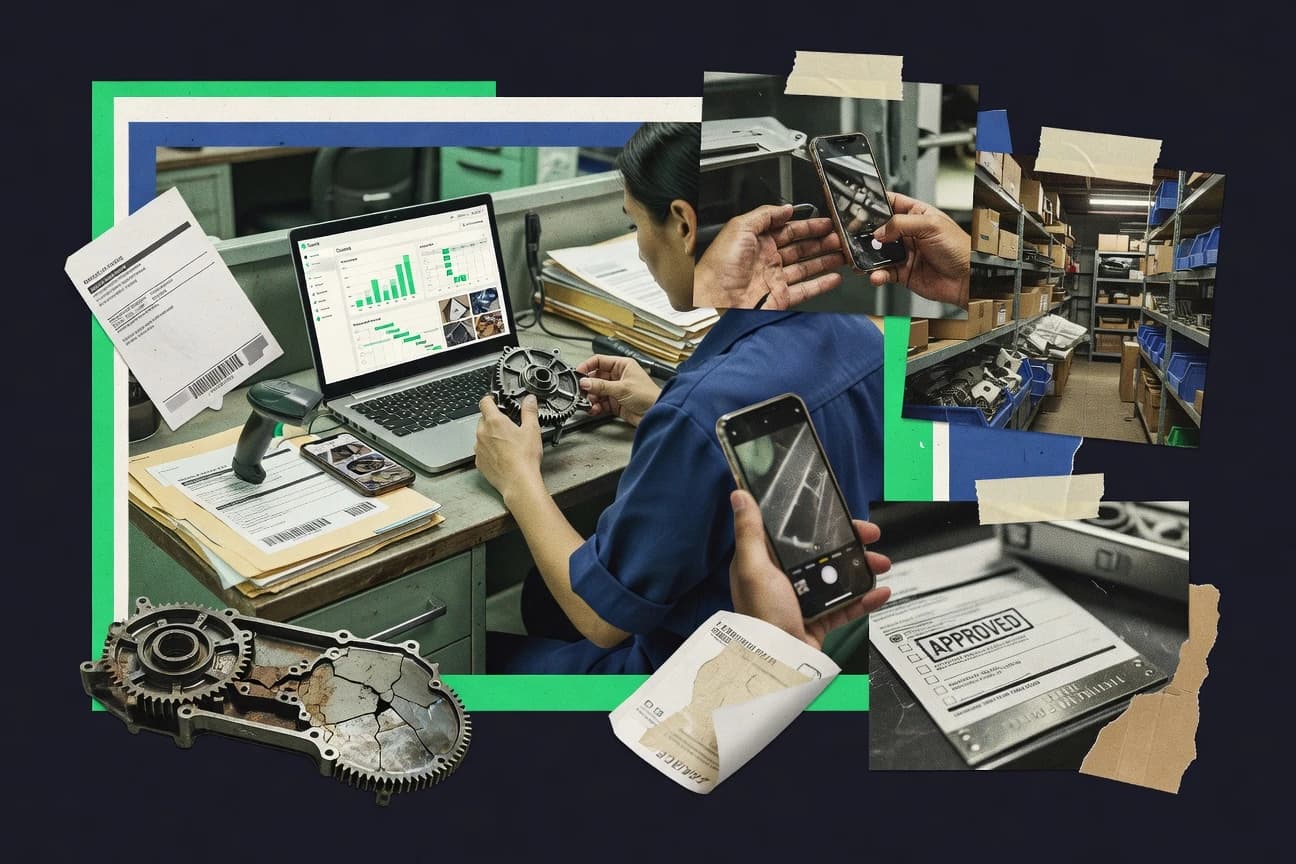
Ranking roundup of warranty claims management software for manufacturers and service teams, with feature comparisons and notes on Oracle, SAP, PTC.

How we ranked these tools
Core product claims cross-referenced against official documentation, changelogs, and independent technical reviews.
Analyzed video reviews and hundreds of written evaluations to capture real-world user experiences with each tool.
AI persona simulations modeled how different user types would experience each tool across common use cases and workflows.
Final rankings reviewed and approved by our editorial team with authority to override AI-generated scores based on domain expertise.
Score: Features 40% · Ease 30% · Value 30%
Gitnux may earn a commission through links on this page — this does not influence rankings. Editorial policy
Oracle Warranty Management is the best fit if you run governed warranty claims across dealers with entitlement accuracy for OEMs and serialized assets, whereas A1 Tracker Warranty Tracking Software works well for SMB teams that need structured claim intake, approvals, and status reporting for serialized coverage.
Editor’s top 3 picks
Three quick recommendations before you dive into the full comparison below — each one leads on a different dimension.
Oracle Warranty Management
Entitlement enforcement tied to contract coverage and serialized asset identity to constrain claim eligibility before adjudication.
Built for fits when OEMs need governed, entitlement accurate warranty claims across dealers and serialized assets..
PTC Service Parts Management and Warranty
Editor pickRMA-gated return workflows connect claim status decisions to parts return logistics and serialized eligibility checks.
Built for fits when manufacturer warranty operations need dealer-submitted claims tied to RMA and serialized validation..
SAP Customer Service
Editor pickConfigurable case and workflow orchestration tied to SAP service and back-office authorization data for controlled RMA decisions.
Built for fits when warranty claims must be governed and integrated with existing SAP ERP and master data..
Comparison Table
Oracle Warranty Management
enterpriseDedicated warranty claims management module within Oracle E-Business Suite for manufacturers and service organizations.
Entitlement enforcement tied to contract coverage and serialized asset identity to constrain claim eligibility before adjudication.
Oracle Warranty Management is built around warranty entities like contracts, coverage terms, and serialized assets so downstream claim processing can apply entitlement rules instead of manual review. The workflow layer supports claim lifecycle status transitions, document and evidence capture, and escalation points for exceptions. The governance layer is positioned for organizations that need consistent processing across dealers, regions, and service operations.
A tradeoff appears in implementation effort because achieving clean end to end throughput depends on correct master data, serial traceability, and integration mappings. Oracle Warranty Management fits best when enterprise systems already track service orders, parts consumption, and customer purchase references, so claim inputs can be automated instead of re-keyed.
- +Entitlement driven rules link contracts to claim eligibility
- +Workflow controls enforce claim lifecycle status transitions
- +Serialized item validation reduces misrouted claim submissions
- +Integration oriented design supports cross system warranty event flows
- –Requires disciplined master data setup to avoid entitlement mismatches
- –Claim adjudication configuration can be complex for small teams
- –Evidence and field requirements need careful change management
- –Operational ownership is needed to maintain dealer and region mappings
Warranty operations teams
Adjudicate high volume dealer submissions
Faster, consistent claim decisions
Service operations planners
RMA authorization linked to serials
Lower misauthorized RMAs
Show 2 more scenarios
Systems integration teams
Connect warranty to service and parts systems
Less manual re-keying
Supports warranty event exchange so claim data and supporting service references stay synchronized.
Dealer management teams
Consistent intake across regions
Reduced rework across locations
Uses governance rules so dealer inputs map to the right coverage and claim lifecycle.
Best for: Fits when OEMs need governed, entitlement accurate warranty claims across dealers and serialized assets.
PTC Service Parts Management and Warranty
enterpriseEnterprise service software suite that supports warranty analytics and claims-related service optimization.
RMA-gated return workflows connect claim status decisions to parts return logistics and serialized eligibility checks.
PTC Service Parts Management and Warranty fits teams that need warranty administration connected to parts availability and return logistics. Warranty registration and claim lifecycle status tracking are supported alongside return workflows that require RMA authorization before parts can be processed. Serialized item validation and proof of purchase verification steps align claim eligibility with unit identity and documentation captured in the warranty record.
A notable tradeoff is that operational correctness depends on clean product and parts mappings plus consistent dealer input across the claim lifecycle. It is a strong fit when dealer networks submit claims at scale and centralized teams must enforce entitlement rules and manage SLA breach tracking across claim stages. It is less suitable when workflows are simple and manual adjudication is acceptable because integration and configuration effort rises with parts catalog and labor operation code mappings.
- +RMA authorization gates returns to reduce unauthorized parts processing
- +Serialized item validation ties claim eligibility to unique unit identity
- +Dealer portal supports distributed claim submission and status visibility
- +Entitlement rules align labor reimbursement and parts recovery handling
- –Configuration workload increases with parts catalog and labor code mappings
- –Warranty registration and return steps require disciplined dealer data entry
- –Adjudication workflow design can be heavy for organizations with minimal process variation
- –Complex claim lifecycle reporting needs careful taxonomy setup
Warranty operations managers
Enforce return authorization before processing
Fewer unauthorized returns
Dealer management teams
Submit claims through dealer portal
Faster dealer case resolution
Show 2 more scenarios
Parts logistics coordinators
Manage parts recovery from claims
Reduced recovery processing rework
Parts return logistics are driven by claim stages so recovery and downstream processing stay aligned.
Service contract administrators
Apply entitlement to labor reimbursements
Consistent reimbursement outcomes
Entitlement logic links service contract terms to labor reimbursement rules within the claim lifecycle.
Best for: Fits when manufacturer warranty operations need dealer-submitted claims tied to RMA and serialized validation.
SAP Customer Service
enterpriseEnterprise customer service module in SAP S/4HANA with warranty claim processing and return management capabilities.
Configurable case and workflow orchestration tied to SAP service and back-office authorization data for controlled RMA decisions.
SAP Customer Service supports warranty-oriented case workflows that track each claim through investigation, approvals, and closure using configurable workflow steps. Service teams can validate service-contract eligibility and coordinate with SAP inventory and logistics so authorization decisions align with current entitlement and stock. Integration depth is a key differentiator because claim events can be exchanged with enterprise systems that already own master data and reference codes.
A tradeoff is that warranty operations typically require more architecture and process design than lighter case-management tools. SAP Customer Service fits teams that already run SAP for ERP, master data, and service operations and need consistent claim routing and authorization controls across departments.
- +Workflow configuration supports end-to-end claim lifecycle steps
- +Tight integration aligns authorization decisions with ERP entitlement checks
- +Automation rules reduce manual handoffs for approvals and routing
- +API and integration patterns support external dealer and logistics connections
- –Implementation effort rises when claims processes diverge from SAP models
- –Warranty fraud detection needs external components or custom rule layers
- –Custom mapping of failure and reason codes can require ongoing governance
- –Analytics for claim quality depends on connected data sources and setup
Warranty operations teams
Automate claim routing and approvals
Fewer manual review cycles
Dealers and service partners
Submit serial-based claim information
Faster time to case creation
Show 2 more scenarios
After-sales planning teams
Coordinate parts availability during intake
Lower parts allocation delays
SAP-linked inventory and logistics data supports authorization and fulfillment decisions during claim handling.
Service contract administrators
Enforce eligibility before reimbursement
Reduced incorrect approvals
Entitlement checks in connected SAP systems gate claim approvals based on contract coverage and terms.
Best for: Fits when warranty claims must be governed and integrated with existing SAP ERP and master data.
Mize Warranty Management
enterpriseWarranty and service contract claims platform for manufacturers, dealers, and service providers.
End-to-end RMA authorization linked to claim lifecycle status and evidence collection for serialized items.
Mize Warranty Management is built for warranty claims processing with RMA authorization and claim lifecycle tracking as first-class workflows. The system emphasizes configuration of claim eligibility rules, automated status transitions, and centralized handling of serialized item data to reduce manual rework.
It also supports dealer and field-service operational flows, including intake validation and evidence capture used during adjudication. Teams use it to standardize claim outcomes and keep warranty records aligned from submission through supplier recovery and resolution.
- +RMA authorization workflow ties directly into claim lifecycle status changes
- +Serialized item tracking helps validate claim scope at intake
- +Dealer-style intake flows reduce handoffs between front office and processing teams
- +Centralized evidence capture supports consistent adjudication decisions
- –Workflow configuration requires governance discipline to avoid inconsistent adjudication outcomes
- –Labor and parts reimbursement mapping needs clear internal code alignment
- –Extensibility relies on defined integration points rather than fully custom form logic
- –Complex supplier recovery steps can increase operational overhead for small teams
Best for: Fits when warranty operations need configurable claim workflows with serialized intake validation across dealer and field teams.
A1 Tracker Warranty Tracking Software
SMBConfigurable claims and issue tracking platform used for warranty claim logging and resolution workflows.
Serial-number validation at claim intake enforces identifier correctness before claim lifecycle progression.
A1 Tracker Warranty Tracking Software manages warranty claims by collecting product and purchase details, then routing each claim through a tracked lifecycle until adjudication and settlement. The system supports serial-number validation workflows and claim documentation capture to reduce missing information during RMA authorization.
A1 Tracker also provides configurable approval steps and status checkpoints for dealer or service teams that need consistent claim intake and updates. Audit-ready reporting summarizes claim throughput and outcome by status, claim type, and handling party.
- +Serial-number validation workflow reduces claims filed with invalid identifiers.
- +Claim lifecycle status checkpoints provide traceable handoffs from intake to resolution.
- +Configurable approval steps help enforce consistent claim handling rules.
- +Reporting groups claims by status and handling party for operational visibility.
- –API and automation surfaces are not clearly documented for high-throughput integrations.
- –Warranty fraud detection logic is limited to intake validation rather than pattern scoring.
- –Labor reimbursement and code-level workflows are thin compared with specialist claim suites.
- –Dealer portal and field workflow depth depend on add-on configuration by deployment.
Best for: Fits when serialized product warranties require structured claim intake, approvals, and status reporting.
Microsoft Dynamics 365 Field Service
enterpriseField service management platform with asset warranty tracking, entitlement validation, and claim workflows.
Technician mobile work order execution maps captured service evidence directly into warranty-related back-office status.
Microsoft Dynamics 365 Field Service supports warranty claim workflows through its service scheduling, work orders, and mobile technician execution, which ties claims outcomes to field execution. The solution connects service orders to inventory movements and service activities, which helps document serial-level and part-level evidence used during claim adjudication.
Field Service also extends into larger Dynamics 365 deployments so claim status, entitlements, and RMA authorization steps can align with customer service processes across teams. Warranty teams typically use its configuration and workflow automation to track claim lifecycle status from intake through completion and handoff to back-office adjudication.
- +Work orders link warranty outcomes to field execution and completion artifacts
- +Mobile technician capture supports evidence collection during the claim lifecycle
- +Strong integration with Dynamics 365 modules for cross-team claim status visibility
- +Extensible workflow and business rules support claim routing and step control
- –Warranty-specific claim adjudication depth needs configuration and partner extensions
- –Serial-level validation workflows can require custom process logic across systems
- –Admin governance is heavier when warranty and service processes span multiple entities
- –Managing large dealer or supplier networks can add integration and data mapping overhead
Best for: Fits when warranty operations need field execution records, evidence capture, and cross-Dynamics visibility.
Claimable
SMBCloud-based claims management platform configurable for warranty claims, product returns, and customer dispute resolution.
Lifecycle status changes keep associated claim documents attached, reducing rework during adjudication and approvals.
Claimable is warranty claims management software built around handling multi-step dealer and administrator workflows from a centralized claim lifecycle. It supports claim intake, documentation capture, adjudication status tracking, and approval routing so warranty teams can manage exceptions without losing audit context.
The system is structured for automation through configurable rules and integrations that move data between portals and internal systems used for RMA authorization and return logistics. Claimable is most distinct for keeping claim documents and status changes tied to each claim record across the full processing path.
- +Configurable workflow steps for claim review, approval, and routing
- +Centralized storage for claim documents tied to lifecycle status changes
- +Integrations for pushing claim data to downstream systems
- +Built to support dealer-facing claim intake flows
- –Complex workflows require disciplined configuration to avoid inconsistent outcomes
- –Limited visibility into field-level coding needs without careful mapping
- –Automation coverage depends on how integrations and rules are set up
- –Admin interfaces can feel dense when managing many concurrent claim statuses
Best for: Fits when warranty teams need dealer intake, structured approvals, and document control across claim lifecycles.
Pegasus WMS
vertical specialistWarranty management system focused on claims processing, supplier recovery, and analytics.
RMA-to-disposition execution inside WMS receiving and inventory control keeps serialized items traceable across the claim return flow.
Pegasus WMS supports warranty claims workflows by tracking returned items end to end, from RMA intake to disposition. The core focus stays on warehouse-grade processes such as receiving, serial-level validation, and inventory adjustments tied to claims outcomes.
It also provides automation hooks for work routing and status updates so claim lifecycle status can reflect physical handling events. Pegasus WMS fits warranty programs that need consistent parts return logistics control and audit-friendly traceability across the return stream.
- +Serial-level return capture links claim activity to specific items
- +RMA receiving workflows mirror warehouse handling and staging needs
- +Inventory adjustments reflect claim disposition states without manual rework
- +Configurable routing for claim work aligns with warehouse throughput
- –Warranty adjudication logic is limited compared to claims-first adjudication suites
- –Extensive configuration is required to map claim statuses to warehouse events
- –EDI 180 exchange and dealer portal patterns need add-on integration work
- –Labor reimbursement and flat-rate coding require careful operational alignment
Best for: Fits when warehouse-led teams manage returns and need operational control tied to warranty claim outcomes.
Xavor Warranty Management
enterpriseWarranty claims and supplier recovery solution for manufacturers and service networks.
RMA authorization ties directly to claim lifecycle status changes to prevent returns from drifting off-adjudication.
Xavor Warranty Management coordinates warranty claim intake, validation, and lifecycle status updates with an RMA-focused workflow. It supports dealer and service-team claim processing with configurable forms, failure-code capture, and proof-of-purchase checks that feed adjudication decisions.
The system tracks claim history through internal status changes and decision checkpoints, reducing the need for manual spreadsheets. Built for warranty teams, it pairs claim submissions with serialized item handling workflows to improve return routing accuracy.
- +RMA-aligned workflow keeps return authorization tied to claim status
- +Configurable claim intake captures failure details consistently across dealers
- +Serialized item handling improves serial validation during submission
- +Claim history tracking supports faster internal reviews and rework cycles
- –Automation depth depends on setup of routing rules and status gates
- –Field service integration is limited without an explicit connector package
- –Bulk claim operations feel constrained versus single-claim adjudication screens
- –Customization options require admin governance to avoid inconsistent inputs
Best for: Fits when warranty teams need RMA-linked claim workflows, serial validation, and dealer processing in one system.
Infosys Warranty Management System
enterpriseWarranty claims management platform for claim processing, fraud checks, and supplier recovery.
Workflow-driven RMA authorization that ties return permission decisions to claim lifecycle status and recorded evidence.
Infosys Warranty Management System targets enterprise warranty claims operations that must enforce RMA authorization steps, status lifecycles, and dispute-ready record trails. It supports warranty registration workflows and claim adjudication journeys that connect customer submissions to internal decisioning and fulfillment actions.
The system is built to handle serialized item tracking needs and operational exception flows like missing documentation and invalid identifiers. It is a fit when integration and governance around claim intake, routing, and resolution matter as much as the user interface.
- +End-to-end claim lifecycle tracking from intake through resolution
- +RMA authorization workflows mapped to claim stages and outcomes
- +Serialized item tracking supports identifier-based validation
- +Integration focus supports connecting warranty records to downstream logistics
- –Approval workflow configuration needs careful governance to avoid bottlenecks
- –UI coverage for edge cases can require process workarounds
- –API adoption depends on middleware planning for complex enterprise estates
- –Reporting depth may lag teams that require highly customized claim analytics
Best for: Fits when large organizations need controlled warranty intake, RMA authorization gates, and serialized claim traceability.
Conclusion
After evaluating 10 customer experience in industry, Oracle Warranty Management stands out as our overall top pick — it scored highest across our combined criteria of features, ease of use, and value, which is why it sits at #1 in the rankings above.
Use the comparison table and detailed reviews above to validate the fit against your own requirements before committing to a tool.
How to Choose the Right warranty claims management software
Warranty claims management software centralizes claim adjudication workflows, evidence capture, and return authorization so teams can move warranty cases from intake to resolution with fewer handoff errors. This buyer’s guide covers Oracle Warranty Management, PTC Service Parts Management and Warranty, SAP Customer Service, Mize Warranty Management, A1 Tracker Warranty Tracking Software, Microsoft Dynamics 365 Field Service, Claimable, Pegasus WMS, Xavor Warranty Management, and Infosys Warranty Management System.
Warranty claims control points: entitlement, RMA gating, and evidence-to-status automation
Warranty claims management software earns operational value when it ties claim lifecycle status changes to eligibility checks and the return path so teams do not close cases with missing prerequisites. Strong systems also maintain decision traceability so approvals, RMA authorization, and adjudication outcomes stay connected to the same underlying claim record.
The tooling on this list separates itself through entitlement enforcement, RMA-to-disposition routing, and evidence-driven workflow steps that reduce rework during claim adjudication and parts return logistics. Each listed capability below maps to concrete workflow behavior visible in how Oracle Warranty Management, PTC Service Parts Management and Warranty, SAP Customer Service, and Mize Warranty Management connect intake validation to status transitions.
Entitlement enforcement linked to serialized identity
Oracle Warranty Management ties contract coverage and serialized asset identity to constrain claim eligibility before adjudication. This entitlement-driven workflow control also governs lifecycle status transitions across dealer and serialized asset scenarios.
RMA-gated return workflows tied to claim status decisions
PTC Service Parts Management and Warranty uses RMA authorization gates so parts return logistics only proceed when claim status decisions allow returns. SAP Customer Service implements controlled RMA decisions via configurable case and workflow orchestration tied to authorization data.
Serialized eligibility checks at intake and intake validation rules
Mize Warranty Management links RMA authorization workflow directly to claim lifecycle status changes and evidence collection for serialized intake. A1 Tracker Warranty Tracking Software enforces serial-number validation at claim intake before the case progresses through lifecycle checkpoints.
Field execution evidence feeding warranty outcomes
Microsoft Dynamics 365 Field Service maps technician mobile work order execution artifacts into warranty-related back-office status. This design ties field evidence capture to warranty outcomes rather than leaving evidence collection as a parallel manual process.
Document control attached to lifecycle status changes
Claimable keeps associated claim documents attached when lifecycle status changes occur, which reduces document rework during adjudication and approvals. This lifecycle-document coupling complements workflow steps for dealer intake, claim review, and routing.
Operational control inside warehouse receiving and disposition
Pegasus WMS executes the RMA-to-disposition flow inside warehouse receiving and inventory control so serialized items remain traceable during the return process. This is geared for warehouse-led handling and staging rather than claims-first adjudication depth.
RMA authorization aligned to lifecycle status to prevent return drift
Xavor Warranty Management ties RMA authorization directly to claim lifecycle status changes so returns cannot drift off adjudication. Infosys Warranty Management System similarly maps workflow-driven RMA authorization to claim stages and recorded evidence.
Who warranty claims management software fits best based on workflow control needs
Warranty claims management software fits teams that must coordinate claim adjudication workflows, evidence collection, and return authorization across dealers, field operations, and warehouse receiving. The right fit depends on whether claim eligibility is governed by entitlement rules, whether returns are gated by RMA stages, or whether operational teams need serialized traceability inside warehouse execution.
Oracle Warranty Management is suited to governed entitlement-accurate warranty operations, while PTC Service Parts Management and Warranty and Mize Warranty Management suit RMA-linked dealer-submitted claims with serialized eligibility checks. Pegasus WMS suits warehouse-led return flows, and Microsoft Dynamics 365 Field Service suits field-evidence driven warranty status updates.
OEMs that must enforce contract coverage and serialized eligibility before adjudication
Oracle Warranty Management enforces entitlement accuracy by tying contract coverage to serialized asset identity so ineligible claims are constrained before adjudication. Workflow controls also enforce claim lifecycle status transitions, which reduces eligibility drift across dealers.
Manufacturers running dealer submission processes where returns require RMA gates
PTC Service Parts Management and Warranty uses RMA authorization to gate returns and connect claim status decisions to parts return logistics. Serialized item validation ties claim eligibility to unique unit identity so dealer-submitted claims align to the correct returns authorization.
Enterprises with existing SAP back-office entitlement and authorization processes
SAP Customer Service supports configurable case and workflow orchestration that ties RMA decisions to SAP service and authorization data. This aligns warranty claims control with SAP ERP-aligned master data and back-office authorization decisions.
Warranty operations that rely on evidence capture from technician mobile work orders
Microsoft Dynamics 365 Field Service maps mobile technician execution artifacts into warranty-related back-office status. Work orders link warranty outcomes to completion artifacts, which reduces evidence gaps between field execution and adjudication.
Warehousing teams that must execute serialized returns inside WMS receiving and disposition
Pegasus WMS keeps serialized items traceable by performing RMA-to-disposition execution inside warehouse receiving and inventory control. This design matches warehouse staging and handling needs tied to warranty claim outcomes.
Common warranty claims management mistakes that cause claim rework or return leakage
Warranty claims workflows fail when gating logic is under-specified, when master data is inconsistent, or when lifecycle status transitions do not control documents and return eligibility. The tools here show recurring patterns where configuration discipline and evidence mapping decide whether claims move cleanly through adjudication.
The most frequent problems appear when organizations choose an RMA-led or intake-validation-led tool without aligning dealer data entry, code mapping, or lifecycle status transition rules to the real operational flow.
Choosing entitlement-driven claim eligibility without fixing master data quality
Oracle Warranty Management requires disciplined master data setup to avoid entitlement mismatches that can block eligible claims. Internal governance for contract coverage and serialized identity must be ready before routing rules and entitlement checks are turned on.
Using RMA authorization gates without aligning parts catalog and labor code mappings
PTC Service Parts Management and Warranty increases configuration workload when parts catalog and labor code mappings are not established. Dealer submissions also require disciplined data entry so RMA gates evaluate claim details correctly.
Under-scoping evidence and workflow controls for serialized intake
Mize Warranty Management depends on governance discipline for workflow configuration to avoid inconsistent adjudication outcomes. Labor and parts reimbursement mapping also needs clear internal code alignment so evidence and reimbursement line items match the same adjudication logic.
Assuming lifecycle status reporting removes the need for document custody
Claimable reduces rework by attaching documents to lifecycle status changes, which prevents document hunting during approvals. Organizations that ignore document custody will see extra handoffs during claim review steps.
Treating warehouse receiving as a separate process from adjudication outcomes
Pegasus WMS limits warranty adjudication logic compared with claims-first adjudication suites, so warehouse-only adoption can leave adjudication steps unsupported. Teams need a clear mapping between claim statuses and warehouse events so RMA-to-disposition execution reflects adjudication outcomes.
How We Selected and Ranked These Tools
We evaluated warranty claims management software by weighting features at 40%, ease at 30%, and value at 30% using the provided overall, features, ease, and value scores for each tool. Oracle Warranty Management ranked highest because entitlement enforcement ties contract coverage and serialized asset identity to constrain claim eligibility before adjudication, and workflow controls enforce claim lifecycle status transitions.
PTC Service Parts Management and Warranty followed because RMA authorization gates returns and connects claim status decisions to parts return logistics with serialized eligibility checks. SAP Customer Service ranked strongly when workflow orchestration linked controlled RMA decisions to SAP service and back-office authorization data, while Mize Warranty Management ranked for RMA authorization tied to claim lifecycle status and serialized evidence collection.
Frequently Asked Questions About warranty claims management software
How do Oracle Warranty Management and SAP Customer Service handle warranty claim lifecycle status changes?
Which tools link RMA authorization directly to return eligibility for serialized items?
How does data migration typically work when moving warranty claim histories into Microsoft Dynamics 365 Field Service or Claimable?
What audit controls and traceability mechanisms exist in A1 Tracker Warranty Tracking Software and Claimable?
How do integrations and APIs differ between SAP Customer Service and Oracle Warranty Management for dealer and logistics touchpoints?
When service technicians capture evidence, how do Dynamics 365 Field Service and Infosys Warranty Management represent it in claim records?
What breaks if failure code capture or diagnostic taxonomy is incomplete in Xavor Warranty Management and Oracle Warranty Management?
How do admin controls and role-based governance show up across Oracle Warranty Management and Pegasus WMS?
Where does Pegasus WMS fall short compared with Mize Warranty Management for end-to-end RMA workflow orchestration?
Tools reviewed
Primary sources checked during evaluation.
Referenced in the comparison table and product reviews above.
- Customer Experience In IndustryTop 10 Best Warranty Claims Software of 2026
- Consumer RetailTop 10 Best Warranty Claim Management Software of 2026
- Customer Experience In IndustryTop 10 Best Warranty Manager Software of 2026
- Business FinanceTop 10 Best Warranty Registration Software of 2026
- Financial Services InsuranceTop 10 Best Workers Compensation Claims Management Software of 2026
Keep exploring
Comparing two specific tools?
Software Alternatives
See head-to-head software comparisons with feature breakdowns, pricing, and our recommendation for each use case.
Explore software alternatives→In this category
Customer Experience In Industry alternatives
See side-by-side comparisons of customer experience in industry tools and pick the right one for your stack.
Compare customer experience in industry tools→