GITNUXSOFTWARE ADVICE
Entertainment EventsTop 10 Best Virtual Events Software of 2026
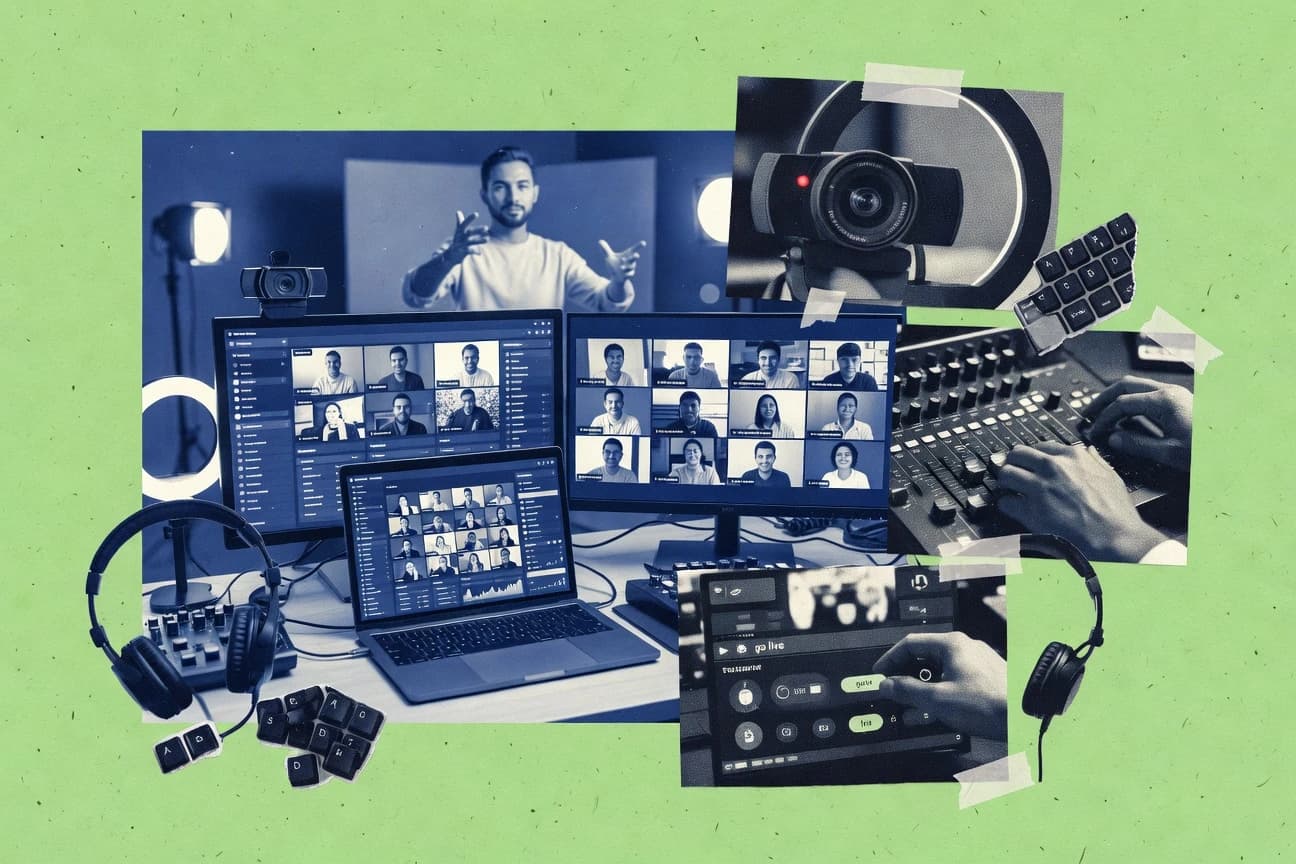
Ranking roundup of the top virtual events software options for planning and hosting online events, with comparisons of Bizzabo, vFairs, Accelevents.

How we ranked these tools
Before any source is gathered, an editor locks the question, what qualifies, and how the piece will be judged.
Search agents gather the source set and the review record, including transcriptions of video reviews and podcasts.
Framework: Features 40% · Ease 30% · Value 30%
Gitnux may earn a commission through links on this page — this does not influence rankings. Editorial policy
Bizzabo is the strongest pick for teams that want consistent virtual programming with sponsor lead capture across recurring events, whereas Accelevents fits event ops that need structured virtual venues with live engagement and sponsor routing on a tighter budget slot.
Editor’s top 3 picks
Three quick recommendations before you dive into the full comparison below — each one leads on a different dimension.
Bizzabo
Lead retrieval inside sponsor and exhibitor experiences links attendee interactions to sales follow-up.
Best for: Fits when event teams need consistent virtual programming plus sponsor lead capture across recurring events.
vFairs
Editor pickEvent production configuration that keeps virtual venue, sponsor content, and session programming aligned across multiple events.
Best for: Fits when event teams need controlled, repeatable production for sponsor-heavy and agenda-driven programs.
Accelevents
Editor pickBuilt-in virtual venue layout and session delivery coordination for live show runs and replay publishing.
Best for: Fits when event ops teams need structured virtual venues with live engagement and sponsor routing.
Comparison Table
Bizzabo
enterpriseEvent experience platform covering virtual, in-person, and hybrid events with marketing and analytics.
Lead retrieval inside sponsor and exhibitor experiences links attendee interactions to sales follow-up.
Bizzabo supports browser-based attendee participation for live programming and on-demand replay, with production features that map content to an event agenda. It adds lead retrieval for sponsor and exhibitor interactions, and it offers event-level reporting focused on attendance and engagement signals. Integration depth is strongest when event workflows need CRM sync and repeatable operational processes across multiple events.
A tradeoff appears in governance and configuration effort for large portfolios of events, because role controls and data mappings must be maintained per event type. Bizzabo fits teams running recurring branded events where consistent registration, session formats, and lead workflows matter more than fully custom virtual venue layouts.
- +Agenda-to-content mapping supports repeatable virtual event production workflows
- +Lead retrieval tools connect sponsor and exhibitor engagement to follow-up
- +Engagement analytics report session attendance and interaction outcomes
- +CRM-oriented sync supports cleaner downstream lead routing
- –Portfolio governance needs ongoing configuration across event templates
- –Advanced venue customization can require careful production planning
- –Reporting depth depends on how sessions and interactions are configured
Event marketing teams
Plan multi-track virtual conferences
Higher session participation visibility
Revenue operations teams
Route sponsor leads into CRM
Faster sales outreach
Show 2 more scenarios
Partnership and sponsorship teams
Measure booth and lounge engagement
Clear prospect scoring inputs
Use sponsor interaction capture to quantify interest and identify prospects.
Program managers
Repurpose live sessions into replay
Reusable content library tracking
Publish recorded content tied to agenda sessions and review post-event analytics.
Best for: Fits when event teams need consistent virtual programming plus sponsor lead capture across recurring events.
vFairs
enterpriseVirtual and hybrid events platform with exhibit halls, registration, networking, and mobile apps.
Event production configuration that keeps virtual venue, sponsor content, and session programming aligned across multiple events.
vFairs is a strong fit for organizations running multiple events that require consistent production patterns across teams and sessions. Configuration-focused publishing supports event pages, agenda-driven programming, sponsor booth content, and attendee interaction features that can be reused from prior events.
A tradeoff is that governance and workflow discipline matter for keeping roles, page content, and engagement settings aligned across producers, admins, and stakeholders. vFairs works best for teams that plan roles in advance and run a production checklist for each event rather than making late structural changes.
- +Repeatable production workflows for virtual venues and programmed sessions
- +Configurable sponsor and agenda-driven content setup
- +Operational controls for consistent attendee access and publishing
- +Engagement modules suited for structured audience interactions
- –Admin workflow needs upfront role planning to avoid content drift
- –Late changes to event structure can slow production cycles
- –Some integrations require deliberate configuration work
Event operations teams
Run recurring virtual conferences with repeatable layouts
Fewer production errors
Sponsorship and partnerships teams
Publish sponsor spaces with controlled content
More predictable sponsor delivery
Show 2 more scenarios
Program managers
Coordinate agenda-driven programming and session pages
Reduced attendee confusion
Agenda-aligned publishing helps keep attendee navigation consistent during live and on-demand phases.
Corporate event marketers
Track and manage engagement touchpoints
Higher interaction focus
Interaction modules support planned engagement moments rather than ad hoc content changes.
Best for: Fits when event teams need controlled, repeatable production for sponsor-heavy and agenda-driven programs.
Accelevents
SMBEvent management platform for virtual, hybrid, and in-person events with registration and streaming.
Built-in virtual venue layout and session delivery coordination for live show runs and replay publishing.
Accelevents fits teams that need repeatable event operations across registrations, session content, and on-site sponsor visibility. The product organizes event delivery around virtual venue layout, session scheduling, and interactive engagement modules that appear during live programming. Browser-based attendee access reduces attendee setup friction and supports high-throughput viewing during peak show time.
A key tradeoff is that deep customization typically requires careful pre-configuration of layouts and interaction flows rather than ad hoc editing during production. Accelevents works best for companies running multi-stream events where staff must coordinate stage content, engagement prompts, and sponsor traffic without switching between separate tools.
- +Event pages and session structures are built around real show workflows
- +Sponsor and exhibitor areas can be presented alongside stage content
- +Browser-based attendee access reduces friction for large audiences
- +Engagement interactions support live participation during scheduled sessions
- –Live-run changes require disciplined setup in advance
- –Advanced production customization can depend on configuration choices
- –Integration options may require add-on work for complex martech stacks
- –Multi-team governance needs clear roles and production runbooks
Event operations teams
Multi-track live programming
Less run-of-show drift
Marketing teams
Sponsor and exhibitor visibility
Higher sponsor page traffic
Show 2 more scenarios
Community teams
Audience engagement across sessions
More active attendees
Uses interactive engagement modules to drive participation during each scheduled segment.
Customer education teams
Live plus replay delivery
Sustained content consumption
Publishes session content for repeat viewing after the live event concludes.
Best for: Fits when event ops teams need structured virtual venues with live engagement and sponsor routing.
Cvent
enterpriseEnterprise event management software with virtual, hybrid, registration, and attendee engagement tools.
Sponsor and exhibitor lead retrieval tools connect booth engagement to downstream CRM workflows for production teams.
Cvent pairs virtual events production workflows with event management capabilities used for large conferences and internal summits. The system centers on registration and agenda configuration, then extends into streaming, interactive sessions, and sponsor or exhibitor management.
- +Strong integration options for CRM sync and event registration workflows
- +Granular configuration for virtual agendas, sessions, and exhibitor experiences
- +Event operations scale well with roles for producers, moderators, and marketers
- +Automation supports consistent lead handling from event engagement to follow-up
- –Setup complexity increases for teams with many event variations and templates
- –Browser-only attendee mode can limit advanced interaction compared to full clients
- –Live production workflows require careful run-of-show coordination and rehearsals
- –Deep customization often depends on platform configuration discipline
Best for: Fits when enterprises need end-to-end event operations and lead routing across virtual sessions.
Hopin
enterpriseVirtual events platform for large online events, expos, networking, and hybrid formats.
Event hub layout that links stage, breakouts, and expo hall surfaces under one unified production workflow.
Hopin runs a browser-based virtual venue with a live stage, breakouts, and an expo hall built for event production workflows. The core venue layout ties registration to event entry and then coordinates content sessions, attendee interaction modules, and sponsor booth surfaces inside one event hub.
- +Single event hub combines stage, breakouts, and expo areas
- +Browser attendee access avoids installing a native client
- +Live session handling supports simulcast-style audience viewing paths
- +Production tooling supports multiple roles for event operators
- –Complex multi-track events can require careful session and room planning
- –Limited customization depth for stage layout beyond provided configuration
Best for: Fits when event teams need a structured virtual venue for stage, breakouts, and sponsor booths.
Airmeet
SMBVirtual and hybrid events platform focused on webinars, conferences, lounges, and networking.
Sponsor booth experiences inside a virtual expo hall with attendee interaction and lead capture workflows.
Airmeet is a virtual events venue for teams that need interactive sessions, expo-like spaces, and browser-based attendance.
- +Breakout room workflow supports simultaneous facilitated sessions during a live program
- +Expo hall and sponsor-style spaces fit sponsor led activations without custom front ends
- +Attendee discovery tools drive scheduled and ad hoc networking within a virtual venue
- +Production tools cover stage content and segment transitions across live sessions
- –Advanced configuration of attendee experiences takes more setup than basic webinars
- –Cross system lead transfer depends on integration maturity and field mapping needs
- –Customization beyond the standard templates requires design work in the event assets
- –Complex multi-track agendas can be harder to validate before rehearsal
Best for: Fits when event teams need interactive breakouts and expo-style sponsor areas with browser attendance.
RingCentral Events
enterpriseVirtual, hybrid, and webinar event platform for sessions, registration, networking, and backstage production.
Lead capture from sponsor booth interactions connects booth traffic to follow-up workflow inside the event runbook.
RingCentral Events combines a virtual event production workflow with RingCentral communications context, which helps tie sessions to real-world collaboration. Event setup centers on a registration gateway, configurable event pages, and agenda publishing for stage and session tracks.
- +Registration and event pages support coherent end-to-end attendee journeys
- +Polling and Q&A cover common engagement needs during live sessions
- +Sponsor booths and expo-style experiences support lead retrieval workflows
- +Browser-based attendee access avoids installing a separate client
- –Limited visibility into advanced attendee matchmaking and routing rules
- –Breakout rooms and networking lounges need careful program design to work smoothly
- –Integrations beyond RingCentral communications are narrower than some competitors
- –Custom production workflows require more coordination than built-in templates
Best for: Fits when events require RingCentral-aligned communications and straightforward sponsor lead capture.
BigMarker
SMBWebinar and virtual event software with branded event hubs, streaming, and audience engagement tools.
Green-room to broadcast-style production controls help moderators manage transitions between live segments.
BigMarker focuses on event production workflows that include registration, live sessions, and attendee engagement in one execution path. The product supports embedded virtual-venue experiences with agenda-driven sessions, Q&A and polling interactions, and on-demand replay after the live window.
- +Agenda-first session planning keeps multi-session events organized
- +Built-in attendee Q&A and polling support live engagement without add-ons
- +Lead and attendance export paths fit typical CRM follow-up workflows
- +Role-based access supports separated duties for producers and moderators
- –Breakout room depth depends on how each session is configured
- –Advanced automation often requires careful setup across event assets
- –Custom data capture is constrained compared with form-native event stacks
- –Moderation controls can feel fragmented across session and event layers
Best for: Fits when teams need an agenda-led virtual venue with live interactions and organized lead capture.
Whova
SMBEvent management software with mobile event apps, virtual sessions, community features, and registration.
Built-in attendee matchmaking paired with exhibitor lead retrieval inside the same event hub workflow.
Whova coordinates virtual event production around an event hub with agenda building, sponsor areas, and interactive sessions for live and on-demand viewing. It adds attendee networking through guided matchmaking and chat-based engagement plus structured lead capture workflows for exhibitors.
- +Attendee networking includes guided matchmaking and in-event chat workflows
- +Expo and sponsor areas support booth-style content and exhibitor lead capture
- +Agenda builder links sessions to the event hub for consistent navigation
- +Operational admin controls cover publishing and role-based access per event
- –Complex event configuration takes time for multi-track agendas and venues
- –Extensibility limits can surface when custom automation needs deep data mapping
- –High-touch moderator workflows require staffing during peak live sessions
- –Some analytics depend on event-level setup choices rather than ad-hoc slicing
Best for: Fits when event teams need an integrated virtual venue plus networking and exhibitor lead capture in one workflow.
Goldcast
B2B marketingB2B virtual events and webinar platform focused on branded content experiences and pipeline impact.
Goldcast production workflows manage multi-room programming so staff can run live tracks and sponsor areas without switching platforms.
Goldcast targets event producers who need a browser-based virtual venue with production controls for stages, breakouts, and expo-style sponsor areas. It supports interactive programming such as live sessions with attendee engagement modules, plus video on-demand replay for post-event consumption.
- +Browser attendee access reduces friction versus download-based clients
- +Production tooling covers stage and breakout orchestration in one venue
- +On-demand replay supports follow-up viewing without rebuilding sessions
- +Engagement modules add interaction beyond passive streaming
- –Venue setup requires deliberate configuration across roles and pages
- –Limited flexibility for fully custom UI beyond the provided venue framework
- –Complex multi-track events increase operational overhead for moderators
- –External system workflows rely on integration configuration discipline
Best for: Fits when event teams need a controlled virtual venue with interactive modules for multi-session programs.
Conclusion
After evaluating 10 virtual events software, Bizzabo stands out as our overall top pick — it scored highest across our combined criteria of features, ease of use, and value, which is why it sits at #1 in the rankings above.
Use the comparison table and detailed reviews above to validate the fit against your own requirements before committing to a tool.
How to Choose the Right Virtual Events Software
This buyer’s guide covers Bizzabo, vFairs, Accelevents, Cvent, Hopin, Airmeet, RingCentral Events, BigMarker, Whova, and Goldcast as virtual events software options for planning, hosting, and attendee engagement. Each tool review focuses on how virtual venue layout, sponsor and exhibitor experiences, and live-to-replay programming connect during event production.
Readers get concrete differences across event hub design, lead capture workflows, and production governance choices that affect throughput during show runs and follow-up after sessions. The coverage also highlights where integrations and automation surfaces connect event outcomes to downstream systems and where setup discipline can affect late changes.
Virtual Events Software for virtual venue production, sponsor lead capture, and live-to-replay orchestration
Virtual events software manages a browser-based or client-based attendee experience built around a virtual venue, sessions, and sponsor or exhibitor spaces. The core workflow includes registration gateway setup, agenda and session orchestration, and publishing of live segments plus on-demand replay assets.
Bizzabo connects sponsor and exhibitor interactions to lead retrieval workflows for sales follow-up, and that linking shapes how teams structure sponsor content across recurring events. Hopin uses a single event hub that unifies stage, breakout rooms, and expo hall surfaces under one production workflow, which changes how multi-track agendas are planned and staffed.
Virtual Events Software features that affect venue control, lead capture, and live-to-replay delivery
Virtual venue design determines how reliably teams coordinate stage segments, breakouts, and sponsor spaces during live operations and later in on-demand replay. Lead capture modules determine whether booth and exhibitor interactions map to follow-up workflows, not just attendee engagement counts.
Sponsor and exhibitor lead retrieval tied to the event runbook
Bizzabo links sponsor and exhibitor interactions to lead retrieval so sales follow-up can use in-event behavior. Cvent provides sponsor and exhibitor lead retrieval that connects booth engagement to downstream CRM workflows for enterprise production teams.
Agenda-to-content and production workflow repeatability across events
vFairs keeps virtual venue, sponsor content, and session programming aligned through repeatable event production configuration across multiple events. Bizzabo supports agenda-to-content mapping that supports repeatable virtual event production workflows for recurring programs.
Live-run show coordination built into venue and session structure
Accelevents uses built-in virtual venue layout and session delivery coordination that matches live show runs and replay publishing. Hopin’s single event hub combines stage, breakouts, and expo areas so multi-track agendas use one unified production workflow.
Event hub experience design that unifies stage, expo, and attendee entry
Hopin’s event hub layout links stage, breakouts, and expo hall surfaces under one production workflow. RingCentral Events pairs registration and event pages with coherent attendee journeys and live session engagement modules.
Interaction modules that staff live engagement without extra tooling
BigMarker includes built-in attendee Q&A and polling support for live engagement during scheduled sessions. RingCentral Events includes polling and Q&A coverage for common engagement needs during live sessions.
Operational moderation controls for multi-segment broadcasting
BigMarker provides green-room to broadcast-style production controls that help moderators manage transitions between live segments. Goldcast runs multi-room programming through production workflows so staff can operate live tracks and sponsor areas without switching platforms.
How to choose Virtual Events Software by production governance, venue structure, and automation fit
Selection should start with how event teams want to govern repeatability, because template flexibility and late-change tolerance determine production throughput. Then teams should match lead capture and audience interaction rules to the follow-up workflows that actually run after the event.
Map sponsor and exhibitor lead routing to the follow-up system that will process it
If lead capture must flow from sponsor and exhibitor engagement into sales follow-up, Bizzabo and Cvent both tie booth interactions to lead retrieval and downstream workflows. If sponsor routing must stay straightforward for a runbook style process, RingCentral Events provides sponsor booth lead capture tied to in-event workflow and follow-up.
Pick a production philosophy based on how much repeatability control the team needs
vFairs favors controlled, repeatable production where virtual venue configuration and programmed sessions stay aligned across multiple events. Bizzabo adds agenda-to-content mapping for repeatable workflows across recurring event templates.
Choose venue structure based on how live operations and replay publishing need to match
Accelevents builds event pages and session structures around real show workflows so live-run coordination aligns with replay publishing. Hopin uses a unified event hub that centralizes stage, breakouts, and expo areas for consistent staffing across multi-track events.
Decide how much configuration discipline the program can tolerate during late changes
vFairs slows production cycles when late changes to event structure hit the established production plan, so role planning and early configuration are required. Bizzabo also needs ongoing portfolio governance configuration across event templates, and advanced venue customization can require careful production planning.
Benchmark interaction depth for the program style, not just the content format
Airmeet supports breakout-room workflow alongside expo-style sponsor spaces for simultaneous facilitated sessions during a live program. Whova provides guided attendee matchmaking paired with exhibitor lead retrieval inside the same event hub workflow, which fits networking-first formats.
Validate browser-only attendee access against the interaction complexity required for routing and rooms
Hopin’s browser attendee access avoids installing a native client, but complex multi-track events require careful session and room planning. Cvent’s browser-only attendee mode can limit advanced interaction compared with full clients, which matters when complex routing rules drive engagement.
Who should buy Virtual Events Software based on staffing model and sponsor program complexity
Teams should buy tools that match how they staff the show, because virtual venue structure and moderation workflows affect how reliably sessions run end to end. Buyer teams also need lead capture alignment with sponsorship operations, because sponsor booths and exhibitor pages often drive the follow-up workload.
Event operations teams running sponsor-heavy and agenda-driven programs across multiple events
vFairs provides repeatable production workflows for virtual venues and programmed sessions so sponsor content and session scheduling stay aligned across events. Bizzabo adds agenda-to-content mapping that helps keep virtual programming consistent across recurring event templates.
Enterprise event teams that require end-to-end operations and downstream CRM workflow alignment
Cvent offers granular configuration for virtual agendas, sessions, and exhibitor experiences with sponsor and exhibitor lead retrieval that connects booth engagement to CRM workflows. This pairing suits teams that want routing rules to continue after the live event into enterprise systems.
Marketing and partnerships teams running networking-first experiences with matchmaking plus exhibitor capture
Whova combines built-in attendee matchmaking and in-event chat workflows with exhibitor lead retrieval inside the same event hub. This supports networking programs where guided connections must also produce exhibitor-qualified leads.
Production staff that moderate live segments and need green-room style transition control
BigMarker provides green-room to broadcast-style production controls that help moderators manage transitions between live segments. This fits shows where staff must coordinate multiple live segments without losing control over handoffs.
Run teams that need staff-run multi-room orchestration for stage and sponsor areas in one venue
Goldcast production workflows manage multi-room programming so staff can run live tracks and sponsor areas without switching platforms. This suits event runs where room orchestration needs to stay inside one controlled venue framework.
Common mistakes when selecting Virtual Events Software for venue production and lead handling
Many teams select based on attendee-facing features and then discover that sponsor lead handling and production governance decide whether the program scales. Other failures come from late structural changes that break the assumed production workflow for venue and session layout.
Buying for sponsor booth visuals but ignoring how lead retrieval connects to follow-up
Bizzabo and Cvent both focus lead retrieval from sponsor and exhibitor engagement into follow-up systems. Teams that skip this check often end up with engagement data that cannot map to downstream workflows for production follow-up.
Designing multi-event templates without planning governance and role responsibilities
Bizzabo notes that portfolio governance needs ongoing configuration across event templates. vFairs also calls out admin workflow discipline that needs upfront role planning to prevent content drift.
Treating live show runs as a content upload task instead of a coordination workflow
Accelevents ties event pages and session structures to real show workflows so live-run changes require disciplined setup in advance. Hopin also needs careful session and room planning for complex multi-track events to avoid operational friction.
Assuming browser-only access guarantees the same interaction depth as richer client experiences
Cvent’s browser-only attendee mode can limit advanced interaction compared with full clients. Teams that require advanced interaction patterns or routing complexity should validate interaction behavior early in a test venue.
Overloading advanced networking and matchmaking without checking event configuration complexity
Whova calls out complex event configuration time for multi-track agendas and venues. Airmeet’s breakout and expo interaction setup also increases setup time when attendee experience configuration goes beyond basic webinars.
How We Selected and Ranked These Tools
We evaluated Bizzabo, vFairs, Accelevents, Cvent, Hopin, Airmeet, RingCentral Events, BigMarker, Whova, and Goldcast using features, ease, and value as primary scoring dimensions where features accounted for 40% of the score and ease and value each accounted for 30%. Features placement prioritized sponsor and exhibitor lead retrieval workflow depth, virtual venue orchestration for live-to-replay programming, and event hub production structure for stage and expo coordination.
Ease scoring emphasized production setup friction such as template governance for recurring events and the impact of late changes on show readiness. Bizzabo earned the top rank through standout lead retrieval inside sponsor and exhibitor experiences plus agenda-to-content mapping that supports repeatable virtual event production workflows.
Frequently Asked Questions About Virtual Events Software
How does lead capture and CRM handoff work in Bizzabo, Cvent, and Whova?
Which tools support SSO for staff roles during event production, and how does RBAC show up?
When migrating existing event data into vFairs or BigMarker, what data model and schema concerns appear?
Which platform is better for recurring events when admin controls must keep venue, sponsor content, and sessions aligned?
What breaks if RTMP streaming workflows are required for stage simulcast, and which tools handle the pipeline better?
How does virtual venue layout control differ between Hopin, Accelevents, and Goldcast for multi-session programs?
When does RingCentral Events fit better than Bizzabo for organizer workflows during live sessions?
What tradeoff appears when using BigMarker versus Airmeet for interactive networking and moderation?
Tools reviewed
Primary sources checked during evaluation.
Referenced in the comparison table and product reviews above.
- Entertainment EventsTop 10 Best Virtual Summit Software of 2026
- Entertainment EventsTop 10 Best Virtual Exhibit Hall Software of 2026
- Entertainment EventsTop 10 Best Virtual Photo Booth Software of 2026
- Entertainment EventsTop 10 Best Virtual Event Management Conference Software of 2026
- Entertainment EventsTop 10 Best Virtual Drum Software of 2026
Keep exploring
Comparing two specific tools?
Software Alternatives
See head-to-head software comparisons with feature breakdowns, pricing, and our recommendation for each use case.
Explore software alternatives→In this category
Entertainment Events alternatives
See side-by-side comparisons of entertainment events tools and pick the right one for your stack.
Compare entertainment events tools→