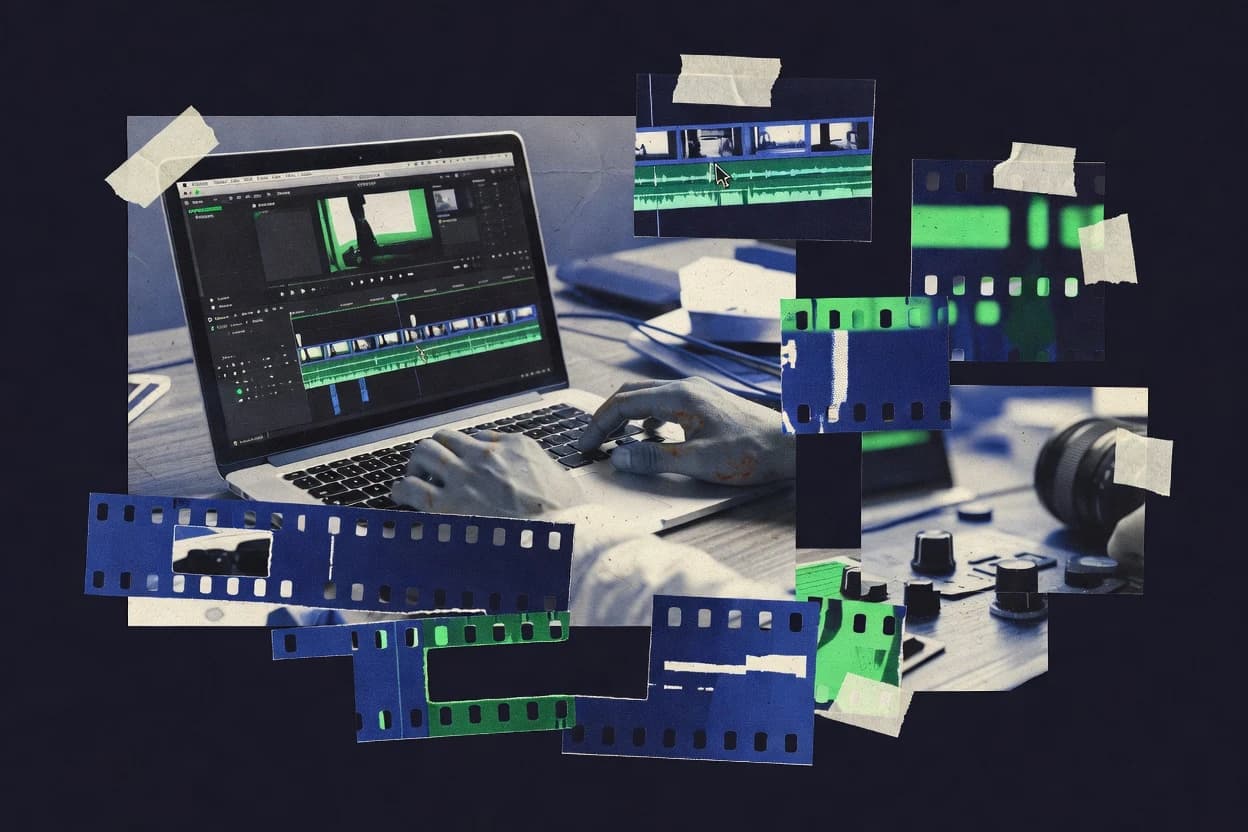
GITNUXSOFTWARE ADVICE
Art DesignTop 10 Best Video Splicing Software of 2026
Compare video splicing software options with tradeoffs for editors, including Wondershare Filmora, VEGAS Pro, and Adobe Premiere Pro.

How we ranked these tools
Vendors set the topic, but our editors set the inclusion criteria and the evaluation framework before research starts.
Search agents gather the source set and the review record, including transcriptions of video reviews and podcasts.
Framework: Features 40% · Ease 30% · Value 30%
Gitnux may earn a commission through links on this page — this does not influence rankings. Editorial policy
Wondershare Filmora is the best pick for rapid splice edits where quick, consistent exports matter, because its keyframe-based timeline controls make motion and effects feel easy to refine without heavy finishing. VEGAS Pro is a strong alternative for splicing-heavy Windows workflows, since its render queue batch exports from one timeline speed up repeated delivery versions.
Editor’s top 3 picks
Three quick recommendations before you dive into the full comparison below — each one leads on a different dimension.
Wondershare Filmora
Keyframe-based animation controls on the timeline for position, scale, rotation, and opacity.
Best for: Fits when rapid splice edits, basic motion, and consistent exports matter more than deep finishing.
VEGAS Pro
Editor pickTimeline-driven nested editing with an integrated render queue for repeated delivery versions from one cut.
Best for: Fits when editors need precise splicing, audio mixing, and batch exports in one timeline workflow.
Adobe Premiere Pro
Editor pickMulticam editing with audio-synced angle switching inside the main timeline editing flow.
Best for: Fits when teams need timeline-first splicing plus multicam and proxy workflows.
Comparison Table
Wondershare Filmora
SMBConsumer video editor with drag-and-drop timeline and effects library.
Keyframe-based animation controls on the timeline for position, scale, rotation, and opacity.
Filmora’s core workflow centers on a multi-track timeline where clips can be trimmed, split, and rearranged using standard editing tools like ripple-style adjustments and track-based snapping. Clip transformations use keyframes for position, scale, rotation, and opacity, which makes it practical for motion text, picture-in-picture positioning, and basic animated overlays. Color correction and LUT-style looks are available inside the editing timeline, but the grading model is more effect-oriented than fully node-driven.
A clear tradeoff is that advanced finishing tasks like complex masking for roto work and deep node graph grading are not the focus, which can push heavier editors toward compositors or higher-end NLEs. Filmora fits best when splicing raw footage into short-form sequences, building consistent lower-thirds, and iterating exports quickly for review or social distribution.
- +Fast timeline editing workflow for splicing clips into sequences
- +Keyframe controls for position, scale, rotation, and opacity
- +Built-in transition and effect presets for quick consistency
- +Audio mixing tools for aligning edits to dialogue and music
- –Compositing and roto workflows feel thinner than higher-end NLEs
- –Color grading depth is limited compared with node-based editors
- –Pro-level interchange support like EDL or XML interchange is constrained
- –High-resolution effects can reduce real-time preview consistency
Content creators and small studios
Assemble clips into short edits
Short turnaround for drafts
Marketing teams
Standardize lower-thirds and transitions
Less rework between videos
Show 2 more scenarios
Video editors for podcasts
Sync cuts to voice and music
Cleaner audio-aligned edits
Use timeline audio tools to align scene cuts to dialogue and manage levels during editing.
Freelance editors
Deliver review exports efficiently
Faster review cycles
Iterate spliced sequences and export variants for stakeholder feedback without a complex pipeline.
Best for: Fits when rapid splice edits, basic motion, and consistent exports matter more than deep finishing.
VEGAS Pro
enterpriseProfessional NLE with advanced audio and video editing on Windows.
Timeline-driven nested editing with an integrated render queue for repeated delivery versions from one cut.
VEGAS Pro is used for splicing-heavy timelines where editors need tight cut control, ripple edits, and flexible track management for video and audio. The workflow centers on the timeline and clip bin, with supports for nested sequences and compound-style reuse that reduces rework when similar segments repeat. Export uses a render queue that can batch multiple output presets, which fits release pipelines that require the same edit delivered in different resolutions.
A practical tradeoff is that advanced motion graphics and node-based compositing are not the focus, so complex title graphics may require an external graphics tool. A common usage situation is assembling long-form edits from many short clips, then iterating on audio fades, ducking, and transitions while using preview caching to keep playback responsive during trim passes.
- +Frame-accurate trimming and razor-level cut tools for splicing-heavy timelines
- +Render queue enables batch exports from a single timeline
- +Track-based audio mixing supports precise fades and routing
- +Nesting reduces repetition when edits reuse the same segments
- –Advanced compositing and motion graphics workflows depend on external tools
- –Proxy and media-setup steps can add time on mixed codec libraries
- –Color pipeline depth is less consistent than Resolve-style grading workflows
Freelance editors and assemblers
Cutting podcasts with tight audio edits
Faster podcast assembly
In-house video production teams
Delivering the same edit in variants
Consistent multi-format delivery
Show 2 more scenarios
Content creators with long-form projects
Reusing repeated intro and outro segments
Reduced revision workload
Nesting keeps repeated sections editable without manually recutting every occurrence.
Event teams with many camera clips
Building highlight reels from short moments
Quicker highlight assembly
Timeline controls support rapid cut iteration with responsive preview during trimming passes.
Best for: Fits when editors need precise splicing, audio mixing, and batch exports in one timeline workflow.
Adobe Premiere Pro
enterpriseTimeline-based professional video editing software with multi-format support.
Multicam editing with audio-synced angle switching inside the main timeline editing flow.
Adobe Premiere Pro edits footage directly on a timeline with frame-accurate trimming tools and a large codec and media import surface. Its multicam editing workflow supports synchronized angle playback and cutting without leaving the main sequence editing view.
Media can be transcoded into proxy files for smoother scrubbing, and exports support batch rendering through the render queue. Integration with other Adobe tools enables round-trips for titles and motion graphics while keeping the Premiere Pro timeline as the finishing source.
- +Frame-accurate trimming with ripple edit and precise timeline snapping
- +Multicam angle editing with audio sync during switching
- +Proxy workflow for responsive playback on high-bitrate media
- +Batch exports via render queue with reusable export presets
- –Large projects can slow down if proxy use and preview cache are not managed
- –Advanced color finishing is limited compared with dedicated color grading systems
- –Some audio repair workflows depend on separate round-trips rather than staying in the timeline
- –Relinking and conform can be brittle when source media structure changes
Podcast video production teams
Splice interview footage with captions
Synchronized podcast episode delivery
Broadcast program editors
Conform and export staged deliveries
Repeatable delivery-ready programs
Show 2 more scenarios
Restoration and remastering editors
Stabilize and sharpen legacy footage
Usable restored footage
Editors apply stabilization, sharpening, noise-related corrections, and cadence changes directly in the edit timeline.
Color finishing teams
Apply LUTs and consistent grading
More consistent color outputs
Editors develop and maintain consistent visual treatment using grading controls and scopes across scenes.
Best for: Fits when teams need timeline-first splicing plus multicam and proxy workflows.
Kdenlive
SMBFree open-source multi-track video editor built on the MLT framework.
Multi-track editing with keyframed effects layers enables fast, non-destructive splicing without timeline flattening.
Kdenlive provides a conventional NLE timeline with snapping, ripple and slide style editing behaviors, and track tools for precision trimming and audio syncing. The effects model supports keyframes and multiple layers of processing on clips, which enables repeatable adjustments without flattening the timeline. Project organization uses clip bins and media relinking workflows that keep edits stable when sources move. Playback and preview depend on render cache behavior, so responsiveness is tied to preview settings and proxy usage rather than only raw GPU throughput.
- +Frame-accurate trimming and timeline snapping support precise cut assembly
- +Keyframe-based transforms and effect stacks work well for non-destructive edits
- +Audio and video editing stay tightly coupled during scrubbing and playback
- +Render queue scheduling supports batching without leaving the editor
- –Color grading workflow is less comprehensive than grading-centric editors
- –Proxy and preview performance tuning can require manual setup discipline
- –Limited collaboration governance compared with enterprise timeline tools
- –Automation and API surface is narrower than scripted NLE workflows
Freelance video editors
Assemble short edits with effects
Faster turnaround on client deliverables
In-house marketing teams
Batch export many variations
Less manual export work
Show 2 more scenarios
Media operators
Keep edits stable during source moves
Reduced relink and conform time
Media relinking and project organization help preserve timeline references after ingest and archive changes.
Educational labs
Teach NLE timeline workflows
More consistent student outcomes
A conventional timeline toolset and keyframe concepts make classroom splicing and effects instruction practical.
Best for: Fits when editors need timeline splicing with repeatable effects and reliable export batching.
Avidemux
vertical specialistFree video editor focused on cutting, filtering, and encoding tasks.
Keyframe-aware trimming with A/B marker workflow designed for fast splicing and consistent re-encode outputs.
Avidemux is a frame-accurate video splicing tool built around simple editing steps and fast file output rather than timeline-heavy sequencing. It supports cutting by keyframes or frame types with a clear A/B workflow, then encodes with selectable codec and container settings for consistent exports.
- +Fast frame-accurate trimming with clear A and B markers
- +Deterministic export settings with direct codec and container control
- +Filtering pipeline covers common pre-finish adjustments like deinterlace
- +Batch-style repeat workflow is practical for similarly encoded sources
- –Timeline editing beyond splicing and simple effects stays limited
- –Advanced compositing and color grading tools are not part of the core workflow
- –Proxy workflow and render queue features are not central to the editing loop
- –Some codecs require re-encoding, which can increase runtime
Desktop editors and freelancers
Trim segments and re-encode
Short clips with controlled settings
Small business video users
Reduce size by bitrate changes
More compact video files
Show 2 more scenarios
Media archivists
Deinterlace and clean captured video
More consistent playback quality
Archivists deinterlace, denoise, sharpen, and adjust recorded footage before exporting more usable copies.
Digital archivists and technicians
Repair indexes and standardize encoding
Playable consistently encoded legacy video
Teams repair indexes, trim clips, and standardize codec settings for older legacy file collections.
Best for: Fits when short-form cuts, frame-accurate trims, and repeat exports matter more than timeline effects.
Shotcut
SMBFree open-source cross-platform video editor with timeline and filtering.
Integrated FFmpeg-based ingest and export across many codecs reduces transcode friction during timeline splicing.
Shotcut is a timeline-based video editor that differentiates through a lightweight, cross-platform workflow built around simple clip trimming and a straightforward render queue. Its core editing covers multi-track timelines with frame-accurate trimming, audio scrubbing, and common transition and filter effects.
- +Timeline trimming and razor-style edits feel quick for assembly cuts
- +Wide codec coverage via FFmpeg reduces relinking and transcode steps
- +Render queue supports unattended exports for repeated splicing variants
- +Built-in scopes help verify exposure and color before final export
- –Advanced compositing and node-style grading are limited versus major competitors
- –GPU-accelerated playback and effects depend heavily on the system and codecs
- –Automation and scripting are not exposed as a first-class API for integration
- –Color management features for HDR and wide-gamut workflows are comparatively shallow
Small businesses and creators
Overlay branded text on tracks
Exports with branded marks
Independent creators
Trim and sequence for publishing
Completed video ready to publish
Show 2 more scenarios
Gaming creators
Cut gameplay and apply highlight filters
Edited gameplay highlights
Editors splice captured clips, arrange video and audio tracks, and apply filters for highlight-focused releases.
Editors across OS environments
Edit on Windows, macOS, or Linux
Consistent editing across devices
Editors run the desktop editor on supported systems to splice footage locally and export from the same workflow.
Best for: Fits when editors need fast, repeatable splice-and-export editing on multiple systems without deep compositing.
OpenShot
SMBFree open-source video editor with a simple drag-and-drop interface.
Waveform-style audio handling with timeline-linked audio trimming makes audio-first edits easier than in many basic editors.
OpenShot is an NLE-style video editor that focuses on a timeline workflow with straightforward clip trimming, transitions, and text overlays. It includes a built-in effects stack for common transforms like scaling, rotation, and opacity so edits remain easy to audition during scrubbing.
- +Timeline editing and clip trimming are accessible with quick preview playback
- +Title and transition tools are available without third-party plugins
- +Layered opacity and transform controls handle common motion edits
- +Project-based workflow keeps edits organized for repeatable exports
- –Real-time effects preview can drop on complex timelines
- –Advanced grading and node-based compositing are not a core workflow
- –Batch rendering and render queue management are limited
- –Codec and container compatibility can be inconsistent across export targets
Solo creators and small teams
Assemble short videos from clips
Short video ready for export
Teachers and internal comms teams
Splice narration with instructional sections
Structured instructional video
Show 2 more scenarios
Independent editors and content teams
Convert edited footage for delivery
Distribution-ready video files
Editors render spliced projects into common containers and codecs for downstream distribution contexts.
Creators and small production teams
Replace backgrounds with chroma key
Video with new background
Editors apply chroma keying to footage for green-screen style splicing with a replaced background layer.
Best for: Fits when small teams need fast timeline edits with basic effects and predictable exports.
Final Cut Pro
enterpriseApple professional video editing application with magnetic timeline.
Magnetic Timeline routing supports ripple-style insertion and track-aware editing without manual track juggling.
Final Cut Pro fits editors on macOS who need fast, timeline-first cutting with strong export controls for finished delivery. It supports frame-accurate trimming, multicam workflows, and native media handling that reduces round trips between ingest and edit.
- +Frame-accurate trimming with consistent timeline snapping and ripple edits
- +Multicam editing with straightforward angle sync and fast switching
- +Motion graphics and effects are usable directly on the timeline
- +Export presets support batch finishing without rebuilding timelines
- –Collaboration features are limited compared with multi-user NLE ecosystems
- –Format interoperability relies on XML and relinking, which can add conform steps
Social media creators
Trim and export short online videos
Finished short videos for online publishing
Music video directors
Reshape performance footage with overlays
Coordinated visual performance edits
Show 2 more scenarios
Accessibility-focused content teams
Create captioned program exports
Exportable captions for delivery
Teams produce captioned versions of edited programs for web and other distribution channels.
Documentary and interview editors
Organize stems and clean dialogue
Clearer dialogue in exports
Editors apply dialogue-shaping and cleanup adjustments while organizing audio stems during video finishing.
Best for: Fits when macOS editors need high-throughput timeline editing and dependable export presets.
Clipchamp
SMBBrowser-based video editor integrated with Microsoft accounts.
Timeline workflow optimized for splicing and quick browser-based exports with straightforward preset-based publishing.
Clipchamp is a web-based video splicing and timeline editor built for quick assembly and export workflows. Editing centers on frame-accurate trimming on a multi-track timeline, plus audio waveform playback for sync checks.
- +Browser-first timeline editing with responsive scrubbing and trims
- +Audio waveform display supports quick audio sync during splicing
- +Export presets reduce manual settings for common output needs
- +Automatic asset handling for common media formats in editorial workflows
- –Advanced compositing controls are limited versus dedicated NLEs
- –Color and finishing depth is constrained for production-grade grading
- –Workflow automation and API access are minimal for pipeline integration
- –Multicam and nested timeline complexity is not a strong focus
Business users and creators
Make light edits and export common formats
More manageable exported files
Marketing teams and social managers
Turn long footage into short clips
Publishable short-form videos
Show 2 more scenarios
Real estate marketing teams
Combine footage into listing video layouts
Consistent listing videos
Agents splice property clips with captions, branding, and vertical or landscape layouts for listing and tour videos.
Small marketing teams and freelancers
Reuse templates for campaign variants
More consistent video variants
Freelancers reuse templates and brand assets to produce repeated campaign and announcement video versions faster.
Best for: Fits when small teams need fast web timeline splicing, basic transitions, and repeatable exports without deep finishing.
CyberLink PowerDirector
SMBConsumer and prosumer video editor with timeline and AI-assisted tools.
GPU-accelerated editing and render acceleration that keeps timeline playback responsive during multi-track splicing.
CyberLink PowerDirector performs timeline-based video splicing with track editing, trimming, and transition rendering for mixed footage sequences. It supports multi-track assembly with GPU-accelerated preview and export options aimed at maintaining real-time scrubbing for many common codecs.
- +Track-based splicing workflow with fast timeline trimming and ripple-style edits
- +GPU-accelerated preview and render options for smoother playback during assembly
- +Batch export presets for repeating deliverable settings across multiple projects
- +Straightforward audio syncing and editing tools for dialog and music cutovers
- –Advanced effects and compositing depth remains limited versus dedicated compositors
- –Some format edge cases require transcode to avoid export or playback issues
- –Real-time performance varies sharply with codec and effect stacks
- –Project organization features for large libraries lag behind editors built for teams
Video creators and teams
Assemble mixed clips for playback targets
Completed delivery-ready video
Solo creators and small teams
Build short videos with keyframed effects
Stylized short motion-led video
Show 2 more scenarios
Families and tribute video editors
Create timed slideshow tributes
Timed tribute slideshow
Editors combine still photos, video, titles, transitions, narration, and music with controlled timing and motion.
Event videographers and small crews
Synchronize and arrange multi-camera footage
Multi-camera edited event
Teams synchronize multiple camera angles and arrange them for cut-based event storytelling with finished audio.
Best for: Fits when single-editor workflows need rapid cut assembly, reliable export presets, and GPU-assisted playback.
Conclusion
After evaluating 10 video splicing software, Wondershare Filmora stands out as our overall top pick — it scored highest across our combined criteria of features, ease of use, and value, which is why it sits at #1 in the rankings above.
Use the comparison table and detailed reviews above to validate the fit against your own requirements before committing to a tool.
How to Choose the Right Video Splicing Software
Video splicing software is used to assemble timeline-based edits with frame-accurate trimming, consistent cut points, and repeatable exports across sequences. This buyer’s guide covers VEGAS Pro, Adobe Premiere Pro, Final Cut Pro, DaVinci Resolve tests, plus Wondershare Filmora, Kdenlive, and other timeline editors chosen for splice workflow fit and export quality.
The selection emphasis follows how each tool handles splicing-specific mechanics like razor-style cuts, ripple edits, and multicam angle switching, then checks where finishing depth and workflow overhead diverge. VEGAS Pro ranks highest for nested editing tied to an integrated render queue that can deliver repeated versions from one timeline edit.
Video Splicing Software for frame-accurate edits, nested timelines, and repeatable exports
Video splicing software centers on trimming and assembling clips on a timeline with precise cut control, then exporting finished renders that preserve edit intent. Core capabilities include frame-accurate trimming, timeline snapping for cut assembly, and export presets that make batch delivery practical.
Tools differ most in how they support higher-friction splice workflows like repeated deliveries, multicam switching, and non-destructive effects layering. VEGAS Pro uses timeline-driven nested editing with an integrated render queue for repeated delivery versions, while Adobe Premiere Pro focuses on multicam angle switching with audio-synced transitions inside the main timeline flow.
Splicing-specific mechanics that affect cut accuracy and export repeatability
Video splicing software lives or dies by frame-accurate trimming behavior and cut assembly controls that keep edits consistent across repeated deliveries. Timeline features like ripple edits and snapping reduce cut drift when sequences expand from a single cut into multi-version exports.
Export repeatability matters because splicing workflows often re-render the same structure for multiple deliverables. Tools with dedicated batch delivery paths, like VEGAS Pro’s integrated render queue, reduce the manual overhead of re-exporting from one timeline edit.
Nested editing and repeated delivery exports
VEGAS Pro is built around timeline-driven nested editing paired with an integrated render queue for repeated delivery versions from one cut. This workflow reduces the chances of export settings diverging between versions.
Razor-style cut control with ripple and snapping
VEGAS Pro supports frame-accurate trimming with razor-level cut tools plus render-queue batch exports from one timeline. Kdenlive pairs frame-accurate trimming with timeline snapping and keyframed effect stacks for non-destructive splicing.
Multicam angle switching with audio-synced behavior
Adobe Premiere Pro provides multicam editing with audio-synced angle switching inside the main timeline editing flow. Final Cut Pro also supports multicam editing with straightforward angle sync and fast switching for splice-heavy assemblies.
Deterministic re-encode workflows for frame-accurate trims
Avidemux uses an A and B marker workflow focused on fast splicing with deterministic export settings through direct codec and container control. This approach favors short-form cut trimming where timeline effects are secondary.
Keyframe-based transform controls on the timeline
Wondershare Filmora offers keyframe-based animation controls for position, scale, rotation, and opacity on the timeline. This helps keep splicing motion predictable when editors need consistent transform adjustments.
FFmpeg-based ingest and export to reduce codec friction
Shotcut uses integrated FFmpeg-based ingest and export across many codecs to reduce transcode friction during timeline splicing. This lowers relinking and transcode steps when footage mixes multiple formats.
Pick by splice workflow friction: nested delivery, multicam switching, or trim-first re-encode
The fastest path to reliable video splicing comes from matching each tool’s cut-assembly behavior to the real delivery pattern. Nested editing and integrated render queues suit teams that re-export the same timeline structure across multiple versions.
Multicam splice work favors tools that keep angle switching and audio sync inside the primary timeline flow. Trim-first workflows favor tools that emphasize A and B markers with direct codec and container control over complex timeline finishing.
Choose nested delivery when repeated exports must stay identical
Select VEGAS Pro when repeated delivery versions need to originate from one timeline structure while keeping export settings consistent. Its integrated render queue is designed for batch exports from the same timeline edit.
Choose main-timeline multicam switching when splicing centers on angle sync
Choose Adobe Premiere Pro when multicam editing is part of the splice assembly workflow and angle switches must stay audio-synced inside the timeline. Final Cut Pro is a strong alternative for fast switching with macOS timeline-first edits.
Choose trim-first tools when deliverables are short-form re-encodes
Choose Avidemux when the splice task is frame-accurate trimming with deterministic A and B markers and direct control of codec and container outputs. This fits short-form cuts where advanced timeline effects do not drive the workflow.
Choose non-destructive timeline layering when repeated effects must travel with edits
Choose Kdenlive when multi-track editing with keyframed effects layers should remain editable without flattening. Timeline snapping supports precise cut assembly while effect stacks preserve splice intent.
Choose FFmpeg-based ingest and export when codec mix creates relinking overhead
Choose Shotcut when multiple codecs and mixed sources produce transcode friction during assembly. Its FFmpeg-based ingest and export reduces the need for manual codec work during splice-and-export cycles.
Teams that should match splicing mechanics to their delivery workflow
Video splicing software fits best when the dominant work is assembling cut points with frame accuracy and exporting consistent versions. The right choice depends on whether splicing friction comes from repeated deliveries, multicam switching, or codec-heavy round trips.
VEGAS Pro fits teams who repeatedly export from the same edit structure. Adobe Premiere Pro fits teams where multicam switching is a core part of splice assembly and audio sync must remain dependable.
Editors producing multiple delivery versions from one master cut
VEGAS Pro supports timeline-driven nested editing and an integrated render queue for repeated delivery versions from one timeline edit.
Teams assembling multicam narratives with audio-synced angle switching
Adobe Premiere Pro keeps angle switching inside the main timeline with audio-synced behavior, and Final Cut Pro provides fast angle sync and switching.
Short-form cut editors focused on frame-accurate trims and deterministic re-encode control
Avidemux emphasizes A and B markers and deterministic export settings with direct codec and container control for consistent outputs.
Editors who rely on non-destructive, keyframed effect layering during assembly
Kdenlive combines keyframed effects layers with multi-track editing and timeline snapping so splice edits remain editable.
Creators dealing with mixed codec libraries across quick splice-and-export sessions
Shotcut reduces codec friction using integrated FFmpeg-based ingest and export across many codecs.
Common splicing workflow mistakes that cause export drift or editing slowdowns
Splicing mistakes usually show up as cut drift across versions, timeline lag during trimming, or extra conform steps caused by media handling. These issues come from mismatching export repeatability with the tool’s timeline and render behavior.
Another frequent problem is choosing a tool that supports splicing trims but leaves finishing and motion work to separate systems, which increases round trips and version mismatch risk.
Building multi-version exports without a batch path tied to the same timeline edit
VEGAS Pro’s integrated render queue is designed for batch exports from one timeline, which reduces the risk of export settings diverging between versions.
Assuming proxy generation and preview caching will stay automatic on mixed codec libraries
VEGAS Pro and Premiere Pro can add time when proxy and media-setup steps are not managed, so mixed codec projects need deliberate proxy and preview cache handling.
Using advanced compositing expectations on tools that treat finishing as secondary
Filmora and Shotcut provide timeline splicing with keyframe or effect stacking, but their compositing and grading workflows feel thinner compared with NLEs designed for deeper finishing.
Relying on a trim tool for workflows that require heavy timeline effects and advanced grading
Avidemux is centered on fast splicing and deterministic re-encode outputs, so timeline effects and grading beyond simple needs require a different editor.
How We Selected and Ranked These Tools
We evaluated VEGAS Pro, Adobe Premiere Pro, Final Cut Pro, and the tested DaVinci Resolve tier alongside Wondershare Filmora, Kdenlive, Avidemux, Shotcut, OpenShot, CyberLink PowerDirector, and Clipchamp using splice-focused feature behavior and export repeatability. Features accounted for 40% of the score because frame-accurate trimming, razor-level cut tools, snapping, ripple edits, and render queue or export batch behavior directly affect cut consistency.
Ease and value each contributed 30% because proxy setup friction, timeline responsiveness, and practical workflow steps determine how quickly splicing turns into finished deliveries. VEGAS Pro ranked highest because timeline-driven nested editing paired with an integrated render queue supports repeated delivery versions from one timeline edit while keeping splice edits frame-accurate.
Frequently Asked Questions About Video Splicing Software
How do VEGAS Pro and Premiere Pro handle frame-accurate splicing across multiple tracks?
When should editors choose an A/B trimming workflow like Avidemux instead of a full timeline editor?
Which tool best matches a proxy workflow for faster scrubbing during splicing?
What breaks if a splicing workflow needs node-based grading instead of track effects?
How do nested or magnet-style editing behaviors affect ripple-style splicing changes?
How do Filmora and Kdenlive differ for reusable effects during repeated cut-and-transition passes?
Which splicing tool supports integrated multicam angle switching inside the timeline view?
How do export queue and batch delivery controls differ between VEGAS Pro and Avidemux?
What security or control gaps appear when teams require admin governance and auditable automation?
How does cross-platform codec handling change the splicing workflow between Shotcut and Premiere Pro?
Tools reviewed
Primary sources checked during evaluation.
Referenced in the comparison table and product reviews above.
Funding and competing interests
This study was co-funded by several of the vendors assessed in it. No single vendor funded it. Funders could propose the market studied.
They had no role in selecting vendors, setting or weighting criteria, analysing data or drawing conclusions, and they received the same factual-accuracy check as every other vendor assessed.
Market definition, inclusion rules and criteria weights were fixed by an editor before research began and did not change afterwards. Editorial process →
- Art DesignTop 10 Best All Video Editing Software of 2026
- Music And AudioTop 10 Best Audio Splicing Software of 2026
- Video Games And ConsolesTop 10 Best Video Editting Software of 2026
- Art DesignTop 10 Best Video Design Services of 2026
- Arts Creative ExpressionTop 10 Best Sports Video Editing Services of 2026
Keep exploring
Comparing two specific tools?
Software Alternatives
See head-to-head software comparisons with feature breakdowns, pricing, and our recommendation for each use case.
Explore software alternatives→In this category
Art Design alternatives
See side-by-side comparisons of art design tools and pick the right one for your stack.
Compare art design tools→