
GITNUXSOFTWARE ADVICE
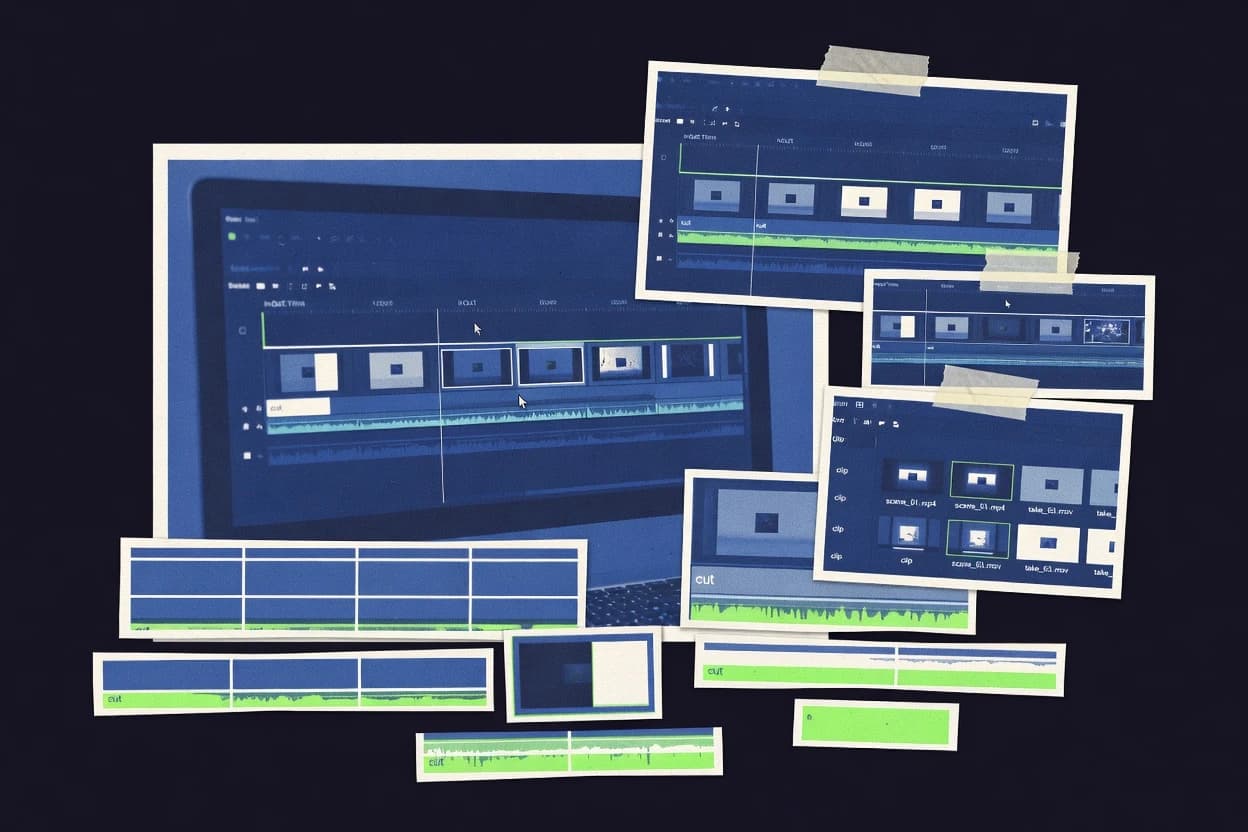
Technology Digital MediaTop 10 Best Video Clipping Software of 2026
Ranked top 10 video clipping software with technical cuts tests of Kapwing, VEED, Clipchamp, plus CapCut, Filmora, and DaVinci Resolve.

How we ranked these tools
Core product claims cross-referenced against official documentation, changelogs, and independent technical reviews.
Analyzed video reviews and hundreds of written evaluations to capture real-world user experiences with each tool.
AI persona simulations modeled how different user types would experience each tool across common use cases and workflows.
Final rankings reviewed and approved by our editorial team with authority to override AI-generated scores based on domain expertise.
Score: Features 40% · Ease 30% · Value 30%
Gitnux may earn a commission through links on this page — this does not influence rankings. Editorial policy
CapCut is the best pick when social teams need repeatable clip editing with captions and predictable exports, whereas DaVinci Resolve fits clip teams that want one timeline pipeline for consistent edit, audio, and color finishing, and if you need a free desktop option for local trimming across many clips, Avidemux is the economical entry point.
Editor’s top 3 picks
Three quick recommendations before you dive into the full comparison below — each one leads on a different dimension.
CapCut
Template-driven short-form caption and effect styling that stays inside the trimming workflow.
Built for fits when social teams need repeatable clip editing with captions and effects..
Filmora
Editor pickFrame-accurate trimming with straightforward in-point out-point selection for rapid clip extraction.
Built for fits when creators need fast clip extraction for social posts with consistent trim control..
DaVinci Resolve
Editor pickA unified editorial-to-color workflow where finishing adjustments can follow timeline changes into exports.
Built for fits when clip teams need consistent edit, audio, and color finishing in one timeline pipeline..
Comparison Table
CapCut
SMBBrowser and desktop video editor with trimming, splitting, and clip export tools.
Template-driven short-form caption and effect styling that stays inside the trimming workflow.
CapCut’s editing surface supports frame-accurate trimming, split points, and timeline scrubbing for quick in-point out-point cuts. The editor includes captions and basic audio tools, so most clipping work can be completed without round-tripping to a separate captioning or sound tool. Export controls handle common format settings for social posting, which reduces the need for manual post-processing.
A tradeoff appears in complex timeline work, because advanced multicam sync and deeper grading controls are not the focus compared with dedicated editors. CapCut fits best when a small team needs consistent short-form outputs from raw footage and wants to standardize captioning and effects across clips.
- +Frame-accurate trimming with fast split editing on the timeline
- +Caption generation tools for producing ready-to-post clips
- +Templates and effects that standardize social cutdown formatting
- +Integrated audio tools reduce external editing steps
- –Multicam sync and advanced timeline workflows are limited
- –Deep color control and export codec tuning are not the primary focus
Social media managers
Turn podcast segments into posts
Faster publish-ready cutdowns
YouTube editors
Extract highlights from long recordings
More consistent highlight output
Show 2 more scenarios
Marketing teams
Standardize product demo clip branding
Cohesive campaign assets
Apply template effects and caption formatting across demos for uniform campaign visuals.
Creators
Rapid daily shorts from raw footage
Higher clip throughput
Scrub, set in-point out-point cuts, and add captions with minimal setup between takes.
Best for: Fits when social teams need repeatable clip editing with captions and effects.
Filmora
SMBConsumer video editor with timeline-based trimming, splitting, and clip extraction.
Frame-accurate trimming with straightforward in-point out-point selection for rapid clip extraction.
Filmora fits creators who need rapid clipping from existing footage and who want edits to stay predictable during timeline scrubbing. Frame-accurate trimming works with in-point and out-point selection so clips can be cut without manual timecode hunting. The interface groups imported media into an editor-ready library and keeps short edits focused on selection, cut, and output.
A tradeoff is that Filmora’s editing depth for advanced multi-layer timelines and complex audio workflows is less comprehensive than full non-linear editor suites. Filmora is a strong choice when the main task is producing short clips for social posting where throughput matters more than long-form finishing.
- +Frame-accurate trim controls support fast in-point and out-point clipping
- +Clip-focused interface reduces the steps needed for short edits
- +Waveform editing helps keep cut points aligned with spoken audio
- +Export presets cover common target formats for quick publishing
- –Long-form timeline and layered effects are limited versus professional editors
- –Advanced color and motion tooling is not as granular for heavy grading
- –Proxy workflow depth is weaker than desktop-focused pro toolchains
- –Complex multicam workflows are not a strong fit for precision sync work
Social media editors
Cut interview highlights into clips
Consistent highlight clips
UGC creators
Clip gaming moments for posting
Ready-to-post gaming clips
Show 1 more scenario
Community managers
Package webinar moments for recap
Faster recap production
Create subclips from longer recordings and deliver multiple short outputs quickly.
Best for: Fits when creators need fast clip extraction for social posts with consistent trim control.
DaVinci Resolve
enterpriseProfessional non-linear video editor with advanced trimming and cut page workflows.
A unified editorial-to-color workflow where finishing adjustments can follow timeline changes into exports.
DaVinci Resolve supports a full non-linear editing workflow with a source monitor and program monitor for precise review during in-point and out-point decisions. Editing behaviors like ripple delete and multi-clip timeline operations make it suitable for fast rework when cut points change repeatedly. A proxy workflow and preview cache improve scrubbing responsiveness during trims, while codec transcode and optimized media support smoother playback on lower-spec systems.
A practical tradeoff is that the same toolset that enables pro finishing adds UI complexity compared with lighter web editors. Resolve fits best when clipping decisions must stay consistent from rough cut through final color and audio mastering, especially when many clips require consistent export configuration.
- +Frame-accurate trimming keeps cut decisions consistent across multiple exports
- +Proxy workflow maintains responsive timeline scrubbing during heavy codec playback
- +Render queue supports batch exports with consistent output configuration
- +Audio tools support clip-level refinement without leaving the edit timeline
- –Steep learning curve for editing workflows versus lightweight clipping editors
- –High-performance hardware can be needed for smooth scrubbing on complex timelines
Independent editors
Fast cutdowns with controlled finishing
More consistent deliverables
YouTube post teams
Batch exports for weekly releases
Less repetitive setup
Show 1 more scenario
Studios with heavy media
Proxy-first clipping sessions
Smoother review cycles
Producers generate proxy media to keep scrubbing responsive during iterative trim work.
Best for: Fits when clip teams need consistent edit, audio, and color finishing in one timeline pipeline.
Veed
SMBBrowser editor with split, trim, and clip compilation tools.
Captions are editable and styleable inside the same clipping workflow, so the subtitle output follows each excerpt without rebuilding from scratch.
Veed.io focuses on web-based video clipping with a timeline workflow built for fast extraction of short segments from longer sources. It supports in-browser trimming with frame-accurate in and out points, plus clip management so edits stay organized during iteration.
Media handling is geared toward quick publish, including reusable subtitle tooling and caption styling that remains tied to the clipped region. Collaboration features help teams review edits through share links and versioned project states rather than exporting intermediate files.
- +Frame-accurate in and out trimming designed for clip extraction
- +Caption and subtitle workflow stays consistent across short segments
- +Clip organization reduces rework when multiple excerpts come from one source
- +Share links and project history support fast team review cycles
- –Advanced color and conform controls are limited for editorial finishing
- –Complex multicam sync edits are not a primary workflow focus
Best for: Fits when teams need fast web-based trimming, captioning, and review for short-form clips from longer videos.
Kapwing
SMBOnline editor with timeline trimming, splitting, and clip assembly.
Template-driven clip runs that reuse settings across multiple exports so edits stay consistent across series.
Kapwing performs video clipping by letting editors cut source segments with frame-accurate trimming on a timeline and export short clips. The workflow centers on quick browser edits, a source-to-timeline pipeline, and batch-friendly clip creation for repurposing footage.
Media handling supports common web-first formats and applies edits without requiring local editor setup. Kapwing also includes templates and collaboration tools that make repeatable clip runs easier for teams.
- +Frame-accurate trimming on a timeline for precise in-point to out-point selection.
- +Fast browser workflow for turning long videos into multiple clips with minimal setup.
- +Collaboration features support shared editing and review loops.
- +Export presets help standardize clip outputs for consistent downstream publishing.
- –Advanced timeline editing tools for complex cuts are limited versus desktop NLEs.
- –Large source libraries can slow planning when clip bins stay lightweight.
- –Some codec and color edge cases may require re-encoding to match targets.
- –Automation and API depth for governance workflows is not as extensive as developer-first tools.
Best for: Fits when teams need quick web-based clip creation with consistent exports and lightweight collaboration.
Flixier
SMBBrowser editor with non-destructive trimming and clip merging.
Cloud render queue that processes multiple clip exports in the background while edits continue.
Flixier targets browser-based video clipping with a workflow built around fast trimming and quick publishing rather than manual timeline finishing. The editor supports in-point and out-point style selection, batch clip generation, and a render queue that processes multiple outputs in the background.
Media handling focuses on proxy-style preview responsiveness and codec transcodes during export, which helps when source files are large or screen captures vary in format. Output is organized for reuse as exported clips, making it practical for repeatable social and internal review workflows.
- +Browser editing reduces local setup friction for quick clips
- +Background render queue supports multiple exports in one session
- +Clip selection and preview loop feel fast for short edit tasks
- +Batch output workflow fits recurring clipping and republishing
- –Advanced timeline editing controls lag behind desktop editors
- –Audio sync drift handling is limited for complex multi-track sources
- –High-end color and mastering workflows are not the focus
- –Export preset control can be less granular than expected
Best for: Fits when teams need repeatable, fast clip extraction from long videos for social or internal sharing.
Avidemux
vertical specialistFree desktop tool for cutting and encoding segments of common video formats.
Avidemux’s job-style cut and transcode flow combines in out trimming with a persistent filter pipeline.
Avidemux is a frame-accurate video clipping tool focused on in-point out-point cuts rather than timeline-heavy editing.
A simple filter pipeline and export presets support repeatable segment processing with common codec and container combinations.
Batch-style usage makes it suitable for consistent clipping and transcoding across many source files.
Compared with browser-based editors, the local pipeline favors control over interactivity.
- +Frame-accurate trimming workflow with predictable in and out cut points
- +Filter chaining supports deinterlacing, scaling, and color adjustments before export
- +Export presets reduce repeated codec and container selection work
- +Batch-oriented workflow suits processing many similar clips
- –Editing ergonomics are limited compared with timeline editors for complex sequences
- –Some codec choices require manual setup to avoid playback or export issues
- –Multicam sync and advanced session organization are not its focus
- –Preview depends on decoding throughput rather than dedicated proxy tooling
Best for: Fits when teams need repeatable local trimming and simple filter chains for many clips.
Eklipse
vertical specialistAI clipping platform for stream highlights, gaming clips, and short social video exports.
Frame-accurate trimming driven by a clip-centric workflow that prioritizes consistent boundaries over full timeline editing.
Eklipse focuses on frame-accurate video clipping with a workflow built around fast in-point and out-point marking, source-first review, and batch output. The editor-style interface supports precise trimming without forcing a full timeline authoring workflow.
Eklipse is designed to reduce rework by applying consistent export settings across many clips and maintaining the relationship between each clip and its originating media. The automation surface emphasizes repeatable clip generation for teams that need standardized cuts at scale.
- +Frame-accurate in-point and out-point trimming for reliable clip boundaries.
- +Batch clip generation keeps export configuration consistent across many outputs.
- +Source-first review reduces mismatch between trimmed content and exports.
- +Workflow supports repeatable cut production for multi-clip tasks.
- –Limited depth for complex non-linear editorial tasks beyond clipping.
- –Export customization may require careful preset setup before high-volume runs.
- –Collaboration and review controls can feel light for large governance needs.
- –Advanced audio handling options are narrower than full editing suites.
Best for: Fits when teams need fast, repeatable frame-accurate trimming and batch exports for clip libraries.
Captions
creatorAI video editing software that includes clipping, captioning, reframing, and short-form content generation.
Transcript-driven clip creation maps caption selections to export-ready cut segments with preserved timing.
Captions is a video clipping workflow centered on captions-driven editing, where highlighted transcript segments map directly to cut points. It generates short clips from selected caption ranges and outputs them with preserved audio and timing rather than manual trims. The editor supports quick review through scrubbing in the clipped context and helps reduce rework when interview audio needs frame-accurate selection.
- +Caption-based selection turns transcript ranges into ready-to-export clips
- +Fast clip generation reduces manual in-point and out-point trimming effort
- +Audio stays aligned with selected transcript time spans during clip creation
- +Editing feedback loops are quick since captions act as the primary navigator
- –Precise non-caption edits like alternate cut timing require extra steps
- –Complex timeline edits beyond clipping can feel constrained by the caption-first model
Best for: Fits when teams cut interview and podcast highlights using transcript ranges as the primary edit control.
Submagic
creatorShort-video editing software with auto captions, clipping support, and social content formatting.
API-driven, server-side subclip generation that supports automated clipping runs and reuse of extracted segments.
Submagic is a video clipping tool built around server-side workflows that turn footage into reusable cut candidates without keeping editing in a full NLE session. It focuses on frame-accurate trimming and a bin-like organization of subclips so teams can assemble highlights faster than manual timelines.
Core capabilities center on clip extraction, previewing, and export with repeatable configuration so the same cut logic can be rerun across multiple videos. Integration options target automation workflows with a defined API surface that fits review, approval, and downstream publishing pipelines.
- +Server-side clipping workflows reduce workstation time spent on trimming
- +Frame-accurate in-point and out-point trimming supports reliable cut production
- +Subclip-style organization speeds up building clip sets for later assembly
- +Automation-friendly interface supports repeatable clip extraction runs
- –Limited timeline editing depth compared with full non-linear editors
- –Complex projects may require more pre-processing for consistent audio sync
- –Multicam workflows and advanced syncing tools are not the primary focus
- –Export control can feel narrower than NLE render queue workflows
Best for: Fits when teams need batch video clipping with consistent cut logic for downstream publishing and review workflows.
Conclusion
After evaluating 10 technology digital media, CapCut stands out as our overall top pick — it scored highest across our combined criteria of features, ease of use, and value, which is why it sits at #1 in the rankings above.
Use the comparison table and detailed reviews above to validate the fit against your own requirements before committing to a tool.
How to Choose the Right video clipping software
Video clipping software turns longer source videos into excerpt files using frame-accurate in-point and out-point selection, a timeline or clip-centric workflow, and export settings that stay consistent across batches. This guide covers CapCut, VEED.io, and Clipchamp first, then expands to Filmora, DaVinci Resolve, Kapwing, Flixier, Avidemux, Eklipse, Captions, and Submagic based on how their clipping controls behave under real edit sequences.
Team workflows typically depend on how captions stay attached to each excerpt, how trimming decisions carry through to exported outputs, and how automation reduces repeated setup per clip. The sections that follow emphasize clip extraction speed, boundary reliability, and the editing depth each tool supports around the cut points.
Video clipping software for frame-accurate in-point and out-point excerpt exports
Video clipping software builds repeatable subclips from a source video by locking clip boundaries to exact trim points, then exporting each excerpt with consistent settings for format and timing. Tools in this space commonly provide a timeline view for precise trimming or a clip-centric editor that prioritizes fast boundary control.
CapCut and VEED.io focus on keeping caption output tied to the extracted segments while editors make frame-accurate cuts for ready-to-post clips. Clipchamp centers on quick clip extraction with straightforward trim control, while DaVinci Resolve supports a deeper editorial-to-finishing workflow when finishing adjustments must remain consistent after trimming decisions.
Clipping controls that stay consistent across trims, captions, and exports
Frame-accurate in-point and out-point selection is the baseline requirement for excerpt export workflows, because cut boundaries must match the intended moments across multiple outputs. CapCut, VEED.io, Clipchamp, Filmora, and Avidemux all emphasize frame-accurate trimming that supports predictable clipping decisions.
The next differentiator is what happens after the cut point, including caption attachment, background export throughput, and how much non-linear editing depth remains usable around the boundaries. Kapwing, VEED.io, and Captions target caption-to-clip consistency, while Flixier and Submagic target repeated runs with less workstation time.
Caption output that follows each extracted segment
VEED.io keeps caption styling inside the clipping workflow so subtitles remain consistent with each excerpt. Kapwing supports caption generation tools aligned to ready-to-post clips, while Captions uses transcript ranges to generate caption-driven cut segments.
Frame-accurate cut boundaries inside a usable trim workflow
CapCut and Filmora provide frame-accurate trim controls with fast in-point and out-point clipping inside a clip-focused interface. Avidemux and Eklipse also lock clip boundaries to precise cut points, but their ergonomics prioritize job or clip-centric runs over timeline depth.
Automation for batch exports without blocking edits
Flixier runs a cloud render queue that processes multiple clip exports in the background while edits continue. Submagic offers API-driven, server-side subclip generation designed for automated clipping runs and reuse of extracted segments.
Editing depth around cut points and timeline responsiveness
DaVinci Resolve keeps edits and finishing adjustments consistent after trimming by following timeline changes into exports, supported by a proxy workflow for responsive scrubbing. Kapwing and VEED.io focus on clip extraction and keep complex timeline workflows more limited compared with Resolve.
Clip run consistency across series outputs
Kapwing reuses template-driven clip runs so series exports keep matching settings and reduces rework. Eklipse emphasizes batch clip generation that keeps export configuration consistent across many outputs.
Pick video clipping software by workflow shape, not by edit ambition
The best fit depends on whether clipping is a caption-first pipeline, a template-driven social pipeline, or an API-driven batch system. That choice determines whether boundary handling stays simple and fast or whether the tool supports deeper editorial and finishing changes.
After workflow shape is clear, boundary fidelity and post-cut behavior decide whether teams can reuse clips across multiple export presets without manual correction. CapCut and VEED.io prioritize clip-ready outputs, while DaVinci Resolve prioritizes staying consistent through finishing after trimming decisions.
Choose caption-attached clipping if excerpts must ship as subtitles
Select VEED.io when edited captions and subtitle output must stay styleable inside the clipping workflow so each excerpt exports with matching caption styling. Choose Kapwing when caption generation tools should produce ready-to-post clips directly from the trimmed timeline, and pick Captions when transcript selections are the primary control for clip creation.
Choose template-driven repeatability when teams export many similar clips
Select Kapwing when template-driven clip runs must reuse settings across multiple exports so series clips keep consistent output behavior. Pick Eklipse when batch clip generation must keep export configuration consistent across many outputs where the workflow stays clip-centric.
Choose a clip workflow with frame-accurate trims for fast extraction
Select CapCut when caption and effect styling must stay inside the trimming workflow and cut decisions must remain frame-accurate for quick splits on the timeline. Choose Filmora when in-point and out-point selection must be straightforward for rapid clip extraction for social posts.
Choose render throughput when multiple exports should not wait on manual steps
Select Flixier when cloud rendering must process multiple clip exports in the background so edits continue during generation. Choose Submagic when server-side clipping must be API-driven for automated clipping runs and consistent reuse of extracted segments downstream.
Choose timeline-to-finishing consistency when trimming changes must carry through finishing
Select DaVinci Resolve when clip teams need finishing adjustments to follow timeline changes into exports, including proxy workflows for responsive timeline scrubbing during heavy codec playback. Avoid assuming lightweight clipping tools cover the same depth around complex cuts because Kapwing and VEED.io emphasize extraction workflows over advanced editorial finishing.
Who should buy video clipping software for excerpt export workflows
Teams should buy video clipping software when they repeatedly convert long footage into excerpt files with frame-accurate boundaries and consistent output settings. The strongest matches depend on whether the clips require caption attachment, whether work happens in the browser, and whether batch throughput or advanced finishing is the priority.
Content teams that produce short-form clips benefit most from caption-integrated workflows, while engineering-led publishing pipelines benefit from API-driven subclip generation.
Social teams creating captioned clips from long videos
VEED.io supports caption and subtitle workflow that stays consistent across short segments, and CapCut ties caption generation and effect styling into the trimming workflow for ready-to-post excerpts.
Creators doing fast frame-accurate clip extraction with minimal editing overhead
Filmora focuses on rapid in-point and out-point clipping with a clip-focused interface, and CapCut supports frame-accurate trimming with fast split editing on the timeline.
Organizations that generate many excerpts per session
Flixier provides a cloud render queue that processes multiple clip exports in the background while edits continue, and Eklipse supports batch clip generation that keeps export configuration consistent across many outputs.
Teams building automated clip production into publishing pipelines
Submagic is designed for API-driven, server-side subclip generation so automated clipping runs can reuse extracted segments with frame-accurate in-point and out-point trimming.
Editors who must preserve consistency between trimming and finishing
DaVinci Resolve keeps finishing adjustments consistent with timeline changes into exports using a unified editorial-to-color workflow and a proxy workflow for responsive scrubbing.
Common failure modes when evaluating video clipping software
Teams commonly overestimate how far lightweight clipping tools support non-linear editorial workflows once clip boundaries become part of a larger sequence. Others assume caption output will track cut points without testing caption styling and subtitle export behavior per excerpt.
The fastest way to avoid rework is to validate frame-accurate trimming behavior, confirm caption attachment per excerpt, and test whether automation or proxies fit the editing load.
Assuming all clipping tools handle caption styling inside the same excerpt workflow
Test VEED.io and CapCut when caption output must follow each excerpt without rebuilding caption work from scratch. Avoid treating transcript-first tools like Captions as a drop-in replacement for non-caption timing tweaks.
Optimizing for trimming speed while ignoring timeline depth needed around complex cut decisions
Choose DaVinci Resolve when trimming decisions must stay consistent through finishing adjustments and exports. Treat Kapwing and VEED.io as excerpt-first tools where advanced timeline workflows are limited versus professional editors.
Expecting batch export throughput without checking how exports run during editing
Select Flixier when background rendering must process multiple clip exports while editing continues in the same session. Select Submagic when clip generation must be automated via API for server-side batch clipping and downstream reuse.
Skipping preset validation for high-volume clip libraries
Run a small pilot through Eklipse and Kapwing to verify batch consistency across many outputs when clip bins remain lightweight. Re-check export configuration when large source libraries slow planning or require careful preset setup for high-volume runs.
How We Selected and Ranked These Tools
We evaluated video clipping software on clipping control behavior around frame-accurate in-point and out-point selection, caption-to-excerpt consistency, and how repeatable exports remain across series. Feature coverage counted for 40% of the score, ease of using the clipping workflow counted for 30%, and value for the target clipping use case counted for 30%. CapCut separated itself by combining frame-accurate trimming with fast split editing on the timeline and template-driven caption and effect styling that stays inside the trimming workflow.
Frequently Asked Questions About video clipping software
How do frame-accurate trim controls work in Kapwing vs Veed.io vs Filmora?
Which tool is better for batch clip creation from long videos: Flixier, Kapwing, or Eklipse?
How does caption editing change the clipping workflow in VEED.io compared with CapCut?
What breaks if a clipping workflow needs deep finishing, not just trims: Filmora vs DaVinci Resolve?
When should a team choose a local filter-chain approach like Avidemux instead of browser timelines like Kapwing?
Which integration and API approach is most suitable for automated subclip generation in Submagic vs browser editors?
How do render queues affect throughput when exporting many clips at once in Flixier and DaVinci Resolve?
When do teams run into security and access control gaps: collaboration links in VEED.io vs admin governance needs in server workflows?
How should clip teams migrate existing source media and cut logic into a new tool: clip-centric exports in Eklipse vs template-driven runs in Kapwing?
Tools reviewed
Primary sources checked during evaluation.
Referenced in the comparison table and product reviews above.
- Technology Digital MediaTop 10 Best Live Video Clipping Software of 2026
- Technology Digital MediaTop 10 Best Screen Clipping Software of 2026
- Technology Digital MediaTop 10 Best Low Cost Video Editing Software of 2026
- MediaTop 10 Best Video Clipping Services of 2026
- Technology Digital MediaTop 10 Best Video Converting Services of 2026
Keep exploring
Comparing two specific tools?
Software Alternatives
See head-to-head software comparisons with feature breakdowns, pricing, and our recommendation for each use case.
Explore software alternatives→In this category
Technology Digital Media alternatives
See side-by-side comparisons of technology digital media tools and pick the right one for your stack.
Compare technology digital media tools→