
GITNUXSOFTWARE ADVICE
Science ResearchTop 10 Best Vehicle Dynamics Simulation Software of 2026
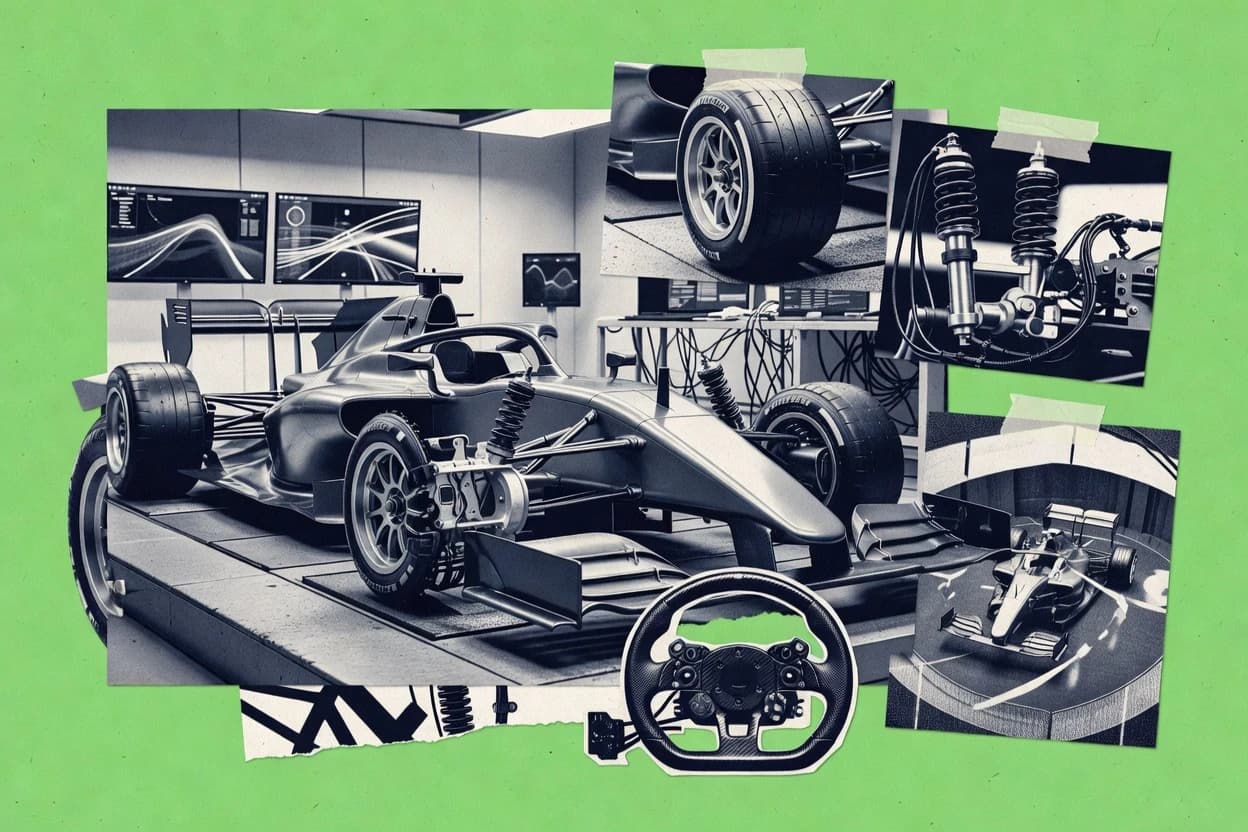
Top 10 vehicle dynamics simulation software for tuning and testing cars, comparing CarSim, SIMPACK, Autonomie, plus VI-CarRealTime and Chrono.

How we ranked these tools
Gitnux editors write the brief first: the topic, the inclusion rules, and the frame for what belongs.
Agents extract product evidence with provenance, then collect written reviews and transcribe video reviews and podcasts.
Framework: Features 40% · Ease 30% · Value 30%
Gitnux may earn a commission through links on this page — this does not influence rankings. Editorial policy
VI-CarRealTime is the best pick when you need real-time vehicle plant dynamics to tune controllers and run repeatable maneuver tests, whereas Project Chrono fits teams that want code-level control for vehicle correlation and co-simulation tuning; if you’re starting, consider a code-first path over full enterprise suites.
Editor’s top 3 picks
Three quick recommendations before you dive into the full comparison below — each one leads on a different dimension.
VI-CarRealTime
FMU-oriented co-simulation packaging for real-time synchronized exchange with external system models.
Best for: Fits when teams need real-time plant dynamics for controller tuning and repeatable maneuver tests.
CST Studio Suite Vehicle Dynamics Solver
Editor pickSuspension kinematic and compliance integration within the same vehicle dynamics workflow reduces mismatch between geometry and response.
Best for: Fits when teams need correlated handling and compliance simulation with repeatable maneuver suites.
Project Chrono
Editor pickOpen, modular architecture for integrating vehicle multibody simulation with custom coupling for external simulation and test rigs.
Best for: Fits when simulation teams need code-level control and integration depth for vehicle correlation and co-simulation tuning.
Comparison Table
VI-CarRealTime
enterpriseReal-time vehicle dynamics simulation software for driving simulators and hardware-in-the-loop applications.
FMU-oriented co-simulation packaging for real-time synchronized exchange with external system models.
VI-CarRealTime is designed around real-time execution, which makes it suitable for driver-in-the-loop and hardware-in-the-loop style test benches where simulation must keep pace with input events. The modeling workflow covers vehicle subsystems such as suspension kinematics and flexible body options for producing time-domain responses used in maneuvers. The environment supports external integration paths, including FMU packaging for exchanging plant dynamics with other tools in a controlled run sequence.
A key tradeoff is that real-time constraints can narrow model fidelity compared with offline multibody setups, especially when many bodies, road segments, and high-rate tire calculations run concurrently. It fits situations where engineers need to correlate a tuned vehicle model to proving ground maneuvers like double lane change while still exercising real controllers on a consistent, timed simulation clock.
- +Real-time simulation supports timed runs for control validation and closed-loop testing
- +FMU export enables structured co-simulation with external controller and plant tools
- +Vehicle modeling covers suspension kinematics for handling and ride response tuning
- +Scenario playback and repeatable road inputs support correlation iteration
- –High model complexity can hit real-time throughput limits during dense maneuvers
- –Advanced model building requires careful parameter mapping across tire and vehicle subsystems
- –Debugging integration timing issues takes more effort in external co-simulation setups
- –Tooling depth for flexible body workflows can exceed what basic vehicle studies need
Vehicle controls engineers
Closed-loop tuning with real-time plant model
Faster calibration iterations
Systems integration teams
Plant model exchange via FMU
Consistent co-simulation runs
Show 1 more scenario
Vehicle dynamics validation
Proving ground correlation for handling
Improved correlation quality
Compare simulated step steer and lane-change responses against measured trajectories for parameter refinement.
Best for: Fits when teams need real-time plant dynamics for controller tuning and repeatable maneuver tests.
CST Studio Suite Vehicle Dynamics Solver
enterpriseSimulation platform from Dassault Systèmes used in automotive programs that include vehicle behavior modeling workflows.
Suspension kinematic and compliance integration within the same vehicle dynamics workflow reduces mismatch between geometry and response.
CST Studio Suite Vehicle Dynamics Solver is designed for engineers who need end-to-end vehicle model setup that goes beyond rigid-body motion by including flexible body modeling paths and suspension geometry effects. It supports typical handling and maneuver studies such as step steer, double lane change, fishhook, and slalom style inputs, with output channels for kinematics, loads, and vehicle response. Tire behavior is a core part of the simulation workflow, with commonly used tire formulations for road interaction. Results are typically validated by matching simulated response traces to measured test data for proving ground correlation.
A clear tradeoff is that higher model fidelity increases setup time because suspension compliance, flexible body elements, and detailed tire parameters must be consistently defined. A common usage situation is tuning suspension geometry and tire operating conditions, then repeating the same maneuver suite to narrow parameter ranges using correlated results.
- +Tight chassis-to-tire coupling supports consistent handling and load predictions
- +Flexible body workflows allow subsystem stiffness and compliance effects in simulation
- +Repeatable maneuver inputs enable consistent correlation across test cases
- +Integrated suspension analysis supports geometry and compliance-driven studies
- –High-fidelity models demand careful parameter and geometry cleanup
- –Co-simulation requires external configuration for coupled solver timing
- –Complex models can slow iteration when running large maneuver batches
Vehicle dynamics engineers
Correlate double lane change response
Tighter correlation curves
Chassis design teams
Compare compliance variants across hardpoints
Clear design tradeoffs
Show 2 more scenarios
Controls and calibration teams
Validate steering input response
Safer calibration decisions
Apply step steer and maneuver sweeps to evaluate transient understeer and damping effects from the full vehicle model.
Test correlation analysts
Match multiple proving ground events
Faster root-cause analysis
Use consistent model inputs across slalom and fishhook style runs to compare time histories against logs.
Best for: Fits when teams need correlated handling and compliance simulation with repeatable maneuver suites.
Project Chrono
API-firstOpen-source physics engine with a dedicated vehicle module for ground vehicle dynamics.
Open, modular architecture for integrating vehicle multibody simulation with custom coupling for external simulation and test rigs.
Project Chrono provides a vehicle-oriented multibody dynamics solver with contact modeling features needed for suspension and chassis studies that include compliance effects. It also supports tire model selection and parameter tuning to reproduce measured handling behavior across maneuvers like step steer and lane-change tests. Configuration is typically done through code-centric model assembly and scenario scripts, which gives control over solver choices, contact parameters, and model coupling boundaries.
A key tradeoff is that Chrono requires engineering time to build and maintain the vehicle model and simulation scenario plumbing, especially when assembling multi-tool co-simulation setups. Chrono fits teams that already have simulation engineers comfortable with model-in-the-loop workflows and that need tight control of integration points for correlation against proving ground data.
- +Modular vehicle and subsystem modeling supports iterative correlation loops
- +Flexible bodies support compliance effects in ride and handling studies
- +Co-simulation workflows fit plant-like integration between simulators
- +Extensibility enables custom components beyond stock vehicle templates
- –Scenario setup and model assembly require sustained engineering effort
- –Tuning tire and contact parameters can become a dominant iteration cost
- –Tooling around large model management is less mature than commercial suites
- –Real-time use cases need careful performance profiling to hold frame rate
Simulation engineering teams
Suspension compliance correlation against test data
Reduced iteration cycles for correlation
Controls and ADAS engineers
Closed-loop co-simulation for maneuver tuning
Faster controller validation runs
Show 1 more scenario
Robotics platform developers
Vehicle model integration for hardware testing
Repeatable SIL and HIL test benches
Use exported interfaces to connect Chrono vehicle dynamics with external hardware and timing constraints.
Best for: Fits when simulation teams need code-level control and integration depth for vehicle correlation and co-simulation tuning.
Adams
enterpriseMultibody dynamics software used for full-vehicle, suspension, steering, and ride analysis.
Suspension hardpoint plus compliance-driven modeling supports elastokinematic behavior studies across full maneuvers.
Adams from hexagon.com is a multibody vehicle dynamics workflow built for kinematic and compliance analysis with detailed suspension hardpoints. It supports ride and handling simulation by connecting vehicle model structure to tire-road interface behavior and control inputs.
Adams also fits into larger engineering pipelines through co-simulation and model export paths used for testing and tuning. Adams is most distinct in how it structures subsystem modeling for end-to-end maneuver studies such as step steer input and double lane change maneuver.
- +Strong multibody vehicle modeling with suspension hardpoint-level fidelity
- +Good kinematic and compliance analysis for elastokinematic suspension studies
- +Co-simulation and export options support pipeline integration for tuning loops
- +Tuning-friendly maneuver setup for step steer and double lane change tests
- –Model setup takes more time than simpler ride and handling toolchains
- –Tire model calibration effort is significant for credible tire-road behavior
- –Advanced workflows depend on add-on modules and trained configuration
- –Automation via scripting is available but not as turnkey as lighter tools
Best for: Fits when vehicle teams need high-fidelity multibody suspension modeling and repeatable tuning runs.
AVL Cruise M
enterpriseVehicle system simulation platform for longitudinal dynamics, powertrain, and energy management analysis.
Template-driven vehicle model configuration in AVL Cruise M that standardizes maneuver definition and result comparison across variants.
AVL Cruise M builds and runs vehicle and subsystem models for ride and handling analysis across parameter sweeps and maneuver studies. The tool supports vehicle model configurations that include suspension, tires, and powertrain components so test cases like step steer or lane change inputs can be reproduced in a repeatable simulation workflow.
Model setup centers on configurable templates for kinematic and compliance representation, and outputs can be used for correlation against proving ground measurements. Cruise M is most practical when teams need controlled scenario execution and consistent comparison across many vehicle variants rather than one-off interactive studies.
- +Repeatable maneuver testing workflow using configurable vehicle and subsystem models
- +Integrated support for suspension and tire interactions used in ride and handling studies
- +Scenario batching for systematic tuning across design variants and operating points
- +Outputs that support correlation workflows against proving ground metrics
- –Advanced model fidelity requires careful setup of suspension and tire inputs
- –Limited emphasis on scripting-heavy automation compared with API-centric simulation stacks
- –Covers core vehicle dynamics well but relies on add-on ecosystem for specialized studies
- –Large model runs can increase iteration time during early parameter tuning
Best for: Fits when engineering teams need repeatable ride and handling simulation for tuning across many vehicle variants.
dSPACE ASM Vehicle Dynamics
enterpriseOpen Simulink models for vehicle dynamics used in hardware-in-the-loop and software-in-the-loop testing.
Subsystem-oriented ASM model structure designed for reconfiguring vehicle dynamics studies with fewer manual changes.
dSPACE ASM Vehicle Dynamics targets teams that need vehicle model reuse across kinematic and dynamic studies with a workflow built for test-to-model iteration. It supports end-to-end vehicle dynamics simulation with subsystem-level building blocks for chassis, tires, and maneuvers, plus analysis routines used in ride and handling development.
It also fits tightly into dSPACE ecosystem workflows for configuration management, co-simulation, and deployment patterns used for MIL to HIL style validation. Compared with general-purpose simulation tools, ASM Vehicle Dynamics emphasizes model architecture and integration paths that reduce manual re-wiring between scenarios.
- +Model reuse between test scenarios reduces rework during parameter tuning cycles.
- +Integration with dSPACE workflows supports practical paths from analysis to I O testing.
- +Vehicle subsystem structure supports explicit suspension and tire interactions.
- +Scenario-driven maneuver testing supports repeatable handling development runs.
- –Setup effort increases when aligning tire and road interface assumptions to targets.
- –Deep configuration needs stronger governance discipline across projects and teams.
- –Advanced co-simulation choices can depend on external toolchain components.
- –UI workflows can feel indirect for engineers focused on quick one-off studies.
Best for: Fits when dSPACE-centered development teams need repeatable vehicle dynamics studies across tuning and validation workflows.
GT-SUITE
enterpriseMultiphysics system simulation platform with integrated vehicle dynamics and drivetrain modeling.
FMU export for co-simulation and model-in-the-loop workflows tied to GT-SUITE vehicle test maneuver pipelines.
GT-SUITE couples vehicle dynamics modeling with tool orchestration for repeatable test-and-tune workflows across ride and handling, kinematics, and powertrain. The solver and model library support subsystem-level setup for suspension hardpoints, flexible body behavior, and tire-road interface studies.
Automation is driven by configuration artifacts that can be reused to run maneuver suites like double lane change and steady-state circular tests with consistent inputs. Integration depth shows up in co-simulation and FMU export paths that support model-in-the-loop and system-level verification flows.
- +FMU export enables system co-simulation across external model stacks
- +Repeatable maneuver test suites support structured tuning iterations
- +Suspension kinematics modeling around hardpoints supports detailed geometry studies
- +Flexible body modeling helps capture compliance effects in ride and handling
- –Toolchain setup and model configuration require stronger governance discipline
- –Advanced workflow coverage can depend on additional modules
Best for: Fits when vehicle teams need repeatable simulation campaigns with subsystem models and external co-simulation integration.
rFpro
enterpriseReal-time driving simulator providing high-fidelity vehicle dynamics models for driver-in-the-loop and ADAS testing.
Test-maneuver automation for running the same scenario set across parameter sweeps and exporting results for downstream co-simulation.
rFpro focuses on vehicle dynamics simulation tied to real test workflows, with a solver workflow aimed at ride and handling tuning rather than pure concept studies. The toolchain supports tire-road interface modeling and standard maneuver studies like double lane change and fishhook style tests for iterative correlation.
Model exchange is practical through export and co-simulation options so teams can connect rFpro outputs with other simulation stages. Configuration and batch runs are oriented around repeating the same maneuver set across parameter variations for proving-ground style tuning.
- +Maneuver-focused workflow for repeatable ride and handling tuning
- +Tire-road interface modeling supports practical correlation loops
- +Export and co-simulation options fit mixed toolchains
- +Batch parameter sweeps support systematic test matrices
- –Model setup and validation take more effort than wizard-driven tools
- –Advanced flexible-body studies are limited compared with specialist solvers
Best for: Fits when tuning teams need repeatable maneuver simulations that connect to other model stages for correlation.
RecurDyn
enterpriseMultibody dynamics solver with specialized toolkits for vehicle subsystems including suspension, tire, and track modeling.
RecurDyn’s constraints-first multibody setup supports rapid retuning of suspension hardpoints and compliance in the same vehicle model.
RecurDyn performs vehicle dynamics simulation using a multibody dynamics solver that supports kinematic suspension analysis and flexible body modeling.
It is used to build subsystem models and tune ride and handling inputs like step steer and lane-change maneuvers with repeatable parametric sweeps.
The tool’s strength is model assembly for complex driveline plus chassis configurations, with workflow control for iterative testing and correlation.
Integration and automation are supported through scripting and co-simulation interfaces, which help when simulation outputs feed external analysis pipelines.
- +Strong multibody workflow for chassis plus driveline assemblies
- +Flexible body support helps capture body compliance effects
- +Scripting supports repeatable parameter sweeps for tuning loops
- +Co-simulation interfaces support integration into wider test pipelines
- –Advanced model setup can require careful constraints and contacts tuning
- –Tire-road contact behavior depends heavily on the chosen tire model workflow
- –Large vehicle models can become slow during dense sweep runs
- –SIL and HIL orchestration often needs external toolchain effort
Best for: Fits when teams need repeatable vehicle model builds and tuning cycles across multiple configurations.
BeamNG.tech
vertical specialistSoft-body vehicle physics simulation used for automotive research and AD testing.
Deformable-body vehicle modeling that exposes damage, suspension geometry changes, and contact effects during the same run.
BeamNG.tech centers on BeamNG.drive’s physics sandbox for vehicle dynamics testing, with a focus on deformable bodies, contact-rich collisions, and repeatable maneuver scenarios. It supports vehicle model building, road and traffic scenario authoring, and iterative tuning workflows built around driving inputs and measurable outputs.
The differentiator is how quickly complex failure modes and suspension kinematics show up in-run, without reducing everything to rigid-body approximations. BeamNG.tech also supports automation through scenario repeatability and scriptable control hooks so regression tests can run across many roads and parameter sets.
- +Deformable vehicle behavior reveals suspension bind and damage-driven handling changes.
- +Scenario authoring enables repeatable maneuvers like slalom-style runs and step inputs.
- +Physics-first contact modeling supports collision-rich proving workflows.
- +Scripting hooks enable automation for batch scenario testing.
- –High-fidelity tuning can require extensive custom vehicle and parameter work.
- –FMU-oriented cosimulation export is not the primary workflow compared with dedicated simulation stacks.
Best for: Fits when teams need rapid, physics-rich vehicle handling tests and iteration loops with repeatable scenarios.
Conclusion
After evaluating 10 vehicle dynamics simulation software, VI-CarRealTime stands out as our overall top pick — it scored highest across our combined criteria of features, ease of use, and value, which is why it sits at #1 in the rankings above.
Use the comparison table and detailed reviews above to validate the fit against your own requirements before committing to a tool.
How to Choose the Right Vehicle Dynamics Simulation Software
This buyer's guide covers vehicle dynamics simulation software used for ride and handling simulation, including VI-CarRealTime, CST Studio Suite Vehicle Dynamics Solver, and Project Chrono alongside eight other simulation toolchains.
The selection emphasizes integration depth across vehicle subsystems, repeatable maneuver execution for tuning, and an API or co-simulation surface when teams need to couple controllers, plant models, and test rigs. The guide also distinguishes flexible-body workflows, tire-road modeling effort, and governance discipline requirements across the compared tools.
Vehicle Dynamics Simulation Software for ride and handling tuning and correlation
Vehicle dynamics simulation software models coupled vehicle motion using chassis and subsystem representations, tire-road interaction, and maneuver definitions such as step steer input, double lane change, and slalom-style runs for repeatable testing. Teams use these tools to generate handling trends, load predictions, and compliance effects that tie suspension geometry and tire behavior into a single simulation workflow.
VI-CarRealTime is positioned for real-time synchronized co-simulation workflows through FMU-oriented exchange that supports timed runs for control validation and closed-loop testing. CST Studio Suite Vehicle Dynamics Solver focuses on suspension kinematic plus compliance integration within one workflow to reduce mismatch between geometry and response when teams run correlated maneuver suites.
Vehicle dynamics simulation capability checklist for ride and handling tuning
Ride and handling simulation quality depends on how consistently the tool ties suspension geometry to tire forces during repeatable maneuver execution like step steer input and double lane change tests. Teams need that coupling to produce stable trends across parameter sweeps and variant builds.
Integration depth determines whether simulation results can flow into control validation and co-simulation pipelines. The strongest tools expose timed co-simulation packaging, FMU export paths, or external workflow hooks that keep plant and controller models synchronized.
Real-time synchronized co-simulation packaging
VI-CarRealTime is built around FMU-oriented co-simulation packaging for real-time synchronized exchange with external system models, which supports timed runs for control validation and closed-loop testing. GT-SUITE also provides FMU export, but its emphasis is more on repeatable maneuver campaigns tied to its test workflow rather than real-time synchronized exchange.
Suspension kinematic plus compliance integration in one workflow
CST Studio Suite Vehicle Dynamics Solver combines suspension kinematic and compliance integration in the same vehicle dynamics workflow to reduce mismatch between geometry and response during correlated maneuver suites. Adams focuses on suspension hardpoint plus compliance-driven modeling for elastokinematic behavior studies, which can raise setup time but targets elastokinematic fidelity.
Modular multibody architecture for custom coupling and correlation loops
Project Chrono uses an open, modular architecture for vehicle multibody simulation with custom coupling for external simulation and test rigs, which supports iterative correlation loops. This coding-level integration depth contrasts with rFpro, which centers on maneuver automation and result export for downstream co-simulation rather than code-driven modular coupling.
Scenario repeatability for tuning campaigns and parameter sweeps
AVL Cruise M uses template-driven vehicle model configuration to standardize maneuver definition and result comparison across variants, which supports repeatable ride and handling simulation for tuning across many configurations. rFpro provides maneuver-focused automation that runs the same scenario set across parameter sweeps and exports results for downstream correlation stages.
Model reuse structure for reconfiguring studies with fewer manual changes
dSPACE ASM Vehicle Dynamics uses subsystem-oriented ASM model structure designed for reconfiguring vehicle dynamics studies with fewer manual changes, which reduces rework during parameter tuning cycles. VI-CarRealTime focuses on real-time plant exchange instead of reuse-centric study reconfiguration, which changes how teams structure scenario building.
How to choose Vehicle Dynamics Simulation Software by workflow fit
Vehicle dynamics simulation tools diverge on how teams build models, define repeatable maneuvers, and connect outputs to other stages like controller tuning, test rig correlation, and co-simulation. The fastest path to productive tuning is selecting the tool that matches the team’s primary execution loop.
The decision also hinges on whether the tool’s integration surface targets real-time closed-loop exchange or offline synchronized exchange through FMU export. Teams with strong automation requirements should map their pipeline shape to the tool’s packaging and governance behavior.
Pick the integration shape: real-time co-simulation exchange or FMU-based campaign export
Choose VI-CarRealTime if the tuning workflow needs real-time synchronized co-simulation exchange via FMU-oriented packaging with timed runs for control validation and closed-loop testing. Choose GT-SUITE if FMU export into external model stacks is the main integration requirement and the workflow centers on repeatable maneuver test suites rather than real-time synchronized execution.
Match the suspension modeling philosophy to the correlation target
Choose CST Studio Suite Vehicle Dynamics Solver when correlated handling and compliance simulation require suspension kinematic and compliance integration in one vehicle dynamics workflow. Choose Adams when suspension hardpoint-level fidelity and elastokinematic elastokinematic behavior studies drive the modeling target, even if model setup and tire calibration effort take more time.
Decide whether the team needs modular code-level integration or maneuver-first automation
Choose Project Chrono when the team needs open, modular architecture for multibody simulation with custom coupling to external simulation and test rigs. Choose rFpro when the team’s highest leverage is maneuver-focused automation that repeatedly runs the same scenario set and exports results across parameter sweeps for downstream correlation.
Select based on how variant workflows standardize maneuver definition and comparison
Choose AVL Cruise M when tuning across many vehicle variants depends on template-driven vehicle model configuration that standardizes maneuver definition and result comparison. Choose dSPACE ASM Vehicle Dynamics when the study model needs subsystem-oriented reuse so tuning cycles can reconfigure scenarios with fewer manual changes, especially across multiple project variants.
Who benefits from these vehicle dynamics simulation capabilities
Teams that tune ride and handling rely on repeatable maneuver suites and consistent chassis to tire force coupling, so they need a tool that fits the execution loop. The right fit depends on whether the work is controller-oriented, model-building intensive, or scenario automation driven.
Some tools prioritize real-time co-simulation packaging and timed exchange, while others prioritize correlated suspension kinematics and compliance workflows, modular integration, or template-driven maneuver standardization.
Vehicle control and validation teams running closed-loop tests
VI-CarRealTime supports real-time synchronized co-simulation exchange through FMU-oriented packaging, which enables timed runs for controller validation and closed-loop testing.
Chassis engineering teams focused on correlated handling plus compliance
CST Studio Suite Vehicle Dynamics Solver integrates suspension kinematic and compliance within one workflow, which reduces mismatch between geometry and response when running correlated maneuver suites.
Simulation engineering teams that build custom multibody coupling into external rigs
Project Chrono provides an open, modular architecture for vehicle multibody simulation with custom coupling, which supports iterative correlation loops across external test rigs.
Tuning groups that execute large maneuver suites across parameter sweeps
rFpro automates running the same maneuver scenario set across parameter sweeps and exporting results for downstream co-simulation, which keeps correlation loops repeatable.
Teams that need standardized variant maneuver setup and comparison
AVL Cruise M uses template-driven vehicle model configuration to standardize maneuver definition and result comparison across variants, which supports ride and handling tuning across many configurations.
Common pitfalls when buying Vehicle Dynamics Simulation Software
Many teams overestimate how quickly a complex vehicle model reaches credible tire forces and consistent handling trends. The most common failures show up as parameter mapping work that dominates iteration time or as solver timing mismatches during co-simulation.
Selecting a tool for FMU export without matching it to real-time throughput needs
VI-CarRealTime can hit real-time throughput limits during dense maneuvers when model complexity is high, so the vehicle and tire model scope must be planned for timed exchange.
Assuming suspension geometry and compliance will correlate without dedicated parameter cleanup
CST Studio Suite Vehicle Dynamics Solver requires careful parameter and geometry cleanup for high-fidelity models, so teams should budget time for alignment rather than expecting automatic correlation.
Underestimating the iteration cost of tire and contact tuning
Project Chrono allows modular multibody modeling, but tuning tire and contact parameters can become a dominant iteration cost, so correlation planning needs a tire contact tuning budget.
Treating maneuver automation as a substitute for governance discipline
dSPACE ASM Vehicle Dynamics can require stronger governance discipline across projects and teams because deep configuration grows in complexity when aligning tire and road interface assumptions to targets.
Choosing a deformation-first tool for tuning without planning custom model work
BeamNG.tech enables deformable vehicle behavior in a single run, but high-fidelity tuning can require extensive custom vehicle and parameter work, which can slow structured tuning campaigns.
How We Selected and Ranked These Tools
We evaluated each tool by its ride and handling workflow coverage from maneuver execution to vehicle and subsystem coupling, with features accounting for 40% of the score. We weighted ease and value at 30% combined, focusing on how quickly teams reach repeatable runs without excessive model rework.
VI-CarRealTime earned its top position because its FMU-oriented co-simulation packaging supports real-time synchronized exchange with timed runs for control validation and closed-loop testing. The scoring also reflected how CST Studio Suite Vehicle Dynamics Solver and Project Chrono address correlation needs through integrated compliance workflows and modular multibody coupling, respectively.
Frequently Asked Questions About vehicle dynamics simulation software
How do VI-CarRealTime and GT-SUITE handle real-time iteration for controller tuning workflows?
Which tool is better for correlated suspension hardpoint analysis across kinematic and compliance views?
How does Project Chrono integrate with external plant models for a repeatable validation chain?
When teams need deterministic batch execution of the same maneuver set across many variants, which option fits best?
What breaks if FMU export and co-simulation assumptions do not match between model and controller tooling?
How do dSPACE ASM Vehicle Dynamics and RecurDyn support automation without constant manual re-wiring between scenarios?
Which tool focuses more on constraints-first multibody setup for rapid suspension retuning within the same vehicle model?
How does BeamNG.tech differ from the rest of the list when failures and suspension geometry changes must appear during the same run?
Which tool provides the strongest path for connecting simulation outputs to external analysis pipelines via scripting or export?
Tools reviewed
Primary sources checked during evaluation.
Referenced in the comparison table and product reviews above.
- Science ResearchTop 10 Best Dynamics Simulation Software of 2026
- Manufacturing EngineeringTop 10 Best Autonomous Vehicle Simulation Software of 2026
- Science ResearchTop 10 Best Multibody Dynamics Simulation Software of 2026
- Science ResearchTop 10 Best Computational Fluid Dynamics Services of 2026
- Education LearningTop 10 Best Simulation Training Services of 2026
Keep exploring
Comparing two specific tools?
Software Alternatives
See head-to-head software comparisons with feature breakdowns, pricing, and our recommendation for each use case.
Explore software alternatives→In this category
Science Research alternatives
See side-by-side comparisons of science research tools and pick the right one for your stack.
Compare science research tools→