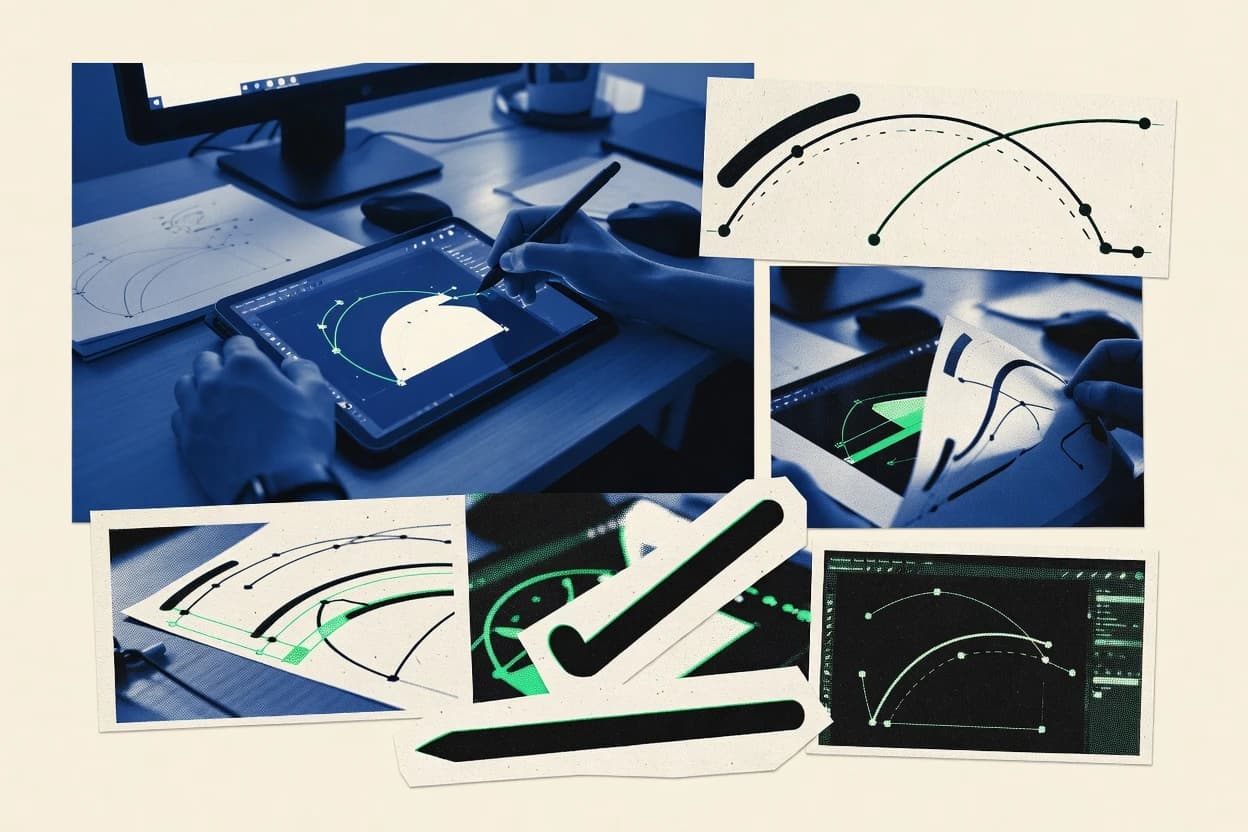
GITNUXSOFTWARE ADVICE
Art DesignTop 10 Best Vector Based Graphics Software of 2026
Top 10 vector based graphics software ranked for designers, with technical comparisons of Adobe Illustrator, CorelDRAW, Sketch, Figma, Boxy SVG, and Xara.

How we ranked these tools
Vendors set the topic, but our editors set the inclusion criteria and the evaluation framework before research starts.
Search agents gather the source set and the review record, including transcriptions of video reviews and podcasts.
Framework: Features 40% · Ease 30% · Value 30%
Gitnux may earn a commission through links on this page — this does not influence rankings. Editorial policy
Figma is the best choice for distributed teams doing collaborative vector UI work with shared components and review cycles, while Boxy SVG is a cheaper, faster fit when you mainly iterate SVG icons and UI illustrations with quick browser-based exports.
Editor’s top 3 picks
Three quick recommendations before you dive into the full comparison below — each one leads on a different dimension.
Figma
Components with variants and shared assets let one vector change propagate across a product-wide UI.
Best for: Fits when distributed teams need vector UI work with shared components and review cycles.
Boxy SVG
Editor pickDirect SVG-focused editing workflow with fast node adjustments and immediate asset-ready exports.
Best for: Fits when teams iterate SVG icons and UI illustrations with fast, browser-based revisions.
Xara Designer Pro+
Editor pickPage layout-centric workspace with repeatable design elements and guide-driven alignment workflows.
Best for: Fits when small teams need quick vector layout, consistent styling, and print handoff without heavy automation.
Comparison Table
Figma
collaboration-firstCollaborative design platform with vector editing for UI design, icon work, and shared graphics libraries.
Components with variants and shared assets let one vector change propagate across a product-wide UI.
Figma’s core vector workflow uses an in-editor node system with pen tool path editing and transform tools that keep changes non-destructive across typical layout moves. Components with variants support reusable UI elements, and prototype links define interactions without leaving the same file. Exports can target selected layers for SVG or PDF output and include control over which artboard regions ship.
A key tradeoff is that deep print-oriented prepress controls and advanced page layout features are more limited than in desktop vector suites. Figma fits when teams need shared iteration on UI vector assets, rapid review cycles, and consistent component updates across multiple stakeholders.
- +Real-time co-editing with comments keeps vector changes reviewable
- +Components and variants maintain consistency across large design sets
- +Prototypes live next to vector assets for faster interaction validation
- +Exports from artboards support predictable SVG and PDF delivery
- –Advanced print-prepress workflows require external tooling
- –Boolean path operations and path cleanup can be less production-tuned
Product design teams
Design UI vector assets together
Faster iteration with fewer inconsistencies
Design system owners
Maintain variant-driven component libraries
Uniform UI behavior and styling
Show 1 more scenario
Design-to-development teams
Handoff SVG and PDF exports
More predictable asset delivery
Export selected artboard regions as vector formats to support downstream rendering workflows.
Best for: Fits when distributed teams need vector UI work with shared components and review cycles.
Boxy SVG
vertical specialistLightweight vector editor focused on SVG creation, editing, and export for web graphics.
Direct SVG-focused editing workflow with fast node adjustments and immediate asset-ready exports.
Boxy SVG provides a full vector editing workspace with pen and shape tools, plus node and handle editing for precise path adjustments. Layer controls and grouping make it workable for multi-part icons and UI illustrations that must stay editable after revisions. Import and export support covers typical design handoff needs, including SVG and formats used by illustration and layout tools.
A notable tradeoff is that deep print-production features found in pro desktop suites are not the center of the workflow, so complex typography and color-management edge cases can require additional tools. Boxy SVG works well when iterating daily icon sets, updating SVG-based assets for product teams, or preparing assets for web and documentation pipelines.
- +Browser-first SVG editing with quick turnaround for icon revisions
- +Node and handle editing supports precise path tweaks
- +Layer and grouping controls keep multi-part artwork manageable
- +Exports target downstream workflows using common vector formats
- –Advanced prepress and typography workflows are limited versus desktop suites
- –Complex multi-artboard production can feel less structured than dedicated layout tools
Product design teams
Iterate icon SVG assets
Faster icon update cycles
Design systems maintainers
Standardize reusable SVG components
More consistent asset libraries
Show 1 more scenario
Marketing content designers
Prepare vector assets for web pages
Crisper visuals at any size
Exports keep artwork in vector form for scaling on responsive layouts and marketing graphics.
Best for: Fits when teams iterate SVG icons and UI illustrations with fast, browser-based revisions.
Xara Designer Pro+
SMBGraphic design software with vector illustration, page layout, photo tools, and marketing content features.
Page layout-centric workspace with repeatable design elements and guide-driven alignment workflows.
Xara Designer Pro+ places more emphasis on page design than some competitors that center first on illustration canvases. It provides layers, guides, snapping, and common alignment workflows for building consistent layouts across multiple pages. Vector output includes SVG and print-oriented exports through PDF and EPS workflows for handoff to prepress.
The tradeoff is fewer deep extensibility paths than editors that prioritize scripting and complex automation. It works well when teams need fast layout iteration for flyers, brochures, and web-ready vector assets without building custom pipelines.
- +Strong layout workflow with pages, guides, and alignment tools
- +Fast vector editing suitable for marketing and print artwork
- +Export options cover SVG plus print handoff formats
- +Typography controls support practical kerning and text refinement
- –Limited extensibility compared with editors that support deeper scripting
- –Advanced boolean and path refinement workflows can feel less procedural
Marketing designers
Create multi-page brochures quickly
Faster production cycles
Brand teams
Produce campaign assets in batches
Consistent campaign look
Show 1 more scenario
Print prepress coordinators
Handoff print-ready vector files
Fewer formatting surprises
Export artwork to PDF and EPS workflows while maintaining clean vector geometry.
Best for: Fits when small teams need quick vector layout, consistent styling, and print handoff without heavy automation.
Sketch
SMBDesign software with vector editing for interface design, icons, and digital product graphics.
Symbols and symbol overrides keep shared vector artwork consistent across artboards during iteration.
Sketch is a vector graphics editor for designers focused on crisp UI-style artwork using vector paths and typography.
- +Symbols and reusable components speed up UI icon and interface iteration
- +Artboards and layer organization support multi-state screens without extra tooling
- +Vector path editing feels quick with strong alignment and snapping behavior
- +Exports for UI assets integrate well with typical web and app pipelines
- –Collaboration and review workflows depend on external services for scale
- –Advanced prepress needs can be harder than in illustration-focused suites
Best for: Fits when teams need fast, symbol-based vector design for web and app assets.
Amadine
SMBVector illustration and graphic design software for logos, icons, UI assets, and creative artwork.
Artboard-centric page workflow with quick multi-page vector editing and export targeting document production.
Amadine edits vector graphics with a focus on speed for layout and illustration workflows.
- +Fast vector path editing with responsive anchor point controls
- +Layer and artboard organization supports multi-page production
- +Exports SVG and PDF for handoff to print and web pipelines
- +Text objects fit layout workflows with consistent positioning controls
- –Fewer advanced prepress controls than pro illustration suites
- –Complex boolean path cleanup can require extra manual correction
- –SVG output may differ from Illustrator on advanced styling
- –Large files with many nodes can slow interaction during edits
Best for: Fits when teams need quick vector layout and reliable SVG or PDF export for production handoff.
Vectr
entry-levelOnline vector graphics editor for simple illustrations, diagrams, and scalable design assets.
Real-time, in-browser editing with immediate SVG output for quick collaboration-style workflows.
Vectr is a web-first vector graphics editor focused on fast drawing with an interface that stays simple even as documents grow. It provides core vector path editing, standard shape tools, and SVG export for design assets that need to be shareable across tools.
- +Browser-based workflow for drafting vectors without desktop installation
- +Layer panel helps keep multi-part icons and diagrams organized
- +SVG export supports straightforward handoff to print and web pipelines
- +Simple alignment and snapping tools speed up grid-based layouts
- –Limited advanced typography and text layout controls versus desktop editors
- –Boolean operations and pathfinder-style workflows feel less comprehensive
- –Fewer pro-level effects and appearance controls than Adobe Illustrator
- –File fidelity can vary when exchanging complex vectors through SVG or PDF
Best for: Fits when small teams need quick vector drafting in-browser for logos, icons, and diagram assets.
Penpot
SMBOpen-source web-based design and prototyping platform with native vector editing capabilities.
Real-time multi-user editing on shared Penpot documents with component-aware updates.
Penpot delivers vector graphics editing with a browser-first workflow that supports collaborative design and review on shared documents. It focuses on editable vector objects built for UI and icon work, including component reuse patterns and consistent styles across pages.
- +Browser-based editing enables real-time collaboration on the same design file
- +Components and reusable elements reduce duplication across screens and icons
- +Export output is oriented toward SVG-based vector handoff workflows
- +Style consistency supports faster updates across multiple artboards
- –Advanced Illustrator-style effects and workflows are not as comprehensive
- –Some print prepress steps require extra checking after export
- –File compatibility with AI workflows can require cleanup in downstream tools
- –Complex boolean and path cleanup can feel more manual than desktop suites
Best for: Fits when teams need vector UI assets with shared editing and frequent SVG handoff.
VectorStyler
specialistStandalone vector illustration and graphic design software for macOS and Windows.
Production-focused export and revision workflows built around reliable vector interchange for downstream layout and print.
VectorStyler is a vector graphics editor focused on production workflows rather than only illustration. It provides core path editing with Bézier support, node-level controls, and document tools like layers and artboards for managing complex layouts.
- +Strong node and handle editing for precise vector path refinement
- +Layer and artboard workflow supports complex layout organization
- +Production-oriented export targets common vector interchange formats
- +Keyboard-driven tool access supports faster editing during revisions
- –Advanced boolean and pathfinder-style workflows require extra manual steps
- –Text typography tools do not match the depth of dedicated layout editors
- –SVG and PDF imports can require cleanup for intricate source files
- –Automation surface is limited compared with API-first vector stacks
Best for: Fits when design teams need dependable vector editing and print-oriented export for production files.
Concepts
specialistVector-based sketching app optimized for stylus and touch input on mobile and desktop.
Real-time pen stroke vectorization with anchor-based editing of the resulting paths.
Concepts is a sketch-first vector graphics app that records pen strokes as editable vector geometry. It supports layers, transformations, and vector export for workflows that need scalable shapes from hand-drawn input.
- +Stroke-to-vector editing keeps hand-drawn shapes editable after the fact
- +Layered organization supports complex wireframes and concept iterations
- +Non-destructive transforms let sketches scale and reposition without rebuilding
- +Export workflows target common vector formats for handoff and reuse
- –Boolean and pathfinder depth can lag behind full desktop vector editors
- –Typographic tooling is limited for advanced font control and spacing
- –Complex fills and advanced Illustrator-style effects may not round-trip cleanly
- –Precision workflows depend heavily on guides and snapping discipline
Best for: Fits when teams need editable vector sketches for ideation, wireframes, and markup handoff.
PhotoLine
specialistImage editor featuring multiple vector drawing, page layout, and text tools.
CAD-like vector path editing inside a page-layout workflow, with vector-centric exports for print pipelines.
PhotoLine is a vector and page-layout editor built around production-focused workflows like CAD-style path editing and print-ready exports. Its vector toolset covers anchor point workflows, path operations, and typographic layout on top of page handling for multi-artboard documents.
- +Direct anchor-point editing with consistent snapping and alignment guides
- +Solid path editing tools for compound shapes and boolean-style workflows
- +Page and layout workflow that keeps vector objects organized across pages
- +Interchange export options aimed at print production pipelines
- –Automation surface is limited compared with Illustrator-style scripting ecosystems
- –Advanced typography tools are less comprehensive than dedicated layout competitors
- –Complex multi-layer documents feel slower than expectation on large files
- –Built-in automation for repetitive variants is weaker than template-first systems
Best for: Fits when print-focused designers need vector editing plus page exports without constant Illustrator round-trips.
Conclusion
After evaluating 10 vector based graphics software, Figma stands out as our overall top pick — it scored highest across our combined criteria of features, ease of use, and value, which is why it sits at #1 in the rankings above.
Use the comparison table and detailed reviews above to validate the fit against your own requirements before committing to a tool.
How to Choose the Right Vector Based Graphics Software
Vector based graphics software covers tools that edit and export vector paths for icons, UI artboards, diagrams, and print artwork with formats like SVG, PDF, and EPS. This guide covers Figma, Boxy SVG, Xara Designer Pro+, Sketch, Amadine, Vectr, Penpot, VectorStyler, Concepts, and PhotoLine based on their document workflows and editing depth.
The tools differ most in how shared assets update across a team workflow, how direct SVG node editing behaves in the browser, and how print-oriented output is handled after vector edits. Figma leads the set for component-driven consistency, while Boxy SVG and Vectr focus on fast, immediate SVG iteration.
Vector Based Graphics Software for editing and exporting scalable vector paths
Vector based graphics software creates and edits vector paths using anchor points and handles so shapes remain resolution-independent across zoom levels and export targets. These editors also support workflows like multi-artboard screen design, page-style layouts, and browser-first collaboration.
Figma uses components with variants and real-time co-editing so vector UI changes propagate across a product-wide design set. Boxy SVG focuses on direct, node-level SVG editing with browser-based revisions that stay export-ready for icon and UI illustration iterations.
Who should buy which editor for vector based graphics workflows
Different vector based graphics software categories win for different production constraints. Teams should match the editor to how revisions travel across designers, reviewers, and print or web production stages.
The biggest divergence comes from shared assets and collaboration, since Figma and Penpot support real-time shared workflows while Boxy SVG and Vectr optimize browser-first iteration and immediate export output.
Product design teams running consistent UI across many screens
Figma supports Components with variants so vector UI changes propagate across a design set while staying reviewable through comments during real-time co-editing. Sketch provides Symbols and symbol overrides to keep shared vector artwork consistent across artboards for UI asset iteration.
Designers shipping SVG-heavy icon sets that need fast browser iteration
Boxy SVG supports a direct SVG-focused node editing workflow that keeps icon revisions fast with immediate asset-ready exports. Vectr supports in-browser drafting with immediate SVG output for quick collaboration-style vector work.
Studios preparing multi-page vector artwork for print production
Amadine uses an artboard-centric page workflow with quick multi-page vector editing aimed at reliable SVG or PDF handoff. Xara Designer Pro+ provides pages, guides, and alignment tools for structured print handoff workflows.
Teams that must co-edit the same vector file with shared component updates
Penpot supports real-time multi-user editing on shared documents with component-aware updates so multiple editors can work on the same vector asset at once. Figma also supports real-time co-editing with comments so vector changes remain anchored to a review timeline.
Illustration and print teams that need dependable downstream vector interchange
VectorStyler emphasizes production-focused export and revision workflows designed for downstream layout and print files. PhotoLine offers CAD-like vector path editing inside a page-layout workflow with vector-centric exports for print pipelines.
Common pitfalls when selecting Vector Based Graphics Software
Vector based graphics software choices fail when the editor’s workflow center does not match the team’s revision path. The most frequent errors come from assuming that advanced print prepress and typography controls are equally deep across tools, and from underestimating how collaboration features affect review cycles.
Another common issue is relying on boolean and path refinement capabilities without testing cleanup behavior for complex shapes before committing to a pipeline.
Assuming advanced prepress workflows match between page layout-focused tools and browser-first editors
Xara Designer Pro+ focuses on page layout and guides for print handoff, while Figma directs advanced print-prepress needs toward external tooling. Boxy SVG and Vectr prioritize direct SVG iteration and browser workflow, which limits advanced prepress and typography depth for print-ready production.
Choosing based on export formats but ignoring how shared assets propagate during revisions
Figma’s Components and variants keep vector changes consistent across a product-wide design set during real-time co-editing. Sketch’s Symbols and symbol overrides support consistency too, but collaboration and review workflows at scale depend more on external services than Figma’s built-in real-time review behavior.
Expecting deep boolean path refinement without testing manual cleanup effort
Tools like Figma and Sketch emphasize component workflows and symbol-based iteration, and their advanced boolean and path cleanup can demand manual correction in complex cases. VectorStyler and Xara Designer Pro+ also can require extra manual steps for advanced boolean and pathfinder-style workflows, so shape complexity should drive the evaluation.
Picking an ideation-first stroke-to-vector tool for production-grade typography control
Concepts focuses on stroke-to-vector editing and keeps wireframe and markup paths editable after the fact, while its typographic tooling is limited for advanced font control and spacing. For typography-heavy production, desk-based illustration and layout competitors in this set generally cover more advanced text control than Concepts.
How We Selected and Ranked These Tools
We evaluated each tool for vector workflow control by weighting features at 40% and prioritizing editing depth for nodes, handles, and reusable vector behavior. We scored ease of use at 30% and value at 30% based on how quickly teams can iterate within the editor’s native workflow rather than switching tools midstream.
We separated shared-asset consistency from collaboration mechanics by crediting Figma’s Components with variants and real-time co-editing with comments as the strongest mechanism for keeping vector changes reviewable. We used the same scoring structure to differentiate Boxy SVG’s direct SVG-focused node editing and Vectr’s in-browser vector drafting from editors that center on pages and production-oriented export workflows.
Frequently Asked Questions About Vector Based Graphics Software
How does Figma handle shared components for vector artwork exports compared with Sketch symbol reuse?
When does a browser-first editor like Vectr or Penpot reduce friction for vector collaboration?
What breaks if an SVG-only workflow relies on Boxy SVG versus VectorStyler’s print-oriented export pipeline?
How do Concepts and Amadine differ when converting freehand strokes into editable vector paths?
Which editor is better for vector UI asset reuse across multiple artboards, Figma or Penpot?
How does Sketch support multi-artboard organization for UI exports compared with Xara Designer Pro+ page layout workflows?
What is the tradeoff between real-time editing and file interoperability when using Penpot versus Vectr?
How do vector path tools and typography workflows differ between PhotoLine and Xara Designer Pro+ for print-ready documents?
When does data migration from an existing SVG or PDF library favor VectorStyler over Boxy SVG?
Tools reviewed
Primary sources checked during evaluation.
Referenced in the comparison table and product reviews above.
Funding and competing interests
This study was co-funded by several of the vendors assessed in it. No single vendor funded it. Funders could propose the market studied.
They had no role in selecting vendors, setting or weighting criteria, analysing data or drawing conclusions, and they received the same factual-accuracy check as every other vendor assessed.
Market definition, inclusion rules and criteria weights were fixed by an editor before research began and did not change afterwards. Editorial process →
- Art DesignTop 10 Best Vector Based Animation Software of 2026
- Art DesignTop 10 Best 3D Vector Graphics Software of 2026
- Art DesignTop 10 Best Cloud Based Graphic Design Software of 2026
- Art DesignTop 10 Best Custom Vector Art Services of 2026
- Art DesignTop 10 Best Raster To Vector Conversion Services of 2026
Keep exploring
Comparing two specific tools?
Software Alternatives
See head-to-head software comparisons with feature breakdowns, pricing, and our recommendation for each use case.
Explore software alternatives→In this category
Art Design alternatives
See side-by-side comparisons of art design tools and pick the right one for your stack.
Compare art design tools→