GITNUXSOFTWARE ADVICE
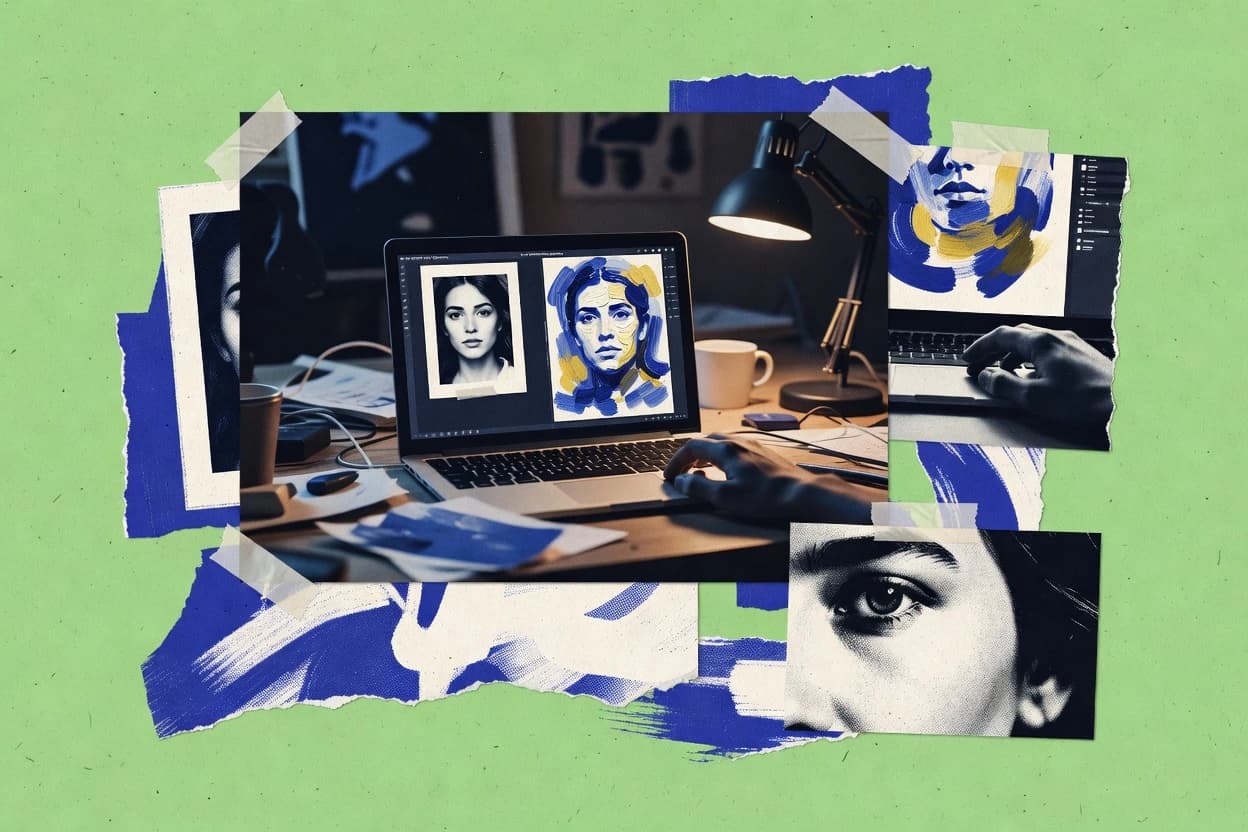
Art DesignTop 10 Best Turn Photos Into Paintings Software of 2026
Ranking roundup of turn photos into paintings software, comparing Prisma, AKVIS, FotoSketcher, Fotor, Canva, and Photoshop for photo-to-art results.

How we ranked these tools
Gitnux editors write the brief first: the topic, the inclusion rules, and the frame for what belongs.
Agents extract product evidence with provenance, then collect written reviews and transcribe video reviews and podcasts.
Framework: Features 40% · Ease 30% · Value 30%
Gitnux may earn a commission through links on this page — this does not influence rankings. Editorial policy
Prisma is the best choice when you need quick, repeatable mobile or web photo-to-painting drafts for posts and concepts, whereas BeFunky fits small teams that want fast browser rendering with batch output, and if you want the cheapest start for consistent settings on Windows, FotoSketcher is the entry pick.
Editor’s top 3 picks
Three quick recommendations before you dive into the full comparison below — each one leads on a different dimension.
Prisma
Preset-driven painterly style transfer with a style-strength control that changes the rendering intensity per image.
Best for: Fits when quick photo-to-painting outputs are needed for posts and concept drafts.
AKVIS
Editor pickEffect modules with painterly style controls that target different traditional media looks in one conversion workflow.
Best for: Fits when creators need consistent painterly conversions from photo sets with repeatable settings.
FotoSketcher
Editor pickEffect presets paired with adjustable style parameters for fast painterly render tuning.
Best for: Fits when teams need repeatable painterly conversions with parameter presets and batch throughput.
Comparison Table
Prisma
vertical specialistMobile and web app that transforms photos into artworks using neural style transfer across hundreds of artistic filters.
Preset-driven painterly style transfer with a style-strength control that changes the rendering intensity per image.
Prisma’s core workflow is upload a photo, pick a rendering style, and generate an output image using its style library. The tool focuses on global transformation rather than brush-level direction mapping or layer-based non-destructive editing. It also supports high-resolution output workflows for common image formats used in sharing and archiving.
The tradeoff is limited control over segmentation masks and stroke detail compared with dedicated editors, which reduces repeatability for specific art direction requirements. Prisma fits best when fast batch-like experimentation is needed across multiple styles for social posts, thumbnails, or quick concept variations.
- +Style preset library produces painterly looks with consistent results
- +Simple upload-to-output flow suits repeated experiments per photo
- +Strength control adjusts how aggressive the rendering effect feels
- +Exports ready for sharing without extra editing steps
- –Limited masking and brushstroke-direction controls compared with pro tools
- –Fewer options for preserving fine texture detail in high-frequency areas
- –No layer-based non-destructive workflow for iterative refinements
- –Minimal automation and API surface for integrating into pipelines
Social media creators
Generate consistent painterly post variations
More post-ready variants per session
E-commerce marketers
Stylize product imagery for campaigns
Quicker creative iteration cycles
Show 2 more scenarios
Event photographers
Turn portraits into stylized keepsakes
Less retouching workload
Studios can convert selected images into painterly outputs without manual editing complexity.
Small design teams
Create moodboard art for concepts
Faster art direction exploration
Teams can use style presets to produce different aesthetic directions from the same source shots.
Best for: Fits when quick photo-to-painting outputs are needed for posts and concept drafts.
AKVIS
vertical specialistSuite of desktop plugins and standalone applications for oil painting, watercolor, sketch, and other photo-to-painting transformations.
Effect modules with painterly style controls that target different traditional media looks in one conversion workflow.
AKVIS supports photo-to-painting conversion through dedicated effect modules that generate painterly output while offering per-style controls like brush appearance and style intensity. The editing flow is geared toward producing high-resolution exports for print or archiving, including TIFF output for higher fidelity. The package can fit personal creators who want repeatable painting presets without building a complex layer pipeline.
A tradeoff is that AKVIS stays primarily filter-centric, so deeper layer-based compositing and manual masking often depend on external editors. It fits a scenario where a photographer or small studio needs consistent painterly looks across an image set and wants quick style application with minimal setup.
- +Painterly effect modules that produce distinct oil and watercolor-style outputs
- +High-resolution export options that suit print and archiving workflows
- +Batch conversion supports applying the same painting settings to multiple photos
- +Preset-driven workflow reduces rework when styles must stay consistent
- –Filter-centric workflow limits advanced layer-based compositing inside the app
- –Manual masking and segmentation workflows are less central than in dedicated editors
- –Some results require iterative tuning to preserve fine facial or textural detail
- –GPU acceleration depends on system setup and can vary by workload
Wedding photographers
Convert entire galleries to oil-style portraits
Consistent look across clients
Small creative studios
Make catalog images painterly for campaigns
Faster turnaround per campaign
Show 2 more scenarios
Digital artists
Prototype multiple painting looks from one photo
Quicker creative iteration
Swap effect styles and intensity settings to find a direction before deeper retouching in another editor.
Print-focused photographers
Export TIFF-ready painterly outputs
Higher fidelity for print pipelines
Generate painterly results and export to TIFF for workflows that preserve output fidelity.
Best for: Fits when creators need consistent painterly conversions from photo sets with repeatable settings.
FotoSketcher
vertical specialistFree standalone Windows application that converts digital photos into paintings, sketches, and other artistic styles with adjustable parameters.
Effect presets paired with adjustable style parameters for fast painterly render tuning.
FotoSketcher provides a catalog of effect presets aimed at sketch and painting styles, including options that adjust edge treatment and overall look strength. The editing flow is built around applying an effect to an input image, previewing the result, and exporting the rendered output. Export supports common image formats including PNG and JPEG, which helps with downstream publishing. The software also retains image metadata options to the extent supported by the export pipeline.
A clear tradeoff is that FotoSketcher’s painting output is filter-driven rather than fully custom brush engine work, which limits fine art control over individual strokes. It fits best when a department or content team needs fast conversion of many photos to consistent painterly looks for posts, thumbnails, or illustrative previews.
- +Preset set delivers painterly filter results quickly
- +Preview and parameter tweaks make look dialing straightforward
- +Batch processing supports converting multiple photos consistently
- +PNG and JPEG export fit common publishing workflows
- –Stroke control is limited compared with full paint programs
- –Advanced masking and semantic segmentation style workflows are not its focus
Marketing teams
Convert product photos into art-style visuals
Faster creative turnaround
Photography studios
Deliver artistic versions of client shoots
Consistent client deliverables
Show 1 more scenario
Community admins
Generate event thumbnails from attendee photos
Reduced manual editing time
Render multiple images with the same style settings for quick thumbnail preparation.
Best for: Fits when teams need repeatable painterly conversions with parameter presets and batch throughput.
Dynamic Auto-Painter
vertical specialistDesktop application that repaints photos in the style of famous painters using procedural brushstroke simulation rather than simple filters.
Auto-run preset pipeline for batch conversion that keeps stroke direction and style settings consistent across many photos.
Dynamic Auto-Painter turns photos into painterly renders with a style pipeline centered on brushstroke simulation and controllable output settings. The workflow supports preset-driven processing for repeatable results, plus manual adjustments for style intensity and detail handling.
- +Preset-based batch runs keep large sets consistent
- +Brushstroke simulation produces painterly texture without manual stroke tracing
- +Style strength controls help tune the look per image
- +TIFF export supports downstream workflows that need higher fidelity
- –Masking control is limited compared with full editor-grade workflows
- –High-detail renders can require careful parameter tuning per photo
Best for: Fits when teams need repeatable photo-to-painting outputs with minimal per-image intervention.
JixiPix
vertical specialistCollection of desktop and mobile applications for watercolor, oil painting, portrait painting, and other artistic photo conversions.
Painterly filter controls designed for conversion workflows, not manual layer construction.
JixiPix converts photos into painterly renders using style-driven image processing and painterly filter effects. The workflow supports batch photo-to-painting output and lets users tune rendering behavior through adjustable style parameters.
- +Batch processing supports high-throughput photo-to-painting runs
- +Style presets produce consistent painterly looks across multiple photos
- +Export outputs stay compatible with common photo editing workflows
- +Controls help manage detail retention and overall stylization strength
- –Conversion workflow has limited non-destructive layer-level editing
- –Masking and selective region rendering coverage is comparatively constrained
Best for: Fits when teams need fast photo-to-painting output with repeatable styles.
Snap Art
vertical specialistPlugin and standalone application that transforms photos into oil paintings, watercolors, crayon drawings, and other media using detailed stroke simulation.
Preset-driven batch rendering with style-parameter controls that prioritize consistent canvas output over manual masking.
Snap Art from exposure.software turns photos into painterly images using a server-side rendering workflow behind painter-style presets. Its core output pipeline focuses on high-resolution canvas rendering with configurable style intensity and post-processing for cleaner edges.
- +Repeatable preset pipeline for consistent painterly results across many photos
- +Configurable style strength for quick tuning without manual layer edits
- +Batch conversion workflow supports higher throughput than single-image tools
- +Non-destructive parameter workflow makes reruns faster than re-editing
- –Limited layer-based control compared with full editor workflows
- –Tighter art-direction control than Photoshop-class tools for complex scenes
Best for: Fits when teams need consistent photo-to-painting conversions for catalogs, listings, or campaigns.
BeFunky
SMBBrowser-based photo editor with a dedicated Artsy section containing cartoonizer, oil painting, watercolor, and impressionist filters.
Batch processing applies painterly styles and edits consistently across large folders.
BeFunky turns photos into painterly styles with an editor built around filter-based rendering and iterative refinement. The workflow combines a preset-style library with adjustable controls like style strength and detail handling, plus layer-based editing for adding effects and masks.
- +Layer-based editing supports non-destructive style adjustments
- +Style strength and detail controls improve consistency across batches
- +EXIF metadata retention keeps camera context in exports
- +Batch processing applies the same painting effect to many images
- –Masking tools are limited compared with editor-grade segmentation workflows
- –Advanced tuning for brushstroke direction mapping is not granular enough
Best for: Fits when small teams need fast photo-to-painting rendering with repeatable batch output.
Deep Dream Generator
vertical specialistOnline AI image platform offering style transfer modes that transform photos into painterly and artistic renditions.
Preset-based neural style strength tuning that produces consistent painterly render variations from the same source.
Deep Dream Generator turns photos into painterly outputs by running neural-style pipelines that emphasize dreamlike texture and stylized rendering. It provides a preset workflow where users upload an image, select a style strength, and generate results designed for canvas-like appearances.
- +Preset-driven neural style generation reduces setup time
- +Style strength control helps adjust stylization intensity quickly
- +Batch processing supports higher-volume conversions
- +Exports are compatible with standard photo editing workflows
- –Limited non-destructive controls after the render completes
- –Fine mask-based edits are not the primary workflow focus
- –High-resolution output can require multiple iteration cycles
- –Automation options are mostly manual through the web UI
Best for: Fits when teams need fast, preset-based photo-to-painting outputs for social and creative drafts.
VanceAI
SMBAI image processing platform that includes style transfer tools for converting photos into artistic paintings.
Edge-aware smoothing tuned for painterly filters reduces outlines drift during neural style transfer-style rendering.
VanceAI turns photos into painterly art using style-driven image rendering workflows with GPU-accelerated processing. The tool supports multiple artistic effects and outputs high-resolution PNG and JPG files for print and sharing.
- +Batch processing supports consistent painterly outputs across many photos
- +Style strength controls help tune brush intensity without external editors
- +High-resolution PNG and JPG outputs support downstream layout and cropping
- +Edge-aware smoothing reduces haloing around high-contrast subjects
- –Fine hair and foliage often lose detail compared with manual masking workflows
- –Layer-based editing is limited, so iterative refinements require re-rendering
Best for: Fits when teams need repeatable photo-to-painting conversion with fast batch throughput and share-ready exports.
Neural.love
vertical specialistAI image enhancement and generation platform with style transfer for applying artistic painting effects to photos.
Preset-driven neural style transfer with an adjustable style strength control for consistent stylization across multiple photos.
Neural.love turns photos into painterly outputs using a neural style transfer workflow built around preset-driven rendering. The app supports style strength controls and output formats geared toward sharing or further editing, with attention to preserving image detail at edges.
- +Preset library makes style selection and iteration fast
- +Style strength slider provides direct control over stylization intensity
- +Export workflow supports common image deliverables for downstream use
- +Results are repeatable for batch-style creative variations
- –Limited layer-based editing compared with full editors like Photoshop
- –Less control over masking and stroke-level direction mapping
- –Advanced retouching requires leaving the tool for compositing
- –Throughput depends on rendering performance per job size
Best for: Fits when repeatable painterly conversions are needed for social posts, thumbnails, or quick art variations.
Conclusion
After evaluating 10 turn photos into paintings software, Prisma stands out as our overall top pick — it scored highest across our combined criteria of features, ease of use, and value, which is why it sits at #1 in the rankings above.
Use the comparison table and detailed reviews above to validate the fit against your own requirements before committing to a tool.
How to Choose the Right Turn Photos Into Paintings Software
Turn photos into paintings software converts a camera photo into painterly renderings using preset-driven style transfer, painterly filter pipelines, and batch conversion workflows. This guide covers Prisma, AKVIS, FotoSketcher, Dynamic Auto-Painter, JixiPix, Snap Art, BeFunky, Deep Dream Generator, VanceAI, and Neural.love, with each tool positioned around how much control stays inside the conversion step.
Prisma leads with a preset library plus a style-strength control that changes rendering intensity per image. AKVIS focuses on effect modules that map to traditional media looks in one conversion workflow, while Dynamic Auto-Painter and FotoSketcher prioritize repeatable results for large photo sets.
Turn Photos Into Paintings Software for Preset-Based Painterly Rendering
Turn photos into paintings software takes an input photo and produces stylized outputs like oil-style, watercolor-style, and other painterly looks using a conversion engine that applies rendering settings in one pass. Many tools center on preset library selection and style-parameter tuning, with Prisma using style presets and a style-strength control to intensify or soften the painterly result per image.
The category also splits on where editing happens after conversion. AKVIS delivers painterly effect modules inside the conversion workflow, while FotoSketcher and Neural.love emphasize preset-driven rendering for fast iteration and leave fine, non-destructive masking and layer-level construction comparatively limited.
Controls that decide whether results stay consistent across photos
Turn photos into paintings software lives or dies on how repeatably the same painterly intent lands when a batch contains different faces, textures, and backgrounds. The tools in this list mainly differentiate on preset-driven rendering depth and how much selective editing stays inside the conversion step.
The main selection axis is where control exists. Prisma and AKVIS keep style intensity and media-like look tuning close to the conversion output, while tools like BeFunky and VanceAI focus on batch consistency with narrower masking and brush-direction controls.
Style preset library plus per-image style strength
Prisma uses a style preset library and a style-strength control that changes rendering intensity per image. Neural.love and Deep Dream Generator use preset-based neural style strength tuning for consistent variations from the same source.
Masking and selective-region rendering depth
AKVIS includes manual masking and segmentation workflows less centrally than dedicated editors, but it still supports selective workflows inside its conversion environment. FotoSketcher, BeFunky, and VanceAI keep masking and fine selection comparatively constrained, which forces re-renders when only a region needs correction.
Stroke direction and brush-level controls
Prisma provides painterly rendering with fewer brushstroke-direction controls than pro-grade tools, so directional tuning stops before full paint-program flexibility. Dynamic Auto-Painter and JixiPix emphasize painterly texture without giving the same level of stroke-level direction mapping as manual paint workflows.
Batch throughput without per-photo babysitting
FotoSketcher targets repeatable painterly conversions with parameter presets and batch throughput. JixiPix and Snap Art also prioritize batch processing pipelines where preset runs keep the look consistent across many photos.
Layer-level, non-destructive editing inside the app
BeFunky supports layer-based editing that enables non-destructive style adjustments during the editing workflow. AKVIS and FotoSketcher restrict advanced layer-based compositing, so iterative edits often require conversion-time changes.
Export readiness for print and share outputs
AKVIS offers high-resolution export options that suit print and archiving workflows. Several conversion-focused tools in this list emphasize share-ready outputs, and they can be less suited for fine rework after the conversion completes.
Pick based on where creative control must happen
A practical way to choose turn photos into paintings software is to decide whether the workflow requires creative control during conversion or after conversion. Tools that center preset pipelines treat the conversion step as the editable unit, while editor-grade workflows need deeper masking and layer construction.
A second decision is whether the goal is consistent batch conversion with minimal intervention or repeatable output that still supports detailed, selective corrections. Prisma leads the list for consistent painterly results with per-image style-strength control, while tools like VanceAI and BeFunky trade selective control for speed and folder-level consistency.
If consistent painterly intensity per photo is the priority, start with Prisma
Prisma combines a style preset library with a style-strength control that changes rendering intensity per image. This pairing fits batch work where the same style must vary across different inputs without manual recalibration each time.
If the workflow must keep a familiar media look inside conversion, choose AKVIS
AKVIS organizes painterly output around effect modules that target distinct traditional media looks like oil and watercolor-style results in one conversion workflow. It suits projects where the conversion step encodes the creative decision rather than leaving it for later compositing.
If batch throughput and preset repeatability matter more than fine masks, choose FotoSketcher or JixiPix
FotoSketcher pairs effect presets with adjustable style parameters and supports batch throughput for repeatable tuning. JixiPix also provides batch processing for high-throughput runs, while its conversion workflow keeps layer-level non-destructive editing comparatively limited.
If the team needs auto-run consistency across many photos with minimal intervention, choose Dynamic Auto-Painter or Snap Art
Dynamic Auto-Painter uses an auto-run preset pipeline to keep stroke direction and style settings consistent across many photos. Snap Art also uses a preset-driven batch rendering approach that prioritizes consistent canvas output over manual masking.
If you must do iterative selective corrections, avoid conversion-only masking ceilings
VanceAI and Deep Dream Generator emphasize preset-driven results with limited non-destructive controls after the render completes. Prisma and BeFunky support more workflow control than conversion-only tools, but masking and stroke-level direction mapping still remain narrower than full editor-grade construction.
If layer-based non-destructive adjustments are required during editing, choose BeFunky
BeFunky includes layer-based editing that supports non-destructive style adjustments across iterations. This makes it fit catalog and campaign pipelines that still need revision passes without redoing the entire conversion from scratch.
Who benefits from preset-driven photo-to-painting workflows
Turn photos into paintings software fits users who need painterly outputs at a repeatable quality target instead of manually painting strokes for every image. The key differentiator across these tools is how much control stays inside the conversion step versus how much is pushed into later editing.
Prisma and AKVIS fit creative direction that can be expressed through style parameters and media-like effect choices. Dynamic Auto-Painter, FotoSketcher, and JixiPix fit production pipelines that prioritize consistent outcomes over deep masking and layer construction.
Marketing teams converting large photo sets for campaign assets
Snap Art and BeFunky run preset-based batch pipelines that keep output consistent for catalog and campaign production when masking and brush-direction detail is not the bottleneck.
Creators who need controllable painterly intensity per photo
Prisma and Neural.love provide a style-strength slider style that changes stylization intensity for each input, which helps match faces and backgrounds without redoing the preset.
Studios translating photos into media-style looks like oil or watercolor
AKVIS focuses on painterly effect modules that produce distinct oil and watercolor-style outputs inside one conversion workflow, which fits art-direction expressed as media selection.
Teams running repeatable batch conversions with minimal intervention
Dynamic Auto-Painter and FotoSketcher emphasize auto-run or preset parameter workflows that keep stroke and style settings consistent across many photos.
Common pitfalls when turning photos into paintings
Most failures come from assuming the conversion step behaves like a full paint editor. Several tools in this list restrict masking, stroke-level direction mapping, or non-destructive layer construction, which turns minor corrections into re-render cycles.
Another frequent pitfall is selecting a tool for fast presets when the batch contains high-frequency details that must remain crisp. Tools like VanceAI can reduce outline drift but can also lose detail in hair and foliage when fine masking is not part of the workflow.
Buying a tool for layer-level painting control when it only supports conversion-time edits
JixiPix and Deep Dream Generator limit non-destructive, layer-level editing after the render completes, so selective fixes require re-rendering instead of staying on layers.
Choosing a preset pipeline but expecting precise region targeting in complex scenes
Prisma, FotoSketcher, and BeFunky have constrained masking and selective-region workflows compared with editor-grade segmentation needs, so complex background and subject separation can degrade results.
Ignoring fine-detail preservation requirements like hair and foliage
VanceAI can smooth outlines for painterly filters while fine hair and foliage may lose detail without manual masking workflows.
Selecting a stroke-direction workflow that still needs careful tuning per image
Dynamic Auto-Painter keeps stroke direction consistent across batch runs, but high-detail renders can still require parameter tuning per photo when inputs vary widely.
How We Selected and Ranked These Tools
We evaluated Prisma, AKVIS, FotoSketcher, Dynamic Auto-Painter, JixiPix, Snap Art, BeFunky, Deep Dream Generator, VanceAI, and Neural.love around conversion workflow control and the ability to keep painterly output consistent across photo sets. Features contributed 40% of the score because this category depends on preset-driven style control, batch conversion behavior, and how much masking and layer-level control exists during or after rendering.
Ease and value each contributed 30% because many workflows are repeatable pipelines rather than one-off edits. Prisma ranked first because the preset-driven painterly style transfer plus per-image style-strength control changes rendering intensity without forcing users into limited masking or re-render cycles.
Frequently Asked Questions About Turn Photos Into Paintings Software
Which tool is better for consistent painterly conversion from large photo sets: BeFunky or Snap Art?
Which workflow produces more controllable look variations per image: Prisma or Deep Dream Generator?
How do AKVIS and Dynamic Auto-Painter handle output formats for production pipelines?
What breaks if a workflow requires layered, non-destructive editing: FotoSketcher or JixiPix?
When is batch throughput the deciding factor: VanceAI or Canva?
Which tool best fits quick social drafts where a finished image is the output: Neural.love or Prisma?
Where does edge handling differ when outlines drift matters: VanceAI or Neural.love?
How does metadata behavior affect re-rendering workflows: BeFunky or Snap Art?
Which tool is better for preset-driven automation with minimal manual tuning: Dynamic Auto-Painter or FotoSketcher?
Tools reviewed
Primary sources checked during evaluation.
Referenced in the comparison table and product reviews above.
Keep exploring
Comparing two specific tools?
Software Alternatives
See head-to-head software comparisons with feature breakdowns, pricing, and our recommendation for each use case.
Explore software alternatives→In this category
Art Design alternatives
See side-by-side comparisons of art design tools and pick the right one for your stack.
Compare art design tools→