
GITNUXSOFTWARE ADVICE
Education LearningTop 10 Best Teacher Observation Software of 2026
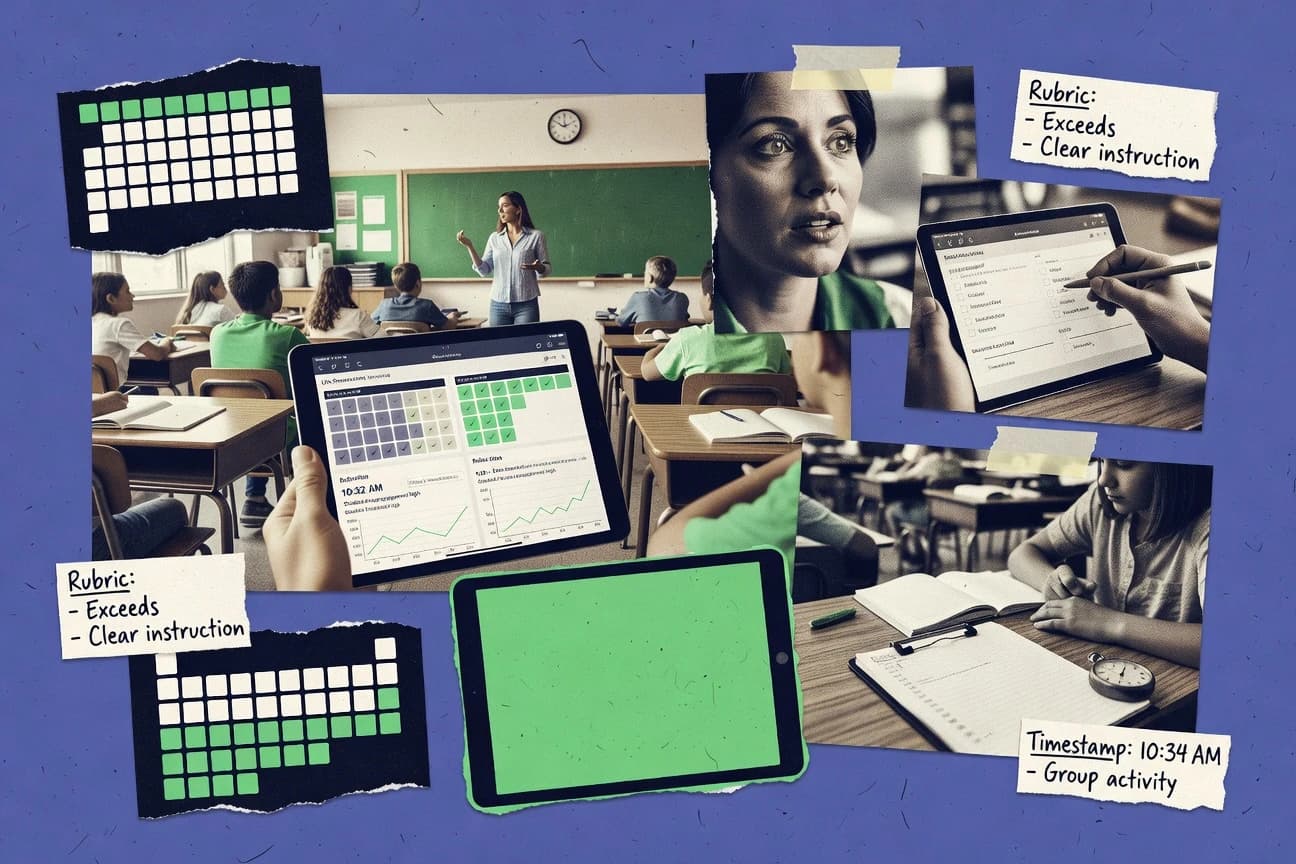
Ranked list of teacher observation software for school leaders with side-by-side comparisons of tools like OnForm, TeachBoost Observe, and Otus.

How we ranked these tools
Core product claims cross-referenced against official documentation, changelogs, and independent technical reviews.
Analyzed video reviews and hundreds of written evaluations to capture real-world user experiences with each tool.
AI persona simulations modeled how different user types would experience each tool across common use cases and workflows.
Final rankings reviewed and approved by our editorial team with authority to override AI-generated scores based on domain expertise.
Score: Features 40% · Ease 30% · Value 30%
Gitnux may earn a commission through links on this page — this does not influence rankings. Editorial policy
OnForm is the strongest choice for districts that want rubric-aligned observation evidence with repeatable report workflows, while TeachBoost Observe is a better fit when administrators need standardized capture and reporting across multiple observers, and if you’re shopping for low-cost entry, Otus can cover consistent evidence capture and rubric reporting across many schools.
Editor’s top 3 picks
Three quick recommendations before you dive into the full comparison below — each one leads on a different dimension.
OnForm
Scriptable evidence capture tied to rubric items to auto-assemble the observation report.
Built for fits when districts need rubric-aligned observation evidence and repeatable report workflows across observers..
TeachBoost Observe
Editor pickSingle observation workspace ties scripting notes to a structured observation report for one audit trail.
Built for fits when administrators need repeatable observation evidence capture and standardized reporting across multiple observers..
Otus
Editor pickRubric-aligned observation reports build directly from structured evidence notes and attached artifacts.
Built for fits when districts need consistent evidence capture and rubric reporting across many schools..
Comparison Table
OnForm
SMBOnForm provides video recording, annotation, feedback, and review tools for instructional observation.
Scriptable evidence capture tied to rubric items to auto-assemble the observation report.
OnForm centers on a checklist and evidence-driven capture model so observers can script notes, tag evidence to standards, and compile a report from the same underlying inputs. The system fits school leaders who need consistent observation records across multiple observers, because rubric alignment and report output reduce ad hoc formatting. Integration depth and automation are geared toward operational adoption, including configurable setup for roles and recurring observation workflows rather than one-off exports.
A key tradeoff is that customizing templates and rubric mappings requires governance time, especially when districts use multiple instructional frameworks and evidence tagging conventions. OnForm works best when observations follow a repeatable cycle with planned dates, standardized evidence requirements, and scheduled post-observation conference documentation for follow-up.
- +Evidence capture and rubric alignment drive consistent observation reports
- +Conference-ready notes reduce rework between observation and feedback meetings
- +Template support supports repeatable walkthrough and formal observation cycles
- +Role-based workflows keep observer and teacher steps separated
- –Rubric and template customization adds setup work for multi-framework districts
- –Long evidence sessions can be slower than freeform note tools
- –Some advanced integrations require additional implementation effort
- –Export flexibility is limited compared with fully document-based systems
Instructional coaches
Run recurring walkthrough cycles
Faster coaching follow-up
School administrators
Calibrate multiple observers
More comparable evaluations
Show 2 more scenarios
Teacher evaluation teams
Document post-observation conferences
Cleaner improvement planning
Teams capture conference notes and recommendations in the same workflow that produces the final observation record.
District office staff
Manage multi-school observation calendars
Reduced process variance
District staff use configurable templates to standardize observation types across schools within the evaluation cycle.
Best for: Fits when districts need rubric-aligned observation evidence and repeatable report workflows across observers.
TeachBoost Observe
vertical specialistTeachBoost Observe manages classroom observations, feedback, evidence, and teacher evaluation workflows.
Single observation workspace ties scripting notes to a structured observation report for one audit trail.
TeachBoost Observe fits school teams that run teacher evaluation workflows with multiple observers, because it organizes observation sessions into evidence, notes, and a finalized report. The core workflow supports preparation before an observation, evidence entry during the classroom session, and a report that can feed a post-observation conference discussion. Report outputs are built from the same observation artifacts the observer records, which reduces drift between notes and what is summarized.
A tradeoff appears in how schools must standardize observer writing habits to keep evidence consistent, because the report structure is only as good as the input evidence captured during the session. It works best when leaders want walkthrough-style documentation or formal observation reporting in one place, and when observation frequency and documentation quality are managed across a term.
- +Observation evidence and report content stay linked in one workflow.
- +Rubric-aligned scoring makes evaluator feedback easier to compare.
- +Pre- and post-observation steps are organized without switching tools.
- +Attachments support lesson plan and artifact references in the report.
- –Consistency depends on observer note-taking discipline across teams.
- –Complex coaching workflows may require extra manual steps outside reports.
- –Large districts may need more rollout planning for multi-school standardization.
- –Limited evidence capture formats can constrain schools with specific rubrics.
Instructional leaders
Run calibration-ready evidence reporting
More consistent evaluator decisions
Assistant principals
Conduct formal and informal walkthroughs
Faster post-observation conferences
Show 2 more scenarios
School admins
Manage observation cycles across schools
Lower missed documentation
Admin workflows coordinate teacher and observer assignments so each observation has complete supporting documentation.
Instructional coaches
Document next steps tied to evidence
Clearer growth plan actions
Coaches reference specific observation notes when drafting improvement guidance for follow-up work.
Best for: Fits when administrators need repeatable observation evidence capture and standardized reporting across multiple observers.
Otus
SMBOtus provides education assessment and instructional management features that can support observation documentation.
Rubric-aligned observation reports build directly from structured evidence notes and attached artifacts.
Otus supports the core observation cycle with configurable templates for pre-conference prompts, observation evidence entry, and post-conference documentation. Evidence can be captured in scripting-style notes and organized into rubric-aligned observation reports with section-level comments. Administrator views consolidate teacher evaluation workflow status and observation outputs for calibration conversations and documentation review. Integration depth is a major factor for adoption since school systems typically need identity sync, roster management, and LMS links to keep evidence attached to the right teachers.
A tradeoff appears in how tightly the observation report formats are shaped by Otus templates, which can slow down teams that need highly bespoke document layouts. Otus fits best when a district wants consistent evidence capture and repeatable reporting across schools, then uses administrator dashboards to monitor completion and review patterns. It also fits settings where coaching teams want standardized feedback structures tied to the same observation cycle stages used for evaluation.
- +Rubric-linked observation reports turn notes into feedback-ready documentation
- +Workflow templates guide pre-conference, observation, and post-conference steps
- +Administrator dashboards consolidate evidence and workflow completion across schools
- +Artifact attachment keeps lesson plans and supporting files close to evidence
- –Highly bespoke report layouts require template rework and admin coordination
- –Evidence entry can feel structured, which limits free-form coaching notes
- –Calibration workflows depend on consistent rubric and template alignment
- –Large rollouts need governance time to keep templates and roles consistent
School district HR and evaluation teams
Standardize observation documentation across schools
More consistent evaluation records
Instructional coaching teams
Run walkthroughs with reusable evidence prompts
Faster post-walkthrough feedback
Show 2 more scenarios
Assistant principals and supervisors
Monitor observation completion and outputs
Lower admin tracking overhead
Administrator dashboards centralize workflow status and observation evidence for review and calibration.
Teacher leaders supporting calibration
Align rubric interpretation across evaluators
Improved inter-rater consistency
Consistent report structures support side-by-side review during calibration meetings.
Best for: Fits when districts need consistent evidence capture and rubric reporting across many schools.
Sibme
vertical specialistSibme supports video-based teacher observation, coaching, feedback, and professional learning communities.
Observation report generation that converts scripted evidence notes into structured administrator reports for conference workflows.
Sibme manages teacher observation workflows with digital forms for observation evidence, scripting notes, and report generation. The tool supports recurring observation cycles with structured templates that administrators can reuse across schools and teams.
Sibme’s governance emphasis shows up in role-based access for staff and student-facing attachments tied to observation artifacts. Workflow automation centers on turning captured notes into review-ready observation reports for the post-observation conference cycle.
- +Digital observation notes format designed for consistent evidence capture
- +Reusable templates reduce variability between administrators and evaluators
- +Artifact attachments stay linked to the specific observation report
- +Workflow outputs support post-conference review with structured summaries
- –Advanced rubric logic can feel limited for highly customized scoring models
- –Calibration and inter-rater reliability require disciplined administrator review
Best for: Fits when school leaders need consistent digital evidence capture and report generation across multiple evaluators.
Edthena
vertical specialistEdthena provides video-based observation, coaching, feedback, and teacher practice review.
Guided evidence and reporting templates keep each observation thread consistent from capture to post-conference notes.
Edthena supports teacher observation cycles by converting rubric-based evidence into structured observation reports and feedback.
It provides guided templates for evidence notes that reduce free-form drift across observers and conferences.
The workflow ties post-conference documentation to the same observation thread used for follow-up coaching.
- +Evidence capture templates drive consistent observation reports
- +Rubric-linked notes reduce observer-to-observer wording variance
- +Structured post-conference documentation stays tied to the original cycle
- +Coaching follow-ups remain in the same observation workflow thread
- –Limited public detail on API and integration depth
- –Advanced governance controls for large districts are harder to validate
- –Calibration tooling for inter-rater reliability is not clearly documented
- –Evidence exports can require manual formatting for certain reporting systems
Best for: Fits when schools need rubric-aligned evidence capture and repeatable reporting across observers.
PowerSchool Unified Talent
enterpriseUnified Talent includes educator evaluation, observation, talent management, and professional growth functions.
Observation and evaluation records integrate into PowerSchool identity and reporting workflows for end-to-end administrator visibility.
PowerSchool Unified Talent supports the teacher evaluation workflow inside a larger PowerSchool education ecosystem.
It focuses on managing observation cycles, evidence capture, and evaluation outputs tied to administrator and teacher roles.
The system’s differentiation comes from configuration alignment with district HR and student information workflows, rather than standalone observation authoring.
Automation depends on how evaluation templates, user roles, and data integrations are configured in the district environment.
- +Observation workflow is tied to PowerSchool user and role management
- +Evidence capture supports attaching and organizing observation artifacts
- +Evaluation outputs follow a controlled teacher review and administrator process
- +District configuration can standardize rubrics and reporting across sites
- –More effective results depend on district-level template and role governance
- –Observation evidence organization can feel constrained versus custom rubric structures
- –Integrations and automation require careful setup to match local data mappings
- –Bulk calibration for inter-rater reliability is limited compared with coaching-first tools
Best for: Fits when districts already run PowerSchool systems and need observation cycles aligned to HR and role governance.
GoReact
vertical specialistGoReact enables video assessment, timestamped feedback, rubrics, and observation workflows for education.
Clip-level rubric scoring and commentary in a single observation record so evidence, ratings, and feedback stay linked.
GoReact positions teacher observation around video evidence workflows, where observers and teachers collect clips tied to rubric ratings and notes. The system supports structured feedback through scripted prompts and observation reports that reference the captured evidence.
Lesson attachments and student context can be linked to observations to reduce mismatches between what was taught and what was rated. Administrator views focus on oversight of submitted observations and calibration artifacts across the observation cycle.
- +Evidence-first workflow that ties ratings to specific video clips
- +Scripted feedback prompts help keep notes consistent across observers
- +Rubric-aligned reporting reduces rework after observation meetings
- +Lesson and context attachments keep observer notes traceable
- –Video setup and evidence tagging require disciplined training
- –Complex multi-role workflows may need careful configuration for consistency
- –Rubric mapping can feel rigid when teams run multiple frameworks
- –Reporting customization is limited compared with spreadsheet exports
Best for: Fits when schools want rubric-based feedback anchored to video evidence for coaching and evaluation workflows.
KickUp
vertical specialistKickUp connects educator evaluation, instructional coaching, professional learning, and observation data.
Evidence packets and rubric scoring stay locked to each observation record during conference-ready report generation.
KickUp is an administrator-focused teacher observation workflow tool that turns evidence capture into consistent observation reports. It supports rubric-linked feedback and structured notes so teams can produce aligned observation evidence and share it during conferences.
The system emphasizes repeatable templates for formats like walkthroughs and formal observation writeups rather than freeform document passing. It also centers on coach and evaluator review work so observation artifacts stay organized across the evaluation cycle.
- +Rubric-linked feedback fields keep notes structured across observers
- +Template-driven report generation reduces variation between observation writes
- +Evidence attachments stay tied to the observation record
- +Administrator views support rapid review of observation outputs
- –Template setup requires upfront configuration to match district formats
- –Some workflows depend on consistent artifact capture habits by observers
- –Export and report customization can feel limited for highly bespoke templates
- –Large observer teams may need clearer governance for naming and tagging
Best for: Fits when school leaders need consistent, evidence-based observation reports with rubric structure across multiple evaluators.
Frontline Professional Growth
enterpriseProfessional Growth supports educator evaluations, observations, goal setting, and development workflows.
Growth plan documentation linked to observation outcomes, so post-observation actions stay attached to the evaluation record.
Frontline Professional Growth supports teacher evaluation workflows with digital observation records, conferencing artifacts, and role-based review stages. The system centers observation evidence capture through structured forms, note fields, and rubric-aligned reporting that administrators can compile into observation reports.
It also supports professional growth planning that connects evaluation outcomes to coaching and follow-up documentation. Frontline Professional Growth is designed to fit into existing district processes for teacher evaluation and continuing professional development rather than run those processes in isolation.
- +Rubric-aligned observation reporting reduces manual transcription work
- +Role-based workflow supports administrator review and teacher-facing record access
- +Growth plan artifacts connect evaluation results to documented next steps
- +Structured evidence capture improves consistency across observers
- –Observation setup and calibration workflows require careful district configuration discipline
- –Limited workflow flexibility for highly custom observation formats
Best for: Fits when districts need rubric-based observation records and conferencing artifacts with governed evaluation workflows.
BloomBoard
vertical specialistBloomBoard supports educator development, evidence collection, credentials, and evaluation workflows.
Role-based evidence workflow that ties teacher reflection and administrator ratings to the same structured observation record.
BloomBoard is an educator observation workflow tool built around teacher-facing artifacts and administrator review screens. It supports observation planning, evidence capture, rubric-aligned notes, and report generation that follow an observation cycle.
BloomBoard also offers template-driven pre-work for administrators and structured fields for feedback so observation evidence stays consistent across observers. The system’s review views focus on evidence organization and rating completion tied to instructional standards.
- +Evidence capture is organized for administrators who must write calibrated reports
- +Rubric and standards alignment is built into the observation note structure
- +Administrator workflows reduce blank-page time through templates and guided fields
- +Teacher-facing portions support reflection and preparation tied to scheduled observations
- –Multi-observer calibration needs active workflow management to stay consistent
- –Some advanced reporting and integrations require additional configuration work
Best for: Fits when schools need rubric-aligned observation reports built from structured evidence and repeatable templates.
Conclusion
After evaluating 10 education learning, OnForm stands out as our overall top pick — it scored highest across our combined criteria of features, ease of use, and value, which is why it sits at #1 in the rankings above.
Use the comparison table and detailed reviews above to validate the fit against your own requirements before committing to a tool.
How to Choose the Right teacher observation software
Teacher observation software is judged on how consistently it turns classroom evidence into audit-ready observation reports and conference-ready notes. This buyer's guide covers OnForm, TeachBoost Observe, Otus, and eight additional tools that handle rubric scoring, scripting notes, and post-observation documentation.
The evaluation focuses on integration depth, automation and API surface, and the practical governance controls school leaders need to run the full teacher observation cycle across observers and schools. Each tool review emphasizes workflow throughput, evidence-to-report linking, and administrator-facing oversight for calibration and inter-rater reliability.
Teacher observation software that captures evidence and produces rubric-aligned evaluation reports
Teacher observation software supports the full workflow from pre-observation conference artifacts through observation evidence capture and post-observation conference documentation. These platforms standardize scripting notes and rubric scoring so administrator reports are built from structured evidence rather than reconstructed narratives.
OnForm uses scriptable evidence capture tied to rubric items to auto-assemble the observation report, so observer notes become conference-ready documentation. TeachBoost Observe keeps a single observation workspace that links evidence capture to a structured observation report for one audit trail, while Otus builds rubric-aligned reports directly from structured evidence notes and attached artifacts.
Evidence-to-report automation and governance controls
Teacher observation software succeeds when evidence captured during the observation cycle becomes the same structured material that populates the observation report and the post-conference documentation. Platforms like OnForm, TeachBoost Observe, and Otus use workspace or report assembly that keeps evidence, rubric alignment, and administrator output tied together.
School leaders also need governance controls that keep observation workflows consistent across observers and schools. Sibme and KickUp emphasize template-driven report generation, while Frontline Professional Growth and PowerSchool Unified Talent tie observation records to role-based workflows and identity systems for controlled access.
Rubric-linked evidence capture that assembles the observation report
OnForm scriptable evidence capture ties directly to rubric items to auto-assemble the observation report. TeachBoost Observe links scripting notes to a structured observation report inside one workspace, and Otus builds rubric-aligned reports from structured evidence notes and attached artifacts.
Conference workflow templates built into the observation lifecycle
Otus workflow templates guide pre-conference, observation, and post-conference steps so administrators can standardize the cycle across schools. Sibme provides reusable templates that reduce variability between administrators and evaluators.
Evidence packets that keep artifacts and rubric scoring locked per observation record
KickUp evidence packets and rubric scoring remain locked to each observation record during conference-ready report generation. GoReact keeps clip-level rubric scoring and commentary in a single observation record so evidence, ratings, and feedback stay linked.
Administrator workflow governance and teacher-facing access tied to the evaluation record
Frontline Professional Growth links growth plan documentation to observation outcomes so post-observation actions stay attached to the evaluation record. PowerSchool Unified Talent integrates observation and evaluation records into PowerSchool identity and role governance for end-to-end administrator visibility.
Choose based on report assembly model, workflow ownership, and integration constraints
The first decision should match the report assembly model to the district observation workflow. OnForm and TeachBoost Observe keep evidence capture tightly coupled to structured report content, while Otus and Sibme emphasize report generation built directly from structured evidence notes.
The second decision should match workflow ownership to admin governance requirements. PowerSchool Unified Talent fits districts already running PowerSchool systems and needs observation cycles aligned to HR and role governance, while BloomBoard and Frontline Professional Growth focus on governed evaluation workflows that connect teacher reflection and growth plan actions to the same record.
Map how observation evidence becomes report content
If observation evidence must auto-assemble into the final report without re-typing, OnForm’s scriptable evidence capture is built to generate rubric-aligned observation reports from rubric-tied inputs. If the priority is a single audit trail where scripting notes and structured report content remain linked, TeachBoost Observe provides one observation workspace for that linkage.
Pick the workflow template depth that fits district standardization goals
If the district wants guided pre-conference through post-conference steps, Otus workflow templates provide structured lifecycle guidance. If the district needs consistency from capture through conference reporting across evaluators, Sibme’s reusable templates reduce variability between administrators and evaluators.
Select the record locking model for evidence and scoring
If evidence packets must stay locked to the observation record during conference-ready report generation, KickUp’s locked packet model is designed for that behavior. If evidence is primarily video clips that must anchor ratings and commentary, GoReact ties clip-level rubric scoring and feedback prompts to specific video clips in the same record.
Align governance and access paths to existing identity systems
If observation cycles must align with HR and role governance inside PowerSchool, PowerSchool Unified Talent integrates observation and evaluation records into PowerSchool identity and reporting workflows. If governed access and administrator review need to support growth actions attached to the evaluation record, Frontline Professional Growth links growth plan documentation to observation outcomes.
Stress-test customization needs against template-driven layouts
If highly bespoke report layouts are required, validate template rework effort by comparing how Otus handles highly bespoke report layouts versus other template-driven tools like Sibme. If coaching notes need freer form capture, validate whether structured evidence entry feels restrictive in tools such as Otus.
Who benefits from this evaluation-assembly approach
District and school leaders benefit when observation cycles produce consistent evidence-to-report outputs that can be compared across observers. The tools in this guide differ in how tightly they lock evidence to rubric scoring and how much template structure they enforce.
Role clarity also matters. Some platforms tie observation and evaluation records to identity and role management, while others focus on record-level evidence structures that administrators then translate into conference-ready documentation.
District administrators standardizing observation evidence and report output
OnForm, TeachBoost Observe, and Otus keep rubric-aligned evidence connected to conference-ready observation reporting, which reduces report drift between observers.
Instructional coaching teams that rely on video evidence and clip-level feedback
GoReact anchors clip-level rubric scoring and commentary to specific video clips, which keeps ratings and evidence linked for coaching and evaluation workflows.
Schools running PowerSchool systems that require observation tied to HR and role governance
PowerSchool Unified Talent connects observation workflow to PowerSchool user and role management, which supports end-to-end administrator visibility aligned with existing governance.
Administrators focused on governed follow-through after observation
Frontline Professional Growth attaches growth plan documentation to observation outcomes, and BloomBoard ties teacher reflection and administrator ratings to the same structured observation record.
Common pitfalls during teacher observation software selection
A frequent failure mode is treating evidence capture as a note-taking problem rather than a report assembly problem. Tools like OnForm and TeachBoost Observe are designed so evidence capture drives the final observation report, and the wrong expectation can create rework during post-observation documentation.
Another recurring issue is assuming that template-driven workflows automatically produce calibration. Calibration depends on disciplined observer use, and some tools explicitly require administrator review to maintain inter-rater reliability and consistency across evaluators.
Choosing a tool for its report visuals while ignoring evidence-to-report linking behavior
OnForm’s rubric-tied scriptable evidence capture is built to auto-assemble the observation report, and TeachBoost Observe keeps the evidence and structured report content in one workflow. If evidence and report fields do not stay linked in daily use, conference documentation becomes manual.
Underestimating the discipline needed for consistent evidence entry across observers
TeachBoost Observe notes that consistency depends on observer note-taking discipline across teams, and Sibme requires disciplined administrator review for calibration and inter-rater reliability. Without that operating model, rubric-linked outputs can still diverge.
Assuming customization will stay inexpensive when report layouts are highly bespoke
Otus warns that highly bespoke report layouts require template rework and admin coordination, and KickUp requires upfront template setup to match district formats. Districts with complex formatting should budget time for template iteration.
Selecting a video-based workflow without training for evidence tagging and setup
GoReact’s clip-level model depends on disciplined video setup and evidence tagging, and complex multi-role workflows may require careful configuration for consistency. Without training, evidence selection errors propagate into rubric scoring.
How We Selected and Ranked These Tools
We evaluated evidence-to-report automation because teacher observation cycles generate a report that must match recorded evidence, and tools like OnForm scored highest for scriptable evidence capture tied to rubric items that auto-assembles the observation report. We evaluated features for workflow coverage across the observation cycle, including conference-ready notes generation and rubric-linked evidence structures that reduce transcription work.
We evaluated ease and value together because observer and administrator throughput depends on how consistently teams can follow the same structured steps, and ease scores separated OnForm from tools that require additional manual workflow steps. OnForm placed first across overall, features, ease, and value ratings because rubric alignment and conference-ready output reduced rework for both observers and administrators.
Frequently Asked Questions About teacher observation software
How does OnForm assemble an observation report from rubric-aligned evidence capture?
What does TeachBoost Observe store in a single observation workspace for audit trail consistency?
How does Otus handle evidence notes and report outputs across walkthrough and formal observation stages?
What data migration steps usually matter when moving observation evidence into Sibme?
Which tool is better for districts that already run PowerSchool identity and role governance?
How does GoReact keep rubric ratings aligned to specific video evidence clips?
What tradeoff appears when Edthena uses guided templates instead of free-form report writing?
Where does KickUp fall short if a district needs custom workflow stages beyond walkthroughs and formal writeups?
How does Frontline Professional Growth connect observation evidence to follow-up growth planning?
Tools reviewed
Primary sources checked during evaluation.
Referenced in the comparison table and product reviews above.
- Education LearningTop 10 Best Classroom Observation Software of 2026
- Education LearningTop 10 Best Teacher Evaluation Software of 2026
- Real Estate PropertyTop 10 Best Parent Teacher Organization Software of 2026
- Education LearningTop 10 Best Teacher Computer Monitoring Software of 2026
- Education LearningTop 10 Best Teacher Classroom Software of 2026
Keep exploring
Comparing two specific tools?
Software Alternatives
See head-to-head software comparisons with feature breakdowns, pricing, and our recommendation for each use case.
Explore software alternatives→In this category
Education Learning alternatives
See side-by-side comparisons of education learning tools and pick the right one for your stack.
Compare education learning tools→