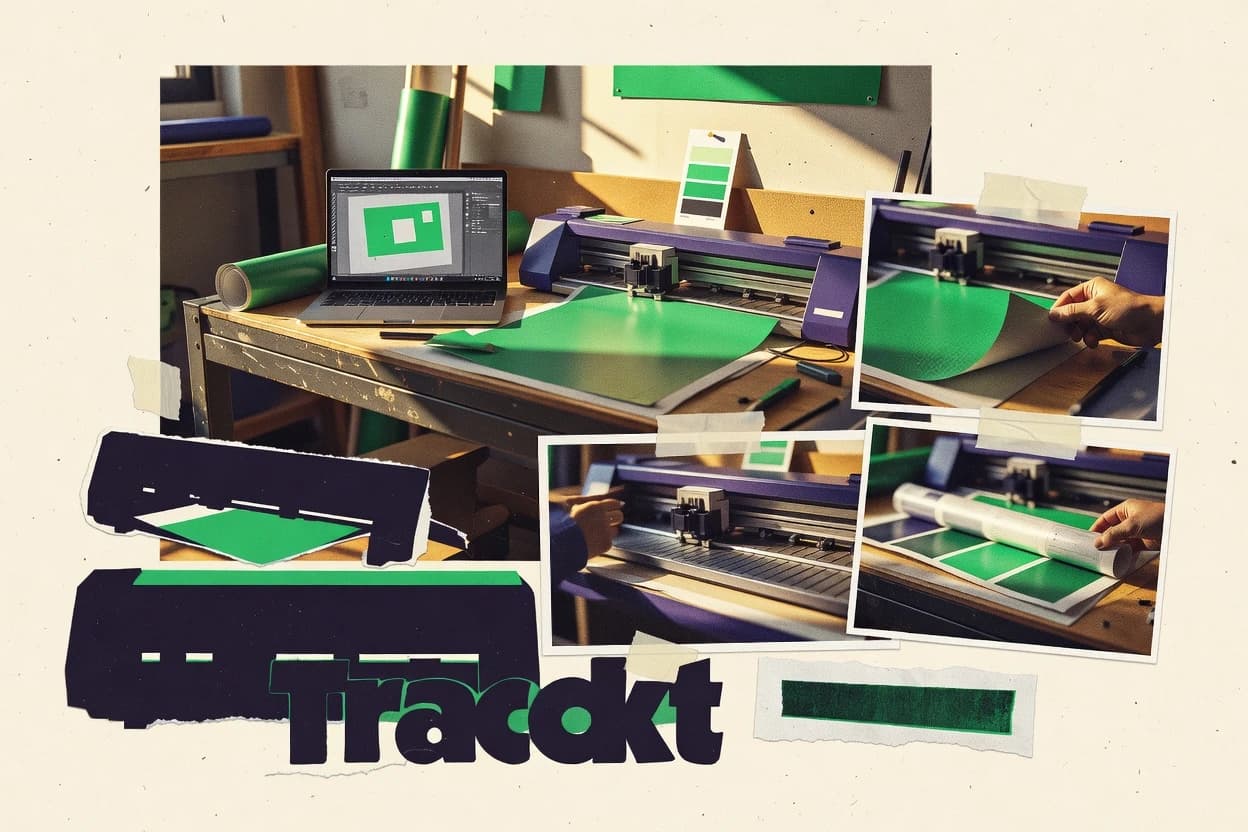
GITNUXSOFTWARE ADVICE
Art DesignTop 10 Best Signmaker Software of 2026
Top 10 signmaker software ranking for sign shop workflows, with buyer notes on SignDesign, Onyx Thrive, ArtiosCAD, plus ColorGATE and Wasatch.

How we ranked these tools
Before any source is gathered, an editor locks the question, what qualifies, and how the piece will be judged.
Search agents gather the source set and the review record, including transcriptions of video reviews and podcasts.
Framework: Features 40% · Ease 30% · Value 30%
Gitnux may earn a commission through links on this page — this does not influence rankings. Editorial policy
ColorGATE is the strongest fit for sign shops that need repeatable prepress controls from proofing through device output, and FlexiSIGN is the better alternative when you mainly want dependable print-and-cut exports from consistent vector sign layouts.
Editor’s top 3 picks
Three quick recommendations before you dive into the full comparison below — each one leads on a different dimension.
ColorGATE
Color-managed proofing and production preparation share one project context, minimizing proof to output mismatches.
Best for: Fits when sign shops need repeatable prepress controls across proofing and device output.
Wasatch SoftRIP
Editor pickProduction queue handling paired with device-specific cut configuration helps standardize contour cutting across repeated sign runs.
Best for: Fits when production teams need consistent RIP output for vinyl cutting and print-and-cut.
Caldera
Editor pickRegistration-mark and cut-path preparation is integrated into the production workflow, not treated as an afterthought export step.
Best for: Fits when sign shops need consistent print-and-cut production from standardized job settings.
Comparison Table
ColorGATE
enterpriseRIP and color management software for digital sign printing.
Color-managed proofing and production preparation share one project context, minimizing proof to output mismatches.
ColorGATE is used to run sign production projects with a controlled prepress pipeline, including proofing stages and output preparation tied to the same project context. Its workflow supports production-ready layout handling and device-oriented settings so downstream operators do not rebuild settings each time. The system also emphasizes automation around print jobs and production artifacts so teams can repeat the same controls for every campaign.
A tradeoff is that tight automation depends on correct device and media configuration, since misconfigured profiles and finishing settings produce predictable production errors. ColorGATE fits best when a shop has an established set of printers, cutters, and media profiles and wants those controls applied consistently across daily sign runs.
- +Prepress proofing steps stay tied to the same production project artifacts
- +Color handling controls reduce drift between proof and output
- +Device configuration supports repeatable production settings at scale
- +Workflow automation cuts manual job assembly for frequent sign runs
- –Device and media configuration requires disciplined setup before scaling output
- –Advanced production handling can add steps for ad hoc one-off jobs
- –Complex projects may need tighter operator training for consistent results
- –Some integration paths require additional workflow design outside the core app
Print production managers
Run consistent proofs for every job
Fewer proof corrections
Prepress operators
Prepare cutter-ready and print-ready files
Less manual rework
Show 2 more scenarios
Sign shop owners
Standardize multi-device workflows
More predictable throughput
Shops reuse media and device configurations to reduce variation across operators and shifts.
Production coordinators
Automate job handoff between teams
Shorter handoff cycles
Coordinators reduce copy-and-paste job setup by linking proofing and output stages to one project.
Best for: Fits when sign shops need repeatable prepress controls across proofing and device output.
Wasatch SoftRIP
enterpriseRIP software for inkjet printing with color management and layout tools.
Production queue handling paired with device-specific cut configuration helps standardize contour cutting across repeated sign runs.
Wasatch SoftRIP fits teams running recurring storefront graphics, vehicle graphics, and wayfinding jobs on shared production equipment. The toolchain centers on translating sign design files into plotter-ready cut instructions, with support for print-and-cut registration marks and contour registration workflows. Configuration is oriented around production throughput control, including nesting and tiling for panel layouts and media usage efficiency. Integration depth is strongest where the shop’s software pipeline already expects RIP-generated cut paths and registration alignment rather than exporting raw device commands.
A key tradeoff is that hardware and media profile setup is required for consistent contour performance across different vinyl media and plotter models. It works best when production staff can maintain the device configuration and substrate profiles, then feed jobs through the same queue. Shops that want ad-hoc output from inconsistent file quality often spend more time validating cut paths and registration marks before running jobs.
- +Strong plotter integration with production-oriented cutting instruction output
- +Print-and-cut registration marks workflow supports consistent contour registration
- +Nesting and tiling support panelized workflows for efficient media use
- +Queue-based processing supports repeated runs with standardized settings
- –Requires disciplined media and device setup to avoid contour variability
- –File validation is still needed for complex vector artwork and cut intent
Sign production leads
Queue vinyl cut jobs consistently
Fewer remakes
Print-and-cut operators
Align contours for printed vinyl
Higher hit rate
Show 1 more scenario
CNC routing shops
Convert vector work to toolpaths
Cleaner execution
RIP-driven instruction output maps design geometry to device-ready cutting instructions.
Best for: Fits when production teams need consistent RIP output for vinyl cutting and print-and-cut.
Caldera
enterpriseRIP and workflow automation software for large-format printing operations.
Registration-mark and cut-path preparation is integrated into the production workflow, not treated as an afterthought export step.
Caldera fits shops that treat artwork, contour cutting, and production settings as a single workflow and need consistent results across jobs. It supports RIP-style preparation and output parameter control for print-and-cut production, including registration mark handling and cut path generation. It also includes library-style reuse patterns for recurring sign faces, framing choices, and finishing constraints.
A tradeoff shows up for teams that expect a pure freeform vector editor experience, since Caldera’s layout and production conventions steer users toward its job-build flow. Caldera works best when a single operator produces high throughput runs with standardized paneling and output settings, and when multiple sizes and substrates must be produced from repeatable configuration.
- +Production-oriented job build reduces manual handoffs to output generation
- +Print-and-cut preparation includes registration mark workflow controls
- +Template-driven production settings support consistent multi-size runs
- +Tooling supports operator repeatability for common storefront and vehicle graphics
- –Workflow conventions can feel restrictive for layout-first designers
- –Advanced automation requires learning Caldera’s production job concepts
- –Complex nesting and paneling setups take time to standardize
- –Some vector editing tasks rely on workflows that differ from Adobe-style habits
Sign shop production operators
Run print-and-cut orders with repeats
Fewer remakes and faster press checks
Prepress techs
Standardize output settings across substrates
More consistent output across runs
Show 2 more scenarios
Vehicle graphics teams
Batch large contour-cut vehicle wraps
Lower variance between batches
Caldera’s production workflow supports repeatable generation for vehicle graphic variations.
Wayfinding sign shops
Build multi-panel signage systematically
Quicker job setup for repeats
Template and job conventions help produce standardized paneling layouts for wayfinding.
Best for: Fits when sign shops need consistent print-and-cut production from standardized job settings.
FlexiSIGN
vertical specialistSign design and production software for print, cut, and RIP workflows.
Registration mark handling in print-and-cut export aimed at improving contour registration consistency across production runs.
FlexiSIGN from thinksai.com is a signmaker workflow tool focused on turning vector sign designs into plotter-ready output for production. It supports sign layout and lettering oriented authoring, plus export and print workflows meant to align with typical sign shop steps.
- +Vector-to-production workflow centers on plotter-ready output generation
- +Lettering and sign layout tools cover common storefront and vehicle text needs
- +Print-and-cut oriented exports include registration mark support
- +Output pipeline reduces manual rework between design and cutting
- –RIP integration depth can be limited for advanced shop automation
- –Nesting and tiling controls are not as granular as some vector-first competitors
Best for: Fits when shops need repeatable vector sign layouts with dependable print-and-cut exports.
EasySIGN
vertical specialistSignmaking software that combines design, prepress, and production controls for wide-format output.
Production-ready cut path generation that stays linked to layout settings during export for vinyl workflows.
EasySIGN handles sign design, prepress setup, and production output in one workflow, with vector and layout tooling focused on sign shop deliverables. It supports contour and cut path generation for vinyl workflows and connects layout decisions to plotter or CNC routing output.
- +Strong cut-path workflow for vinyl output decisions
- +Templates speed up recurring sign layout and formatting
- +Artwork settings stay tied to production export output
- +Vector-to-plotter handoff reduces operator rework
- –Workflow depth can require setup time for consistent results
- –Advanced paneling and production variants need careful configuration
- –Automation breadth is limited compared with API-first sign suites
- –RIP integration options are narrower than many CAD-led stacks
Best for: Fits when sign shops need consistent vinyl production exports with template-driven layouts.
Graphtec Pro Studio
SMBDesign and cut software for Graphtec plotters used in decal and sign production.
Graphtec production output configuration that stays linked to the generated cut data for repeatable plotter runs.
Graphtec Pro Studio targets sign and graphics workflows tied to Graphtec cutting hardware, with an interface centered on producing cutter-ready cut paths from vector art. It supports sign layout work, including dimensioning, offset-based shapes, and registration mark options for print-and-cut style production.
- +Graphtec-focused output settings reduce last-minute plotter adjustments
- +Offset-based shapes and measurement tools support common sign layout tasks
- +Registration mark options fit print-and-cut style alignment workflows
- +Vector-driven production keeps cut paths editable before sending to hardware
- –Automation and API extensibility for external system integration are limited
- –Workflow fit can narrow when the shop needs non-Graphtec production targets
Best for: Fits when shops standardize on Graphtec plotters and need dependable sign layout to cut-path output.
CorelDRAW
SMBVector design suite widely adopted as the primary design tool in sign shops.
Object styles and extensive vector tooling for fine-grained layout and typography refinement inside a single authoring environment.
CorelDRAW brings mature vector design and page layout tools into a sign shop workflow with strong support for typography, scaling, and production-ready output. It handles sign layout work through precise vector editing, object styles, and document-level controls for consistent trims and artwork spacing.
- +Vector editing speed for lettering, logos, and dense layouts
- +Reliable typography controls for multi-size sign type and text layouts
- +Consistent object styling for repeating sign elements
- +Export outputs that feed plotters and RIP-driven production
- –Cut-path workflows depend on careful preparation for CNC and vinyl layers
- –Automation for bulk jobs is limited without external scripting and add-ons
- –Large production files can slow when editing many grouped objects
- –Collaboration controls lack strong admin governance features for shops
Best for: Fits when designers need tight vector and lettering control, then rely on RIP for cutting and printing output.
VersaWorks
enterpriseVersaWorks manages RIP, print, and cut workflows for Roland DG wide-format devices.
Media-aware plot setup that drives contour-ready cut paths and registration mark placement from the RIP job parameters.
VersaWorks targets Roland printer and plotter workflows with device-tied print, contour cut, and CNC-style routing support through its plot job pipeline. The software converts design output into plot-ready jobs with nesting, paneling, tiling, and media-specific settings that drive cut path generation and registration mark placement.
- +Strong Roland device workflow coupling from RIP to finalized plot settings
- +Job controls for reprints, multi-up layout, and production repeats
- +Media and cutter parameter handling for consistent cut and print jobs
- +Layout tools for nesting and paneling to reduce waste
- –Tighter Roland dependence limits portability across mixed-brand shops
- –Automation depth is limited versus systems with broader API and integrations
- –Advanced workflow tuning often requires careful media profile management
- –Design-editing tasks stay outside the RIP workflow
Best for: Fits when shops run mostly Roland printers and cutters and need repeatable RIP-driven print-and-cut production.
SignMaster
SMBSignMaster combines sign design, vinyl cutting, contour cutting, and plotter output.
Print-and-cut job preparation that keeps registration marks tied to the cut layers during output generation.
SignMaster generates sign layout and cutting-ready output from a vector workflow, then helps shops produce proof packages before production. It includes tools for layering sign face elements, applying cutline logic, and preparing plotter-ready jobs that align print and cut registration marks.
- +Cut-ready job generation from vector sign artwork
- +Layer-based handling for separating sign face and cut operations
- +Repeatable proof generation for production review
- +Print-and-cut alignment tooling with registration marks workflow
- –Weeding lines and box controls are not as granular as dedicated prepress tools
- –Complex nesting and tiling rules need shop-specific configuration discipline
Best for: Fits when production teams need consistent proofing and plotter-ready output from vector files.
Easy Cut Studio
SMBEasy Cut Studio offers vector design, vinyl cutting, contour cutting, and plotter control.
Contour cutting workflow that keeps alignment marks tied to the cut output for print-and-cut jobs.
Easy Cut Studio is signmaking and vector workflow software focused on preparing cut-ready output from common sign-design formats. It supports contour cutting and registration-style alignment workflows for printed graphics, with output designed for vinyl cutting and related plotter jobs.
- +Contour cutting workflow supports registration-style alignment for printed graphics
- +Cut path editing supports practical sign lettering and layout adjustments
- +Nesting and tiling help reduce wasted vinyl on multi-up jobs
- +Plotter-oriented output workflow fits day-to-day production throughput
- –Advanced RIP-style color management is not a primary focus area
- –Automation for multi-machine production is limited without careful operator handling
- –Workflow relies on correct print and registration inputs to avoid remakes
- –CNC routing and tooling setup coverage is thinner than CAD-first sign tools
Best for: Fits when vinyl shops need repeatable cut preparation with contour alignment and layout efficiency.
Conclusion
After evaluating 10 signmaker software, ColorGATE stands out as our overall top pick — it scored highest across our combined criteria of features, ease of use, and value, which is why it sits at #1 in the rankings above.
Use the comparison table and detailed reviews above to validate the fit against your own requirements before committing to a tool.
How to Choose the Right Signmaker Software
Signmaker software covers the prepress and production preparation steps needed to turn sign layout files into plotter-ready vinyl output and print-and-cut job instructions. This guide covers ColorGATE, Wasatch SoftRIP, Caldera, FlexiSIGN, EasySIGN, Graphtec Pro Studio, CorelDRAW, VersaWorks, SignMaster, and Easy Cut Studio.
The ranking prioritizes integration depth across proofing and production artifacts, plus how each tool handles registration marks and cut-path preparation inside a repeatable workflow. The tools also differ in automation and operator governance, especially when production teams need standardized contour cutting across repeated sign runs.
Signmaker Software for proofing, registration marks, and cut-path production
Signmaker software coordinates sign layout assets, print-and-cut registration marks, and cut-path generation so output matches the intended production artifacts. In shop workflows, the workflow boundary matters, because tools like ColorGATE link color-managed proofing and production preparation to the same project context to reduce proof-to-output drift.
Some tools are built around production queue handling that pairs device-specific cut configuration with RIP-driven output, which is the case for Wasatch SoftRIP in vinyl cutting and print-and-cut. Other tools integrate registration-mark and cut-path preparation directly into production job concepts, which can reduce manual handoffs compared with exports that treat print-and-cut prep as an afterthought. Across the category, the defining differences show up in how registration marks stay tied to cut layers, how repeat runs are standardized, and how much configuration discipline the shop must apply to keep contour registration consistent.
Signmaker Software capabilities that directly affect proofing and print-and-cut output
The highest-impact capabilities keep proofing artifacts and production cut instructions on the same job context, so color-managed checks reflect the same geometry sent to the plotter. ColorGATE earns the top spot by tying color-managed proofing and production preparation into one project workflow, which reduces mismatches between proof output and device output.
Project-linked proofing and production preparation
ColorGATE keeps color-managed proofing steps tied to the same production project artifacts to reduce proof to output drift. This same context pairing is the core reason ColorGATE is rated highest overall.
Print-and-cut registration marks tied to cut layers
Caldera builds registration mark and cut-path preparation into production job concepts instead of treating registration export as a later step. SignMaster also keeps registration marks tied to the cut layers during output generation.
Repeat-run standardization for contour cutting
Wasatch SoftRIP pairs production queue handling with device-specific cut configuration to standardize contour cutting across repeated vinyl runs. EasySIGN targets consistent vinyl exports by generating cut paths linked to layout settings during export.
Cut-path generation depth for layout-to-output workflows
Graphtec Pro Studio focuses on Graphtec production output configuration that stays linked to generated cut data for repeatable plotter runs. VersaWorks drives contour-ready cut paths and registration mark placement from RIP job parameters for Roland device workflows.
Layout-first authoring with RIP handoff for cutting and printing
CorelDRAW provides fine-grained vector and lettering controls with extensive typography tools inside a single authoring environment. CorelDRAW then relies on RIP and cut preparation done outside the authoring layer for vinyl and CNC workflows.
Choose by workflow ownership: proof-and-output linkage, print-and-cut job build, or RIP queue control
Decision-making works best when the software becomes the system of record for the specific stage that creates errors in the shop. ColorGATE fits shops that want proofing and production preparation to share one project context so the proof reflects what the plotter will cut.
Select the system of record for proof-to-output matching
If the shop needs proofing decisions and cut instruction generation to reference the same project artifacts, ColorGATE is built for that linkage. If proofing is treated as a separate step from output generation, other tools may still work but need stricter operator discipline.
Pick the workflow model for print-and-cut preparation
If print-and-cut prep should be integrated into production job concepts with registration mark workflow controls, Caldera and FlexiSIGN align with that model. If the shop wants registration marks tied to cut layers during output generation without a heavily production-job abstraction, SignMaster matches that approach.
Match queue and cut configuration control to the shop’s production rhythm
If the production team runs repeated vinyl work and expects device-specific cut setup to standardize contour cutting, Wasatch SoftRIP is designed around production queue handling with cut configuration. If the shop runs mostly Roland printers and cutters and wants RIP job parameters to drive contour-ready cut paths, VersaWorks fits that control flow.
Lock onto your plotter ecosystem before evaluating automation depth
Graphtec Pro Studio is most consistent when shops standardize on Graphtec plotters because its production output configuration stays linked to generated cut data. VersaWorks is most consistent when shops stay inside Roland device workflows because its RIP-to-plot settings coupling is the foundation of repeatability.
Decide how much layout authoring should live inside the tool
If the shop relies on dense lettering and multi-size typography refinement in the authoring environment, CorelDRAW provides object styles and vector tooling to handle that work. If the shop prefers plotter-ready output generation that stays linked to layout settings during export, EasySIGN and FlexiSIGN emphasize that export-centered workflow.
Who Signmaker Software fits best based on output consistency requirements
Signmaker software fits teams that need repeatable sign output where small mismatches between proof artifacts and cut instructions can cause rework. The strongest fit shows up when the workflow keeps registration marks and cut-path generation tied to the same job context used for production output.
Sign shops running repeated vinyl and print-and-cut jobs with strict cut repeatability needs
Wasatch SoftRIP standardizes contour cutting by pairing production queue handling with device-specific cut configuration, which supports consistent print-and-cut output across repeated sign runs.
Shops that prioritize color-managed proofing that matches the final production output geometry
ColorGATE keeps proofing and production preparation in the same project context so color decisions stay aligned with the artifacts used for output generation.
Production teams that want registration-mark workflows embedded in production job building
Caldera integrates registration-mark and cut-path preparation into production workflow concepts, which reduces afterthought export handoffs that can break contour registration consistency.
Roland-centric print-and-cut operations that want RIP job parameters to drive output settings
VersaWorks ties media-aware plot setup and registration mark placement to RIP job parameters, which supports repeatable contour-ready cut paths for Roland device workflows.
Graphtec-standard shops that want dependable output settings tied to generated cut data
Graphtec Pro Studio stays linked to Graphtec production output configuration, which reduces last-minute plotter adjustments for repeatable plot runs.
Common failure points in Signmaker Software selection and rollout
Most signmaker output failures happen when proofing assumptions and cut intent live in different artifacts or when device and media configuration is not standardized before scaling production. These issues show up even when the tool has good print-and-cut fundamentals.
Treating proofing output as a standalone check instead of tying it to the same production project context
ColorGATE is designed to keep color-managed proofing and production preparation in one shared project workflow, which reduces drift between proof and output when the shop follows the same job artifacts.
Scaling contour cutting without disciplined media and device configuration
Wasatch SoftRIP and FlexiSIGN both depend on correct media and device setup to avoid contour variability, so pilot runs should establish repeatable device and media profiles before production volumes.
Relying on exports that separate registration prep from cut layer intent
Caldera and SignMaster both keep registration-mark and cut-layer intent tied to production output generation, which reduces mistakes that happen when registration prep is detached from cut layers.
Choosing a tool before confirming plotter ecosystem fit
Graphtec Pro Studio is most consistent when shops standardize on Graphtec plotters, while VersaWorks is most consistent when shops stay within Roland device workflows.
Underestimating configuration and discipline requirements for nesting, tiling, and production variants
SignMaster and EasySIGN both involve shop-specific setup discipline for complex nesting or advanced paneling variants, so the rollout should include documented templates and repeatable configuration steps.
How We Selected and Ranked These Tools
We evaluated ColorGATE, Wasatch SoftRIP, Caldera, FlexiSIGN, EasySIGN, Graphtec Pro Studio, CorelDRAW, VersaWorks, SignMaster, and Easy Cut Studio using feature coverage at 40% weight. Ease and value each counted for 30% through operator workflow fit and how repeatable output remains after setup.
ColorGATE separated from the rest by tying color-managed proofing and production preparation to the same project context to minimize proof to output mismatches. Wasatch SoftRIP and Caldera ranked high by integrating contour control and registration-mark workflow into device-ready or production-job concepts that reduce manual handoffs.
Frequently Asked Questions About Signmaker Software
How do SignDesign, Onyx Thrive, and ArtiosCAD handle print-and-cut registration marks during export?
Which tools are strongest for contour cutting with device-specific cut configuration?
What breaks if a shop tries to run proofing output and press output from different file contexts?
How do integrations and APIs show up in signmaker workflows for RIP and plotter pipelines?
Which product fits best for multi-operator throughput when standardizing repeated sign runs?
When data needs to move from an existing vector workflow, how do these tools maintain layout-to-cut fidelity?
What admin controls and security features matter when multiple users create production files?
How does each tool handle paneling, tiling, or nesting for production layouts?
Where does the workflow trade off between design refinement and production output depth?
Tools reviewed
Primary sources checked during evaluation.
Referenced in the comparison table and product reviews above.
Keep exploring
Comparing two specific tools?
Software Alternatives
See head-to-head software comparisons with feature breakdowns, pricing, and our recommendation for each use case.
Explore software alternatives→In this category
Art Design alternatives
See side-by-side comparisons of art design tools and pick the right one for your stack.
Compare art design tools→