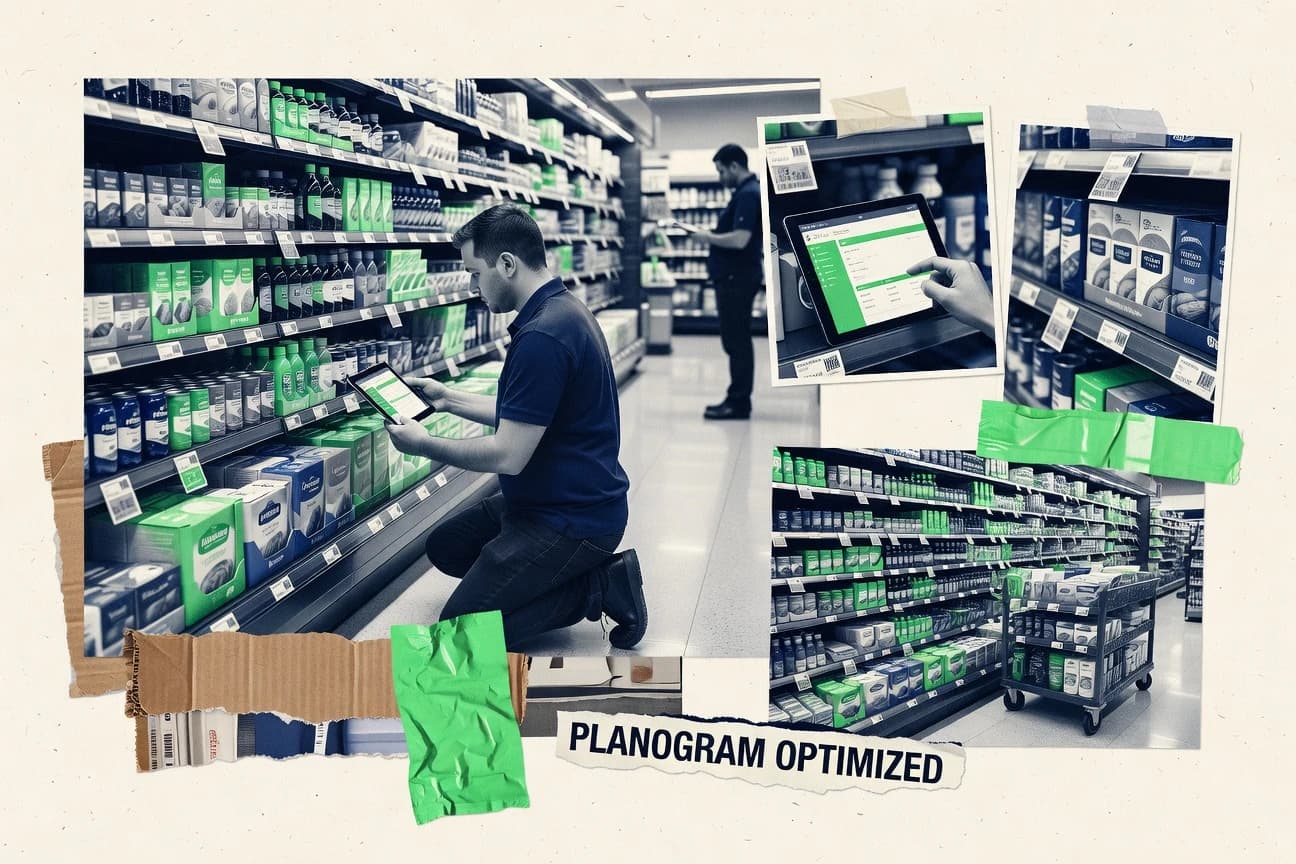
GITNUXSOFTWARE ADVICE
Consumer RetailTop 10 Best Shelf Management Software of 2026
Ranked shortlist of shelf management software for retailers, comparing SmartDraw, Vistex Planogram Manager, LEAFIO Shelf Efficiency, and more tools.

How we ranked these tools
Gitnux editors write the brief first: the topic, the inclusion rules, and the frame for what belongs.
Agents extract product evidence with provenance, then collect written reviews and transcribe video reviews and podcasts.
Framework: Features 40% · Ease 30% · Value 30%
Gitnux may earn a commission through links on this page — this does not influence rankings. Editorial policy
SmartDraw is the best fit when teams just need repeatable shelf visual documentation without heavy enforcement automation, whereas JDA Space Planning suits governed enterprise planogram updates with strong fixture mapping and store-cluster scenario planning at scale.
Editor’s top 3 picks
Three quick recommendations before you dive into the full comparison below — each one leads on a different dimension.
SmartDraw
Extensive diagram templates and symbols for fast shelf and gondola layout drafting.
Best for: Fits when teams need repeatable shelf visual documentation without deep enforcement automation.
JDA Space Planning
Editor pickFixture type taxonomy with shelf capacity and peg-hole constraint enforcement during planogram planning.
Best for: Fits when retailers need governed planogram updates with strong fixture mapping and store-cluster scenario planning.
PlanogramBuilder
Editor pickPlanogram versioning that supports controlled iteration of shelf layouts from import through store-ready export.
Best for: Fits when retail teams need repeatable store-ready planograms and controlled revisions.
Comparison Table
SmartDraw
SMBDiagramming tool with planogram templates for shelf layout planning.
Extensive diagram templates and symbols for fast shelf and gondola layout drafting.
SmartDraw centers on diagram creation for gondola and shelf schematics, with templates and symbol libraries that speed up initial layout work. Export options support handing off visuals for stakeholder review, which fits merchandising execution audits where the deliverable is a human-readable shelf plan. Compared with planogram-centric systems, SmartDraw is less focused on built-in retail compliance automation like store-level clustering and automated planogram versioning.
A tradeoff appears when facing count enforcement and shelf-edge label synchronization must be governed end-to-end. SmartDraw works best when teams need quick plan refreshes for resets and want consistent visuals across stores, then rely on other tools or manual steps for inventory reconciliation and shelf tag updates.
- +Template-driven shelf layouts reduce rebuild time for recurring resets
- +Diagram exports support clear stakeholder review workflows
- +Symbol libraries help standardize fixture and shelf visuals
- +Works well as a documentation layer for merchandising execution
- –Limited built-in automation for compliance and enforcement
- –More manual effort required for data synchronization with systems of record
Merchandising coordinators
Create reset shelf layout visuals
Faster plan refresh cycles
Retail operations teams
Hand off shelf diagrams for review
Clearer cross-team alignment
Show 1 more scenario
Category managers
Document assortment layout changes
Reduced review friction
Update shelf diagrams for category adjacency decisions and stakeholder signoff.
Best for: Fits when teams need repeatable shelf visual documentation without deep enforcement automation.
JDA Space Planning
enterpriseEnterprise category and shelf space planning solution now under Blue Yonder.
Fixture type taxonomy with shelf capacity and peg-hole constraint enforcement during planogram planning.
JDA Space Planning is built around space modeling for gondola fixtures and store clusters, which helps teams evaluate shelf capacity, facing counts, and layout feasibility before rollout. The solution supports planogram versioning so teams can track changes across resets and store waves. It also supports configuration that aligns shelf units with fixture type taxonomy and peg hole allocation rules so layouts can be validated for physical constraints.
A tradeoff is that shelf outcomes depend on clean master data for fixtures, store clustering, and SKU assortment structure, because layout feasibility and compliance scoring will degrade when mappings are incomplete. JDA Space Planning fits best when merchandising planners run recurring planogram updates that must stay synchronized with merchandising execution processes and store-level store resets.
- +Strong fixture mapping and physical constraint modeling for real store layouts
- +Planogram versioning supports controlled rollout across reset cycles
- +Scenario planning supports store-level clustering for what-if shelf decisions
- +Governed merchandising workflow supports change control between planning and execution
- –Master data quality gaps in fixtures and assortments reduce layout accuracy
- –Setup and data integration effort is high for teams without existing retail schemas
- –Visual adjustments can be slower than lightweight desktop planogram editors
- –Mobile shelf capture and reconciliation require external execution tooling to complete end-to-end
Merchandising planning teams
Create constrained shelf layouts
Fewer feasibility rejects
Retail operations governance teams
Control reset planogram changes
Reduced rollout drift
Show 1 more scenario
Assortment analytics teams
Run store-level space scenarios
Better assortment decisions
Evaluate what-if merchandising changes using store clustering and space modeling outputs.
Best for: Fits when retailers need governed planogram updates with strong fixture mapping and store-cluster scenario planning.
PlanogramBuilder
SMBWeb-based planogram and shelf space planning software for retailers and brands.
Planogram versioning that supports controlled iteration of shelf layouts from import through store-ready export.
PlanogramBuilder centers on planogram creation and maintenance with an emphasis on store-level outputs and change control. The product supports importing planogram formats for ongoing work, then exporting updated versions for downstream execution workflows. Fixture handling and shelf-specific configuration allow layouts to reflect real gondola constraints so merchandising can review at the shelf level.
A key tradeoff is that deeper POS integration and automated shelf inventory reconciliation are not its primary workflow focus. PlanogramBuilder works best when the planning team needs consistent planogram versioning and repeatable shelf-edge label generation for a reset cycle rather than when it must reconcile live shelf counts automatically.
- +Strong planogram versioning workflow for iterative store updates
- +Import and export support for ongoing planogram maintenance
- +Shelf-specific configuration aligned to fixture and shelving constraints
- +Outputs are geared toward shelf-level execution review
- –Limited emphasis on automated shelf inventory reconciliation
- –Automation beyond planning steps depends on external processes
- –Fixture taxonomy needs careful setup for clean downstream outputs
- –Advanced governance like RBAC and audit log depth may require process workarounds
Merchandising operations teams
Manage planogram revisions for resets
Fewer inconsistent shelf layouts
Category planning managers
Maintain planograms across locations
Faster store rollout cycles
Show 2 more scenarios
Gondola and fixture coordinators
Map layouts to shelf constraints
Reduced physical rework
Configure shelf and fixture details so layouts match real merchandising space.
Field execution supervisors
Review reset readiness at shelf level
Clearer in-store compliance
Use exported shelf-level layouts for execution checks during store resets.
Best for: Fits when retail teams need repeatable store-ready planograms and controlled revisions.
Quant
enterprisePlanogram and shelf management platform for space planning, visual merchandising, and category execution.
Fixture-aware merchandising workflow execution that converts plan versions into store-ready shelf-edge assets and tasks.
Quant is a shelf management system built around merchandising execution for retailers, with emphasis on turning plan inputs into store tasks.
- +Workflow automation turns layout inputs into store tasks
- +Fixture-aware merchandising configuration supports multi-store execution
- +Shelf-edge label generation aligns execution assets with plan versions
- +Operational tooling covers reset scheduling and cycle management
- –Planogram format coverage can require pre-alignment of incoming exports
- –Rule configuration for edge cases adds admin overhead
- –Deep POS-connected inventory reconciliation is not a primary strength
- –Extensibility depends on integration work rather than native connectors
Best for: Fits when retailers need repeatable merchandising execution workflows tied to shelf assets.
DotActiv
enterpriseCategory and shelf space management software combining planograms with data analytics.
Mobile shelf audit capture that feeds directly into shelf-edge label and tag reconciliation workflows.
DotActiv performs shelf management workflows by generating and reconciling shelf-edge content with store execution tasks. The tool focuses on merchandising data collection, label and shelf-tag generation, and store-level adjustment cycles that support planogram compliance work.
- +Mobile shelf audits connect directly to shelf-edge updates
- +Shelf label and shelf-tag generation supports store execution cycles
- +Execution audit trail records merchandising change history
- +Fixture and shelf mapping support store-level layout constraints
- –Planogram import and export formats can limit interoperability depth
- –Automation coverage depends on configuration discipline and workflow setup
- –Category adjacency rules require careful setup for each scope
- –Integration depth with POS and other enterprise systems is limited
Best for: Fits when teams run store-level shelf-edge labeling and execution audits, and need tight merchandising change tracking.
Scorpion Planogram
SMBPlanogram and shelf management software for retailers and wholesalers.
Shelf-edge label generation directly from managed plan versions to keep execution signage aligned during resets.
Scorpion Planogram targets retailers that need planogram-driven merchandising execution across multiple stores, with workflows focused on shelf plan creation and change control. Core capabilities center on importing and managing planogram layouts, generating shelf-edge label outputs from plan data, and coordinating resets tied to store execution cycles. The product also supports recurring merchandising updates by tracking plan versions and maintaining store-specific configuration for downstream teams.
- +Plan versioning supports controlled rollout of shelf changes across store clusters
- +Shelf-edge label generation ties displayed items to planogram outputs
- +Workflow focus matches merchandising reset scheduling and execution cycles
- +Store-level configuration supports different fixtures and layouts per location
- –Admin governance needs setup discipline to avoid inconsistent plan version usage
- –Automation depth for POS and shelf reconciliation workflows is limited without integrations
- –Import and fixture mapping workflows can require manual review for edge cases
- –Extensibility for custom merchandising rules depends on integration effort
Best for: Fits when retailers want planogram-driven shelf changes with label outputs and controlled version rollouts.
Vistex Planogram Manager
enterpriseEnterprise planogram and shelf space management within Vistex trade suite.
Planogram versioning with controlled publishing for store-level plan deployment and traceability across merchandising changes.
Vistex Planogram Manager is designed for retailer planogram workflows that start with structured fixture and store modeling and end with compliance-ready planogram outputs. It supports planogram versioning and controlled publishing so merchandising changes can be tracked across store clusters.
- +Planogram versioning supports traceable changes across store sets
- +Fixture type taxonomy improves consistency when mapping plan layouts
- +Shelf capacity calculation ties placement rules to store constraints
- +Planogram import formats help integrate existing plan libraries
- –Best results depend on disciplined fixture and store data governance
- –Execution and capture workflows require additional operational handoffs
Best for: Fits when merchandising teams need controlled planogram versioning and store modeling for compliance at scale.
RELEX Space
enterpriseRetail space planning software for planograms, assortment alignment, and shelf-level optimization.
Space-aware assortment rules that persist through planogram versioning while keeping shelf capacity and fixture mapping aligned.
RELEX Space is designed for shelf management workflows that connect store planning outputs to in-store execution using planogram import formats, store-level clustering, and space-aware merchandising rules. The tool supports planogram versioning and supports gondola fixture mapping so plan constraints stay consistent across resets and merchandising cycles.
- +Strong planogram versioning for controlled merchandising across store clusters
- +Gondola fixture mapping helps enforce consistent capacity and layout rules
- +Shelf-edge label generation ties merchandising plans to on-shelf execution
- +API and automation support recurring synchronization between planning and ops systems
- –Fixture type taxonomy setup can be time-consuming for large store networks
- –Some mobile shelf audit workflows depend on connected capture integrations
Best for: Fits when retailers need space-aware planogram control with recurring shelf labeling and execution reconciliation across many stores.
Trax Retail Execution
enterpriseRetail shelf intelligence platform for in-store execution, planogram compliance, and on-shelf availability.
Merchandising execution audit trails tie each store observation back to the active planogram version.
Trax Retail Execution coordinates store execution workflows that connect field capture to planogram compliance checks. Shelf-edge label generation and shelf inventory reconciliation are driven from planogram context, so resets and shelf changes propagate into store tasks.
- +Connects field merchandising capture to planogram compliance workflows
- +Supports shelf inventory reconciliation using planogram-driven expectations
- +Maintains merchandising execution audit trails across store visits
- +Handles POS-related handoffs for exception reporting and reconciliation
- –Requires disciplined configuration of store layouts and fixture mapping
- –Automation coverage depends on integration readiness with store systems
- –Category adjacency rules may need custom setup to match local practices
- –Image capture exception handling can create extra triage steps
Best for: Fits when retailers need planogram-linked execution, audit trails, and reconciliation across many store visits.
ParallelDots ShelfWatch
API-firstImage recognition software for shelf availability, share of shelf, and planogram compliance tracking.
Image-to-exception workflow that converts mobile shelf capture into actionable merchandising follow-up artifacts.
ParallelDots ShelfWatch targets retailers running shelf audits and merchandising execution workflows with computer-vision capture and rule-based reporting. It centers on mobile shelf capture to detect shelf conditions and generate exception lists for store follow-up.
- +Mobile image capture turns store observations into exception queues
- +Rule-based reporting supports consistent merchandising checks at scale
- +Audit artifacts help standardize store follow-up across locations
- +Configurable workflows support repeated reset and audit cycles
- –Depends on image capture quality for reliable shelf condition detection
- –Limited public detail on planogram import formats and versioning controls
- –Rule configuration depth can require governance discipline across stores
- –Narrower POS and fixture mapping coverage than planogram-first tools
Best for: Fits when retailers need repeatable shelf audits from mobile capture and want exception lists for store execution.
Conclusion
After evaluating 10 shelf management software, SmartDraw stands out as our overall top pick — it scored highest across our combined criteria of features, ease of use, and value, which is why it sits at #1 in the rankings above.
Use the comparison table and detailed reviews above to validate the fit against your own requirements before committing to a tool.
How to Choose the Right Shelf Management Software
Shelf management software coordinates planogram changes, shelf-edge labeling, and store execution so merchandising teams can keep layouts, tags, and tasks aligned across reset cycles. This guide covers SmartDraw for repeatable shelf and gondola diagramming, Vistex Planogram Manager for controlled planogram publishing, and LEAFIO Shelf Efficiency plus the remaining tools built around merchandising workflows and mobile audits.
Across the covered products, integration depth, fixture and planogram governance controls, and the automation surface for converting layout inputs into store-ready outputs separate tools used for documentation from tools used for execution and reconciliation.
Shelf Management Software that governs planogram versions, shelf assets, and store execution
Shelf management software is the workflow layer that ties shelf layouts to store-ready plan versions, shelf-edge label outputs, and merchandising tasks created for execution on fixtures. In practice, tools such as Vistex Planogram Manager focus on planogram versioning and controlled publishing for store sets, while Quant converts fixture-aware merchandising inputs into store-ready shelf-edge assets.
Where these systems differ most is how they carry constraints from planning into execution. JDA Space Planning adds fixture type taxonomy with shelf capacity and peg-hole constraint enforcement during planogram planning, while DotActiv and Trax Retail Execution emphasize mobile shelf audit capture and planogram-linked execution trails tied to active plan versions.
Shelf management capabilities to validate in planning, publishing, and execution
Shelf management software is a workflow layer that converts planogram inputs into shelf assets and store-ready execution artifacts, and that conversion quality shows up in versioning control, fixture constraints, and output-to-field traceability. The key differences across SmartDraw, Vistex Planogram Manager, JDA Space Planning, and the mobile audit tools like DotActiv and Trax Retail Execution come from how each product carries constraints and references from planning into store execution.
Planogram versioning and controlled publishing for store sets
Vistex Planogram Manager focuses on planogram versioning with controlled publishing for store-level plan deployment and traceability across merchandising changes, which is useful for rollout governance. PlanogramBuilder also centers on versioning from import through store-ready export, but its operational reconciliation emphasis is lighter.
Fixture type taxonomy and physical constraint enforcement during planning
JDA Space Planning provides fixture type taxonomy plus shelf capacity and peg-hole constraint enforcement during planogram planning, which reduces layout drift in governed stores. Quant adds fixture-aware merchandising workflow execution that converts plan versions into store-ready shelf-edge assets and tasks, but it can require pre-alignment of incoming planogram formats.
Shelf-edge label generation tied to managed plan versions
Scorpion Planogram generates shelf-edge labels directly from managed plan versions, which keeps execution signage aligned during resets. Quant also produces store-ready shelf-edge assets from layout inputs, but its label alignment depends on how well edge-case rules are configured.
Mobile shelf audit capture and plan-linked exception workflows
DotActiv emphasizes mobile shelf audit capture that feeds directly into shelf-edge label and tag reconciliation workflows, which ties field observations to merchandising updates. ParallelDots ShelfWatch uses an image-to-exception workflow that turns mobile capture into exception queues, and it relies heavily on image capture quality.
Execution audit trails that connect store observations to the active plan version
Trax Retail Execution ties merchandising execution audit trails back to the active planogram version and supports shelf inventory reconciliation using planogram-driven expectations. Quant provides workflow automation for merchandising tasks from layout inputs, but it shifts more effort to rule configuration for non-standard edge cases.
Store cluster rollout support with layout governance across networks
LEAFIO Shelf Efficiency is not included in these tool cards, so the closest cluster-governance patterns shown here come from Vistex Planogram Manager and JDA Space Planning, which both support controlled rollout across store sets or scenario planning. JDA Space Planning pairs that governance with physical constraint modeling, while Vistex Planogram Manager relies on disciplined fixture and store data governance.
Decision framework for picking Shelf Management Software by workflow control depth
Choosing shelf management software is about selecting which stage needs the strongest governance, because planning accuracy, label generation, and execution audit trails fail differently when the workflow boundaries are wrong. The fastest path to a good fit starts by separating tools that prioritize documentation drafting from tools that prioritize constraint enforcement and store execution reconciliation.
Pick the primary output: diagrams or execution assets
If the required deliverable is repeatable shelf and gondola diagram documentation for stakeholder review, SmartDraw is built around extensive diagram templates and symbols and supports diagram exports for review workflows. If the required deliverable is store execution assets and tasks tied to merchandising steps, Quant converts fixture-aware merchandising workflow inputs into store-ready shelf-edge assets and tasks.
Choose the governance boundary: planning constraints or publishing traceability
If constraint correctness during plan creation is the main risk, JDA Space Planning enforces shelf capacity and peg-hole constraints with fixture type taxonomy during planning. If traceability across store deployments is the main risk, Vistex Planogram Manager and Scorpion Planogram focus on controlled planogram versioning and publishing with rollout traceability.
Validate label and signage workflows against managed plan versions
If shelf-edge label generation must be directly derived from the plan version used for execution, Scorpion Planogram anchors labels to managed plan versions and ties displayed items to planogram outputs. If label outputs are part of a broader merchandising workflow, DotActiv connects mobile shelf audits to shelf-edge label and shelf-tag reconciliation cycles.
Select the execution capture model: audit trails or exception queues
If store observations must map back to the active planogram version for reconciliation and audit trails, Trax Retail Execution is designed around plan-linked execution audit trails. If the workflow needs image-to-exception queues for follow-up, ParallelDots ShelfWatch creates actionable merchandising follow-up artifacts from mobile image capture.
Check integration pressure on planogram imports and exports
If interoperability through planogram import and export formats is a requirement, PlanogramBuilder includes import and export support and emphasizes planogram versioning from import through store-ready export. If input formats frequently vary, Quant can require pre-alignment of incoming planogram exports, and DotActiv can limit interoperability depth based on its planogram import and export formats.
Plan for fixture and network data governance early
If fixture and assortment master data quality is inconsistent, JDA Space Planning can lose layout accuracy because master data gaps reduce plan accuracy. If store governance is already disciplined, Vistex Planogram Manager can deliver traceable changes across store sets, while Scorpion Planogram requires admin governance discipline to avoid inconsistent plan version usage.
Who benefits from Shelf Management Software built for store execution and reconciliation
Retailers need shelf management software when shelf changes, shelf-edge labels, and execution tasks must stay aligned across resets and store networks. The right buyer fit depends on whether the organization’s main work happens in planning governance, in label and asset publishing, or in field execution capture and reconciliation.
Merchandising teams managing governed planogram rollouts
Vistex Planogram Manager fits teams that need controlled publishing of planogram versions across store sets and traceability for merchandising changes. Scorpion Planogram fits teams that want shelf-edge label generation derived from the same managed plan versions used for resets.
Merchants and planners enforcing physical constraints per fixture type
JDA Space Planning fits teams that need fixture type taxonomy and shelf capacity with peg-hole constraint enforcement during planning. Quant fits teams that want fixture-aware merchandising workflow execution that turns layout inputs into store-ready shelf-edge assets and tasks.
Field execution and merchandising operations teams running mobile shelf audits
DotActiv fits teams that run mobile shelf-edge labeling and execution audits and need shelf label and shelf-tag reconciliation workflows fed directly by mobile capture. ParallelDots ShelfWatch fits teams that need image-to-exception exception queues for merchandising follow-up artifacts.
Retail execution program owners requiring plan-linked audit trails
Trax Retail Execution fits organizations that require execution audit trails that link each store observation back to the active planogram version. This option also supports shelf inventory reconciliation using planogram-driven expectations.
Teams focused on repeatable shelf and gondola drafting output
SmartDraw fits teams that mainly need fast, repeatable shelf and gondola layout documentation using template-driven symbols and diagrams. This tool shifts compliance and enforcement work to manual synchronization with external systems of record.
Common Shelf Management Software pitfalls during implementation and workflow design
Shelf management failures usually show up as mismatched versions between planning and store execution, weak governance for fixture or store master data, or workflows that depend on manual synchronization. The pitfalls below map to failure modes visible across SmartDraw, Vistex Planogram Manager, JDA Space Planning, DotActiv, and Trax Retail Execution.
Selecting a diagram-first tool when store execution reconciliation is the main requirement
SmartDraw reduces rebuild time for recurring resets through template-driven shelf layouts, but it has limited built-in automation for compliance and enforcement, which increases manual effort for data synchronization.
Overestimating fixture and assortment data quality before enabling constraint enforcement
JDA Space Planning enforces peg-hole constraints and shelf capacity, but master data gaps in fixtures and assortments reduce layout accuracy, so data cleansing must happen before constraint-heavy planning.
Running plan version governance without a disciplined rollout process
Scorpion Planogram ties shelf-edge labels to managed plan versions, but it requires admin governance discipline to avoid inconsistent plan version usage across stores and clusters.
Assuming mobile capture formats and planogram formats will interoperate without workflow alignment
DotActiv and Quant can face planogram format coverage limits, and Quant may require pre-alignment of incoming planogram exports, so import and export workflows must be mapped before field rollout.
Underbuilding exception handling because image capture quality is uneven
ParallelDots ShelfWatch turns mobile images into exception queues, but it depends on image capture quality for reliable shelf condition detection, so capture standards and training must be part of the program.
How We Selected and Ranked These Tools
We evaluated shelf management software based on features that convert shelf and planogram inputs into store-ready shelf assets, shelf-edge labels, and execution workflows, and features contributed 40% of the overall score. Ease and value each contributed 30% by comparing how quickly teams can move from plan versioning or layout inputs into usable outputs and how operationally manageable each workflow feels based on the described setup and governance needs.
SmartDraw set the top position because its template-driven shelf and gondola drafting supports fast repeatable documentation with diagram exports for stakeholder workflows, which raised both features and ease ratings in the provided cards. Vistex Planogram Manager and JDA Space Planning placed high because planogram versioning and fixture mapping support controlled rollout and constraint-heavy planning, which reduces governance friction for store networks.
Frequently Asked Questions About Shelf Management Software
How do SmartDraw and Vistex Planogram Manager differ for shelf management workflows?
Which tools treat fixture mapping and shelf capacity as planning constraints rather than documentation fields?
How does shelf-edge label generation connect to planogram versioning in PlanogramBuilder and Scorpion Planogram?
When does Trax Retail Execution add value compared with Quant for on-shelf verification and audit trails?
What data migration steps are typically needed when moving planogram and shelf data into RELEX Space or PlanogramBuilder?
How do API and integration surfaces differ between RELEX Space and Trax Retail Execution?
Which product workflow supports mobile shelf audit capture that drives downstream shelf-tag or label reconciliation?
What admin controls and governance capabilities are most relevant for Quant and Vistex Planogram Manager?
What security model elements should be verified for RBAC and audit logging when deploying shelf management software?
What breaks if planogram version control and fixture mapping fall out of sync in Scorpion Planogram or JDA Space Planning?
Tools reviewed
Primary sources checked during evaluation.
Referenced in the comparison table and product reviews above.
- Consumer RetailTop 10 Best Retail Store Management Software of 2026
- Consumer RetailTop 10 Best E-Commerce Inventory Management Software of 2026
- Consumer RetailTop 10 Best Merchandise Planning And Allocation Software of 2026
- Consumer RetailTop 10 Best Amazon Listing Management Software of 2026
- Consumer RetailTop 10 Best Stock Replenishment Software of 2026
Keep exploring
Comparing two specific tools?
Software Alternatives
See head-to-head software comparisons with feature breakdowns, pricing, and our recommendation for each use case.
Explore software alternatives→In this category
Consumer Retail alternatives
See side-by-side comparisons of consumer retail tools and pick the right one for your stack.
Compare consumer retail tools→