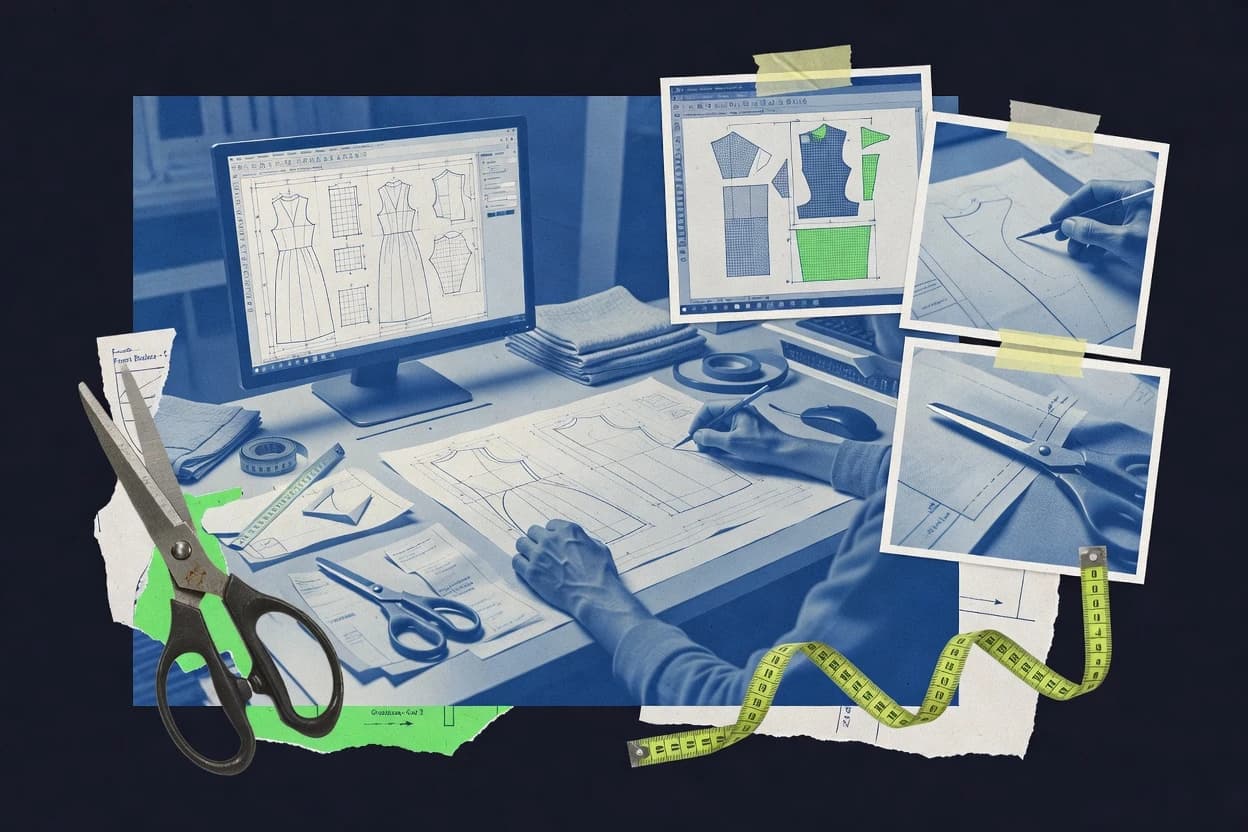
GITNUXSOFTWARE ADVICE
Art DesignTop 10 Best Sewing Pattern Maker Software of 2026
Ranked roundup of sewing pattern maker software for garment makers, with criteria, tradeoffs, and options like Gerber Pattern Design, TUKAdesk, Optitex.

How we ranked these tools
Gitnux editors write the brief first: the topic, the inclusion rules, and the frame for what belongs.
Agents extract product evidence with provenance, then collect written reviews and transcribe video reviews and podcasts.
Framework: Features 40% · Ease 30% · Value 30%
Gitnux may earn a commission through links on this page — this does not influence rankings. Editorial policy
Garment Designer is the safest pick when pattern teams run frequent fitting iterations and need controlled drafting changes, whereas Grafis is a strong alternative when you want consistent drafting-to-output publishing with minimal scripting for production-ready results.
Editor’s top 3 picks
Three quick recommendations before you dive into the full comparison below — each one leads on a different dimension.
Garment Designer
Construction-aware parametric drafting workflow that keeps pattern geometry aligned across repeated fit adjustments.
Best for: Fits when pattern teams run frequent fitting iterations and need controlled drafting changes.
Tailornova
Editor pickFit point adjustments propagate through the pattern pieces without rebuilding the entire layout session.
Best for: Fits when studios need measurement-to-pattern iteration with exportable, labeled flat pieces for fit sessions.
Grafis
Editor pickGrafis generates production-formatted pattern outputs with consistent labeling and orientation for plotter and tiled sheets.
Best for: Fits when pattern teams need consistent drafting-to-output publishing without heavy scripting.
Comparison Table
Garment Designer
SMBSewing and knitting pattern design software for custom-fit garments.
Construction-aware parametric drafting workflow that keeps pattern geometry aligned across repeated fit adjustments.
Garment Designer is built around creating sewing patterns from reusable foundations like garment blocks and fit-oriented base shapes. The drafting workflow centers on editing pattern geometry with controls tied to garment-specific construction logic, which reduces rework when making repeated style changes. Pattern pieces can be labeled and managed as part of a single project, which helps keep grading and output consistency aligned across a run.
A key tradeoff is that the automation depth is strongest for drafting-driven edits and less geared toward heavy nest optimization or high-throughput cutting-room packaging. Garment Designer fits best for made-to-measure or small multi-size development cycles where frequent fitting iterations matter more than packaging efficiency. It also suits teams that need repeatable construction edits across a family of variants without relying on manual redrawing every time.
- +Interactive construction edits preserve pattern-piece structure during style changes
- +Project-level management keeps labels and piece sets consistent across exports
- +Measurement-driven drafting reduces manual transfer errors
- +Parametric adjustment workflow supports repeatable fitting iterations
- –Limited emphasis on nest optimization and cut planning efficiency
- –Advanced vector node editing needs a learning curve
- –Export formats can require cleanup for specific production templates
Fashion pattern makers
Iterate fit changes across variants
Faster fitting turnaround
Made-to-measure ateliers
Draft customer-specific pattern sets
Reduced manual measuring work
Show 1 more scenario
Small apparel development teams
Maintain family consistency across sizes
Fewer versioning mistakes
Manage piece sets and labels within a single project to keep variant outputs aligned.
Best for: Fits when pattern teams run frequent fitting iterations and need controlled drafting changes.
Tailornova
SMBCloud-based fashion design and pattern making platform with 3D visualization.
Fit point adjustments propagate through the pattern pieces without rebuilding the entire layout session.
Tailornova supports measurement chart import and conversion into editable drafting inputs for made-to-measure output. Pattern edits are made directly on digital pieces, including operations that change fit points and sewing line versus cutting line definitions for downstream plotting. Output generation supports vector-centric pattern delivery and labeling so pieces remain readable after export.
A practical tradeoff is that advanced packaging for production nesting and highly specialized plotter outputs often require disciplined layer settings and consistent conventions. Tailornova fits best when a studio needs fast measurement-to-flat updates for a small set of styles that must be iterated through multiple fit sessions.
- +Measurement-driven drafting keeps revisions tied to input changes
- +Direct pattern piece editing reduces round-trip work between tools
- +Clear control of sewing line versus cutting line outputs
- +Annotation and labeling stay attached to pieces through edits
- –Nesting and production layout tooling is weaker than dedicated CAD workflows
- –Consistent layer and output conventions require setup discipline
Pattern makers and fit technicians
Iterate made-to-measure revisions quickly
Fewer redraw cycles
Small apparel studios
Produce labeled pattern sets for handoff
Cleaner production handoffs
Show 1 more scenario
Garment tech teams
Maintain fit changes across size runs
Less revision drift
Apply grading and fit adjustments while keeping piece metadata aligned with export outputs.
Best for: Fits when studios need measurement-to-pattern iteration with exportable, labeled flat pieces for fit sessions.
Grafis
vertical specialistParametric pattern construction software developed in Germany.
Grafis generates production-formatted pattern outputs with consistent labeling and orientation for plotter and tiled sheets.
Grafis is a sewing pattern maker built around drafting, editing, and publishing a complete flat pattern set for garment construction. The drafting workflow supports block-based development and parametric adjustments that carry through to seam and cutting line output. For production teams, Grafis can generate print-ready or plotter-ready outputs with consistent piece labeling and piece orientation handling.
A key tradeoff is that Grafis is strongest when workflows stay within Grafis-native drafting and publishing steps instead of deep programmatic integration. Grafis fits well when a studio needs fast updates to a pattern set from corrected measurements while keeping output formatting consistent for marking and cutting.
- +Production-oriented print and plot formatting for complete pattern sets
- +Repeatable drafting logic supports consistent updates across size runs
- +Vector pattern editing keeps sewing and cutting line workflows controlled
- +Labeling and orientation handling reduce manual re-checking
- –Deeper automation requires Grafis-centric workflows rather than code-first integration
- –Advanced parametric customization can take time to standardize per studio
Patternmakers in garment factories
Update graded patterns for new measurements
Lower rework on production copies
Small design studios
Maintain block library for recurring styles
Faster style development cycles
Show 1 more scenario
Technical offices
Prepare plotter-ready pattern pieces
Less manual layout correction
Grafis formats sewing pattern outputs with predictable piece orientation and print tiling.
Best for: Fits when pattern teams need consistent drafting-to-output publishing without heavy scripting.
PatternLab
API-firstOpen source framework for generating sewing patterns from body measurements and reusable design parameters.
Editable drafting pipeline keeps sewing-line and cutting-line geometry connected during revisions.
PatternLab is a sewing pattern maker workflow for generating and refining garment flat patterns with a strong emphasis on repeatable drafting operations. It supports parameter-driven pattern steps such as seam allowance generation and dart manipulation, plus structured piece labeling and annotation so technical drawings stay consistent across size runs.
- +Drafting steps remain editable, including sewing line versus cutting line decisions
- +Vector outputs support plotter-ready workflows and scalable technical review
- +Seam allowance generation and dart manipulation stay consistent across iterations
- +Pattern piece labeling and annotation reduce downstream manual rework
- –Grading rule setup needs careful configuration for multi-size layer export
- –Advanced nesting efficiency for production throughput depends on the export workflow
Best for: Fits when pattern makers need editable drafting logic with vector output for shop-floor review.
PatternSmith
vertical specialistMade-to-measure pattern drafting software for apparel and other sewn products.
Rule binding between measurement inputs and pattern geometry keeps edits localized and propagates consistently across sizes.
PatternSmith generates sewing patterns from measurement inputs and template drafting rules, then keeps those rules tied to each finished piece. Core work includes digital pattern drafting, grading across sizes, and producing print-ready output for cutting and assembly.
- +Rule-driven drafting keeps updates consistent across pattern versions
- +Vector editing supports targeted adjustments to sewing line details
- +Grading logic helps maintain size-to-size shape relationships
- +Labeling and piece conventions stay attached to generated outputs
- –Complex custom grading rules require careful setup and ongoing discipline
- –Some advanced production workflows depend on external file preparation
- –Annotation density control can feel limited for highly structured templates
- –Nesting and throughput tuning are less central than drafting and grading
Best for: Fits when small pattern teams need consistent rule-based drafting, grading, and labeled exports without deep CAD overhead.
Gemini CAD Systems
vertical specialistCAD software for pattern design, grading, and marker making.
Production-first pattern piece annotation and export packaging that keeps labeling consistent across revisions.
Gemini CAD Systems targets pattern makers who need digital drafting that outputs shop-ready files, not just design mockups.
- +Drafting workflow is built around production pattern piece creation
- +Export pipeline supports common vector and print-oriented deliverables
- +Piece labeling and annotations support clearer cutting communication
- +Revision cycles are easier when geometry edits keep structure consistent
- –Advanced parametric workflows depend on disciplined drafting setup
- –Automation coverage for nesting and optimization is limited compared to dedicated tools
- –Vector node editing is capable but less fluid than specialist CAD editors
- –Fit adjustment workflows can require more manual steps for complex changes
Best for: Fits when pattern makers need consistent pattern geometry edits and predictable production exports for garment lines.
Marvelous Designer
vertical specialistGarment design software that builds clothing from 2D patterns and simulates fit in 3D.
Drape-first workflow that converts physics-based panel construction into editable 2D sewing patterns.
Marvelous Designer focuses on avatar-based 3D garment simulation, then turns that draped result into 2D sewing pattern pieces. It excels at fabric behavior driven workflows where dart manipulation, seam planning, and fit adjustments happen in the same model.
- +Avatar-based draping ties fit adjustments to garment physics
- +Strong seam and sewing-line editing directly on the garment surface
- +Vector pattern export supports pattern piece labeling for production handoff
- +Iterative fit tweaks update 2D pattern pieces with less manual redrafting
- –Complex multi-size grading workflows can feel indirect versus 2D-native pattern tools
- –Large jobs can slow down when fabric simulation and high mesh density are both active
- –Some production-ready layout steps rely on export and downstream tools
- –Requires setup discipline to keep garment constraints and panel edits consistent
Best for: Fits when garment makers need 3D-driven fit iteration and exportable pattern pieces for production.
Style3D Studio
enterpriseStyle3D Studio supports 2D pattern editing, 3D garment simulation, grading, and digital fitting.
Piece-level labeling and annotation are preserved into print and vector exports for cutting-room traceability.
Style3D Studio centers on digital flat pattern creation with a workflow oriented around block-style drafting and garment-specific adjustments. The software emphasizes vector pattern editing, piece annotation, and multi-size output packaging for production handoff.
- +Vector pattern editing keeps construction geometry consistent across revisions
- +Pattern piece labeling and annotations travel with exported outputs
- +Tile-based PDF output supports large-format print workflows
- +Block-style drafting reduces rework for recurring styles
- –Advanced automation depends heavily on available templates and rule coverage
- –Large size runs can increase editing overhead for manual piece adjustments
- –DXF-AAMA compatibility quality varies by export settings and line mapping
- –Draping-style fit iteration is limited compared with full avatar-based simulators
Best for: Fits when patternmakers need vector-first drafting, annotated output, and tile PDF publishing for production teams.
Cameo
SMBCameo is sewing pattern design software for drafting custom garments from personal measurements.
Pattern piece annotation and layout labeling are built around sewing usage so revisions stay trackable across size sets.
Cameo performs patternmaking workflows by turning sewing pattern specifications into production-ready pattern pieces through a web-based design environment. The tool centers on vector-based drafting with editing controls suited for block work, size runs, and labeled garments.
- +Vector pattern editing keeps seams, darts, and notches easy to revise
- +Size-run generation supports repeatable multi-size piece labeling
- +Print-oriented outputs help convert patterns into tile sheets for layout
- +Annotation tools keep sewing-line and piece identification readable
- –DXF-AAMA style exchange and deep CAD interoperability are limited
- –Automation relies on manual steps for grading rules consistency
- –Curve smoothing and advanced grainline workflows need extra attention
- –RBAC and audit log capabilities are not geared for studio governance
Best for: Fits when small pattern studios need fast vector drafting, labeled pieces, and print outputs without heavy CAD integration.
Vetigraph
enterpriseVetigraph provides fashion CAD software for pattern design, grading, marker making, and garment production.
Operator-style pattern piece labeling and editing workflow aimed at production handoff consistency.
Vetigraph targets sewing pattern makers who need controlled digital pattern creation, editing, and export workflows. It focuses on pattern drafting tasks like piece construction and refinement, then routes finished pieces into production-friendly outputs.
- +Pattern piece labeling supports consistent studio handoffs
- +Vector editing workflow suits sewing-line versus cutting-line handling
- +Export workflow supports plotter-ready and print-based production routes
- +Designed for pattern construction and refinement tasks
- –Advanced grading and nesting automation is limited versus top CAD suite rivals
- –Specialized workflows require careful setup and consistent configuration discipline
Best for: Fits when a studio needs dependable pattern editing and production exports without deep CAD-suite automation.
Conclusion
After evaluating 10 sewing pattern maker software, Garment Designer stands out as our overall top pick — it scored highest across our combined criteria of features, ease of use, and value, which is why it sits at #1 in the rankings above.
Use the comparison table and detailed reviews above to validate the fit against your own requirements before committing to a tool.
How to Choose the Right Sewing Pattern Maker Software
Sewing pattern maker software turns garment measurements and drafting logic into repeatable flat pattern pieces, then carries those pieces through labeled exports for production review. This guide covers Garment Designer, Tailornova, and Optitex alongside eight other pattern tools chosen for how they handle pattern geometry edits, piece labeling, and output formatting.
The standout differences show up during fit iterations and multi-size publishing. Garment Designer uses a construction-aware parametric drafting workflow that keeps pattern geometry aligned across repeated fit adjustments, while Tailornova propagates fit point changes through pattern pieces without rebuilding the entire layout session.
Sewing Pattern Maker Software that drafts, edits, and exports production-ready pattern pieces
Sewing pattern maker software provides a drafting workflow where pattern geometry is generated, revised, and then packaged with pattern piece labeling and print or plot output. Tools like Garment Designer center on construction-aware parametric drafting so repeated fit adjustments preserve the structure of the pattern-piece set.
Tailornova focuses on measurement-driven drafting where measurement inputs tie revisions to the resulting pattern geometry, then enables direct pattern piece editing for fit sessions. Other tools in this category shift emphasis toward production-formatted pattern output, labeled orientation consistency for tiled sheets, or editing logic that keeps sewing-line and cutting-line decisions connected during revisions.
Core evaluation criteria for Sewing Pattern Maker Software
A sewing pattern maker software decision should track how pattern geometry changes propagate through the pattern-piece set during fit iterations and size-run updates. The most consequential differences show up when teams revise seam and sewing line decisions without breaking labeling, export packaging, or multi-size consistency.
This section focuses on three mechanisms that repeatedly determine throughput and error rate. Construction-aware parametric drafting affects fit iteration stability, direct measurement-driven drafting affects revision traceability, and production-oriented export packaging affects how reliably pattern sets arrive at the cutting and printing workflow.
Construction-aware parametric drafting stability
Garment Designer keeps pattern geometry aligned across repeated fit adjustments by using a construction-aware parametric drafting workflow that preserves pattern-piece structure during style changes. PatternLab targets a drafting pipeline where sewing-line versus cutting-line geometry stays editable during revisions.
Revision propagation from measurements or fit points
Tailornova propagates fit point adjustments through pattern pieces without rebuilding the entire layout session and ties revisions to measurement inputs. PatternSmith binds measurement inputs to pattern geometry rules so edits stay localized and propagate consistently across sizes.
Production-formatted export packaging and labeled output
Grafis generates production-formatted pattern outputs with consistent labeling and orientation for plotter and tiled sheets. Gemini CAD Systems packages production pattern piece creation around consistent pattern-piece labeling and predictable export deliverables.
Editable geometry pipeline from sewing decisions to deliverables
PatternLab keeps drafting steps editable and preserves the connection between sewing-line and cutting-line decisions for vector output and shop-floor review. Vetigraph also targets sewing-line versus cutting-line handling with operator-style pattern piece labeling and editing for production handoff consistency.
Label and annotation traceability through vector and print exports
Style3D Studio preserves piece-level labeling and annotations into print and vector exports so cutting-room traceability survives revisions. Cameo uses sewing-usage-based pattern piece annotation and layout labeling so revisions stay trackable across size sets.
Automation depth for size runs and layout efficiency
Garment Designer emphasizes construction-aware drafting stability, while dedicated production layout and nesting efficiency can be weaker than dedicated CAD workflows. Grafis is production-output oriented, while PatternLab and Gerber Pattern Design style CAD workflows tend to require more careful workflow design to reach high throughput.
Choose based on how revisions and exports must behave
Pattern tooling choices should start from the revision rhythm and the deliverable expectations for each stage of the workflow. A fit iteration loop that frequently changes construction geometry benefits from parametric drafting stability, while a measurement-driven studio needs predictable propagation from input edits.
Export behavior also determines the right tool. Some tools center on production packaging for plotter and tiled sheets, while others focus on vector editing with labeled seams and notches that require workflow discipline for consistent multi-size publishing.
Map fit iteration style to parametric versus measurement-driven drafting
If repeated fitting changes must preserve pattern-piece structure during style changes, Garment Designer provides construction-aware parametric drafting edits that keep geometry aligned. If studio workflows change fit points by reworking input measurements and expect propagation without reopening the entire session, Tailornova ties measurement inputs to drafting revisions and propagates fit point adjustments through pieces.
Decide whether sewing-line and cutting-line decisions must stay editable
If sewing-line versus cutting-line choices must remain connected through revisions with an editable drafting pipeline, PatternLab maintains drafting steps that include sewing-line and cutting-line decisions. If production handoff needs consistent operator-style labeling while still supporting sewing-line versus cutting-line handling, Vetigraph aligns edits with production exports.
Select export packaging based on plotter and tiled sheet output expectations
If pattern teams need production-formatted pattern outputs with consistent labeling and orientation for plotter and tiled sheets, Grafis generates complete pattern sets for printing and plotting. If deliverables must stay consistent around production pattern piece creation and common vector or print deliverables, Gemini CAD Systems builds an export pipeline around production packaging.
Test labeling and annotation persistence across vector and print exports
If cutting-room traceability depends on piece-level labeling and annotations surviving into print and vector exports, Style3D Studio preserves labeling and annotation in outputs. If revisions must stay trackable across size sets with sewing usage based layout labeling, Cameo focuses on pattern piece annotation and size-run labeling.
Stress-test automation depth for multi-size grading and layout throughput
If high throughput depends on nesting and production layout efficiency, Garment Designer’s limited emphasis on nest optimization can require extra planning in the export workflow. If automation and workflow standardization across size runs must be consistent without heavy scripting, Grafis’ repeatable drafting logic helps update size runs with less automation overhead.
Who benefits from specific drafting and export behaviors
Sewing pattern maker software fits different operational models based on how each tool handles repeated revisions, labeling, and export formatting. The right choice depends on whether the studio’s work is dominated by fit iteration loops, measurement-driven updates, or production publishing for shop-floor review.
Teams also benefit from understanding which tools reduce round-trip editing work and which tools shift the burden to workflow discipline for consistent conventions across size runs.
Pattern teams with frequent fitting iterations and construction changes
Garment Designer keeps pattern geometry aligned across repeated fit adjustments by preserving pattern-piece structure during style edits. PatternLab also supports editable drafting logic so sewing-line and cutting-line decisions remain connected while revisions continue.
Studios that run measurement-to-pattern iteration for fit sessions
Tailornova propagates fit point adjustments through pattern pieces without rebuilding the entire layout session and keeps revisions tied to measurement inputs. PatternSmith uses rule binding between measurement inputs and pattern geometry so updates stay localized and consistent across sizes.
Pattern publishers focused on production-formatted, labeled outputs for plotting and tiled sheets
Grafis generates production-formatted pattern outputs with consistent labeling and orientation for plotter and tiled sheets. Gemini CAD Systems emphasizes production pattern piece creation and packaging so export outputs remain predictable for garment lines.
Small pattern studios optimizing for vector editing speed and labeled revisions
Cameo offers fast vector drafting with sewing usage based pattern piece annotation and size-run generation for repeatable multi-size labeling. Vetigraph provides dependable pattern editing and production exports with consistent studio handoffs.
Common pitfalls when buying Sewing Pattern Maker Software
Most buying mistakes happen when the revision workflow and the export packaging workflow get treated as the same problem. Construction stability, annotation persistence, and production output formatting determine whether revisions remain usable across print, plotter, and tile sheet deliverables.
Another recurring failure is overestimating automation for nesting and multi-size throughput. Several tools can generate labeled outputs reliably, but advanced nesting efficiency and grading rule automation can require a workflow that matches the tool’s strengths.
Choosing a tool that preserves geometry but forces extra manual work to keep labels and piece sets consistent across exports
Garment Designer’s project-level management helps keep labels and piece sets consistent across exports, which reduces manual reconciliation after fit changes. Gemini CAD Systems is also built around production pattern piece creation and consistent labeling, while other tools can increase editing overhead when conventions are not aligned.
Underestimating how grading rule setup affects multi-size layer export reliability
PatternLab requires careful grading rule configuration for multi-size layer export, so grading setup becomes a key evaluation step during trials. PatternSmith also demands careful setup and ongoing discipline for complex custom grading rules.
Assuming nesting and cut planning efficiency comes for free in tools that focus on drafting and editing
Garment Designer has limited emphasis on nest optimization and cut planning efficiency, so throughput may depend on export workflow design. PatternLab’s advanced nesting efficiency depends on how the export workflow is handled rather than being automatic.
Picking a vector-centric tool without checking whether sewing-line versus cutting-line decisions remain editable through revisions
PatternLab explicitly keeps sewing-line versus cutting-line geometry connected with editable drafting logic, which reduces revision breakage risk. Vetigraph and Cameo support labeled vector editing, but deep grading and CAD interoperability limits can affect production exchange workflows.
How We Selected and Ranked These Tools
We evaluated each sewing pattern maker software tool by measuring integration depth for fit iteration, pattern geometry revision behavior, and export packaging consistency. We weighted features at 40% by scoring construction edits, revision propagation behavior, and labeled output readiness across pattern sets.
We weighted ease at 30% and value at 30% based on how quickly teams can keep labels and piece sets consistent across updates. Garment Designer ranked highest because its construction-aware parametric drafting workflow preserved pattern geometry aligned across repeated fit adjustments while also maintaining project-level management that keeps labels and piece sets consistent across exports.
Frequently Asked Questions About Sewing Pattern Maker Software
How does Garment Designer handle repeated fit iterations without breaking pattern geometry?
When do TUKAdesk style workflows fit better than purely 2D drafting tools for pattern development?
What breaks when seam allowance generation and dart manipulation are treated as static drawing steps instead of editable operations?
How does Optitex compare with 2D-first tools for vector pattern export and production formatting?
Which toolchain better supports automated measurement chart import and then localized changes to pattern rules?
How do PatternSmith and Style3D Studio differ in how they preserve piece labeling through export?
When does Marvelous Designer’s 3D-driven workflow change how grading and nesting are approached?
How do Grafis and Cameo differ in output focus for plotter-ready sheets and production review cycles?
What data migration concerns arise when studios move between pattern systems with different data models?
Where does extensibility show up in practice for maker pattern teams, and which tool supports it most directly?
Tools reviewed
Primary sources checked during evaluation.
Referenced in the comparison table and product reviews above.
- Art DesignTop 10 Best Sewing Pattern Design Software of 2026
- Art DesignTop 10 Best Crochet Pattern Maker Software of 2026
- Fashion And ApparelTop 10 Best Dress Pattern Making Software of 2026
- Fashion And ApparelTop 10 Best Clothing Pattern Services of 2026
- Art DesignTop 10 Best Machine Embroidery Design Services of 2026
Keep exploring
Comparing two specific tools?
Software Alternatives
See head-to-head software comparisons with feature breakdowns, pricing, and our recommendation for each use case.
Explore software alternatives→In this category
Art Design alternatives
See side-by-side comparisons of art design tools and pick the right one for your stack.
Compare art design tools→