GITNUXSOFTWARE ADVICE
Business FinanceTop 10 Best Service Writing Software of 2026
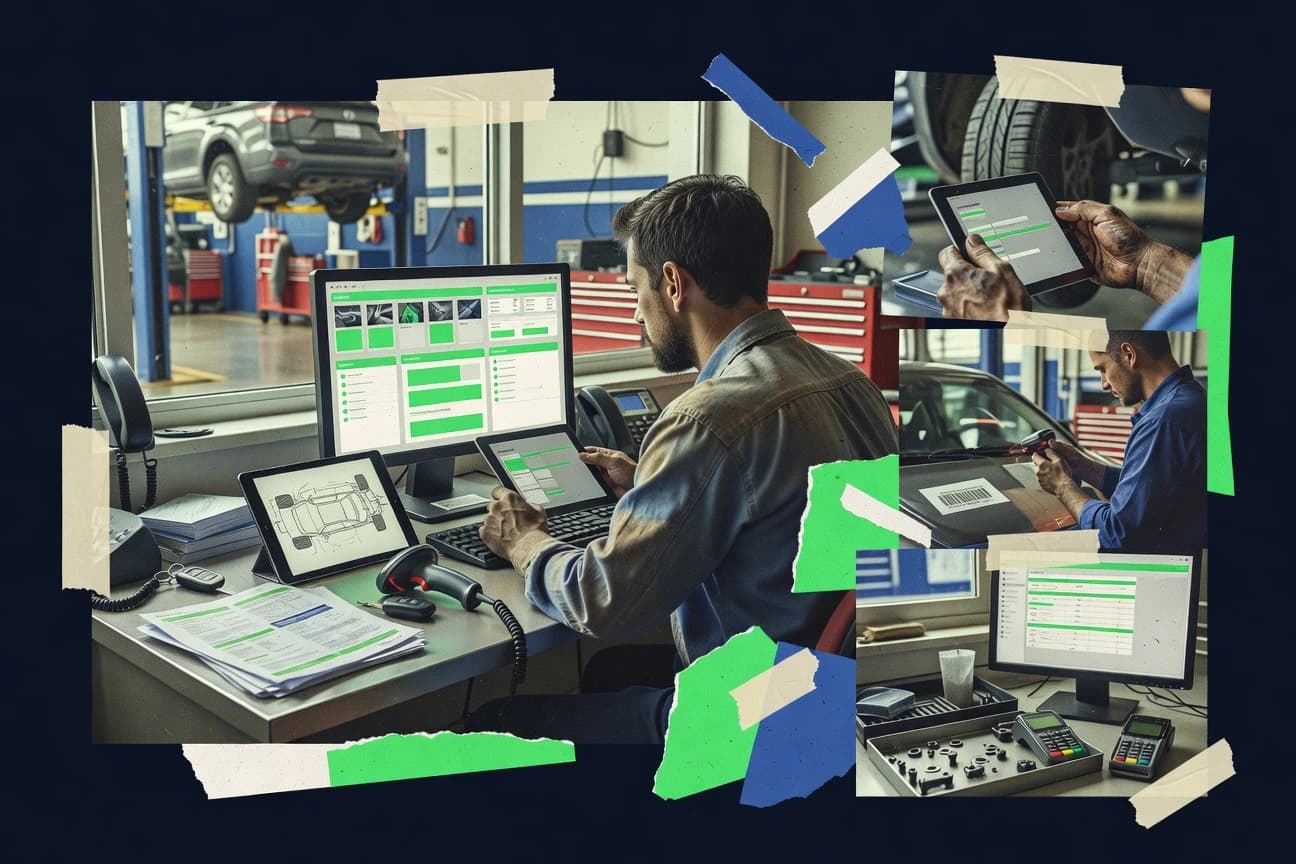
Ranked roundup of service writing software for case notes and reports, comparing Fullbay, RO Writer, AutoVitals and other tools by features and pricing.

How we ranked these tools
Gitnux editors write the brief first: the topic, the inclusion rules, and the frame for what belongs.
Agents extract product evidence with provenance, then collect written reviews and transcribe video reviews and podcasts.
Framework: Features 40% · Ease 30% · Value 30%
Gitnux may earn a commission through links on this page — this does not influence rankings. Editorial policy
Fullbay is the best fit when you need heavy-duty maintenance records that tie technician coordination, customer approvals, and accounting-ready invoicing into one system, while Tekmetric works best for service teams focused on job execution visibility with integration-ready job records.
Editor’s top 3 picks
Three quick recommendations before you dive into the full comparison below — each one leads on a different dimension.
Fullbay
Fullbay’s truck-and-trailer repair record connects technician time, parts usage, approvals, invoicing, and QuickBooks data.
Best for: Fits when heavy-duty fleets need maintenance records, technician coordination, customer approvals, and accounting integration in one system.
RO Writer
Editor pickVehicle history and repair-order linkage keeps customer records, technician notes, approvals, parts, labor, and invoices together.
Best for: Fits when independent repair shops need detailed vehicle records and connected estimating, parts, labor, and invoicing.
AutoVitals
Editor pickSmartFlow links technician findings, visual evidence, advisor review, and customer follow-up in one automotive workflow.
Best for: Fits when repair shops need connected inspections, advisor review, and customer communication.
Comparison Table
Fullbay
vertical specialistHeavy-duty repair management software for work orders, inspections, estimates, parts, and invoicing.
Fullbay’s truck-and-trailer repair record connects technician time, parts usage, approvals, invoicing, and QuickBooks data.
Fullbay is tailored to heavy-duty trucks, trailers, and commercial fleets rather than general service businesses. Dispatchers can move a repair from intake through technician assignment, inspection results, customer approval, invoicing, and maintenance history in one record. QuickBooks integration reduces duplicate financial entry, while reporting gives managers visibility into labor, parts, and shop throughput.
The heavy-duty focus narrows its appeal for facilities servicing consumer vehicles or highly varied equipment. Fleet teams managing recurring maintenance can monitor mileage-based requirements and preserve repair documentation across vehicles. The mobile workflow suits technicians who spend limited time at a desk, but larger organizations may need deliberate configuration for reporting standards and user permissions.
- +Heavy-duty truck and trailer workflows match fleet maintenance operations
- +Technician mobile access supports photos, inspections, and time capture
- +QuickBooks integration connects shop activity with financial records
- +Customer approval and invoicing steps remain inside repair jobs
- –General automotive and non-fleet service workflows receive less specialized coverage
- –Advanced dispatch and route optimization are not central capabilities
- –Accounting depth depends on connected accounting software
- –Large fleets may need governance for custom workflows and reporting
fleet maintenance departments
recurring truck maintenance planning
Consistent maintenance documentation
diesel repair shops
multi-bay repair coordination
Fewer disconnected shop records
Show 1 more scenario
owner-operator fleets
mobile maintenance documentation
Faster field updates
Drivers and technicians can attach photos and service notes while working away from the office.
Best for: Fits when heavy-duty fleets need maintenance records, technician coordination, customer approvals, and accounting integration in one system.
RO Writer
vertical specialistAutomotive repair management software for repair orders, estimates, parts, labor, and reporting.
Vehicle history and repair-order linkage keeps customer records, technician notes, approvals, parts, labor, and invoices together.
Independent shops get a unified customer, vehicle, and repair-order record instead of separate files for estimates, technician notes, and completed work. RO Writer's work order management flow connects intake, approvals, technician status, parts usage, invoicing, and customer communication. Labor-guide, supplier, payment, and accounting integrations can reduce repeated data entry.
The tradeoff is administrative complexity because permissions, templates, labor settings, inventory rules, and integrations require deliberate configuration. A multi-bay shop handling recurring maintenance can use vehicle history, inspection results, approval tracking, and technician time records to coordinate active jobs.
- +Integrated estimating, repair-order, parts, and labor records
- +Vehicle history remains attached to customer and vehicle records
- +Built-in technician time tracking and job status controls
- +Connections with labor guides, suppliers, and accounting systems
- –Interface can feel dated for teams accustomed to modern web applications
- –Setup requires careful labor, parts, tax, and permission configuration
- –Advanced integrations may depend on supported third-party providers
- –Mobile workflows are less central than desktop shop operations
Independent repair shops
Multi-bay repair coordination
Fewer status handoffs
Service advisors
Approval-driven repair sales
Faster approval processing
Show 1 more scenario
Shop owners
Recurring vehicle maintenance
More informed recommendations
Vehicle history helps staff identify prior repairs, recurring issues, and recommended maintenance during intake.
Best for: Fits when independent repair shops need detailed vehicle records and connected estimating, parts, labor, and invoicing.
AutoVitals
vertical specialistAutomotive shop software for digital inspections, customer communication, estimates, and workflow management.
SmartFlow links technician findings, visual evidence, advisor review, and customer follow-up in one automotive workflow.
AutoVitals connects technician inspections, photos, videos, and recommendations to advisor review in SmartFlow. Customer-facing reports present evidence and suggested work on mobile devices, supporting a customer approval workflow without requiring a phone explanation for every item. Integrations with shop-management systems can reduce duplicate entry for repair orders and customer records.
The interface covers more than service writing, including reminders, follow-up sequences, and shop-performance views. That breadth creates configuration work for teams that only need estimates and inspection reports. A multi-bay repair shop can route findings from technicians to advisors, send a service estimate, and track unanswered recommendations.
- +Automotive-specific inspection templates support consistent technician reporting.
- +Photo and video evidence appears in customer-facing reports.
- +SmartFlow automates reminders and status transitions.
- +Integrations reduce rekeying between AutoVitals and shop-management systems.
- –Template changes require deliberate configuration across locations.
- –Value depends on consistent technician adoption.
- –Automotive focus excludes general field-service operations.
- –Reports depend on accurate data synchronization with connected shop systems.
Independent repair shops
Remote approval for recommended work
Faster approval turnaround
Multi-location repair groups
Standardized inspection reporting
Consistent customer communication
Show 2 more scenarios
Service advisors
Unanswered recommendation follow-up
Fewer missed follow-ups
Automated reminders surface unresolved customer decisions after the initial report and estimate.
Automotive technicians
Mobile evidence capture
Better documented findings
Technicians attach photos, videos, and notes before advisors prepare the customer-facing report.
Best for: Fits when repair shops need connected inspections, advisor review, and customer communication.
Shop-Ware
vertical specialistCloud software for automotive repair estimates, digital inspections, approvals, and repair orders.
Job card lifecycle management links technician field updates directly to service invoice document readiness.
Shop-Ware targets service writing with digital work orders, job cards, and end-to-end billing documents that follow job progress. The system supports technician-oriented workflows for dispatch inputs, labor tracking, and field service reporting so completed work can produce a service invoice-ready record.
- +Job card driven workflows keep labor notes tied to the final service invoice
- +Customer approval steps reduce estimate to authorization mismatches
- +Field service reporting turns technician checklists into document-ready outputs
- +Structured service templates improve consistency across jobs and locations
- –Workflow behavior depends heavily on template configuration discipline
- –Advanced automation options are less granular than teams may expect for edge cases
- –Offline field capture coverage can add operational steps for techs in low-signal zones
Best for: Fits when service teams need job card workflows that generate service estimates and invoices with controlled approvals.
Tekmetric
SMBAutomotive shop management software covering estimates, inspections, parts, payments, and reporting.
Job card driven execution that keeps labor, parts, customer approval, and service report documentation attached through completion.
Tekmetric captures field-service work order activity and ties job details to technician execution and service reporting. The software centralizes service estimates, job cards, and invoices into one workflow so customer approval, labor, parts usage, and documentation stay connected.
- +Tight linking between job card details, labor, parts, and service documentation
- +Workflow automation for recurring work and customer approval steps
- +Integration-oriented job data flow for accounting and CRM-style systems
- +Role-based access controls with configuration suited to shared field teams
- –Complex setups for technician roles and workflow stages can slow onboarding
- –Reporting depth can feel narrow for multi-entity operations
- –Offline-friendly field capture depends on device and configuration choices
- –Parts workflows need careful mapping to match real van stock behavior
Best for: Fits when service teams need job execution visibility with controlled workflows and integration-ready job records.
Shopmonkey
SMBCloud shop management software for repair orders, inspections, estimates, scheduling, and payments.
Customer approval workflow can gate work order progress based on estimate status, with technician updates carrying through to invoice creation.
Shopmonkey organizes service operations around work orders, estimates, and invoices with a job-card workflow for techs. It includes technician scheduling and dispatch features plus a mobile field experience for writing service reports and capturing photo documentation.
- +Job-card workflow keeps estimates, approvals, and service notes connected
- +Mobile technician app supports photo documentation inside completed work orders
- +Preventive maintenance scheduling supports recurring asset service planning
- +Accounting integration keeps invoice line items aligned with service activity
- –Role-based access and governance controls need deliberate setup for multi-location teams
- –Parts usage and van stock flows can be slower when catalogs are large
- –Offline mode coverage varies by workflow stage and attachment handling
- –Advanced dispatch and route optimization is not as granular as specialist FSM tools
Best for: Fits when service businesses need job-card execution on mobile while keeping estimates, approvals, and invoicing tightly linked.
Mitchell 1 Manager SE
enterpriseAutomotive shop management software for estimates, repair orders, scheduling, invoicing, and accounting.
Job card documentation and status updates stay attached to the estimate-to-invoice lifecycle inside Mitchell 1 Manager SE.
Mitchell 1 Manager SE pairs service writing workflows with a vehicle and collision focused data workflow, rather than generic job tracking. The system supports work order creation, service estimates, and service invoices tied to customer and equipment context used during shop intake.
- +Job records link intake, estimates, and invoices in one workflow trail
- +Labor and job card tracking support consistent technician documentation
- +Dispatch and scheduling can be managed from the same job data
- +Manager reports track job status and document completion across the shop
- –Integrations with external accounting and CRM systems depend on available connectors
- –Workflow configuration takes time to match shop-specific forms and approvals
- –Parts and equipment coverage can require disciplined catalog data management
- –Extensibility beyond standard fields may need add-on support
Best for: Fits when vehicle service teams want shared job records for estimating, billing, and shop reporting.
NAPA TRACS
vertical specialistAutomotive shop management software for estimating, repair orders, parts, scheduling, and customer records.
Equipment history linking so job intake and technician reporting reuse prior findings during the next work order.
NAPA TRACS is service writing software built around NAPA workflows for work orders, job cards, and service documents used in vehicle and equipment maintenance. It centers on field-ready service reporting that connects job details to technician execution, including labor tracking and service estimate to invoice progress.
- +Work order to invoice flow keeps service documentation tied to execution
- +Inspection checklist structure supports repeatable technician reporting
- +Equipment history references prior work during reactive and preventive maintenance
- +Mobile technician reporting supports field capture for labor tracking
- –Customization options for service document layouts are limited versus generic builders
- –Offline mode behavior can vary by deployment and requires mobile workflow testing
- –Deep accounting integration depends on external system configuration
- –RBAC granularity is narrower than enterprise field service suites
Best for: Fits when service teams need structured job cards and service reporting tied to equipment history.
Shop Boss
SMBCloud-based auto repair shop management software with repair order creation, scheduling, and digital inspections.
Job closeout includes structured service report capture with evidence fields tied to the completed job record.
Shop Boss turns incoming service requests into end-to-end job records that include customer details, estimates, and service reports tied to completed work. The workflow supports technician dispatch and scheduling, then captures field evidence like photos and structured notes for job closeout.
- +Work order records connect estimates and service reports through job status changes
- +Technician dispatch and scheduling map directly to job progress for field teams
- +Photo and checklist style job documentation supports consistent service report closeout
- +Parts selection on jobs reduces mismatch between field usage and stock records
- –Automation options are mostly workflow transitions and lack deeper conditional logic
- –API surface is limited for custom integrations beyond basic job and contact flows
- –Offline mode support is narrow compared with field-first mobile platforms
- –Advanced governance controls like fine-grained RBAC and audit log granularity are limited
Best for: Fits when service teams need job records with dispatch and job documentation, and can standardize processes around its workflow.
AutoSoftWay
SMBMobile-first auto repair shop management platform with VIN-based estimates, digital inspections, and labor guides.
Customer approval workflow connects directly to job card status updates and the final service report output.
AutoSoftWay targets service teams that need end-to-end service writing tied to technician execution, not just document templates. The system covers job card creation, service estimates, and service invoices with workflow steps for customer approval and technician sign-off.
- +Service estimate and invoice steps stay linked to job card records
- +Customer approval workflow supports technician sign-off on completed work
- +Photo and inspection inputs feed directly into service reports
- +Mobile technician execution reduces manual re-entry of job details
- –Integration depth depends on connector coverage for accounting and CRM
- –Workflow customization requires careful configuration of approval and status rules
- –Offline execution support for field devices is not clearly positioned
- –Admin controls for roles and audit logging require extra setup diligence
Best for: Fits when service teams need technician-driven job cards feeding estimates, approvals, and service invoices with minimal rekeying.
Conclusion
After evaluating 10 service writing software, Fullbay stands out as our overall top pick — it scored highest across our combined criteria of features, ease of use, and value, which is why it sits at #1 in the rankings above.
Use the comparison table and detailed reviews above to validate the fit against your own requirements before committing to a tool.
How to Choose the Right Service Writing Software
This guide covers service writing software across Fullbay, RO Writer, AutoVitals, Shop-Ware, Tekmetric, Shopmonkey, Mitchell 1 Manager SE, NAPA TRACS, Shop Boss, and AutoSoftWay. These tools are designed to keep job cards, technician updates, customer approvals, and service estimates or invoices connected so work stays traceable from intake to completion. The standout differences show up in how each platform links service documentation to repair-order or work-order lifecycles and how deeply it ties that record chain into accounting integrations. Fullbay, for example, connects technician time, parts usage, approvals, invoicing, and QuickBooks data in a truck-and-trailer workflow that is built around fleet maintenance reality.
Before choosing any system, buyers typically compare how each product structures the field-to-office handoff and how configuration decisions affect document readiness and evidence capture. Shop-Ware emphasizes job card lifecycle behavior that gates estimate and invoice document readiness, while Shopmonkey focuses on a customer approval workflow that can gate work order progress based on estimate status. These implementation differences decide whether approvals and service reports stay consistent across mobile capture, back-office documents, and final billing outputs.
Service Writing Software for job cards, approvals, and estimate-to-invoice service documents
Service writing software centralizes the work order record chain so technician findings, parts and labor entries, customer approval steps, and service estimate or invoice documents stay linked. In Fullbay, that chain is anchored to heavy-duty truck and trailer repair history and ties technician time and parts usage to approvals and invoicing with QuickBooks data.
In RO Writer, the system keeps repair-order linkage and vehicle history attached to customer and vehicle records so notes, parts, labor, and invoices remain connected through the service workflow. In practice, the distinguishing work is how each platform carries documentation forward through status changes and how customer sign-off is wired into the job card to invoice output path.
Evaluation criteria that map service writing workflows to job cards and documents
Service writing software succeeds when the job card and service documentation chain stays intact from technician capture through customer approval and final estimate or invoice output. The strongest products also keep the chain predictable under template changes and multi-location role assignments so evidence and approvals do not drift between stages.
Approval gates tied to job-card and invoice readiness
Shop-Ware and Shopmonkey both use customer approval steps that reduce estimate-to-authorization mismatches by controlling when estimate and work progress can move forward into invoice-ready states.
Field capture evidence linked to customer-facing reports
AutoVitals’ SmartFlow ties technician findings, photo and video evidence, advisor review, and customer follow-up together in one automotive workflow, while Shopmonkey carries technician updates into completed work orders with photo documentation.
Repair-order or work-order lifecycle linkage across notes, parts, labor, and invoices
RO Writer and Tekmetric keep labor, parts, customer approval steps, and service report documentation connected through job-card driven execution and repair-order linkage.
Fleet maintenance record depth with accounting integration
Fullbay connects technician time, parts usage, approvals, invoicing, and QuickBooks data in a truck-and-trailer workflow that matches heavy-duty fleet maintenance operations.
Equipment or vehicle history reuse during next work order intake
NAPA TRACS anchors work order intake and technician reporting to equipment history so the next job can reuse prior findings through its work order to invoice flow.
Automation depth for recurring work and workflow stages
Tekmetric supports workflow automation for recurring work and approval steps, while Shop Boss limits automation primarily to workflow transitions and keeps conditional logic shallow.
Decision framework: match workflow structure and integration surface to operations
Start by selecting how approvals and document outputs move through the job card lifecycle, because Shop-Ware and Shopmonkey prioritize different gating behaviors. Then assess which data chain must remain continuous under field edits, template updates, and multi-location permissions, because Fullbay, RO Writer, and AutoVitals each anchor that continuity differently.
Choose the lifecycle anchor: job card to invoice versus repair order to records
If job cards should drive execution until service invoice document readiness, Shop-Ware and Tekmetric keep labor, parts, and documentation attached through completion. If repair-order linkage and vehicle history must remain attached to customer and vehicle records, RO Writer keeps notes, approvals, parts, labor, and invoices connected to those records.
Pick the evidence model: advisor review with media versus technician sign-off artifacts
If inspections must be consistent with templates and must include advisor review plus customer-facing photo and video evidence, AutoVitals’ SmartFlow fits the inspection-to-follow-up pattern. If photo documentation and technician updates must carry through mobile work orders into completed job records, Shopmonkey supports that attachment model.
Stress-test approval gating against multi-location roles
For workflows where customer approval gates should control progression from estimate status into job progress, Shopmonkey can link approval workflow to work order progress and invoice creation. If governance discipline is available to manage role-based access and templates across locations, Shopmonkey’s governance setup aligns with that gating behavior.
Match automation expectations to your process complexity
If recurring work should trigger automation plus approval steps, Tekmetric’s job-card workflow automation supports recurring work patterns. If process automation is mostly workflow-transition driven and advanced conditional logic is not required, Shop Boss can fit the job status change approach.
Validate accounting and fleet-specific requirements in the same workflow
If heavy-duty truck-and-trailer maintenance records and QuickBooks data integration must stay connected to approvals and invoicing, Fullbay’s truck-and-trailer repair record structure targets that requirement. If accounting integration is secondary to vehicle or equipment history-driven reporting, RO Writer and NAPA TRACS can prioritize history attachment over fleet accounting depth.
Who Service Writing Software fits best based on workflow responsibility
Service writing software matches different ownership models based on where documentation risk shows up first. Technicians, service advisors, and back-office teams all benefit, but the best fit changes depending on whether job cards must drive invoice readiness, whether inspections require media-linked advisor review, or whether history reuse must shape intake.
Heavy-duty fleets and multi-asset maintenance teams
Fullbay supports technician coordination, approvals, invoicing, and QuickBooks data in one truck-and-trailer workflow that aligns with fleet maintenance operations.
Independent repair shops that rely on vehicle history and repair-order continuity
RO Writer keeps repair-order linkage and vehicle history attached to customer and vehicle records so technician notes, parts, labor, and invoices stay connected.
Shops running inspection-heavy workflows with advisor review and customer media
AutoVitals connects technician findings, photo and video evidence, advisor review, and customer follow-up using SmartFlow inspection templates.
Service businesses that want mobile job-card execution with approval-gated progression
Shopmonkey uses a customer approval workflow that can gate work order progress based on estimate status while carrying technician updates through to invoice creation.
Teams that want equipment history to drive repeatable job intake
NAPA TRACS links equipment history so job intake and technician reporting reuse prior findings through its inspection checklist structure.
Common Service Writing Software mistakes that break document traceability
The most frequent failure mode is choosing a workflow model that cannot absorb template edits or role changes without breaking document readiness. Another failure mode is underestimating how approval workflow design impacts the estimate-to-invoice chain during busy scheduling and technician field updates.
Ignoring template configuration discipline for evidence and job-card stages
Shop-Ware and AutoVitals both depend on template behavior to keep inspection reporting consistent, so template changes across locations require deliberate configuration to prevent evidence drift.
Overbuilding approval logic without validating onboarding speed for roles and workflow stages
Tekmetric’s complex setups for technician roles and workflow stages can slow onboarding, so approval stage definitions should be tested with real roles before rolling out.
Assuming governance controls are ready for multi-location scale without planning
Shopmonkey requires deliberate setup for role-based access and governance controls in multi-location teams, so access mapping should be part of implementation planning.
Choosing a job-document product without checking how conditional automation works
Shop Boss automation is mostly workflow transitions and lacks deeper conditional logic, so teams needing rule-driven routing of complex approval or documentation steps can face limitations.
Selecting based on mobile job cards but skipping integration coverage validation
Mitchell 1 Manager SE can require connector availability for integrations with external accounting and CRM systems, so integration expectations should be validated before committing to the workflow.
How We Selected and Ranked These Tools
We evaluated service writing workflow coverage across Fullbay, RO Writer, AutoVitals, Shop-Ware, Tekmetric, Shopmonkey, Mitchell 1 Manager SE, NAPA TRACS, Shop Boss, and AutoSoftWay using features at 40%, ease at 30%, and value at 30%. We prioritized how each tool connects job cards to service documentation outputs through status changes, customer approval steps, and technician evidence capture.
We also weighed integration depth and API and automation surface where the reviewed products connected records through external accounting data or carried workflow-ready job records for downstream systems. Fullbay set the ranking pace by connecting technician time, parts usage, approvals, invoicing, and QuickBooks data in a truck-and-trailer maintenance record chain that matches fleet maintenance operations.
Frequently Asked Questions About Service Writing Software
How do Fullbay and Shopmonkey keep technician updates attached to invoice-ready records?
Which tools link vehicle or equipment history into the next job card?
When an inspection checklist drives service decisions, how do AutoVitals and NAPA TRACS differ in workflow?
What breaks if customer approval is not enforced at the job-card stage in Tekmetric and Shop-Ware?
How do Tekmetric and Mitchell 1 Manager SE handle data movement between service writing and accounting-facing outputs?
Which platforms support mobile photo documentation for service reporting without rebuilding the job record?
How do Shop-Ware and Tekmetric structure service estimates so they can produce an invoice-ready document later?
Which tools reduce rekeying between scheduling and job completion through automation and recurring workflows?
Where does RO Writer fall short versus general field-service suites when work spans beyond automotive repair?
Tools reviewed
Primary sources checked during evaluation.
Referenced in the comparison table and product reviews above.
- Business FinanceTop 10 Best Business Plan Writing Software of 2026
- Business FinanceTop 10 Best Proposal Writing Software of 2026
- Business FinanceTop 10 Best Policy Writing Software of 2026
- Business FinanceTop 10 Best Check Writing Software of 2026
- Arts Creative ExpressionTop 10 Best Book Writing Software of 2026
Keep exploring
Comparing two specific tools?
Software Alternatives
See head-to-head software comparisons with feature breakdowns, pricing, and our recommendation for each use case.
Explore software alternatives→In this category
Business Finance alternatives
See side-by-side comparisons of business finance tools and pick the right one for your stack.
Compare business finance tools→