
GITNUXSOFTWARE ADVICE
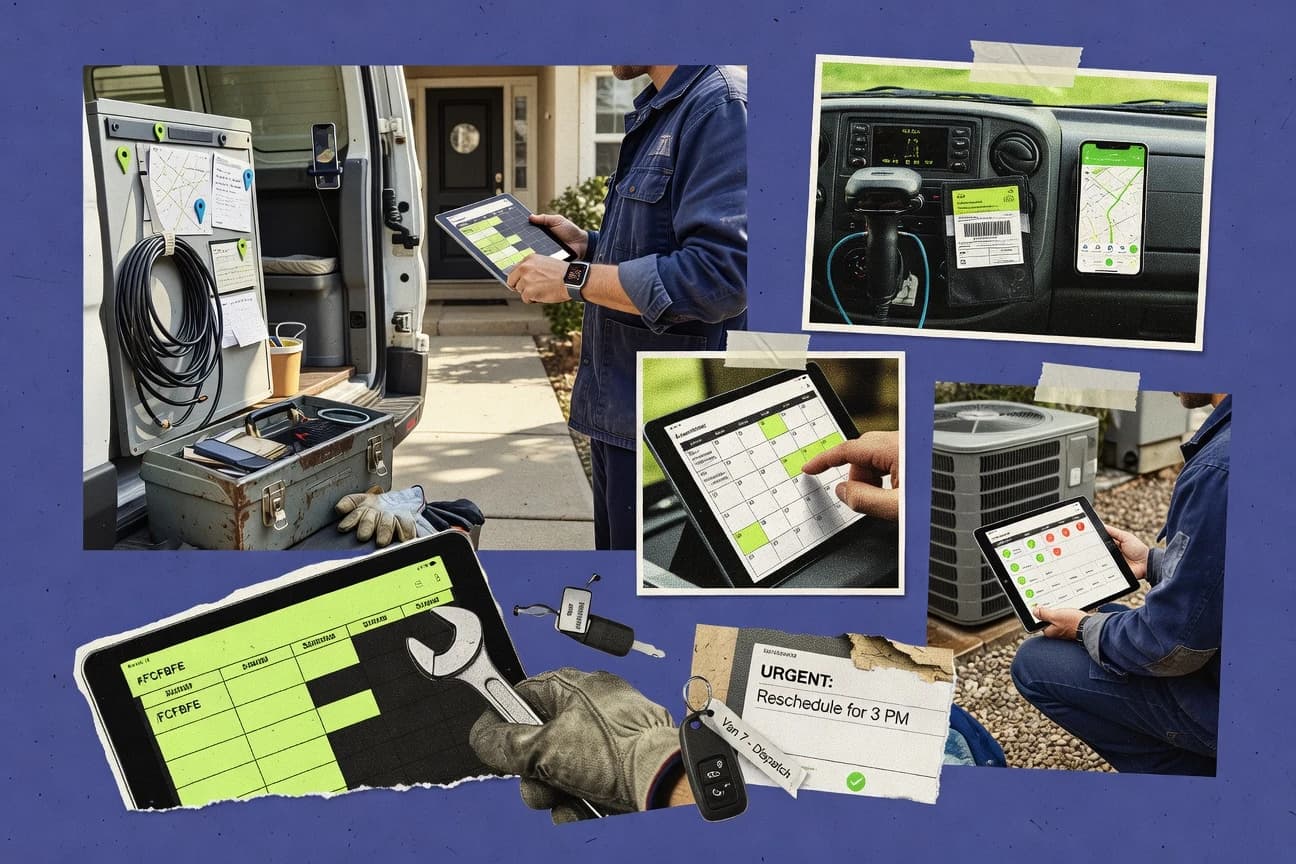
Business FinanceTop 10 Best Service Call Software of 2026
Ranking roundup of the top 10 service call software options for field service teams, with criteria and tradeoffs for tools like Workiz.

How we ranked these tools
Core product claims cross-referenced against official documentation, changelogs, and independent technical reviews.
Analyzed video reviews and hundreds of written evaluations to capture real-world user experiences with each tool.
AI persona simulations modeled how different user types would experience each tool across common use cases and workflows.
Final rankings reviewed and approved by our editorial team with authority to override AI-generated scores based on domain expertise.
Score: Features 40% · Ease 30% · Value 30%
Gitnux may earn a commission through links on this page — this does not influence rankings. Editorial policy
Skedulo is the best fit for dispatch-heavy teams that need assignment, mobile execution, and integration-driven status updates, while Workiz is the easier starting point if you want unified job management with controlled roles for mid-size field crews.
Editor’s top 3 picks
Three quick recommendations before you dive into the full comparison below — each one leads on a different dimension.
Skedulo
Live synchronization between dispatch status and technician mobile execution reduces missed handoffs.
Built for fits when dispatch teams need job assignment, mobile execution, and integration-driven status updates..
Workiz
Editor pickTechnician mobile check-in and check-out flows write directly into dispatch job timelines in near real time.
Built for fits when mid-size field teams need unified dispatch and technician job updates with controlled roles..
Kickserv
Editor pickTechnician workflow templates that enforce consistent service documentation per work order.
Built for fits when service teams need mobile-first job execution with repeatable service steps..
Comparison Table
Skedulo
enterpriseSkedulo provides intelligent scheduling, dispatch, mobile workforce coordination, and field productivity tools.
Live synchronization between dispatch status and technician mobile execution reduces missed handoffs.
Skedulo’s core capability is end-to-end dispatch management that connects an appointment or work request to assignment rules and technician execution. The system is built around a scheduling and dispatch board model where job status changes propagate to the team and the technician app. Integrations commonly include customer and work management data feeds, plus connections for calendars and other enterprise systems.
A tradeoff is that matching job complexity to assignment logic can require careful configuration to avoid under- or over-scheduling. It fits best when operations need job-level instructions and consistent status capture, such as same-day field service or recurring maintenance execution.
- +Dispatch board workflow keeps job status synchronized for ops and technicians
- +Automation supports rule-based assignment and schedule updates without manual rework
- +Technician mobile execution captures work notes and completion events from the field
- +API integration supports pulling work and pushing status to connected systems
- –Assignment and scheduling rules need careful configuration to reflect real constraints
- –Offline mobile mode coverage depends on the connected workflow and field device setup
- –Complex service territory or skills matching can take time to tune for best results
- –Some advanced integrations may rely on implementation effort and system mapping work
Field service operations teams
Daily dispatch with technician check-in
Fewer missed appointments
Work order management teams
Preventive maintenance route scheduling
Higher maintenance completion
Show 2 more scenarios
Service integrators
API-linked work request intake
Faster job lifecycle
Systems send work requests and receive job updates to keep operations synchronized.
Managers handling SLA pressure
Emergency dispatch with appointment windows
Improved SLA adherence
Ops reassigns urgent jobs based on availability while maintaining appointment window context.
Best for: Fits when dispatch teams need job assignment, mobile execution, and integration-driven status updates.
Workiz
SMBWorkiz combines scheduling, dispatch, phone communication, job management, payments, and technician tracking.
Technician mobile check-in and check-out flows write directly into dispatch job timelines in near real time.
Workiz centralizes service request intake into trackable jobs, then routes work through configurable assignment and dispatch steps. The platform keeps a live job timeline with technician progress, so dispatch can react to delays and completion states without manual spreadsheet updates. The technician mobile experience supports offline-capable field use patterns, and it captures service notes that dispatch can review while managing queues.
A tradeoff appears in how much process standardization is required for best results. Teams with highly unique job types or frequent workflow exceptions often need more configuration work to keep templates and automations aligned. Workiz fits when a mid-size field services group wants one dispatch workflow for multiple service categories rather than separate tools per team.
- +Dispatch board updates job states from technician mobile check-ins
- +Configurable automations for intake routing and follow-up tasks
- +Job history captures service notes for customer and equipment continuity
- +Role-based permissions support admin control across dispatch and technicians
- –Workflow templates require careful upfront setup for consistent routing
- –Complex multi-department processes may need additional customization
- –Deep system integrations can rely on external coordination work
- –Advanced appointment logic can feel limited for highly constrained schedules
Service dispatch teams
Same-day job assignment and updates
Fewer missed appointments
Field technicians
Mobile service notes and completion
Faster job completion
Show 2 more scenarios
Multi-location ops managers
Standard intake routing across teams
Consistent job handling
Automations route service requests to the right workflow based on configured rules.
Customer service coordinators
Appointment tracking and communication
Clearer customer communication
Coordinators track job stages and coordinate updates with dispatch based on job status.
Best for: Fits when mid-size field teams need unified dispatch and technician job updates with controlled roles.
Kickserv
SMBKickserv handles scheduling, dispatch, estimates, work orders, invoices, payments, and customer records.
Technician workflow templates that enforce consistent service documentation per work order.
Kickserv combines work order management with dispatch-focused job assignment so incoming requests become trackable service calls with defined execution steps. The workflow is oriented around technicians completing checklists, notes, and job outcomes, then returning updates that can be reviewed by back-office staff. Scheduling support connects to assignment so field availability and planned windows influence where calls land.
A tradeoff is that deeper custom automation depends on how much the setup team needs to configure repeatable steps per service type. Kickserv fits when call volume is high enough to need repeatable job execution and when field staff need structured mobile capture rather than ad hoc note-taking.
- +Technician-first work order updates with structured job outcomes
- +Dispatch-oriented assignment workflow that maps requests to jobs
- +Configurable service steps that reduce missing field details
- +Operational reporting tied to completed service records
- –Automation depth can be limited without careful workflow configuration
- –Advanced routing logic may require additional setup discipline
- –Integrations may require mapping work order fields to downstream systems
Field service managers
Dispatching calls to scheduled technicians
Fewer handoff gaps
Technician teams
Capturing job notes and outcomes
Cleaner service documentation
Show 1 more scenario
Operations analysts
Reviewing performance by service type
Better process control
Track completed work outcomes to spot operational bottlenecks across call types.
Best for: Fits when service teams need mobile-first job execution with repeatable service steps.
Commusoft
vertical specialistCommusoft provides job management, dispatch, scheduling, mobile forms, customer records, and invoicing.
Automation tied to dispatcher job lifecycle steps helps standardize handoffs from intake to completion.
Commusoft focuses on service call and field workflow execution with an emphasis on dispatcher-led job control and technician-side task completion. Its core workflow supports work order management, including job creation, assignment, and in-field service note capture.
Commusoft also supports automation hooks for operational steps and exposes integrations through an API for connecting other business systems. The tool’s fit is strongest when dispatch teams need consistent job handling across routes, assets, and repeatable service routines.
- +Dispatcher workflows keep job status, notes, and approvals in a single operational loop
- +API integration supports connecting scheduling, CRM, and billing systems to field execution
- +Mobile-oriented service notes reduce rework compared with off-system documentation
- +Automation of common job steps supports repeatable service routines
- –Document and attachment workflows can require disciplined process design for consistency
- –Setup effort rises when multiple service territories, skills rules, and assignment rules must align
- –Offline technician execution is not a default workflow for every job type
- –Deep reporting needs configuration to match dispatch KPIs and service SLAs
Best for: Fits when dispatch teams need tight control of work orders, technician updates, and integrations.
ServiceM8
SMBServiceM8 supports scheduling, dispatch, digital forms, customer records, quoting, invoicing, and mobile job execution.
Technician mobile check-in and job updates keep the dispatch board synchronized in near real time.
ServiceM8 manages service call workflows with a dispatch board, technician mobile check-in and job updates, and job history capture for customers and sites. It supports recurring work like planned maintenance through scheduled jobs and templates, and it handles service notes, checklists, and digital forms tied to work orders.
The system includes an API for integrations such as accounting and CRM sync, plus automation rules for routing and status changes based on job events. Admin control centers on roles, organization settings, and auditability of key job actions across the field-to-office loop.
- +Dispatch board supports rapid assignment with technician availability visibility
- +Technician mobile app handles offline-style job capture and photo attachments
- +Recurring jobs can be scheduled with templates for consistent work order creation
- +API and webhooks support integration of work orders into external systems
- –Automation rules can become hard to audit when many event triggers overlap
- –Advanced route planning is limited versus dedicated route optimization products
- –Deep inventory and parts workflows often require tight process discipline
- –Reporting across field notes and custom form answers needs careful setup
Best for: Fits when field teams need dispatch-to-mobile job capture with scheduled work and API-driven integrations.
Zuper
API-firstZuper manages work orders, scheduling, dispatch, route planning, mobile teams, assets, and customer communications.
Appointment window handling that drives assignment outcomes during scheduling and dispatch operations.
Zuper is a service-call and field-ops scheduling solution built around job routing, technician assignment, and customer communication workflows. It focuses on recurring and on-demand work management, including appointment window handling and mobile-ready job checklists.
Zuper also provides an API for syncing dispatch data with external systems like CRM and accounting tools. Administrative controls support dispatch configuration, technician onboarding, and operational visibility across assigned work.
- +Assignment workflows include appointment window awareness for tighter scheduling control
- +API supports bidirectional sync of jobs, schedules, and status updates
- +Recurring work management reduces manual re-creation of schedules
- +Dispatch and technician handoff flows align with mobile execution needs
- –Complex scheduling rules take time to translate into dispatch configuration
- –Workflow breadth is strongest for dispatch use cases, with weaker depth for custom back-office needs
- –Advanced automation often depends on API-backed integrations for full coverage
- –Reporting and analytics are less granular than specialized operations dashboards
Best for: Fits when field teams need job routing, appointment windows, and API sync without rebuilding scheduling logic.
RazorSync
SMBRazorSync supports scheduling, dispatch, work orders, GPS tracking, estimates, invoices, and customer updates.
Checklist-driven mobile capture ties required inspection steps to job completion records.
RazorSync focuses on end-to-end service call execution with dispatch workflows that move into technician checklists and job notes. It supports technician mobile work, scheduling handoffs, and field data capture that feed back into the operational view used by dispatchers.
Automation targets common field-service steps like task creation from requests, status updates during the visit, and structured documentation at completion. Integration support centers on connecting existing systems through an API and exchanging service, scheduling, and work outcome details.
- +Dispatch-to-mobile workflow keeps service calls and field notes aligned
- +Configurable job checklists standardize technician documentation
- +API integration supports bidirectional sync for work and outcomes
- +Status updates reflect visit progress in near real time
- –Offline mobile mode depends on specific workflow configuration
- –Advanced route optimization and territory logic are limited versus dispatch-first vendors
- –Role permissions require disciplined admin setup for consistent governance
- –Parts and inventory tracking depth is narrower than larger field service suites
Best for: Fits when teams need structured job checklists and dispatcher visibility with API-driven system sync.
Vonigo
vertical specialistVonigo provides booking, dispatch, route planning, customer management, payments, and franchise operations.
Rule-based technician assignment combined with mobile job execution status updates ties dispatch decisions to live field outcomes.
Vonigo is service call software built around dispatch management and job workflows for mobile field teams.
Work orders can move through status-driven stages, while assignment rules use technician data to reduce manual dispatching.
The system supports technician check-in and service note capture through a mobile workforce management workflow.
Vonigo also exposes an API for automation and integration with other operational systems.
- +Workflow-driven work orders with status transitions mapped to field execution
- +Assignment logic can use technician attributes for faster dispatch decisions
- +Technician mobile capture supports check-in and service notes in the job flow
- +API supports integration for scheduling, customer updates, and custom automation
- –Advanced configuration requires more admin setup than basic dispatch boards
- –Some edge-case routing and appointment window rules need careful rule design
- –Offline mobile handling depends on specific feature coverage and device behavior
- –Integration projects often require custom mapping across work order fields
Best for: Fits when dispatch teams need work order workflows tied to technician execution and integration via API.
Jobber
SMBJobber combines scheduling, dispatch, quotes, invoices, payments, and technician communication.
Technician mobile app captures job check-in, service notes, and photo evidence tied to each work order.
Jobber schedules service work and manages the full lifecycle from lead to invoice. It centralizes customer records, job status, and technician assignments, then pushes updates through a technician-focused mobile workflow for check-in, service notes, and photos.
Routing and scheduling support are built around appointment planning rather than advanced optimization. Built-in automations handle common reminders and follow-ups, while the API supports integration use cases for data synchronization and custom workflows.
- +Technician mobile flow supports check-in, service notes, and photo capture
- +Automations cover recurring reminders and routine follow-up events
- +Customer and job history stays attached to each job record
- +API supports custom integrations for jobs, contacts, and scheduling data
- –Route optimization remains appointment-planning oriented rather than dispatch-optimization
- –Advanced governance controls are limited compared with enterprise field-service systems
- –Complex workflows often require external automation to connect systems
- –Data sync through the API needs careful mapping to avoid duplicates
Best for: Fits when service teams need appointment scheduling plus technician mobile documentation.
Housecall Pro
SMBHousecall Pro provides job scheduling, dispatching, customer messaging, estimates, invoices, and payments.
Technician check-in and job status updates on mobile keep dispatch and customer communications synchronized during field work.
Housecall Pro fits field service teams that need job dispatch, technician check-in, and customer communication tied to work orders. The system centers on a work-order workflow with a technician mobile app for job updates, service notes, and status changes that feed the dispatch board.
Scheduling, reminders, and estimate to invoice handoff support day-to-day intake and completion cycles without moving data manually between tools. Admin controls and reporting focus on keeping jobs, contacts, and job history consistent across technicians.
- +Technician mobile app updates job status and service notes from the field
- +Dispatch board shows assigned jobs with scheduling visibility for coordinators
- +Recurring service agreements can reduce rebooking for maintenance programs
- +Built-in customer messaging supports appointment and job progress communication
- –Advanced routing and optimization depends on setup choices and operating rules
- –Some workflows require manual data hygiene to keep customer and equipment history accurate
- –Automation depth is limited for complex approval chains across internal teams
- –Integrations need governance to avoid mismatched fields between systems
Best for: Fits when dispatch teams need mobile job updates plus scheduling and reminders for recurring maintenance work.
Conclusion
After evaluating 10 business finance, Skedulo stands out as our overall top pick — it scored highest across our combined criteria of features, ease of use, and value, which is why it sits at #1 in the rankings above.
Use the comparison table and detailed reviews above to validate the fit against your own requirements before committing to a tool.
How to Choose the Right service call software
Service call software in this guide covers dispatch board execution, technician mobile job updates, and automation that keeps intake, scheduling, and completion aligned. The lineup includes Skedulo, Workiz, Kickserv, Commusoft, ServiceM8, Zuper, RazorSync, Vonigo, Jobber, and Housecall Pro.
Service call software for dispatch, technician execution, and job-to-mobile synchronization
Service call software coordinates service request intake, job scheduling, and field execution so dispatch coordinators and technicians work from the same job timeline. Skedulo emphasizes live synchronization between dispatch status and technician mobile execution so handoffs reflect what actually happened in the field.
Workiz focuses on technician mobile check-in and check-out that write directly into dispatch job timelines in near real time. The deciding differences across this set show up in how automation is attached to workflow steps, how the API supports bidirectional status sync, and how tightly mobile documentation or checklists map back to work order records.
Integration, automation surface, and dispatch-to-mobile workflow fidelity
Service call software succeeds when dispatch decisions, technician execution, and job documentation update the same work order record with minimal delay. Skedulo and Workiz both emphasize near real-time job state changes, but they attach that synchronization to different workflow touchpoints.
Bidirectional job status synchronization tied to mobile execution
Skedulo synchronizes dispatch status with technician mobile execution so handoffs reflect field outcomes. Workiz writes technician mobile check-in and check-out into dispatch job timelines in near real time.
Technician workflow templates that standardize work order outcomes
Kickserv uses technician workflow templates that enforce consistent service documentation per work order. RazorSync uses configurable job checklists that bind required inspection steps to job completion records.
API and integration depth for connecting scheduling, CRM, and billing systems
Commusoft pairs a dispatcher operational loop with API integration designed to connect scheduling, CRM, and billing to field execution. Zuper supports bidirectional API sync for jobs, schedules, and status updates without rebuilding scheduling logic.
Dispatch board automation that maps intake to assignment and follow-up tasks
Workiz provides configurable automations for intake routing and follow-up tasks that update dispatch job states. Skedulo supports rule-based assignment and schedule updates that reduce manual rework when constraints change.
Appointment window handling during scheduling and dispatch assignment
Zuper drives assignment outcomes using appointment window awareness so dispatch configuration reflects customer availability. Jobber stays more appointment-planning oriented, with recurring reminders and follow-up events rather than deep dispatch-optimization rules.
Governance and auditability when many workflow triggers overlap
ServiceM8 can become hard to audit when automation rules overlap with many event triggers, which matters for operational accountability. Commusoft keeps dispatcher job lifecycle steps in a single operational loop so status, notes, and approvals remain traceable.
A dispatch-to-mobile workflow test to select the right automation and sync model
Start by mapping which system should be the source of truth at each moment in the service call lifecycle. Skedulo and Workiz both move job status from the field back to dispatch, but Skedulo’s synchronization is built around live status linkage while Workiz centers technician check-in and check-out timeline events.
Pick the workflow anchor: dispatch board first or technician execution first
If dispatch must stay tightly synchronized with live mobile execution status, Skedulo keeps dispatch status aligned to technician mobile actions. If mobile check-in and check-out must write directly into job timelines for coordinators to track, Workiz centers those technician events.
Validate structured documentation requirements against templates or checklists
If each work order must follow a repeatable service step sequence, Kickserv’s technician workflow templates enforce consistent documentation. If the team needs required inspection steps bound to completion records, RazorSync’s checklist-driven mobile capture ties those steps to job completion.
Test automation attachment points using your intake-to-closure states
If dispatcher approvals and handoffs must sit inside the same operational loop, Commusoft keeps job status, notes, and approvals together with automation on dispatcher lifecycle steps. If assignment and scheduling updates must follow rules without manual rework, Skedulo’s automation supports rule-based assignment and schedule updates.
Stress appointment window constraints during scheduling and assignment
If appointment windows must drive routing decisions, Zuper’s appointment window handling feeds assignment outcomes during scheduling and dispatch operations. If the process is more appointment-planning and reminders oriented, Jobber covers recurring reminders and routine follow-up without deep dispatch-optimization logic.
Measure auditability when workflows use overlapping triggers
If dispatch and field updates rely on many automation event triggers, confirm how easily ServiceM8 workflows remain auditable as triggers overlap. If the organization needs lifecycle traceability, Commusoft’s dispatcher workflow loop keeps the handoff sequence organized from intake to completion.
Confirm offline mobile expectations for field capture
If offline mobile mode must work through the same workflow path, validate the connected workflow and field device setup because Skedulo’s offline coverage depends on that connected workflow. If offline reliability is less central than checklist-driven completion capture, RazorSync flags that offline mobile mode depends on specific workflow configuration.
Teams that benefit from tight dispatch-to-mobile job state alignment
Service call software fits teams where dispatch coordinators and technicians must share one evolving job timeline, not separate spreadsheets. The strongest fit appears when job assignment updates, technician documentation, and service notes need to land in the same operational records.
Field service organizations coordinating dispatch and mobile execution with low handoff loss
Skedulo reduces missed handoffs by syncing dispatch status with technician mobile execution. Workiz keeps dispatch boards current through technician mobile check-in and check-out events written into job timelines.
Service teams that need repeatable work order documentation for each job outcome
Kickserv’s technician workflow templates enforce consistent service documentation per work order. RazorSync’s checklist-driven mobile capture ties required inspection steps to job completion records.
Dispatch teams that run job lifecycle approvals and handoffs tied to systems like CRM and billing
Commusoft standardizes dispatcher handoffs by keeping job status, notes, and approvals in one operational loop. Its API integration is built to connect scheduling, CRM, and billing to field execution.
Operations that must respect appointment windows during scheduling and assignment decisions
Zuper’s appointment window handling drives assignment outcomes during scheduling and dispatch. Jobber supports appointment scheduling with technician documentation and reminders but keeps route planning oriented around appointment planning rather than dispatch-optimization.
Mid-market teams that need role-controlled technician updates without complex admin overhead
Workiz is positioned for mid-size field teams that want unified dispatch and technician job updates with controlled roles. Vonigo also ties assignment decisions to technician attributes and execution status updates through API-driven workflows.
Implementation pitfalls that break dispatch status, documentation, or routing consistency
Most failures come from choosing a workflow model that does not match how job states get updated in the field. The next failures come from under-designing automation triggers and documentation structure, so dispatch boards reflect inconsistent technician submissions.
Configuring assignment and scheduling rules without a realistic constraint model
Skedulo’s assignment and scheduling rules need careful configuration to reflect real constraints. Zuper’s appointment and scheduling rules also require time to translate into dispatch configuration.
Creating workflow templates or automations that are too broad for consistent routing
Workiz workflow templates require careful upfront setup for consistent routing when intake routing must stay uniform. Kickserv’s automation depth can be limited without careful workflow configuration.
Assuming offline mobile mode works the same way across all workflows
Skedulo flags that offline mobile mode coverage depends on the connected workflow and field device setup. RazorSync notes that offline mobile mode depends on specific workflow configuration.
Allowing overlapping automation triggers that reduce auditability of job state transitions
ServiceM8 warns that automation rules can become hard to audit when many event triggers overlap. Commusoft helps by centralizing dispatcher lifecycle steps so status, notes, and approvals remain in a single operational loop.
Underestimating governance needs for customer and equipment history accuracy
Housecall Pro flags that some workflows require manual data hygiene to keep customer and equipment history accurate. When work order state relies on field updates, Vonigo’s rule-based assignment and execution status transitions still require careful rule design for edge cases.
How We Selected and Ranked These Tools
We evaluated Skedulo, Workiz, Kickserv, Commusoft, ServiceM8, Zuper, RazorSync, Vonigo, Jobber, and Housecall Pro using features at 40%, ease and value at 30% each. Features coverage focused on how dispatch boards and technician mobile execution write into job timelines and completion records, including technician check-in and check-out flows and structured documentation templates. Ease coverage focused on how workflow setup supports consistent intake routing, dispatch assignment, and job updates without excessive manual rework.
Value coverage focused on whether automation and API integration reduce operational handoffs while keeping status synchronized across dispatch and the field. Skedulo earned the top rank because live synchronization between dispatch status and technician mobile execution reduces missed handoffs, and its rule-based assignment plus schedule updates cut manual rework when constraints change.
Frequently Asked Questions About service call software
How do Skedulo and Workiz handle bidirectional status updates between dispatch and technician mobile check-in?
Which tools provide an API for integrating accounting and CRM systems without manual re-entry of work order data?
What breaks if dispatch teams skip data migration when moving from spreadsheets to a service call system like ServiceM8 or Jobber?
How do admin controls and auditability differ between Workiz and ServiceM8 for multi-location dispatch operations?
How do Commusoft and Kickserv structure technician execution so service documentation stays consistent per work order?
When dispatch teams need appointment windows to drive routing and assignment outcomes, which tool design matters most?
Where does offline mobile mode fall short when using tools like Vonigo or RazorSync for field execution?
How do routing and dispatcher assignment rules differ between Vonigo and Skedulo?
What security controls should be evaluated for RBAC and audit logging in Housecall Pro and ServiceM8 deployments?
How do RazorSync and ServiceM8 handle structured inspections using digital forms and checklists tied to job completion?
Tools reviewed
Primary sources checked during evaluation.
Referenced in the comparison table and product reviews above.
- Automotive ServicesTop 10 Best Service Call Management Software of 2026
- Business FinanceTop 10 Best Business Software Software of 2026
- Customer Experience In IndustryTop 10 Best Web Call Center Software of 2026
- Construction InfrastructureTop 10 Best Electrician Service Call Software of 2026
- Communication MediaTop 10 Best Call Centre CRM Software of 2026
Keep exploring
Comparing two specific tools?
Software Alternatives
See head-to-head software comparisons with feature breakdowns, pricing, and our recommendation for each use case.
Explore software alternatives→In this category
Business Finance alternatives
See side-by-side comparisons of business finance tools and pick the right one for your stack.
Compare business finance tools→